














📊 5 Best online csv to json converters in 2026
API won’t accept CSV, it expects only JSON. A familiar situation for anyone who works with data exchange between services. Manual file parsing eats up time, and key errors break the entire chain on the receiving end.
An online converter solves the problem in seconds: upload CSV, get valid JSON. No software install, no scripts, no manual structure editing. Below, five tools that do this job cleanly and without extra steps.
💡 Quick overview:
- Open one of the five online converters, all work in the browser, no installation needed.
- Upload a CSV file or paste content from the clipboard.
- Configure delimiters and encoding if your data goes beyond the standard "comma + UTF-8".
- Copy the finished JSON, array of objects, nested structure, or NDJSON.
In the table, the key differences among the five, so you can quickly see which tool to pick for your task:
Tool | Best for | Files or paste | Price |
|---|---|---|---|
CaseConverter | Quick one-off conversions | Upload + paste | Free |
CSVJSON | Complex structures and non-standard delimiters | Upload + paste | Free |
ConvertCSV | Batch processing and non-standard encoding | Upload + paste | Free |
Retool | Instant preview for developers | Paste only | Free |
Jam.dev | Minimalist conversions without distractions | Upload + paste | Free, Open Source |
There’s a hands-on video on the topic, the CSV to JSON conversion process in practice:
1. CaseConverter CSV to JSON Converter
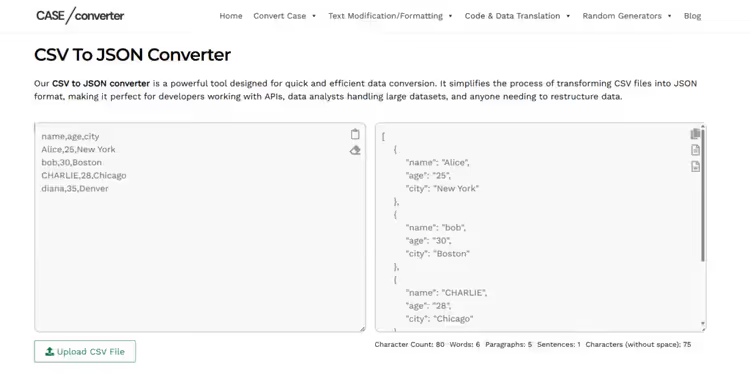
CaseConverter, a browser-based converter with no registration and no limits. Quick start: drop a CSV file or paste data into the text field, and within a couple of seconds you get structured JSON.
The tool auto-detects delimiters and headers, but you can also specify them manually if needed. Supported output formats: array of objects, nested JSON via "/" in column names, and JSON Lines. There’s a transpose and minify option, handy when the final file size matters.
- ✅ Pros: starts without registration or captcha, clean layout with no ads, handles medium-sized files (tens of thousands of rows), keeps a conversion history.
- ❌ Cons: no batch mode for a folder of CSVs, lacks a preview with JSON syntax highlighting.
- 🔗 Link: CaseConverter CSV to JSON
2. CSVJSON (csvjson.com)
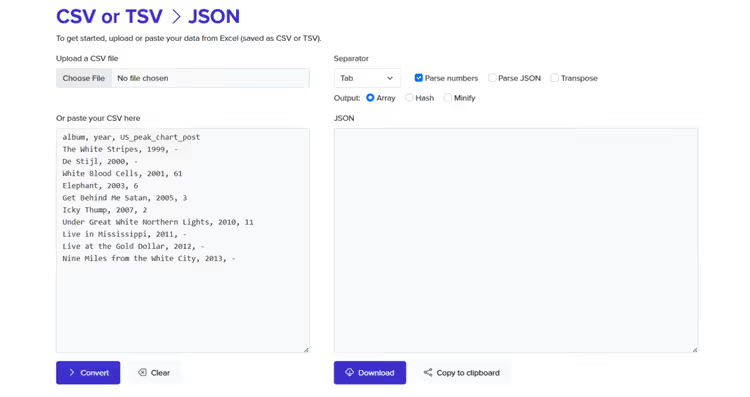
CSVJSON, the tool with the richest set of options among free online converters. Supports not only classic CSV but also TSV, as well as Excel files, the tool will pull data out of xlsx on its own.
The main feature is fine-grained parsing control. You can set a custom delimiter and quote character, enable auto-detection of numbers and NULL, skip empty fields, transpose rows and columns. Output: array of objects, a hash table keyed by a chosen field, or NDJSON. For a developer, this is the most flexible option in the roundup.
- ✅ Pros: Excel file support, detailed input and output format control, live JSON preview before export, handles non-standard CSV (semicolon, tab).
- ❌ Cons: interface is overloaded with options, a beginner can get lost, mobile layout is awkward.
- 🔗 Link: CSVJSON, CSV to JSON
3. ConvertCSV
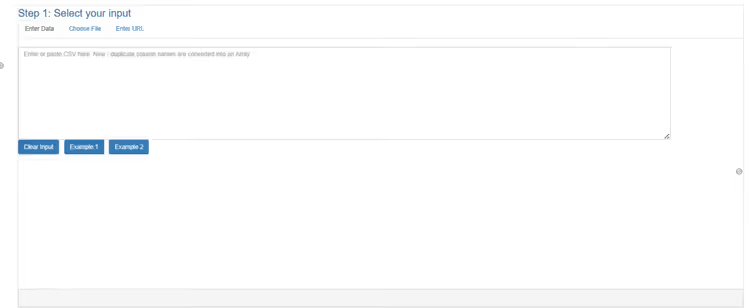
ConvertCSV, a veteran among conversion tools. The site has been running for over a decade and in that time has accumulated dozens of formats: CSV to JSON, SQL, XML, YAML, fixed width, and back.
The interface is broken into steps: upload, choose format, configure, download. Under the hood: encoding selection (UTF-8, Windows-1251, ISO-8859-1 and others), skip the first N rows, limit the number of records, sort by a chosen column. There’s a "Keyed JSON" mode where the object key becomes the value from a specified column rather than an ordinal number.
- ✅ Pros: encoding selection (important for Cyrillic CSVs), step-by-step wizard with no confusion, JSON Lines support for MongoDB, can convert JSON back to CSV.
- ❌ Cons: design is dated, ads on the page are distracting, no live preview.
- 🔗 Link: ConvertCSV, CSV to JSON
4. Retool CSV to JSON Utility
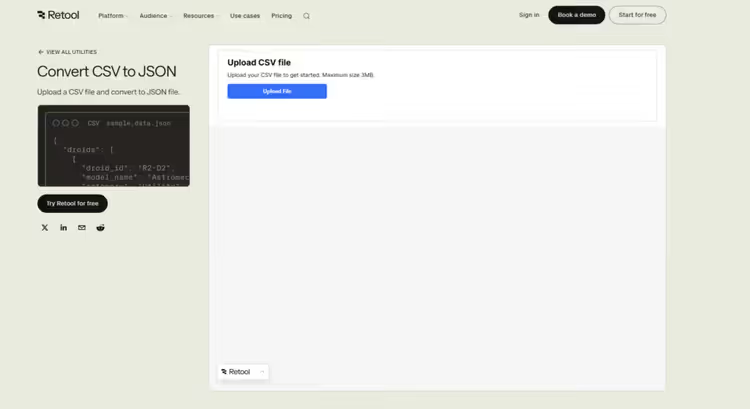
Retool, a utility for developers who need to quickly convert a CSV snippet to JSON and paste it into code. It works entirely in the browser: you paste data into the left panel, and the result appears instantly on the right.
The tool does not support file uploads, only pasting. But for the "copied a chunk of CSV from logs or an API response → got JSON" scenario, that is enough. The output is clean, with no extra fields, and auto-detects numbers and booleans. The utility's entire code is open and available on GitHub.
- ✅ Pros: instant conversion without page reloads, clean modern interface, open source, handles large pastes well.
- ❌ Cons: no file uploads, copy-paste only, cannot customize the output format (array of objects only).
- 🔗 Link: Retool CSV to JSON
5. Jam.dev CSV to JSON Converter
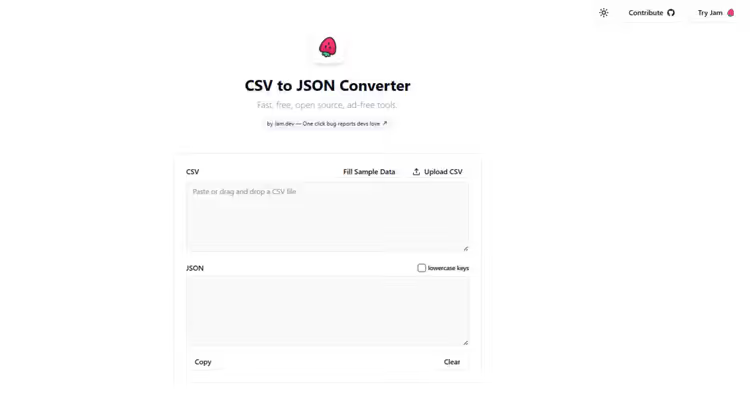
Jam.dev, an ultra-lightweight converter: one upload button, one paste field, one output. No ads, no "buy Pro" banners. The project is open source and hosted on GitHub.
It supports CSV file upload and text pasting. The result is an array of objects with auto-detection of numbers and booleans. For simple tasks like "send a colleague data as JSON" or "prepare mock data for API testing," it is an ideal choice.
- ✅ Pros: open source (MIT), zero ads and trackers, super-fast page load, copy JSON to clipboard with one button.
- ❌ Cons: no delimiter configuration (comma only), cannot handle files larger than a couple of megabytes, array of objects only as output.
- 🔗 Link: Jam.dev CSV to JSON
How to choose a CSV to JSON converter for your task
The choice comes down to three questions: data size, whether you need file upload, and how important precise output structure is.
If you have a standard comma-separated UTF-8 CSV, go with CaseConverter or Jam.dev. The former gives you file upload, the latter gives you instant conversion with no distractions.
If your CSV has a non-standard delimiter or encoding (semicolon, Windows-1251), your choice is CSVJSON or ConvertCSV. CSVJSON is more powerful in terms of output formats (hash table, NDJSON), while ConvertCSV is stronger on encodings.
If you are a developer and need to quickly convert a CSV snippet from the console, use Retool. Open a tab, paste, copy JSON. Three seconds.
Before converting an entire file, always do a trial run on the first 10-20 rows. That way you will see whether headers and data types were detected correctly, and you will not waste time re-uploading a large CSV.
⁉️🤔 FAQ
Are all the tools free?
Yes, all five converters in this roundup are completely free. CaseConverter, CSVJSON, ConvertCSV, and Retool have no paid tiers for basic CSV-to-JSON conversion. Jam.dev is also published under the MIT license, with the source code available on GitHub. None of the tools require registration for conversion.
Can any of them convert Excel to JSON directly?
CSVJSON (csvjson.com) accepts xlsx files; the tool will extract the data from Excel and return JSON. The other converters work only with CSV: if you have an xlsx file, first save the sheet as CSV (File → Save As → CSV UTF-8) and upload it to any tool in the roundup.
Is it safe** to upload sensitive data to an online converter?**
All five tools process data in the browser; the CSV never leaves your machine. This applies to CaseConverter, Retool, Jam.dev, and CSVJSON in its basic mode. ConvertCSV also claims client-side processing. For sensitive data, check the Network tab in DevTools: if there are no POST requests containing the CSV content, the data stays local. If in doubt, switch your browser to offline mode: the conversion should work without an internet connection.
What is the maximum file size these converters can handle?
The limit is determined by browser memory, not by the tools themselves. In practice, files up to 10 MB (roughly 50,000-80,000 rows of a standard CSV) work without issues in Chrome and Firefox. ConvertCSV and CaseConverter show the best results with large volumes. Jam.dev and Retool (without file upload) are designed for snippets up to a couple of megabytes.
Can I get nested JSON from a flat CSV?
Yes, CSVJSON and CaseConverter support the "/" notation in headers. A column named
user/nameand a columnuser/emailwill produce a"user": {"name": "...", "email": "..."}object in the output. ConvertCSV offers a similar mechanism using a dot as the separator. Retool and Jam.dev cannot do this; they output only a flat array of objects.
💎 What to pick: the bottom line
This roundup covers all typical scenarios: from "quickly convert three columns" to "parse a multi-megabyte CSV with Cyrillic and semicolons." The specific choice depends on the task, not on flashy landing-page promises.
- If you need it as fast as possible with no extra buttons, Jam.dev.
- If your CSV is non-standard (tabs, semicolons, Windows-1251), CSVJSON or ConvertCSV.
- If the file is tens of megabytes, CaseConverter or ConvertCSV with its step-by-step wizard.
- If you are a developer and need a copy-paste from the console, Retool.
All the tools are free and work in the browser. Test one or two with your typical CSV and bookmark the link. And which converter saves you when working with APIs? Let us know in the comments.

A professional team of writers and editors specializing in creating quality content.