


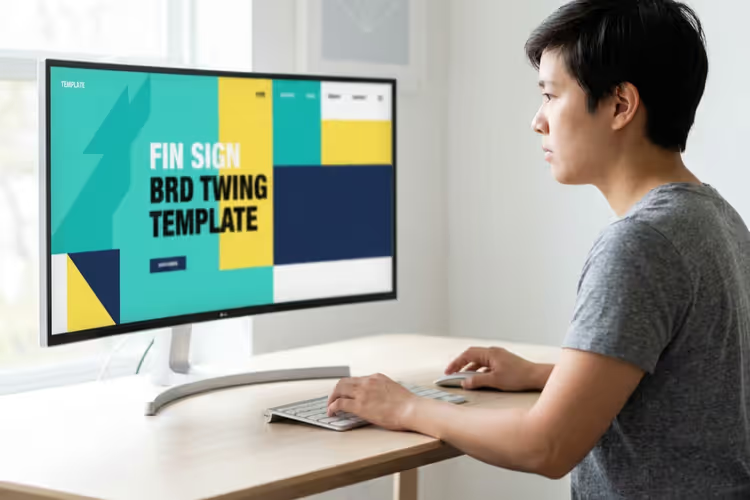
🎨 20+ Trendy flat design templates from TemplateMonster in 2026
Flat design without shadows or gradients came to web development almost a decade ago, and it stuck. The reason is simple: pages with a flat aesthetic load faster, are easier to read, and look clean on any screen.
TemplateMonster has assembled thousands of templates in this style: from corporate sites to online stores on Joomla, Magento, and WordPress. We picked 20+ options you would not hesitate to show a client, each with a live demo and a clean codebase under the hood.
💡 Quick overview:
- What flat design means in templates: flat buttons, large typography, hidden navigation, and color blocks instead of shadows
- Platforms covered: Joomla (6 templates), Magento (5), WordPress (8), HTML/Moto CMS (3)
- Pricing: from budget HTML to premium Magento themes, a MonsterONE subscription unlocks the entire catalog for a monthly fee
- How to choose: start with the CMS and the business niche; each option is tailored to its own domain
Comparison table: top 5 versatile templates
Template | Platform | Best for | Price (from) | Standout feature |
|---|---|---|---|---|
Jumerix | Joomla | Corporate site, blog, portfolio | $51 | Mega menu + Ajax search |
Magetique | Magento | General-purpose online store | $75 | AMP + flexible layouts |
Webion | WordPress | Business site, blog, landing page | $51 | Elementor Builder included |
F2 | Magento | Fashion boutique, clothing | $75 | Ajax filter + AMP |
Techtiq | HTML | Universal landing page / business card | $25 | 12 layouts + YouTube background |
Joomla templates: corporate sites and niche projects
1. Jumerix, multipurpose Joomla template
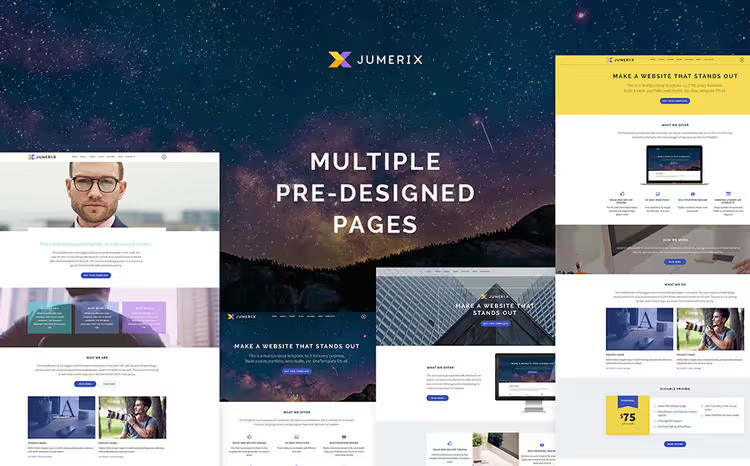
A universal template for a corporate site, blog, or portfolio. The mega menu and Ajax search give visitors instant access to any section, without a page reload. The package includes dozens of ready-made layouts for typical scenarios: from a service landing page to an "About Us" page.
- Pros: fast on-site search (Ajax), responsive layout, ready-made layouts for different niches
- Cons: price is above average for Joomla templates; configuring the mega menu takes time
- Price: from $51 (GPL license)
- Download: 🔗 Jumerix on TemplateMonster | 🔗 Live demo
2. Bitone, cryptocurrency Joomla template

A site for a cryptocurrency project or blockchain startup. The parallax effect adds depth to the page, and the built-in client review system works out of the box, no separate plugin needed. Social login lets visitors sign in using their existing profiles.
- Pros: parallax scrolling, ready-made testimonials section, social login
- Cons: narrow niche, suitable only for crypto and fintech projects
- Price: from $51
- Download: 🔗 Bitone on TemplateMonster | 🔗 Live demo
3. Easy Audit, finance and audit on Joomla
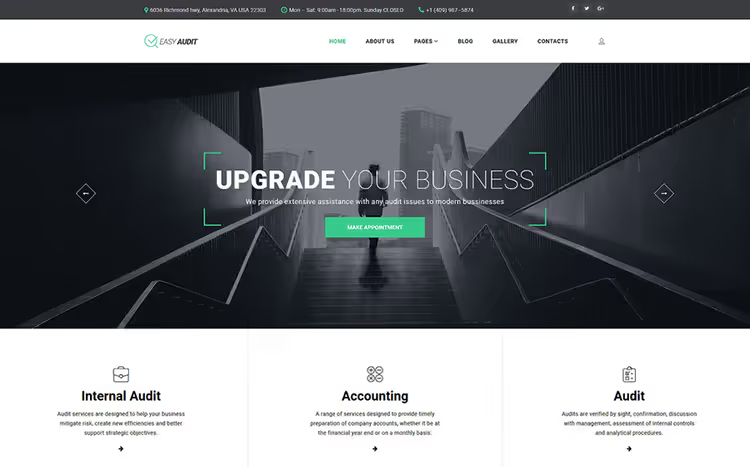
A template for an accounting firm, audit company, or financial consultant. Dropdown menu and sortable galleries, a solid foundation, and the TM Ajax Contact Form lets clients reach you without a page reload.
- Pros: built-in Ajax contact form, project galleries, strict business style
- Cons: conservative design, not suitable for creative niches
- Price: from $51
- Download: 🔗 Easy Audit on TemplateMonster | 🔗 Live demo
4. Mind State, life coaching and psychology

A vibrant template for a coach, psychologist, or personal growth center. A color scheme switcher helps convey the brand mood without touching the code. A built-in slider brings key messages to the first screen.
- Pros: one-click color scheme change, ready-made pages for services and about
- Cons: overkill for a solo practitioner with just a couple of pages
- Price: from $51
- Download: 🔗 Mind State on TemplateMonster | 🔗 Live demo
5. Escape, escape rooms and entertainment
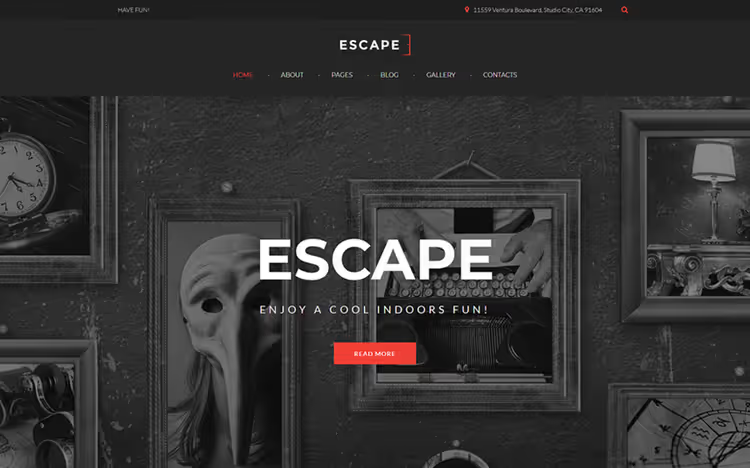
A website for an escape room or active recreation center. An integrated blog lets you post announcements for new quests, and galleries show the atmosphere of the rooms down to the details. The dark palette adds a sense of mystery.
- Pros: blog and galleries included, atmospheric design
- Cons: only for the entertainment niche; hard to repurpose for another business
- Price: from $51
- Download: 🔗 Escape on TemplateMonster | 🔗 Live demo
6. Advertis, advertising agency on Joomla

A modern template for an advertising or digital agency. A built-in comment system collects feedback on projects, and social buttons help clients share case studies on their own networks, an extra visibility channel for the agency.
- Pros: social integration, comment system, energetic flat design
- Cons: comments will require moderation, factor this in at launch
- Price: from $51
- Download: 🔗 Advertis on TemplateMonster | 🔗 Live demo
Magento templates: online stores with flat aesthetics
7. F2, a fashion boutique on Magento
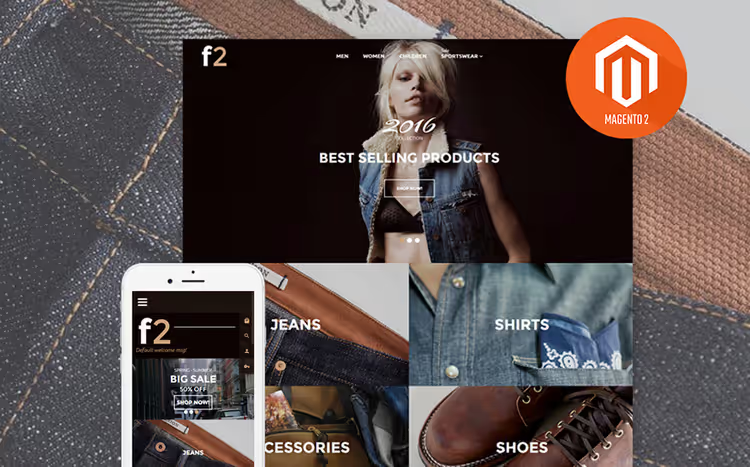
A Magento theme for a clothing, accessories, or designer goods store. Included TM modules: pop-up subscription, recommended products, Ajax catalog filter, and product labels. AMP speeds up catalog page loading on mobile to near-instant.
- Pros: Ajax catalog filter, AMP for mobile, product labels
- Cons: requires configuring Magento modules; without platform experience, a steep learning curve
- Price: from $75
- Download: 🔗 F2 on TemplateMonster | 🔗 Live demo
8. Magetique, a universal Magento template
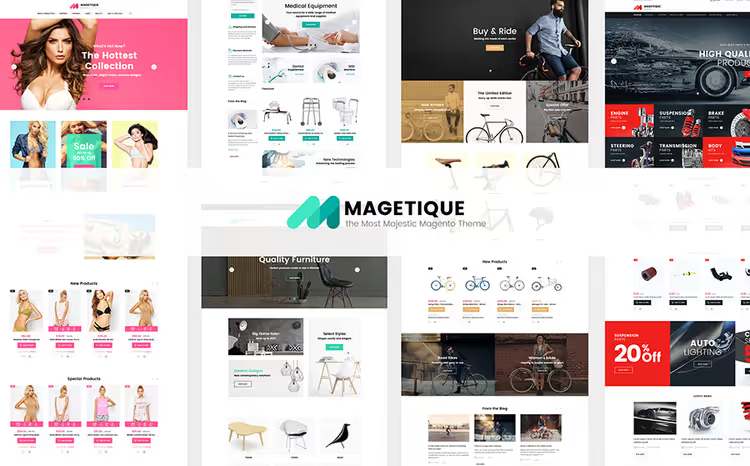
A flagship multi-purpose Magento template. Combine header, footer, and homepage layout options to get a unique storefront without coding. Marketing tools (Ajax compare, wishlist, smart labels) and AMP, out of the box.
- Pros: dozens of layout combinations, AMP, built-in marketing modules
- Cons: the abundance of options may slow down the admin panel on weak hosting
- Price: from $75
- Download: 🔗 Magetique on TemplateMonster | 🔗 Live demo
9. CompShop, an electronics store on Magento
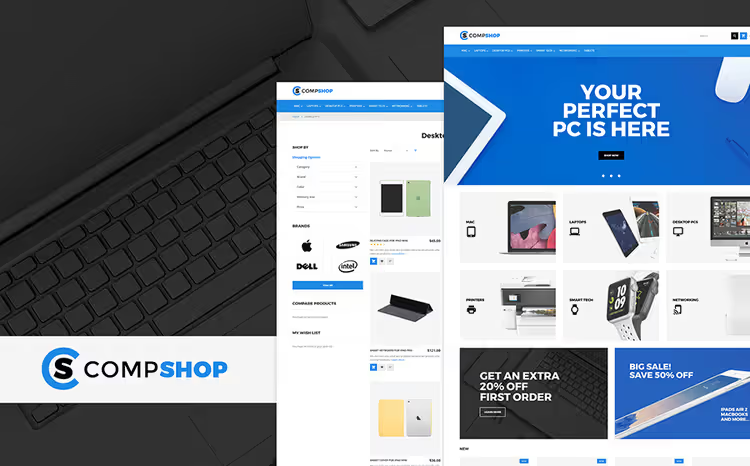
A theme for selling electronics, gadgets, and computer hardware. TM modules (blog, social login, mega menu, subscription) extend functionality without extra plugins. The homepage slider showcases promotions and new arrivals.
- Pros: full set of TM modules, promo slider, built for an electronics catalog
- Cons: like any Magento template, it demands solid hosting
- Price: from $75
- Download: 🔗 CompShop on TemplateMonster | 🔗 Live demo
10. Furnitex, garden furniture on Magento
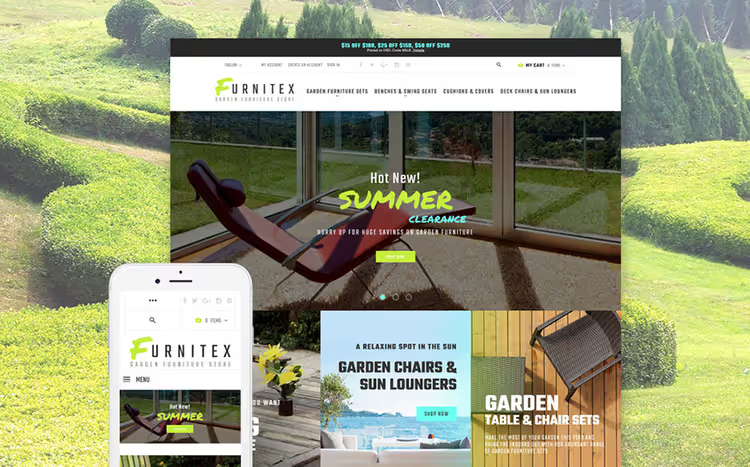
A vibrant template for a garden furniture or home goods store. The mega menu builds a logical catalog with categories, and product badges highlight statuses: "new," "on sale," "bestseller." The flat color palette emphasizes the texture of materials in product photos.
- Pros: product badges, mega menu, rich color scheme
- Minuses: niche-focused; for furniture outside "garden and home" it will need reconfiguration
- Price: from $75
- Download: 🔗 Furnitex on TemplateMonster | 🔗 Live demo
11. IShop, electronics and gadgets on Magento
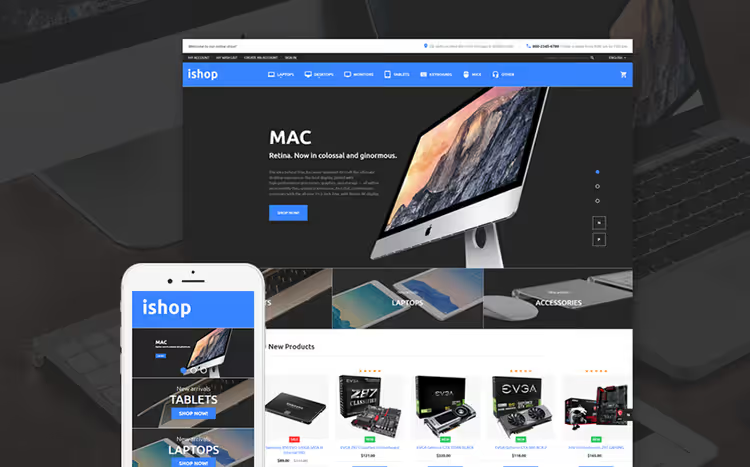
Another option for electronics, with an emphasis on a clean product page and catalog. The homepage slider showcases promotions and curated picks. The product card is designed so that technical specs can be read without scrolling.
- Pros: detailed product card, clean catalog, promo slider
- Cons: fewer built-in modules than Magetique
- Price: from $75
- Download: 🔗 IShop on TemplateMonster | 🔗 Live demo
WordPress templates: from blog to agency
12. Eco Life, ecology and green tech on WordPress
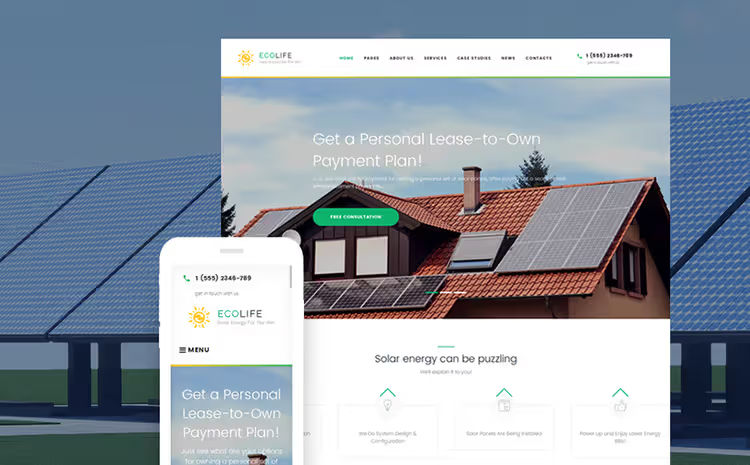
A theme for an eco-project, green business, or environmental blog. The built-in page builder lets you assemble the site without code. Clean grid and plenty of white space, a classic flat approach that keeps the focus on the content.
- Pros: page builder included, several ready-made layouts, easy customization
- Cons: created in 2016, last updated the same year, check compatibility with the current WordPress version
- Price: $51 (GPL)
- Download: 🔗 Eco Life on TemplateMonster | 🔗 Live demo
13. Viva Veggie, cafe and restaurant on WordPress

A theme for a cafe, restaurant, or food delivery service. A flexible page builder assembles pages by dragging and dropping blocks. The built-in table reservation form eliminates the need for a booking plugin. The menu page is designed as part of the site, not a separate PDF file.
- Pros: reservation form out of the box, menu page integrated into the design, page builder
- Cons: the reservation form is basic, a plugin will be needed for complex logic (banquet halls, deposits)
- Price: from $51
- Download: 🔗 Viva Veggie on TemplateMonster | 🔗 Live demo
14. Art, minimalist portfolio on WordPress
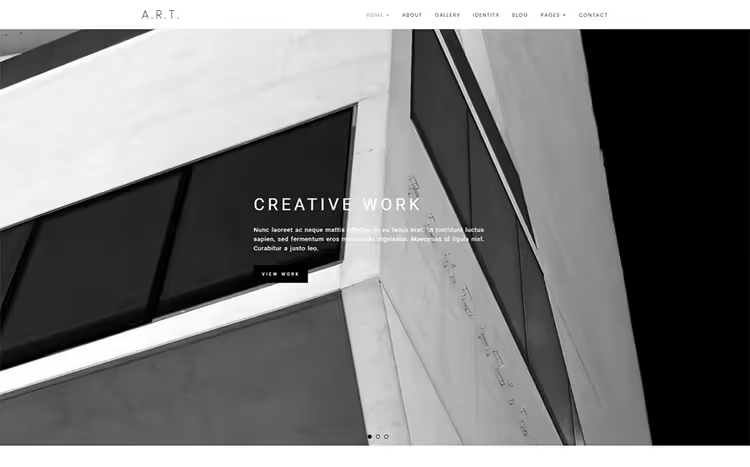
A theme for a photographer, designer, or artist. Four homepage options and a set of custom widgets (banner, contacts, About, Facebook like box). Minimal chrome, maximum attention on the work.
- Pros: 4 homepage layouts, custom widgets, visual focus
- Cons: the Facebook like box may be irrelevant for audiences outside that social network
- Price: from $51
- Download: 🔗 Art on TemplateMonster | 🔗 Live demo
15. Amenity, business landing page on WordPress
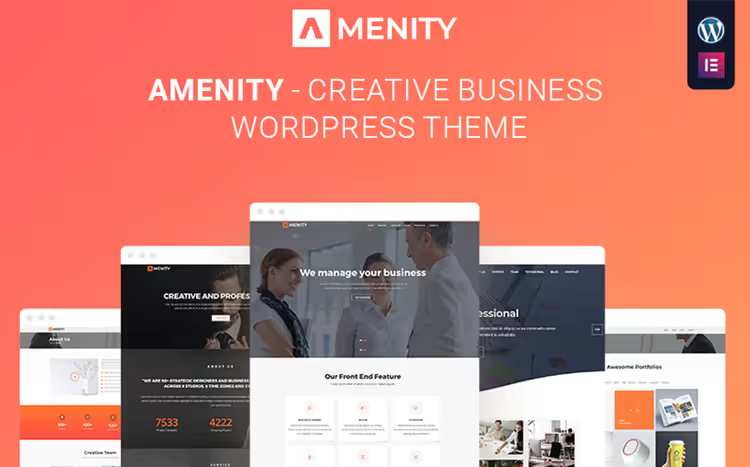
A one-page business site for a company or service. Pre-built pages describe services in detail, and the settings panel gives you flexibility over fonts and colors. Works well for consulting, a law firm, or a small agency.
- Pros: single-page structure, pre-built service pages, clean typography
- Cons: a one-pager scales poorly for SEO as content grows
- Price: from $51
- Download: 🔗 Amenity on TemplateMonster | 🔗 Live demo
16. Webion, a versatile WordPress theme with Elementor
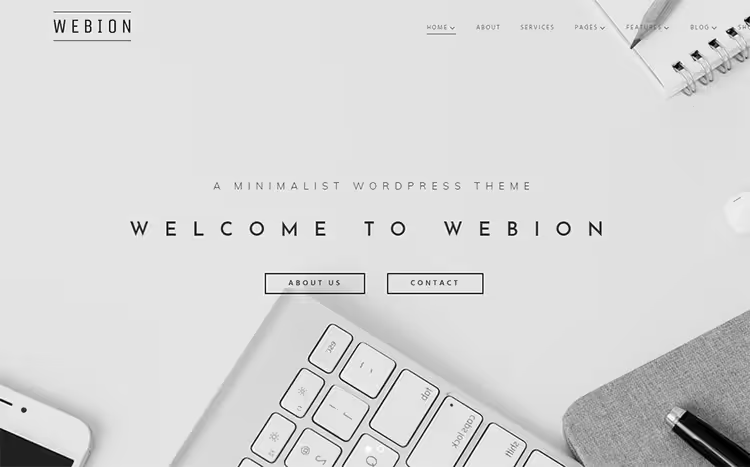
A minimalist WordPress theme with the Elementor builder built in. Four blog layouts cover virtually any content strategy. Compatibility with popular plugins adds flexibility without extra development.
- Pros: Elementor builder, 4 blog layouts, compatible with major plugins
- Cons: a complex online store will require WooCommerce integration with additional setup
- Price: from $51
- Download: 🔗 Webion on TemplateMonster | 🔗 Live demo
17. Profitex, an architecture firm WordPress theme
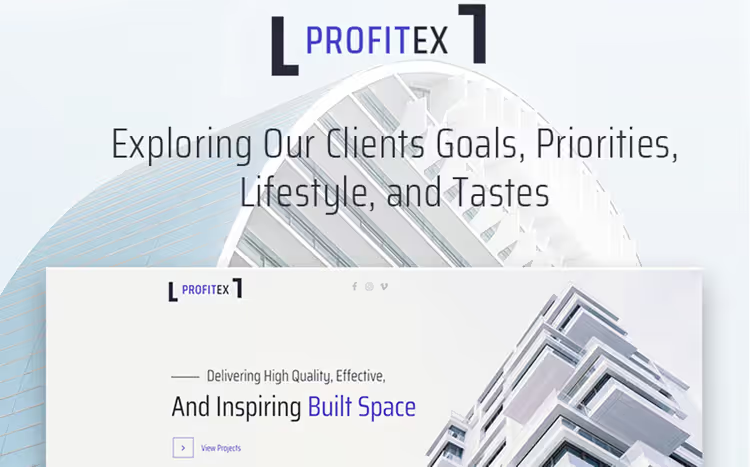
A theme for an architecture firm or interior design studio. The WordPress Live Customizer lets you adjust fonts, colors, and layout in real time. High-quality bonus stock images are included in the package.
- Pros: live customizer, bonus images, professional portfolio presentation
- Cons: the bonus photos are generic; replace them with your own projects for uniqueness
- Price: from $51
- Download: 🔗 Profitex on TemplateMonster | 🔗 Live demo
18. Quadcraft, a drone startup WordPress theme
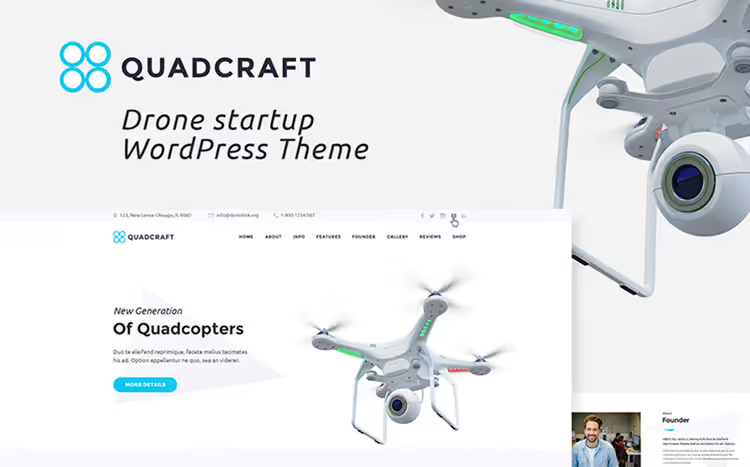
A theme for a drone, robotics, or hardware startup. The collection of pre-built pages covers typical scenarios: product, team, technology, contacts. Cherry Search provides fast on-site search, and WordPress Social Login enables sign-in via social networks.
- Pros: ready-made pages for a startup, smart search, social login
- Cons: narrow styling, geared toward a tech brand, won't suit a service company
- Price: from $51
- Download: 🔗 Quadcraft on TemplateMonster | 🔗 Live demo
19. Invenio, financial consultant on WordPress
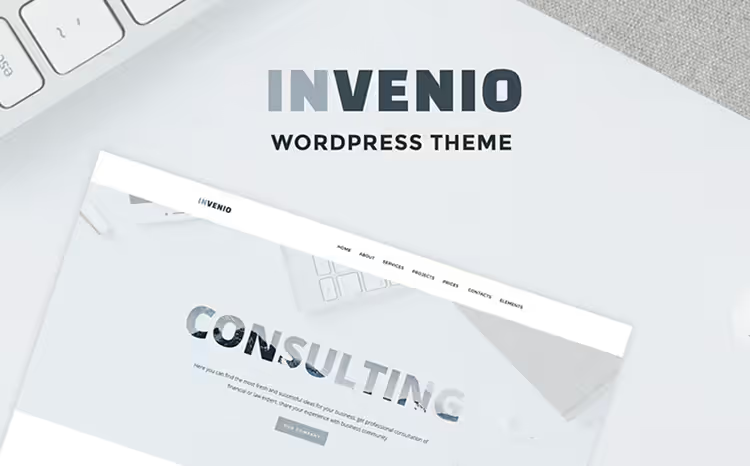
A theme for a financial advisor, accountant, or investment firm. Cherry Services List, Projects, and Team Members help present the team and services in a structured way. A set of header and footer styles, Google Fonts, and blog layouts provide flexibility.
- Pros: modules for services and team, header/footer options, formal style
- Cons: conservative design, not for creative niches
- Price: from $51
- Download: 🔗 Invenio on TemplateMonster | 🔗 Live demo
HTML templates and Moto CMS: lightweight solutions
20. Bank, finance on Moto CMS HTML
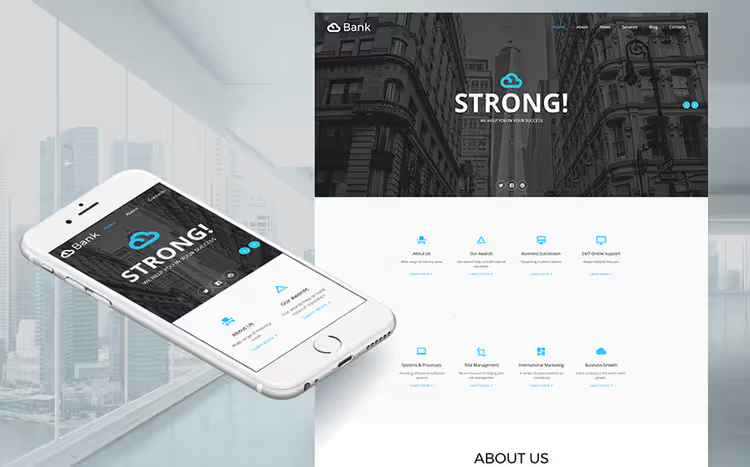
An HTML template for a financial site on Moto CMS. Lightweight, with animation that brings content to life without overloading the page. Suitable for a loan broker, insurance agent, or microfinance organization.
- Pros: lightweight HTML, built-in animation, no database required
- Cons: Moto CMS, a less common platform than WordPress; smaller community and documentation
- Price: from $25
- Download: 🔗 Bank on TemplateMonster | 🔗 Live demo
21. Oriana, portfolio on WordPress
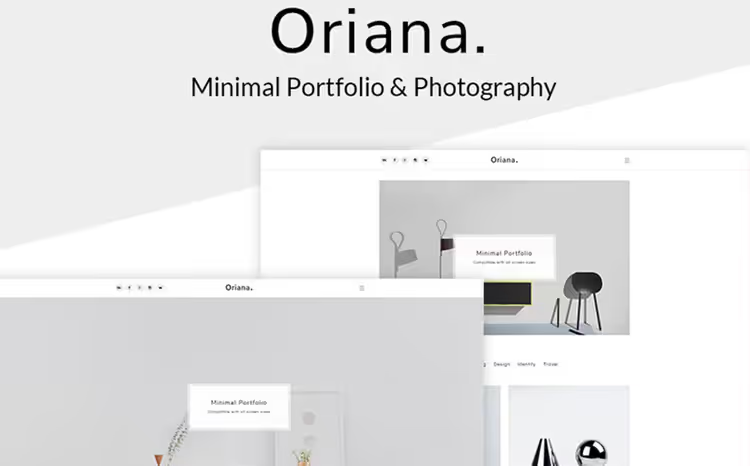
The second theme for a photographer or artist, with an emphasis on minimalism and a clean slate. The grid, free of unnecessary elements, does not compete with the work for the viewer's attention. Color variations help you adapt the site to your brand identity without code.
- Pros: minimalist grid, color schemes, focus on images
- Cons: minimal built-in features, portfolio only, no blogging features
- Price: from $51
- Download: 🔗 Oriana on TemplateMonster | 🔗 Live demo
22. Fracture, architecture and interior design (HTML)
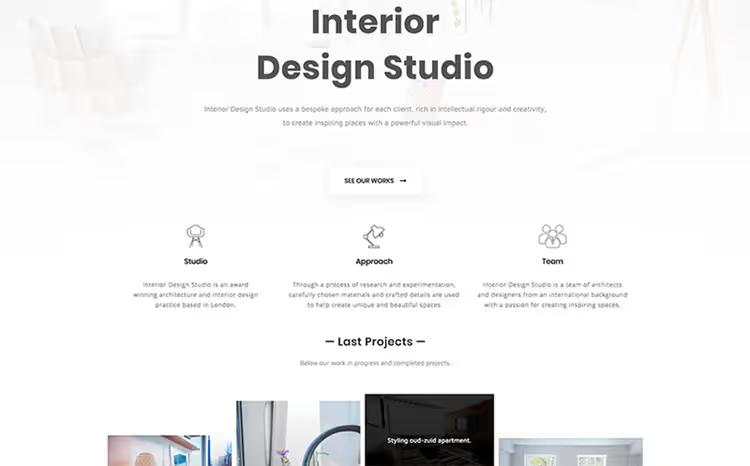
An HTML template for an architecture firm or interior design studio. A slider and two gallery variations showcase projects from different angles. Fast, CMS-independent, host it on any static hosting.
- Pros: two gallery types, slider, not tied to a CMS
- Cons: no CMS, updating content will require editing HTML files
- Price: from $25
- Download: 🔗 Fracture on TemplateMonster | 🔗 Live demo
23. Techtiq, universal multi-page HTML
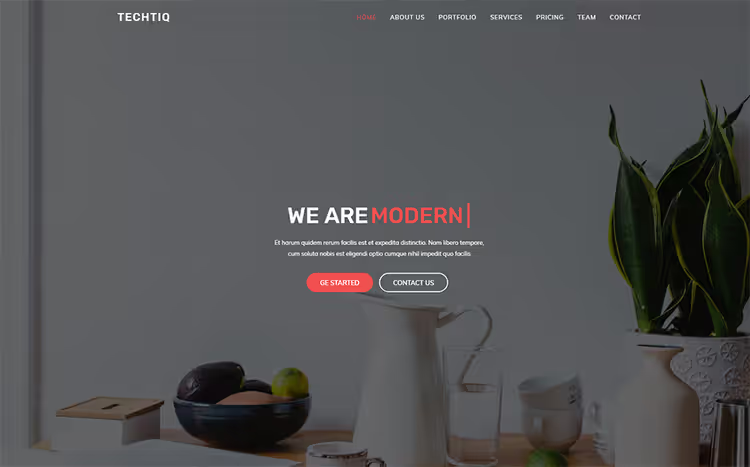
A universal HTML template with 12 homepage variations. YouTube background, parallax scrolling, and a contact form, all in one package. The 12 layouts cover a wide range of niches: from a startup to a corporate website.
- Pros: 12 homepage layouts, YouTube background, parallax, lightweight HTML
- Cons: YouTube background adds weight to the page, better to disable on mobile
- Price: from $25
- Download: 🔗 Techtiq on TemplateMonster | 🔗 Live demo
What flat design in templates is and why it never goes out of style
A short explanation of flat design principles: flat elements, clean colors, no shadows or gradients. The ideology hasn't changed since it first appeared, only the toolset has. Modern flat templates add micro-interactions and variable fonts while keeping the same visual lightness.
In practice, a flat template delivers three tangible benefits: it loads faster (less graphics), it's easier to read on mobile (large typography and breathing room), and it's cheaper to maintain (you don't need a designer for every banner; a color block and text get the job done).
⁉️🤔 FAQ
Flat design: is it just "no shadows" or is there more to it?
Flat design is a philosophy of simplification: remove everything that does not help the user reach their goal. No shadows, gradients, or skeuomorphism (imitating real-world textures). In practice, this means large buttons without 3D effects, solid color blocks, minimalist icons, and typography as the primary tool for establishing hierarchy. Its closest relative is Google's Material Design, which adds subtle shadows for the Z-axis but keeps the same logic of simplicity.
Which template should I pick if I have never worked with a CMS?
From this selection, the easiest to start with are Webion (WordPress + Elementor) or Techtiq (HTML). Webion gives you the Elementor visual editor: you build pages by dragging and dropping blocks, no coding required. Techtiq is just HTML/CSS: you host it anywhere and edit the text in a code editor. Joomla and Magento require a deeper learning curve; go with those only if you already have experience with these platforms or a contractor who will manage them for you.
Templates from 2016-2018: do they still work with modern CMS versions?
Some of the templates in this selection were created in 2016-2018, and you need to keep that in mind. TemplateMonster does not always update older products for every new version of WordPress/Joomla/Magento. Before purchasing, check the "Updated" line on the product page and verify compatibility with your CMS version. For WordPress themes, also look at the minimum PHP version in the requirements: modern hosting providers use current PHP versions by default, and an old template may not work with them.
Which is more cost-effective: buying a template individually or getting MonsterONE?
For a single project, a one-time purchase is more cost-effective. For an agency or freelancer with a steady stream of clients, MonsterONE wins: unlimited access to all templates for a monthly fee, plus stock photos, icons, and presentations included. Over a year, the subscription costs less than a dozen individual purchases; do the math based on your workload.
Is flat design suitable for an online store, or only for business card sites?
It works for stores as well. The Magetique, F2, CompShop, IShop, and Furnitex templates in this selection are all built on Magento and purpose-built for e-commerce. A flat approach in a store delivers fast catalog loading and a clean product page without visual noise, so visitors find specs and pricing faster.
Which flat template to pick for your project
Twenty-three templates cover virtually any niche: from a cryptocurrency startup to garden furniture. The choice comes down to three questions: platform, niche, and budget.
- If you are on Joomla and running a standard business, go with Jumerix; you cannot go wrong.
- If you are on Magento and building a fashion store, pick F2 with its Ajax filter and AMP.
- If you are on WordPress and need flexibility, choose Webion on Elementor: you will build anything without code.
- If you do not need a CMS at all, the lightweight Techtiq on HTML with 12 layouts is your pick.
Before buying, open the live demo (the "Demo" link under each template) and run the page through PageSpeed Insights. Flat design promises speed, but a specific template may be overloaded with scripts. Also check the last updated date on the product page.
Have you already tried building a site with a flat template from TemplateMonster? Tell us in the comments which theme you picked and how long it took to launch.

A professional team of writers and editors specializing in creating quality content.