











🤔 MonsterONE by TemplateMonster: subscription review 2026
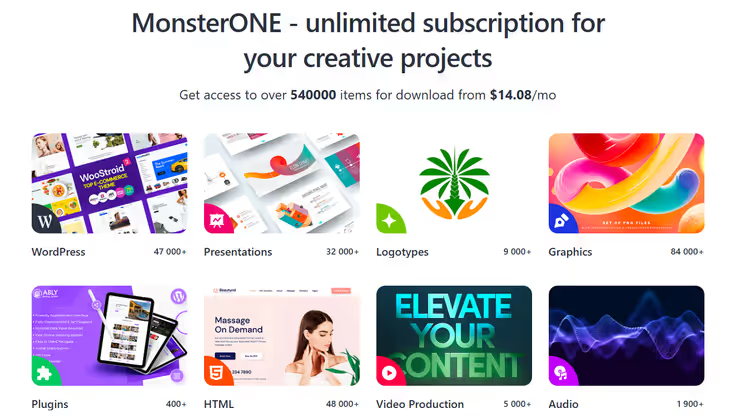
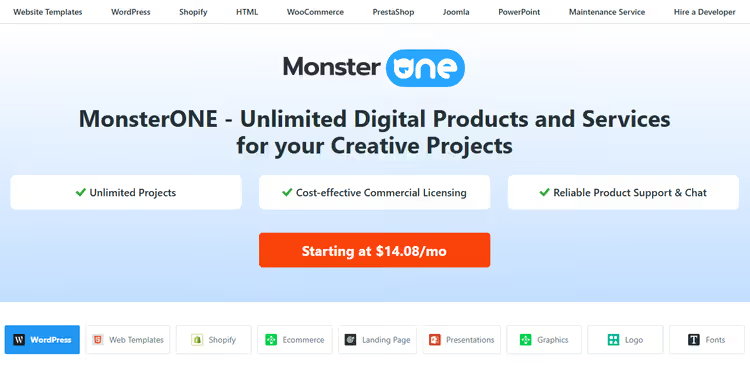
MonsterONE gives unlimited access to 540,000+ themes, plugins, and graphics for a flat fee. We tested it to see who…

The theme determines how your site looks and how fast it loads. Choosing one is harder than it seems. This section is for anyone launching a new project, replacing a tired template, or trying to adapt someone else's theme to their needs without the pain.
Here you'll find curated lists of themes for specific niches. Food blogs, online stores, personal blogs, photographers and portfolios, real estate, doctors and clinics, yoga studios. We also cover narrower requests: Pinterest-style layouts, three-column templates, single-product landing pages, and themes for BuddyPress communities (a plugin that adds social networking inside your site). We also put together options for multilingual sites and dark mode. This isn't just a list of twenty screenshots. We explain who a theme will work for and who will end up regretting it.
A separate block covers reviews of specific themes and page builders. Astra and GeneratePress as lightweight all-rounders. Cactus and Nicepage for those who want to assemble a page by dragging and dropping. Slider Revolution, Oxygen, WPBakery, and Elementor add-ons (extensions that add blocks and effects). We're honest about the downsides. Where a builder bloats the code, where a theme lags on mobile, where you'll have to pay extra for the demo, and where deactivating a plugin leaves your page falling apart into shortcodes.
Theory without practice is useless. So we walk through installing a theme from scratch, importing demo content in one click, and cleaning it up afterward. Child themes (a separate layer so your edits don't get wiped out after an update). Customizing with additional CSS when the built-in settings aren't enough. Adding your own fonts, replacing the favicon, configuring the header and footer, and translating theme strings into Russian. Every guide follows the same structure. First, a quick solution to the problem. Then a detailed walkthrough with screenshots and pitfalls.
Who we keep in mind when we write. A beginner is just picking their first template and is afraid of breaking the site by editing code. An experienced user is looking for a lighter theme to boost their PageSpeed score, or wants to break free from a heavy page builder. For the former, we spell out every click. For the latter, we provide ready-to-use CSS and an honest speed measurement.
What we check when evaluating a theme. Page weight and the number of requests after installing the demo. Behavior on a phone, not just on a wide monitor. Update frequency and whether the developer is still active. The price of the pro version and what's actually behind it. Gutenberg and popular page builder support. A theme that looks great in a screenshot but drags a megabyte of scripts just for one animation, we'll flag right away.
The content is written by people who have installed and broken dozens of themes on live sites themselves. We've seen a beautiful demo turn into a mess after moving real content in. We've seen an update wipe out edits made directly in the parent theme. So we call it as we see it. If a theme is overloaded and slow, we'll say so.
If you're still choosing a template, start with the roundup for your niche. Then read the review of the theme you like. Only then move on to installation and customization. That way you won't waste a weekend on a site that looks good but doesn't work.
This section is closely tied to the neighboring categories. In "WordPress Plugins" you'll find extensions that work with any theme: forms, SEO, security, optimization. If you're building a store, head over to the WooCommerce section. There you'll find breakdowns of themes for product storefronts, payments, shipping, and checkout. You get the general logic of choosing a theme here. For specific store and plugin questions, check the dedicated sections.
Content is updated regularly. New themes come out, developers abandon old ones, and the platform keeps changing its PHP requirements. We keep our roundups and reviews current rather than leaving advice from three years ago. Launching a blog, portfolio, or storefront? Come back here every time you need to change your design, tailor it to your needs, or just figure out where to settle.
MonsterONE gives unlimited access to 540,000+ themes, plugins, and graphics for a flat fee. We tested it to see who…
Flat design templates speed up sites and look clean on any screen. We picked 20+ Joomla, Magento, WordPress, and HTML…
Flat design is now the standard for trust and usability. Explore 20 ready-made themes from TemplateMonster, with a top…
MonsterONE subscription gives access to 540,000+ themes, plugins, graphics, and video for one annual fee. We review…
Get ready for TemplateMonster's Black Friday sale with 10 hand-picked templates. Save up to 50% on WordPress, HTML, and…
Honest review of TemplateMonster and 5 WordPress themes: Monstroid2, Innomerce, Hazel, Imperion, and 24.Storycle.…
10 Tested multivendor themes that work with Dokan and WCFM. Seller dashboards, frontend registration, and commission…
23 Minimalist WooCommerce themes tested in July 2026. Speed, clean code, and product focus drive sales. Free and…
15 Ready-made Shopify themes for children's goods, sweets, flowers, bags and outdoor clothing. Edit without code,…
30 Best WooCommerce themes for 2026: from niche designs for medical gear and tools to multipurpose skins with Elementor…