














🛒 23 Minimalist WooCommerce themes for an online store in 2026
Launched an online store, and the theme loads the site with five megabytes of animations and sliders? Minimalist design in WooCommerce is not about a boring blank page. It is about speed, conversion, and keeping the customer focused on the product.
Minimalist themes remove the excess: heavy shortcodes, nested grids, strings of widgets. What remains is clean code, fast rendering, and crisp typography. For a store, that is a direct path to higher sales: nothing distracts from the "Add to cart" button.
We have collected 23 minimalist WooCommerce themes: free and premium, for clothing, electronics, cosmetics, and multi-product marketplaces. We checked every entry in July 2026: the theme must be on sale or receiving updates right now, not just listed in a directory. Four themes from the previous version of this roundup did not pass the check and have been removed.
💡 Quick overview:
- Pick your niche: clothing, electronics, cosmetics, or a general-purpose store
- Set your budget: half the themes are free, premium ones start at an affordable price
- See the comparison table below: it shows the top 6 themes by speed and functionality
- Open the live theme demo, check the product card and the cart
- Install the theme, import the starter template, and replace the content with your own
Comparison table
Theme | Price | Best for | Standout feature |
|---|---|---|---|
Astra | Free / from $69 | General purpose | 50+ starter templates, <50 KB on the front end |
GeneratePress | Free / from $59 | Speed | Block builder, cleanest code, <10 KB |
Neve | Free / from $69 | Quick start | AMP out of the box, 100 PageSpeed score |
Kadence WP | Free / from $129 | Design | Header/footer builder, Shop Kit for WooCommerce |
Botiga | Free / from $69 | Fashion and beauty | 5 ready-made stores, stylish product cards |
Storefront | Free | Developers | Official WooCommerce theme, 14 child themes |
1. Botiga

Botiga, a theme purpose-built for clothing, cosmetics, and jewelry online stores. Five ready-made starter sites for different niches let you launch a storefront in an hour. Flexible product card settings, a gallery with zoom, quick view, and an add-to-cart button adapt to the brand style without code.
The theme works with Gutenberg and Elementor. Built-in product filters, store search, badge and shop-front styles. SEO optimization out of the box, 4.9 rating on WordPress.org.
- Pros: 5 ready-made niche demos, flexible product cards, in-store filters and search, free version with decent functionality
- Cons: pro features (gallery styles, checkout) only in the paid version
- Price: Free / Pro from $69 per year
- Download: 🔗 Botiga on WordPress.org | 🔗 Live demo
2. Monstroid2
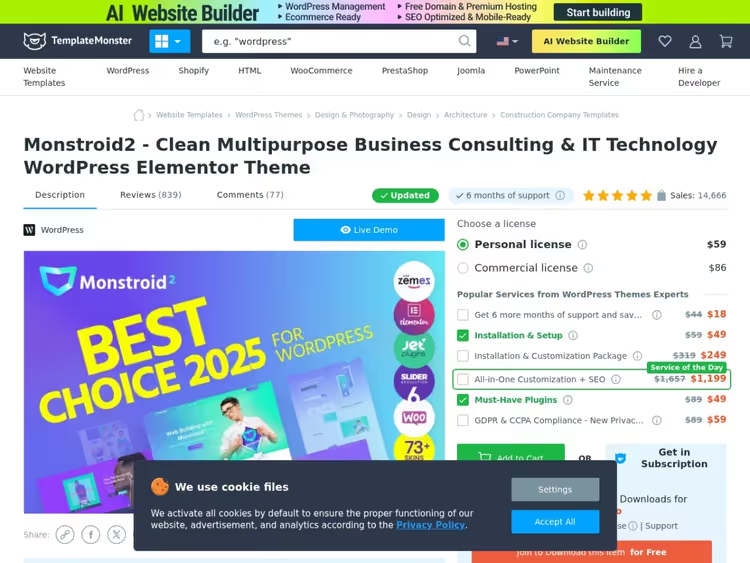
Monstroid2 is built around Elementor and Jet widgets: the drag-and-drop builder replaces manual layout work. The package includes 73+ ready-made skins, from a small boutique to a mega-mall with thousands of products. Each skin includes pre-styled pages, sections, and UI elements.
Full WooCommerce integration: JetPlugins extend the product card, shop front, and cart without a single line of code. The theme is fast to render, responsive, and requires no CSS tweaks.
- Pros: 73+ ready-made designs, Elementor + JetPlugins, suitable for large catalogs
- Cons: tied to the TemplateMonster ecosystem, single-site license
- Price: from $59 for a single-site license
- Download: 🔗 Monstroid2 on TemplateMonster
3. Shoptimizer
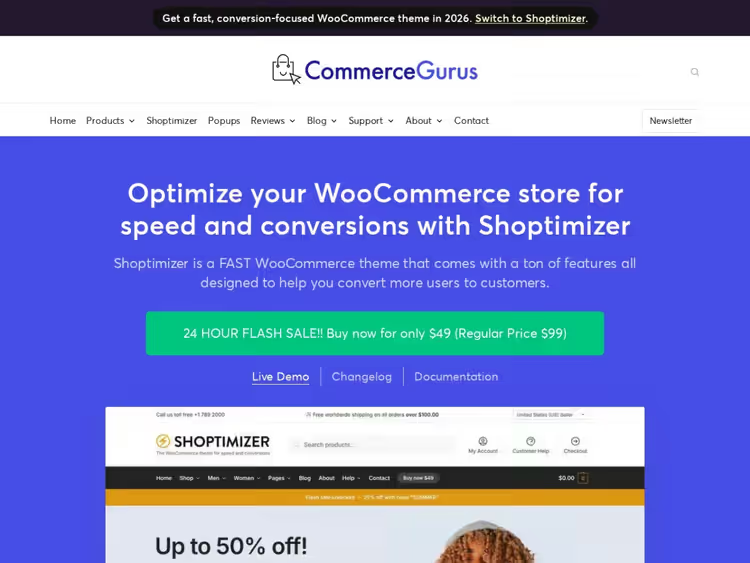
Shoptimizer, a theme where minimalism serves conversion. The product card has been reworked: a sticky "Add to cart" button, a trust block, a promo timer. There is nothing superfluous in the template; every element works a step of the funnel.
Speed is stated as the main feature: critical CSS, deferred script loading, ready-made Core Web Vitals scores. There are ready-made demos for fashion, electronics, and home goods.
- Pros: optimized product card, emphasis on speed, ready-made demos, developer support
- Cons: no free version, annual update subscription
- Price: from $99 per year
- Download: 🔗 Shoptimizer on CommerceGurus
4. Cosmetro
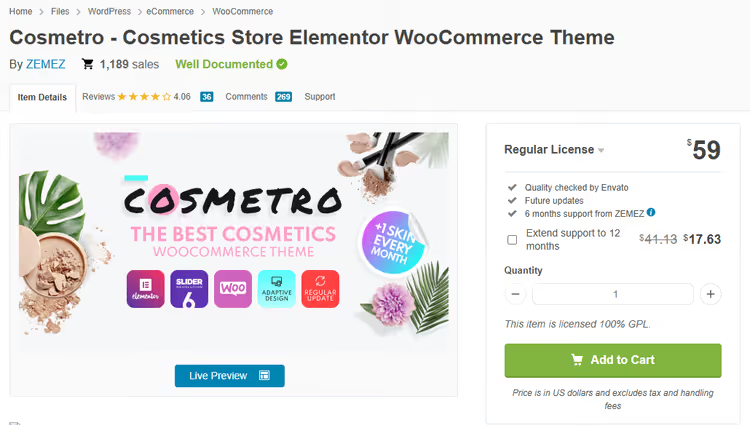
Cosmetro was created for cosmetics and beauty stores, but Elementor's flexibility lets you adapt it to any lifestyle brand. The package includes 30+ ready-made page layouts, 100+ Jet Elementor widgets, and Revolution Slider. The design is assembled by dragging and dropping, no CSS required.
The theme is mobile-friendly, includes a setup wizard and detailed documentation. Built-in blog layouts let you run content marketing alongside your storefront without third-party plugins.
- Pros: 30+ layouts, Elementor + Jet widgets, Revolution Slider included
- Cons: niche design (cosmetics), single-site license, no free version
- Price: from $59
- Download: 🔗 Cosmetro on ThemeForest
5. Astra

Astra, the most popular WooCommerce theme in the WordPress.org repository: 1+ million active installs and a 4.9 rating. It weighs under 50 KB on the front end, needs only 2 database queries, and renders in 0.4 seconds.
Astra's WooCommerce module adds product grid settings, infinite scroll, a dropdown cart, a zoom gallery, and quick view. 50+ starter templates cover any niche.
- Pros: ultra-light (<50 KB), 1M+ installs, 50+ templates, infinite scroll and quick view out of the box
- Cons: some WooCommerce settings are Astra Pro only
- Price: Free / Pro from $69 per year
- Download: 🔗 Astra on WordPress.org | 🔗 Live demo
6. Themify Ultra

Themify Ultra, Themify's flagship theme with its own drag-and-drop builder and 12 bonus add-ons. 60+ pre-designed layouts, 6 archive variants, and smart layout options let you assemble a storefront in half an hour that looks like custom development.
WooCommerce integration includes styling for the shop page, product card, and cart. Mega menu, parallax sections, and animated backgrounds add character without bloat. PageSpeed stays in the green zone.
- Pros: proprietary builder + 12 add-ons, 60+ layouts, mega menu, smart layouts
- Cons: builder is tied to Themify (not Elementor/Gutenberg), most layouts are premium
- Price: from $59 for a single site
- Download: 🔗 Themify Ultra
7. Neve

Neve, a multipurpose theme by ThemeIsle that loads in under a second and scores 100 on Google PageSpeed. AMP-compatible out of the box, drag-and-drop header and footer builder, compatible with all popular page builders: from Elementor to Brizy.
For WooCommerce: customizable product grid, off-canvas cart, wishlist, and quick view. The free version is fully capable for a small store. Pro adds header boosters and custom layouts.
- Pros: 100 PageSpeed score, AMP-ready, compatible with all builders, lightweight
- Cons: some WooCommerce boosters are Pro only
- Price: Free / Pro from $69 per year
- Download: 🔗 Neve on WordPress.org | 🔗 Live demo
8. Hestia

Hestia, a Material Design theme from the same ThemeIsle team. A "Pinterest-like" aesthetic with an emphasis on visuals: product cards with shadows and smooth transitions. The live customizer lets you change colors, fonts, and layout in real time.
Compatible with Elementor, Gutenberg, and other page builders. WooCommerce integration is on point: a clean storefront, widgetized footer, and fast rendering.
- Pros: stylish Material Design, live customizer, builder compatibility
- Cons: Material UI does not suit every style, some features are Pro-only
- Price: Free / Pro from $69/year
- Download: 🔗 Hestia on WordPress.org | 🔗 Live demo
9. Blocksy
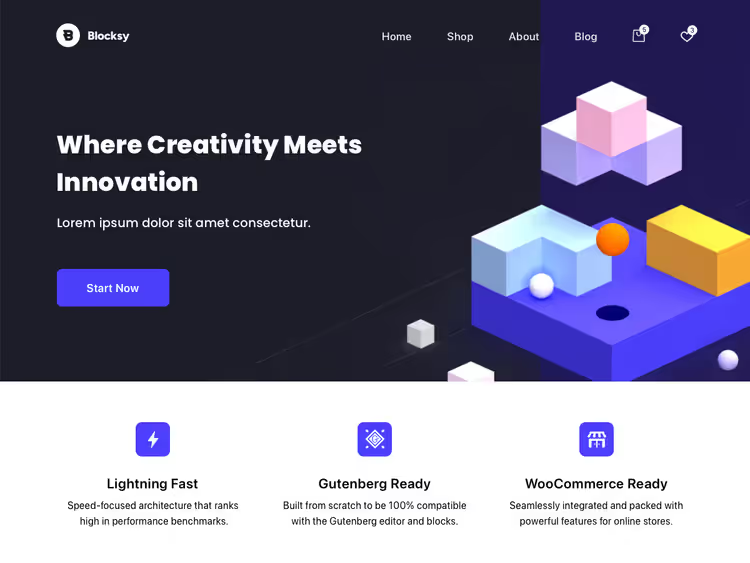
Blocksy, one of the fastest themes in the WordPress.org repository: 300,000+ installs, 4.9 rating, under 40 KB on the front end. Built on Gutenberg with its own header/footer builder, global palettes, and advanced WooCommerce settings.
For a store: custom product grid, off-canvas cart, variable galleries with zoom, and quick view. Starter sites for any niche import in one click. The free version is not stripped down. Pro adds conditional headers, mega menus, and extended WooCommerce boosters.
- Pros: <40 KB, header/footer builder, starter sites, WooCommerce boosters
- Cons: some WooCommerce settings are in Pro ($69/year)
- Price: Free / Pro from $69 per year
- Download: 🔗 Blocksy on WordPress.org | 🔗 Live demo
10. GeneratePress

GeneratePress, the second most popular minimal theme after Astra: 500,000+ installs, 4.9 rating. Under 10 KB on the front end in the base version, not a single unnecessary database query.
GenerateBlocks (the native block builder) and GeneratePress Premium add a site library with ready-made store layouts, advanced typography, colors, and a WooCommerce module. Schema markup is built in: products get indexed by search engines without extra plugins.
- Pros: <10 KB on the front end, 500K+ installs, Schema Markup out of the box, block builder
- Cons: the free version is only basic, Pro covers virtually all customizations
- Price: Free / Premium from $59 per year
- Download: 🔗 GeneratePress on WordPress.org | 🔗 Live demo
11. Neto
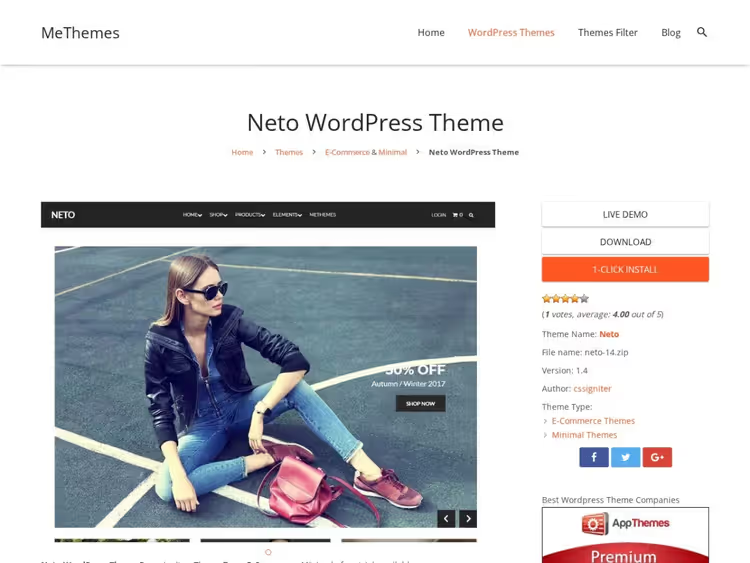
Neto, a clean minimal theme with a flexible layout system. Compatible with Gutenberg and Elementor, full control over colors and fonts. The built-in extended product description lets you add tabs with details, ingredients, and shipping right on the product card without plugins.
Responsive design, SEO-friendly code, and translation support. A good balance of simplicity and functionality for stores with 100-500 products.
- Pros: built-in product tabs, color and font control, Elementor + Gutenberg
- Cons: no free version, regular license
- Price: from $49 per year
- Download: 🔗 Neto on CSSIgniter
12. OceanWP
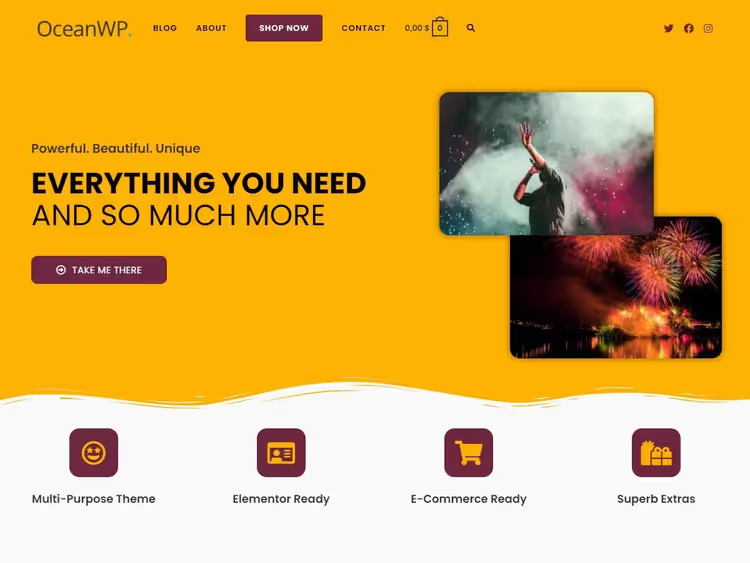
OceanWP, a multipurpose theme with 500,000+ installs and a 4.9 rating. A demo template library with 220+ options, 30+ tailored for WooCommerce: from a clothing boutique to an electronics mega mall.
For a store: native WooCommerce integration with a custom product grid, popup cart, multi-step checkout, and quick view. The free version covers the needs of a mid-size store. Pro adds a sticky header, mega menus, and a custom sidebar.
- Pros: 500K+ installs, 220+ demos, multi-step checkout, quick view, Elementor + Gutenberg
- Cons: some WooCommerce boosters are in Pro
- Price: Free / Pro from $43/year
- Download: 🔗 OceanWP on WordPress.org | 🔗 Live demo
13. Hello Elementor

Hello Elementor, the official blank-slate theme from the Elementor team: 0 KB of extra CSS, 0 JS on the front end. A clean canvas for Elementor Pro with Theme Builder: visually build the header, footer, product card, shop grid, cart, and checkout.
For an Elementor store, this is the lightest way to get pixel-perfect design without PHP. Free forever. Requires Elementor Pro for the WooCommerce builder, so factor that into your budget.
- Pros: 0 KB of extra code, official Elementor theme, total design freedom
- Cons: requires Elementor Pro for the WooCommerce builder ($59/year), looks empty without the builder
- Price: Free / Elementor Pro from $59/year
- Download: 🔗 Hello Elementor on WordPress.org | 🔗 Live demo
14. Woostify

Woostify bets on speed: under 50 KB on the front end, SEO-optimized structure, and clean code. The theme passes Core Web Vitals even without caching plugins.
The Pro version adds: wishlist, product comparison, variation swatches (color and size on the card), and compatibility with multi-vendor plugins. RTL and translations out of the box.
- Pros: <50 KB, wishlist and compare in Pro, multi-vendor-ready, RTL
- Cons: most features are in Pro, the free version is basic
- Price: Free / Pro from $49/year
- Download: 🔗 Woostify on WordPress.org
15. Vite Nera

Vite Nera, a niche theme for wine shops and wineries. Pre-built pages with wine aesthetics: dark tones, serif typography, cards showing vintage year and region.
Functionality: grid/list view for products, PayPal and cash on delivery, shipping and local pickup. If you sell wine, the theme covers the specifics out of the box, no extra tweaking needed.
- Pros: wine specialization, grid/list view, shipping + local pickup, stylish design
- Cons: only for wine shops, not a general-purpose theme
- Price: from $59
- Download: 🔗 Vite Nera on TemplateMonster
16. Zakra

Zakra, a lightweight theme with 100+ customization options and 20+ page-level settings. Photo galleries, CTA banners, a blog module, and a minimalist shop grid, all configurable without code.
AMP-ready, SEO-friendly, works with Elementor and Gutenberg. The free version covers the needs of most stores. Pro adds a header/footer builder and advanced typography and color controls.
- Pros: 100+ options, AMP-ready, Elementor + Gutenberg, 30,000+ active installs
- Cons: starter site templates only in Pro
- Price: Free / Pro from $56/year
- Download: 🔗 Zakra on WordPress.org
17. Shopstar!

Shopstar!, a minimalist free theme suitable for a store, blog, or a business-card site with a showcase. Compatible with SiteOrigin Page Builder, WPForms, and WooCommerce. The design is deliberately simple: the product speaks for itself.
The Pro version with extended color, font, and layout settings is one of the most affordable premium themes in this roundup.
- Pros: free with inexpensive Pro ($25), compatible with SiteOrigin, WPForms
- Minuses: settings are limited without a page builder, simpler than Astra and Neve
- Price: Free / Pro from $25
- Download: 🔗 Shopstar! on WordPress.org
18. Flash

Flash, a multipurpose free theme by ThemeGrill with 10,000+ active installs and a 4.9 rating. One-click demo import, easy customization via the Customizer, compatible with major page builders.
Responsive, lightweight. A good option for those who need "fast and free": install the theme, import content, and start selling the same day. Updated in August 2025; check the current WordPress version before installing.
- Pros: demo import, free, builder compatibility, responsive
- Minuses: infrequent updates, feature set is more modest than Astra and Neve
- Price: Free
- Download: 🔗 Flash on WordPress.org
19. Orchid Store

Orchid Store, a free theme built around a single task: selling. A clean catalog grid, large product cards, a mini cart in the header, and quick view come out of the box.
Compatible with Elementor, supports RTL and translations. And most importantly, it is being updated: a fresh release came out in July 2026.
- Pros: catalog and mini cart out of the box, Elementor compatibility, RTL and translations, regular updates
- Minuses: few ready-made demos, some blocks are moved to a paid add-on
- Price: Free (Pro add-on optional)
- Download: 🔗 Orchid Store on WordPress.org
20. Storefront

Storefront, the official WooCommerce theme by Automattic. A reference framework: clean, extensible code with zero conflicts with any WooCommerce extension.
14 child themes (Delì, Galleria, Boutique and others) cover popular niches. Developers value Storefront for its predictable codebase. Customization via hooks, not core edits. Free.
- Pros: official WooCommerce theme, 14 child themes, zero conflicts, clean codebase
- Cons: looks basic without a child theme, extensions are paid
- Price: Free / extensions from $19
- Download: 🔗 Storefront on WordPress.org
21. Overline

Overline, a premium theme for the beauty industry built on Gutenberg. AJAX add-to-cart buttons with no page reload, retina-ready design, mobile optimization. One-click demo import.
Gutenberg patterns for product cards, testimonials, and lookbook galleries. For a cosmetics brand or salon with a storefront, a ready-made solution with no third-party builders.
- Pros: AJAX cart, retina-ready, beauty design, Gutenberg
- Cons: $99, pricier than alternatives, beauty only
- Price: from $99
- Download: 🔗 Overline on WooCommerce.com
22. Kadence WP
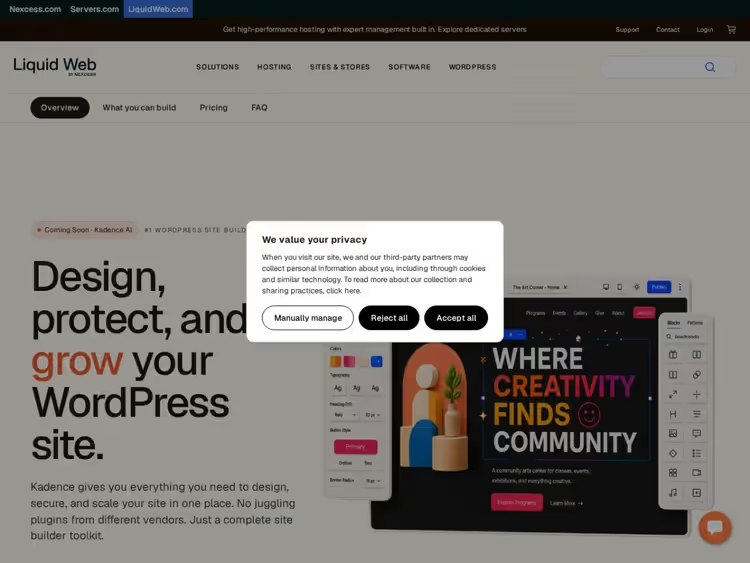
Kadence WP, one of the fastest-growing themes: 500,000+ active installs, 4.9 rating. Header/footer builder with drag-and-drop, global color palettes, starter templates for any niche.
For WooCommerce: Kadence Shop Kit adds custom product cards, variation galleries, off-canvas cart, sticky add-to-cart. Comparable in speed to GeneratePress and Astra, under 50 KB on the front end.
- Pros: header/footer builder, Shop Kit for WooCommerce, 500K+ installs, <50 KB
- Cons: Shop Kit only in Pro ($129/year), free version has a basic storefront
- Price: Free / Pro from $129 per year
- Download: 🔗 Kadence WP on WordPress.org | 🔗 Live demo
23. Savoy
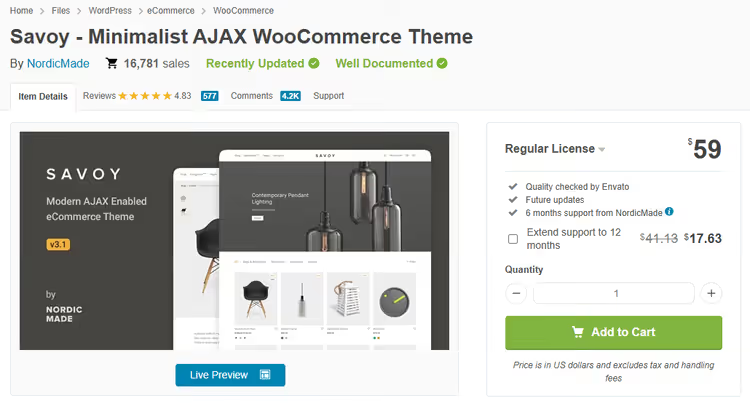
Savoy, a premium AJAX theme for WooCommerce. Built-in AJAX search, filtering, and cart with no reload, homepage slider for popular products, 1000+ Google Fonts.
Compatible with WPBakery and Elementor, SEO-optimized, Instagram feed. One of the most comprehensive options panels in this roundup. For a store where smooth UX matters more than top speed, a strong contender.
- Pros: AJAX everywhere (search, cart, filters), slider + Instagram feed, Elementor + WPBakery
- Cons: AJAX overhead slightly reduces speed compared to Astra and GeneratePress
- Price: from $59 (regular license)
- Download: 🔗 Savoy on ThemeForest
⁉️🤔 FAQ
Which minimalist theme works best for a large catalog?
For a large catalog, rendering speed, AJAX filtering, and extension compatibility are critical. Astra and GeneratePress win on speed (under 50 KB), Kadence WP adds Shop Kit, and Storefront guarantees zero conflicts with WooCommerce extensions.
Can you build a full store with a free theme version?
Yes. Astra, Neve, GeneratePress, Woostify, and Storefront in their free versions cover the storefront, cart, checkout, and basic customization. A paid extension becomes necessary when specific requirements arise: infinite scroll, wishlist, custom header/footer builder.
How is a minimalist theme different from a regular WooCommerce theme?
A minimalist theme removes unnecessary elements: animated sliders, nested grids, heavy shortcodes, and background videos. What remains is clean CSS, fast rendering, and focus on the product. In practice, this yields a 10-25 point PageSpeed boost and a lower bounce rate.
How do you test a theme before installing it on a live store?
Create a staging subdomain or use a local server like Local by Flywheel. Import products via CSV, install the theme, and walk through the flow: storefront → product page → cart → checkout. Check the mobile version, most WooCommerce traffic comes from phones.
Will changing the theme affect the store's SEO?
When you switch themes, structured data and URLs do not change, those belong to WooCommerce. But speed and Core Web Vitals depend directly on the theme. Moving from a heavy theme to Astra or GeneratePress often improves rankings thanks to better PageSpeed.
Which theme to choose for your store: the bottom line
If your store is just starting and the budget is minimal, go with Astra or Kadence WP in the free version. Both deliver speed, compatibility, and starter templates without spending a dime. In a month or two, once sales pick up, add Pro for a specific need: infinite scroll, wishlist, or header builder.
For a visually driven niche (fashion, cosmetics, jewelry), Botiga or Cosmetro will handle the aesthetics without a designer. A complex catalog with filters, Savoy is purpose-built for that. For developers, Storefront as the reference codebase.
Don't overpay for a theme with 70+ skins if your store needs just one. And don't skimp on speed, every extra second of load time costs you customers Google data on how speed impacts conversion.

A professional team of writers and editors specializing in creating quality content.