













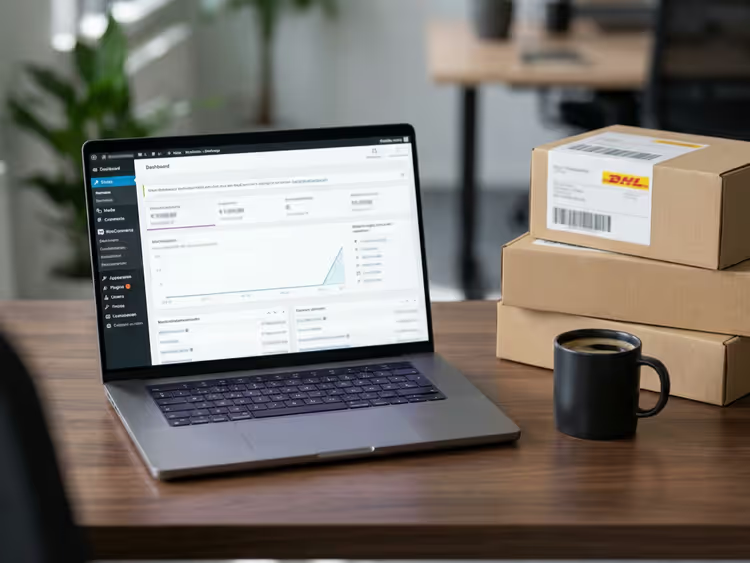
🚀 10 Best WooCommerce plugins 2026 for the German market
Launched a WooCommerce store in Germany and lost sleep over Abmahnungen? That is a real scenario: German law requires online store owners to include specific legal wording in the offer, delivery times, tax notices, and return policy. One mistake on a VAT invoice or a missing "Verbraucher haben ein Widerrufsrecht" button, and a lawyer's letter is already in your inbox.
Over 10 years of working with German clients, we have put together a set of plugins that cover legal compliance risks and simplify operations. Some are purely "German" solutions, tailored to DE/AT/EU laws. Others are universal WooCommerce tools without which a store with 100+ products turns into manual drudgery.
💡 Quick overview:
- Define your priority: legal compliance protection (German Market / Germanized) or operational efficiency (import, shipping, discounts)
- Choose ONE of the two "legal compliance" plugins; German Market and Germanized conflict when installed together
- Connect Sendcloud if you ship more than 20 orders a month; it will give you back the time spent printing labels
- Add PayPal Payments and PDF Invoices; these are basics for any store
- Provide a comparison table and customer reviews via YITH Compare and Zoom Magnifier
- Set up discounts through Discount Rules and track metrics via Google Analytics Integration
Product | For whom | Price | Key feature |
|---|---|---|---|
German Market | Stores in DE/AT | from €65 | Full legal compliance package + accounting |
Germanized | Budget start | Free / Pro from €69.95 | Legal compliance protection + PDF invoices in Pro |
Sendcloud | From 20 orders/month | Free / from €40/month | 35+ carriers + tracking |
PayPal Payments | All stores | Free | PayPal + Pay Later + cards |
Discount Rules | Promotions and wholesale | Free / Pro from $69 | Any discount logic without code |
1. German Market
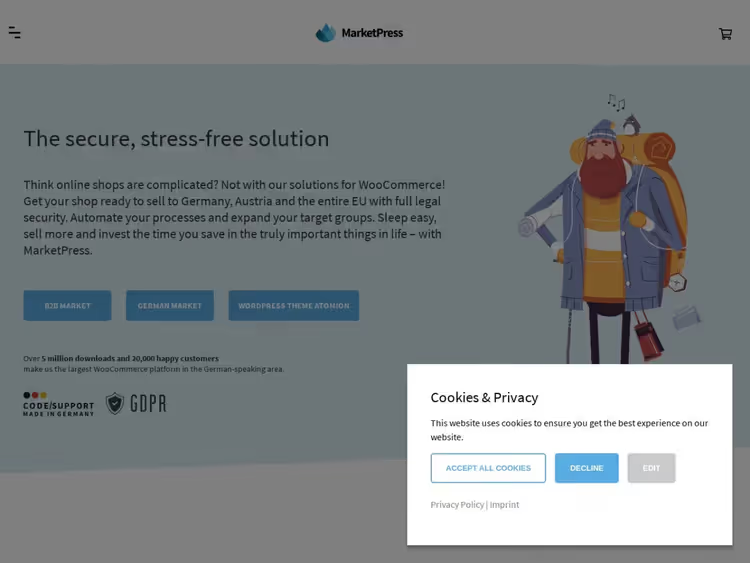
If you need ONE plugin that covers the legal requirements of Germany, Austria, and the entire EU, German Market by MarketPress is it. This is not just "legal page templates" but a full package: invoices, returns, VAT validation, accounting integration, and even food product compliance (the only plugin with Lebensmittelverordnung support).
In practice, setup takes an hour: you specify the country, business type (B2C/B2B), small business rule (Kleinunternehmerregelung), and the legal texts are pulled in automatically. After that, they update along with the plugin, with no manual editing.
For B2B stores, German Market validates the USt-ID right at checkout and adds the "innergemeinschaftliche Lieferung" note for intra-EU deliveries. Order data is transferred to lexoffice or sevDesk; your accountant will thank you.
- Pros: full coverage of DE/AT/EU law, auto-updating legal texts, accounting integration, the only one with food product support
- Cons: price starts at €65, not on WordPress.org (only via marketpress.com)
- Price: from €65 per year
- Download: 🔗 German Market on MarketPress
2. Sendcloud

Shipping orders from Germany means at least three carriers: DHL for domestic, DPD/UPS for the EU, and FedEx for the rest of the world. Sendcloud brings together 35+ services in one interface and provides pre-negotiated rates, which for a small store are often better than direct contracts.
The plugin picks up the order from WooCommerce and lets you print a label in one click. Tracking notifications go to the buyer automatically, with your logo and branding, not a faceless carrier link. For returns, Sendcloud provides a separate portal where the customer downloads the label themselves, without emails to support.
Delivery analytics (times, success rate, returns) are shown on the dashboard and exported as CSV. On the free Essential plan, basic features are available; for print rule automation and advanced branding, you need Premium.
- Pros: 35+ carriers in one plugin, pre-negotiated rates, branded tracking, returns portal
- Cons: full functionality only on Premium (from €40/month), setting up rules takes time
- Price: Free (Essential) / Premium from €40 per month
- Download: 🔗 Sendcloud on WordPress.org
3. WooCommerce Germanized
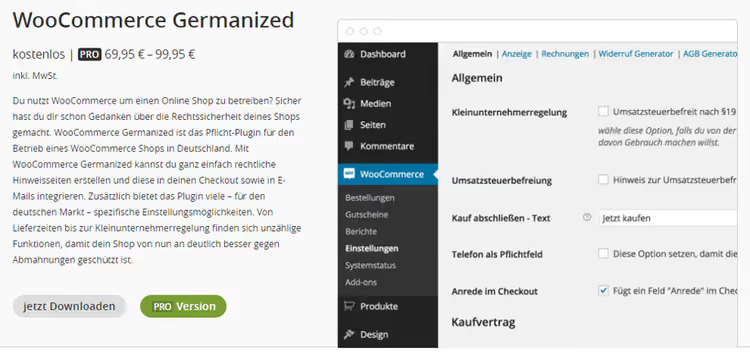
Germanized by Vendidero is the main competitor to German Market, with a focus on ease of use. The free version covers the basics: unit prices (Grundpreise), delivery times, VAT notices, digital goods protection, double opt-in, and legal pages (AGB, Widerrufsbelehrung).
The Pro version adds the features people actually buy the plugin for: PDF invoices, a multi-step checkout (the customer reviews their data before paying, reducing errors and returns), a one-click legal text template generator, and an export for accounting. Support is via a ticket system, competent and fast; in practice, questions are resolved within a day.
An important technical note: Germanized does not require overwriting WooCommerce templates in new versions. That means fewer conflicts with themes and other plugins during updates.
- Pros: free version with full legal compliance, multi-step checkout in Pro, quality support, clean integration without template overrides
- Cons: some features (PDF invoices, text generator) are Pro-only, incompatible with German Market
- Price: Free / Pro from €69.95 per year
- Download: 🔗 Germanized on WordPress.org | 🔗 Vendidero website
4. WP All Import

Moving 500 products from an old store or a supplier feed by hand, a lost week. WP All Import takes XML, CSV, RSS feeds, and even API responses and maps them to WooCommerce fields: title, price, description, images, stock, variations.
The drag-and-drop interface lets you match source columns to WooCommerce fields without coding. For regular updates, set up a Cron job and the plugin will pull price and stock changes from the supplier feed every N hours. This is the standard for German dropshipping stores where the catalog changes frequently.
Import isn't limited to products: WP All Import handles orders, customers, coupons, and custom post types. For a store with 1000+ SKUs, it's a day-one must-have.
- Pros: drag-and-drop field mapping, Cron for auto-import, XML/CSV/RSS/API support, imports any post type
- Cons: free version limits the number of imports, a misconfigured Cron job can duplicate products
- Price: Free / Pro from $99 per year
- Download: 🔗 WP All Import on WordPress.org
5. YITH WooCommerce Compare

A shopper in a German online store is methodical: they'll open 4-5 product tabs and compare specs line by line. YITH Compare does that work for them, a "Compare" button is added to the product page, and the result appears in a popup or on a separate page with a table.
You decide which fields appear in the comparison table: price, weight, dimensions, attributes, custom fields. Configuration is drag-and-drop, and the CSS adapts to your theme. The plugin doesn't burden the database (data stays in the user session) and works with variable products.
For German stores selling technically complex products (electronics, tools, bicycles), this is a direct path to higher conversion, the customer sees the spec differences and decides faster.
- Pros: lightweight (data in session), drag-and-drop field setup, supports variable products, no theme conflicts
- Cons: free version is popup-only (separate page in Premium), not for stores with just 5 products
- Price: Free / Premium from €49 per year
- Download: 🔗 YITH Compare on WordPress.org
6. WooCommerce PayPal Payments

The old PayPal Express Checkout has been officially replaced by WooCommerce PayPal Payments, a modern plugin from WooCommerce itself that combines PayPal, Pay Later (installments), Venmo, and card acceptance in a single interface. No separate plugins for each method.
Important for the German market: PayPal covers 80%+ of online payments in Germany according to the EHI Retail Institute. Pay Later provides additional conversion lift: the buyer sees a "pay in 30 days" option and completes the order 15-20% more often with a high average cart value.
Setup takes 10 minutes: log into your PayPal account from the WooCommerce admin, and both methods (PayPal + cards) are active. The plugin supports webhooks for automatic order status updates on payment and refund.
- Pros: official WooCommerce plugin, PayPal + Pay Later + cards in one, active support and updates
- Cons: requires a PayPal Business account, PayPal fees are higher than bank acquiring
- Price: Free (PayPal fees per merchant rates)
- Download: 🔗 PayPal Payments on WordPress.org
7. YITH WooCommerce zoom magnifier

For clothing, fabric texture matters; for electronics, the ports; for watches, the dial. The standard WooCommerce gallery does not let you examine details. YITH Zoom Magnifier adds a lens on hover over the product image and a lightbox on click, just like on Amazon or Zalando.
Settings are flexible: lens size, zoom level, disabling zoom on mobile (where pinch-to-zoom handles it natively). The plugin works with any theme without touching its templates, it simply hooks into the standard WooCommerce gallery.
For German shoppers who study a product thoroughly before buying, quality zoom reduces returns. Especially in categories like "clothing" (wrong size/color if the texture is visible), "electronics", and "jewelry".
- Pros: easy integration with any theme, flexible zoom settings, mobile disable option, positively impacts conversion
- Cons: free version has only one zoom type (lens), Premium needed for a lightbox slider
- Price: Free / Premium from €49/year
- Download: 🔗 YITH Zoom Magnifier on WordPress.org
8. WooCommerce PDF invoices & packing slips
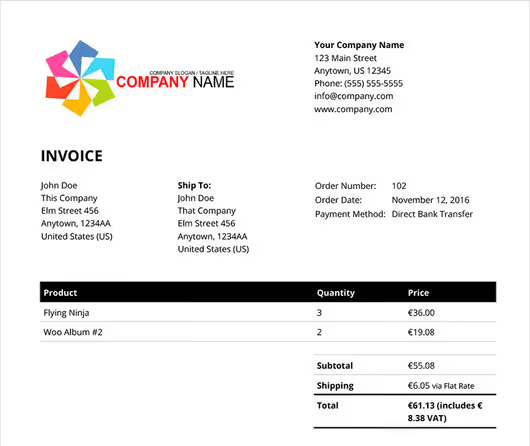
Manually issuing invoices with 30+ orders a day is a path to errors and delays. This plugin automatically generates a PDF invoice for every order and attaches it to the customer email notification. Invoices, delivery notes, and packing slips in one interface, with separate template configuration.
German accountants will appreciate this: the invoice number can be formatted to meet local requirements (year-based prefix, sequential numbering), and the footer can include full company details and the tax number. The HTML invoice template is editable visually or via code: logo, columns, fonts.
The customer can download the invoice from their account area at any time; a "PDF-Rechnung" button appears on the order page automatically. For wholesale clients, bulk printing of invoices and packing slips directly from the orders list.
- Pros: automatic generation + email attachment, invoice template customization, bulk printing, customer access to invoices
- Cons: free version has a basic template (Pro adds credit notes and proforma invoices), requires template setup for German requirements
- Price: Free / Pro from €59/year
- Download: 🔗 PDF Invoices on WordPress.org
9. WooCommerce Google analytics integration

Understanding where buyers come from and which products they add to cart but do not pay for is critical for the German market with its high traffic costs. This plugin connects WooCommerce with Google Analytics (including GA4) and sends ecommerce events: product views, add-to-cart actions, transactions, refunds.
In GA4 reports you see not just "traffic from organic", but the full path: search query → product → cart → payment, with amounts at each step. For stores running ad campaigns, this means precise ROI for every euro spent on Google Ads or Meta.
Setup: enter your GA4 stream ID and enable standard events. The plugin does not conflict with caching plugins or GDPR solutions like Borlabs Cookie (mandatory for German sites).
- Pros: full GA4 integration, ecommerce events out of the box, compatibility with GDPR plugins, free
- Cons: requires setting up a GA4 account (not for beginners), does not replace WooCommerce's internal reporting
- Price: Free
- Download: 🔗 GA Integration on WordPress.org
10. Discount Rules for WooCommerce
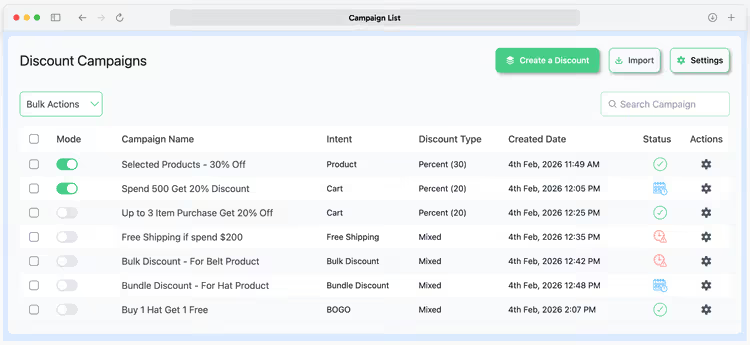
WooCommerce's built-in discounts work on an "all-or-nothing coupon" basis. Discount Rules (Disco) by Flycart adds real logic: a discount on the second item, bulk quantity pricing, BOGO deals ("buy X, get Y free"), dynamic rules based on cart total or user role.
For the German market this is especially useful in the B2B segment: set up a "volume discount for wholesale customers" rule, and the system recalculates the price in the cart automatically, no manual coupon distribution. The plugin displays the discount information right on the product page: "buy 3, pay €12.90 each instead of €14.90".
The free version covers most typical scenarios; Pro adds category-based discounts, scheduled sales, and rule usage limits. The interface is visual, rules are set up using "If → Then" conditions, no code required.
- Pros: flexible no-code discount logic, BOGO and wholesale pricing in the free version, discount display on the product page, regular updates
- Cons: Pro features (sale scheduling) are paid, complex rules are best tested on staging
- Price: Free / Pro from $69 per year
- Download: 🔗 Discount Rules on WordPress.org
⁉️🤔 Frequent questions
Can I use German Market and Germanized at the same time?
No, and here's why: both plugins override the same WooCommerce hooks, checkout, invoices, legal pages. Activating both at once will give you duplicate fields in the cart, invoice template conflicts, and unpredictable behavior on the checkout page. Pick one: German Market if you need accounting integration and the full "package", Germanized if you're starting with the free version and are ready to buy Pro later. Test both on a staging site; migrating from one to the other takes a couple of hours.
Do I need a separate GDPR/DSGVO plugin if I have German Market or Germanized?
Basic DSGVO requirements (cookie consent, privacy policy, right to data deletion) are not covered by these plugins; they handle trade law, not privacy. For a cookie banner and compliance scanner you need a separate tool: Borlabs Cookie (popular in Germany, from 39 €), Complianz (the free version covers the basics), or Real Cookie Banner. German Market and Germanized add the required checkout fields (AGB/Widerruf consent checkbox) but do not manage cookies.
What replaces the old PayPal Express Checkout in 2026?
The official replacement, WooCommerce PayPal Payments. PayPal discontinued the Express Checkout API, and the old plugin no longer receives security updates. Migration is simple: install PayPal Payments, connect the same PayPal Business account, and the PayPal button will appear on checkout automatically. Also enable Pay Later; in Germany this method is gaining traction: according to PayPal data for 2025, the "pay in 30 days" option increases conversion by 15-20% for average order values above 50 €.
Is the Pro version of Germanized mandatory?
For a small shop with occasional orders, no. The free version of Germanized provides full legal compliance (base prices, delivery times, VAT, double opt-in, legal pages). Pro makes sense when you need: PDF invoices (customers ask for them), multi-step checkout (helps reduce cart abandonment), and the one-click legal text generator (saves hours of manual editing). Pro support, a ticket system with a response within 24 hours, is the main argument as your shop grows.
Which plugins for the German market are outdated and didn't make the list?
Three items from older roundups were deliberately excluded. WooCommerce Quick Reports, the plugin was removed from the WordPress.org catalog in 2023; its replacement is the built-in WooCommerce analytics (Admin) plus Google Analytics Integration from this list. WooCommerce Bulk Discount, also removed; the modern alternative with flexible rules is Discount Rules (Disco), item 10. PayPal Express Checkout, officially replaced by PayPal Payments (item 6), the old plugin is no longer updated.
Which plugin should you choose for your task?
There is no universal "install one and sleep easy" plugin for German WooCommerce. But the decision matrix is simple:
- Launching a shop from scratch in Germany → Germanized Free (legal compliance base) + PayPal Payments (payments) + PDF Invoices (invoices). Budget: 0 € at launch.
- Already doing 20+ orders a day, need to scale → German Market (legal compliance package + accounting) + Sendcloud Premium (shipping) + Discount Rules (promotions and wholesale). Budget: from 180 € per year.
- Dropshipping or a large catalog → WP All Import (import) + YITH Compare + YITH Zoom (conversion) + PayPal Payments. Add GA Integration to track advertising ROI.
And the cardinal rule of German ecommerce: once you install a legal compliance plugin, show the site to a lawyer. No software replaces an individual review. But with the plugins from this list, a lawyer will find three times fewer issues, and you won't get an abmahnung in your first week after launch.

A professional team of writers and editors specializing in creating quality content.