














🧹 20 Clean minimalist HTML templates for a website in 2026
Need a website but have no budget for custom development? The same story plays out for hundreds of freelancers and small business owners every month. Coding layout from scratch is expensive, builders lock you into template constraints, and you need results yesterday.
Ready-made HTML templates solve this problem in a day: download, replace the content with your own, upload to hosting, and the site is live. In practice, setting up a dozen such templates for different projects takes anywhere from a couple of hours to a full workday, and the bulk of the work, by the way, is not in the code but in preparing the texts and images. No monthly subscriptions, no platform lock-in. Clean code that you fully control.
💡 Quick overview:
- Pick a template for your niche from the 20 options below
- Download the archive, swap in your own text and images
- Upload to hosting or integrate with WordPress
Comparison table: top 5 templates by criteria
Template | For whom | Pages | Responsiveness | Price |
|---|---|---|---|---|
Monstroid2 | Universal: agency, store, blog | 400+ | Yes, flexbox grid | Premium |
Corp | Consulting, legal services | 20+ | Yes | Premium |
Brendon | Portfolio, freelance | 10+ | Yes, Bootstrap | Premium |
University | Education, online courses | 45+ | Yes | Premium |
Oyster | Photo/video portfolio | 49 | Yes, retina-ready | Premium |
1. Monstroid2, universal multi-page template
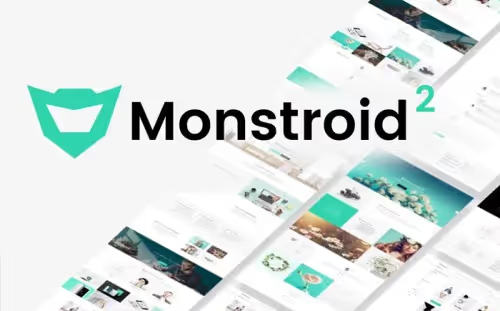
Monstroid2, the flagship multi-purpose template for those who need "everything at once" without hunting down a dozen different themes. Inside, over 400 ready-made HTML pages: from landing pages and portfolios to an online store and a blog.
The template is built on a flexbox grid, which delivers predictable responsiveness without hacky media queries. The built-in Novi Builder lets you edit the layout visually: drag a block, change the text, save. Not a single line of code, if you prefer to stay out of the markup.
- Pros: 400+ ready-made pages, Novi Builder visual editor, regular updates and dozens of child themes included
- Cons: overkill for a simple single-page site, half the functionality will go unused
- Price: premium, exact cost on the vendor's site
- Download: 🔗 Monstroid2 on TemplateMonster
2. Corp, consulting and business services
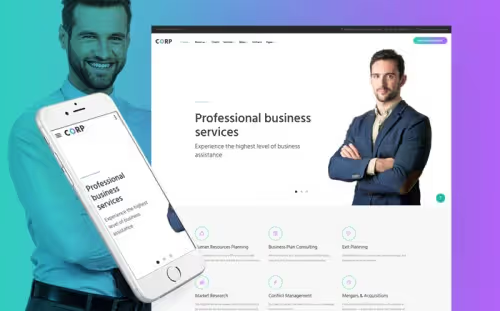
Corp is tailored for the service sector: consulting, law firms, financial advisors. A multi-page structure with ready-made blocks for describing services, team, case studies, and contacts. Comes with a consultation booking form out of the box: the client picks a date and time, and the request lands in your email.
The design sticks to a businesslike blue-gray palette, with no visual noise. The visitor's attention stays on the text and numbers, not on animations.
- Pros: booking form included, strict business design, ready-made structure for B2B services
- Cons: narrow specialization, not suitable for a blog or portfolio
- Price: premium
- Download: 🔗 Corp on TemplateMonster
3. Hello Personal, business card and vCard
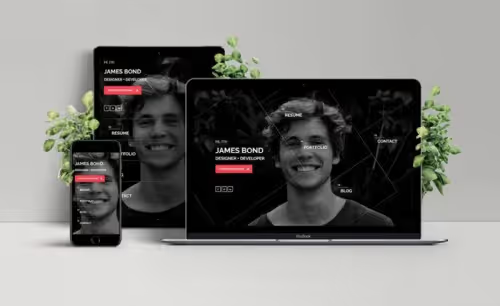
A single-page template for those who need not a catalog site but a representative page: for a freelancer, designer, photographer, developer. Upload your resume, assemble a portfolio via the Isotope filterable gallery, and the page is ready to show to a client.
The blog section lets you publish articles and case studies, which works for SEO and gives a client more reasons to stay on the page longer than 30 seconds.
- Pros: Isotope filterable portfolio, CV upload, blog section for SEO
- Cons: single-page format, a different template is needed for a large volume of services
- Price: premium
- Download: 🔗 Hello Personal on TemplateMonster
4. Modicate, multi-purpose with a UI kit
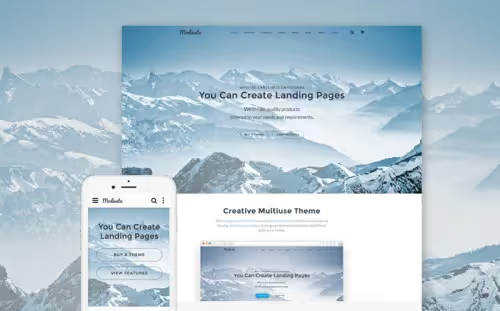
Modicate, a builder on steroids: 50+ ready-made pages plus a UI kit from which you assemble your own blocks like a construction set. Responsive grid on Bootstrap, multiple header and footer options, galleries with filters, CSS3 animations and transitions.
The template suits agencies and studios that build turnkey websites for different clients: figure out the structure once, and you can assemble any typical project in hours, not days.
- Pros: UI kit for assembling your own blocks, 50+ ready-made pages, CSS3 animations without JavaScript
- Cons: requires time to learn the UI kit structure
- Price: premium
- Download: 🔗 Modicate on TemplateMonster
5. University, education and online courses
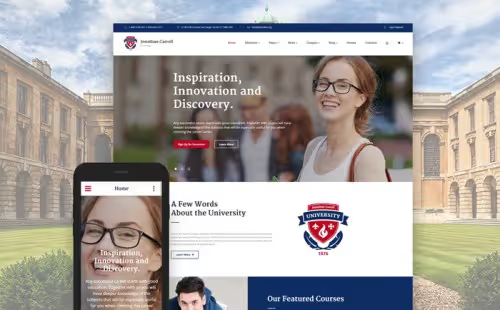
A template for universities, online schools, and private instructors. Inside are 45+ unique pages: course programs, schedules, instructor profiles, news, events. A distinct plus is the built-in online store page: you can sell courses and learning materials directly from the site.
Live search, contact forms, an events calendar, everything an educational platform needs is included out of the box. UI elements are adapted for large volumes of text content.
- Pros: 45+ ready-made pages for the education niche, e-commerce page, live search
- Cons: overkill for a private tutor with a single course
- Price: premium
- Download: 🔗 University on TemplateMonster
6. Brendon, minimal portfolio
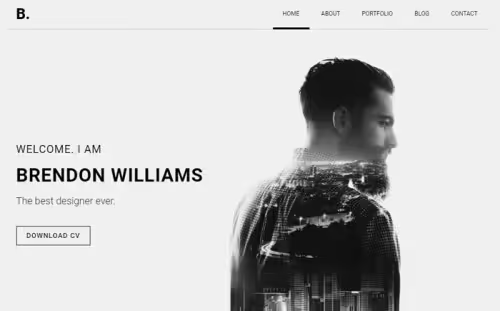
Brendon does exactly what it promises: it showcases your work. Nothing extra, you upload projects to the gallery, write a few words about yourself, and connect a blog. The responsive Bootstrap grid ensures the portfolio looks equally clean on desktop and mobile.
A solid choice for designers, illustrators, and developers who need to highlight the quality of their work, not the number of pages.
- Pros: minimalist design with no distractions from the content, Bootstrap grid, blog out of the box
- Cons: no built-in online store, portfolio and blog only
- Price: premium
- Download: 🔗 Brendon on TemplateMonster
7. Urban Fashion Girls, modeling agency and fashion
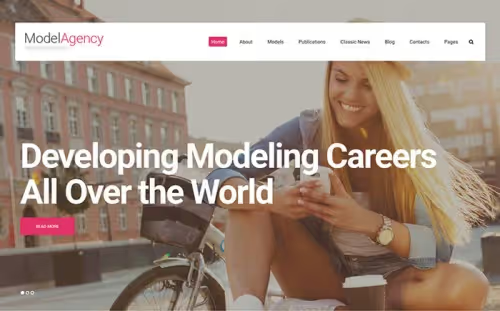
A template for the fashion world: modeling agencies, fashion bloggers, stylists. The design is bold, with large images and daring typography, the visual narrative takes center stage. Inside are dozens of ready-made HTML5 pages, a UI kit, and unlimited customization options.
The emphasis is on galleries and portfolios: every photo is an argument in favor of your agency. The template gives that argument room to breathe.
- Pros: striking visual design, rich UI kit, dozens of ready-made pages
- Cons: narrow niche, the design will feel out of place outside the fashion space
- Price: premium
- Download: 🔗 Urban Fashion Girls on TemplateMonster
8. Indigo, fashion photographer
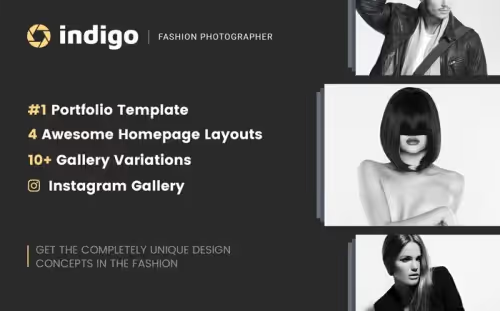
Indigo is a portfolio template tailored for fashion photographers. Four homepage layouts, several gallery types, easy installation and setup. Grid, masonry, slider, you pick the format for displaying work that matches your shooting style.
The template is not overloaded with text blocks: the photos speak for themselves, and the site serves as a showcase, not an encyclopedia.
- Pros: 4 homepage layouts, variety of galleries, simple installation
- Cons: suitable only for photographers and visual artists
- Price: premium
- Download: 🔗 Indigo on TemplateMonster
9. Drop, creative portfolio and agency
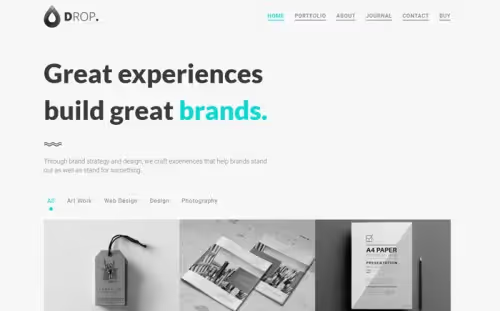
Drop is geared toward creative professionals and small agencies that need a portfolio with personality. Three work display options, grid, masonry, and mosaic, plus light and dark themes, transparent and solid headers.
You don't touch the code, and you don't need to: all settings are handled through the theme options panel. No programming. No headaches.
- Pros: three portfolio formats, light/dark theme, no-code setup
- Cons: portfolio only, no blog or store
- Price: premium
- Download: 🔗 Drop on TemplateMonster
10. Oyster, full-screen photo and video
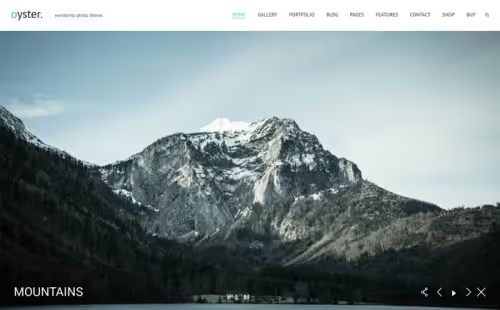
Oyster bets on a full-screen presentation: images and videos expand to fill the entire screen, content breathes, nothing distracts. 49 HTML pages included, several gallery and portfolio variants, retina-ready graphics.
The template is fully responsive and optimized: images don't "break" on mobile, and load speed doesn't suffer from heavy graphics thanks to lazy loading.
- Pros: full-screen mode for media, retina-ready, 49 ready-made pages
- Cons: full-screen approach doesn't suit text-heavy projects
- Price: premium
- Download: 🔗 Oyster on TemplateMonster
11. Siena, clean photo portfolio
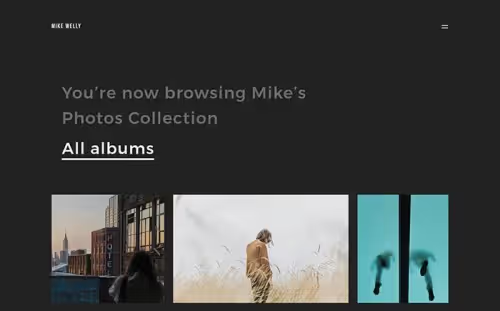
Siena, a template with an emphasis on aesthetics. Clean code without clutter, variable page templates, image and video support. Font, color, and layout customization is available through CSS variables: change in one place, applied everywhere.
A good choice for a photographer who wants their site to feel like an extension of their visual style, not a generic gallery.
- Pros: clean codebase, variable page layouts, photo and video support
- Cons: visual portfolios only
- Price: premium
- Download: 🔗 Siena on TemplateMonster
12. HostMania, hosting and WHMCS
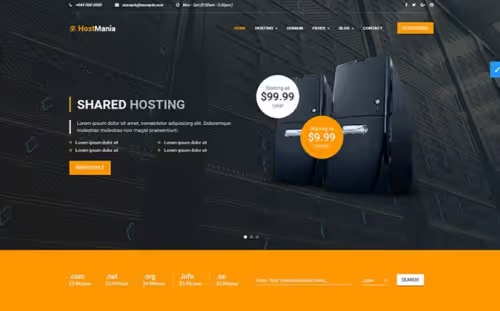
HostMania, a specialized template for hosting companies and domain registrars. Material Design Lite at its core, a clean contact form with PHP validation, detailed documentation. WHMCS compatibility lets you automate billing and client management: a ready-made solution for a small hosting business.
The responsive grid ensures that pricing tables and the domain order form won't fall apart on mobile devices.
- Pros: Material Design, WHMCS compatibility, PHP form validation, documentation
- Cons: narrow specialization, hosting and domains only
- Price: premium
- Download: 🔗 HostMania on TemplateMonster
13. Mau, mega multi-purpose
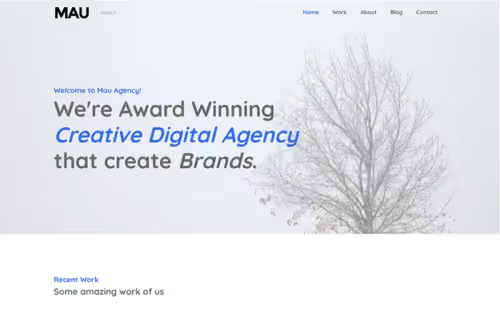
Mau isn't a template, it's 11 ready-made sites in one archive: from a creative agency to a restaurant. Each micro-site is fully responsive and shares a common codebase. You pick the right option for the client, swap out the content, change the colors, and a unique site is ready in an evening.
For web studios, this is a time-saver: learn Mau once, and you can handle most standard orders without hunting for a new template for every project.
- Pros: 11 ready-made sites in one, single codebase, covers most niches
- Cons: large archive size, overkill for a single project
- Price: premium
- Download: 🔗 Mau on TemplateMonster
14. Paul Adams, writer and journalist
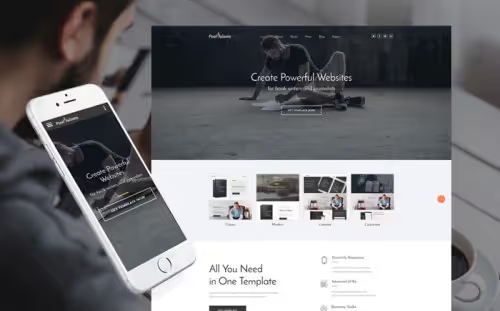
A template designed specifically for writers, journalists, and bloggers. The structure includes pages for books and stories, a media gallery, a blog, and, a rarity, a built-in book store with prices. A reader can browse books, read excerpts, and buy the one they like right on the site.
A newsletter subscription form is built into the footer of every page, so your audience never gets lost.
- Pros: built-in book store, media pages, newsletter subscription
- Cons: strictly tailored for authors and publishers
- Price: premium
- Download: 🔗 Paul Adams on TemplateMonster
15. Smart, clean Bootstrap 4
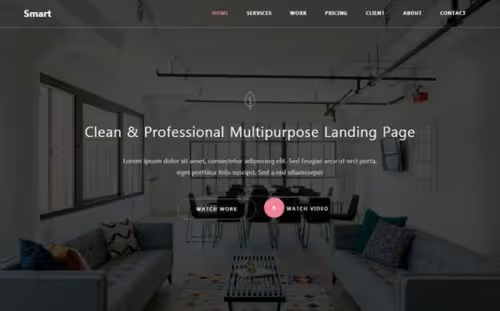
Smart, a single-page template that covers the "I need a business-card site, fast" need. Clean, modern design without overload, responsive Bootstrap grid. Works for both a personal site and a business landing page: one screen, all the essential blocks (services, about, contacts) right where they belong.
A single page is enough for most freelancers and local businesses that don't need a blog or a product catalog.
- Pros: single-page, easy to set up, Bootstrap responsiveness, versatile design
- Cons: one page, no blog, no store, no extended portfolio
- Price: premium
- Download: 🔗 Smart on TemplateMonster
16. ITStudio, IT support and tech company
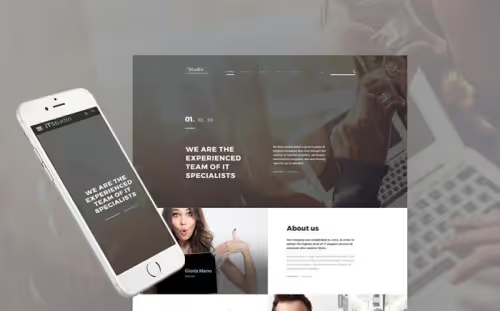
iTStudio is built for IT companies: tech support, web studios, system integrators. The key feature is a client testimonials section and Google Maps integration, so prospects can see your location right away. The variety of content blocks lets you describe services, team, and case studies without that "yet another about-us page" feel.
The design is tech-oriented: strict, blue-gray, no color experiments.
- Pros: built-in testimonials, Google Maps, flexible content block structure
- Cons: formal design, not for creative niches
- Price: premium
- Download: 🔗 iTStudio on TemplateMonster
17. DentaKids, dentistry and medicine
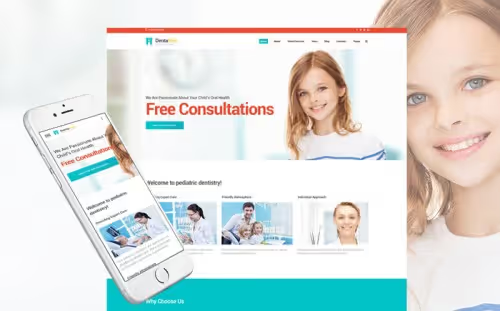
DentaKids, a niche template for medical practices, primarily pediatric dentistry. Professionally coded with a sticky menu that stays on screen as you scroll. Visitors always see the navigation and the appointment button.
A built-in subscription form helps you build a patient base for newsletters about discounts and new services.
- Pros: sticky menu for easy navigation, subscription form for marketing, medical design
- Cons: narrow niche, medicine only
- Price: premium
- Download: 🔗 DentaKids on TemplateMonster
18. Horse, equestrian farm and animals
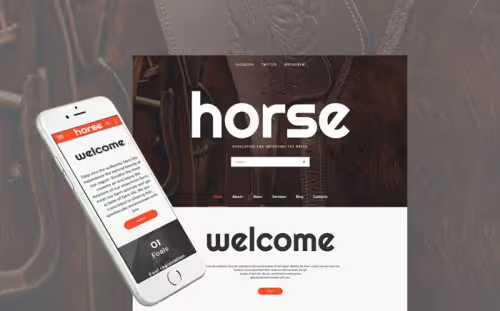
Horse, a highly specialized template for equestrian farms, stables, and breeders. Ready-made pages for services, news, and events, functional galleries for horse photos. A well-thought-out color scheme: muted earthy tones associated with nature and animals.
Cross-browser compatibility is tested across all popular browsers, so the site won't break no matter what the client uses to visit.
- Pros: niche design for the equestrian business, galleries, cross-browser compatibility
- Cons: extremely narrow niche, equestrian farms only
- Price: premium
- Download: 🔗 Horse on TemplateMonster
19. Design Agency, web design agency
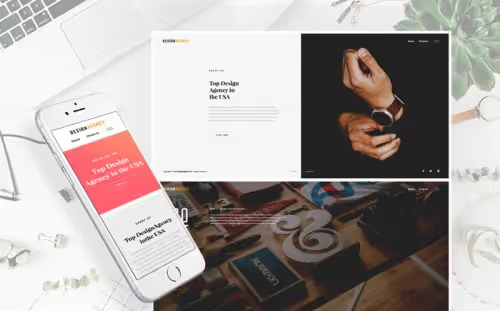
A template made by designers for designers. Multi-page structure, all images are already included in the download package, no need to source stock photos separately. UI elements let you present case studies, services, and portfolio work at the quality level a design agency should be showing to clients.
Every page reads as a standalone case study, not as a variation of the same template.
- Pros: images included, multi-page, UI elements for portfolio
- Cons: geared exclusively toward design agencies
- Price: premium
- Download: 🔗 Design Agency on TemplateMonster
20. Landscape Architects, landscape design
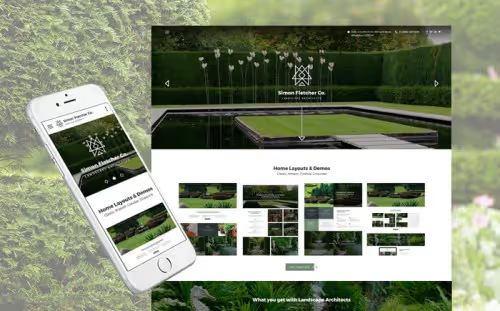
Rounding out the selection is a template for landscape architecture and design firms. 25+ HTML pages, multiple homepage layouts and demo variants, a blog, and a project portfolio. The responsive Bootstrap grid gives you the freedom to customize it to the firm's specific style.
The template ships with a pack of premium images you can use in the site demo.
- Pros: 25+ pages, premium images included, Bootstrap responsiveness
- Cons: only for landscape architects and adjacent niches
- Price: premium
- Download: 🔗 Landscape Architects on TemplateMonster
Is it worth using a ready-made HTML template in 2026?
The short answer: yes, if you control the code and don't want to depend on a builder. An HTML template is your own markup on your own hosting. No monthly payments, no vendor lock-in. You change hosting, move the folder with files, the site works.
The main advantage over WordPress themes is speed. No PHP, no database, no plugins. The browser receives ready-made HTML and renders it instantly. For landing pages and business card sites, this is the deciding factor: the page loads in a fraction of a second, bounce rate is lower, conversion is higher.
The flip side: for a blog with regular posts or an online store, an HTML template is inconvenient. Every new page has to be coded by hand. In that case, people look toward WordPress or another engine.
In practice, building a site from an HTML template takes anywhere from a couple of hours to a day. Watch the video above: the author assembles a full website template from scratch using HTML and CSS in 20 minutes. With a ready-made template, the process is even faster: you replace the content with your own, and the site is ready to upload to hosting.
⁉️🤔 Frequent questions
How is an HTML template different from a WordPress theme?
An HTML template is a set of static files (.html,.css,.js) that work on any hosting without a server-side engine. A WordPress theme is written in PHP and requires an installed WordPress, a MySQL database, and periodic updates. An HTML template is faster and simpler in terms of hosting, but harder for content updates.
What to choose for a blog with weekly posts?
For a blog, definitely WordPress or another engine with an admin panel. Manually adding each article via HTML files becomes a chore by the fifth post. An HTML template is good for static sites: landing pages, business card sites, portfolios that get updated once a month or less often.
Do I need to know code to work with an HTML template?
Basically, no. To replace text and images, it's enough to open the HTML file in an editor and change the content between tags. For deeper customization (colors, fonts, block positioning), basic CSS knowledge helps. But most premium templates come with a visual editor where edits are made with a mouse.
Can I attach an HTML template to WordPress?
Yes, and it's a common practice. Developers integrate an HTML template into WordPress as a custom theme: they split index.html into header.php, footer.php, and template files, and hook up WordPress functions. The site gets a content admin panel and keeps its unique design. It's a day or two of work for a developer with WP knowledge.
Will these templates work on mobile?
All templates in this selection are responsive, using flexbox grids, the Bootstrap framework, or custom media queries. In practice, this means the menu collapses into a hamburger, columns reflow into a single column, and images scale to the screen width. Check the demo of each template on your phone before buying.
Which is better: a paid HTML template or a free one?
Free templates save budget at the start, but are almost always limited: fewer pages, no support, and the design repeats across dozens of other sites. A paid template, for the price of a couple of cups of coffee, gives you a unique design, more ready-made blocks, documentation, and tech support. For a commercial site, the difference pays for itself with the very first deal.
Which HTML template to pick for your task?
If you need a universal powerhouse that covers a landing page, a store, and a blog, go with Monstroid2: 400+ pages and a visual editor give you freedom that niche templates don't offer.
For a freelancer's portfolio, Brendon or Hello Personal is enough: both are minimalistic, quick to set up, and require not a single line of code. Photographers and videographers should look toward Oyster or Indigo: fullscreen media presentation is exactly what people download them for.
Niche templates like DentaKids, Horse, HostMania, Landscape Architects should be picked only if you are in that exact niche. Their strength is that the structure is already tailored to the specifics of the profession, and you won't have to reshape a universal template to fit your reality.
A general rule: before buying, open the demo on your phone, go through all the pages, and honestly ask yourself: is this functionality enough for a year ahead? A template you outgrow in three months is a bad investment, even at a token price.

A professional team of writers and editors specializing in creating quality content.