



🔥 Free live chat for WooCommerce: 6 plugins for any store scale
A buyer lands on your site, picks a product, and then a question pops up on the checkout page. They look for contact info and find only an email address and a feedback form. Average response time: 12 hours. By then, the customer has already bought from a competitor who replied in chat within 40 seconds.
Live chat on a site is not just "nice to have." According to Kayako, 41% of buyers prefer chat over phone, email, and social media, and businesses that added chat report a 20% lift in conversion (Invesp via Ringly, 2024). At the same time, the cost per chat interaction is $3-4 versus $6-7 for a phone call (SuperOffice, 2025).
We rounded up 6 free live chat plugins for WooCommerce that cover the needs of a store of any size: from a micro-business with a single agent to multi-channel support with an AI assistant. We tested each tool to confirm whether the free tier is actually usable, what the limitations are, and whether an external account is required.
Where to start: how to pick a chat for your store
💡 Quick overview:
- Figure out your volume: up to 30 chats a month, Formilla or the free Tidio plan will do; more than that, Tawk.to or 3CX with no limits
- Decide whether you need WhatsApp: if yes, Social Chat; if not, see the table below
- Check whether there is a mobile app for agents: Tawk.to, Tidio, and JivoChat provide one; 3CX and Formilla, partially
- Install the plugin, connect your account (if required), and configure visibility: on all pages, only on product pages, or only in the cart
Plugin | Free tier | Agents | Mobile app | AI bot | Chat limit | |
|---|---|---|---|---|---|---|
Social Chat | Free + Pro from $49/yr | Unlimited | ✅ Primary channel | ❌ | ❌ | Unlimited |
Tawk.to | 100% free | Unlimited | ❌ | ✅ | $1/hr (option) | Unlimited |
3CX Live Chat | Free | Unlimited | ✅ (calls) | Partially | ❌ | Unlimited |
Tidio | Free / Starter $24.17/mo | 10 on Free | ❌ | ✅ | 50 conversations Free | 50 conversations/mo |
Formilla | Free / Pro from $13.99/mo | 1 on Free | ❌ | Partially | ✅ ChatGPT AI | 30 chats/mo |
JivoChat | Free / Pro (paid) | 5 on Free | ✅ | ✅ | ❌ | Unlimited |
1. Social Chat, chat via WhatsApp with zero server load
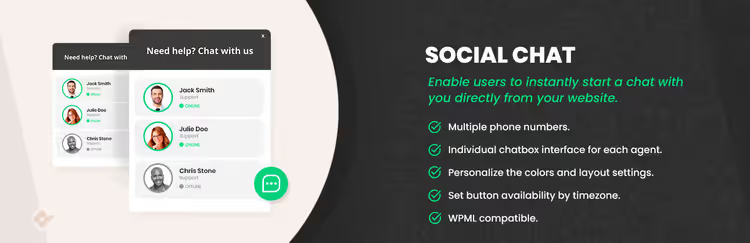
Social Chat by QuadLayers replaces the classic chat widget with a WhatsApp button. A customer clicks it, and a conversation opens in WhatsApp Web or the mobile app. No load on your server at all: messages travel through Meta's infrastructure, not your hosting.
The plugin has over 200,000 active installs. It supports multiple numbers, so you can split sales and support departments across different accounts. Button visibility is flexibly configured: all pages, only product pages, only the cart, or a custom URL pattern. The free version includes basic settings for colors, icons, and welcome messages. The Pro version adds agent grouping, scheduling, and click analytics.
- Pros: zero load on hosting, familiar WhatsApp interface for customers, multiple numbers, flexible visibility rules
- Cons: no AI bot, no offline message form (the customer writes and waits for a reply in WhatsApp)
- Price: Free / Pro from $49 per year
- Link: Social Chat on WordPress.org
2. Tawk.to, a free all-in-one powerhouse with no limits
Tawk.to is the only tool in this roundup that has no paid plans at all. Over 6 million businesses use it for live chat, a ticketing system, a knowledge base, and a CRM, all in a single interface. No limits on agents, sites, or chats.
The plugin installs from the WordPress repository in under a minute. After registering a free Tawk.to account you get: a widget with customizable design, mobile apps for iOS/Android, an offline form, canned messages, and a built-in ticket system. There is only one paid option, an AI assistant at $1 per hour of use (Tawk.to, terms), which handles most routine inquiries without an agent.
The main limitation is dependence on an external service. If Tawk.to servers go down, the chat won't work. But over 6+ years on the market such incidents have been rare.
- Pros: 100% free with no hidden limits, mobile apps, ticket system and knowledge base included
- Cons: dependence on external servers, AI assistant is paid, no WhatsApp
- Price: free
- Link: Tawk.to Live Chat on WordPress.org
3. 3CX Live Chat, a communication hub with calling

3CX is not just a chat but a full-fledged business PBX with live chat, calling, WhatsApp, Facebook, and SMS in a single panel. The WordPress plugin is free, with no agent limit. Data is stored locally in the WordPress database, unlike Tawk.to and Tidio, which keep history on their own servers.
Feature-wise: unlimited concurrent chats, ready-made widget themes, desktop notifications for new inquiries, chat transfer between agents. A pre-chat form collects name and email before the conversation starts. For stores that want to combine chat and voice support in one window, 3CX covers both tasks.
The downside is no mobile app for chat agents (only the web client and the 3CX desktop app for Windows/Linux). For teams that respond from a smartphone, this can be inconvenient.
- Pros: local data storage, calling + chat + WhatsApp in one interface, no agent limit
- Cons: no mobile app for chat, more complex setup compared to Tawk.to
- Price: free
- Link: 3CX Live Chat on WordPress.org
4. Tidio, AI bot plus live chat in one window
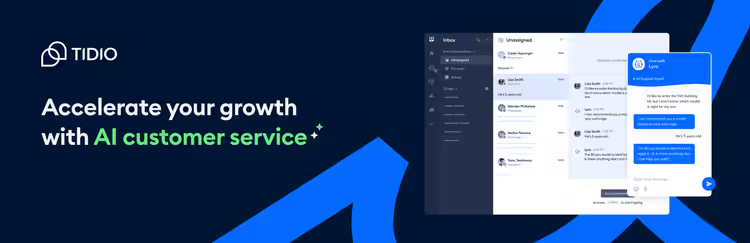
Tidio combines live chat, email marketing, Messenger, and the Lyro AI bot in a single panel. The plugin supports 183 languages, including 21 pre-translated language packs, which cuts setup time in half for stores with an international audience.
The free plan gives you: 50 conversations per month, 50 AI conversations via Lyro, 100 Flows reach (automated chat scenarios), and up to 10 agents. Lyro is not just a set of keywords: it learns from the store's FAQ and can independently answer questions about shipping, returns, and product availability without handing the conversation off to a human.
For a store with traffic exceeding 50 inquiries per month, the free plan becomes tight. The paid Starter plan starts at $24.17/mo for 100 conversations, Growth from $49.17/mo (Tidio pricing). But for launching and testing the channel, this is enough.
- Pros: Lyro AI bot that learns from FAQ, 183 languages, multi-channel (chat + email + Messenger)
- Cons: 50 conversations per month on the free plan, too little for an active store, paid plans are noticeable
- Price: Free / Starter $24.17/mo / Growth from $49.17/mo
- Link: Tidio Live Chat on WordPress.org
5. Formilla, ChatGPT AI without complex setup
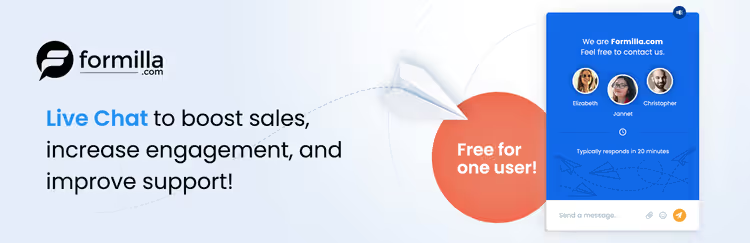
Formilla stands out with its ChatGPT-based AI bot, which is available even on the free plan. The bot doesn't just answer common questions, it holds a meaningful dialogue, clarifies order details, and hands the conversation off to a human only when truly needed.
Beyond chat, Formilla offers a popup builder with dozens of templates for lead capture, action buttons for quick actions, and marketing automation. All of this on the free plan. But there is a significant limitation: one operator and 30 chats per month. For a micro-store with a small flow of customers, that's enough. For an active store, the paid Pro plan starts at $13.99/mo (Formilla pricing).
- Pros: ChatGPT bot on the free plan, popup builder and marketing automation included
- Cons: 1 agent + 30 chats/month on Free; Formilla account registration required
- Price: Free / Pro from $13.99/mo
- Link: Formilla Live Chat on WordPress.org
6. JivoChat, a multichannel chat with built-in CRM
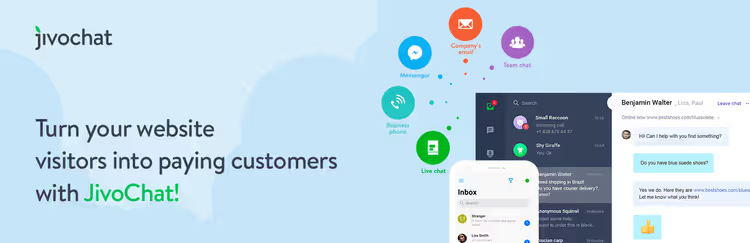
JivoChat, a Russian-language platform for live chat, calls, WhatsApp, Telegram, Facebook Messenger, and email in a single window. The free plan includes 5 agents, unlimited chats, mobile apps, and a basic CRM system for storing contact history.
JivoChat's standout feature is built-in telephony. You can take calls directly from the agent panel without switching to a separate softphone. For stores that sell high-ticket items requiring consultation (appliances, furniture, jewelry), this covers two communication channels with one tool.
On the downside: no AI bot on the free plan, and the interface can feel overloaded for a store that just needs chat without extra features. The paid version removes JivoChat branding and adds advanced analytics (JivoChat page).
- Pros: calls + chat + WhatsApp + Telegram in one window, 5 agents on the free plan, mobile apps
- Cons: no AI bot on Free, interface is overkill for simple chat
- Price: Free / Pro (paid)
- Link: JivoChat on WordPress.org
How to choose a live chat: 4 criteria instead of 40 features

Most plugins look identical on the features page. To avoid comparing 40 items across six tools, base your decision on four criteria:
1. Store scale. 30 chats a month: Formilla or free Tidio. 100+: only Tawk.to or 3CX, because the others hit limits and require a paid plan. A common early mistake: installing Formilla on a store with 5,000 daily visitors and burning through the monthly limit in a day.
2. Communication channel. If your audience is on WhatsApp, go with Social Chat or JivoChat. If you only need on-site chat, Tawk.to or 3CX. Don't pick an "all-in-one" for features you won't use: they complicate the interface and slow down the agent.
3. Agent mobility. Smartphone support is critical if you handle customer replies yourself without a call center. Tawk.to, Tidio, and JivoChat offer a full mobile app. 3CX and Formilla offer only a web version or desktop client.
4. AI vs. human. The ChatGPT bot in Formilla handles a significant share of routine questions without agent involvement. If you have 1-2 people on support, this saves hours a day. Tawk.to's AI assistant costs $1/hr (Tawk.to AI pricing) and pays for itself at a volume of 20+ chats a day. Tidio gives 50 AI conversations for free, enough to assess whether your store needs a bot.
⁉️🤔 FAQ
Do I have to register a separate account for each plugin?
Social Chat and 3CX work without an external account; data is stored locally in WordPress. Tawk.to, Tidio, Formilla, and JivoChat require registration on the service's website, after which you link the account to the plugin via an API key. The process takes 2-3 minutes and is done once.
Which plugin should I choose for a store where most customers are on mobile devices?
All plugins in this selection are mobile-adapted. But if 73.6% of chats today happen on smartphones (LiveChat, 2026), it's critical that the widget doesn't cover the "Buy" button on a 375px screen. Social Chat and Tawk.to offer the cleanest positioning: the widget can be collapsed into a corner bubble that doesn't interfere with scrolling.
Does the free Tawk.to plan really have no hidden limits?
Yes. Tawk.to monetizes through the AI assistant ($1/hr, Tawk.to, official site) and the agent hiring service (Tawk.to Agents). The chat itself, ticketing system, knowledge base, and CRM remain free with no limits on agents, sites, or chats. As of July 2026, this model has not changed.
How is Social Chat better than a regular WhatsApp button generated via the WhatsApp Business API?
A regular WhatsApp button is just a link
wa.me/номер. Social Chat adds: visibility rules (which pages to show it on), business hours (hide the button outside working hours), multiple numbers for different departments, and visual customization to match the site's style. Plus, zero server load because WhatsApp messages don't pass through WordPress.
Can I use two chat plugins at the same time?
Technically, yes. For example, Tawk.to for general on-site support and Social Chat for WhatsApp consultations. But two widgets on one page annoy visitors and create confusion: which channel should they use? Recommendation: pick one primary channel and stick with it. If you need WhatsApp, go with Social Chat or JivoChat and don't duplicate.
Does a live chat plugin affect store loading speed?
Any external script adds milliseconds to load time. Social Chat is the lightest: it only loads a button, and the chat itself opens in WhatsApp Web. Tawk.to and Tidio load a heavier widget, but they are cached and don't block page rendering. The speed difference between plugins is within 100-300 ms, which is unnoticeable to visitors. If speed is critical, choose Social Chat.
Summary
Live chat is one of the few tools that simultaneously lowers support costs ($3-4 per conversation vs. $6-7 per call) and increases conversion (by 20% on average across the market, SuperOffice + Invesp, 2024-2025). All six tools in this roundup handle that job with no monthly fee: just pick the plugin that fits your store's scale and your audience's communication channel.
If you are just launching chat on your site, start with Tawk.to: free, no limits, includes a mobile app. If your audience is on WhatsApp, go with Social Chat. If you want to offload support with an AI bot, Formilla on ChatGPT or Tidio with Lyro. If you need chat plus calls, 3CX or JivoChat.
Install one of these tools today and see how many sales you are losing simply because a buyer has no one to ask a question.

A professional team of writers and editors specializing in creating quality content.