













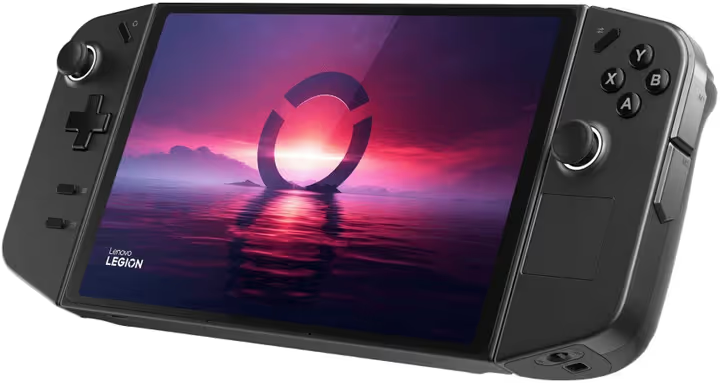
🎮 Lenovo Legion Go 8APU1 512GB review: is it worth buying in 2026
A gaming laptop is heavy to carry around, the Switch can't handle AAA titles, and a desktop PC chains you to a desk. Between them there was a gaping void until 2023, when Lenovo rolled out the Legion Go: a handheld with gaming-laptop hardware and a full Windows 11 on board.
Now, in 2026, the handheld console market has settled. The Steam Deck OLED has staked out the "affordable and with Steam games" niche, the ASUS ROG Ally pushes performance, and the Legion Go 2 (released in fall 2025) got an OLED screen and the Z2 Extreme. But the original Legion Go 8APU1 remains an interesting option, especially at a price that has dropped noticeably since the successor launched.
Below, a detailed breakdown: hardware, screen, battery life, comparison with competitors, and an honest answer on whether the Legion Go is worth buying in 2026.
💡 Quick overview:
- Specs: eight-core Ryzen Z1 Extreme, 16 GB RAM, 512 GB SSD, QHD+ 144 Hz display
- Performance: 50-60 FPS in Cyberpunk 2077 and Baldur's Gate 3 at high settings in 800p
- Battery life: around 2 hours in demanding AAA games, up to 5-6 hours in indies and video playback
- Comparison with Steam Deck OLED and ROG Ally, in the table below
- Main trump card: detachable controllers, FPS mouse mode, and full Windows without workarounds
Specs: what's under the hood
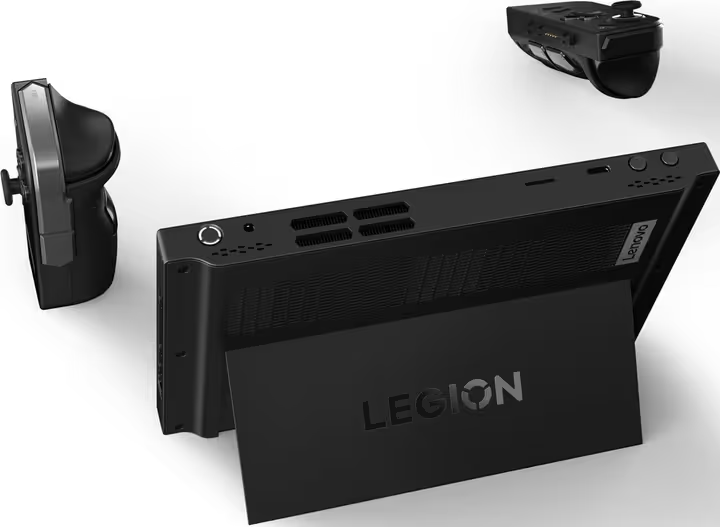
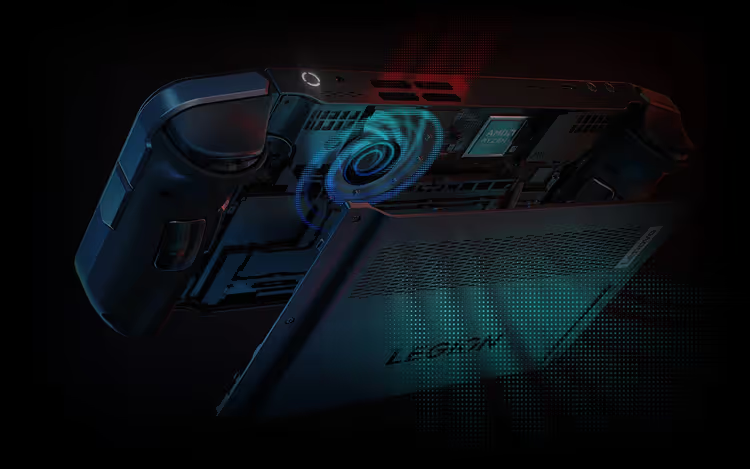
The Legion Go 8APU1 is built on the AMD Ryzen Z1 Extreme, an eight-core processor with Zen 4 architecture and integrated RDNA 3 graphics (12 compute units). This is the same chip found in the top-tier ASUS ROG Ally, but with a more aggressive thermal envelope: Lenovo allows the chip to draw up to 30 W in Custom mode, whereas the Ally was capped at 25 W at launch (later raised to 30 W via a BIOS update).
Other specifications (manufacturer data):
- Display: 8.8″ IPS, 2560×1600 (QHD+), 144 Hz, 500 nits, touchscreen, anti-glare coating (source)
- Memory: 16 GB LPDDR5X-7500 (soldered, not expandable)
- Storage: 512 GB PCIe Gen4 NVMe SSD (removable, 2242 form factor, replacement is possible but options are limited)
- Connectivity: Wi-Fi 6E, Bluetooth 5.2
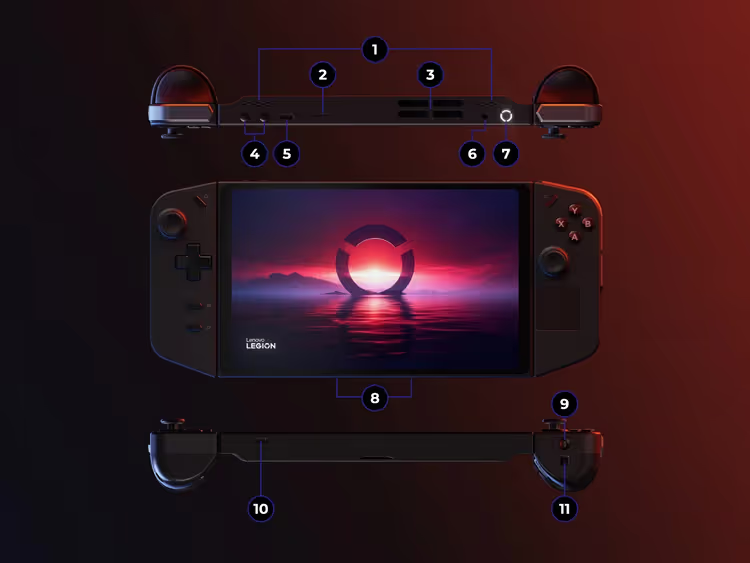
- Ports: 2× USB4 Type-C (both with DisplayPort 1.4 and Power Delivery 3.0), headphone jack, microSD
- Battery: 49.2 Wh (two cells)
- Weight: 854 g with controllers, 640 g without
- OS: Windows 11 Home
The higher-tier 1 TB version costs more, but the SSD in the Legion Go is replaceable, so you can upgrade the capacity yourself if desired. All specs above, from the official Lenovo Legion Go page.
Screen: 8.8 inches that change the experience
The display is the first thing that catches your eye. 8.8 inches versus 7″ on the ROG Ally and 7.4″ on the Steam Deck OLED. A one-and-a-half-inch difference doesn't look huge on paper, but in your hands it feels like moving from a compact tablet to a near-laptop screen. For games with small UI elements (strategy titles, RPGs like Baldur's Gate 3) this is a tangible plus: you don't have to squint at microscopic text.
The 2560×1600 resolution is overkill for an eight-inch screen; at typical viewing distance the eye can't distinguish QHD from FHD. In practice, games are run at 1200p or 800p with FSR upscaling, and the image stays sharp. The 144 Hz refresh rate is useful in undemanding titles (Hades, Dead Cells, Rocket League) and older shooters; the smoothness of scrolling is immediately noticeable. 500 nits brightness is sufficient for gaming by a window on a sunny day. Display specs, from the official Lenovo page.
Compared to the Steam Deck OLED: Valve's screen is smaller and lower resolution (1280×800, Steam Deck specs), but it's OLED, so blacks are true and contrast is infinite. The Legion Go wins on size and refresh rate.
Comparison with competitors: table
Spec | Lenovo Legion Go | Steam Deck OLED | ASUS ROG Ally (Z1E) |
|---|---|---|---|
Screen | 8.8″ IPS QHD+ 144 Hz | 7.4″ OLED HD 90 Hz | 7″ IPS FHD 120 Hz |
Processor | Ryzen Z1 Extreme | Custom AMD (Zen 2) | Ryzen Z1 Extreme |
RAM | 16 GB LPDDR5X | 16 GB LPDDR5 | 16 GB LPDDR5 |
Storage | 512 GB (replaceable 2242) | 512 GB (replaceable 2230) | 512 GB (replaceable 2230) |
OS | Windows 11 | SteamOS | Windows 11 |
Battery | 49.2 Wh | 50 Wh | 40 Wh |
Weight | 854 g | 640 g | 608 g |
Launch price | $699 | $549 | $699 |
All three consoles are mature devices with established software support. The Steam Deck wins on price and console-like UX (SteamOS is "turn on and play"), but loses on raw performance and compatibility with non-Steam games. The ROG Ally is more compact and lighter than the Legion Go, but the screen is smaller and the battery is weaker. The Legion Go wins with the largest screen, detachable controllers, and a pair of USB4 ports; essentially, it's a portable PC in the most literal sense.
Gaming performance: what the Z1 Extreme can do
Summary of average FPS in popular titles (high settings, 800p, no FSR):
Game | Legion Go | Steam Deck OLED | ROG Ally |
|---|---|---|---|
Cyberpunk 2077 | 50-55 FPS | 35-40 FPS | 45-50 FPS |
Baldur's Gate 3 | 55-60 FPS | 40-45 FPS | 50-55 FPS |
Forza Horizon 5 | 60-65 FPS | 45-50 FPS | 55-60 FPS |
Elden Ring | 50-55 FPS | 40-45 FPS | 48-52 FPS |
Figures are taken from IGN, UltrabookReview, and Tom's Guide tests from 2024-2025. In 2026 the situation hasn't changed dramatically: AMD drivers for the Z1 Extreme have stabilized, Lenovo's BIOS updates have brought the fan curve to a sensible level, and support for FSR 3 and AFMF (driver-level frame generation) has added smoothness without a hit to quality.
In practice: Cyberpunk 2077 at medium-high with FSR Balanced delivers a stable 50-60 FPS. Baldur's Gate 3 in Act 3 (the heaviest) dips to 35-40 FPS, but in the city and dungeons it holds 55-60. For a handheld device, this is an impressive result.
Detailed video review of Legion Go performance (in English, with live FPS measurements across a dozen games):
Controllers and modes: more than just a console
The Legion Go has three trump cards that none of its competitors have:
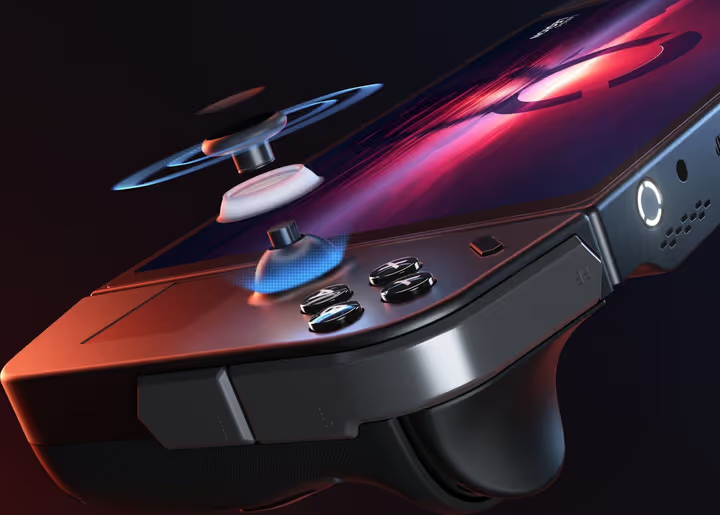
Detachable TrueStrike controllers. Like the Nintendo Switch: detach them, set the console on the kickstand, and play with the controllers in your hands. The magnetic attachment is rigid, with no wobble. RGB lighting, Hall effect joysticks (no drift over time), two scroll wheels, and a huge pile of buttons: 10 per controller, not counting sticks and triggers.
FPS mouse mode. The right controller slots into a magnetic dock-stand (included in the box) and turns into a vertical mouse with an optical sensor. Ideal for shooters: aiming with a mouse on the go is an experience that neither the Steam Deck with its trackpads nor the ROG Ally with just a stick can provide. In CS2 and Valorant, the difference versus a gamepad is colossal.
Full Windows 11. No Arch Linux workarounds, no Proton layer, no anti-cheat incompatibility. Games from Steam, Epic Games Store, Xbox Game Pass, GOG, and Battle.net run natively. Connect a keyboard and mouse via Bluetooth or USB-C, and it becomes a workstation with Microsoft Office, a browser, and professional software. Neither the Steam Deck nor the Nintendo Switch can do that.
Battery life: the Achilles' heel
The 49.2 Wh battery isn't the smallest in its class, but the screen and Z1 Extreme take their toll. According to IGN and Tom's Guide measurements, esports titles (Rocket League, CS2, Valorant) last 2.5-3 hours, AAA titles like Cyberpunk and Baldur's Gate 3 last up to 2 hours, indies and 2D games last up to 5-6 hours, and video playback lasts up to 6-7 hours.
This is a compromise common to all portable PC consoles. The Steam Deck OLED lasts noticeably longer in the same scenarios thanks to the OLED screen (lower power consumption) and optimized SteamOS. The ROG Ally with its 40 Wh battery drains even faster. The Legion Go is the middle-of-the-pack option for battery life.
Charging: the included 65 W USB-C power adapter supports Power Delivery; any powerful PD-capable external battery pack works.
Which scenarios it suits
Scenario | Legion Go | Steam Deck OLED | ROG Ally |
|---|---|---|---|
Gaming at high settings | ⭐⭐⭐⭐⭐ | ⭐⭐⭐ | ⭐⭐⭐⭐ |
Long sessions away from an outlet | ⭐⭐ | ⭐⭐⭐⭐ | ⭐⭐ |
Shooters (mouse / precise aiming) | ⭐⭐⭐⭐⭐ | ⭐⭐⭐ | ⭐⭐ |
Use as a PC (Office, browser) | ⭐⭐⭐⭐⭐ | ⭐⭐ | ⭐⭐⭐⭐ |
"Turn on and play" simplicity | ⭐⭐⭐ | ⭐⭐⭐⭐⭐ | ⭐⭐⭐ |
Price / accessibility | ⭐⭐⭐ | ⭐⭐⭐⭐⭐ | ⭐⭐⭐ |
Quick takeaway by scenario: for shooters and hybrid use (gaming + work), the Legion Go is the best choice. For "pull it out of your bag and play," the Steam Deck. For maximum portability at the expense of screen size, the ROG Ally.
What about the Legion Go 2?

In October 2025 Lenovo released the Legion Go 2, with an OLED screen (8.8″, 144 Hz), a Ryzen Z2 Extreme processor (Zen 5 + RDNA 3.5), and a battery increased to 55 Wh, starting price from $799. Against this backdrop, the first-generation Legion Go has turned into a value proposition: finding a new 512 GB unit noticeably cheaper in 2026 is realistic, and it's more than enough for your entire Steam library.
If your budget allows, the Go 2 is objectively better on all fronts except price. But if the price difference is substantial, the original Legion Go is still relevant: the same screen (just IPS instead of OLED), the same Z1 Extreme, the same controllers.
⁉️🤔 Frequent questions
How much does the Lenovo Legion Go cost in 2026?
At launch the console sold for $699-749. After the Legion Go 2 release, the price dropped: a new 512 GB version can realistically be found for $500-550, and a used one for $400-450. The exact price depends on the region and store; check current offers at https://allo.ua/ua/igrovye-pristavki/igrovaja-konsol-lenovo-legion-go-8apu1-512gb.html.
Can the Legion Go be used as a full-fledged computer?
Yes. The console runs Windows 11 Home: connect a monitor via USB-C (DisplayPort 1.4), a keyboard and mouse via Bluetooth or a dock, and you get a full PC. The Z1 Extreme processor handles Office, a browser, Photoshop, and even light video editing. Two USB4 ports let you connect both charging and a monitor at the same time.
How long does the battery last in real games?
In AAA titles at high settings, 1.5-2 hours. In esports titles, 2.5-3 hours. In indie games and 2D, up to 5 hours. This is an average figure for Windows handhelds: the Ryzen Z1 Extreme is power-hungry, and Windows isn't as optimized for sleep and background processes as SteamOS.
How does the Legion Go differ from the Steam Deck?
Larger OLED version, 8.8″ QHD+ 144 Hz screen (versus 7.4″ HD 90 Hz), detachable controllers with FPS mouse mode, full Windows 11 without anti-cheat or store restrictions. The Steam Deck counters with price, the console-like SteamOS interface, and better battery life (OLED model).
Is it worth buying the Legion Go in 2026 if the Legion Go 2 exists?
If your budget allows, the Go 2 with OLED and a larger battery is objectively better. But with a noticeable price difference, the original Legion Go delivers practically the same experience: the screen (IPS instead of OLED), the same Z1 Extreme, detachable controllers, and Windows. For those entering the world of portable PC consoles and not wanting to overpay, it's an excellent entry ticket.
Does the Legion Go support cloud gaming?
Yes, without limitations. GeForce NOW, Xbox Cloud Gaming, PlayStation Remote Play, and Steam Remote Play run natively on Windows 11. A stable Wi-Fi 6E connection gives 15-20 ms latency, comfortable for everything except competitive shooters.
Can the SSD be replaced in the Legion Go?
Yes. Inside there is an NVMe SSD in the 2242 form factor. The slot is not hidden under a warranty sticker; replacement takes 10 minutes. Limitation: the selection of 2242 drives is more modest than 2280, but WD, Corsair, and Sabrent make compatible models.
Legion Go in 2026: buy or wait?
The Legion Go 8APU1 is the device that opened a new segment in 2023: "a handheld console that doesn't lie about its PC capabilities." Three years later, it has a successor with OLED and a better battery, but the original hasn't lost what matters most: a huge 144 Hz QHD screen, detachable controllers with FPS mode, and an honest Windows 11 that runs absolutely everything.
A quick decision matrix:
- If you care most about the largest screen, shooters with a mouse on the go, and a hybrid "console + work PC," get the Legion Go.
- If your budget is tight and you want a console-like "turn on and play" UX, look toward the Steam Deck OLED.
- If compactness and weight matter more, the ROG Ally (or its updated X version with an 80 Wh battery).
- If funds allow and you want OLED with a better battery, wait for a discount on the Legion Go 2.
Write in the comments: which handheld console are you using right now, and what games are you playing through on it?

A professional team of writers and editors specializing in creating quality content.