













 AIIllustrative image: AI-generated
🛒 21 best free WooCommerce themes for WordPress (2026)
Launching an online store from scratch is not cheap. Designer, front-end developer, custom theme for WooCommerce: the bill runs into thousands of dollars, and the result doesn't guarantee sales. It's especially frustrating when the store is testing a hypothesis; spending a couple thousand on a theme that will be archived in three months is simply foolish.
Free WooCommerce themes have long outgrown their status as "temporary placeholders." Modern options like Astra, OceanWP, and Blocksy deliver speed, customization, and conversion-focused layouts that would have cost tens of dollars per year just five years ago. The problem lies elsewhere: the WordPress.org repository contains nearly two thousand themes tagged "WooCommerce," and the vast majority of them are outright garbage: broken CSS, abandoned code, zero updates.
We combed through the repository, filtered out dead projects, and compiled 21 themes that actually work in 2026. Each entry includes a live screenshot, a link to the official page, and an honest breakdown: what the theme can do, where it stumbles, and which type of store it's designed for.
💡 Quick overview:
- First, determine your store type: multi-product marketplace, single-brand boutique, dropshipping, or service showcase; each scenario has its own theme.
- Look at speed: the theme should load in under 2 seconds on cheap hosting; avoid bloated "universal combines" with hundreds of unused scripts.
- Check compatibility with Elementor/Gutenberg and major WooCommerce plugins: if the theme doesn't play well with cart, wishlist, and variable products out of the box, skip it.
- Ignore "pretty demos": look at actual ratings, the last update date, and the number of active installs in the repository.
What matters when choosing a free WooCommerce theme in 2026
Before scrolling through the list, spend three minutes on criteria. They'll save you hours of reinstallations.
Speed and Core Web Vitals. A theme with 50 unused scripts will tank LCP even on a VPS. Minimum threshold: a clean install with the theme and WooCommerce should pass Google PageSpeed with high scores on mobile, target 85 or above.
WooCommerce integration out of the box. Not all free themes are equally friendly with WooCommerce. Look for an explicit "WooCommerce Ready" label, native styles for product cards, cart, and checkout. Having to dance around with a child theme and edit functions.php for basic compatibility is a red flag.
Updates and support. A theme without updates for over a year is risky. WordPress 6.7 is out, WooCommerce makes minor template changes every 2-3 months, and an abandoned theme will eventually fall apart at the seams. Check the last update date in the repository.
Customization without code. Custom colors, fonts, product grids, sidebar position: everything should be configurable through the customizer or native block editor. A theme that requires a child theme and PHP edits for every tweak falls into the "not recommended" category in 2026.
Below is a comparison table of the top ten by key parameters, followed by a full breakdown of each theme.
Theme | Speed (rating) | Elementor | Active installs | Updated | Best for |
|---|---|---|---|---|---|
Astra | ★★★★★ | Yes | 1M+ | 2026 | Universal |
OceanWP | ★★★★☆ | Yes | 500K+ | 2026 | Marketplace |
GeneratePress | ★★★★★ | Yes | 600K+ | 2026 | Speed |
Storefront | ★★★★☆ | No | 400K+ | 2026 | Pure WooCommerce |
Zakra | ★★★★☆ | Yes | 100K+ | 2026 | Blog+store |
Hestia | ★★★★☆ | Yes | 100K+ | 2026 | One-pager |
Hello Elementor | ★★★★★ | Yes | 2M+ | 2026 | Full control |
eStore | ★★★★☆ | Yes | 20K+ | 2026 | Multi-product |
Spacious | ★★★★☆ | Yes | 70K+ | 2026 | Fashion/apparel |
Vogue | ★★★★☆ | Yes | 10K+ | 2026 | Boutique |
1. Astra
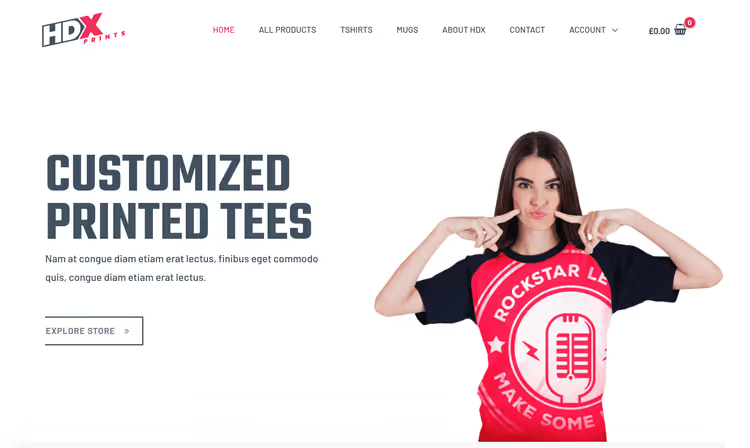
Astra is the most popular free WooCommerce theme on WordPress.org with over a million active installs. Developed by Brainstorm Force (the same team behind Ultimate Addons and Spectra), it's updated every 2-4 weeks. Out of the box, it provides infinite product scroll, a grid with quick view, a dropdown cart, and separate settings for shop and checkout pages. It weighs under 50 KB, giving it an edge over almost any competitor in terms of speed.
Pros: ultra-lightweight (pure CSS instead of heavy JS frameworks), native integration with Gutenberg and Elementor, dedicated WooCommerce settings in the customizer. Cons: some advanced options (mobile header, mega-menu, custom hooks) are only available in Pro (from $47/year, current pricing at wpastra.com).
🔗 Astra on WordPress.org🔗 Official website
2. OceanWP

OceanWP long held the crown for "best WooCommerce integration" and remains in the top tier in 2026. Its highlight: native popups for quick view, floating cart, custom layouts for product cards, and multi-step checkout right from the customizer. Half a million active installs, developed by the OceanWP team, with stable updates.
Pros: best WooCommerce integration among fully free themes, flexible product grid settings, built-in RTL support. Cons: slightly heavier than Astra (loads more scripts), some demo templates are paid.
🔗 OceanWP on WordPress.org🔗 Official website
3. Storefront
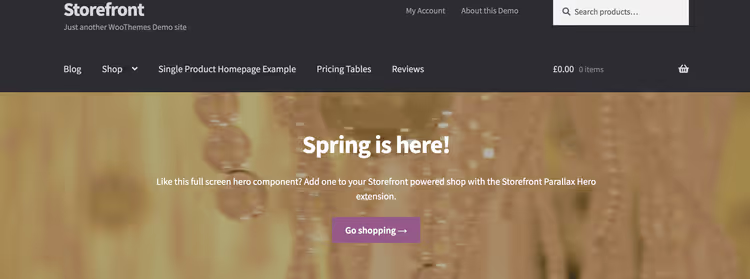
Storefront is the official theme from the WooCommerce team (Automattic). No surprises in compatibility: every WooCommerce update is tested on Storefront first. The design is deliberately neutral: white background, 3-4 column product grid, basic typography. An excellent choice if you plan to customize the appearance via a child theme or simply want a guaranteed working store without embellishments.
Pros: full WooCommerce compatibility (tested by Automattic in sync with plugin releases), serves as a reference framework for developers. Cons: looks "bare" without a child theme, no built-in support for popular page builders.
4. GeneratePress

GeneratePress is the choice for those obsessed with speed. The theme weighs 7.5 KB on the front end (yes, kilobytes) and consistently scores excellently on PageSpeed with good hosting. WooCommerce integration is implemented through the GP Premium module ($59/year, current price at generatepress.com), but basic compatibility (styles for cart, checkout, and product cards) works in the free version. An ideal base for a custom store built on Gutenberg blocks.
Pros: record-light, clean semantic HTML, excellent documentation. Cons: extended WooCommerce options require the premium module.
🔗 GeneratePress on WordPress.org🔗 Official website
5. Zakra

Zakra from ThemeGrill is a fast universal theme with a dedicated demo set for WooCommerce. Compatible with Gutenberg, Elementor, and AMP (yes, mobile store pages are accelerated automatically). 100K+ installs, regular updates. A good compromise between "lightweight like GeneratePress" and "flexible like Astra," but it's exactly that: a compromise. It doesn't reach for the stars, but it won't let you down either.
Pros: AMP compatibility out of the box, SEO-optimized markup, decent mobile speed. Cons: fewer WooCommerce-specific options in the customizer than Astra/OceanWP.
🔗 Zakra on WordPress.org🔗 Official website
6. Hello Elementor
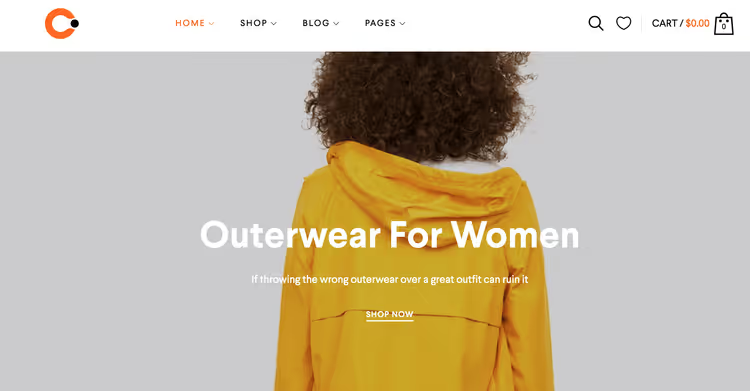
Hello Elementor is an "empty" theme from the Elementor team. No styles, scripts, or menus out of the box, just a blank canvas for the builder. The approach is radical: you get no ready-made design at all, but every pixel on the store page is assembled visually in Elementor. 2M+ installs, 100% WooCommerce compatibility through Elementor Pro.
Pros: absolute design freedom, zero performance impact, perfect pairing with Elementor. Cons: without Elementor (free or Pro) the theme is useless; no ready-made WooCommerce layout.
🔗 Hello Elementor on WordPress.org
7. Hestia
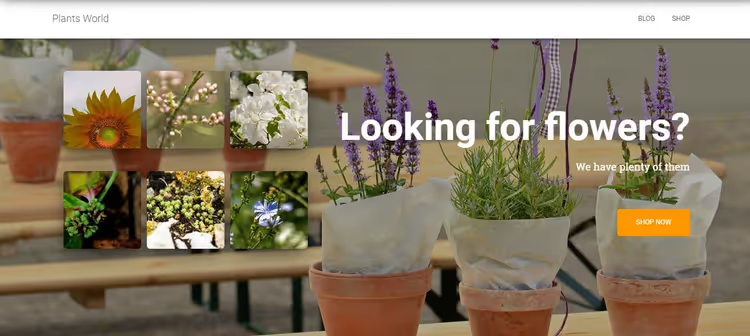
Hestia from ThemeIsle is a one-page theme with native WooCommerce support. Fullscreen slider, popular products section, customer reviews, and subscription form all on one scroll. Suitable for single-brand stores with a limited assortment (10-30 products). Compatible with Gutenberg, Elementor, and Beaver Builder.
Pros: striking one-page design, quick setup via Companion plugin, active community (100K+ installs). Cons: on a large catalog it becomes an endless "wall of content," some demo templates are paid.
🔗 Hestia on WordPress.org🔗 Official website
8. Spacious
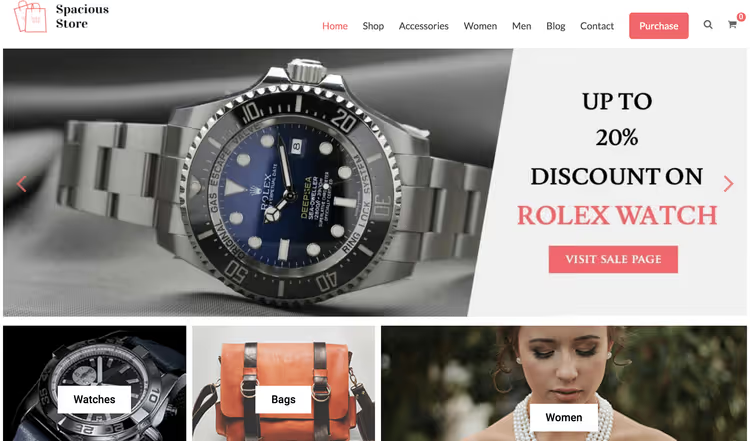
Spacious is a theme designed for clothing, footwear, and accessory stores. Wide top slider, four widget areas on the homepage, large product cards in a grid. Built on pure CSS (no heavy frameworks), which delivers good speed even on budget hosting. 70K+ installs, developed by ThemeGrill.
Pros: native grids for fashion retail, good speed, built-in banner areas. Cons: design is slightly conservative, less flexibility for non-fashion stores.
9. eStore
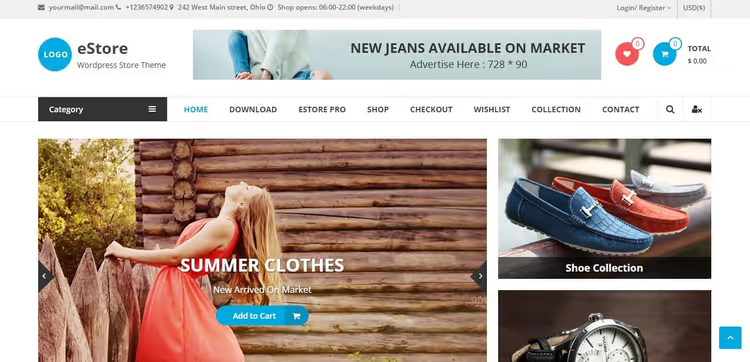
eStore from ThemeGrill is a theme for multi-product stores with large catalogs. Well-thought-out product categorization, multiple grid layouts (including masonry), built-in slider for promotions, and a "bestsellers" area on the homepage. Compatible with WPML for multilingual storefronts. Great for electronics, pet supplies, and B2B showcases.
Pros: rich structure for catalogs, built-in promo blocks, ready WPML support. Cons: overkill for a 20-product store, requires widget configuration.
🔗 eStore on WordPress.org🔗 Official website
10. Vogue
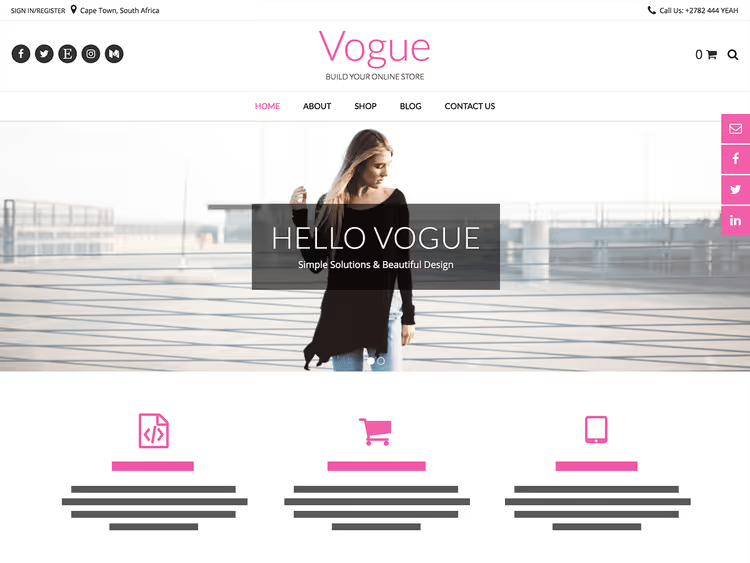
Vogue is a stylish theme with large typography and big product images. Suitable for boutiques, jewelry stores, and premium goods where visuals matter more than text. White background, large product cards in a 2-column grid, built-in social media icons. Compatibility with Meta Slider, Page Builder, and Breadcrumb NavXT.
Pros: striking visual style, large product cards, ready social media integration. Cons: narrow specialization (not for technical products), modest layout options.
11. Activello
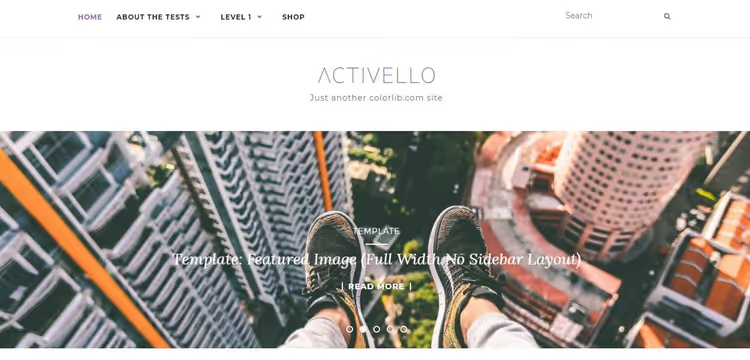
Activello is a blog-store hybrid built on Bootstrap. Well-suited for content projects that want to add a product showcase to an existing blog. Slider, infinite post scroll, responsive grid. On WordPress.org since 2015, consistently updated.
Pros: excellent blog-WooCommerce integration, infinite scroll, time-tested codebase. Cons: Bootstrap base adds weight, design is slightly outdated stylistically.
12. Sparkling
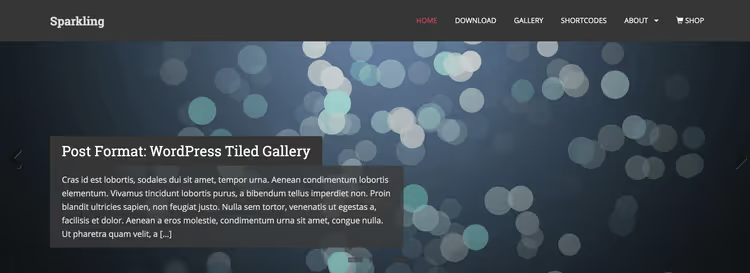
Sparkling is a minimalist theme on Bootstrap 3 with flat design. Supports WooCommerce, Yoast SEO, W3 Total Cache, Contact Form 7. Good for those who want a simple store without excessive customization. On WordPress.org since 2014.
Pros: easy setup, excellent compatibility with caching plugins, Font Awesome icons. Cons: Bootstrap 3 is outdated, design doesn't meet modern standards.
13. AccessPress Store
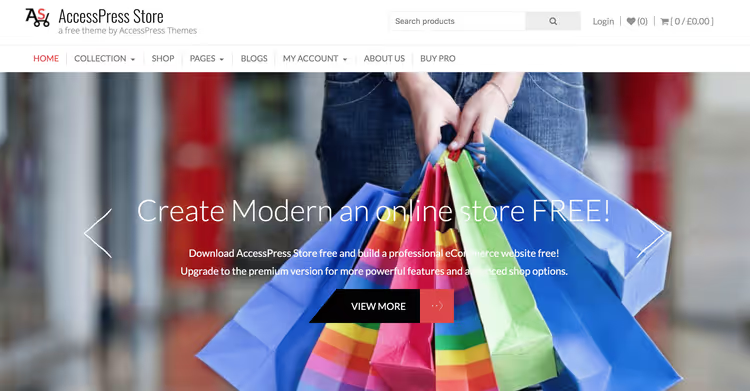
AccessPress Store is a feature-rich theme with an animated slider, lazy loading for products, built-in YouTube block, and flexible grid settings. Distinguished by an abundance of widgets for the homepage: promotions, new arrivals, bestsellers, all configurable through the customizer.
Pros: rich widget set for storefronts, animation and lazy loading, built-in YouTube integration. Cons: overloaded with options, requires time for thoughtful setup.
🔗 AccessPress Store on official website
14. Alhena Lite
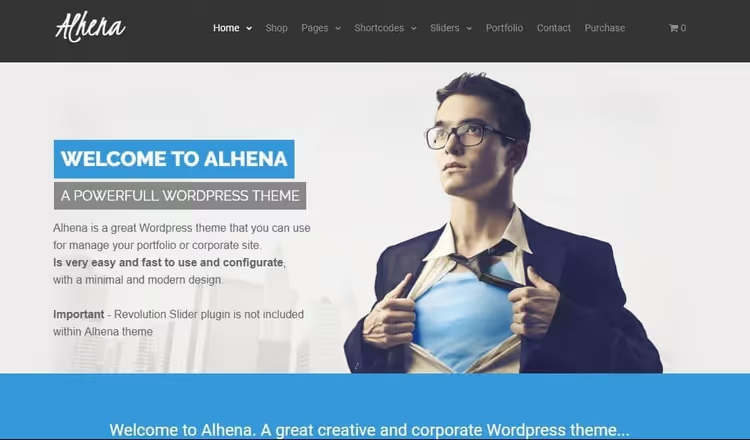
Alhena Lite is a theme with a wide contrasting menu and fullscreen slider. Numerous options for layouts, colors, and fonts through the customizer. Supports galleries, portfolios, and WooCommerce in one installation.
Pros: striking homepage, good font selection, versatility. Cons: overkill for a purely product showcase, requires time to master the settings.
🔗 Alhena Lite on WordPress.org
15. TheShop
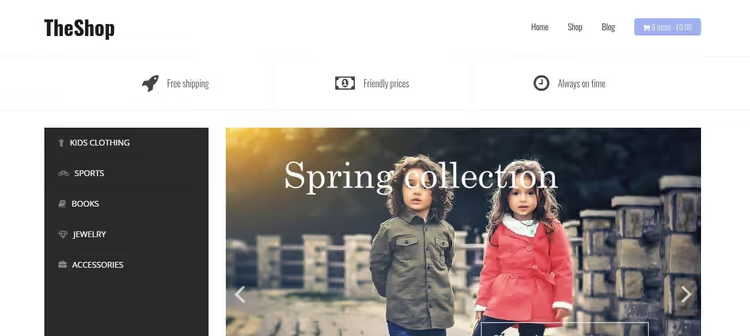
TheShop from aThemes is a simple minimalist theme for quick launches. Category carousel, colored sections, font customizer. Fully responsive, retina-ready, no heavy frameworks. Ideal when you "need it yesterday" without any complications.
Pros: quick launch, clean code, responsiveness out of the box. Cons: minimal unique features, simple customization without a page builder feels limited.
16. Shopper
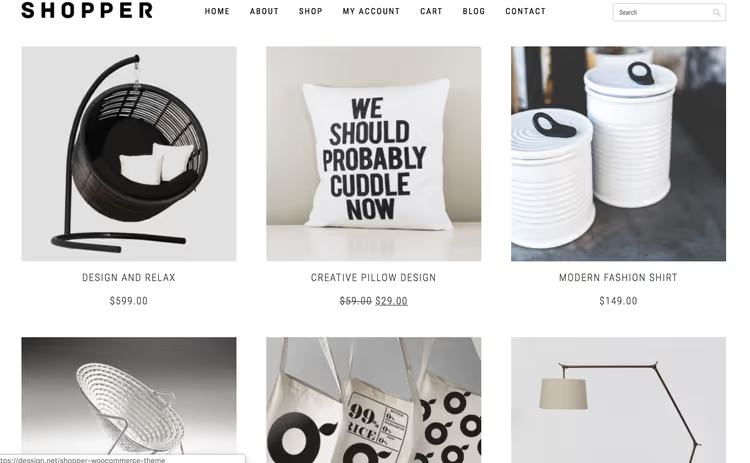
Shopper is a minimalist theme with a centered logo, search bar, and product grid with a "load more" button. Three widgets in the footer for store description and email subscription. Responsive, lightweight, no compositional excesses.
Pros: fast, simple layout, built-in email subscription. Cons: design is minimalist to the point of austerity, developer site (dessign.net) is poorly maintained.
17. Sold
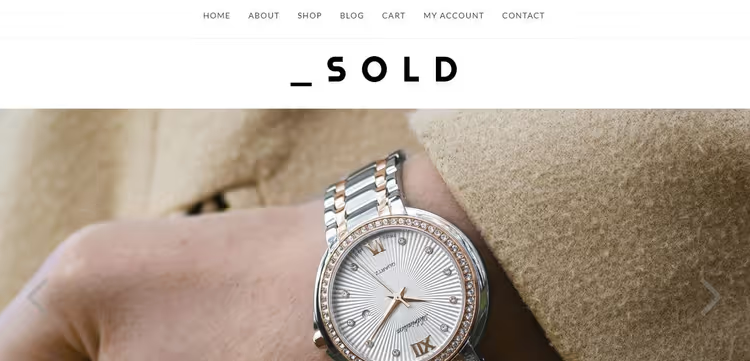
Sold is a theme from dessign.net with a clean minimalist design and built-in Revolution Slider on the homepage. Multiple styling options, cross-browser compatibility, SEO optimization. Centered menu, clear typography, plenty of whitespace.
Pros: built-in premium slider, clean design, good typography. Cons: dependency on dessign.net (irregular updates).
18. ShopIsle

ShopIsle from ThemeIsle is an elegant theme with smooth scrolling, fullscreen slider, and convenient cart. Animated contact form, social media icons, portfolio-style product displays. Cross-browser, translation-ready. One of the best themes for clothing or accessory boutiques.
Pros: stylish design, smooth animation, good support through ThemeIsle. Cons: some advanced options are only available in ShopIsle PRO.
19. Easy Store
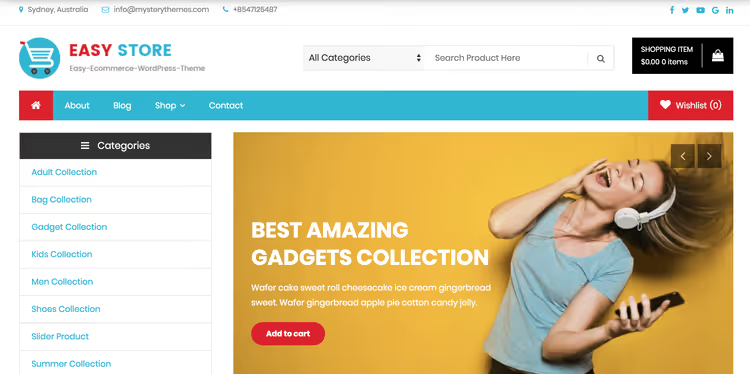
Easy Store is a simple theme with a large search bar, big product cards, and intuitive navigation. Minimal distracting elements, maximum focus on products. Suitable for small stores with 20-100 products that don't need complex layouts.
Pros: quick setup, intuitive interface, good speed. Cons: limited demo layouts, modest styling options.
20. MetroStore
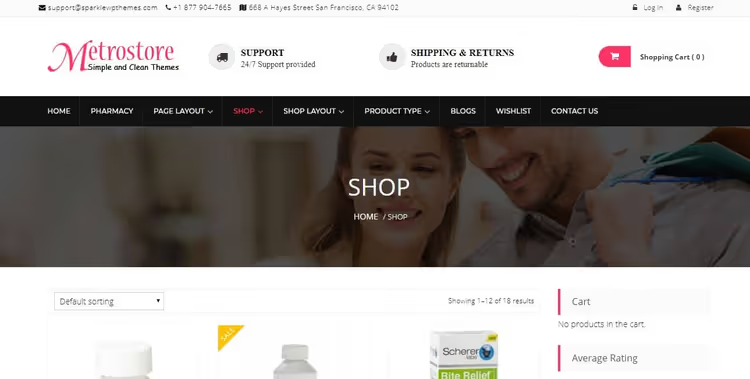
MetroStore is a flexible theme with YITH WooCommerce Wishlist, translation-ready and retina-optimized. Great for product and service showcases with extended functionality: wishlists boost visitor return rates.
Pros: built-in wishlist, retina-ready, flexible grid. Cons: requires widget configuration for full functionality.
21. WP Page Builder Framework
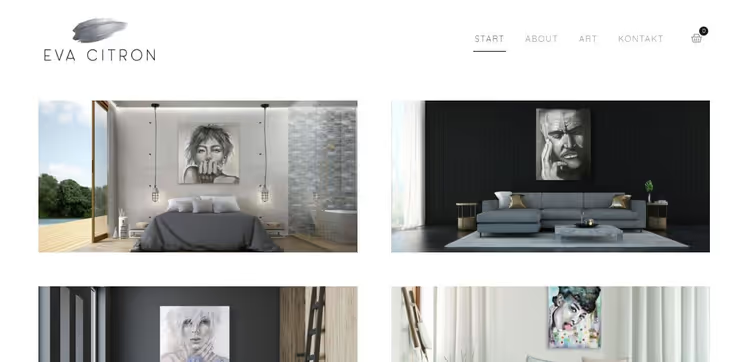
WP Page Builder Framework is a stylish minimalist theme with a disappearing menu and abundant whitespace. The idea: sell unique products through visual presentation rather than text descriptions. White background, 2-3 menu items, cart, and that's it.
Pros: outstanding visual style, ultra-fast loading, minimal distracting elements. Cons: only suitable for stores with a small assortment of premium products.
🔗 WP Page Builder Framework on official website
Before moving on to frequently asked questions, here's a video review of the best free WooCommerce themes from The GuideX channel. 11 themes tested on real stores in 2026: speed, compatibility, and conversion. A good complement to our list; some themes overlap, others go deeper into customization.
⁉️🤔 Frequently asked questions
Is a free WooCommerce theme acceptable for a real store?
In 2026, absolutely. Astra, GeneratePress, and OceanWP on free versions serve stores with 5,000+ products and 10,000+ daily visitors. The difference between free and paid versions usually comes down to additional demo templates and customization modules; the performance core is the same. Limitations begin when you need custom checkout, mega-menu, or dynamic discount rules; that's where the Pro version is justified.
Do I need a page builder to customize a free theme?
No, but it makes things easier. Gutenberg (WordPress's native block editor) in 2026 covers the vast majority of store page layout tasks: product grids, banners, description columns. If you need pixel-perfect precision, free Elementor gives you more control. Hello Elementor is completely useless without a page builder; this is the exception that proves the rule.
How do I check if a theme has been abandoned by the developer?
Go to the theme's page on WordPress.org and look at "Last updated." If the date is older than 12 months, that's risky. Second indicator: the "Support" tab; if recent requests have gone unanswered for over a month, the theme is on passive support. Third: the active installs graph; a significant drop over a year in a stable market signals users migrating to alternatives.
How much does a free WooCommerce theme weigh, and does it affect SEO?
Theme weight directly affects Core Web Vitals (LCP, CLS), which in turn affect Google rankings. Astra delivers ~50 KB of CSS, GeneratePress just 7.5 KB. A 40 KB difference might seem trivial at first glance, but factoring in WooCommerce (200+ KB), fonts, and images, every bit of savings on the theme brings LCP closer to the target 2.5 seconds. Choose a theme that passes PageSpeed with good scores on cheap hosting.
Can I switch themes on a live store without losing data?
Yes. Products, orders, customers: everything lives in WooCommerce (the database) and isn't tied to the theme. When switching themes, you'll lose: customizer settings (colors, fonts, logo), widgets, and sidebar positions. Before switching, make a backup and test on a staging copy. Expect 1-2 hours to reconfigure widgets and customizer for the new theme.
Which free WooCommerce theme to choose in 2026
Go through this quick checklist to narrow down your choice:
- Store with 500+ products → Astra (flexible grids, scales without slowdowns).
- Priority is speed and minimalism → GeneratePress (7.5 KB, excellent PageSpeed scores).
- Want the official WooCommerce theme with no surprises → Storefront (Automattic, synchronized updates).
- Building a design from scratch in Elementor → Hello Elementor (zero overhead, full control).
- Need the best WooCommerce integration out of the box → OceanWP (popup cart, multi-step checkout, native Woo settings).
- Fashion boutique / clothing → Spacious, Vogue, or ShopIsle.
- Large multi-product marketplace → eStore.
Universal advice for 2026: start with Astra or GeneratePress. They have the largest communities, maximum plugin compatibility, and the lowest barrier to entry. If after a month of active sales you realize you're missing a specific feature, upgrade to Pro or switch to a niche theme for your segment.

A professional team of writers and editors specializing in creating quality content.