













 AIIllustrative image: AI-generated
🛒 5 best plugins for displaying WooCommerce products in 2026
The standard WooCommerce storefront displays products modestly: a grid, a sidebar with price and an "add to cart" button. When your catalog crosses a couple dozen items, this layout isn't enough, shoppers want to filter, compare, quickly check composition and price without leaving the catalog page.
In our experience, the right set of plugins changes everything. A slider draws attention to new arrivals, a table enables instant comparison of specifications, a filter cuts out irrelevant items, and search finds what you need in seconds. Combined, this isn't cosmetic, it's conversion growth, because customers spend fewer clicks on the path from storefront to cart.
Below are five tools from 2026 that cover all key product display scenarios: from simple grids to smart search and quick view.
💡 Quick overview:
- Choose your storefront format: table for comparing specifications or slider for visual presentation, both options are covered in the first two sections.
- Set up filtering and search: HUSKY filters products by dozens of parameters, and Advanced Woo Search finds matches on the fly, read sections 3 and 4.
- Add quick view: YITH Quick View displays product cards in a modal window without reloading the catalog, the final touch for storefront convenience.
Plugin comparison table
Plugin | Purpose | Active installations | Free version | Premium |
|---|---|---|---|---|
Product Table & List Builder | Product table with sorting | 10,000+ | ✅ | from $49/year |
Product Slider (PickPlugins) | Slider and grid layout | 80,000+ | ✅ | from $29 |
HUSKY - Products Filter | Multi-faceted filter | 90,000+ | ✅ | from $39 |
Advanced Woo Search | Real-time AJAX search | 70,000+ | ✅ | from $49 |
YITH Quick View | Quick view in modal window | 90,000+ | ✅ | from $59.99/year |
1. Product Table & List Builder

When your catalog contains dozens of similar items, for example, spare parts, consumables or wholesale products, a grid with cards only slows down selection. Product Table & List Builder from WC Product Table transforms your storefront into a sortable table where columns are customized for your product: name, SKU, price, stock, thumbnail and "add to cart" button, up to fifteen column types in one view.
In practice, this means customers sort by price or date added, see stock levels and add products to cart without opening a separate page. The plugin delivers data through AJAX, pagination and search work without reloading, which is critical for catalogs of a hundred items and up. Table population sources include manual selection by keyword, category or product tag.
Pros:
- 15 customizable columns, drag-and-drop layout.
- AJAX search, filtering and pagination within the table.
- Three preset styles plus option to set your own CSS variables.
Cons:
- Free version doesn't include custom field columns, they're in Premium.
- Relatively modest community: ~10,000 active installations.
🔗 Product Table & List Builder on WordPress.org
2. Product Slider (PickPlugins)
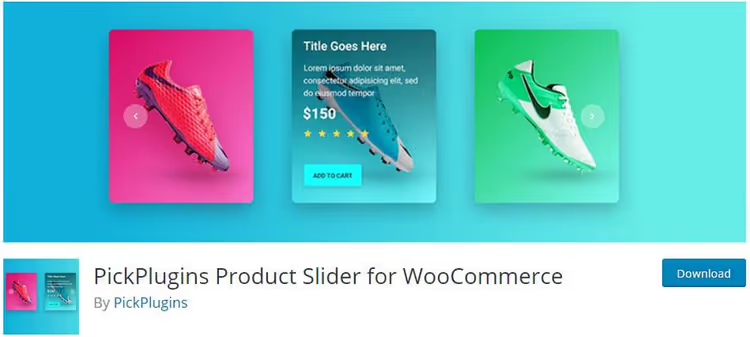
For storefronts where first impression decides everything, clothing, decor, electronics, a static grid loses to a carousel. Product Slider from PickPlugins displays products in a slider, Masonry grid or grid layout, with auto-scroll and pause on hover. Column count is configured separately for desktop, tablet and mobile, the slider doesn't break on narrow screens.
The plugin has a built-in layout editor: assemble a layout from blocks without code, photo, name, price, ribbon, button, and assign CSS variables. Population sources include categories, tags, featured/on-sale products, selection by ID, and in Premium, bestsellers, top-rated and related products. Lazy load for images is enabled by default, which preserves Core Web Vitals metrics.
Pros:
- Separate responsive column layout for three resolutions.
- No-code layout editor plus custom CSS variables.
- RTL support and lazy load out of the box.
Cons:
- Free version has three themes and 20 ribbons; 29 themes unlock in Premium.
- Recent versions had complaints about jQuery errors in admin, test on staging before launch.
🔗 Product Slider on WordPress.org
3. HUSKY, Products Filter
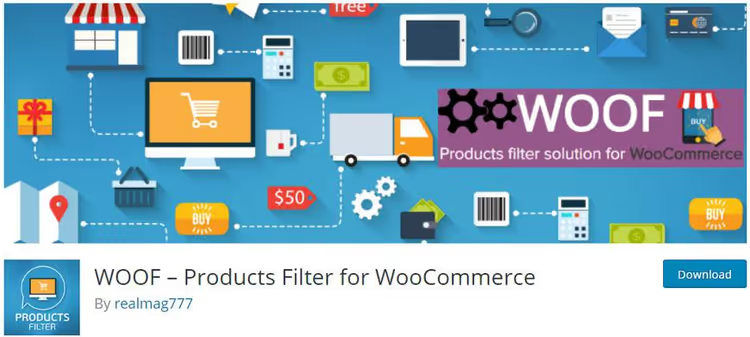
A shopper who can't narrow results to three or four relevant options leaves. HUSKY (formerly WOOF), the most powerful free filter for WooCommerce, with 90,000+ active installations and full WPML support. Works both as shortcode and widget: place it in a sidebar or insert above the catalog.
Filtering works by categories, tags, custom taxonomies, price, attributes, and in Premium, by SKU, color (with visual switcher), image, metadata and statistics. Results update through AJAX without page flicker. HUSKY correctly works with caching plugins, doesn't break the page when resetting filters.
Pros:
- Maximum coverage of filterable fields among free alternatives.
- WPML compatibility: every label translates.
- AJAX updates without conflict with server cache.
Cons:
- Settings interface is overloaded, beginners need an hour or two to master.
- Some advanced filters (by image, metadata) are Premium only.
4. Advanced Woo Search

Stock WooCommerce search only searches title and description, and even that poorly. Advanced Woo Search replaces it with a full-text AJAX engine that scans name, content, excerpt, SKU, article numbers and custom fields simultaneously. Results display instantly with thumbnails and prices, shoppers see products on the second or third character of their query.
The plugin understands morphology (plurals, synonyms), works with Google Analytics through search events, supports WPML and multi-currency tools. In practice, this delivers search that doesn't collapse into "nothing found" on typos or queries like "sneakers" instead of "sneaker". In Premium, search by stock status, filtering by layouts and control over preview image sources.
Pros:
- Full-text search across all product fields, including SKU and custom fields.
- Morphology and synonyms, fewer zero results.
- Built-in integration with Google Analytics.
Cons:
- Free version doesn't index stock status, "out of stock" products still appear in results.
- With very large catalogs (50,000+ products) may require server caching of the index.
🔗 Advanced Woo Search on WordPress.org
5. YITH WooCommerce Quick View

The last barrier between storefront and cart is an extra click to the product page for one detail: composition, size or discount price. YITH Quick View solves this with a modal window: customers click the "Quick View" button on a catalog card and see gallery, description, price, attributes and "add to cart" button inside a popup.
The window is fully responsive on mobile devices: doesn't slide off screen, close button is visible. The free version lets you configure button text, description source (short or full), image size and colors for background, overlay and button. Premium adds icon instead of text, opening animation, navigation between products inside Quick View and shortcode for inserting a specific product preview anywhere on the site.
Pros:
- Instant preview without leaving the catalog page.
- Full mobile adaptation of modal window.
- Deep customization of colors and sizes even in free version.
Cons:
- Free version has no navigation between products inside the modal window.
- Possible conflicts with non-standard galleries of variable products.
🔗 YITH Quick View on WordPress.org
A short demo from the Otterwp team clearly shows how modern plugins transform a standard storefront into a convenient shopping interface, from grid to quick view and one-click checkout.
⁉️🤔 Frequently asked questions
Can I use all five plugins simultaneously?
Yes, they barely overlap functionally: table, slider, filter, search and Quick View solve different tasks. The only caveat, check that HUSKY filter and Advanced Woo Search don't conflict in AJAX requests: in practice they work together without problems, but test on staging with server cache enabled just in case.
Which plugin should I choose if budget is zero?
All five have a working free version. Start with the HUSKY (filter) + Advanced Woo Search (search) combo, it's the fastest way to improve catalog usability without spending a penny. Add slider and Quick View as your catalog grows: the first is good for visual niches, the second when the catalog has more than fifty items.
How does HUSKY differ from built-in WooCommerce filters?
Built-in WooCommerce filters only work with global product attributes and don't update through AJAX without additional code. HUSKY adds filtering by price, custom taxonomies, tags, meta fields, and all this with instant AJAX updates and widget support. In practice: built-in filter covers two or three parameters, HUSKY covers a dozen and a half.
Do I need Product Table if I already have my theme's grid?
Your theme's grid shows identical cards with photo, name and price, that's enough for image products. Table wins when customers need to compare numeric characteristics: volume, power, compatibility, price per unit. On technical and wholesale storefronts, table converts better than grid, proven on spare parts and consumables stores.
What if Quick View doesn't show the full description?
YITH Quick View by default pulls the product's short description (excerpt). If it's missing, the field stays empty. Solution: fill in the excerpt for each product (two or three sentences with key characteristics) or switch the plugin to full description in settings. The second option may slow modal window opening on products with long content.
Is it worth installing all five plugins in 2026?
In 2026, e-commerce competition rests on details: shoppers expect the storefront to respond to their request instantly, not after three clicks and a reload. The combination of table/slider, filter, search and Quick View covers exactly those micro-scenarios that together deliver conversion growth: found in a second → compared → added to cart without leaving the catalog.
Don't install all five at once. From deployment experience, filter and search first give the most noticeable increase on catalogs of 50+ items. After a couple weeks, evaluate analytics and add slider or table to match your catalog format. Connect Quick View last, when you're sure the modal window doesn't conflict with your theme and gallery.
If your catalog is technical products, start with table. If visual, with slider. In any case, keep filter and search in the base: a store without them in 2026 looks like a supermarket without signage and navigation.

A professional team of writers and editors specializing in creating quality content.