














🎨 14 placeholder services for frontend: what works in 2026

You're building a layout, you paste the usual placeholder URL, and it won't load. The browser floods you with mixed content warnings, the tab hangs for half a minute. Sound familiar?
Placeholder services from the early 2010s are dying quietly: domains go unrenewed, TLS certificates expire, rate limits throttle requests. Finding this out an hour before a deadline is no fun at all.
We manually tested 14 live tools: from colored rectangles to AI generation and deterministic avatars. Each one supports HTTPS, maintains stable uptime, and won't let you down when the backend isn't ready but you already need to show the layout.
💡 Quick overview:
- Typology: colored blocks, photo fillers, SVG with Edge delivery, avatars, device mockups, and AI generation; there's a tool for every task.
- Speed:
placeholders.devandplaceholdr.devrun on Cloudflare Workers and serve content from the nearest Edge location. - Security: all 14 services work over HTTPS. No mixed content warnings whatsoever.
- Ready-to-use code: each service provides a URL template you can copy and paste into
<img src>in seconds.
Selection criteria: what makes a service suitable for working mockups
The parameters we used to evaluate each tool:
- HTTPS only. Mixed content in 2026 is a red flag. Services without TLS didn't make the list.
- CDN** or Edge delivery.** Global coverage means low latency from any location.
- Active maintenance. Fresh commits or updates within the past year.
- Predictable URL syntax. The pattern should be obvious at first glance, without reading documentation.
- Modern formats. WebP, AVIF, SVG; without them, a service can't compete.
Comparison table
Need | Best choice | Format | CDN |
|---|---|---|---|
Colored blocks with text |
| SVG, WebP, PNG | Yes |
Photo fillers for mockups |
| JPEG, WebP | Yes |
Specific sizes and presets |
| PNG, JPEG, GIF | No |
Speed and sharpness |
| SVG | Edge |
User avatars |
| SVG | Yes |
Avatars with initials |
| PNG, SVG | Yes |
Device mockups |
| PNG, JPEG | Yes |
Themed placeholders |
| JPEG, PNG | Yes |
AI image generation |
| JPEG, WebP | Edge |
1. Placehold.co: the gold standard for colored blocks
Arrived to replace the unreliable via.placeholder.com and became the default choice. HEX colors, Google Fonts, size: everything goes in the URL. SVG, WebP, PNG. The pattern is obvious at first glance: /600x400/EEE/31343C?text=Hero+Image.
Pros:
- SVG, WebP, PNG: three formats in one service.
- HEX colors and Google Fonts right in the query string.
- Stable CDN with minimal latency.
Cons:
- Colored blocks only. The service doesn't generate photos.
1 <img src="https://placehold.co/600x400" alt="Placeholder"> 2 <img src="https://placehold.co/600x400/EEE/31343C?text=Hero+Image" alt="Hero"> 3 <img src="https://placehold.co/600x400.webp" alt="WebP format">
2. Lorem Picsum: photo fillers for realistic mockups

"Lorem Ipsum, but for images." Delivers real photos from its database, perfect when colored squares look out of place. The seed parameter locks an image, invaluable for UI testing.
Filters (grayscale, blur) add flexibility. No attribution required.
Pros:
- Quality photos for mockups, not stock garbage.
- Blur and grayscale filters.
seedfor repeatability on every request.
Cons:
- No precise control over photo content. You get whatever ended up in the frame.
1 <img src="https://picsum.photos/800/600" alt="Random photo"> 2 <img src="https://picsum.photos/seed/product/400/300" alt="Fixed photo"> 3 <img src="https://picsum.photos/800/600?grayscale&blur=2" alt="Filtered">
3. DummyImage: presets for any task
The service with the most extensive customization for text placeholders. The main feature is dozens of presets: ad formats (Leaderboard, Wide Skyscraper), aspect ratios (16:9, 4:3), popular resolutions. Background and text colors via HEX, formats PNG, JPEG, GIF.
No CDN, so speed depends on geography. Not critical for local development.
Pros:
- Dozens of presets for ads, screens, and standard layouts.
- Full control over background and text color.
Cons:
- No CDN. Latency is noticeable from Australia or Japan.
1 <img src="https://dummyimage.com/728x90/000/fff" alt="Leaderboard ad"> 2 <img src="https://dummyimage.com/16:9x1080" alt="HD ratio">
4. placeholders.dev: SVG from Edge servers
Runs on Cloudflare Workers and delivers SVG from Edge servers. "Super fast" isn't marketing speak: delivery from the nearest Cloudflare location means single-digit millisecond latency. SVG provides perfect sharpness on Retina at any scale.
Pros:
- On-the-fly generation via Cloudflare Workers.
- Sharpness on any screen thanks to SVG.
- Edge delivery from the nearest network location.
Cons:
- SVG only. Raster formats are not supported.
1 <img src="https://images.placeholders.dev/?width=400&height=300&bgColor=%23f0f0f0&textColor=%23333" alt="SVG placeholder">
5. DiceBear: deterministic avatars

Generates avatars on a "one seed, one result" principle. Pass an email or username and get the same avatar on every request. Invaluable for user lists and admin panels: content looks populated without the hassle of real photos.
More than twenty styles, from pixel art to realistic faces. All in SVG. The API is open.
Pros:
- Two dozen avatar styles.
- Deterministic generation: seed guarantees repeatability.
- SVG for perfect scaling.
Cons:
- SVG only. For raster avatars, you'll need an additional converter.
1 <img src="https://api.dicebear.com/9.x/avataaars/svg?seed=user@example.com" alt="User avatar">
6. UI Avatars: initials instead of pictures

Generates avatars with user initials on a colored background. Perfect for comments, chats, and admin panels where photos aren't needed but faceless gray circles are annoying. Size, font, background color, and text color are all configurable via URL parameters.
The service is fully open: source code on GitHub, you can spin up your own instance in 10 minutes. A significant plus for projects with privacy requirements.
Pros:
- Initials instead of pictures with instant loading.
- Full control over background color, text color, and font.
- Open source on GitHub.
Cons:
- Text on a colored background only. Illustrations are not supported.
1 <img src="https://ui-avatars.com/api/?name=John+Doe&size=128&background=0D8ABC&color=fff" alt="JD Avatar">
7. Lorem Flickr: photos with Creative Commons license
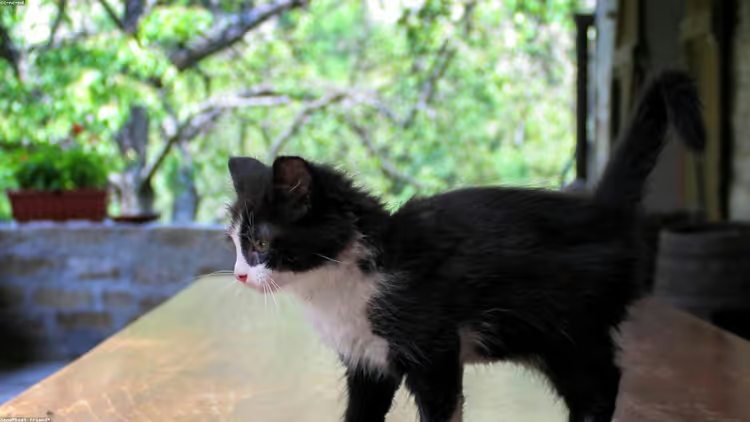
Searches for Creative Commons licensed photos on Flickr and serves them as placeholders. Compared to Lorem Picsum, you get more "candid" shots here and fewer staged compositions. Quality varies, but for mockups where authenticity matters, that's a plus.
The lock parameter fixes the image. Keyword search narrows the selection.
Pros:
- Keyword search.
lockfor image persistence.- Creative Commons with transparent licensing.
Cons:
- Unpredictable quality: from masterpiece to blurry snapshot.
1 <img src="https://loremflickr.com/1280/720" alt="Flickr Image">
8. Placeit: professional device mockups

A platform from Envato with nearly 3000 mockup templates: iPhone, Samsung, desktops, laptops, tablets. The service is paid (Envato subscription), but for presenting designs to clients or in portfolios, it delivers results indistinguishable from studio renders.
Drag-and-drop: upload a screenshot, choose a device, download. For commercial presentations, it pays for itself immediately.
Pros:
- Nearly 3000 device and scenario templates.
- Drag-and-drop interface requiring no design skills.
Cons:
- Paid. Free mockups have watermarks.
9. ASSETS.SO: themed placeholders with character
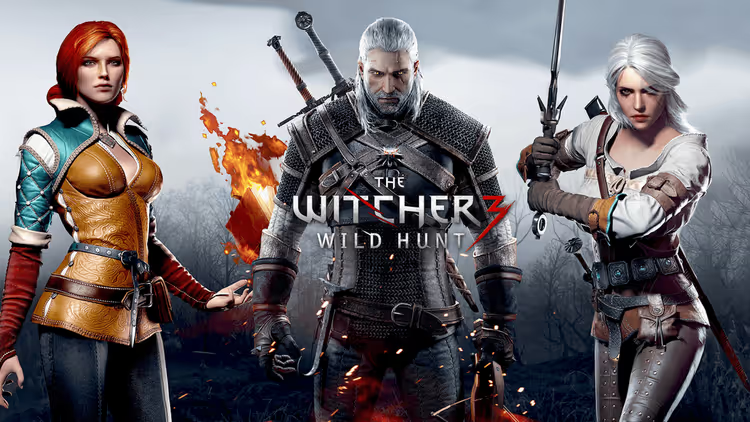
Adds context to a developer's daily routine. Categories: games, movies, music, sports, footwear. A movie site with actual stills looks more convincing than a mockup with colored squares. The API is simple: /game.jpg?w=1280&h=720.
Pros:
- Themed categories for different niches.
- Extremely simple API.
Cons:
- Minimal control over content.
1 <img src="https://via.assets.so/game.jpg?w=1280&h=720" alt="Game Asset">
10. RoboHash: robot avatars for test data

Generates unique robots from any text. The principle is the same as DiceBear (deterministic generation), but with character: each robot has its own expression and color scheme. Styles: classic robots, monsters, robot cats.
Suitable for prototypes where you want to add personality to test profiles.
Pros:
- Deterministic generation from text.
- Three styles: robots, monsters, cats.
- Open source.
Cons:
- PNG only. SVG is not supported.
1 <img src="https://robohash.org/user@example.com" alt="Robot avatar">
11. Bacon Mockup: bacon in any resolution
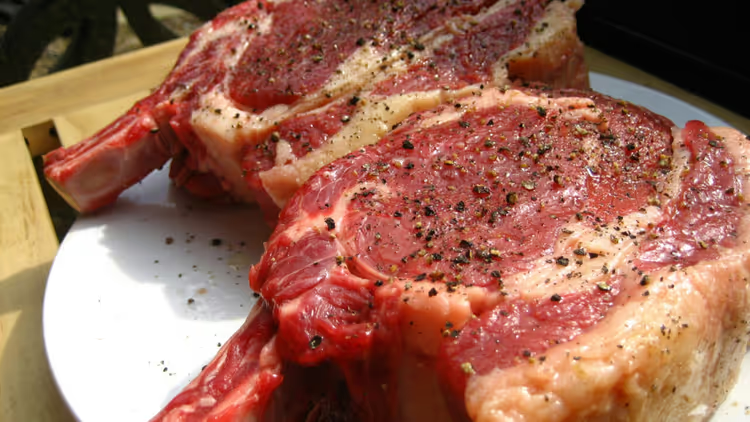
Delicious bacon images in any resolution. For restaurant sites, food blogs, or pranking colleagues. Sounds like a joke, but the service has been stable for several years.
High resolution, simple API. Niche, but memorable.
Pros:
- High resolution photos.
- Extremely simple API.
Cons:
- Narrow theme. Useless outside food projects.
1 <img src="https://baconmockup.com/1280/720" alt="Bacon">
12. Placebeard.it: ruggedness in every pixel
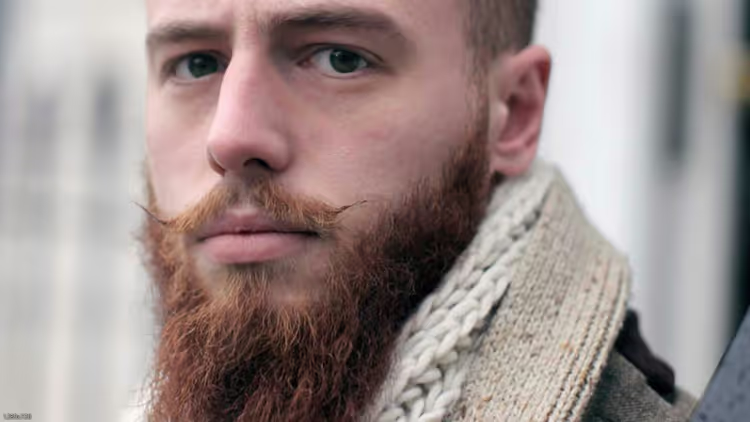
The answer to placekitten, something more down-to-earth and masculine. Color or black-and-white photos of bearded people in any proportions. For barbershops, men's clothing, and hipster startups. Grayscale supported. The service has been running stably for a long time.
Pros:
- Themed photos, ideal for the male segment.
- Grayscale support.
Cons:
- Narrow theme. Not suitable for female audiences.
1 <img src="https://placebeard.it/1280x720" alt="Beard">
13. Placebear: raw natural power
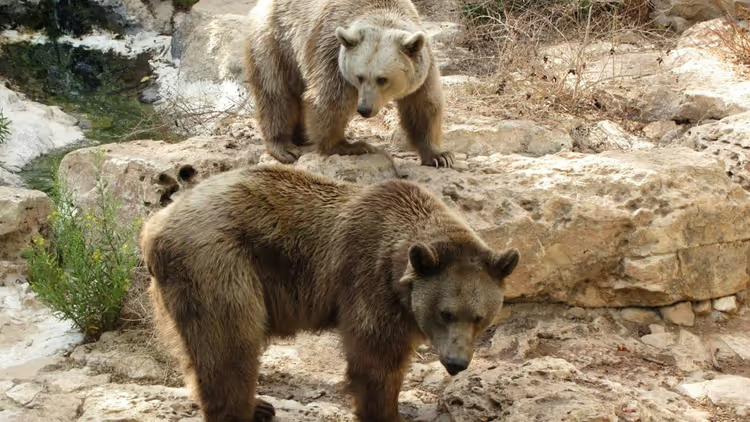
Large, furry, and sometimes dangerous placeholders. Great for testing responsiveness on images with complex textures: fur, grass, and bark provide rich material for checking compression and resizing.
High-resolution photos, stable uptime. Not for every project, but worth keeping in bookmarks.
Pros:
- High resolution photos.
- Stable uptime.
Cons:
- Specific content. Not every client will appreciate a bear in their mockup.
1 <img src="https://placebear.com/1280/720" alt="Bear">
14. placeholdr.dev: AI placeholder generation

The freshest player in the niche: AI generation via Flux diffusion model on Cloudflare Workers with R2 caching. The first request takes several seconds to render; subsequent ones are served instantly from cache.
URL format: /{width}x{height}/{prompt}. Styles: photographic, artistic, anime, oil-painting, 3d-render, cartoon. seed (1-3) locks the variant. Free, no accounts required.
Pros:
- AI generation: natural language descriptions instead of HEX codes.
- Six styles, from photorealism to 3D render.
- Edge delivery via Cloudflare Workers.
Cons:
- First request is slow (several seconds to render).
- Young service (launched January 2026); long-term stability is uncertain.
1 <img src="https://placeholdr.dev/600x400/minimalist modern office" alt="AI-generated office"> 2 <img src="https://placeholdr.dev/320x320/cat?style=anime" alt="AI anime cat"> 3 <img src="https://placeholdr.dev/1024x768/camera?style=3d-render&seed=3" alt="AI 3D camera">
Technical considerations: CSP, offline mode, and why old URLs die
Content-Security-Policy headers
If your site uses strict CSP, external placeholder services will be blocked by the browser by default. Update the img-src directive:
1 Content-Security-Policy: img-src 'self' https://placehold.co https://picsum.photos;
Important: remove these domains from CSP before deploying to production. Placeholders are for development, not for live sites.
Local development without internet
For offline development or projects with privacy requirements:
- Client-side placeholder generation via
CanvasorSVG. - Local generator script in Node.js.
- Static placeholder files in the repository.
Why old URLs die
Most services from the early 2010s were side projects: launched, maintained for a couple years, then abandoned. The domain expires, the certificate lapses, and the URL turns into a pumpkin. Choose services with recent commits and commercial support.
⁉️🤔 Frequently asked questions
Can I use placeholders in production?
No. Placeholder services are for development and prototyping only. Request limits, downtime, latency under load. Replace placeholders with real assets before release.
Why do some services survive for years while others die within a couple of seasons?
The difference is in the support model. Commercial or sponsored services have dedicated resources and receive stable updates. Solo side projects run on enthusiasm. Check the commit history: if the last one was three years ago, look for an alternative.
How do I lock the same image on every reload?
Use the
seedparameter. Lorem Picsum:/seed/product/400/300. DiceBear:?seed=user@example.com. RoboHash: any text in the URL.placeholdr.dev:?seed=1(three variants). One seed always produces one result.
Do I have to update CSP for placeholders?
Yes. If your site has Content-Security-Policy headers configured, add the service domains to the
img-srcdirective, otherwise the browser will block loading. Don't forget to remove them before deployment.
Do external placeholders affect local development speed?
Every
<img>tag with an external URL makes an HTTP request. Services with CDN and Edge work fast, but for complete autonomy, keep a set of static placeholders in your repository.
What format is best for placeholders?
SVG for geometric shapes and text: minimal weight, perfect scaling. WebP for photo placeholders: noticeably lighter than JPEG at the same quality. PNG when you need transparency. AVIF if your target audience's browsers support it.
Can I use images from these services in commercial mockups?
Most services provide content for free and without attribution. Flickr-based services work with Creative Commons; check the license for each photo. Placeit requires an Envato subscription for watermark-free downloads.
What to bookmark: the final breakdown of 2026 placeholders
Our picks for daily work: Placehold.co for colored blocks, Lorem Picsum for photo mockups, and DiceBear for avatars. These three services cover the vast majority of tasks.
Need speed on Retina? placeholders.dev with Edge SVG. Want contextual visuals without searching stock sites? placeholdr.dev with AI generation. Preparing a commercial presentation? Placeit with its three thousand mockups.
The main rule stays the same: placeholders live on the dev server. Before deployment, replace every external URL with a real asset. Keep two or three backup services bookmarked; what worked yesterday might go offline tomorrow.

A professional team of writers and editors specializing in creating quality content.