













 AIIllustrative image: AI-generated
🛡️ Best WordPress virus checker solutions and theme scanners
You downloaded a theme from a marketplace, and inside there is a redirect to a phishing site. Or you installed a "nulled" theme from a torrent, and your hosting provider sends you an email about an infection. Everyone who has ever tried to save money on a license has encountered malicious code in WordPress themes.
The problem is not limited to pirated builds. Even themes from the official WordPress.org directory can contain vulnerabilities that hackers exploit after installation. Checking a theme before activation is cheaper than cleaning up a site after a breach.
Below are seven tools for scanning WordPress themes for viruses: from quickly uploading a ZIP archive to an online scanner to a comprehensive file audit through a security plugin.
💡 Quick overview:
- Download the theme and upload the ZIP archive to VirusTotal for a first check in under a minute.
- Install Wordfence or GOTMLS on your site to scan the active theme and find hidden backdoors.
- Check the developer's domain reputation through Google Safe Browsing and Sucuri SiteCheck before installing the theme.
- Set up automatic scanning in Quttera or Solid Security for regular monitoring of theme files.
Why WordPress themes get infected
Malicious code gets into a theme in three ways. The first is pirated builds: "nulled" themes from torrents and warez sites almost always contain backdoors. A hacker distributes a premium theme for free and in return gains access to hundreds of sites.
The second path is vulnerabilities in the code of legitimate themes. A developer may have made a mistake in handling user input, and a hacker exploits it to inject malicious code. According to WPScan data for 2025, themes are among the top 3 attack vectors on WordPress alongside plugins and outdated core.
The third is a chain of infections on shared hosting. If one site on the server is compromised, malicious code can spread to neighboring installations through file system vulnerabilities. GOTMLS notes in its documentation that cross-contamination through shared hosting is one of the most common scenarios.
How to tell if a theme is infected: 5 signs
Malicious code in a theme rarely announces itself openly. But there are indirect signals that manifest in the site's behavior.
Google flags the site as dangerous. The search engine scans pages, and upon detecting malicious code, displays the warning "This site may be hacked" in search results. Traffic drops to zero within a few days.
Pages load as a blank white screen. A single page or the entire site stops loading, showing a white screen without errors. This is often the result of a malicious script conflicting with the theme's PHP handler.
Pop-ups and redirects appear. Visitors complain that the site redirects them to spam pages or displays popup ads. This is a classic sign of JavaScript injection into theme files.
Unfamiliar users appear in the admin panel. Some backdoors create hidden administrator accounts. Check the user list: if there are accounts you did not create, the theme is infected.
Your hosting provider sends a malware notification. Hosts automatically scan files on the server and warn about suspicious scripts. Note that an email from your hosting provider marked "malware detected" is almost never a false alarm.
1. VirusTotal: scanning a ZIP archive before installation
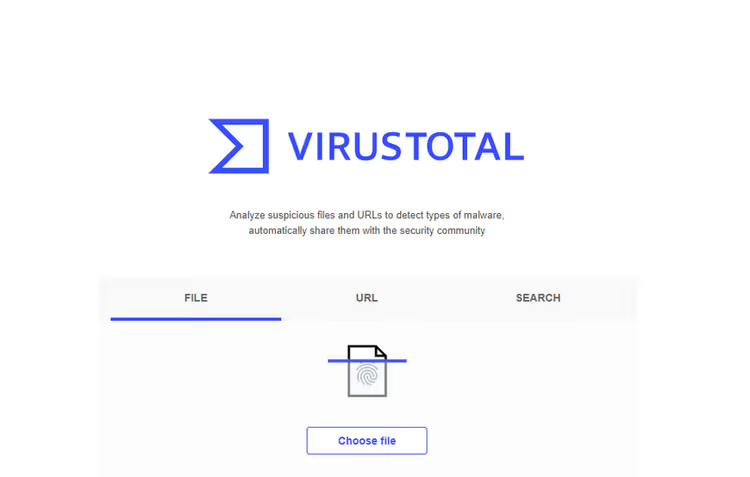
VirusTotal is an online sandbox that runs an uploaded file through 70+ antivirus engines simultaneously. To check a WordPress theme, pack its folder into a ZIP and upload it to the site. Within a minute, you get a summary from Malwarebytes, Kaspersky, Bitdefender, and dozens of other scanners.
The tool is free and does not require registration for one-time checks. The limitation is a file size of up to 650 MB, which is enough for any theme without demo content. VirusTotal does not specifically analyze WordPress theme structure, but it catches known signatures of trojans, miners, and phishing scripts.
- Pros: 70+ antivirus engines in one scan, instant results, no installation on the site required.
- Cons: does not find specialized WordPress backdoors without a known signature, does not check developer reputation.
- Price: free.
- Download: 🔗 VirusTotal
2. Sucuri SiteCheck: external site and theme scanning
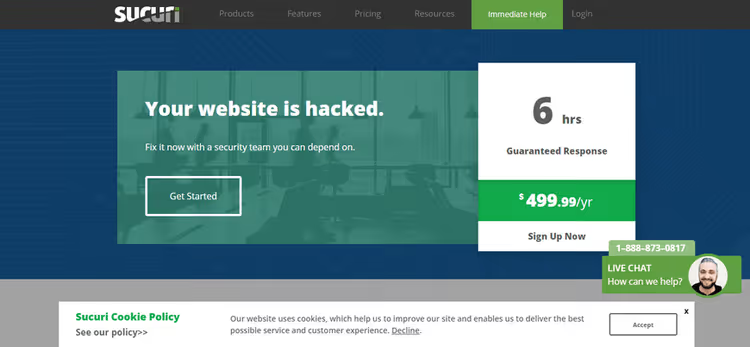
Sucuri SiteCheck scans a site externally, like a search engine crawler. It checks page HTML code for hidden iframes, suspicious JavaScript insertions, and known malicious URLs. If the theme is already active and has inserted a redirect in the footer, Sucuri will show this.
Unlike VirusTotal, the scanner does not require file uploads; just enter the domain. SiteCheck also cross-references the site against blacklists from Norton, McAfee, Google Safe Browsing, and ten other authoritative databases. Results arrive in 30-60 seconds.
- Pros: instant check without server access, cross-referencing with 10+ domain reputation databases.
- Cons: does not scan theme files inside the server, limited to the site's external layer.
- Price: free. Cleanup plans start at $199 per year at sucuri.net.
- Download: 🔗 Sucuri SiteCheck
3. Google Safe Browsing: domain security diagnostics
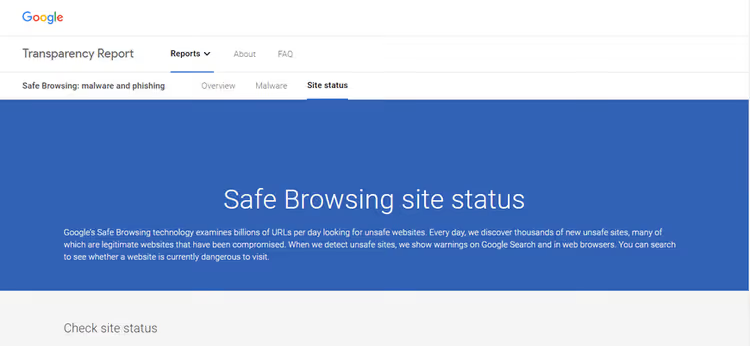
Google Safe Browsing is a diagnostic tool from the search engine. Unlike VirusTotal and Sucuri, it does not scan theme code but shows how Google rates the domain's reputation. If the theme developer's domain previously distributed malware, Google may have already flagged it.
To check a specific domain, use the direct link: https://www.google.com/safebrowsing/diagnostic?site=example.com. The report shows whether Google found malicious code on the domain's pages in the last 90 days and whether the site was observed distributing viruses.
- Pros: data from the largest search engine, 90-day domain reputation history.
- Cons: does not scan files, shows only the overall domain status.
- Price: free.
- Download: 🔗 Google Safe Browsing page
4. Wordfence: comprehensive scanner with firewall

Wordfence is the most popular WordPress security plugin with 5+ million active installations and a 4.7 rating on WordPress.org. In the free version, it scans all theme files against the original from the repository, checks core integrity, and finds malicious patterns in the code.
The key feature is the endpoint firewall, which blocks attacks at the request level before WordPress loads. Wordfence also cross-references theme files against signatures of known vulnerabilities from the WPScan database and warns if the installed theme version contains an unpatched hole.
- Pros: the most complete scanner in the free version, firewall before WP loads, WPScan signature database.
- Cons: noticeably loads the server during a full scan, premium access to real-time signatures starts at $119 per year.
- Price: free version in the WordPress.org directory, Premium plans at wordfence.com.
- Download: 🔗 Wordfence on WordPress.org
5. GOTMLS: antivirus with automatic threat removal

GOTMLS (Anti-Malware Security and Brute-Force Firewall) is a veteran of the WordPress.org directory with 782 reviews and updates in 2026. Unlike Wordfence, which primarily blocks attacks, GOTMLS specializes specifically in finding and removing malicious code from theme files.
The plugin uses two detection levels. The free mode finds "potential threats" using heuristic patterns and shows their location in the code. After registering on GOTMLS.NET, the scanner gains access to the "known threats" database and can automatically remove malicious code without damaging legitimate theme functions.
- Pros: automatic removal of detected malicious code, heuristic analysis without signatures.
- Cons: the "known threats" database requires free registration, the interface looks dated.
- Price: free version, registration on GOTMLS.NET unlocks auto-removal.
- Download: 🔗 GOTMLS on WordPress.org
6. Quttera ThreatSign: heuristic analysis and bot protection

Quttera ThreatSign stands out with its detection technology: instead of simple signature matching, the plugin uses an AI-heuristic engine that analyzes code behavior. It finds obfuscated JavaScript, hidden iframes, SEO spam, and skimmers on WooCommerce checkout pages.
The free version includes not only a malware scanner but also brute-force protection with IP blocking, administrative account monitoring, and domain verification against 40+ global reputation databases. Scanning runs in Quttera's cloud, without loading the server.
- Pros: AI heuristics find unknown threats, cloud scanning saves server resources.
- Cons: manual malware removal in the free version, full WAF only in paid plans.
- Price: free version, ThreatSign plans at quttera.com.
- Download: 🔗 Quttera on WordPress.org
7. Solid Security: vulnerability audit and login protection

Solid Security (formerly iThemes Security) approaches the topic from another angle: it does not so much look for viruses as prevent them from getting onto the site. The plugin audits WordPress settings, checks file permissions for the theme, and blocks brute-force attempts on the admin panel.
The free version includes a file integrity scanner: Solid Security remembers the checksums of all theme files and warns if any file has been changed. This allows you to detect malicious code injection into the theme even when no signature exists in the antivirus database.
- Pros: audit of theme file access permissions, integrity monitoring by checksums, login protection.
- Cons: no classic signature-based antivirus scanner, focus on preventive protection rather than infection hunting.
- Price: free version, Solid Suite at solidwp.com.
- Download: 🔗 Solid Security on WordPress.org
Comparison table
Tool | Type | Theme scanning | Removal | Price |
|---|---|---|---|---|
VirusTotal | Online | ZIP archive, 70+ engines | No | Free |
Sucuri SiteCheck | Online | External site inspection | In paid plans | Free / from $199/year |
Google Safe Browsing | Online | Domain reputation | No | Free |
Wordfence | Plugin | Full scan + WAF | Manual (Free) | Free / from $119/year |
GOTMLS | Plugin | Heuristics + threat database | Auto (with registration) | Free |
Quttera | Plugin | AI heuristics + 40 databases | Manual (Free) | Free / from $10/month |
Solid Security | Plugin | Checksums + audit | No (preventive) | Free / Solid Suite |
This video demonstrates the process of checking a WordPress theme for viruses before uploading to the server: uploading the ZIP archive to VirusTotal, analyzing the report, and interpreting the scan results.
⁉️🤔 Frequently asked questions
Can I check a WordPress theme for viruses without plugins?
Yes. Upload the theme's ZIP archive to the VirusTotal online scanner, wait for results from 70+ antivirus engines, and check the developer's domain reputation through the Google Safe Browsing service. This will not replace plugin scanning, but it will filter out obviously infected builds before installation.
Which plugin is best at finding hidden backdoors in a theme?
GOTMLS shows the best results for heuristic detection of backdoors in theme files. Its pattern analysis finds obfuscated PHP code that Wordfence may miss due to the absence of a signature in its database. In practice, we run both scanners sequentially: Wordfence for integrity audit, GOTMLS for finding hidden injections.
Is the free version enough to protect a theme?
For most sites, yes. Free versions of Wordfence, GOTMLS, and Quttera cover basic scenarios: manual scanning, signature search, and heuristic analysis. Paid plans are needed if you require automatic threat removal (GOTMLS), a real-time firewall (Wordfence), or WooCommerce protection against skimmers (Quttera).
What should I do if a plugin finds malicious code in a theme?
First, make a full backup of the site. Second, copy the scanner report with file and line references. Third, if the theme is licensed, download a fresh copy from the developer's site and replace the infected files. If the theme is pirated, delete it completely and install a legitimate version. Do not try to "clean up" the code manually without experience, as you risk breaking the layout and functionality of the site.
Do I need to check the theme after every update?
It is enough to check after each major theme update and once a month on a regular schedule. Wordfence and Quttera support scheduled scans; set up automatic checking once a week with email notification upon threat detection. Solid Security monitors file integrity in real time and will warn you about unauthorized changes instantly.
What to install for theme checking in 2026
If you downloaded a theme and want to check it before installation, upload the ZIP to VirusTotal. It takes a minute and filters out most obviously infected builds. For regular monitoring of a live site, the logic is different:
- If your site is on cheap shared hosting with limited resources, use GOTMLS. It is lightweight and finds what signature-based scanners miss.
- If you need maximum protection in a single plugin, install Wordfence. Firewall plus scanner plus WPScan database in one installation.
- If your site has WooCommerce installed and accepts payments, add Quttera. It is the only one that specifically checks checkout pages for skimmers.
- If preventing a breach is more important than searching for viruses after the fact, set up Solid Security. Audit of theme file access permissions and checksum monitoring catch injection the moment it appears.
For maximum protection, combine approaches: an online scanner before installation (VirusTotal or Sucuri SiteCheck) plus one plugin on a permanent basis. Installing two security plugins simultaneously is not recommended, as they will conflict at the firewall and scanner level.
Check your active theme with any tool from the list today. It is better to spend five minutes scanning now than a weekend restoring your site from a backup after a breach.

A professional team of writers and editors specializing in creating quality content.