














🛡️ 8 best plugins for removing malware from WordPress 2026 (Free and Pro)
Your site won't open, Google sent a malware notification, and your host blocked the account. Every website owner encounters a WordPress infection sooner or later, the question is how many minutes it takes you to detect it and which tool you'll use to clean it.
According to 2025 WPScan statistics, plugins remain the main attack vector: they account for more than 90% of known vulnerabilities in the ecosystem. One hole in an abandoned plugin, and an attacker gains access to files, the database, and email campaigns.
Below are eight tools for detecting and removing malware, from lightweight NinjaScanner to enterprise Sucuri with manual cleanup by the GoDaddy team. We installed each plugin from this list on a test site and ran a full scan, rather than simply retelling the documentation.
💡 Quick overview:
- First, you need to diagnose the site: all plugins on the list can do deep scanning of files, database, and malicious code signatures, the difference is in speed and server load.
- Automatic cleanup saves hours: MalCare and All-In-One WP Security remove malware in one click without FTP and manual analysis of infected files.
- After cleaning, you need to protect the site: firewall, two-factor authentication, and file integrity monitoring prevent reinfection through the same hole.
- Free versions are enough for diagnostics and basic protection, but proactive cleanup and real-time firewall are almost always in paid plans.
Let's compare key parameters before detailed analysis:
Plugin | For whom | Auto-cleanup | Pro price | Main feature |
|---|---|---|---|---|
MalCare | Everyone: from blog to store | Yes, one click | from $99/year | Scanning on MalCare servers without load on your hosting |
Wordfence | Beginners and medium sites | No, manual | $99/year | Largest signature database and endpoint firewall |
Sucuri | Business sites with budget | Yes, by team | from $199/year | Cloud WAF with DDoS protection and manual cleanup |
All-In-One WP Security | Beginners: out-of-the-box protection | Yes, basic | Free | Security score, firewall and scanner in one |
Astra | Stores and fintech sites | No, manual | from $69/month | PCI-DSS, SOC2 and HIPAA compliance audit |
NinjaScanner | Weak hosting: lightweight scanner | No, manual | from $19.50 | Weighs less than a megabyte, doesn't load server between checks |
BulletProof Security | Advanced admins: hardening | No, manual | from $69.95 | Detailed.htaccess and wp-config.php protection |
GOTMLS | Budget option: donationware | Yes, auto-repair | Free (with donation) | Automatic removal of known threats for free |
1. MalCare: scanning without server load

MalCare moved scanning to its own servers, and that's its main advantage. File and database checks happen remotely, your hosting processor doesn't participate. In practice, even cheap shared hosting doesn't slow down during checks, you continue working with the admin panel as usual.
Automatic one-click cleanup: MalCare finds infected code and removes it itself, without manual file editing via FTP. The free version scans the site on schedule and sends alerts about any file changes, but doesn't clean, only reports the problem. The cleanup itself is available in the paid plan.
The firewall is built in, but works as an additional layer: it blocks suspicious requests by signatures and doesn't conflict with other security plugins. Over three months of testing on a site with ten active plugins, we didn't get a single false positive.
- Pros: remote scanning without hosting load, one-click cleanup, almost zero false positives, scheduled checks
- Cons: free version doesn't remove malware, no built-in WAF
- Price: Free on WordPress.org catalog, Pro from $99/year on malcare.com
- Download: 🔗 MalCare on WordPress.org | 🔗 MalCare Pro
2. Wordfence: largest signature database and endpoint firewall

Wordfence is installed on more than 5 million sites and remains the most popular security plugin in the WordPress.org catalog. Its architecture is built on endpoint firewall and local scanner: the plugin installs directly on your site and checks files from inside, comparing them with original versions from the repository.
The signature database updates through Threat Defense Feed: the Wordfence team adds signatures of new attacks within hours of detection. The free version receives signatures with a 30-day delay, the paid one instantly. For most sites the delay isn't critical, but if you often experiment with plugins, it makes sense to look at Premium.
The free version scanner is intentionally limited in depth, the paid one checks theme and plugin files against the repository and finds malicious code inside uploaded images. False positives happen: Wordfence sometimes mistakes legitimate minification code for suspicious.
The firewall works at the PHP level, before WordPress loads. This isn't a cloud WAF like Sucuri's, it doesn't protect against DDoS at the network level, but it handles brute force, SQL injections, and XSS perfectly.
- Pros: largest signature database, endpoint firewall, two-factor authentication, detailed reports
- Cons: loads server during full scan, false positives, no automatic cleanup
- Price: Free on WordPress.org catalog, Premium $99/year on wordfence.com
- Download: 🔗 Wordfence on WordPress.org | 🔗 Wordfence Premium
3. Sucuri: cloud WAF and professional manual cleanup
Sucuri is not just a plugin, but a security platform that GoDaddy acquired in 2024. The main value is in cloud firewall and professional manual cleanup: if a site is infected, the Sucuri team logs in and cleans malware file by file. The option is included in all paid platform plans.
Cloud WAF filters traffic before it reaches the server: DDoS protection, virtual patching of vulnerabilities, and bot blocking work at the network level. The free plugin version from the WordPress.org catalog is a file integrity scanner, blacklist monitoring, and basic hardening protection. There's no automatic cleanup in the free version, even in paid it's performed by people, not a script.
The firewall is configured through the control panel on the Sucuri website, initial configuration takes an hour and a half. Alerts arrive often, not always relevant, but a false positive is better than a missed infection. Money-back guarantee within 30 days if the platform didn't fit.
- Pros: manual cleanup by experts, cloud WAF with anti-DDoS, reputation and blacklist monitoring, unlimited cleanups in Pro
- Cons: no automatic cleanup, complex initial firewall setup, frequent notifications, price higher than competitors
- Price: Free Scanner on WordPress.org catalog, security platform from $199/year on sucuri.net
- Download: 🔗 Sucuri on WordPress.org | 🔗 Sucuri Platform
4. All-In-One WP Security: comprehensive protection with score rating

All-In-One WP Security & Firewall rates site security in points and suggests what to fix. After installation you see a scale from 0 to 500+ and a specific action list: enable firewall, block XML-RPC, protect wp-config.php. For a beginner this is more convenient than navigating dozens of tabs in other plugins.
The malware scanner checks theme and plugin files against original versions from the repository, looks for suspicious changes in WordPress core, and finds malicious code by signatures. You can remove detected threats directly from the interface, auto-cleanup is basic, but works for typical infections.
The firewall protects against brute force, SQL injections, and XSS. Settings are divided by levels: basic, medium, and advanced, you decide how deeply to intervene in site operation. Two-factor authentication, CAPTCHA on login and comment forms, spam protection are included in the free version.
The plugin doesn't have a separate Pro plan: all main functionality is free. Premium add-ons (country blocking, 2FA via email) are paid as addons, but core, scanner, firewall, and hardening cost nothing.
- Pros: completely free core, security score rating, step-by-step recommendations, firewall with levels, scanner with basic auto-cleanup, built-in 2FA and CAPTCHA
- Cons: no manual cleanup like Sucuri, auto-cleanup depth inferior to MalCare, interface may seem overloaded
- Price: Free on WordPress.org catalog, individual premium addons on developer's site
- Download: 🔗 All-In-One WP Security on WordPress.org
5. Astra Security: standards audit and 10,000+ scenarios

Astra went beyond "yet another scanner" and built a security platform used by Ford, Gillette, and African Union. For a WordPress site this means compliance checking with standards: SOC2, ISO27001, PCI-DSS, and HIPAA appear in the dashboard with specific instructions on what and where to fix.
The scanner checks the site against more than 10,000 test scenarios: from trivial SQL injection to attacks through REST API and AJAX handlers. Uploaded files, feedback forms, and payment gateways are tested separately, this is critical for WooCommerce.
Astra has no automatic cleanup: it finds a problem, describes it in detail, and gives instructions for fixing, but doesn't edit files. For companies with an internal development team this is a normal scenario, security gets a report and passes it to developers. For a solo owner, lack of auto-cleanup means manual work or hiring a specialist.
There are many alerts, and not all are critical. During the first three days of testing we received 18 notifications, of which only 4 required immediate action.
- Pros: checking by 10,000+ scenarios, compliance audit with security standards, intuitive dashboard, IP and country blocking, spam and fraudulent payment protection
- Cons: no automatic cleanup, high price, information noise in notifications
- Price: from $69/month (Scanner Lite, 1 site) on getastra.com
- Download: 🔗 Astra Security
6. NinjaScanner: lightweight antivirus for weak hosting

NinjaScanner is an antivirus scanner, not a full security suite. Its task is extremely narrow: find malicious code and show exactly where it sits. The plugin weighs less than a megabyte and creates no background load between checks. For a site on budget hosting with strict memory limits this is a strong argument.
Inside is integration with Linux Malware Detect signatures and partially ClamAV. You can write custom signatures: if you know a specific malicious code pattern (for example, base64 decoder in wrong place), write it in configuration, and the scanner will look for exactly that.
The file comparison function shows the difference between current and original version from the repository, convenient when you need to understand what exactly the attacker changed. Damaged theme and plugin files can be restored by downloading the reference version. Quarantined files are isolated from the rest of the site, visitors don't see them, but you can examine the contents.
NinjaScanner works well with NinjaFirewall from the same developer: the scanner plus firewall combination covers both detection and attack prevention.
- Pros: lightweight and fast, suspicious file quarantine, custom signatures, file version comparison, NinjaFirewall integration, WP-CLI support
- Cons: only scanning without firewall and attack protection, some features in Premium, spartan interface
- Price: Free on WordPress.org catalog, Pro from $19.50 on nintechnet.com
- Download: 🔗 NinjaScanner on WordPress.org | 🔗 NinjaScanner Pro
7. BulletProof Security: hardening to the max

BulletProof Security is the choice of those who want to control every bit of site security. Dozens of toggles and settings for hardening: wp-config.php protection,.htaccess, file permissions, blocking direct access to PHP files in upload directories. This isn't "install and forget," here you need to understand what and why you're enabling.
For a beginner the interface looks intimidating, the settings panel resembles an airplane cockpit. But instructions are detailed, and the AutoFix setup wizard helps raise basic protection in a couple clicks. Built-in database backup isn't a replacement for a full backup plugin, but as insurance before security experiments it works perfectly.
The malware scanner runs manually or by cron, there's no real-time background monitoring. But there is file integrity monitoring and HTTP error log: you can track which requests to the site return 403 or 404, and configure rules based on these patterns. The paid version adds quarantine, automatic file recovery, and anti-spam.
- Pros: maximally detailed hardening,.htaccess and wp-config protection, built-in DB backup, error and logging journal, real-time integrity monitoring (Pro)
- Cons: complex interface for beginners, activating some options can slow down site, no real-time background scanner
- Price: Free on WordPress.org catalog, Pro from $69.95 on ait-pro.com
- Download: 🔗 BulletProof Security on WordPress.org | 🔗 BulletProof Pro
8. GOTMLS: free scanner with donation model
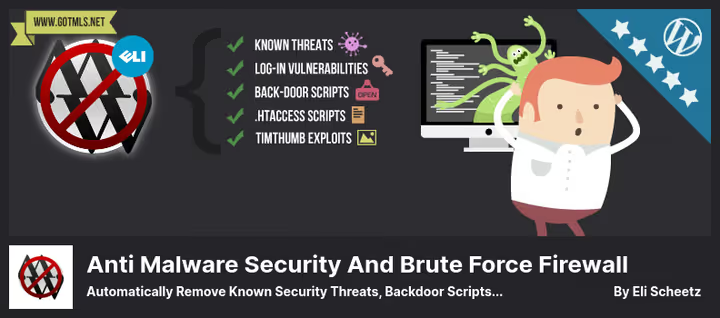
Anti-Malware Security and Brute Force Firewall (GOTMLS, by the developer's site name) masquerades as a completely free plugin, but in fact reveals functionality only after donation. The model is controversial, however scanning quality justifies the donationware approach: the plugin finds threats that more popular competitors miss.
The scanner specializes in finding backdoor scripts, database injections, and malware signatures like SoakSoak, a worm that mass-infected WordPress sites through a Revolution Slider vulnerability. Threat definitions download automatically from the developer's server after registering a key in the admin panel.
The plugin can automatically remove known threats, this is a strong argument for a free tool. Updates outdated Timthumb scripts if they're still used in the theme, although modern themes abandoned them long ago. The firewall protects wp-login and XML-RPC from DDoS and brute force, checks WordPress core integrity.
- Pros: free with automatic threat removal, auto-updating definitions, brute force protection and DDoS XML-RPC, WordPress core check
- Cons: controversial donation model, interface looks outdated, updates less often than leaders
- Price: Free (with limitations) on WordPress.org catalog, full functionality after donating to developer
- Download: 🔗 GOTMLS on WordPress.org
Watch this guide on detecting and removing WordPress malware, the author shows the process of finding malicious code in theme files and database on a real infected site.
⁉️🤔 Frequently asked questions
Is a free plugin enough to protect a WordPress site?
The free version of Wordfence or All-In-One WP Security is enough for a business card site or small blog. They check files on schedule, monitor login attempts, and block brute force. But there's typically no auto-cleanup in free versions, you'll have to remove malware manually. For a WooCommerce store or site with user data we recommend a paid MalCare or Sucuri plan: manual cleanup of an infected store costs more than an annual subscription.
Can you install two security plugins at once?
Two firewalls on one site is almost a guaranteed conflict. You risk getting the white screen of death because both plugins try to intercept the same request. Malware scanners are slightly more compatible, but double load during full scan can exhaust hosting memory limits. Choose one plugin for your task from the list above.
How often should you scan the site for malware?
Weekly scanning is enough for most sites. If you actively install and remove plugins, increase frequency to daily. After any WordPress, theme, or plugin update, run an unscheduled scan: most infections occur in the first 48 hours after an update release, when sites aren't yet updated but the vulnerability is already disclosed.
The plugin found malware but can't remove it, what to do?
Make a full site backup, files and database. Then download the infected file via FTP, open in code editor, and find suspicious sections: long base64 strings at file start, eval() or assert() calls to unfamiliar domains, hidden iframes. If unsure of your abilities, contact hosting support or a WordPress security specialist. Don't leave an infected site running: Google will remove it from search results in 24-48 hours.
Which plugin to choose if the site is already infected?
If the site is already infected and you need to clean malware right now, install MalCare with a paid plan. One click, and automatic cleanup is launched. If budget is limited, start with free Wordfence, run a full scan, and manually remove detected threats comparing with original file versions from the repository. Sucuri makes sense when the site generates revenue and you're not ready to risk self-cleanup.
Which malware removal plugin to choose for your task?
If the site is already infected and you need to clean malware in one click, take MalCare. Automatic cleanup works faster than you can open an FTP client.
If you have multiple sites and want to protect them without extra costs, All-In-One WP Security will give firewall, scanner, and security rating completely free.
If budget is minimal and protection is needed here and now, Wordfence in free version will provide a powerful scanner, firewall, and two-factor authentication without a penny spent. There won't be auto-cleanup, but for prevention this is enough.
If the site is on WooCommerce and customer data compromise is unacceptable, choose Sucuri or Astra with professional security audit. Price is higher, but one payment data leak costs more.
Start with free scanning by any plugin from the list: if malware isn't detected, set up regular checks. And if you've already gone through infection, write in comments which tool helped you specifically.

A professional team of writers and editors specializing in creating quality content.