














🔍 8 best product comparison plugins for WooCommerce 2026 (free and premium)
You open three tabs with similar products, switch between them, jot something down. Five minutes later you close everything. "I'll figure it out later."
This is exactly how every second visitor to a WooCommerce store with a large catalog behaves. When there are dozens of similar items, the buyer falls into "analysis paralysis": they want to choose, but the interface doesn't help. The result: an abandoned cart and a lost sale.
The solution is simple: a product comparison plugin. It adds a "Compare" button, builds a table with prices, ratings and specifications, and the buyer sees everything at once, without wandering through tabs. We've collected 8 relevant comparison plugins for WooCommerce in 2026: from free out-of-the-box options to full-featured paid solutions.
💡 Quick overview:
- Start with the free YITH WooCommerce Compare: the most popular option, updated monthly.
- Choose WPC Smart Compare (paid) if you need Ajax, drag-and-drop and two table modes.
- Get Kestrel Products Compare (paid, annual subscription) for native integration with the WooCommerce core and HPOS support.
- Consider WordPress Pricing Tables (paid, one-time) if comparison is needed on a landing page or affiliate blog.

Check out the overview of the approach to choosing a comparison plugin for WooCommerce before diving into the details of each one.
Plugin comparison table
Plugin | Price | Active Installs | Ajax | Drag & Drop | Vertical / Horizontal | Sticky Columns | Custom Fields |
|---|---|---|---|---|---|---|---|
Kestrel Products Compare | $59/year | 900+ | ❌ | ❌ | ❌ | ❌ | ❌ |
YITH WooCommerce Compare | Free | 200,000+ | ❌ | ❌ | ❌ | ❌ | ❌ |
Products Compare for WooCommerce | Free | 10,000+ | ✅ | ❌ | ❌ | ❌ | ✅ (ACF) |
WPC Smart Compare | $36 | - | ✅ | ✅ | ✅ | ✅ | ✅ |
Compare Products for WooCommerce | Free | 3,000+ | ✅ | ❌ | ❌ | ❌ | ✅ |
WooCommerce Better Compare | $39 | - | ❌ | ❌ | ❌ | ❌ | ❌ |
Ever Compare | Free | 8,000+ | ✅ | ❌ | ❌ | ❌ | ✅ |
WordPress Pricing Tables | $24 | - | ❌ | ❌ | ❌ | ❌ | ✅ |
1. Kestrel Products Compare for WooCommerce
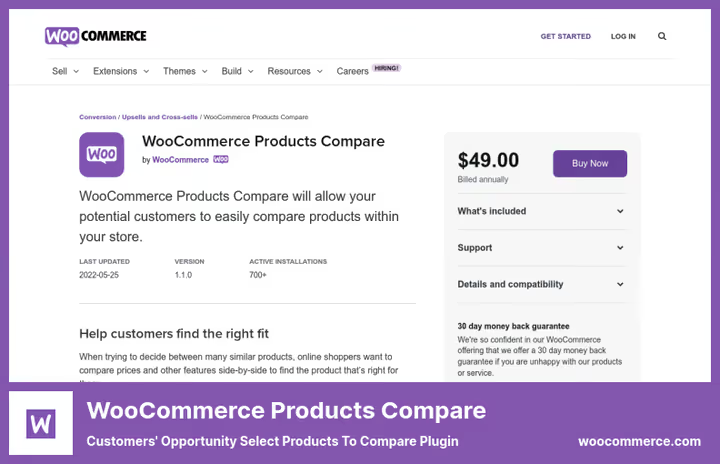
This plugin was previously called WooCommerce Products Compare and sold for $49. In 2025, developer Kestrel renamed it and switched to a subscription model: $59 per year with updates and support. Tested with WordPress 6.9.4 and WooCommerce 10.7.0 on the Woo.com page.
See how the plugin works in practice with a real WooCommerce store:
The main feature: native integration with the WooCommerce core. The compare button appears on category pages, in widgets and on custom pages. The buyer checks products with checkboxes, the table builds automatically: price, rating, stock status, descriptions and attributes.
The comparison list "travels" with the buyer throughout the entire site. Added a product on a category page, saw the same one in the comparison on another product page. This reduces friction and helps maintain context during a long selection process.
Pros:
- ✅ Official Woo ecosystem: auto-updates, compliance with standards
- ✅ 30-day money-back guarantee
- ✅ Works with HPOS (High-Performance Order Storage) and Cart/Checkout Blocks
Cons:
- ❌ No Ajax comparison: each selection reloads the page
- ❌ No drag-and-drop product rearrangement
- ❌ Annual subscription only, no perpetual license
💵 Price: $59/year (1-year plan) or $94.40 for 2 years on Woo.com.
2. YITH WooCommerce Compare
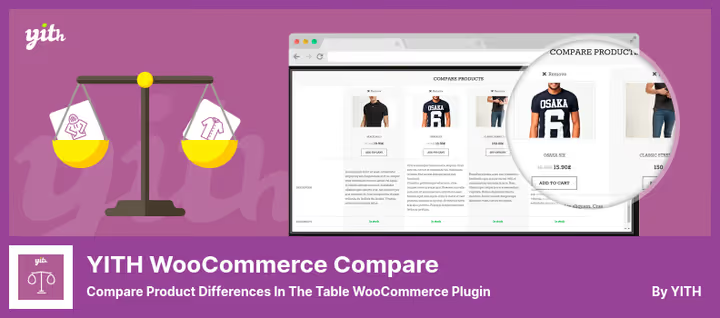
The most popular free plugin for comparison in the WordPress repository: 200,000+ active installs, version 3.10.0 from May 2026. Supports WooCommerce 10.8 and WordPress 7.0.
YITH Compare adds a "Compare" button to the product page. After clicking, a popup window with a table opens: the buyer sees selected products side by side. The table is built from WooCommerce attributes, the same fields you fill in the product card, automatically pulled into the comparison. No additional settings.
In the May 2025 update, they added checkbox mode for the compare button, preview bar for selected products and support for WooCommerce Grid blocks. WPML integrates out of the box.
Among the cons: some features that were previously free (a separate comparison page instead of popup) were moved to premium. But for most stores, the free version covers all basic needs.
Pros:
- ✅ 200,000+ installs, the most proven option
- ✅ Updated monthly for current WP/WooCommerce versions
- ✅ WPML out of the box, checkbox button mode, preview bar
Cons:
- ❌ Some features moved to paid version
- ❌ No Ajax, drag-and-drop and vertical/horizontal modes
💵 Price: Free (paid plans from $79.99/year on the YITH website).
🔗 YITH WooCommerce Compare on WordPress.org
3. Products Compare for WooCommerce (BeRocket)
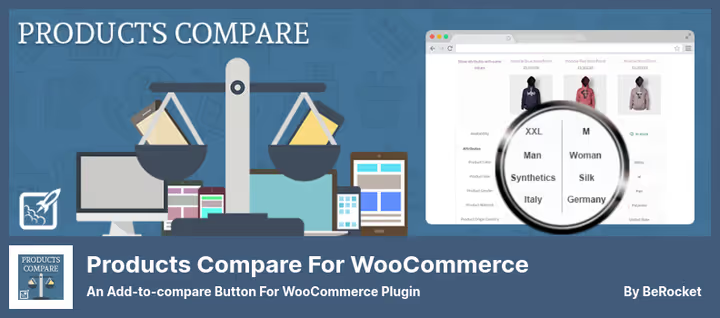
BeRocket focuses on interaction speed: Ajax popup, comparison without page reload, toolbar at the bottom of the screen with a list of selected products. Version 3.6.2.8, compatible with WordPress 7.0 according to the WordPress.org catalog.
The key feature: ACF support (Advanced Custom Fields). If you add custom fields through ACF, they are automatically pulled into the comparison table. Most other plugins are limited to standard WooCommerce attributes, this is the only free option with such an extension.
There's a "show only differences" mode: the table hides rows where values match, and the buyer immediately sees the difference between products. AddThis buttons on the comparison page allow sharing the list on social networks.
In practice: the plugin is stable and covers most basic needs for free. No new features have been added for several years, only compatibility patches with new versions of WP and WooCommerce.
Pros:
- ✅ Ajax comparison, toolbar at the bottom of the screen
- ✅ ACF fields support (unique among free plugins)
- ✅ "Differences only" mode
Cons:
- ❌ Functionally hasn't evolved since 2020
- ❌ No vertical/horizontal mode and drag-and-drop
💵 Price: Free.
🔗 Products Compare for WooCommerce on WordPress.org
4. WPC Smart Compare for WooCommerce
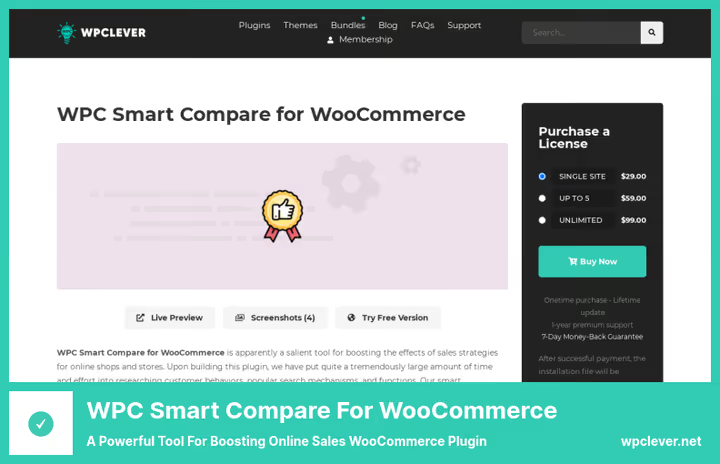
The most feature-rich plugin in the collection. WPClever built a comparison that doesn't open new tabs and doesn't reload the page: everything works on Ajax. Two table modes: horizontal (products by columns) and vertical (products in rows, without strict limits on the number of items).
Drag-and-drop product rearrangement right in the comparison row. Dynamic table: sticky first column and sticky header, "hide identical" and "highlight differences" buttons. Product search for adding via Ajax field with hints.
In recent versions of the plugin, two comparison methods were added: Hide similarities (remove matches) and Highlight differences (highlight discrepancies). Quick Comparison Table displays a compact table with related products right on the product page. Social Share allows copying a link to the comparison list and sending it to a friend.
In practice, this is a plugin for stores where comparison is a key decision-making tool. Electronics, furniture, tools: precisely where the buyer compares 5-7 models simultaneously.
Pros:
- ✅ Ajax without reload, drag-and-drop, two table modes
- ✅ Sticky columns, Quick Compare, Social Share
- ✅ Hide/Highlight modes since version 4.4.0
Cons:
- ❌ Paid version only (no fully-featured free option)
- ❌ Documentation partially in Vietnamese (WPClever team is from Vietnam)
💵 Price: $36 (perpetual license, 1 site, 12 months support) on WPClever.net.
🔗 WPC Smart Compare on WPClever.net
5. Compare Products for WooCommerce
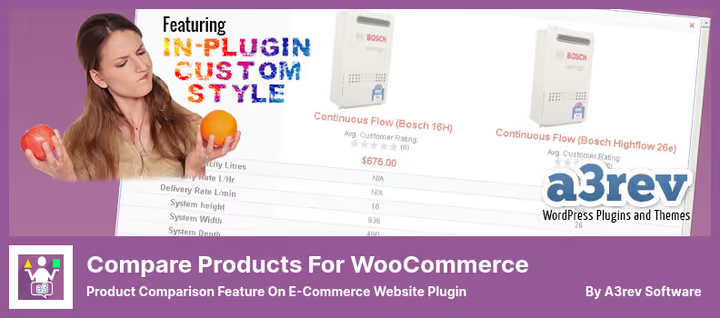
A simple free plugin from the WordPress.org repository. Version 3.3.0 from April 2026, compatible with WooCommerce 10.7 according to the WordPress.org catalog.
The plugin's philosophy: minimalism. The buyer selects products, clicks "Compare" and goes to a separate page with a table. The table can be scrolled horizontally, saved to bookmarks or printed. No popups and Ajax. But each comparison set gets a unique URL, good for SEO.
Supports comparison of product variations (for example, size M t-shirt versus L). A widget similar to the WooCommerce cart shows the current comparison list. Button text and display on product cards are customizable.
Pros:
- ✅ Comparison of product variations
- ✅ Unique URLs for each comparison set (SEO plus)
- ✅ Minimal server load
Cons:
- ❌ No Ajax: each click reloads the page
- ❌ Functionally hasn't been updated since 2021
💵 Price: Free.
🔗 Compare Products for WooCommerce on WordPress.org
6. WooCommerce Better Compare

Premium plugin from CodeCanyon for $39. Offers 4 ready-made demos with different scenarios: store, individual product, shortcode and WP admin. After activation, the shortcode generates a comparison table in seconds, without setup.
The plugin uses WooCommerce attributes to build the table. The client chooses which attributes to compare. Table with horizontal scroll, sticky column with attribute names. "Recent Compare" widget shows the buyer their recent comparisons.
SEO optimization: each comparison page is unique for the buyer. The table can be displayed on any store page via shortcode. If you want to add comparison to a landing page or promo page, this is the fastest way.
Pros:
- ✅ 4 ready-made demos for quick start
- ✅ Shortcode for insertion on any page
- ✅ Widget for buyer's recent comparisons
Cons:
- ❌ No Ajax and drag-and-drop
- ❌ Not on WordPress.org: updates and support only through CodeCanyon
- ❌ Before purchasing, check the last update date on the product page
💵 Price: $39 (one-time) on CodeCanyon. 🔗 Live demo
7. Ever Compare
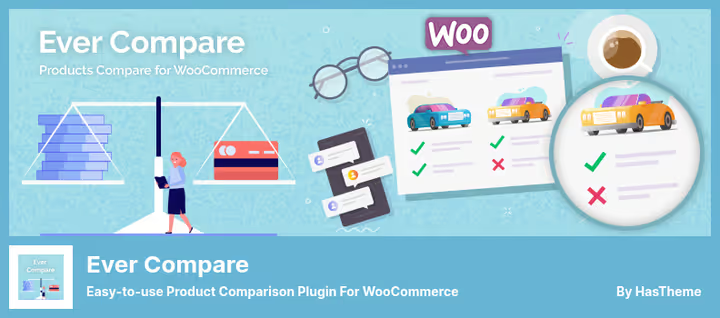
Another free plugin from the BeRocket team (like #3). The last update was released in May 2026. Essentially, a lighter version of Products Compare for WooCommerce with a focus on simplicity.
The plugin adds a compare button to the product page and product list. One click, and the product is already in the comparison list. The buyer can choose which fields to display in the table: color, price, size, weight, reviews. Supports comparison of variations.
Compatible with other BeRocket plugins: Load More Products, Product Previews, WooCommerce Grid/List View. This is an advantage if you're already using the BeRocket ecosystem on your site.
The main difference from the "big brother": no toolbar, no popup mode, no ACF. Just a button and a separate page with a table. For a small store, it's perfect.
Pros:
- ✅ Free, simple setup
- ✅ Product variation support
- ✅ Compatibility with BeRocket ecosystem
Cons:
- ❌ No toolbar and popup mode
- ❌ No ACF fields support
💵 Price: Free.
🔗 Ever Compare on WordPress.org
8. WordPress Pricing Tables

Not quite a classic comparison plugin, it's a table builder with 50+ ready-made templates. In the WooCommerce context, it's often used precisely for product comparison, especially on affiliate and content sites.
The plugin allows creating a table with any number of columns and rows, adding "Buy Now" buttons, prices, descriptions, icons. There are product slider templates. Rich Snippets: the plugin generates structured data for Google, which increases table visibility in search.
Setup via drag-and-drop builder. You can start with a ready-made template or build a table from scratch. "Buy Now" buttons lead to a WooCommerce product or affiliate URL.
For a store that needs a stylish visual block on a landing page or blog, this is the best choice. But as an everyday comparison tool for buyers, it's inconvenient: tables are created manually by the administrator, not dynamically by the buyer themselves.
Pros:
- ✅ 50+ ready-made templates, drag-and-drop builder
- ✅ Rich Snippets for Google
- ✅ Buy Now buttons with affiliate URLs
Cons:
- ❌ Static tables: the buyer doesn't add products themselves
- ❌ Doesn't integrate with WooCommerce catalog automatically
💵 Price: $24 (one-time) on CodeCanyon.
⁉️🤔 Frequently asked questions
What's the difference between YITH WooCommerce Compare and WPC Smart Compare?
YITH: free basic solution, popup window with table based on WooCommerce attributes, 200,000+ installs, but some features moved to premium. WPC Smart Compare: paid option from developer WPClever with Ajax, drag-and-drop, two table modes (horizontal/vertical), sticky columns and Quick Compare. YITH for getting started, WPC for stores where comparison is critical for sales.
Can a free plugin be used for a serious store?
Yes. YITH WooCommerce Compare serves more than 200,000 active sites and is updated for fresh WooCommerce versions monthly. If you need Ajax and custom fields, get BeRocket Products Compare: also free. Limitations of free options: no drag-and-drop, no vertical/horizontal switching, premium support is less common. But for most stores, this is enough.
Why is Ajax support important in a comparison plugin?
Without Ajax, each "Compare" click reloads the page: the buyer loses scroll position and context. With Ajax, comparison opens instantly in a popup or at the bottom of the screen. Less friction, higher conversion. That's exactly why YITH moved Ajax mode to premium, and WPC Smart Compare builds all its functionality on it.
What happened to WooCommerce Products Compare on Woo.com?
The plugin was renamed to Kestrel Products Compare for WooCommerce. The developer changed (now Kestrel instead of the original Woo team), the price increased and became an annual subscription instead of a one-time purchase. Functionally, the plugin is the same: native integration with WooCommerce core, HPOS, Cart/Checkout Blocks.
How to enable product variation comparison?
Variation support is available in Compare Products for WooCommerce (free) and Ever Compare (free). In the plugin settings, enable the variation comparison option, and the buyer will be able to compare, for example, size M and L t-shirts as separate items in one table.
Is a separate hosting needed for a comparison plugin?
No. All plugins work within WordPress and don't require external services. But if you're comparing 10+ products with dozens of attributes, make sure hosting handles additional Ajax requests. For such a scenario, WPC Smart Compare is optimized better than others.
Which comparison plugin to choose for WooCommerce in 2026
If budget is not the main concern, get WPC Smart Compare. The only plugin in the collection with Ajax, drag-and-drop, vertical/horizontal mode and custom fields in one package. $36 one-time, a reasonable investment in conversion.
If you need a free start, choose YITH WooCommerce Compare. Updated monthly, works with WPML, configured in five minutes. When the free functionality becomes insufficient, switch to WPC.
If you're in the Woo.com ecosystem and want an official plugin, get Kestrel Products Compare for $59 per year. Direct integration with the core, HPOS, Cart Blocks, everything a modern WooCommerce store needs.
If comparison is part of a content strategy (affiliate site, blog), get WordPress Pricing Tables for $24: 50+ templates, Rich Snippets, "Buy Now" buttons with the necessary links.
A comparison plugin is not just a "Compare" button. It's a tool that removes the main barrier before purchase: the doubt "did I choose the right product?". Choose a plugin for your scenario, and give the buyer clarity.

A professional team of writers and editors specializing in creating quality content.