














🥇 7 best custom field plugins for WooCommerce 2026 (Free & Pro)
We added a product to WooCommerce, but the standard fields aren't enough: you need a color picker, file upload from the customer, or an additional VAT number field in checkout. The built-in WooCommerce editor doesn't support this.
Custom field plugins fill this gap. They add any input type to the product page, checkout form, order card in the admin panel, or registration form. We've collected seven tools that solve these tasks in 2026: from lightweight free field editors to powerful frameworks like ACF.
💡 Quick overview:
- If you need to quickly add a couple of fields to the product page, grab Advanced Product Fields, it will handle it without code in 5 minutes.
- If you're editing checkout and registration fields, Checkout Field Editor by ThemeHigh covers both zones in one admin panel.
- If you're building a content site with complex post structure, Meta Box or ACF give you full control over custom fields in the WordPress admin.
Comparison table: top 5 plugins
Plugin | What it's for | Price | Key feature |
|---|---|---|---|
Advanced Product Fields | Fields on product page | Free / from $69 | Visual builder like ACF |
Checkout Field Editor | Checkout + registration | Free / from $49 | Conditional logic and nested fields |
Meta Box | Fields for any WP entities | Free / from $49 | 40+ field types, repeating groups |
ACF | Custom fields + content models | Free / Pro $49 | Industry standard, compatible with everything |
SearchWP | Search by custom fields | from $199 | ACF field indexing, PDF and taxonomies |
1. Advanced Product Fields: product field builder without code

Advanced Product Fields (formerly Product Addons) adds a form with any field types directly to the WooCommerce product card. The setup interface resembles ACF: drag the needed elements, set conditions and prices.
The plugin suits stores where the customer must specify something before ordering: engraving on jewelry, custom measurements, uploading a design for t-shirt printing. It supports 10 field types: text, email, number, checkboxes, radio buttons, dropdowns, file upload. Conditional logic shows or hides fields depending on the customer's choice: selected "gift wrap", a field for card text appeared.
Product price recalculates automatically when filling out fields. The markup can be fixed, percentage-based, or calculated by formula based on entered values. The plugin works correctly with WooCommerce tax settings.
- Pros: visual builder without writing code, conditional logic, flexible field pricing.
- Cons: free version limited to basic field types; file uploads and formulas require Pro.
- Price: Free in WordPress.org directory, Pro from $69 per year for one site.
- Download: 🔗 Advanced Product Fields on WordPress.org
2. Checkout Field Editor: checkout and registration field editor
Checkout Field Editor by ThemeHigh solves the task of customizing the checkout page and registration form. You add, remove, rearrange fields on checkout through a unified admin panel: billing, shipping, additional sections.
The plugin is especially useful for B2B stores where you need to collect VAT, company name, or legal address. The free version can rename labels, add placeholders, enable and disable standard WooCommerce fields, change their order. All added fields display in the admin order and in email notifications.
The Pro version adds conditional field display: by product in cart, user role, order amount. Price fields are available with markup type settings, fixed, percentage of subtotal, dynamic. Input data validation is included.
- Pros: simple setup interface, conditional logic in Pro, fields display in admin and emails.
- Cons: price fields only in Pro; with many conditional rules the setup interface becomes cumbersome.
- Price: Lite free in WordPress.org directory, Pro from $49.
- Download: 🔗 Checkout Field Editor Lite | 🔗 Pro on ThemeHigh
3. Meta Box: custom fields framework for any entities

Meta Box, a custom fields builder that works with posts, taxonomies, users, settings pages and even WooCommerce products. Unlike ACF, aimed at developers, Meta Box is equally convenient for those who write code and those who prefer a visual builder.
Out of the box, 40+ field types are available: text, WYSIWYG editor, date, Google map, repeating groups, nested groups. Fields can be displayed through shortcodes or functions on the frontend. For WooCommerce there's a separate extension adding fields to the product page, cart and checkout.
The plugin is actively developed, last update in 2026. 700,000+ active installations and 4.8 rating on WordPress.org. The free version covers 80% of an average site's needs, and Pro extensions are purchased individually for specific tasks.
- Pros: huge selection of field types, repeating and nested groups, excellent documentation.
- Cons: some needed extensions (frontend forms, WC integration), only in Pro; for beginners the list of 40+ field types may seem excessive.
- Price: Free on WordPress.org, Pro extensions from $49 per year.
- Download: 🔗 Meta Box on WordPress.org | 🔗 Meta Box site
4. YITH WooCommerce Checkout Manager: flexible checkout customization
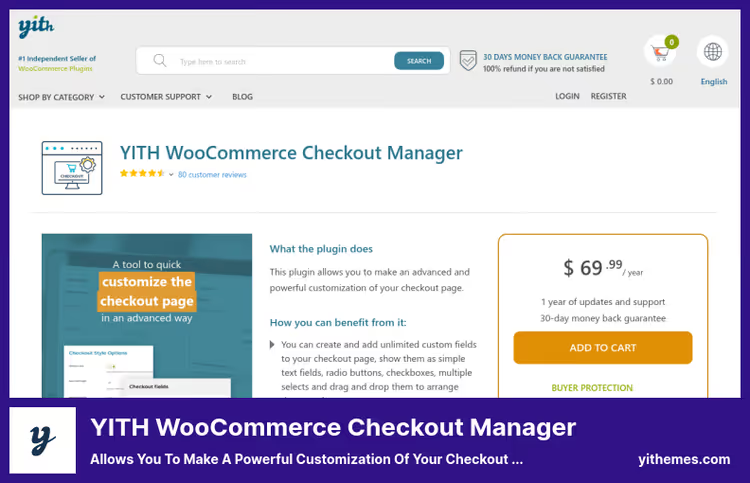
YITH WooCommerce Checkout Manager allows you to add unlimited fields to the checkout page: text fields, checkboxes, radio buttons, dropdowns, file uploads. Fields are dragged with the mouse to the desired position on the form.
The main advantage over competitors, JavaScript validation support: data entered by the client is validated on the fly, without page reload. This reduces errors when submitting orders and speeds up checkout. Fields can be shown conditionally: depending on the product in cart, category, tag or user role.
YITH, a well-known vendor in the WooCommerce ecosystem, the plugin is updated regularly. The price includes annual support and updates for all YITH plugins by subscription.
- Pros: drag-and-drop fields, JS validation without page reload, conditional display by products and roles.
- Cons: price above niche average; support sometimes delays responses.
- Price: from $69.99 per year (includes all YITH plugins, support and updates).
- Download: 🔗 YITH WooCommerce Checkout Manager
5. Advanced Custom Fields: industry standard for custom fields
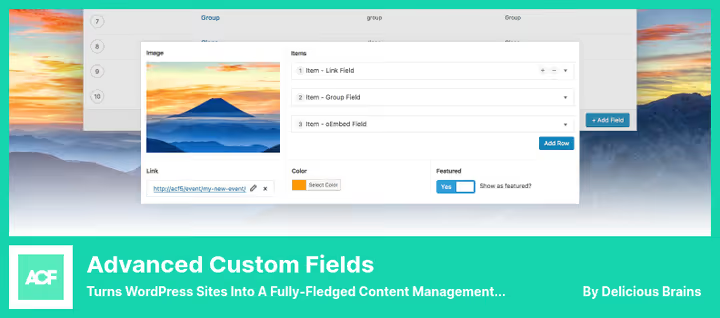
Advanced Custom Fields (ACF), the most popular custom fields plugin for WordPress: 2+ million active installations, 4.8 rating in the directory. If you're seriously into WordPress content sites, ACF is already installed or will appear soon.
ACF allows you to add fields to the edit screens of posts, pages, taxonomies, media files, Gutenberg blocks and even theme options pages. Fields can be grouped, display rules set, and output through the get_field() function in the template or via shortcode. The Pro version adds repeating fields (Repeater), flexible content (Flexible Content) and ACF Blocks for Gutenberg.
The plugin is deeply integrated with WooCommerce: fields can be attached to products, categories and attributes. ACF, the de facto standard, so almost all themes, caching plugins and SEO tools are compatible with it.
- Pros: industry standard with huge community, 30+ field types, compatibility with entire WordPress stack.
- Cons: requires basic understanding of WordPress development to display fields in template; Pro license, annual.
- Price: Free on WordPress.org, Pro from $49 per year for one site.
- Download: 🔗 ACF Lite on WordPress.org | 🔗 ACF Pro
6. SearchWP: search by custom fields, PDF and taxonomies
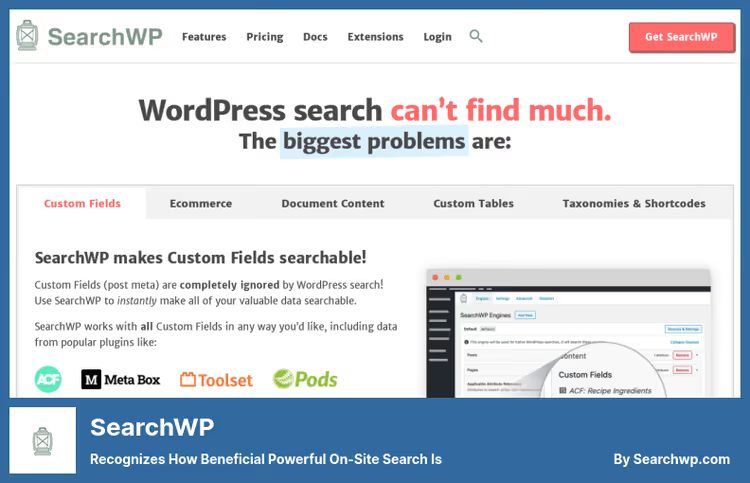
SearchWP doesn't add fields itself, but makes them searchable. Standard WordPress search indexes only post titles and content, all data from plugins like ACF, Meta Box and WooCommerce remain invisible to the search bar. SearchWP fixes this.
The plugin builds its own search index, which can include: custom fields, PDF document content, taxonomies, product attributes, shortcode content. Search results are configured with weight coefficients: title more important than field content, exact match, higher than partial. All this, without programming, through a visual interface.
SearchWP is compatible with Elementor, WooCommerce, BigCommerce. For stores with hundreds of products and parameters, search by custom fields, not a luxury but a necessity: the customer must find a product by any attribute.
- Pros: custom field and PDF indexing, visual algorithm setup, integration with WooCommerce and Elementor.
- Cons: price above average; PDF support requires an additional module.
- Price: from $199 per year (1 site, support and updates for 12 months).
- Download: 🔗 SearchWP
7. Admin Custom Order Fields: additional fields in order card
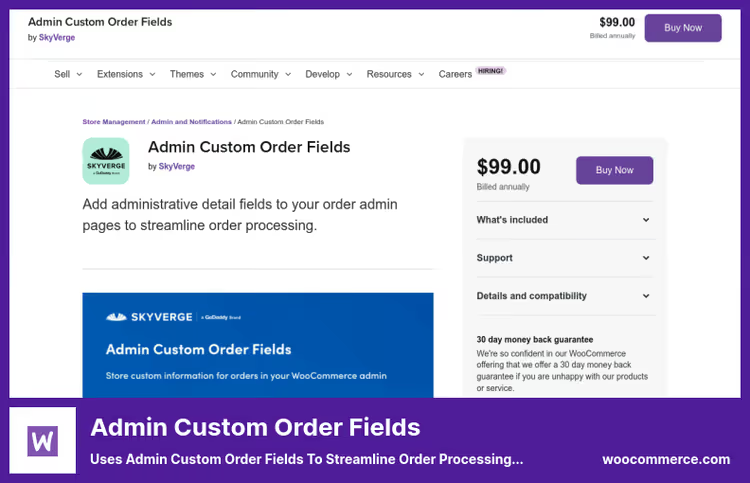
Admin Custom Order Fields, an official WooCommerce Marketplace plugin that adds customizable fields to the administrator interface: order card, order list, customer details.
The plugin solves a narrow but important task: the store manager sees all order data in one screen, from standard (name, address, amount) to specific (tracking number, internal warehouse code, picker notes). Fields can be sorted and filtered in the order list, and their values, exported through any order export plugin.
Unlike checkout field editors, Admin Custom Order Fields doesn't change the form for the customer, it extends the admin panel. This is useful when internal store processes require data that the client shouldn't see: internal statuses, logistics codes, shipping cost.
- Pros: official WooCommerce plugin, out-of-the-box admin integration, field sorting and filtering.
- Cons: administrative part only, client-side checkout not affected.
- Price: $99 (one-time payment, lifetime updates, 12 months support).
- Download: 🔗 Admin Custom Order Fields on WooCommerce.com
💻 Video: how WooCommerce custom fields work in practice
Short demonstration from plugindev developer: installation, field setup and result on the store frontend.
⁉️🤔 Frequently asked questions
What's the difference between product page fields and checkout fields?
Product page fields collect information about the product itself: color, engraving, uploading a design. The client fills them out before adding to cart. Checkout fields collect data about the customer or order as a whole: VAT, delivery address in a different format, contact person. The former affect the price of a specific product, the latter, the order processing flow.
Do I need ACF if I'm already using Meta Box?
Both plugins solve one task, creating custom fields, but in different ways. Meta Box is more convenient for visual work without code and gives more field types out of the box. ACF wins due to the ecosystem: thousands of themes and plugins are tailored specifically for it, and finding a developer with ACF experience is easier. Keeping both plugins on one site is not recommended: they conflict at the field save hooks level.
Can I add fields to WooCommerce without a plugin?
Technically yes: through the
woocommerce_product_options_general_product_datahook in the child theme's functions.php. But without a visual interface each new field requires code editing, and conditional logic and file uploads have to be written manually. For one or two simple text fields it's justified; for a store with changing requirements, no.
Why is SearchWP needed if WooCommerce already searches products?
Standard WooCommerce search searches only by product title and description. If you added custom fields through ACF or Meta Box, for example, "compatibility with model X" or "manufacturing material", this data doesn't get into search. SearchWP builds an index of all fields, taxonomies and PDF files, so the customer finds the product by any significant attribute. For a store with 500+ SKUs this is critical.
Which plugin to choose if the budget is zero?
Start with Advanced Product Fields (Free, product fields) and Checkout Field Editor (Free, checkout). If you need custom fields for the content part of the site, Meta Box (Free) or ACF (Free) will close the task without payment. Paid versions will only be required for advanced scenarios: file uploads by client, price formulas, repeating field groups.
💎 Which custom fields plugin to choose in 2026
All seven plugins work on current versions of WordPress and WooCommerce, are updated and not abandoned by developers. The choice comes down to which exact store zone you're modifying:
- If you need to add fields to the product page (option selection, upsell), Advanced Product Fields.
- If you're editing checkout and registration, Checkout Field Editor or YITH Checkout Manager.
- If you're building the content part of the site with non-standard data types, Meta Box or ACF.
- If you want customers to find products by these fields, SearchWP.
Start with the free version of the plugin that covers your main task right now. When the store grows to the need for conditional logic, file uploads or repeating field groups, buy Pro.
What field did you add to WooCommerce last? Write in the comments: perhaps your case will suggest an idea to other readers.

A professional team of writers and editors specializing in creating quality content.