














💡 50+ best WordPress plugins in 2026: free and premium
WordPress out of the box is a great platform. But its real power is unlocked through plugins. Without them, you're stuck with basic functionality: no advanced SEO optimization, no custom layouts without code, no proper forms or backups.
The problem is that the official WordPress.org catalog has over 60,000 plugins. It's overwhelming, half are abandoned by their authors, a third conflict with each other. We at TechBlogSD have worked on hundreds of WordPress sites and know which plugins actually work and which only create an illusion of usefulness.
Below is our curated list of 50+ best free and premium WordPress plugins for 2026. We've organized them by category so you can immediately find what you're looking for: SEO, caching, security, forms, sliders, backups, e-commerce, and about a dozen other areas.
💡 Quick overview:
- Start with SEO and caching, this is the foundation for any site: page speed and search visibility allow no compromises.
- Then secure security and backups, a single hack or database loss can erase months of work.
- For your specific task, whether an online store, landing page, portfolio, or subscriber collection, grab plugins from the corresponding category below.
Category | Free | Premium / Freemium | What to look for |
|---|---|---|---|
SEO | Yoast SEO, All in One SEO | SmartCrawl SEO (Freemium) | Sitemap, Schema, keyword analysis |
E-commerce | WooCommerce, Give, SureCart (Freemium), EDD | EDD extensions, WC extensions | Product types, payment gateways |
Social media | JetPack Sharing, Sassy Social Share | - | Number of networks, GDPR |
CSS editors | Yellow Pencil (Lite) | CSS Hero, Yellow Pencil Pro | Visual editor, responsiveness |
Page builders | Elementor (Free) | WPBakery | Widgets, theme compatibility |
Caching | WP Super Cache, W3 Total Cache | WP Engine (hosting) | Cache mode, CDN |
Popups and subscription | BDOW!, Simple Notification Bar | OptinMonster, Bloom, Hello Bar, FooBar | Exit-intent, A/B tests, integrations |
Sliders | MetaSlider, Soliloquy (Lite) | Slider Revolution, Nivo Slider | Animations, responsiveness, performance |
Menus | - | UberMenu, Mega Main Menu | Mega menu, widgets in menu |
Forms | Contact Form 7, WPForms (Lite) | Gravity Forms | Form complexity, integrations |
Backups | UpdraftPlus | Jetpack Backup, BackupBuddy | Schedule, cloud storage, migration |
Security | Security Ninja (Free) | Solid Security | Scanner, firewall, monitoring |
Link cloaking | Pretty Links (Lite) | Pretty Links Pro | Cloaking, click tracking |
Fonts | Use Any Font, Fonts Plugin | - | Custom fonts, Google Fonts |
Related posts | YARPP | - | Selection algorithm, thumbnails |
Author box | Simple Author Box | - | Avatar, social media, bio |
Events | The Events Calendar (Free), Events Manager | Event Espresso | Calendar, tickets, integrations |
Lightboxes | Lightbox Gallery | FooBox | Responsiveness, social sharing |
Landing pages | WordPress Landing Pages | Thrive Architect | Templates, A/B tests |
Reviews and ratings | Symple Shortcodes, WP Post Ratings | WP Product Review (Freemium), LoveIt Pro | Schema markup, stars in search results |
Restricted content | Restrict Content (Free) | Restrict Content Pro | Membership levels, payment processors |
Share to download | Locker Cat | Social Locker (Freemium) | Content locking, virality |
Auto-population | A-Feed | - | RSS import, filters |
WordPress SEO plugins
Search optimization should not be hardcoded in your theme. Change the theme, lose all your settings: titles, meta descriptions, sitemaps. An SEO plugin lives independently and moves with you.
Yoast SEO, free

Yoast SEO, a veteran and one of the most downloaded SEO plugins. Adds an SEO tab right in the admin panel, from where you manage sitemaps, titles, meta descriptions, breadcrumbs, RSS, and canonical URLs. The free version covers most blog needs. Upgrading to Pro adds multi-keyword analysis, AI-powered predictive SEO assistant, and priority support.
All in One SEO, free

All in One SEO, Yoast's main competitor with a similar freemium model. The free version includes AMP support, Google Analytics integration, sitemaps, WooCommerce SEO settings, and robots.txt control. The interface is noticeably simpler than Yoast's, and the setup wizard walks beginners through all steps. The Pro version adds advanced Schema markup, local SEO, and priority support.
SmartCrawl SEO, Freemium

SmartCrawl SEO from WPMU DEV runs automatic SEO audits and generates specific recommendations right in the admin panel. The built-in Moz SEO Tools dashboard shows ranking dynamics. The setup wizard guides you through all stages in a few minutes. The Pro version opens access to over a hundred plugins in the WPMU DEV ecosystem, from image hosting to uptime monitoring.
WordPress e-commerce plugins
An online store on WordPress is a reality without a line of code. All you need: choose a plugin for your product type and scale.
Easy Digital Downloads, free

Easy Digital Downloads, the best solution for selling digital goods: e-books, courses, software licenses, stock materials. Lightweight, doesn't bloat the admin panel. Out of the box: payment gateway, shopping cart, discount coupons, user purchase history, and file management. On WordPress.org, dozens of free extensions for any payment processors.
🔗 Easy Digital Downloads on WordPress.org
Easy Digital Downloads extensions, premium

The basic EDD plugin is free, but extensions take the store to a professional level. Available: PayPal and Stripe with advanced logic, affiliate system, bulk discounts, shipping (if you also sell physical goods), Mailchimp integration, social sharing, Pushover real-time sales notifications. Take only what you need, each extension installs separately.
WooCommerce, free

WooCommerce, the primary e-commerce plugin for WordPress. Over 5 million active installations. Supports physical, digital, and virtual products, flexible shipping and tax setup, inventory management. Compatible with most WordPress themes. The extension ecosystem is enormous: from payment processors to subscriptions and bookings.
WooCommerce extensions, premium

The official WooCommerce.com marketplace offers hundreds of premium extensions. Most in-demand: WooCommerce Subscriptions (recurring payments), WooCommerce Bookings (booking services/venues), WooCommerce Memberships (restricted content for customers), integrations with country-specific payment gateways. Each extension is a separate purchase or included in the WooExpress subscription.
SureCart, Freemium

SureCart, a modern e-commerce alternative for WordPress. Unlike traditional plugins, it processes transactions on the SureCart cloud side (headless architecture), so it doesn't burden your server. Supports: subscriptions, one-time payments, donations, paid downloads, shopping cart, order management. Integrations with dozens of payment gateways. The free tier covers basic needs, Pro adds advanced analytics.
Give, free

Give, a specialized plugin for collecting donations. Suitable for charitable organizations, non-profit projects, fundraising events. Create custom forms, set amount goals, configure donor levels (monthly/one-time). Supports Stripe, PayPal, Mollie, and other gateways. Premium-tier extensions add recurring donations, PDF receipts, and CRM integration.
WordPress social media plugins
Social traffic often delivers the most engaged audience. Share buttons should be on every post.
JetPack Social Sharing, free

JetPack, a multifunctional plugin from Automattic (the company behind WordPress.com). One of its modules is social sharing buttons with icons and text links. Visitors share your posts in one click. JetPack also includes image CDN, statistics, brute-force attack protection, and lazy loading, but modules can be enabled selectively to avoid bloating the site.
Sassy Social Share, free

AddThis, a veteran sharing service, was shut down by Oracle in May 2023. The best direct replacement is Sassy Social Share: integration with 100+ social networks and bookmarks, floating and inline buttons, customization for specific pages, shortcodes, and GDPR compliance (doesn't use cookies). Lightweight, free, no registrations required.
WordPress CSS editing plugins
Change button color, adjust margins, fix fonts, tasks solved by CSS. But not everyone wants to dig into code.
Yellow Pencil, Freemium
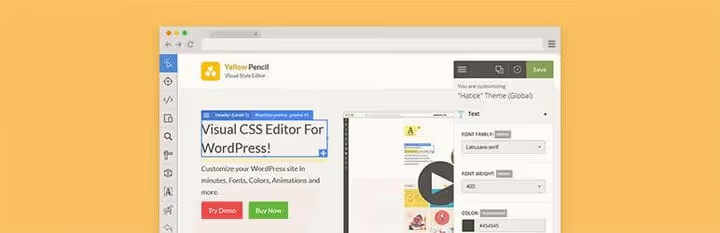
Yellow Pencil, a real-time visual CSS editor. The free Lite version gives access to CSS selectors, 50+ properties, padding, margins, live preview, and undo/redo actions. Pro adds 800+ Google Fonts, 300+ background patterns, 50+ animations, and advanced color palettes. Works with virtually any WordPress theme.
CSS Hero, premium
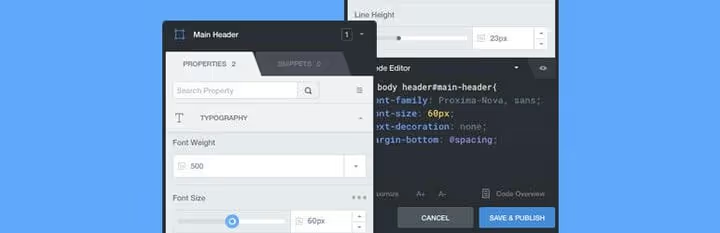
CSS Hero, a premium plugin for complete visual control over site design. Edit fonts, colors, layouts (padding, margins, grids), insert Unsplash images right from the interface. Supports device-specific preview, customize the site separately for desktop, tablet, and mobile. Doesn't require CSS knowledge, though advanced users have a manual code mode.
WordPress page builder plugins
Page builders are the fastest way to create custom layouts without programming. Blocks are dragged, configured, and combined.
Elementor, free
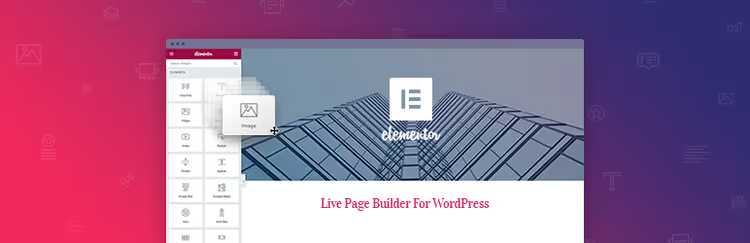
Elementor, the most popular page builder for WordPress: over 10 million active installations. The free version includes 40+ widgets (headings, images, buttons, forms, sliders, icons), responsive preview, and template system. Pro adds theme builder, dynamic content, custom fields, and popups. Compatible with any WordPress theme, doesn't conflict with Gutenberg.
WPBakery Page Builder, premium

WPBakery (formerly Visual Composer), a page builder included in most top-tier premium themes. The drag-and-drop editor works both on the frontend and in the admin panel. Customizable colors, padding, margins, backgrounds, icons, images. An extensive addon marketplace expands functionality: sliders, tables, galleries, plugin integrations.
WordPress caching plugins
Caching directly affects page speed, and speed affects conversion and search rankings. If you're not using a CDN yet, start with a plugin.
WP Super Cache, free

WP Super Cache, a plugin from Automattic with millions of installations. Generates static HTML pages from dynamic WordPress content, serving them to most visitors. Three modes: Mod_Rewrite (fastest), PHP (easier to set up), and Legacy (for problematic environments). Free, minimalist in setup, reliable.
W3 Total Cache, free
W3 Total Cache improves server performance through page, database, object, and browser caching. Recommended by major hosting providers. HTML, CSS, and JS minification is built-in. Setup takes time (the interface is overloaded with options), but the result is a noticeable speed increase on any hosting.
WP Engine, managed caching

Technically WP Engine is not a plugin but a hosting service. But we included it in the list because WP Engine's managed caching eliminates the need for a caching plugin altogether. EverCache (proprietary technology) caches at the server level, and the built-in CDN distributes static content across 200+ global locations. A caching plugin is not needed and would only conflict.
WordPress notification and subscription plugins
Capture forms, popups, notification bars, all convert casual visitors into subscribers.
BDOW! (formerly Sumo), free

BDOW! (formerly SumoMe), a free builder for notification bars, popups, scroll boxes, and welcome mats. Compatible with 25+ email services. Built-in click heatmap shows where users are clicking. ⚠️ As of 2026, users report compatibility issues with recent WordPress versions and slow support. If stability is critical, look at OptinMonster below.
OptinMonster, premium

OptinMonster, professional-level lead generation. Create customizable forms: welcome mats, exit-intent popups, timed offers, inline forms, and gamified discount wheels. On-site retargeting feature shows different offers based on visitor behavior. Integrations with 40+ email platforms.
Bloom, premium
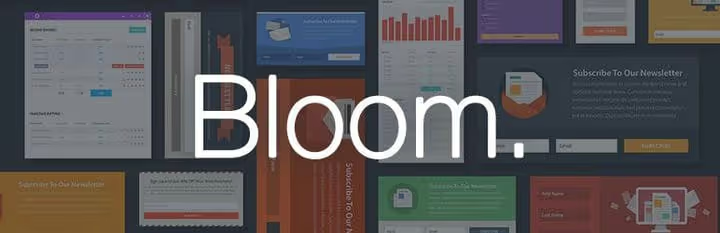
Bloom, a popup plugin included in the Elegant Themes subscription (along with Divi). Create stylish subscription forms with flexible design customization. Conditional logic: show different offers based on visitor location, page, device type, or interaction history with the site. Integrates with dozens of email services.
Hello Bar, premium

Hello Bar, a specialized service for creating notification bars. Plans from $5/month. Process: registration, add site, create bar, install custom WordPress plugin. Bars can scroll, be pinned to top or bottom, contain a call-to-action button and subscription form. Minimalist and doesn't overload the interface.
FooBar, premium
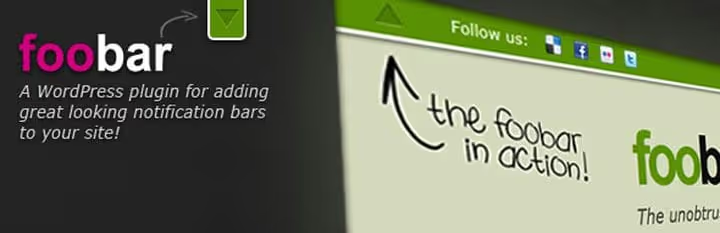
FooBar, a WordPress plugin for customizable notification bars. Placement options: top, bottom, inline in content. Supports: social buttons, RSS feeds, tweets, scrolling messages, custom HTML, unlimited bars on one site. Lightweight and doesn't conflict with most themes.
Simple Notification Bar, free
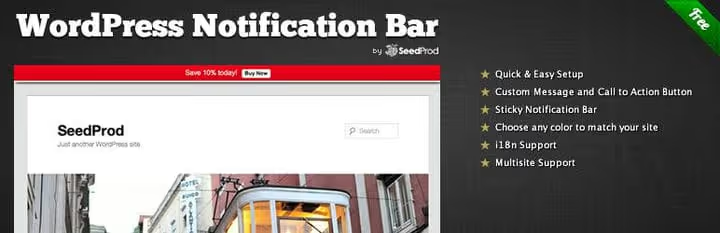
Simple Notification Bar, a minimalist solution for those who just need a bar at the top of the site. Settings: text, background and text color, call-to-action button, position (top/bottom), close on click. Free, no registrations or accounts required. Regularly updated, compatible with modern WordPress versions.
WordPress slider plugins
Sliders add visual dynamics to a site. From simple image carousels to full-screen animated showcases.
Slider Revolution, premium

Slider Revolution, the most powerful slider plugin for WordPress. Full-width and full-screen slides, responsiveness, subtitles, dozens of animation effects, transitions, and timing settings. Included in most premium themes on ThemeForest. The visual editor allows creating slides of any complexity without code. Ideal for hero sections, portfolios, and landing pages.
Nivo Slider, premium

Nivo Slider, a time-tested slider with rich transition choices and preset CSS styles. Slider types: manual, category-based, fixed. Integration with 500px, Flickr, and Instagram for automatic population. Quick setup, doesn't bloat the site. Suitable for those who need a reliable slider without the complexity of Slider Revolution.
Soliloquy, Freemium

Soliloquy, a responsive slider with drag-and-drop image sorting. The free Lite version is available on WordPress.org. Premium addons add: slider themes, thumbnail navigation, Instagram integration, carousel, lightbox, dynamic image cropping, and filters. Great price/features balance for photo portfolios.
MetaSlider, free

SlideDeck, a previously popular slider plugin, has long been abandoned by its developer and contains a known XSS vulnerability (CVE-2024-13224). The best free replacement is MetaSlider: 700,000+ active installations, drag-and-drop editor, support for images and video, SEO-optimized slides, Gutenberg integration. Actively developed, updates every 2-3 weeks.
WordPress advanced menu plugins
The standard WordPress menu is a simple dropdown list. If you need mega menus with images, widgets, and custom layouts, here are the best options.
UberMenu, premium

UberMenu, a mega menu plugin for those who need more from navigation. Add images, shortcodes, item descriptions. Widgets drag right into the menu. Submenu effects (fade, slide, zoom), vertical and horizontal orientation. Customization of virtually everything: from colors to fonts and spacing.
Mega Main Menu, premium

Mega Main Menu, another powerful menu builder. 10+ dropdown styles, any colors (including gradients), custom Google Fonts, 1600+ built-in icons. WPML compatibility for multilingual sites. Suitable for online stores and content projects with branched category structures.
WordPress contact form plugins
A contact form is a must for any site. From a simple "write to us" to complex multi-page surveys and calculators.
Gravity Forms, premium

Gravity Forms, the gold standard of form plugins for WordPress. Multi-page forms, input validation, address fields, checkboxes, dropdowns, radio buttons, pricing fields, file uploads. Schedule form displays by date, send emails from forms, integrations with dozens of services (Mailchimp, PayPal, Zapier). Ideal for complex business tasks: bookings, surveys, cost calculators.
WPForms, Freemium
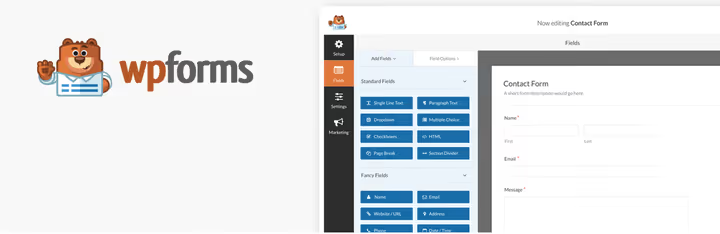
WPForms, the best form plugin for beginners. Intuitive drag-and-drop builder, ready templates: contact form, booking form, quote request, subscription, survey. The free Lite version is available on WordPress.org. Pro adds: Stripe/PayPal payment, user registration, file uploads, conditional logic, CRM integration.
Contact Form 7, free

Contact Form 7, minimalist, free, and one of the oldest form plugins for WordPress. Does exactly what it promises: creates neat contact forms with name, subject, and message fields. Email confirmation, spam protection via Really Simple CAPTCHA. No extra interface, just shortcodes and markup. Ideal for those who need one simple form without bells and whistles.
WordPress backup plugins
Regular backups are part of standard WordPress security hygiene. Doing them manually is tedious and easy to forget.
Jetpack Backup (formerly VaultPress), premium

VaultPress ceased to exist as a separate product, now it's Jetpack Backup from Automattic. Daily automatic backups of the entire WordPress installation: database, theme files, plugins, uploads. The Real-Time plan saves every change instantly (post edit, new comment, settings change). One-click restore from Automattic cloud. Price from $4.95/month.
BackupBuddy, premium
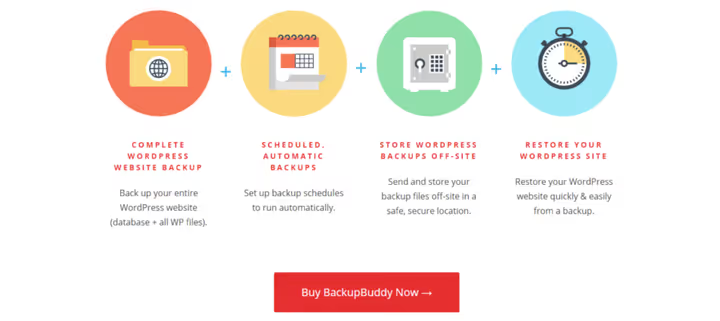
BackupBuddy from SolidWP (renamed to Solid Backups, product in legacy status, official page unavailable) (formerly iThemes), a veteran of the WordPress backup market. Full backup: installation, plugins, widgets, content, media files, settings. Full restore feature: upload backup file and importbuddy.php to a clean server, site restores from scratch. Supports remote storage: Dropbox, Google Drive, Amazon S3, FTP.
UpdraftPlus, free

BackUpWordPress hasn't been updated since 2021 and is marked as abandoned. The best free replacement is UpdraftPlus: 3+ million active installations, automatic scheduled backups, cloud storage (Google Drive, Dropbox, S3, OneDrive, FTP), one-click restore. The free version covers all basic needs. Premium adds incremental backups, site migration, and priority support.
WordPress security plugins
WordPress security is a stressful topic: malware, brute-force attacks, plugin vulnerabilities. It's easier to trust a specialized plugin.
Security Ninja, free

Security Ninja, 50+ security tests that check the site for weak points and suggest specific measures. Has debug mode and built-in code snippets for quick fixes. The free version covers basic needs. The Pro version adds automatic vulnerability fixes, file integrity monitoring, malware scanning, and a firewall.
Solid Security (formerly iThemes Security Pro), premium

iThemes Security was renamed to Solid Security after the iThemes → SolidWP (Liquid Web) rebrand. Features: site scanning, blocking problematic bots and users, hiding sensitive data, detecting file changes, two-factor authentication, built-in Patchstack firewall. A free lightweight version is available as Solid Security Basic on WordPress.org.
WordPress link cloaking plugins
Affiliate links look ugly. Cloaking plugins make them readable and let you track clicks.
Pretty Links, Freemium

Pretty Links, the primary plugin for link cloaking and shortening in WordPress. Create custom links (your-site.com/recommends/product), configure nofollow, link groups, forwarding parameters, and redirects. Click tracking for each link is built into the free version. Pro adds Google Analytics, automatic URL replacement by keywords, QR code generation, and A/B testing of links.
WordPress font selection plugins
Not all themes give convenient font switching. Plugins solve this task without CSS.
Use Any Font, free

Use Any Font, upload custom fonts (ttf, otf, woff) directly to WordPress and apply them to any site elements. @font-face CSS support for advanced users. Works with most page builders. Unlike Google Fonts plugins, allows using any fonts, not just from the Google catalog.
Fonts Plugin, Google Fonts Typography, free
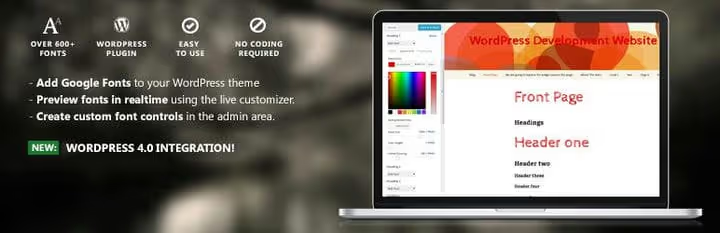
Easy Google Fonts hasn't been updated since July 2021. The current replacement is Fonts Plugin: 300,000+ active installations, 1500+ Google Fonts, live preview in the WordPress theme customizer. Create custom font rules for different site elements (headings, body, menu, widgets). No coding required, everything is configured through the standard customizer interface.
WordPress related posts plugins
Related posts keep readers on the site, a simple and effective way to increase page depth.
YARPP, free

YARPP (Yet Another Related Posts Plugin), the most downloaded related posts plugin: 2+ million installations. Automatically adds a block of similar posts, pages, and custom post types with thumbnails. The algorithm selects relevant content based on titles, tags, categories, and post text. Free, no registrations required.
WordPress author box plugins
An author box at the end of a post is both an SEO signal (E-E-A-T) and a way to give guest authors an incentive to write for you.
Simple Author Box, free

Simple Author Box adds a block under each post with author bio, social media links, and Gravatar avatar. RTL-ready, customizable via CSS. Lightweight, doesn't conflict with themes. Ideal for multi-author blogs.
WordPress event management plugins
An event calendar is needed not only by non-profit organizations, restaurants, theaters, and corporate sites also benefit from an event schedule.
The Events Calendar, Freemium

The Events Calendar from Modern Tribe, the most popular event management system for WordPress. Create events with venues, organizers, month/list/day views. Event search, Google Maps embedding, custom widget, event taxonomy. Compatible with most popular themes and frameworks. The Pro version adds recurring events, WooCommerce integration (ticket sales), and additional widgets.
Event Espresso, premium

Event Espresso, a full-cycle solution for event management. Calendar, invitations, online registration, waiting lists, invoicing, discount coupons, email confirmations, social sharing, multilingual support. Suitable for paid events: built-in ticket sales system with support for multiple payment gateways.
Events Manager, free

Events Manager, a powerful free plugin for event management. Event registration, recurring events, BuddyPress support, Google Maps, user-submitted events, bookmarklets. One of the oldest and most reliable plugins in its niche, actively developed since 2009.
WordPress lightbox plugins
Lightboxes are a beautiful way to show images in full size over the page. Especially important for portfolios and photo blogs.
FooBox, premium
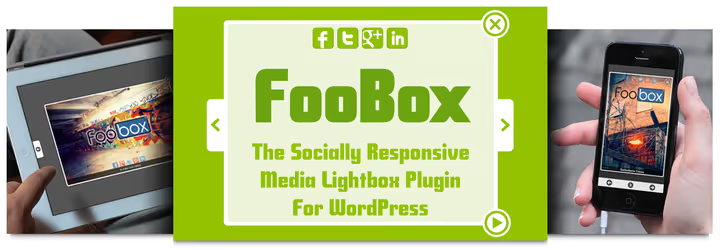
FooBox, a fully responsive lightbox, mobile-ready. Built-in social sharing (share a specific image), slideshow feature, automatic work with WordPress galleries upon installation. Minimalist and fast. Ideal for photographers and designers showcasing portfolios.
Lightbox Gallery, free

Lightbox Gallery, a free plugin for adding lightbox to standard WordPress galleries. Localized in many languages, has tooltip option, pagination in lightbox, and Highslide JS support for advanced effects. Simple choice for those who need a lightbox without a budget.
WordPress "Coming soon" and landing page plugins
The site isn't ready yet, but you can already collect subscribers and generate interest on social media.
WordPress Landing Pages, free
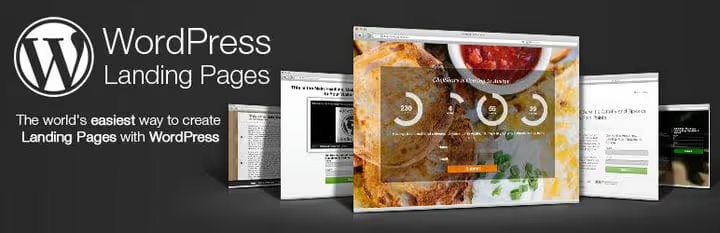
WordPress Landing Pages, a "coming soon" page in a couple of minutes. Full integration with Gravity Forms, Contact Form 7, and Ninja Forms, collect email addresses while working on the site. Countdown timer, customizable background and text.
Thrive Architect, premium
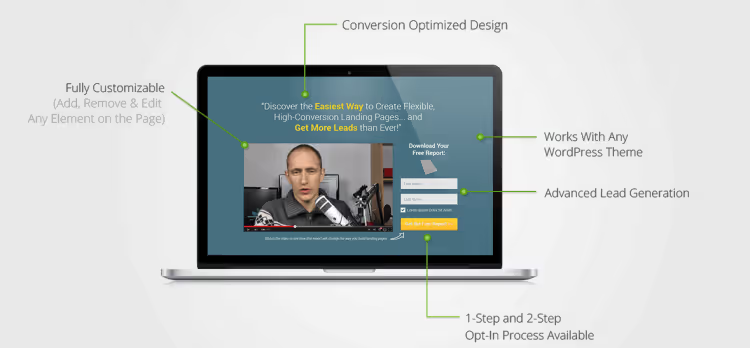
Thrive Architect (formerly Thrive Landing Pages), a visual landing page builder from Thrive Themes. 300+ customizable templates for products, services, online courses, and lead magnets. Drag-and-drop editor, responsiveness, A/B testing, email service integrations. Turns any WordPress site into a conversion marketing machine.
WordPress review and rating plugins
Social proof through customer reviews increases conversion. These plugins add structured reviews with Schema markup.
WP Product Review, Freemium
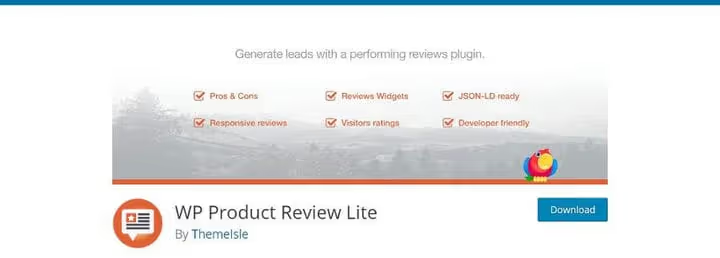
WP Product Review adds product review blocks with ratings, pros/cons, and structured markup. The Lite version is free and works for most blogs. The Pro version adds custom shortcodes, colors, review table design, badges, and comparison tables. Useful for affiliate sites, markup appears in Google search results with stars.
Symple Shortcodes, free
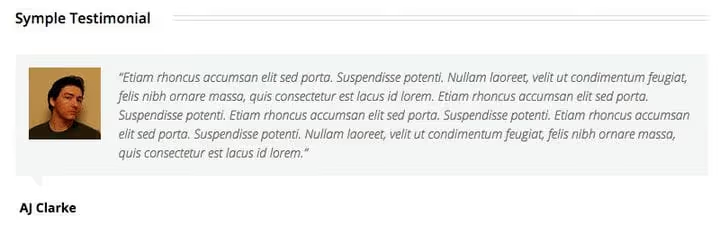
Symple Shortcodes, a set of shortcodes including a basic testimonial shortcode. Add the name of a person or company, testimonial text, and image. ⚠️ The plugin hasn't been updated in several years and is officially unsupported. If you need shortcodes for testimonials, better take WP Product Review (above) or use built-in Gutenberg blocks with custom styles.
LoveIt Pro, premium

LoveIt Pro (official site unavailable) adds a "like" system for posts, pages, and portfolios. Tracks popular content, has a "most loved" material widget. Users can vote without registration. ⚠️ As of 2026, development activity has decreased, an alternative could be WP Post Ratings (stars) with a classic 5-star system.
WP Post Ratings, free

WP Post Ratings, a classic 5-star rating system. Readers vote, the plugin calculates the average and displays the rating. You can upload custom star images. Tens of thousands of installations, stable and predictable. A good choice for review sites.
WordPress restricted content plugins
Restricted content for subscribers or premium membership is a standard way to monetize expert blogs.
Restrict Content, Freemium

Restrict Content, a simple way to restrict access to posts, pages, or content blocks to registered users only. Choose a user level for restriction or use a shortcode for a block. The free version is suitable for basic "guests/members" separation. Restrict Content Pro adds unlimited membership levels, subscription management, payment recording, discount coupons, and payment gateway integrations.
WordPress social sharing to download plugins
A quick way to gain social media followers is to give away free content in exchange for a like or tweet.
Social Locker, Freemium
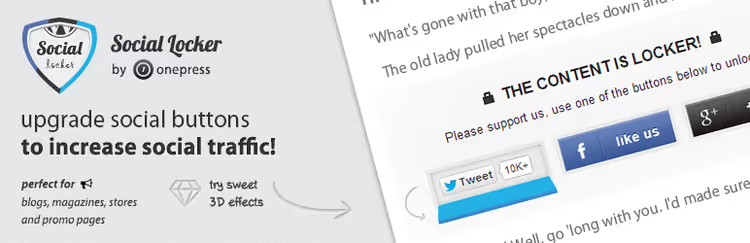
Social Locker locks premium content (posts, discount codes, images, videos, downloads) until the user shares on social media. An effective viral distribution tool. Free version with basic features. Pro adds advanced analytics and more content locking options.
Locker Cat, free

Locker Cat, a simple free alternative to Social Locker. Shortcode partially hides content on posts and pages. Readers are asked to "share" to see all content. Suitable for viral marketing, especially if you add a couple of hashtags to the pre-configured tweet text.
A-Feed, automatic site content population
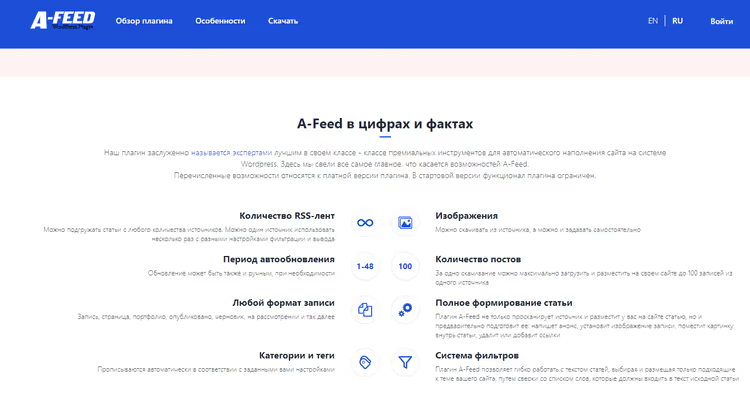
A-Feed (official site temporarily unavailable), an aggregator plugin for automatically populating a site with content from RSS feeds and external sources. Customizable import rules, keyword filtering, auto-publication or saving to drafts. Suitable for news aggregators and content projects with high publication frequency.
🎬 Video: best WordPress plugins in 2026
If you prefer a visual format, here's a detailed review of essential WordPress plugins from Kevin Stratvert, one of YouTube's most authoritative tech bloggers. In 11 minutes, he shows each plugin in action, from installation to setup.
⁉️🤔 Frequently asked questions
How many WordPress plugins can you install without hurting speed?
The number itself doesn't matter, quality and resource consumption do. On our projects, 30-40 plugins on well-optimized hosting (WP Engine, Cloudways) cause no problems. The key rule: one plugin for one task. Don't install two caching plugins, two SEO plugins, or three sliders simultaneously. Evaluate each plugin by criteria: date of last update (no older than 12 months), number of active installations, reviews from the last month, and developer reputation.
Free or premium plugin, which to choose?
Depends on the task. Free plugins from the official WordPress.org catalog cover most site needs. Premium versions make sense when you need: priority support, advanced analytics, CRM and payment gateway integrations, incremental backups, or recurring events. Our approach: start with the free version, and only when you hit limitations, switch to Pro.
What plugins are essential for any WordPress site?
Minimum set: SEO plugin (Yoast or All in One SEO), caching plugin (WP Super Cache), security plugin (Security Ninja or Solid Security Basic), backup plugin (UpdraftPlus), and forms plugin (WPForms Lite or Contact Form 7). These five cover the fundamental needs of any site. Everything else is for specific tasks of your project.
How do you know if a plugin conflicts with a theme or another plugin?
Conflict symptoms: white screen of death, 500 error, disappearing design elements, non-working forms. Diagnostic method: disable plugins one by one and check the site. The conflicting plugin will be found quickly. For critical changes, make a full site backup before installing a new plugin, UpdraftPlus or BackupBuddy will restore everything in a minute.
How often should you update plugins?
Update plugins immediately when an update is released, most updates close security vulnerabilities. But before a mass update, make a backup and test on a staging site (copy) that nothing broke. WordPress automatic updates are enabled by default for minor versions, leave this setting.
What to do with a plugin that is no longer supported?
Replace it with a living alternative. An abandoned plugin is a security hole and potential conflict with the next WordPress version. In our list, we've noted the status of each plugin as of 2026. If a plugin you're using hasn't been updated in over a year, look for an alternative in the corresponding category above.
Which WordPress plugin should you install first?
There's no universal answer, but there is a priority order. First, install plugins that protect the site from data loss and hacking: backup (UpdraftPlus) and security (Security Ninja). Then, SEO and caching: without them, your site won't be seen in search and will load slowly. And only after that, functional plugins for specific tasks: store, forms, sliders, events, social media.
The main rule we've learned from hundreds of projects: one plugin, one task. Don't install two plugins that do the same thing. Better fewer, but quality and actively supported ones.
If you found something useful in this list, bookmark the page. It's updated once a quarter: we track new version releases, death of old plugins, and emergence of worthy alternatives. And subscribe to our newsletter on Facebook and Twitter, where we share finds that don't make it into the main articles.

A professional team of writers and editors specializing in creating quality content.