














🧩 5 contact form plugins for WordPress: 2026 comparison
A contact form is the only bridge between you and your visitor that doesn't depend on social media algorithms and doesn't ask people to open their email client. Without it, even the most stylish website remains a storefront. And an email laid out in the footer as plain text gets found by spam bots within 48 hours.
But when you open the WordPress catalog and see 1,500+ plugins marked "contact form," you want to close the tab and leave everything as is. Among them are frankly abandoned projects, overcomplicated combines, and a handful of names that have been around for ten years. We filtered out the noise and left five tools that are relevant in 2026.
We installed each plugin from this comparison on a live site, configured it, and ran it through typical scenarios: from a contact form with three fields to a survey with conditional logic and a payment gateway. No assumptions, only what we've tested hands-on.
💡 Quick overview:
- Decide what you actually need: a simple contact form or a cost calculator with a payment module and user registration
- Choose a plugin for your skill level: beginners need drag-and-drop without reading documentation, developers need flexibility and API
- Install the free version, build one form, verify that submissions arrive, and only then expand functionality
- Set up spam protection (reCAPTCHA v3 or Cloudflare Turnstile), connect email notifications and autoresponder
- If the form accepts payments, make sure the plugin supports Stripe out of the box, not through a redirect hack
Plugin | Free version | Builder | Entry barrier | Ideal for | Paid start |
|---|---|---|---|---|---|
WPForms | Yes (Lite) | Drag-and-drop | Zero | Beginners, small business | $49.50/year |
Formidable Forms | Yes (Lite) | Drag-and-drop | Medium | Developers, web applications | $39.50/year |
Gravity Forms | No | Drag-and-drop | Medium | Agencies, complex integrations | $59/year |
Ninja Forms | Yes (Core) | Drag-and-drop | Low | Budget projects, scaling | $59.40/year |
Contact Form 7 | Yes (fully) | Manual (HTML templates) | High | Minimalists, legacy | Free |
Before the detailed breakdown, a short video. It shows the form creation process in each builder and key interface differences.
1. WPForms
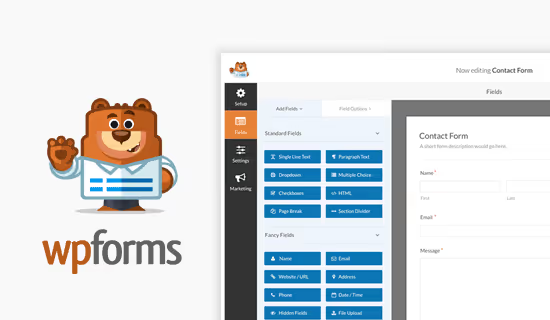
WPForms is the most beginner-friendly builder on the market. Someone who has never seen a WordPress admin panel can build a working contact form in 4-5 minutes. No code, no documentation in a neighboring tab.
The free version WPForms Lite on WordPress.org covers the basic scenario: text fields, email, reCAPTCHA or Cloudflare Turnstile for spam protection, email notifications, and a "thank you" page after submission. For a blog, landing page, or business card site, this is more than enough.
Paid start, Basic at $49.50 per year (first year, then $99). This tier adds form templates, file uploads, and basic integrations. But the practical minimum for a growing business is Pro at $199.50 per year (first year, then $399): conditional logic, surveys with Likert scales and NPS, electronic signature, geolocation, 2,100+ ready templates. The survey module with interactive reports replaces SurveyMonkey, saving $300+ per year on a third-party service.
Integrations cover almost everything: Stripe (WPForms is a Stripe Verified Partner, so payment forms work without homemade hacks), PayPal, Square and Authorize.Net for payments, Mailchimp, ActiveCampaign, ConvertKit and two dozen more services for email marketing, Zapier and webhooks for everything else.
Pros:
- Entry barrier lower than any competitor, first form ready faster than you finish reading this paragraph
- 2,100+ templates cover scenarios from consultation booking to pizza ordering
- Built-in surveys and polls with automatic reports replace a separate SaaS
- Stripe Verified Partner: recurring payments, Apple Pay, Google Pay out of the box
Cons:
- Free version is deliberately limited: advanced fields and conditional logic only in Pro
- Developers may lack flexibility: the plugin is designed to be simple, not maximally extensible
Price: free (Lite), Basic $49.50/year, Pro $199.50/year, Elite $299.50/year (first year prices, source).
🔗 WPForms Lite on WordPress.org🔗 WPForms Pro, official website
2. Formidable Forms
Formidable Forms is a Swiss Army knife that can do everything. While WPForms focuses on simplicity, Formidable builds a bridge between forms and full-fledged web applications. If you need not just lead collection but a mortgage calculator, classifieds board, or catalog with filtering, you're in the right section.
The basic version Formidable Lite on WordPress.org is free and already includes a drag-and-drop builder. But the real power is in the paid tiers. Basic at $39.50 per year (first year, then $79) adds file uploads, multi-page forms, and conditional logic. And the key feature, the Views module, unlocks starting with Plus ($99.50/year).
The formula is simple: create a form, data is saved to the database, the Views module displays it on the frontend in any format. The result: product catalog, job listings, event calendar, or knowledge base, without a single line of PHP. Calculation fields let you build an order form with dynamic pricing: volume multiplied by rate, discount applied, tax added, and everything recalculates on the fly.
WooCommerce integration goes beyond the typical "add a couple of fields to the cart": Formidable can create product configurators where price depends on selected options. In the Business tier ($199.50/year), surveys, quizzes, digital signature, form-to-PDF conversion, and AI field generation via ChatGPT appear.
Pros:
- Views turn form data into full-fledged frontend applications without programming
- Calculations at spreadsheet level: conditional formulas, rounding, ranges
- Deep WooCommerce integration for product configurators and dynamic orders
- Developers get hooks and filters without losing the drag-and-drop interface
Cons:
- Learning curve steeper than WPForms: interface designed for those who understand data structure
- Visual form styler exists, but out-of-the-box design is more modest than desired
Price: free (Lite), Basic $39.50/year, Plus $99.50/year, Business $199.50/year, Elite $299.50/year (first year prices, source).
🔗 Formidable Forms on WordPress.org🔗 Formidable Forms, official website
3. Gravity Forms

Gravity Forms is a market veteran that chose the "premium only" path. There's no free version, and that's a deliberate decision: every Gravity Forms installation is a fully functional combine with access to an ecosystem of dozens of addons.
What you get for $59 per year (Basic): unlimited forms, conditional logic, file uploads, multi-page forms with progress bar, and integrations with HubSpot, Mailchimp, ActiveCampaign. Pro at $159/year adds Stripe, PayPal, Dropbox, Slack, Zapier, and Zoho CRM. Elite at $259/year is everything: surveys, quizzes, user registration, electronic signature, geolocation, Webhooks, Salesforce.
Historically, Gravity Forms has been the standard for agencies building custom solutions for clients. The plugin is mature, documented, and predictable: if an integration exists for WordPress, there's almost certainly an addon for Gravity Forms. REST API v2 allows integrating forms with external applications without dancing around. The downside of this approach is that price grows with each additional module: the basic tier includes core addons, but for Surveys, User Registration, or Webhooks, you'll need to upgrade to Elite.
Pros:
- Most mature ecosystem: hundreds of third-party addons and integrations
- Predictable behavior and excellent documentation, agencies value this
- Conditional logic works at a level close to "programming without code"
- REST API v2 for integration with external applications
Cons:
- No free version at all, can't even try without money
- Addon costs can make the final bill noticeably higher than base $59
- Interface is conservative: looks like good old WordPress, without visual polish
Price: Basic $59/year, Pro $159/year, Elite $259/year (source).
🔗 Gravity Forms, official website
4. Ninja Forms

Ninja Forms occupies the golden middle: simpler than Formidable, but more functional than the basic version of WPForms. The main trump card is that the free core isn't artificially cut, and paid tiers connect exactly what's needed at a specific stage.
The free core Ninja Forms on WordPress.org includes a drag-and-drop builder, 28+ field types, unlimited forms and submissions, spam protection (Akismet + reCAPTCHA), CSV export, and conditional email notifications. All data is stored on your server and accessible through the admin panel without paywalls.
The paid part moved to a tier model in 2025-2026. Plus at $59.40 per year (first year, then $99) includes conditional logic, file uploads, multi-step forms, styling, and integrations with Mailchimp, ActiveCampaign, Kit. Pro at $119.40/year adds Stripe, PayPal, HubSpot, Salesforce, Zapier, and Slack. Elite at $299.40/year is unlimited sites, priority support, and all addons including Webhooks, Trello, and User Management. A nice detail: support responds to free users too, not just paying ones. In our experience, average first response time is within a business day.
Pros:
- Free version isn't artificially cut: all basic fields, export, and notifications out of the box
- Doesn't impose itself: minimal banners in admin, no popups asking to rate the plugin
- GDPR-friendly: data doesn't leave your server without explicit integration setup
- Support responds on the free tier too, rare for freemium model
Cons:
- Visual styler (Layout & Styles) only in paid tiers, not part of core
- Pace of development of new features slower than WPForms and Formidable
- Price of Elite ($299.40/year) comparable to top tiers of competitors with a smaller addon ecosystem
Price: free (Core), Plus $59.40/year, Pro $119.40/year, Elite $299.40/year (first year prices, source).
🔗 Ninja Forms on WordPress.org🔗 Ninja Forms, official website
5. Contact Form 7

Contact Form 7 is a living fossil of WordPress with 10+ million active installations. It's 18 years old, doesn't use drag-and-drop, and the configuration syntax resembles an HTML templating engine from the early 2010s. And yet it works. Fast, free, without extra weight.
The form is assembled manually: you write fields in a text editor using shortcodes like [text* your-name]. For an experienced user, marking up one form takes 5-10 minutes. For a beginner, an hour of reading documentation and several attempts. The bonus: total control over layout that no drag-and-drop builder provides.
However, in April 2026, CF7 creator Takayuki Miyoshi announced at WordCamp Asia: version 6.2 is the last major release with new features. The plugin is moving to maintenance mode: security patches and critical fixes, yes, new integrations and interface improvements, no. This isn't death (10+ million installations won't disappear in a year), but a signal: CF7 is no longer evolving.
The key question: why choose CF7 in 2026 when WPForms Lite and Ninja Forms Core are free and have drag-and-drop? The answer is weight. CF7 loads minimal resources, doesn't add extra scripts to the frontend, and works even on very weak hosting. For minimalists who need exactly a form and nothing but a form, it's still a valid choice. But for new projects, the road now leads to WPForms or Ninja Forms.
Third-party addons partially compensate for the austerity: Flamingo saves submissions to the database, Contact Form 7 Skins adds a visual styler, and integrations with reCAPTCHA and Akismet protect from spam. But finding these addons is a quest: CF7 has no official addon catalog.
Pros:
- Zero cost with unlimited use on any number of sites
- Minimal footprint: almost no impact on page load speed
- Full control over form HTML structure for those who understand layout
- 18 years of continuous updates: the plugin won't be abandoned tomorrow, but there will be no new features
Cons:
- Feature freeze since April 2026: version 6.2 is the last with new features, then only security patches
- No drag-and-drop: form setup requires understanding shortcode syntax
- Admin interface looks like a legacy from the WordPress 3.0 era
- No official addon catalog, need to search for required plugins
Price: free. Completely.
🔗 Contact Form 7 on WordPress.org
⁉️🤔 Frequently asked questions
Do I even need a plugin for a contact form, maybe just leave an email on the page?
Leaving a bare email on a page means in a week you'll get a mailbox stuffed with spam. Bots scan pages and collect addresses faster than you're reading this text. A form plugin hides the address behind server-side sending, provides reCAPTCHA, autoresponder to the applicant, and saves submissions to the database. The difference between "email me" and a proper form is roughly like between a paper notice on a pole and a CRM system.
WPForms Lite or Ninja Forms Core, which is better to start with?
For an absolute beginner, WPForms Lite. Just drag fields, and in 5 minutes the form is ready. Ninja Forms Core is also free and gives slightly more fields out of the box, but the interface requires getting used to. If your budget is zero and you're willing to spend an hour reading documentation, take Ninja Forms. If you want "turned it on and it worked," WPForms.
Why is Gravity Forms paid when there are free alternatives?
Gravity Forms chose the "quality through focus" model. No free version, no resources distracted by supporting millions of freemium users. Every installation brings money, and that money goes into development. For agencies where form downtime costs more than $59 per year, this is a justified model. Plus the Gravity Forms addon ecosystem is the most extensive among all listed plugins.
Is it worth using Contact Form 7 in 2026 after the feature-freeze announcement?
For existing sites where CF7 is already configured, yes, keep using it. Security patches will be released, bugs will be fixed too. But for new projects, the road now leads to WPForms or Ninja Forms. Installing a plugin that officially stopped developing on a fresh site is a risky bet. Migration from CF7 to WPForms is done with a built-in importer in a couple of clicks, so the transition isn't painful.
Which plugin to choose for collecting payments through a form?
WPForms Pro (Stripe Verified Partner) is the best start for simple payments. Formidable Forms if you need a complex calculator with dynamic pricing depending on selected options. Gravity Forms with Stripe addon for agencies that need maximum customization of the payment flow. Ninja Forms Pro if you're already in the Ninja Forms ecosystem and don't want to breed a zoo of plugins.
What to do if a forms plugin slows down the site?
Modern versions of WPForms, Formidable, and Ninja Forms load scripts only on pages where there's actually a form. If the site is slow, check if two different form plugins are connected simultaneously (this happens after migration). CF7 remains the lightest of the five, but also the most austere in capabilities. For most sites, the speed difference between WPForms and CF7 is unnoticeable on good hosting.
What to install on a site in 2026: final choice matrix

The five we've reviewed cover virtually any scenario. The difference isn't in which plugin is "better in general," but in which fits exactly your task, budget, and technical preparation level.
If you're launching a blog, landing page, or company website and don't want to spend time on setup, install WPForms Lite. The first form will be ready in 5 minutes, and when you need surveys or payments, you'll upgrade to Pro. This is a proven path that millions of sites follow.
If you're a developer or agency and need calculators, catalogs, and web applications based on forms, your tool is Formidable Forms. The Forms + Views + WooCommerce combo does what other plugins would take hours of custom code.
If you value stability, maturity, and are willing to pay for quality without compromise, Gravity Forms. Especially if you've already worked with it in past projects and know its addon ecosystem.
If budget is limited but scaling is in prospect, start with Ninja Forms. The free core covers everything basic, and the Plus tier connects conditional logic and styling when you actually need them. And you won't be bothered with banners asking to buy Pro.
If you're a minimalist and need strictly a form without extra JavaScript on an old site, Contact Form 7 is still in service. But for a new project in 2026, take WPForms Lite or Ninja Forms Core: they're also free but continue to develop.
Choose not a plugin, but a scenario. Install the form, launch it, and check if submissions arrive. This is the only test that matters.

A professional team of writers and editors specializing in creating quality content.