














📩 20 best WordPress contact form plugins 2026
Everyone has a form on their site. But for some it's a dead "Name + Email + Message" widget that nobody fills out. For others, it's a CRM entry point, bot filter, payment processor, and request segmentation tool before they even reach the manager's inbox.
The difference is in the plugin. We tested two dozen form builders and selected those that solve real problems: from simple contact forms to multi-page surveys with payments. No fluff, honest downsides, and up-to-date pricing for 2026.
💡 Quick overview:
- Define your scenario: simple contact form, file uploads, payment processing, or multi-page survey, this determines the choice between free and Pro versions
- Go through the comparison table: it immediately filters out unsuitable options by key criteria
- Choose a plugin from the list, each entry describes real capabilities, pros, cons, and current pricing
- Install, enable anti-spam (reCAPTCHA + honeypot), and always test submission before publishing
Plugin comparison table
Plugin | Free version | Drag-and-drop | Conditional logic | Payments | Integrations |
|---|---|---|---|---|---|
WS Form | Yes | Yes | Yes | Pro | 30+ |
Kali Forms | Yes | Yes | Pro | Pro | Pro |
HappyForms | Yes | No | No | No | No |
FluentForms | Yes | Yes | Yes | Pro | 20+ |
JetFormBuilder | Yes | Yes | Yes | Pro | 15+ |
Contact Form 7 | Yes | No | Via plugins | Via plugins | Via plugins |
Jetpack Forms | Yes | Basic | No | No | Akismet |
WPForms | Yes | Yes | Pro | Pro | Pro |
Gravity Forms | No | Yes | Yes | Yes | 40+ |
Ninja Forms | Yes | Yes | Pro | Pro | Pro |
Formidable Forms | Yes | Yes | Pro | Pro | 15+ |
Forminator | Yes | Yes | Pro | Yes | 15+ |
WeForms | Yes | Yes | Yes | Pro | 10+ |
FormCraft | Yes | Yes | Pro | Pro | Pro |
Everest Forms | Yes | Yes | Pro | Pro | 10+ |
Advanced Forms | Yes | No | Yes | No | ACF |
BuddyForms | Yes | Yes | Yes | Pro | Pro |
MetaForm | Yes | Yes | Pro | Pro | 15+ |
Bit Form | Yes | Yes | Yes | Pro | 20+ |
SureForms | Yes | Yes | Pro | No | Pro |
1. WS Form

WS Form isn't drag-and-drop in the usual sense. You lay out the form on CSS Grid: columns, rows, spacing, everything like modern layout. Over a hundred ready-made templates and fifty field types cover virtually any scenario.
Hundreds of hooks and filters, custom field types via REST API and CLI. The free version includes multi-page forms and file uploads. Pro adds field calculation, payments via Stripe and PayPal, plus 30+ integrations from Mailchimp to Zapier.
The interface requires getting used to: the grid provides flexibility, but you'll spend the first half hour looking for the right button.
- Pros: visual CSS Grid layout, over a hundred templates, powerful API for developers
- Cons: interface requires getting used to, some key integrations only in Pro
- Price: free; Pro from $49 per year (current as of wsform.com)
🔗 WS Form on WordPress.org | 🔗 WS Form site
2. Kali Forms

Kali Forms bets on speed: choose a template, drag fields, form ready in a couple of minutes. Zero code. The interface is minimalist, a beginner handles it in five minutes.
Spam protection is two-layer: Google reCAPTCHA plus honeypot trap. Upgrading to Pro unlocks 13 industry templates: job applications, appointments, reviews, registrations, donations, quotes, and bookings. Conditional logic and multi-page forms are added.
For connecting with CRM or email campaigns the choice of integrations is more modest than FluentForms or WPForms, but it covers basic scenarios faster than competitors.
- Pros: ultra-fast start with templates, two-layer anti-spam, niche templates in Pro
- Cons: fewer integrations than leaders, main features under Pro subscription
- Price: free; Pro from $39 per year (current as of kaliforms.com)
🔗 Kali Forms on WordPress.org | 🔗 Live demo
3. HappyForms

HappyForms works directly in the WordPress customizer: add fields, change placeholders, adjust width, and see the result immediately. No separate settings pages. Completely free plugin, no Pro version, no upsells or ads in the admin.
Field set is basic: short and long text, email, phone, radio buttons, checkboxes, and URL. The finished form can be inserted via the built-in block in the post editor or widget in the sidebar.
For a landing page with one form, the fastest way: three clicks and done. No conditional logic, payments, or integrations here.
- Pros: completely free, works in customizer, launch in one minute
- Cons: no drag-and-drop, no conditional logic, no payments, only basic fields
- Price: free
🔗 HappyForms on WordPress.org | 🔗 HappyForms site
4. FluentForms

FluentForms is one of the most generous free builders. Conditional logic, reusable templates, Google reCAPTCHA, Ajax submission, redirects after submission, and time limits, all available without payment.
Integrations with Mailchimp, Slack, and GetResponse are also free. Pro adds Zapier, Campaign Monitor, ActiveCampaign, personalized email notifications, action hooks, and multi-step forms. The code loads scripts only on pages with forms, the site doesn't get heavy.
- Pros: conditional logic free, rich set of integrations in free version, lightweight code
- Cons: some CRM integrations in Pro, interface slightly more complex than WPForms
- Price: free; Pro from $59 per year (current as of wpmanageninja.com)
🔗 FluentForms on WordPress.org | 🔗 Video demo
5. JetFormBuilder

JetFormBuilder from Crocoblock builds forms directly in the WordPress block editor from 24+ specialized blocks. No separate interface: all work happens where you write posts.
The free version includes multi-step forms with progress bar, conditional logic, calculated fields, repeater blocks, file uploads, and 12 post-submission actions: email, user registration, webhook, save post. Payment processing via Stripe and PayPal is also free. Pro add-ons add HubSpot, ConvertKit, Moosend, form progress saving, and availability scheduling, from $49 per year.
If the site is on Gutenberg, this is the natural choice. Forms are built in the same place as pages, without context switching.
- Pros: native Gutenberg workflow, calculated fields and payments free, active Crocoblock development
- Cons: fewer ready-made templates than WPForms, maximum benefit only on Gutenberg sites
- Price: free; Pro from $49 per year (current as of crocoblock.com)
🔗 JetFormBuilder on WordPress.org | 🔗 JetFormBuilder site
6. Contact Form 7

Contact Form 7 is a veteran with 10+ million active installations. The default form covers most needs of a typical site, and setup is done through understandable markup that you master in half an hour.
Ajax submission, CAPTCHA, and spam filtering work out of the box. Hundreds of free extensions add CRM integrations, payment processing, and file uploads. No visual editor: fields are written manually.
For complex scenarios manual markup becomes routine. But if you need one form and nothing extra, CF7 is reliable.
- Pros: 10+ million installations, minimalist code, hundreds of free extensions
- Cons: no visual editor, manual markup, reCAPTCHA requires getting keys
- Price: free
🔗 Contact Form 7 on WordPress.org
7. Jetpack Forms

Jetpack isn't a separate form plugin, but a module suite from Automattic. The contact form is one of them, natively integrated with Akismet.
If Jetpack is already installed, the form is added with a couple of clicks via the block editor. But installing the entire package for one form is irrational: the plugin is heavy.
If Jetpack already lives on the site, use its form. If not, install a lightweight alternative: the whole module package for one form is irrational.
- Pros: part of Jetpack ecosystem, native Akismet integration, two-click addition
- Cons: requires installing entire Jetpack, only basic form functionality, plugin is heavy
- Price: free (as part of Jetpack)
🔗 Jetpack on WordPress.org | 🔗 Jetpack Forms documentation
8. WPForms
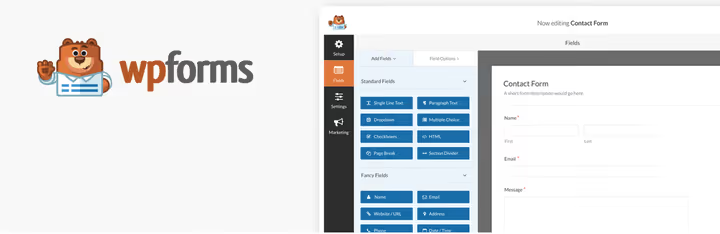
WPForms is the most popular drag-and-drop form builder for WordPress, with 6+ million active installations. The interface is intuitive: select fields from the panel and drag them to the form. Built-in templates speed up the start.
The free version WPForms Lite includes text fields, radio buttons, file uploads, dropdowns, and reCAPTCHA. Pro unlocks conditional logic, payment processing via Stripe and PayPal, integrations with Mailchimp, AWeber, Campaign Monitor, and dozens of other features.
The documentation is one of the best in the niche. Entry barrier, zero. If you're installing a form on WordPress for the first time, start here.
- Pros: intuitive interface, many templates, excellent documentation, huge community
- Cons: key features behind Pro subscription, annual price above average
- Price: free; Pro from $49.50 per year (current as of wpforms.com)
🔗 WPForms on WordPress.org | 🔗 WPForms site
9. Gravity Forms
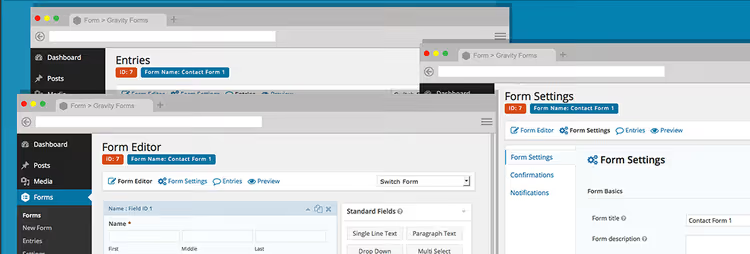
Gravity Forms is the premium standard that others measure against. The basic tier at $59 per year includes drag-and-drop builder, multi-page forms, and conditional logic. Higher licenses add add-ons for email marketing, payments (Stripe, PayPal, Authorize.net), automation, and integrations with 40+ services.
The plugin goes far beyond contact forms: it's used to build cost calculators, quizzes, event registrations, and simple web applications. Hooks and filters give developers complete control.
One minus, but significant: no free version. You either pay or choose an alternative.
- Pros: most powerful add-on ecosystem, industry quality standard, active developer community
- Cons: no free version, price from $59 annually, overkill for simple forms
- Price: from $59 per year (current as of GravityForms.com)
🔗 Gravity Forms | 🔗 Feature demo
10. Ninja Forms
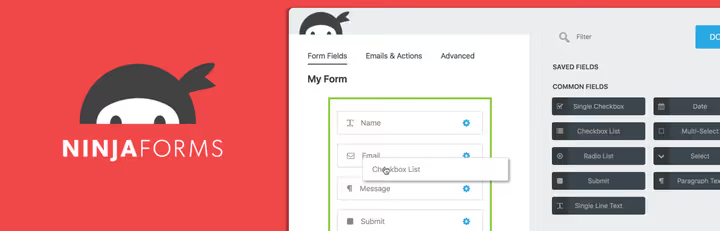
Ninja Forms is a flexible drag-and-drop builder without artificial limits: fields, emails, and submissions, as many as you need. Fields are saved as templates, imported and exported between sites.
Four built-in anti-spam options. Scripts load only on pages with forms. For developers: actions, hooks, and filters for customization. Dozens of add-ons add integrations with Mailchimp, FreshBooks, Stripe, Salesforce, and other services.
The interface looks conservative compared to WPForms or FluentForms, but functionally it doesn't fall short.
- Pros: no limits in free version, lightweight code, wide add-on ecosystem
- Cons: interface looks conservative, add-ons sold separately
- Price: free; Pro from $99 per year (current as of ninjaforms.com)
11. Formidable Forms

Formidable Forms grew from a form builder into a web application tool. Visual styler and built-in spam protection work already in the free version.
Main feature: displaying data on the frontend as charts, graphs, and custom views. This is the only form plugin that can build dashboards from submitted data. Pro from $49 per year adds field calculations, conditional logic, and analytics.
- Pros: frontend data display, field calculations, visual styler
- Cons: learning curve higher than WPForms, some key features in Pro
- Price: free; Pro from $49 per year (current on site)
🔗 Formidable Forms on WordPress.org | 🔗 FormidableForms.com
12. Forminator

Forminator is a free all-in-one from WPMU DEV: contact forms, polls, quizzes, and payment processing in one plugin. Drag-and-drop builder, 20+ field types, conditional logic, and order cost calculation available free, without artificial limits.
Payments are accepted via PayPal and Stripe directly in the form, rare for a free version. Pro version as part of WPMU DEV subscription adds email campaigns, deeper integrations, and premium support.
On a test site Forminator showed excellent performance. If you need quizzes or polls, it covers three tasks with one plugin.
- Pros: forms, polls, quizzes, and payments free, active development (WPMU DEV), good performance
- Cons: Pro features in expensive WPMU DEV subscription, interface overloaded for simple tasks
- Price: free; Pro in WPMU DEV subscription from $3 per month
13. WeForms

WeForms is built around live preview: you immediately see how the form will look after publishing. Over 23 field types, ready-made templates, reCaptcha, and conditional logic. The interface is minimalist, suitable for users without technical background.
Multi-page forms allow splitting long surveys into segments. Bonus: the plugin comes bundled with WP User Frontend for accepting posts from users.
- Pros: live preview, minimalist design, over 23 field types
- Cons: irregular updates, modest add-on ecosystem
- Price: free; Pro from $49 per year (current on WeForms page)
14. FormCraft
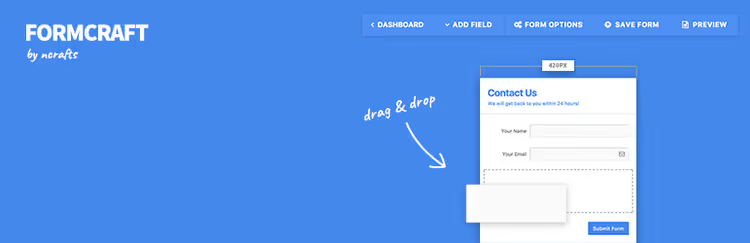
FormCraft is a fast WYSIWYG builder creating stylish responsive forms. Templates export and import between sites, convenient for agencies and freelancers managing multiple projects.
The premium version FormCraft Pro adds a reports panel: views, submissions, and conversion rate for each form. Other features: conditional logic, A/B testing of popups, add-ons for Mailchimp, Campaign Monitor, AWeber and GetResponse, three placement methods: popup, slide-in, and fixed form.
- Pros: reports panel with conversion, A/B testing of popups, template export and import
- Cons: conditional logic and add-ons only in Pro, smaller community than leaders
- Price: free; Pro from $39 (current as of formcraft-wp.com)
🔗 FormCraft on WordPress.org | 🔗 FormCraft Pro
15. Everest Forms

Everest Forms is a lightweight free builder with a pleasant interface and ready-made templates: contact form, application, survey, registration. Drag-and-drop editor, reCAPTCHA, Ajax submission, and CSV export work without limits.
Balance of simplicity and power: a beginner builds a form in five minutes, but there are also advanced features. Pro version adds payments via PayPal and Stripe, integrations with Mailchimp, Zapier, ConvertKit, and geolocation.
- Pros: simple and pleasant interface, ready-made templates, geolocation in Pro
- Cons: conditional logic and payments only in Pro, some integrations in premium add-ons
- Price: free; Pro from $49 per year (current as of wpeverest.com)
🔗 Everest Forms on WordPress.org | 🔗 Everest Forms site
16. Advanced Forms

Advanced Forms uses the full power of Advanced Custom Fields (ACF): repeaters, date picker, galleries, and fields from third-party ACF extensions. This is a plugin for developers who need complete control over markup and form behavior.
Forms are limited by schedule, registered users, or number of submissions. Submitted data is saved as WordPress posts. Minimum built-in styles, forms easily integrate with any theme. Via hooks you can set up post creation, profile editing, and event registration via frontend forms.
Requires ACF. Not suitable for regular users, but gives developers complete control on ACF.
- Pros: full ACF power, clean code for developers, auto-save submissions to posts
- Cons: requires ACF, no visual editor, designed for developers
- Price: free
🔗 Advanced Forms on WordPress.org
17. BuddyForms

BuddyForms is focused on frontend publishing: users create and submit content directly from the site without entering the admin. Integrates with BuddyPress, WooCommerce, ACF, and Ultimate Member.
The moderation queue saves the original post while edits await approval, convenient publishing workflow for sites with user content. If the site has classifieds, member articles, or community applications, BuddyForms saves hours of custom development.
For a regular contact form the plugin is overkill. But for a forum or classifieds board, practically a ready-made solution.
- Pros: frontend publishing, moderation queue, integrations with BuddyPress and WooCommerce
- Cons: narrow specialization, add-on dependency, overkill for regular form
- Price: free; Pro add-ons from $59 per year (current as of buddyforms.com)
18. MetaForm
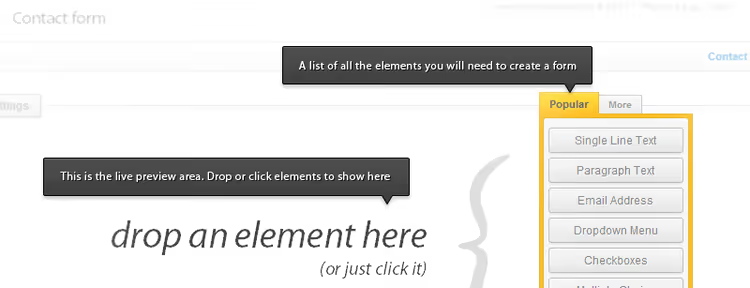
MetaForm is a builder tailored for Elementor. Over 40 custom widgets, 30+ templates, and 40+ input styles. Shortcodes allow inserting forms without Elementor, but all the magic is in the combo with it.
In the free version: drag-and-drop, customization via Elementor, CSV and Google Sheets export. Premium unlocks multi-step forms, conditional logic, field calculation, and payment gateways.
If the site is built on Elementor, MetaForm is the natural choice. Style the form in the same interface as the rest of the site, without jumping between plugins.
- Pros: deep Elementor integration, 40+ widgets, 30+ ready-made templates
- Cons: maximum benefit only with Elementor, conditional logic in Pro
- Price: free; Pro from $39 per year (current as of wpmet.com)
🔗 MetaForm on WordPress.org | 🔗 MetaForm site
19. Bit Form

Bit Form is rapidly gaining popularity among next-generation builders. The free version includes conditional logic, multi-step forms, file uploads, reCAPTCHA, and integrations with 20+ services: Google Sheets, Mailchimp, Slack, Telegram.
Pro adds payments (Stripe, PayPal, Razorpay, Mollie), field calculation, and extended integrations. The code is lightweight, developers actively release updates, in development pace Bit Form surpasses many veterans.
- Pros: rich free version, active development, lightweight code
- Cons: young plugin, fewer templates and documentation than veterans
- Price: free; Pro from $49 per year (current as of bitapps.pro)
🔗 Bit Form on WordPress.org | 🔗 Bit Form site
20. SureForms

SureForms is a builder from the SureCart team, focused on speed. Drag-and-drop editor, ready-made templates, reCAPTCHA, and Ajax submission work out of the box. Visual editor customizes colors, fonts, and spacing without CSS.
Built-in analytics show views and submissions for each form. Conditional logic in Pro optimizes user path. Integrations with SureCart, SureTriggers, Zapier, and email marketing. Code loads only on pages with forms, the site doesn't lose speed.
Young plugin, but the SureCart team has already proven they know how to make quality products. If the SureCart ecosystem is familiar to you, SureForms will fit organically.
- Pros: high speed, built-in conversion analytics, modern UI
- Cons: young plugin, fewer integrations than veterans
- Price: free; Pro from $69 per year (current as of sureforms.com)
🔗 SureForms on WordPress.org | 🔗 SureForms site
⁉️🤔 Frequently asked questions
Do I even need a contact form plugin or can I just put an email address on the site?
Email in the open collects spam: bots parse sites and add addresses to mailing databases. A form with reCAPTCHA and honeypot trap filters out bots and structures the request: filled fields with a subject instead of formless "call me back."
Can I get by with a free plugin or is Pro mandatory?
Most sites are fine with the free version of WPForms Lite, FluentForms, or Contact Form 7. Pro is needed for conditional logic, payment processing, or CRM integration. We've been using FluentForms on test sites for years without payment.
What replaces Contact Form 7 if you're tired of manual markup?
The most direct upgrade is WPForms Lite: free, drag-and-drop, templates, built-in CF7 migration tool. If you need conditional logic free, FluentForms. If budget allows, Gravity Forms.
How to protect a form from spam without reCAPTCHA?
Most builders support honeypot: a hidden field that bots fill and humans don't. Ninja Forms and Kali Forms have built-in honeypot systems. FluentForms adds a time limit: submission faster than three seconds means bot.
What if emails from the form don't reach the inbox?
In nine cases out of ten the problem is in SMTP, not the plugin. WordPress uses
wp_mail()via PHPmail(), and hosts often block such sending. Install a free SMTP plugin (WP Mail SMTP or FluentSMTP) and configure sending via Gmail or SendGrid. Emails will arrive.
What to install on a site in 2026?
Need a simple form, get WPForms Lite or Contact Form 7.
Need a builder with conditional logic but budget is limited, FluentForms will give maximum in the free version. Our main choice for typical projects.
Commercial project with CRM and payments, Gravity Forms or WPForms Pro. Yes, paid, but one missed lead costs more than an annual subscription.
Site on Gutenberg, JetFormBuilder. On Elementor, MetaForm. Need quizzes and polls, Forminator. For a developer on ACF, Advanced Forms.
Choose a plugin from the list and test submission today. And if you found a tool not in the selection, write in the comments, we'll test it.

A professional team of writers and editors specializing in creating quality content.