














🚀 16 best WordPress membership plugins in 2026
A paid membership site is perhaps the most predictable business model in WordPress. Recurring payments, a loyal audience, and complete control over monetization: it sounds like a formula for stable income. But only until you run into the wrong membership plugin. And then the launch turns into a series of migrations, lost transactions, and endless correspondence with support.
The membership plugin market is huge and fragmented. Under the banner of "membership plugin" everything is sold: from simple registration forms with one closed page to full-fledged LMS combines with gamification and a dozen payment gateways. Prices range from zero to several hundred dollars a year. Choosing blindly means burying your budget in a tool that is either overkill or doesn't meet real needs.
Below are 16 proven membership plugins for WordPress: from lightweight open-source solutions to powerful all-in-one platforms. With specific scenarios, pros and cons, and data current for 2026. No fluff and no copy-paste from the WordPress.org catalog.
💡 Quick overview:
- If you need a free and reliable solution, Paid Membership Pro or WP-Members, both with tens of thousands of active installations.
- If you're launching a full-fledged membership site with courses and community, MemberPress or WishList Member will cover 99% of needs out of the box.
- If your store is on WooCommerce and membership should be tied to purchases, WooCommerce Memberships provides native integration without hacks.
- If your budget is minimal but you need rich functionality, S2Member and Paid Member Subscriptions offer generous free versions with smooth upgrades.
Comparison table of WordPress membership plugins
Plugin | Free version | Pro price (from) | LMS / courses | Content dripping | WooCommerce |
|---|---|---|---|---|---|
Restrict Content Pro | Lite | $99/year | No | Yes | Partial |
ProfileGrid | Yes | $99/year | No | No | Yes |
UserPro | No | $39 | No | No | Yes |
MemberPress | No | $199.50/year | Yes | Yes | Yes |
Profile Builder | Yes | $69/year | No | No | Yes |
Paid Member Subscriptions | Yes | $99/year | No | Yes | Yes |
WishList Member | No | $147/year | Yes | Yes | Yes |
S2Member | Yes | $89 | No | Yes | No |
MemberMouse | No | $399/year | Yes | Yes | Yes |
WPMUdev Membership | No | $3/month | No | Yes | No |
Paid Membership Pro | Yes | Free + addons | Partial | Yes | Yes |
aMember Pro | No | $179.95 | No | Yes | No |
WP-Members | Yes | $59/year | No | No | Yes |
OptimizePress | No | $97 | Yes | Yes | Yes |
ARMember | Lite | $59 | Partial | Yes | Yes |
WooCommerce Memberships | No | $199/year | No | Yes | Native |
1. Restrict Content Pro
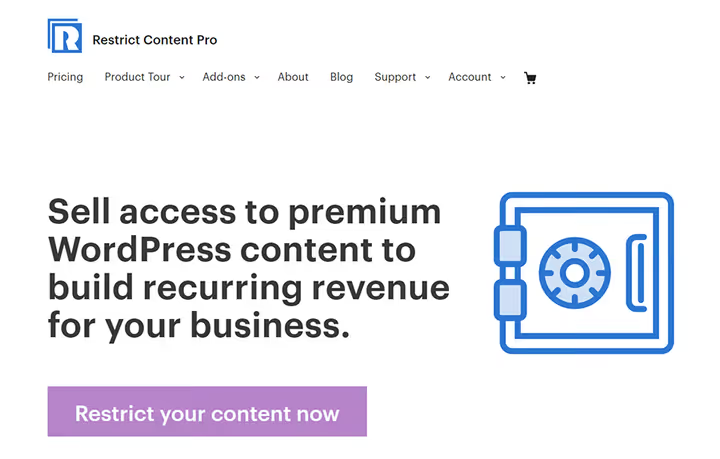
Restrict Content Pro is a veteran among membership plugins, powering tens of thousands of sites. It once served subscriptions for WPExplorer itself. The main trump card is simplicity: install the plugin, create membership levels, connect Stripe or PayPal, and start accepting payments. No hoops to jump through.
Out of the box: unlimited subscription levels, content restriction for any content (posts, pages, categories), member management, and built-in reporting. Plus promo codes, discounts, data import and export. The plugin is developer-friendly with clean code, numerous hooks and filters.
Pros: quick setup, intuitive interface, excellent documentation, active community. Cons: basic functionality without courses and LMS, some features are available as paid addons.
Price: from $99/year for the basic plan. There is a Lite version on the official site.
🔗 Restrict Content Pro on WordPress.org | 🔗 Official site
2. ProfileGrid

ProfileGrid solves a problem that most membership plugins avoid: user profiles. You get not just "closed content," but a full-fledged community with customizable profiles, avatars, groups, private messages, and geolocation.
The plugin can assign managers to groups, restrict menu items by access levels, and integrate the myCred points system. Payments go through PayPal and Stripe. A separate plus: integration with MetaBundle (EventPrime + RegistrationMagic), which provides a ready-made bundle of "event registration + profiles + membership."
Pros: unique focus on profiles and community, flexible group system, good free version. Cons: lacks LMS functionality, access rights configuration takes time.
Price: Pro from $99/year. Free version on WordPress.org.
🔗 ProfileGrid on WordPress.org | 🔗 Demo
3. UserPro

UserPro from DeluxeThemes is more of a community plugin with membership features than a pure membership tool. Its highlight: beautiful user profiles on the frontend, social login, and member directories with search. Your users won't see the standard wp-admin at all.
The plugin supports shortcodes, integration with WooCommerce, bbPress, and MailChimp. Users register through Facebook, Twitter, and other social networks. There are several registration form variants and unlimited custom profile fields. Version 5.1 is actively updated in 2026.
Pros: stylish out-of-the-box profiles, social login, WooCommerce integration. Cons: past vulnerabilities (CVE-2024 and CVE-2025), the plugin requires timely security updates, no built-in LMS.
Price: from $39 one-time on CodeCanyon.
4. MemberPress
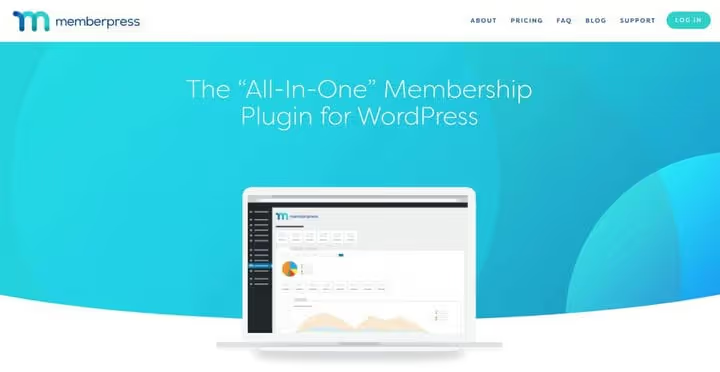
MemberPress is a Swiss Army knife for membership sites. WPBeginner calls it the best all-in-one tool, and for good reason. The plugin covers the full cycle: access restriction, subscriptions, courses, coaching, communities, and digital downloads.
What sets MemberPress apart from competitors: built-in LMS (Courses) with drag-and-drop lesson and quiz builder, coaching platform (CoachKit), communities (ClubCircles) with forums and member directories (ClubDirectory). All of this without additional plugins. Payment gateways: Stripe, PayPal, Apple Pay, Google Wallet, direct debit. ReadyLaunch allows you to assemble ready-to-sell pages in minutes without code.
Pros: all-in-one solution, powerful LMS, excellent support, clean codebase. Cons: above-average price, no free version for testing.
Price: from $199.50/year.
5. Profile Builder

Profile Builder provides a simple way to replace the standard WordPress login form with a custom frontend form. Everything through shortcodes: registration, login, profile editing. Users don't need to enter wp-admin, the entire experience is on the frontend.
The free version covers basic scenarios: custom registration fields, frontend login, and profile management. The Pro version adds multi-step forms, conditional logic, WooCommerce sync, and advanced access rights.
Pros: extremely simple start, good free version, shortcode support. Cons: advanced functionality requires payment, loses to combines like MemberPress.
Price: basic version free, Pro from $69/year.
🔗 Profile Builder on WordPress.org | 🔗 Demo
6. Paid Member Subscriptions

Paid Member Subscriptions from Cozmoslabs is a solid mid-tier solution with a generous free version. You get membership levels, PayPal payment processing, member management, and exclusive content for subscribers. Without spending a penny.
Strong point: shortcodes. They can be inserted anywhere: in the sidebar, posts, on custom registration and login pages. Multi-level plans with free trial periods, email notifications, and built-in reporting are supported. The Pro version adds Stripe, bbPress, promo codes, reCAPTCHA, and fixed-period membership.
Pros: excellent free version, simple shortcodes, WooCommerce integration. Cons: Stripe requires a paid upgrade, no built-in LMS.
Price: basic version free, Pro from $99/year.
🔗 Paid Member Subscriptions on WordPress.org
7. WishList Member

WishList Member serves more than 47,000 sites worldwide. The plugin turns WordPress into a full-fledged membership portal in minutes and offers a generous bundle of extras: themes, badges, guides, and free training.
What's inside: unlimited membership levels, multi-level content access, sequential content delivery, flexible subscription options, and built-in member management. Essentially, a ready-made ecosystem for launching a membership site where everything works out of the box.
Pros: quick launch, generous bundle of bonuses, convenient member management. Cons: no free version, the interface may seem overwhelming to beginners.
Price: from $147/year.
🔗 Official WishList Member site
8. S2Member

S2Member is one of the oldest WordPress membership plugins, over 15 years old and still actively updated. And its free version gives you a lot: PayPal integration, recurring payments, customizable registration forms, custom profile fields, and affiliate activity monitoring. The latest reviews on WordPress.org are from spring 2026, support is responsive.
The plugin adapts to any WordPress theme and supports extensions through widgets and addons. Email newsletters, social networks, and mailing lists are also included. The Pro version adds Stripe, PayPal Pro, Authorize.Net, ClickBank, content dripping, and unlimited membership levels.
Pros: powerful free version, flexible customization, affiliate program support, active community. Cons: the interface looks dated, documentation could be clearer.
Price: basic version free, Pro from $89 one-time.
🔗 S2Member on WordPress.org | 🔗 Demo
9. MemberMouse

MemberMouse is a commercial membership plugin with a flat annual license without limits on users and transactions. Unlike many competitors, there's no markup for the number of members: you pay a fixed amount and use all the plan features on an unlimited basis.
Strong point: drip content scheduling. You can build sequential content delivery: courses, training programs, coaching sessions. Plus a built-in affiliate program, billing date management, social login from the Plus level, and detailed analytics from the Pro level. Payment gateways: Stripe on all plans, PayPal and Braintree from Plus and up.
Pros: no user limits, powerful content dripping, built-in affiliate program. Cons: above-average price, no free version or trial period, not on WordPress.org (only through developer site).
Price: from $399/year (Basic). Levels Plus ($599/year), Pro ($799/year), and Elite ($2399/year).
10. WPMUdev Membership

WPMU DEV is an ecosystem, not just a plugin. Their Membership tool is part of the WPMU DEV subscription and provides access to dozens of premium plugins, themes, an expert community, and unlimited support. Essentially, you get not one membership plugin but a whole set of tools for managing a WordPress site.
The membership plugin itself offers flexible subscription options, a drag-and-drop interface for creating access levels, instant content delivery upon payment, content dripping, and BuddyPress compatibility. Several payment gateways out of the box.
Pros: access to WPMU DEV ecosystem, regular updates, BuddyPress integration. Cons: only by WPMU DEV subscription, the plugin cannot be purchased separately.
Price: from $3/month as part of WPMU DEV.
11. Paid Membership Pro

Paid Membership Pro is one of the most popular free membership plugins. The basic version includes multiple membership levels, flexible pricing, multi-level content access, member notifications, and the ability to hide ads from premium subscribers.
The main advantage is an ecosystem of dozens of addons: PayPal Express, automatic renewal, BuddyPress, donations, user import, and member badges. In 2024, PMPro left the WordPress.org repository, and now updates are delivered through its own licensing server. Installation is still possible, but the distribution model has changed, keep that in mind.
Pros: powerful free functionality, dozens of addons, SEO optimization. Cons: left WordPress.org (updates through own server), some addons are paid.
Price: basic version free. Addons from $29/year.
12. aMember Pro

aMember Pro is a standalone solution with WordPress integration. It accepts subscription payments, delivers digital content, sends newsletters, and launches affiliate programs. Not exactly a WordPress plugin in the usual sense, but rather an autonomous membership manager with a bridge to WP.
The plugin supports multi-language, complete web administration, and free installation. The price is above average, but it's a one-time payment, not a subscription. If you need a powerful standalone membership manager with WordPress integration, aMember pays for itself.
Pros: standalone solution, built-in affiliate program, multi-language. Cons: high price, not fully native WordPress interface.
Price: from $179.95 one-time.
13. WP-Members

WP-Members is one of the oldest free membership plugins with 50,000+ active installations. Works out of the box, simple to install and configure. The ideal option if you just need to "close some content and let users register."
What it provides: members-only content creation, frontend registration and login (styled to theme), customizable login widget, custom registration fields, administrator moderation of new users, and dozens of hooks for extensions.
Pros: extremely simple start, free, actively updated. Cons: limited functionality without Pro version, no built-in payments (addon required).
Price: basic version free, Pro from $59/year.
🔗 WP-Members on WordPress.org | 🔗 Demo
14. OptimizePress

OptimizePress is more of a page builder with membership features than vice versa. If you need sales landing pages, member portals, and launch funnels assembled in one place, the plugin was created for you. Version 3 was rewritten from scratch and is actively supported in 2026.
Over 30 ready-made templates, mobile-responsive design, LiveEditor live editor, full WordPress integration, and regular webinars. The plugin is more focused on marketing and conversion than on membership management per se. But as a tool for selling membership through landing pages, it's one of the best.
Pros: powerful page builder, conversion-focused, many templates. Cons: high price, as a pure membership plugin it's inferior to specialized solutions.
Price: from $97 to $197 one-time.
15. ARMember
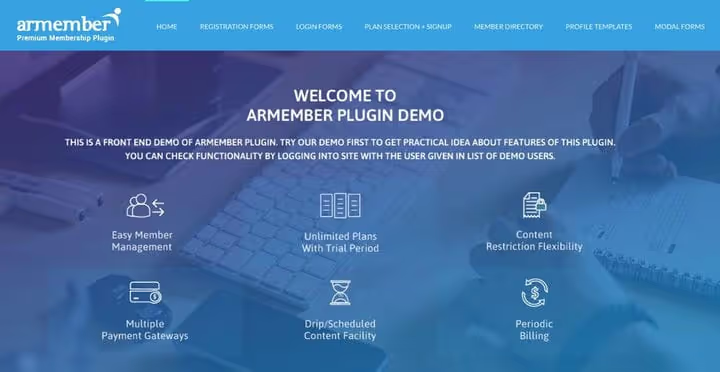
ARMember positions itself as a plugin that doesn't require extra charges for features that competitors sell as addons. Built-in form builder, multiple membership models, social login, WooCommerce sync, member invitations, and two-step registration, all out of the box.
The setup wizard creates a single shortcode for the entire membership process, and built-in integrations cover most scenarios without additional plugins. There is a Lite version for getting started. In 2025, the plugin received the Best WordPress Membership Plugin award according to several marketplaces.
Pros: rich functionality without paying for addons, simple setup wizard, WooCommerce integration. Cons: not as well-known as market leaders, less documentation and examples.
Price: Lite free, Pro from $59.
16. WooCommerce Memberships

If a WooCommerce store is the heart of your site, then WooCommerce Memberships is its natural extension. Native integration without hacks: membership is tied to product purchase, annual or monthly subscription, or assigned manually.
Unique feature: drip content access tied to membership duration. Members can receive exclusive shipping or product discounts. All membership data lives inside WooCommerce, simplifying accounting and reporting. No additional plugins.
Pros: native WooCommerce integration, dripping by membership duration, no additional plugins. Cons: price, no LMS, requires WooCommerce.
Price: $199/year.
⁉️🤔 Frequently asked questions
What's the difference between a membership plugin and a subscription plugin?
A membership plugin manages content access based on user level: closes pages, posts, files. A subscription plugin (for example, WooCommerce Subscriptions) manages recurring payments. These functions often overlap, and many modern plugins (MemberPress, Paid Member Subscriptions) combine both. In most cases, you need a membership plugin: it contains built-in subscription handling plus access management.
Can I use a free plugin for a commercial membership site?
Yes, and many do. Paid Membership Pro and WP-Members on free versions serve thousands of commercial sites. Limitations usually concern advanced features: Stripe instead of PayPal, content dripping, email marketing integrations. For getting started, take Paid Membership Pro or S2Member, their free versions are enough for launch and the first months of operation. When you reach stable income, upgrading to Pro will pay off quickly.
What if a membership plugin conflicts with the theme?
Conflicts are rare, but they happen. Most often the problem is that the theme overrides templates for login, registration, or profile pages. Solution: use the plugin's shortcodes on regular WordPress pages, rather than relying on automatic template replacement. Profile Builder, Paid Member Subscriptions, and WP-Members are specifically designed to work through shortcodes, conflicts with them are minimal.
How do I migrate from one membership plugin to another?
This is harder than it seems. Data about users, access levels, and payment history are stored in different formats. Step-by-step plan: 1) export users through standard WordPress export or the Import Export Users plugin; 2) save payment history separately in CSV; 3) set up the new plugin on a test copy of the site; 4) import users, manually matching profile fields and membership levels. The smoothest migrations are between plugins using standard WordPress roles.
Do I need separate hosting for a membership site?
Depends on scale. For 100-500 members with text content, quality shared hosting will do. At 1000+ members or video courses, choose VPS or managed WordPress hosting with at least 2 GB RAM. Caching (WP Rocket or hosting level) is critical: membership pages are often dynamic, and without caching the server will crash under load. In our experience, MemberPress with a hundred active subscribers on SiteGround GrowBig works without issues.
Which membership plugin to choose in 2026
The choice comes down not to "which plugin is better," but to "which plugin solves your specific task." WPBeginner comparison (January 2026) confirms: there is no universal winner.
If your membership site is closed articles and pages with a monthly subscription, Paid Membership Pro or WP-Members will cover 100% of needs for free, WPBeginner confirms this in their breakdown. Added a WooCommerce store, take WooCommerce Memberships, and membership will work natively. Need a social component with profiles and groups, ProfileGrid or UserPro will provide a full-fledged community.
But if you're selling courses, launching coaching, and building a community simultaneously, MemberPress wins not by the number of features, but by their cohesion. Built-in LMS, coaching, communities, and member directories from one box means you won't have to juggle five plugins and Debug Console. Yes, it costs $199.50 a year. But one missed payment due to plugin conflicts can cost more.
For those who want Membership with content dripping without a per-user subscription fee, take a look at MemberMouse. And if the budget is strictly limited, S2Member and Paid Member Subscriptions offer enough to start with no investment at all.
The main rule: start small, test the hypothesis on a free solution, and scale only when the model shows first recurring payments. The most expensive plugin is not the one that costs $399 a year, but the one you migrate from after three months.

A professional team of writers and editors specializing in creating quality content.