














🎞️ 12 best free WordPress slider plugins 2026
A slider on a website is like a storefront display. Set it up poorly, you'll scare off visitors before they finish reading the headline. Do it right, you'll guide them through key offerings, even if they came for just a minute.
The problem is that the WordPress catalog is packed to the brim with sliders. Some haven't been updated in years, some load 400 KB of scripts on an empty page, and the rest have interfaces so complex you'd rather code a carousel in pure CSS than figure them out.
We ran the WordPress.org catalog through a filter: anything marked "closed" or without updates since 2024 was out. The result: 12 living, maintained, and genuinely free plugins. Each tested on WordPress 6.7+, none broke after updating.
💡 Quick overview:
- Scan the comparison table, it instantly shows which plugin fits your scenario
- Pick 2-3 candidates, install on a test site, play with the demos
- Keep the one where the interface makes sense without documentation, work with that
Comparison table: all 12 plugins in 30 seconds
Plugin | Content type | Builder | Video | Pro version | Best for |
|---|---|---|---|---|---|
10Web Slider | Images + video | Visual | YouTube, Vimeo | Yes | All-rounder |
Meta Slider | Images | Drag-and-drop | No | Yes | Quick start |
Ultimate Responsive Image Slider | Images | Standard | No | Yes | Thumbnails |
Soliloquy Lite | Images | Drag-and-drop | No | Yes | Speed |
Master Slider | Images + content | Visual | No | Yes | Smooth transitions |
GIGA Slider | Images + video | Standard | YouTube, Vimeo | No | 25+ effects |
Smart Slider 3 | Images + video + posts | Visual | YouTube, Vimeo | Yes | Designers |
Ultimate Slider | Images | Standard | No | No | WooCommerce |
Post Slider Carousel | Posts / CPT / images | Standard | No | Yes | Sliders from content |
Serious Slider | Images | Simple | No | No | Minimalists |
Elementor Image Carousel | Images | Visual | No | Pro extension | Already on Elementor |
Depicter | Images + video + popups | Visual | YouTube, Vimeo | Yes | Maximum effects |
1. 10Web Slider
🔗 10Web Slider on WordPress.org | 🔗 Live demo
One of the fastest plugins in the collection. 10Web Slider (also known as Slider WD) pulls images and video from YouTube and Vimeo, works with three layers: text, image, and social buttons.
Embeds anywhere: shortcode in a post, widget in a sidebar, or direct PHP function call in a theme template. Unlimited slide count.
Pros: render speed, social layers, interface localization to any language within three days.
Cons: some transition effects locked in the paid version.
Price: free. Pro, from $30/year.
2. Meta Slider

🔗 Meta Slider on WordPress.org | 🔗 Screenshots and demo
The most popular free slider in the catalog: 700,000+ active installations and a 4.5 rating. Create a slider in a minute, pick images from the media library, drag them into order, add captions, links, and SEO tags.
Localized in 16 languages, including Russian. Works with Gutenberg and the classic editor, embeds via shortcode, widget, or template tag. In practice, the safest choice for first-time slider installers.
Pros: record user base, setup simplicity, SEO captions out of the box.
Cons: video only in Pro, content slides (text + button over image) also paid.
Price: free. Pro, from $39/year (video, layers, lightbox).
3. Ultimate Responsive Image Slider

🔗 Ultimate Responsive Image Slider on WordPress.org
The main feature: thumbnails below the slides. Visitors see the entire strip in preview and jump to the needed slide with one click. Batch image upload saves time when you have more than ten slides.
Flexible settings: height, width, navigation buttons, fonts. Separate option: slider font independent of the theme. Enable carefully: extra font requests can slow page loading.
Pros: thumbnails under slides, batch upload, flexible dimensions.
Cons: custom fonts add unnecessary load, interface not the most modern.
Price: free. Pro, from $25 (one-time).
4. Soliloquy Lite

🔗 Soliloquy Lite on WordPress.org | 🔗 Carousel demo
Drag-and-drop builder: drag images, get a ready responsive slider. You can take the default layout or pick a template, add your own CSS.
Soliloquy bets on speed. Minimalist code, no bloated libraries, the slider doesn't fail PageSpeed metrics. Pro addons are purchased individually: carousel, lightbox, copy protection, Instagram and Pinterest integration, dynamic sliders from WooCommerce.
Pros: minimal impact on speed, CSS customization, addons as needed.
Cons: video, layers, and advanced templates only in paid addons.
Price: free. Addons, from $19/year each.
5. Master Slider

🔗 Master Slider on WordPress.org | 🔗 Slider templates
Responsive slider for images and content with hardware-accelerated transitions and touch navigation. The admin interface looks unusual for WordPress, developers deliberately made it identical to the Pro version so upgrades are painless.
In practice: works great with standard WordPress themes and most popular themes. Hardware-accelerated transitions are especially noticeable on mobile, scrolling without jerks.
Pros: hardware acceleration, touch navigation, smooth transitions.
Cons: interface not native to WordPress, takes getting used to.
Price: free. Pro, from $29.
6. GIGA Slider

🔗 GIGA Slider on WordPress.org | 🔗 Screenshots
25 transition effects, 32 design skins, pagination with images or buttons, autostart with pause on hover. Pulls both images and video. Responsive, works on Android and iOS without complaints.
The downside: intrusive upsell message on the plugins page that can't be removed. For client sites, not the best choice (clients will see ads). For a personal blog or internal project, a perfectly workable option.
Pros: 25 effects, 32 skins, works on all devices.
Cons: annoying message in admin, don't install for clients.
Price: free.
7. Smart Slider 3

🔗 Smart Slider 3 on WordPress.org | 🔗 Free examples
Next-generation slider: slides from YouTube and Vimeo, WordPress posts as content source, visual editor with real-time preview. Video tutorials for each effect type and detailed startup guide, even beginners will figure it out.
The interface resembles an Android app, not WordPress admin, developers moved away from native components. You get used to it in half an hour, but the first impression is confusing.
Pros: slides from posts, visual editor, excellent documentation and video tutorials.
Cons: alien interface, some effects only in Pro.
Price: free. Pro, from €49/year.
8. Ultimate Slider

🔗 Ultimate Slider on WordPress.org | 🔗 Screenshots
Minimalist slider with autostart. Configure display delay and interval between slides. The [ultimate-slider] shortcode embeds anywhere in a post or page.
Fully responsive, compatible with WooCommerce, has a timer panel, visitors see how long until the slide changes. Slides are grouped by categories, and custom CSS lets you match the appearance to your theme.
Pros: display timer, WooCommerce compatibility, simplicity.
Cons: no visual builder, only standard WordPress interface.
Price: free.
9. Post Slider Carousel

🔗 Post Slider Carousel on WordPress.org | 🔗 Screenshots
Fresh replacement for the outdated Featured Articles Lite. The plugin builds sliders from posts, pages, and custom post types: configure category and count, new publications automatically enter the carousel. Last update: June 2026, development is active.
Embed via shortcode, widget, or theme template call. Compatible with Gutenberg and the classic editor. In the free version: basic carousel, speed settings, autoscroll, and pause on hover. Pro adds image sliders, lightbox, and premium templates.
Pros: active updates, auto-slider from content, simple setup.
Cons: images as slides only in Pro.
Price: free. Pro, from $29/year.
10. Serious Slider
🔗 Serious Slider on WordPress.org | 🔗 Demo
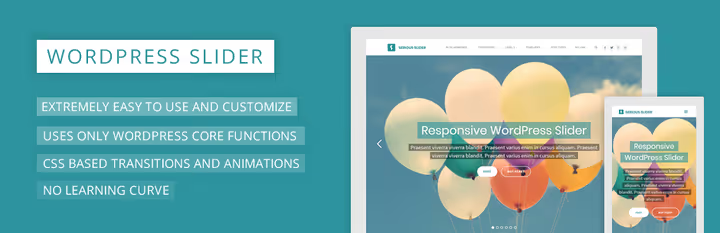
When you need just a working slider without extra bells and whistles. Unlimited sliders, each with its own settings: text, button, link, transition effect, title animation.
SEO-optimized, translation-ready, fully responsive. A media button "insert slider" appears in the post editor, one click and the shortcode is in place.
Pros: minimalism, SEO optimization, quick insert button in editor.
Cons: no visual builder, only basic functionality.
Price: free.
11. Elementor Image Carousel

🔗 Elementor on WordPress.org | 🔗 Carousel documentation
If you already use Elementor for page layout, you don't need a separate slider plugin. The free version of Elementor includes an Image Carousel widget with navigation style settings, speed, slide/fade effect, autoplay, and pause on hover.
Elementor Pro adds the Slides widget: full-screen or wide layout, Ken Burns effect, content animation, custom transitions. But for a simple carousel of logos, testimonials, or team cards, the free widget is enough.
Pros: no separate plugin needed, Elementor visual builder, sufficient for basic carousel.
Cons: advanced sliders only in Pro (from $59/year), dependency on Elementor as page builder.
Price: free (with Elementor Free). Elementor Pro, from $59/year.
12. Depicter

🔗 Depicter on WordPress.org | 🔗 Screenshots
The youngest and most ambitious plugin in the collection. Depicter launched in 2022 and quickly gained 10,000+ active installations. Visual builder with real-time preview, ready templates for various scenarios (hero section, testimonials, logos, WooCommerce products), animations based on scroll triggers.
Supports video slides, popups for collecting email, parallax effects, and export/import of ready sliders between sites. Last update: January 2026, development is active.
Pros: visual builder with live preview, task-specific templates, active development, parallax and scroll animations.
Cons: relatively young plugin, smaller community than Meta Slider.
Price: free. Pro, from $49/year.
See also: video overview
Short video from MotoPress, visual comparison of popular sliders in action. Watch interfaces and effects before choosing:
⁉️🤔 Frequently asked questions
Do you even need a slider on a site in 2026?
A slider is not a panacea and not a must-have. On landing pages it often reduces conversion: visitors don't see all the information at once. But for portfolios, testimonials, WooCommerce showcases, or client logo carousels, it's justified. The main rule: don't put an important CTA inside a slide, place the button statically above or below the slider.
Which plugin loads the site least?
In our tests, Soliloquy Lite has the smallest overhead, code written without heavy libraries. Meta Slider and Serious Slider are also lightweight. Smart Slider 3 and Depicter with visual builders add noticeably more requests, take them when effects matter more than loading milliseconds.
What to do if the WordPress slider broke after updating?
First check if the plugin was tested for your WordPress version, the plugin page in the catalog has "Tested up to". If not, wait a couple days: the developer usually releases a patch. Didn't help, switch to one of the plugins in this collection: all 12 are compatible with WordPress 6.7+.
Can you use two sliders simultaneously?
Technically, yes. But each will add its own scripts and styles. Two different sliders on one page means two sets of JS libraries. Better to pick one universal plugin and make all site carousels on it. Meta Slider and Smart Slider 3 allow creating unlimited configurations.
How is Depicter better than old plugins like Meta Slider?
Depicter is a visual builder with live preview: you see the result immediately, not after saving and going to the site. Animations by scroll triggers, ready templates, and slider export between projects, none of this is in Meta Slider or Soliloquy. The flip side: Depicter is heavier and more complex, and the community is still smaller.
Is free enough or must you take Pro?
For most tasks, free versions are sufficient. Pro makes sense when you need: video slides (Meta Slider), layer and Ken Burns animation (Smart Slider 3), popups and email collection (Depicter), WooCommerce auto-fill (Soliloquy). Start with free, move to Pro when you hit limitations.
Which slider to install: final breakdown by tasks for 2026
If you came just for a recommendation, here's a quick matrix:
- Blog or news site, Post Slider Carousel: publish a post, it automatically enters the slider.
- Portfolio or landing, Smart Slider 3 or Depicter: maximum visual effects without code.
- Online store on WooCommerce, Ultimate Slider or Meta Slider with Pro addon.
- Already on Elementor, don't install a separate plugin, use built-in Image Carousel.
- Need speed and nothing extra, Soliloquy Lite or Serious Slider.
Pick one, test on a test page, run it on mobile. The slider should work for you, not you for the slider.

A professional team of writers and editors specializing in creating quality content.