













 AIIllustrative image: AI-generated
🥇 7 best slider plugins for WordPress 2026 (Free & Pro)
You updated the site, added a slider, and now it slows loading by three seconds. Or it looks beautiful on desktop, but half the text slides off the edge on mobile. Every WordPress site owner has faced this: a slider either works fast and simple, or it kills Core Web Vitals and conversion.
We tested seven live slider plugins for WordPress in 2026. All are compatible with WP 6.8+, regularly updated, and most importantly, don't crash the site on mobile. Among them are free options with serious functionality and Pro solutions with a visual builder, dynamic slides from posts and an AI layout generator. Straight to the point, no fluff.
💡 Quick overview:
- Check the rating and number of active installations on WordPress.org, this shows the plugin's stability and support activity.
- Measure page speed with the slider through PageSpeed Insights before and after installation to understand the real impact on LCP and CLS.
- Enable lazy loading (available in MetaSlider, Soliloquy, Ultimate Responsive) and caching (WP Rocket, LiteSpeed Cache), this reduces load by 200-300 ms.
- For plugin/theme collections or reviews, get a visual builder with drag-and-drop layers (Smart Slider 3, Depicter), this gives flexibility without code.
Plugin comparison table
Plugin | Rating | Active installations | Free version | Pro (from) | Speed |
|---|---|---|---|---|---|
Smart Slider 3 | 4.9 | 900,000+ | ✅ | $49 | 586 ms |
MetaSlider | 4.6 | 700,000+ | ✅ | $39.50/year | 456 ms |
Ultimate Responsive Image Slider | 4.5 | 100,000+ | ✅ | from $19 | 447 ms |
Depicter | 4.8 | 100,000+ | ✅ | from $39/year | 2.73 s |
Master Slider | 4.7 | 100,000+ | ✅ | $34 | ~500 ms |
Prime Slider | 4.9 | 90,000+ | ✅ | on site | ~600 ms |
Soliloquy | 4.6 | 60,000+ | ✅ | from $17/year | 547 ms |
Speed data: clean WordPress with Twenty Twenty-Four theme, Hostinger measurements, April 2025. Metrics depend on hosting, number of slides and active plugins.
1. Smart Slider 3
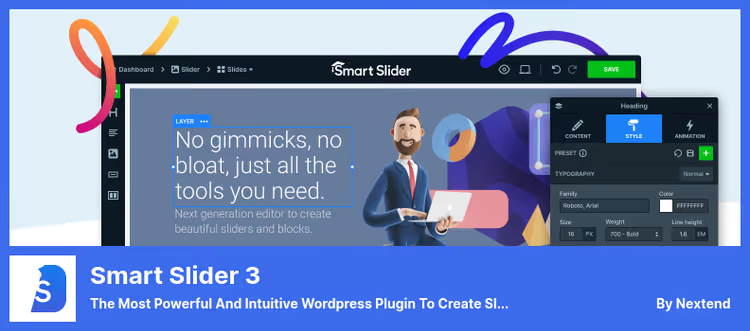
Smart Slider 3 is considered the most feature-rich free slider builder on WordPress.org. The editor works like a page builder: you drag layers with images, headings, text, buttons and video (YouTube and Vimeo), configure positioning and get a custom slide without a line of code.
In practice, the free version covers most tasks: 15 starter templates, dynamic slides from WordPress posts, nine background animations and six layer types. Pro unlocks the animation builder with timeline, 18 additional layers, sliders from WooCommerce products and social media (Facebook, Instagram, Pinterest).
Pros:
- Full-featured visual editor right in the admin panel, without switching to a third-party interface
- Separate breakpoints: configure the view for desktop, tablet and phone separately
- SEO-optimized markup, Google Web Fonts support and clean HTML5
Cons:
- On tablets with horizontal screen, autoplay triggers only after scroll
- Pro license for $49 is tied to one site, multisite costs more
Price: free Lite version. Pro: $49 (one-time license for 1 site).
🔗 Smart Slider 3 on WordPress.org
2. MetaSlider
MetaSlider holds the status of the most popular slider plugin on WordPress.org: more than 700,000 active installations. The main trump card is speed. According to the table above, it leads among all tested plugins. The interface is extremely simple: select images, drag, set transitions, done.
The free version covers images, SEO fields for each slide and smart crop (Smart Crop + Smart Pad). Pro adds video from YouTube, Vimeo and TikTok, layers with 50 animation effects, dynamic Post Feed slides from posts and WooCommerce products, Unsplash integration and a theme editor.
Pros:
- Lowest server load among competitors, ideal where speed is critical
- Built-in Unsplash integration: thousands of free photos without leaving the admin panel
- Compatible with Elementor, Divi, Beaver Builder and WPBakery without conflicts
Cons:
- Occasional conflicts with third-party plugins, resolved through support or adjusting script load order
- Video, layers and dynamic slides only in Pro, free version limited to static images
Price: free Lite version. Pro: from $39.50/year.
3. Ultimate Responsive Image Slider

Ultimate Responsive Image Slider is suitable for those who need a simple, lightweight and predictable slider without a builder and learning curve. The plugin has more than 1.5 million downloads and a 4.5 rating on WordPress.org. Under the hood: clean HTML5, lazy loading and native retina display support.
Each slider is configured separately: width, height, autoplay, pause from 1 to 60 seconds, navigation (arrows, bullets, thumbnails), Fade and Slide effects. Added by shortcode [URIS id=123] or through a widget.
Pros:
- Unlimited number of sliders and slides even in the free version
- Works on any screen without additional settings
- Lazy loading out of the box: slides load as you scroll, not all at once
Cons:
- Clickable slides and lightbox only in Pro
- "Distance Between Slides" setting sometimes works incorrectly on individual themes
Price: free Lite version. Pro: from $19.
🔗 Ultimate Responsive Image Slider on WordPress.org
4. Depicter

Depicter is the successor to Master Slider from the same averta team, but with a focus on Gutenberg-native editing. This is not just a slider: in one interface you can assemble popups, notification bars, hero sections and carousels. The AI generator creates a layout from a text description, and the library of 100+ templates covers most scenarios without edits.
In our experience, on hosting with caching (WP Rocket or LiteSpeed Cache), Depicter behaves acceptably even despite the weight. Under the hood: WebP, adaptive images, lazy loading and deferred script parsing.
Pros:
- Works natively inside Gutenberg, no need to switch between editors
- AI slide generator saves time: described the task in text, got a ready-made layout
- Dynamic slides from WordPress posts, WooCommerce products and custom post types
Cons:
- Heavier than competitors, requires good caching and CDN
- When Pro license is disabled, the slider retains "Made by Depicter" branding
- Drag-and-drop inside layers is inconvenient: you can't select multiple elements at once
Price: free version. Pro: from $39/year.
5. Master Slider
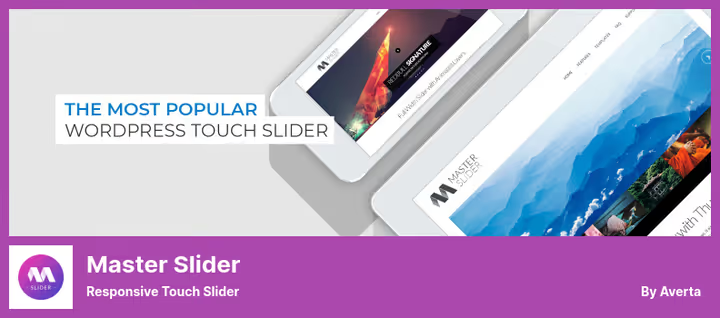
Master Slider has been on WordPress.org since 2014 and continues to receive updates: in May 2026, version 3.11.2 was released with a security patch (CVE-2026-2989) and compatibility with WP 6.8.2. Eight starter examples cover typical scenarios: slider with thumbnails, full-screen, with text description. Hardware-accelerated CSS3 transitions provide smoothness that you rarely see from competitors.
The free version gives an SEO-friendly responsive slider with touch navigation and six slide transition effects. Pro adds layers with animation, WooCommerce and Facebook sliders, full-screen and boxed modes, 600+ Google fonts and a timeline animation editor.
Pros:
- Hardware-accelerated CSS3 transitions: smooth flipping even on weak devices
- Smart Loading: scripts and styles load only if the slider is present on the page
- More than 500 reviews on WordPress.org, the plugin has been tested on hundreds of thousands of sites
Cons:
- Interface looks archaic compared to Depicter or Smart Slider 3
- Pro without trial for $34, you buy blind without the ability to check
- The averta team is clearly focusing on Depicter, Master Slider gets a minimum of new features
Price: free Lite version. Pro: $34 (one-time license).
🔗 Master Slider on WordPress.org
6. Prime Slider

Prime Slider is an addon for Elementor that adds 30+ free slider widgets directly to the visual editor. If you already work in Elementor, this plugin eliminates the need to switch between interfaces: all slider settings are inside the familiar editor.
Widgets cover hero sliders, blog posts, WooCommerce products, logos, videos and testimonials. Pro expands the library to 75+ templates with advanced skins (Astoria, Flexure, Pieces, Fortune) and adds Remote Controls (slider navigation in a separate block on the page).
Pros:
- Native integration with Elementor: no shortcodes, all design in the visual editor
- Low Pro version price compared to other plugins in the category
- Adaptive Background automatically selects the background based on content colors
Cons:
- Useless without Elementor: if you're on Gutenberg or WPBakery, the plugin is not for you
- Free version contains only basic skins, interesting ones (Astoria, Avatar, Flexure) only in Pro
- WooCommerce integration only in Pro
Price: free version. Paid plans.
🔗 Prime Slider on WordPress.org
7. Soliloquy
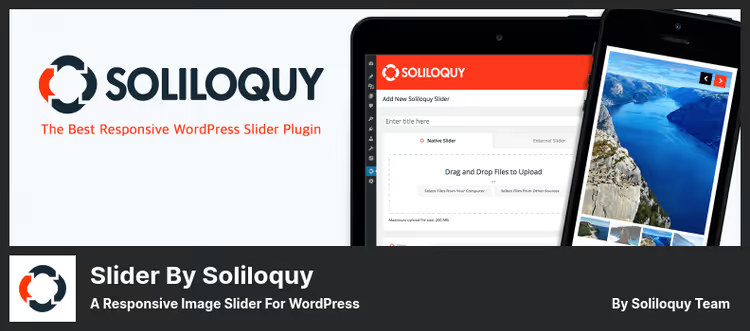
Soliloquy is installed for speed. According to the table above, it is in the top three leaders in load time among tested plugins. Developer Awesome Motive optimized every database query: the slider doesn't load unnecessary scripts and loads images as needed.
The free version gives drag-and-drop image upload, responsive output and basic transitions. Pro opens carousels, lightbox, sliders from Instagram, WooCommerce products and PDF files, slide show scheduler and image protection from copying.
Pros:
- One of the fastest slider plugins, ideal for Core Web Vitals
- Simple interface: uploaded, dragged, published, no learning curve
- Built-in image protection in Pro: watermark and drag prohibition
Cons:
- Free version is more limited than competitors: essentially just a static gallery
- Pro license is annual ($17/year for 1 site), over time more expensive than competitors' one-time licenses
- Awesome Motive aggressively promotes its products in the admin panel, notifications can be annoying
Price: free Lite version. Pro: from $17/year.
See Smart Slider 3 in real work: installation and setup in Elementor from scratch.
⁉️🤔 Frequently asked questions
Is a slider even needed on a site in 2026?
A slider is needed when it solves a specific task: show a portfolio, products on the main page, client testimonials. If you install "for beauty" five abstract banners, it harms: slows down the site and reduces conversion. The first slide is seen by everyone, the fourth by almost no one. A good guide: if you can't answer what user problem the slider solves, you don't need it.
Which plugin is the fastest?
According to the table above (Hostinger measurements, April 2025, clean WordPress + Twenty Twenty-Four), MetaSlider leads: 456 ms. Followed by Ultimate Responsive Image Slider (447 ms) and Soliloquy (547 ms). But the numbers are a guide, not a verdict: on a production site with 30 plugins, any slider will add from 200 to 500 ms on top. The recipe: caching (WP Rocket, Flying Press) and CDN.
Which plugin to choose for Elementor?
Prime Slider adds 30+ slider widgets directly to the Elementor interface. The free version is enough for hero, images, posts and carousels. Pro version expands to 75+ templates. Alternative: Depicter, which also works well with Elementor, adds an AI generator and popup builder.
Can you use multiple slider plugins simultaneously?
Technically yes, but you shouldn't. Each plugin pulls its own scripts and styles. Even without obvious conflicts, the total page load increases. Choose one plugin and use it for all sliders on the site.
How to check if the slider is slowing down the site?
Open Google PageSpeed Insights, enter the URL of the page with the slider and check LCP. If more than 2.5 seconds, enable lazy loading (available in MetaSlider, Ultimate Responsive and Soliloquy) or reduce the number of slides to 3-4. Doesn't help? Switch to a lighter plugin from the table above.
Which slider plugin to choose in 2026
If budget is limited and speed is critical, get MetaSlider. The free version covers most tasks for blogs and corporate sites and doesn't hurt Core Web Vitals.
Need a visual builder without compromises: Smart Slider 3. The free version gives more than Pro from many competitors. Need Gutenberg integration with AI assistant: get Depicter, despite the weight, it justifies itself with time savings.
Working in Elementor? Prime Slider will cover all needs without switching between interfaces. Want minimum hassle: Soliloquy or Ultimate Responsive Image Slider, uploaded images, inserted shortcode, done.
Choose for your task, not someone else's rating. And measure site speed before and after installation: numbers from data centers don't always match the reality of your hosting. Which slider plugin do you use, write in the comments.

A professional team of writers and editors specializing in creating quality content.