













 AIIllustrative image: AI-generated
🎥 9 best video players for WordPress 2026 (free and paid)
A website with video but no proper player is a disaster. Users click play and the video stutters, controls don't work, or the player won't load on mobile. Conversions drop, trust disappears.
A good video player solves three problems: fast loading, responsive design for any screen, and support for the sources you need, YouTube, Vimeo, self-hosted MP4, HLS streams. We've selected 9 tools for WordPress that actually work in practice.
This collection includes both free, lightweight players for simple tasks and powerful commercial solutions with ad systems, playlists, and monetization. Choose based on your scenario.
💡 Quick overview:
- Decide on your video source for the site.
- Choose a player based on format and required features.
Plugin comparison table
Plugin | Video type | Free version | Paid from | Active installations |
|---|---|---|---|---|
| MP4, HLS, DASH, YouTube, Vimeo | ✅ | - | 8,000+ |
| MP4, WebM, YouTube, Vimeo | ✅ | Pro | 30,000+ |
| MP4 | ✅ | - | 20,000+ |
| MP4, HLS, YouTube, Vimeo, audio | ❌ | $69 | CodeCanyon |
| YouTube, YouTube Live | ✅ | $49 | 100,000+ |
| YouTube | ❌ | $20 | 64,000+ |
| MP4, HLS, YouTube, Vimeo, Google Drive, S3 | ❌ | $59 | CodeCanyon |
| YouTube, Vimeo, self-hosted | ❌ | $39 | CodeCanyon |
| YouTube channels and playlists | ✅ | Pro | 100,000+ |
1. Videojs HTML5 Player
Free player built on the Video.js library, one of the most popular open-source libraries for HTML5 video on the web. Installs in a minute, works out of the box.
The player supports self-hosted MP4, WebM, Ogv, plus HLS and DASH streams via m3u8. You can embed videos from YouTube and Vimeo. Controlled by a simple shortcode [videojs_video url="..."] with a dozen parameters: width, autoplay, preload, loop, poster.
In practice, it stands out for two things: HLS stream support in the free version and a huge community, 450,000+ sites use Video.js. The plugin updates regularly, the author responds to bugs.
Pros:
- Free with no watermarks
- HLS and DASH streams out of the box
- Lightweight, doesn't load unnecessary resources
- Compatible with all modern browsers
Cons:
- No visual builder, only shortcodes
- Basic design, customization through CSS
Price: free.
🔗 Videojs HTML5 Player on WordPress.org
2. HTML5 Video Player
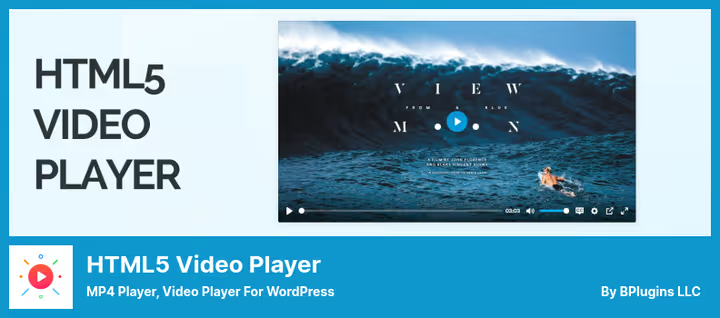
Plugin from bPlugins with 30,000+ active installations. Covers both basic and advanced scenarios: from a simple MP4 player to video galleries with support for YouTube, Vimeo and external hosting like Amazon S3.
The free version already provides a responsive no-code player, shortcodes, Gutenberg blocks, skins and color customization. The Pro version adds quality switcher, subtitles, watermarks, password protection, VAST ads, sticky player on scroll, and chapters for navigation.
Nice touch: schema markup for SEO is built in, search engines can see your videos.
Pros:
- 4 Gutenberg blocks: HTML5, YouTube, Vimeo, playlist
- Simple and clear admin interface
- External hosting support (S3) in Pro
- Regular updates, compatible with WP 7.0
Cons:
- Pro version requires PHP 8.1+
- Some features (subtitles, quality, ads) are paid only
Price: free / Pro version paid.
🔗 HTML5 Video Player on WordPress.org
3. Easy Video Player

Extremely simple free player for self-hosted MP4. Weighs only 52 KB compressed, has virtually no impact on page load speed.
Shortcode [evp_embed_video url="..."] with parameters: autoplay, loop, aspect ratio, width, poster. Two player templates to choose from, default and MediaElement. No magic, just basic video functionality.
In practice, the best choice when you simply need to embed your MP4 video without extra bells and whistles. 20,000+ installations confirm it: lightweight, stable, doesn't conflict with themes.
Pros:
- Super lightweight: 52 KB
- Simple shortcode, minimal settings
- Responsive, works on iOS and Android
- 57 reviews, 4.2 rating
Cons:
- MP4 only (no HLS, YouTube, Vimeo)
- Minimal customization
- No block editor
Price: free.
🔗 Easy Video Player on WordPress.org
4. Ultimate Video Player

Premium player from CodeCanyon for $69. Positioned as a comprehensive solution for video sites: self-hosted video, YouTube, Vimeo, audio files, all in one player.
Main feature, built-in ad system. You can show pre-roll, mid-roll and post-roll ads like on YouTube. Plus video quality switcher, subtitles, playback speed and unlimited playlists.
The player is fully responsive, works on mobile and desktop. HLS and M3U8 support for streaming. You can restrict video access to logged-in users only.
Pros:
- Ad system like YouTube
- Unlimited playlists and videos
- Multiple video qualities
- Video download can be enabled or disabled
Cons:
- Paid only, priced at $69
- No trial or freemium version
- Admin interface isn't the most modern
Price: $69.
🔗 Ultimate Video Player on CodeCanyon
5. Embed Plus for YouTube

Product from 10Web for $20 per year. Designed for beautiful video galleries: five display styles (grid, list, carousel, table, blog), loading effects (fade in, scale up, flip, popup) and channel information right on the page.
Configured in minutes: activate API key, insert shortcode, gallery ready. You can change colors, alignment, progress bar. Built-in statistics show views and impressions for each video.
The plugin is used by 64,000+ sites, rated 4.5 on 35 reviews.
Pros:
- 5 gallery styles with effects
- Quick setup, no code required
- Display likes, comments, descriptions
- Social sharing buttons
Cons:
- YouTube only
- Paid only for $20/year
- No free tier
Price: $20/year.
🔗 WordPress YouTube Plugin on 10Web
7. Elite Video Player

Another premium player from CodeCanyon for $59. Differs from Ultimate Video Player by supporting more sources: YouTube, Vimeo, Google Drive, Dropbox, Amazon S3 and self-hosted, all can be mixed in one playlist.
More flexible ad system: pre-roll, mid-roll, post-roll, pop-up and video-ads configured separately for each video. Includes lightbox mode, social sharing, subtitles and Google Analytics integration for view tracking.
Supports YouTube 360° and YouTube Live. Player is fully responsive, touch-optimized.
Pros:
- 6 video sources in one playlist
- Detailed ad system
- YouTube 360° and Live
- Google Analytics per video
Cons:
- Paid only, priced at $59
- Steep learning curve
- Takes time to configure ads
Price: $59.
🔗 Elite Video Player on CodeCanyon
8. Video Gallery

Plugin from Smash Balloon (the same folks who make the popular Smash Balloon Instagram Feed). 100,000+ active installations, 4.9 rating. Embeds YouTube channel feed on site via shortcode [youtube-feed feed=1].
Unlike Embed Plus and 10Web, Feeds for YouTube focuses specifically on channel feed: your subscribers see all channel videos right on the site with a "Load More" button. Three layouts, grid, gallery, list. Server-side caching, minimal YouTube API load.
Pro version adds carousel, keyword filtering, search and combining multiple channels into one feed.
Pros:
- Display YouTube channel feed without iframe
- Server caching, fast loading
- 3 layouts, customization to match theme
- "Load More" button and infinite scroll
Cons:
- YouTube channels only, not individual videos
- Pro for extra fee (carousel, filtering)
- YouTube API key required
Price: free / Pro paid.
🔗 Feeds for YouTube on WordPress.org
Watch the 9-minute English overview, the author shows each player in action and explains key differences. After reading this collection, the picture will be complete.
⁉️🤔 Frequently asked questions
Which WordPress video player is best for self-hosted MP4?
If you just need to embed your MP4 video without frills, use
Easy Video Player(52 KB, free). For HLS streams, YouTube and Vimeo in one player,Videojs HTML5 Player. When you need playlists, quality switcher and password protection,HTML5 Video Player Pro.
Can I show ads in videos on WordPress?
Yes, there's
Ultimate Video Player($69) andElite Video Player($59) for that. Both support pre-roll, mid-roll and post-roll ads.Elite Video Playeradditionally provides pop-up and video-ads with per-video configuration.HTML5 Video Player Prosupports Google VAST tags.
How does Embed Plus differ from Feeds for YouTube?
Embed Plusis a universal YouTube embedder: individual videos, playlists, channels, livestreams, Premieres. Its feature is Facade Mode for speed.Feeds for YouTubeis a channel feed: all channel videos on one page with a "Load More" button. The first for individual embeds, the second for broadcasting entire channels.
Which plugin to choose for a YouTube channel on a site?
For embedding an entire channel as a beautiful feed,
Feeds for YouTube(free) orWordPress YouTube Pluginfrom 10Web (5 gallery styles, $20/year). For individual videos with speed optimization,Embed Plus. All three work stably, choice depends on display format.
Which free video player to choose for WordPress?
Top 3 free:
Videojs HTML5 Player, the most feature-rich (HLS, DASH, YouTube, Vimeo);HTML5 Video Player, best balance of features and simplicity, has Gutenberg blocks;Easy Video Player, lightest for simple MP4. All three on WordPress.org with active installations and updates.
Does video player affect site speed?
Yes, and significantly. YouTube iframe by default loads ~500-800 KB before user interaction.
Embed Pluswith Facade Mode solves this problem: only a placeholder loads, the real player on click. For self-hosted video the lightest option isEasy Video Player(52 KB).
What to install on a site in 2026
If you have self-hosted MP4 and need simplicity, Easy Video Player or Videojs HTML5 Player will handle the task for free without slowdowns. Working with YouTube, Embed Plus with Facade Mode gives both speed and convenient embed wizard.
For video sites with monetization, look at Elite Video Player: 6 video sources, flexible ads, analytics. And when you need to show an entire YouTube channel on the site, Feeds for YouTube will do it elegantly without API overload.
Choose a player for your task, not someone else's rating. Test the free option, and if the features are enough, don't overpay for Pro.

A professional team of writers and editors specializing in creating quality content.