














🎬 7 best YouTube plugins for WordPress 2026 (free and paid)
We embedded three YouTube videos through standard WordPress oEmbed, opened the page in PageSpeed Insights and saw a red background. Each video pulls ~700 KB of YouTube player scripts when the page loads, even if the visitor doesn't plan to watch anything. Three videos add an extra 2 megabytes to the initial weight. Plus, there's no control over which videos are shown in the related block after watching yours.
A specialized YouTube plugin solves three problems at once: lazy loading of the player until the moment of click saves megabytes, automatic synchronization with the channel pulls in new videos without manual copying, control over the player's appearance and behavior makes it possible to disable suggested videos from competitors. Without a plugin, you paste a link and get a default iframe. With a plugin, you manage loading speed, appearance and visitor experience.
Below are 7 tools for different scenarios: from multi-channel feeds to precise speed optimization of single embeds. Free versions cover most tasks, paid versions add extended customization and server caching.
💡 Quick overview:
- Define the task: automatic channel feed, individual videos or galleries with popup viewing.
- Choose a plugin: Smash Balloon for multi-channel feed, WP YouTube Lyte for radical speed optimization, Video Gallery for galleries with styling.
- Install the plugin from WordPress.org and connect a YouTube API key.
- Check speed through PageSpeed Insights before and after.
Comparison table
Plugin | Active installations | Requires WP | Pro price | Lazy loading | Multi-channel feeds |
|---|---|---|---|---|---|
Smash Balloon | 100,000+ | 6.0+ | $49/year | Yes | Yes |
Video Gallery | 10,000+ | 5.0+ | Paid plans | Yes | Yes |
Embed Plus | 100,000+ | 5.0+ | $49/year | Yes | No |
WP YouTube Lyte | 30,000+ | 4.9+ | Free | Yes | No |
Envira Gallery | 100,000+ | 5.0+ | $99/year | No | No |
YouTube Featured | 1,000+ | 5.0+ | Free | No | Yes |
YourChannel | 5,000+ | 4.9+ | Free | Yes | No |
1. Smash Balloon YouTube Feed

The most popular YouTube plugin for WordPress with more than 100,000 active installations and a rating of 4.8 out of 5 on WordPress.org. Pulls videos from a channel, playlist or multiple channels at once and lays them out in four variants: grid, gallery, list and carousel.
JavaScript executes asynchronously, the player loads only when interacting with the feed. Data is cached through the YouTube API, with 50 videos on a page it's not 50 separate requests to Google but one cached pool. Localization in 15+ languages out of the box. The Smash Balloon product family covers Instagram, Facebook, Twitter, a unified ecosystem.
Pros:
- Automatic synchronization with the channel without manual copying of new videos
- Four ready layouts plus customization through CSS
- Support for live broadcasts and GDPR through integration with consent plugins
Cons:
- Pro version is mandatory for multi-channel feed
- With a large number of videos, the first load is heavier
Price: Free Lite version in the WordPress.org catalog, Pro starts from $49 per year for 1 site
Download:
🔗 Smash Balloon on WordPress.org
2. Video Gallery

Plugin for building video galleries with support for YouTube, Vimeo, Wistia and local MP4. Gallery types: grid, parallax slider, carousel and modal windows with popup viewing.
Works through the Google API with its own server caching. For 20 videos, it's not 20 requests to YouTube but one cached pool. Aspect ratio is configurable: 16:9, 4:3 or custom. Compatible with Elementor, Gutenberg and Beaver Builder. Lite version covers basic tasks, paid plans unlock styling of colors, fonts and icons.
Pros:
- Caching through Google API reduces the number of requests to YouTube
- Flexible styling in the paid version
- Compatibility with page builders through shortcodes
Cons:
- Admin interface is outdated
- Lite version doesn't allow changing styles
Price: Free Lite version in the WordPress.org catalog, paid plans on the developer's site
Download:
🔗 Video Gallery on WordPress.org
3. Embed Plus

The choice for those who need control over every detail of the YouTube player. Playback parameters, disabling related videos from other channels, GDPR mode without cookies, live broadcasts, everything is configured precisely.
Adds an Insert button to the WordPress visual editor. A gallery by channel or playlist can be assembled without leaving the editor. Pro version includes caching and deferred JavaScript loading, scripts execute after full page load. GDPR mode works with Complianz and CookieYes, shows cookie consent on the first Play click.
Pros:
- Maximum control: autoplay, timestamps, disabling suggested videos
- Built-in GDPR mode without cookies
- Support for live broadcasts with switching to archive
Cons:
- Lite version without server caching is slower
- Abundance of parameters can confuse a beginner
Price: Free Lite version in the WordPress.org catalog, Pro from $49 per year
Download:
4. WP YouTube Lyte
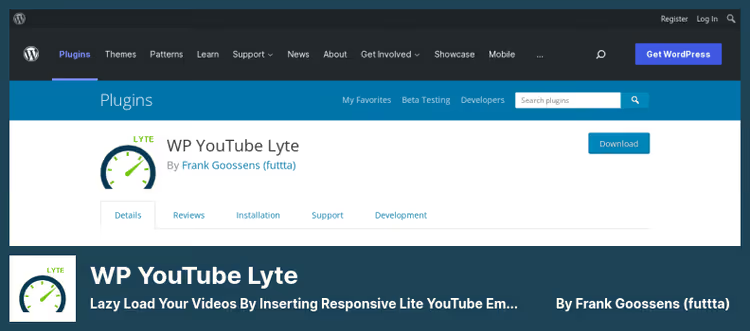
WP YouTube Lyte does exactly one thing and does it well: lazy loading of the YouTube player. Instead of the standard oEmbed iframe, which loads ~700 KB of scripts when the page opens, the plugin substitutes a lightweight preview and loads the player only on click.
A page with five videos without Lyte gets approximately 3.5 MB of extra weight on first load. With Lyte, virtually zero until Play click. Local thumbnail caching adds privacy. Supports playlists and schema.org videoObject markup for structured data.
Pros:
- Radical speedup: player doesn't load until click, saving megabytes on pages with multiple videos
- Local thumbnail caching reduces external requests to YouTube and improves privacy
- Support for playlists and schema.org microdata for better video indexing by search engines
Cons:
- For automatic thumbnail and description pulling, a YouTube API key is needed
- Doesn't build galleries or automatic channel feeds, only single embeds with optimization
Price: Free
Download:
🔗 WP YouTube Lyte on WordPress.org
5. Envira Gallery
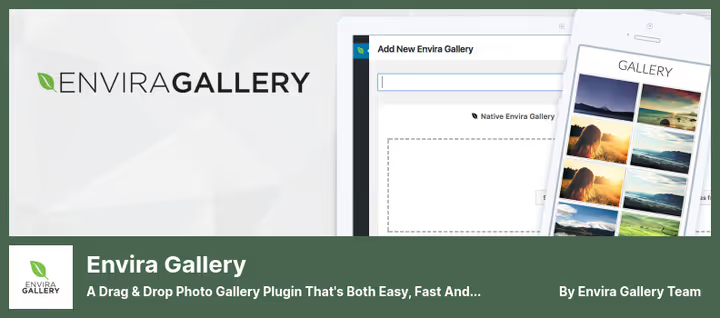
Plugin primarily for photo galleries, but YouTube videos are embedded just as easily. Just paste the video URL, the plugin will pull the preview and embed it in the responsive grid.
Drag-and-drop interface, ready templates, compatibility with Gutenberg, Elementor and Divi. Gallery can be placed in any widget-ready place through shortcode. SEO markup and responsive layout out of the box.
There's no automatic synchronization with a YouTube channel. Each video is added manually, inconvenient for a channel with daily uploads. But for mixed galleries of images and videos, Envira is unmatched.
Pros:
- Drag-and-drop gallery building with ready visual templates without writing code
- Full integration with popular page builders: Elementor, Divi, Beaver Builder
- Built-in SEO markup and mobile adaptation of all galleries out of the box
Cons:
- No auto-sync with YouTube channel, each video is added manually
- YouTube is a secondary function, the plugin's main profile is photo galleries, not video content
Price: Free Lite version in the WordPress.org catalog, Pro from $99 per year with access to the video addon
Download:
🔗 Envira Gallery on WordPress.org
🔗 Official Envira Gallery site
6. YouTube Featured Video Plugin

Plugin builds a page with the main player at the top and a thumbnail gallery at the bottom. Click on a thumbnail, the video switches in the main player without leaving the page.
Automatically generates separate pages for each video with resolution choice. Categories, tags and widgets help organize the library. Code is lightweight, almost doesn't load the server. Completely free without a Pro tier.
Pros:
- Automatic generation of separate pages for each video with tags and categories
- Clean and lightweight code, minimal server load without heavy libraries
- Completely free, without a Pro tier or hidden functionality limitations
Cons:
- Fewer appearance customization options than paid competitors
- Not suitable for multi-channel feeds and complex scenarios with content filtering
Price: Free
Download:
🔗 YouTube Featured Video on WordPress.org
7. YourChannel
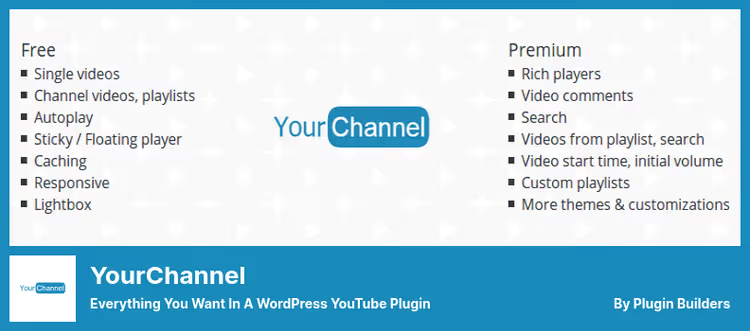
YourChannel creates a full mirror of the YouTube channel on the site: name, avatar, banner, playlists, everything is automatically pulled through the YouTube API. Fast caching system and smooth transitions between videos without reload.
Supports RTL layout for Arabic sites. Videos can be watched inline or in a lightbox popup. Settings in one panel with toggles to show or hide channel elements.
Limitation: doesn't show videos tied to a Google profile, not to a YouTube channel. For most public channels, this isn't a problem.
Pros:
- Complete mirror of YouTube channel: avatar, channel banner, description, playlists in one page
- Fast server caching and smooth transitions between videos without reload
- RTL support for Arabic and Hebrew sites, rare among WordPress plugins
Cons:
- Doesn't display videos tied to a Google profile, not to a separate YouTube channel
- Updates are infrequent, visible by changelog, but in practice not critical for basic functionality
Price: Free in the WordPress.org catalog
Download:
🔗 YourChannel on WordPress.org
Video: how it works in practice
Watch a live example of setting up an automatic YouTube feed through Smash Balloon, from plugin installation to a ready gallery on the site with API key connection and layout selection.
⁉️🤔 Frequently asked questions
Why install a plugin if WordPress can embed YouTube through oEmbed?
oEmbed inserts an iframe that loads ~700 KB of scripts when the page opens. Three videos add 2 MB of extra weight before a click. A plugin with lazy loading defers scripts until Play click. Plus control over related videos, GDPR mode and player appearance.
Which plugin slows down the site the least?
WP YouTube Lyte is the lightest option. Replaces iframe with a static preview, loads player only on click. A page with five videos through Lyte weighs 3 MB less than through oEmbed. But Lyte doesn't build galleries, for a channel feed take Smash Balloon or YourChannel.
Is a YouTube API key needed for these plugins?
For basic embedding of single videos through URL, no. But for automatic synchronization with a channel, an API key is mandatory. The key is obtained for free in Google Cloud Console, the quota of 10,000 requests per day is enough for most sites.
Can you use multiple YouTube plugins simultaneously?
Technically yes, but it's extra load. Two plugins with YouTube API can conflict. Better to choose one for the main task: Smash Balloon for channel feed plus WP YouTube Lyte for single embeds, such a combination works without conflicts.
What to do if videos don't display after installing the plugin?
Three reasons. First: YouTube API key is not connected or quota is exceeded, check Google Cloud Console. Second: conflict with caching plugin, clear cache and disable JavaScript minification. Third: theme overrides oEmbed hooks, check through Health Check and Troubleshooting plugin.
Which YouTube plugin to choose for your task
If you need an automatic channel feed, take Smash Balloon. Industry standard with more than 100,000 active installations and a rating of 4.8 out of 5.
If every millisecond of loading matters, WP YouTube Lyte is your tool. Cuts page weight to zero before Play click.
For video galleries with fine styling, the choice is between Video Gallery and Envira Gallery. The first is tailored for video and provides server caching. The second is more convenient in drag-and-drop assembly.
Want to control every detail of the player, including GDPR mode and live broadcasts, Embed Plus is unmatched.
For the simple task of displaying a channel on a separate page, YouTube Featured Video and YourChannel manage it for free.
Choose for your task. After installation, run PageSpeed Insights before and after.

A professional team of writers and editors specializing in creating quality content.