














🚀 8 Twitter (X) plugins for WordPress in 2026: feeds, sharing and auto-posting
X (formerly Twitter) users won't see your posts if your site can't work with them. Without a proper plugin, you lose traffic, sharing, and social signals that search engines consider when ranking.
After X cut off free API access in February 2023, a third of WordPress plugins for Twitter stopped working or were archived. Developers who adapted rewrote their integration for API v2 and expanded functionality. The rest, dead code.
We've collected current solutions for WordPress that work in 2026: tweet feeds, share buttons, clickable quotes, and auto-posting. Each plugin is verified for compatibility with X API v2 and the current version of WordPress.
💡 Quick overview:
- Display an X feed on your site with
Custom Twitter Feedsfrom Smash Balloon - Set up auto-posting of new posts to X with
XPoster - Add a "Share on X" button with repost counts with
Social Warfare - Insert a beautiful quote with a share button with
Better Click to Share - Set up auto-reposting of archive articles to social networks with
Revive Social
Comparison table
Plugin | Type | Free version | Pro price | Active installs |
|---|---|---|---|---|
| X feed | ✅ | $49/year | 1.75M+ |
| Share buttons | ✅ | $29/year | 50K+ |
| Auto-posting | ✅ | $99/year | 30K+ |
| Auto-posting | ✅ | $59/year | 20K+ |
| Social network icons | ✅ | - | 200K+ |
| Quotes with button | ✅ | $19/year | 7K+ |
| X feed | ❌ | $12 (one-time) | - |
| X feed | ✅ | - | 3K+ |
1. Custom Twitter Feeds (Smash Balloon)
The most popular plugin for displaying an X feed on a WordPress site. 1.75 million active installs and a 4.9 rating on WordPress.org, this is no accident.
The plugin connects to X API v2, pulls tweets from your account, and displays them in a fully customizable feed. Supports masonry, carousel, grid, and slideshow. The feed is responsive and doesn't slow down your site, Smash Balloon uses its own caching rather than hitting the API on every page load.
Feed content is indexed by search engines. This is a rare feature: most plugins display tweets via a JavaScript widget that Google can't see. Here, each tweet becomes part of the page's HTML code, a plus for SEO.
Pros:
- SEO indexing of feed content (tweets visible in page source code)
- 4 layouts: masonry, carousel, grid, slideshow
- Doesn't load the server, caches requests to X API
- Translation to any language out of the box
- Support for multiple X accounts on different pages
Cons:
- Pro version ($49/year) needed for carousel and masonry layouts
- Not auto-posting, only feed display
Price: free Lite version on WordPress.org, Pro from $49/year.
🔗 Custom Twitter Feeds on WordPress.org🔗 Smash Balloon site
2. Social Warfare

Social Warfare adds "Share" buttons below posts for X, Facebook, LinkedIn, Pinterest, and 15+ more platforms. The main feature is restoring share counts when URLs change. If you moved your site to a new domain or changed your link structure, the counts won't reset to zero.
In practice this matters: moving from HTTP to HTTPS without this feature cuts social proof to zero. People see "0 shares" under an article that had 200+ on the old URL, trust drops.
The plugin works fast and doesn't bloat page code. But note: the last significant update was in early 2025, and it has 3.3 stars on WordPress.org. Some users complain about bugs with X integration after API changes.
Pros:
- Restores counts when URLs change (HTTP→HTTPS, domain change)
- 20+ social platforms
- Custom titles and descriptions for each social network
- Pinterest optimization: choose image for pin
Cons:
- 3.3 rating on WordPress.org, there are unhappy users
- No significant updates since early 2025
- Known security vulnerabilities (9 documented)
Price: free Lite version, Pro from $29/year for one site.
🔗 Social Warfare on WordPress.org🔗 Warfare Plugins site
3. Revive Social (formerly Revive Old Posts)

Revive Social (formerly called Revive Old Posts, slug tweet-old-post on WordPress.org) automatically shares your old posts on X, Facebook, LinkedIn, and Instagram. The developer is the Themeisle team, known for the Neve theme and Otter Blocks plugin.
The logic is simple: you publish 3-5 articles per week, but social networks require 2-3 posts per day. Revive Social takes archive posts, shuffles them on a schedule, and posts to X so the feed doesn't die between new publications.
Filters let you exclude individual categories or tags from auto-posting. For example, technical notes go to X, and company news only to LinkedIn. Integration with Google Analytics shows how many clicks each auto-post generates.
Pros:
- Auto-reposting on schedule (days, time, frequency)
- Filters by categories, tags, and custom taxonomies
- Supports X, Facebook, LinkedIn, Instagram
- Google Analytics integration for tracking clicks
Cons:
- Pro version ($99/year) for Instagram and LinkedIn
- Requires setting up an X Developer app (API key)
Price: free Lite version, Pro from $99/year.
🔗 Revive Social on WordPress.org🔗 Revive Social site
4. Twitter Timeline Feed

Premium plugin from CodeCanyon for $12 (one-time payment, 12 months support). Unlike Smash Balloon, there's no free version, only purchase. But the price is one-time, not a subscription.
After connecting an X account, the plugin automatically displays the tweet feed in a widget. Color, icon, font, and text customization without code. A floating widget can be pinned to the side of the page: the user sees tweets without scrolling the site.
Downsides: the plugin hasn't been updated since 2022, and the author hasn't claimed support for X API v2. At the time of writing the article, the widget works with your own API key, but without it new connections may not go through.
Pros:
- One-time payment of $12 (not a subscription)
- Floating widget, user always sees tweets
- Save and load sets of settings
- Customize colors, fonts, and icons without code
Cons:
- No free version for testing
- No confirmed support for X API v2
- Last update in 2022
Price: $12 one-time on CodeCanyon.
🔗 Twitter Timeline Feed on CodeCanyon
5. Simple Social Icons
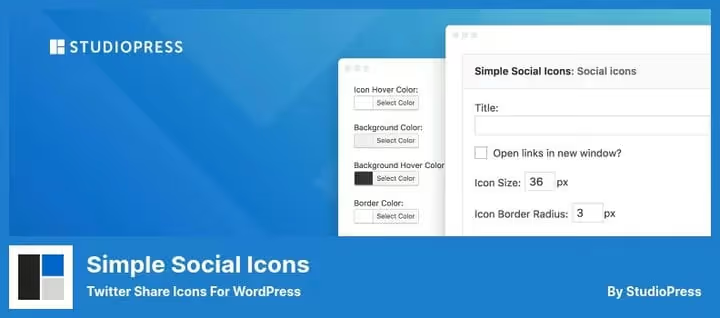
Minimalist plugin from StudioPress (the team behind the Genesis Framework). 200,000+ active installs and a 4.7 rating. The task is narrow: add social network icons to a widget or block in Gutenberg.
No feed, no auto-posting. Just icons that lead to your profiles on X, Facebook, LinkedIn, YouTube, and other platforms. Color, size, and alignment settings, three parameters in the widget.
The plugin is super lightweight: one CSS file and minimal markup. Doesn't affect load speed. If you only need to "put an X icon in the footer," this is a solution without overhead.
Pros:
- Free and super lightweight
- 200K+ installs, 4.7 rating
- 30-second setup: color, size, alignment
- Block and widget versions
Cons:
- Icons only, no feed, sharing, or auto-posting
- No animation or hover effects
- No follower counters
Price: free.
🔗 Simple Social Icons on WordPress.org
6. Better Click to Share (formerly Better Click to Tweet)
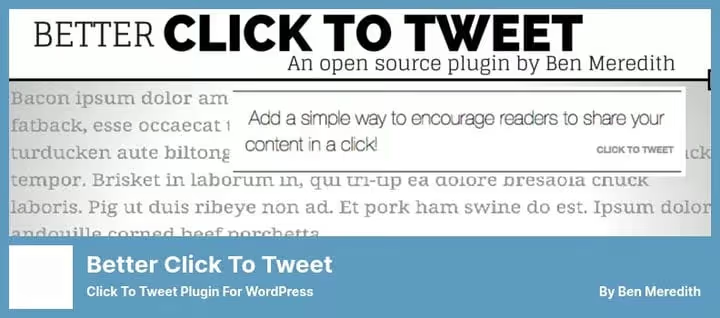
Better Click To Share (until March 2026, Better Click To Tweet) turns any text fragment into a clickable quote with a "Share on X" button. The reader clicks the button, the quote goes to X with a link to your post.
Works via shortcode [bctt tweet="..."] or block in Gutenberg. Compatible with the classic editor and the new block editor. On WordPress.org, 7,000+ active installs and a 4.8 rating.
The plugin's feature is that you formulate the quote. Not the reader selecting a random fragment, but the editor laying out a "viral" piece of text in advance. A good quote on X brings more clicks than a standard "Share" button at the bottom of a post.
Pros:
- Ready-made quotes, you control what gets shared
- Shortcode and Gutenberg block
- Free version fully functional
- Lightweight, doesn't affect speed
Cons:
- X only, no support for other platforms for quotes
- Pro version ($19/year) only for additional styles
Price: free Lite version, Pro from $19/year for premium styles.
🔗 Better Click to Share on WordPress.org🔗 Better Click to Share site
7. XPoster (formerly WP to Twitter)
XPoster (formerly WP to Twitter, slug wp-to-twitter on WordPress.org) is Joe Dolson's plugin for automatically publishing posts from WordPress to X. After rebranding, support for Bluesky and Mastodon was added: one plugin posts to three social networks at once.
When publishing a new post, the plugin sends a tweet with the title, link, and hashtags. Hashtags are taken from WordPress tags, no need to duplicate work. Links are automatically shortened via a selected service (Bitly, YOURLS, or your site's own short-URL).
Supports Google Analytics Campaign Tracking: UTM tags are added to links, and reports show how many clicks each tweet generated.
Pros:
- Auto-posting to X, Bluesky, and Mastodon from one plugin
- WordPress tags → X hashtags automatically
- Link shortening (Bitly, YOURLS, your own domain)
- Google Analytics UTM tags for tracking clicks
Cons:
- Pro version ($59/year) for multiple accounts and custom tweet formats
- Setting up an X Developer app is mandatory (API key + secrets)
Price: free Lite version, Pro from $59/year.
🔗 XPoster on WordPress.org🔗 XPoster site
8. Recent Tweets Widget

Free widget for displaying recent tweets in the sidebar. Uses X API v1.1 with caching in the WordPress database, doesn't hit the API on every page load. Cache refresh interval is configurable.
The plugin is minimalist: install, insert in widget, specify X account handle, feed appears. Gutenberg support via "Recent Tweets" block. Lightweight, doesn't add extra scripts.
But there's a caveat: the plugin works on the outdated API v1.1. Without your own X Developer key, new connections may not go through. For new sites, it's more reliable to take Custom Twitter Feeds (first position), it's on API v2 and actively updated.
Pros:
- Free and lightweight
- Database caching, doesn't load X API
- Gutenberg block
- Lazy loading of tweets
Cons:
- X API v1.1 (outdated, needs your own developer key)
- No confirmed support for API v2
- Minimal appearance settings
Price: free.
🔗 Recent Tweets Widget on WordPress.org
⁉️🤔 Frequently asked questions
X (Twitter), is this the same thing?
Yes. In July 2023, Twitter officially changed its name to X. The domain twitter.com works and redirects to x.com. The API, plugins, and integrations continue to use both names. In this article we use "X" for relevance, but most plugins in the WordPress.org catalog are still called "Twitter," this is normal.
Is X API free in 2026?
X provides a free API tier with a limit of 1,500 posts per month. For a tweet feed on a personal blog, this is enough. The professional tier ($100/month) gives 300,000 posts, needed for high-traffic sites. Important: since February 2023, the old API v1.1 has been shut down, all plugins must work via API v2.
Can you display an X feed without a plugin?
X provides official embed code via publish.twitter.com. But this is a JavaScript widget that isn't indexed by search engines and can slow down the page. A plugin like
Custom Twitter Feedsdelivers tweets as HTML, they're visible to Google and not blocked by adblockers.
Which plugin to choose for auto-posting to X?
If you only publish new posts,
XPoster(free, one account). If you need to repost archive articles on a schedule,Revive Social(free version for X and Facebook). Both require creating an app in the X Developer Portal and getting an API key.
What to install in 2026: the final breakdown
Best universal option is Custom Twitter Feeds from Smash Balloon. It works on API v2, doesn't kill speed, and gives an SEO plus from indexing tweets. The free version is enough for a feed from one account.
Need share buttons with nice counters, take Social Warfare, but keep in mind its age and rating. As an alternative, consider Shared Counts if you're ready for fewer settings.
For auto-posting, the combination of XPoster + Revive Social covers everything: new posts go to X immediately, old ones on a schedule. Both plugins from verified developers (Joe Dolson and Themeisle).
If you need one specific feature, Better Click To Share for quotes or Simple Social Icons for footer icons, take them. They're free and don't conflict with other plugins from this collection.
Choose for your task. Not based on someone else's rating.

A professional team of writers and editors specializing in creating quality content.