














📱 11 best WordPress social media plugins 2026: free and paid
Social networks drive traffic only when they're easy to use. Visitors don't copy links, open X, and paste them manually. And you don't visit 5 social networks every day to post the same thing.
A social media plugin for WordPress closes this gap. Sharing buttons, auto-posting, Instagram feed on your site, and login via Google, one or two properly chosen tools do all of this. Without extra code and slowdowns.
We've collected 11 plugins that solve these tasks without compromises. Free and paid. For a blog, WooCommerce store, portfolio, or corporate site.
💡 Quick overview:
- Decide on your task: sharing, auto-posting, social feed, or social login, and pick a plugin for it
- Install one or two tools, not five, each extra plugin adds requests and scripts
- Set up sharing buttons so they appear before and after content, this gives maximum clicks
- Connect auto-posting via Buffer, it will distribute posts on schedule and protect from spam bans
- Add login via Google and Facebook, registration friction will decrease, conversion will grow
Plugin | Task | Free version | Pro price |
|---|---|---|---|
| Instagram, Facebook, Twitter, YouTube feed | ✅ | from $49/year |
| Sharing and follow buttons | ❌ | from $89/year |
| Auto-posting to social networks | ✅ | from $75/year |
| Sharing buttons with counters | ✅ | free |
| Universal sharing buttons | ✅ | free |
| Auto-posting via Buffer | ✅ | from $39/year |
| Social icons in sidebar | ✅ | free |
| "Click to tweet" blocks | ✅ | from $29/year |
| Sharing buttons, 100+ services | ✅ | from $29/year |
| Icons + sharing + Click to Chat | ✅ | from $57/year |
| Login via Google, Facebook, X | ✅ | from $49/year |
1. Smash Balloon
Smash Balloon is not one plugin, but a family of five: Instagram Feed, Facebook Feed, Twitter Feed, YouTube Feed, and Social Wall. Each works independently and doesn't bog down the site with extras.
In practice, this is the best way to embed social networks in WordPress. The feed loads via cache, doesn't slow down, and looks like a native part of the design. Shopping feeds, hashtags, user-generated content, and stories, all out of the box. The plugin has over a million active installations and 6,000+ five-star reviews on WordPress.org.
Pros:
- Caches images, site doesn't slow down
- 5 separate plugins for each social network, configured independently
- Shopping feeds and Instagram stories out of the box
- Built-in user-generated content moderation
Cons:
- Pro version needed for most features
- Price is significant if you get all 5 plugins
Price: Lite free, Pro from $49/year for one feed.
🔗 Smash Balloon on WordPress.org🔗 Smash Balloon site
2. Monarch

Monarch, a sharing and follow plugin from Elegant Themes, creators of Divi. Commercial product, but quality justifies the price.
Five locations for buttons: inside content, on media files, in sidebar, pop-ups, and fly-in. Plus over 20 social networks to choose from. Design is customizable down to the pixel without CSS. For those already on Elegant Themes, the plugin comes with the subscription.
Pros:
- 5 button locations, including pop-ups
- 20+ social networks
- Deep design customization without code
- Built-in sharing statistics
Cons:
- Paid version only
- Tied to Elegant Themes ecosystem
Price: $89/year or $199 for lifetime license.
3. Revive Social

Revive Social (formerly Revive Old Post) automatically shares your articles on social networks. You write a post, it immediately goes to Facebook, X, LinkedIn, Instagram, and Telegram. Without your involvement.
The plugin can not only publish new posts but also repost old ones. Evergreen content gets a second life. Schedule is flexible: every hour or once a week. Over 30,000 active installations, 340+ reviews. Pro version adds Instagram, Telegram, Mastodon, Bluesky, Google My Business, and custom post types.
Pros:
- Auto-posting new and old posts
- Facebook, X, LinkedIn free
- UTM tags for analytics out of the box
- Repost old posts on schedule
Cons:
- Instagram, Telegram, Bluesky only in Pro
- Dependency on social network APIs (X periodically changes rules)
Price: Lite free, Pro $75/year.
🔗 Revive Social on WordPress.org🔗 Revive Social site
4. Shared Counts
Shared Counts, the lightest sharing plugin in this collection. No cookies, trackers, or user data storage. Just buttons and counters.
The plugin is written by developers with a name in the WordPress community. Code is refined to the byte. Works with Facebook, X, LinkedIn, Pinterest, and email. Feature: counters aren't lost when moving from HTTP to HTTPS, old data restores with one click. For developers, filters and hooks for everything.
Pros:
- GDPR compliant: zero cookies, zero trackers
- Doesn't lose counters when changing protocol
- Clean code, no extras
- Completely free
Cons:
- Fewer social networks than AddToAny or Sassy
- Only sharing buttons, no auto-posting
Price: Free.
5. AddToAny
AddToAny, a veteran among sharing plugins. Supports over a hundred services: from Facebook and X to Telegram, WhatsApp, and Print. Icons are vector SVG, don't blur on any screens.
The plugin doesn't require registration or accounts. Install, choose services, configure location, it works. Floating panel, inline buttons before and after content, shortcodes and widgets. Integration with Google Analytics, link shortening via Bitly, compatibility with WooCommerce and multisites. And all this for free.
Pros:
- 100+ sharing services
- SVG icons, instant loading
- No registration or accounts
- Google Analytics and Bitly out of the box
Cons:
- Icon design not as flexible as Monarch
- Share counters not for all services
Price: Free.
6. WP to Buffer
WP to Buffer (now Social Media Auto Poster) connects your site to Buffer. This is smarter than direct auto-posting: Buffer distributes posts by time itself, doesn't spam, and doesn't trigger social network protection.
The plugin is an official Buffer partner since 2020. X (Twitter) works stably, Buffer wasn't affected by API changes. Facebook Pages, LinkedIn, Threads, Google Business Profile, Mastodon, Bluesky, TikTok, all out of the box. Pro version adds Instagram, Pinterest, WooCommerce integration, reposting old posts, and conditional publishing by authors and categories.
Pros:
- Buffer partner, reliable API without interruptions
- Smart scheduling, spam ban protection
- Message templates with {title}, {excerpt}, and {url} substitution
- Free version covers basic social networks
Cons:
- Needs Buffer account
- Instagram and Pinterest only in Pro
Price: Lite free, Pro $39/year.
🔗 WP to Buffer on WordPress.org🔗 WP Zinc site
7. Simple Social Icons
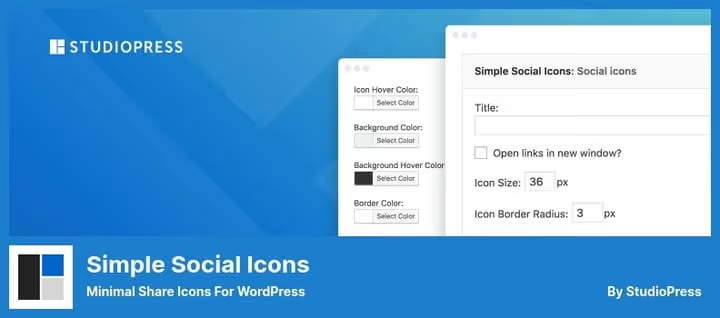
Simple Social Icons justifies its name. This is not a combine harvester, but one clear tool: social network icons in the sidebar.
SVG icons, size, color, and alignment settings, three clicks and done. No extra scripts and styles. Just links to your social network profiles, beautifully designed. Perfect for minimalist themes and situations when sharing buttons aren't needed, just "we're on social networks" links.
Pros:
- Maximally simple and light
- SVG icons, sharp on any screens
- Doesn't consume extra resources
- Free
Cons:
- Only icon-links, no sharing
- No premium features
Price: Free.
🔗 Simple Social Icons on WordPress.org
8. Better Click to Share
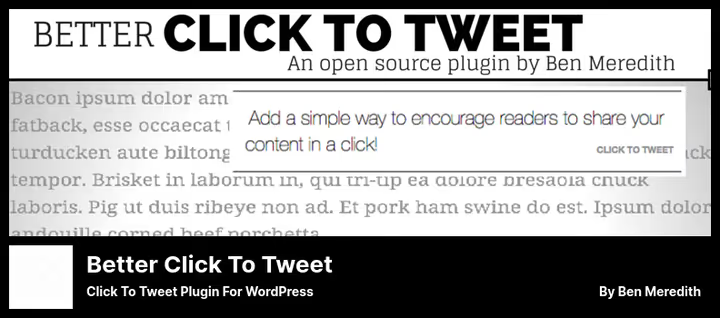
Better Click to Share (formerly Better Click to Tweet) does one thing and does it perfectly: turns your quotes into "click to share on X" blocks.
The reader sees a beautifully designed quote, clicks, and X opens with ready-made text and a link to your post. No need to copy, paste, trim. One click. Block in Gutenberg via /tweet, [bctt] shortcode for classic editor. The plugin counts characters itself and fits the quote into X's limit (280 characters including link and via @username).
Pros:
- One click, quote on X with link to post
- Gutenberg block and shortcode for classic editor
- Smart character counting under X limit
- Free version fully functional
Cons:
- Only X (Twitter)
- Box styles only in Pro
Price: Lite free, Premium Styles $29.
🔗 Better Click to Share on WordPress.org🔗 Better Click to Share site
9. Sassy Social Share
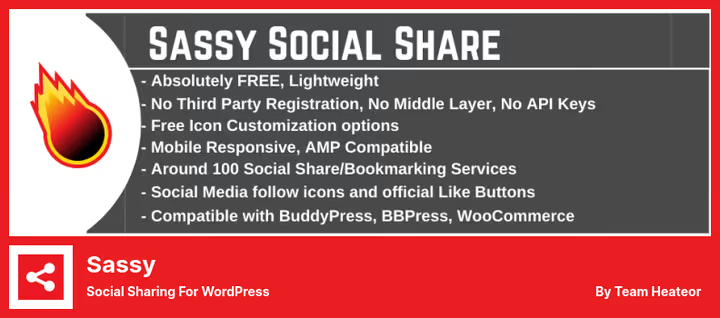
Sassy Social Share, another powerful sharing plugin. 100+ services, vector SVG icons, and tons of appearance settings.
Icon shape: round, square, rectangular. Background and logo color, any. Size from 16 pixels with no upper limit. Floating panel for mobile can be disabled separately. GDPR compliant, doesn't set cookies. Compatible with Gutenberg, WooCommerce, BuddyPress, BBPress, AMP.
Pros:
- 100+ services, including rare ones
- Fine-tuning icon shape and color
- Floating panel with separate rules for mobile
- Free for most tasks
Cons:
- Share counters only in Pro
- Interface could be more modern
Price: Lite free, Pro $29/year.
🔗 Sassy Social Share on WordPress.org🔗 Heateor site
10. WPZOOM Connect
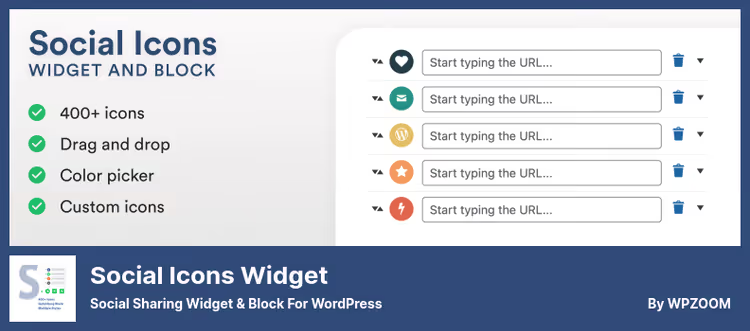
WPZOOM Connect (formerly Social Icons Widget) grew from an icon widget into a full-fledged plugin. 400+ icons from 5 sets, sharing button block for 12+ platforms, and Click to Chat for WhatsApp, Telegram, Messenger, and Viber.
You can upload your own SVG icons. Gutenberg block with live preview. Drag-and-drop sorting, color for each icon separately. Sharing buttons are customizable by style: circle, square, outline, minimal. Pro version adds floating sharing panel, analytics, Like button, and AI sharing to ChatGPT, Claude, Perplexity.
Pros:
- 400+ icons in 5 sets plus upload your own SVG
- Gutenberg block with live preview
- Click to Chat (WhatsApp, Telegram, Messenger, Viber) free
- Sharing buttons with 5 design styles
Cons:
- Floating panel only in Pro
- Fewer sharing services than Sassy
Price: Lite free, Pro $57/year.
🔗 WPZOOM Connect on WordPress.org🔗 WPZOOM site
11. Nextend Social Login

Nextend Social Login, a replacement for outdated and closed WordPress Social Login. Allows visitors to log in and register via Google, Facebook, and X in one click.
The free version covers three main providers and meets the needs of most sites. Pro version adds Apple, Microsoft, LinkedIn, GitHub, Discord, TikTok, Twitch, Slack, Spotify, and a dozen more platforms. The plugin works with WooCommerce, BuddyPress, Ultimate Member, Easy Digital Downloads. Avatar pulls from social network, redirects are configured after login and registration. 200,000+ active installations, average rating 4.9 on WordPress.org.
Pros:
- Google, Facebook, and X free
- 200,000+ active installations
- Compatible with WooCommerce, BuddyPress, EDD
- Avatar and redirects out of the box
Cons:
- Apple, Microsoft, GitHub only in Pro
- Requires app setup in developer consoles
Price: Free, Pro from $49.
🔗 Nextend Social Login on WordPress.org
Auto-posting alone saves 3-4 hours per week. Sharing buttons increase reach without advertising budget. And social login removes friction during registration.
Here's a video breakdown of a similar topic, author of Sarah Marie Blog channel reviews the best WordPress plugins, including social networks:
⁉️🤔 Frequently asked questions
What is a social media plugin for WordPress?
A social media plugin is an extension that connects your WordPress site to social networks. It adds sharing buttons, displays Instagram or Facebook feed, automatically publishes posts to social networks, or lets users log in via Google and X. In practice, this saves hours of manual work and increases traffic without advertising costs.
How to add sharing buttons to WordPress?
Install any sharing plugin from this collection, for example,
AddToAnyorSassy Social Share. After activation, go to settings, choose social networks (Facebook, X, LinkedIn, WhatsApp), configure button location (before and after content), and save. Buttons will appear automatically. For a floating panel, useWPZOOM ConnectPro orSassy Social Share.
What's the difference between a sharing plugin and an auto-posting plugin?
A sharing plugin, like AddToAny, Shared Counts, or Sassy, adds buttons to the site, visitors share your content themselves. An auto-posting plugin, like Revive Social or WP to Buffer, publishes your new and old posts to social networks on schedule itself. The first works for readers, the second for you.
Can you use multiple social media plugins at once?
Technically yes, but undesirable. Two sharing plugins will conflict, and each extra plugin adds requests and scripts. Choose one for the task: one for sharing, one for auto-posting, one for login. Three, maximum. Ideally get by with one or two.
Which social media plugin is best for WooCommerce?
For a WooCommerce store, the best fit is: Revive Social for auto-posting products to social networks (Pro version supports WooCommerce custom post types). Sassy Social Share for product sharing buttons (compatible with WooCommerce out of the box). And Nextend Social Login for login via social networks during checkout.
Do social media plugins slow down the site?
Depends on the plugin.
Shared CountsandSimple Social Iconspractically don't affect speed.Smash Ballooncaches images and doesn't load the server. But plugins with heavy scripts and external fonts can add 200-500 ms to loading. Conclusion: choose plugins with SVG icons and caching, like in this collection.
Which social media plugin to install in 2026
If budget is limited, AddToAny for sharing and Revive Social Lite for auto-posting will cover most needs. Need Instagram feed on site, Smash Balloon is unmatched. Want "click to tweet" buttons, Better Click to Share does this without extras.
WooCommerce store, get Sassy Social Share for product cards and Nextend Social Login for login. And if the site is on Divi or Extra, Monarch is already in your Elegant Themes subscription, foolish not to use it.
Main rule: fewer plugins, more benefit. Choose for your task, not someone else's rating. And check site speed after installation, a good social media plugin shouldn't drop Core Web Vitals.
Try one of these tools today. Setup takes 10 minutes, and traffic from social networks grows for months.

A professional team of writers and editors specializing in creating quality content.