













📋 11 best software tools for project planning in 2026
When deadlines pile up and priorities shift three times a week, keeping projects in your head stops working. Sooner or later, someone on the team tackles the wrong task because they didn't know everything changed yesterday. And you only find out when the deadline is already blown.
The problem isn't the people. The problem is that lists in Excel and conversations in messengers don't give you the full picture: who's doing what, how much time a task takes, and where the bottleneck is that's slowing down the entire project.
Good project planning software solves exactly this. It shows team workload, moves tasks through statuses automatically, and makes it clear what's burning and what can wait, without daily calls and endless chat clarifications.
💡 Quick overview:
- Understand why teams need planning software and what problems it solves
- Walk through 5 selection criteria: features, cost, flexibility, ease of implementation, real reviews
- Compare 11 tools for teams of any size, from free starters to enterprise platforms
- Check the pricing and features table for quick selection
Why you need project planning software
The data speaks for itself. According to a SaaSList survey, 47% of companies that implemented project management software note improved accuracy in project cost estimation. And the average employee, according to Hubstaff calculations, saves up to 498 hours per year thanks to automated routine planning.
But the numbers are only half the picture. Here's what changes in practice when a team switches from spreadsheets and chats to a specialized tool.
Deadlines stop being guesswork. When you have real statistics on tasks, how much time similar work took in the past, estimates become achievable from day one. If something goes wrong, you see the deviation before the team misses a milestone.
Communication is tied to work, not email. Email is outdated for project work. According to surveys, 83% of employees feel more drained specifically because of email volume. In project software, files, comments, and status updates live inside the task, no need to dig through correspondence to understand the context.
Resources are allocated by data, not intuition. You see who has spare hours, who's on the verge of burnout, and which teams are ready to take on a new project. Information is always at hand, no need to gather it piecemeal from five sources.
Budget under real-time control. Overspending discovered after the fact can be fatal for a startup. Planning software gives accurate estimates at the start and lets you track expenses and hours by project in real time, the problem is visible while it can still be fixed.
How to choose a tool: 5 criteria
To avoid drowning in comparisons of dozens of platforms, narrow your choice by five parameters.
Features: must-have vs nice-to-have
Split requirements into two columns. In the first, what won't work without: for example, task dependencies, Gantt chart, time tracking. In the second, nice additions: analytics, custom fields, AI assistant. If you're not sure what you need, browse the pages describing tools from our list, it will give you an understanding of what features exist at all.
Cost: calculate in hours, not dollars
Free versions are good for starting, but shouldn't be the end point. Calculate for your case: if a tool saves a team of ten people half an hour per week each, that's twenty hours per month. At an average employee rate, you're returning hundreds of dollars of productivity. A paid plan at ten dollars per person pays for itself four times over, not counting blown deadlines.
Configuration flexibility
The tool should adapt to your process, not the other way around. The ability to customize dashboards, task fields, and automation is a sign of a mature platform. Think about the future too: will the tool be able to grow with the team in 3-5 years?
Ease of implementation
The most functional software is useless if the team doesn't adopt it. Assess the technical savviness of the least "digital" team member. For most companies, a simple and clear tool will deliver more value than a sophisticated enterprise combine with months of adaptation.
Real reviews and longevity
Before choosing, look at recent reviews on G2 and Capterra (no older than a year). Pay attention to complaints about bugs, support quality, and update frequency. The product should be alive: regular releases, responsive support, and a growing user base.
11 project planning tools in 2026
Below is a selection of eleven solutions: from lightweight starters for small teams to enterprise platforms with analytics and resource management. All prices are current for 2026.
Comparison table
Tool | Free tier | Starting paid | Pricing model | Best for |
|---|---|---|---|---|
Hubstaff Tasks | Up to 5 users | $5/user/month | Per-user | Process automation |
Airtable | Up to 1200 records | $12/user/month | Per-user | Flexible databases and tables |
ProjectManager.com | 30 days (trial) | $15/user/month | Per-user | Gantt charts and reports |
Monday.com | No (trial) | $10/user/month | Per-user | Visual boards |
Asana | Up to 15 users | $13.49/user/month | Per-user | Workload management |
Hive | Up to 10 users | $5/user/month | Per-user | AI analytics |
Hub Planner | 60 days (trial) | $7/user/month | Per-user | Resource planning |
Paymo | For freelancers | $11.95/user/month | Per-user | Time tracking and billing |
FunctionFox | No | $5/user/month | Per-user | Creative teams |
Kantata | No | Custom | Per-user, custom | Large business and PSA |
Teamwork | Up to 5 people / 2 projects | $13.99/user/month | Per-user | Client projects |
1. Hubstaff Tasks
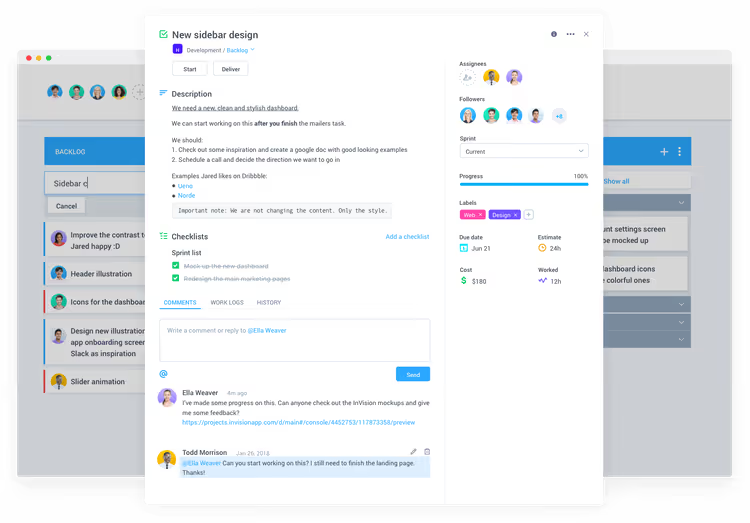
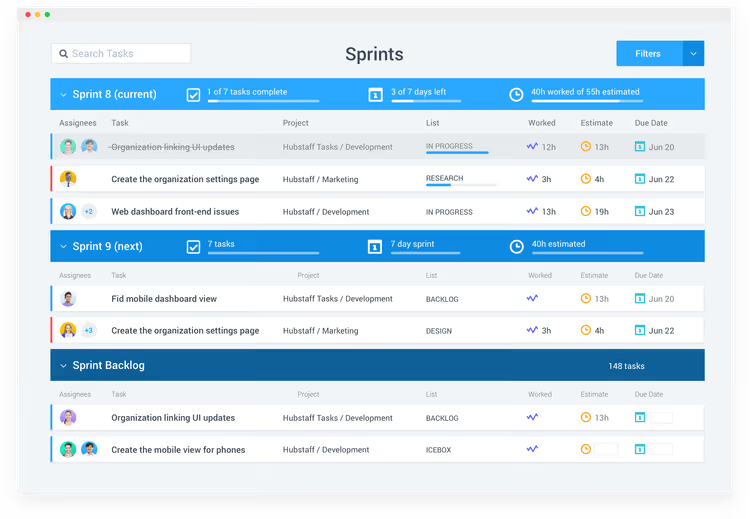
Hubstaff Tasks builds planning around automation. Instead of manually passing tasks between stages, you set up the workflow once, and tasks automatically transition to the right person when status changes.
Automated standups replace daily calls. Each participant sends a short end-of-day report on what was done directly from the tool. It takes a couple of minutes and keeps everyone in the loop without pulling them from work.
Built-in task time tracking creates a log that shows the real picture: how many hours go into a specific type of work, who's overloaded, and where processes can be sped up. This same data helps estimate future projects more accurately.
What stands out:
- Automatic standups and task transitions by workflow
- Built-in time tracking without additional plugins
- Multiple views: timeline, sprints, kanban
What to consider:
- No Gantt chart in the base version
- Ecosystem is tied to Hubstaff (time tracking works in tandem with the main product)
Pricing
Free tier, up to 5 users. Paid plan: $5 per user per month.
🔗 Hubstaff Tasks on official website
2. Airtable

Airtable is a hybrid of a spreadsheet and a database. Projects here are called "bases", each base consists of tables, and you can extend functionality through Blocks: from time tracking to SMS notifications and geocoding.
Switching between views, calendar, gallery, kanban, helps each participant look at the project in the way that's convenient for them. A shared team calendar shows the workload of all participants at once.
What stands out:
- Flexible structure: each base is configured for the task
- Rich Blocks ecosystem for expansion
- Cross-platform: Windows, macOS, Android, iOS
What to consider:
- Comments are the only way of team communication
- No subtasks and task dependencies
- Phone support only on enterprise tier
Pricing
Free tier, up to 1200 records per base. Plus ($12/user/month), Pro ($24/user/month), Enterprise (custom).
🔗 Airtable on official website
3. ProjectManager.com
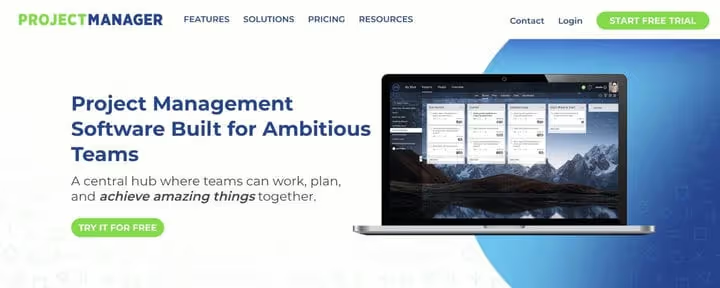
The platform, launched in 2008, has gone through several redesigns and today offers a full set for planning: Gantt charts, kanban boards, task dependencies, and customizable dashboards.
A rare feature, voice notes on tasks. Convenient when you need to quickly convey context by voice instead of typing text. Reports are configured and automated, though their initial setup takes time.
What stands out:
- Full task dependencies for structured processes
- Voice notes, a quick way to share context
- 30-day trial period without limitations
What to consider:
- Card needed to activate trial
- File size limitations hinder document exchange
- Report setup is not quick
Pricing
Personal ($15/user/month), Team ($20/user/month), Business ($25/user/month). 30 days trial period.
🔗 ProjectManager.com on official website
4. Monday.com
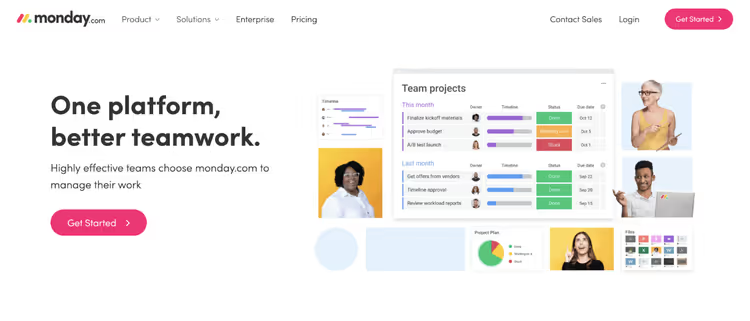
Monday.com grew from the Dapulse startup (2012) into one of the most recognizable project management platforms. The main feature is customizable boards that adapt to a specific team: marketing, development, HR, sales.
Six display options (table, calendar, map, kanban, chart, timeline) cover the needs of different roles. Built-in automation handles notifications, status changes, and recurring tasks without programming.
What stands out:
- Rich board customization and ready templates for different departments
- 6 views of one board for different roles
- Serious focus on data security
What to consider:
- No built-in team chat
- Reporting is limited compared to competitors
- Task dependencies are implemented basically
Pricing
Basic ($10/user/month), Standard ($12/user/month), Pro ($20/user/month), Enterprise (custom).
🔗 Monday.com on official website
5. Asana
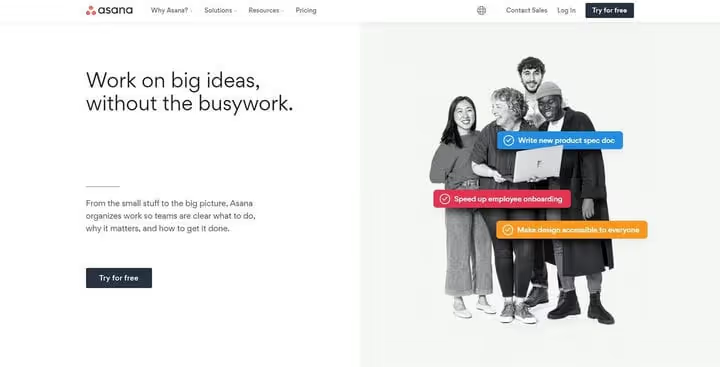
Asana is strong in managing team workload. The manager sees who's overloaded, who has spare hours, and can redistribute tasks by dragging. The "effort estimation" feature allows marking tasks by required labor: you immediately see where the bottleneck is.
Ready templates for employee onboarding, product launches, and event organization speed up the start. The free tier is generous (up to 15 people), but newcomers without project management experience may find it a bit difficult at first.
What stands out:
- Clear team workload management
- Task effort estimation for quick balancing
- Templates for typical project scenarios
What to consider:
- Steep learning curve for newcomers
- Advanced reporting only in paid tiers
- Interface can seem cluttered
Pricing
Free, up to 15 people. Premium ($13.49/user/month), Business ($24.99/user/month), Enterprise (custom).
6. Hive
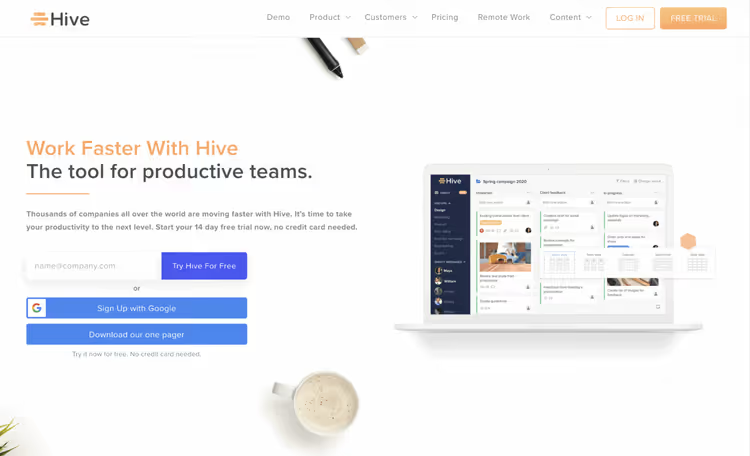
Hive positions itself as a "productivity platform", but the core here is planning and project management. The main feature is Hive Analytics: machine learning analyzes workflow and highlights bottlenecks, offering specific improvements. Real-time notifications warn about team productivity drops.
The tool also includes approval workflows, automation, multiple project views, and built-in chat with Zoom and Slack support right from the interface.
What stands out:
- AI analytics identifying process problems
- Real notifications about productivity drops
- Integration with Zoom and Slack inside the platform
What to consider:
- Free tier with 10 participant limit
- Advanced features only as paid addons
- Mobile app inferior to desktop version
Pricing
Free (up to 10 people), Starter ($5/user/month), Teams ($12/user/month), Enterprise (custom).
7. Hub Planner
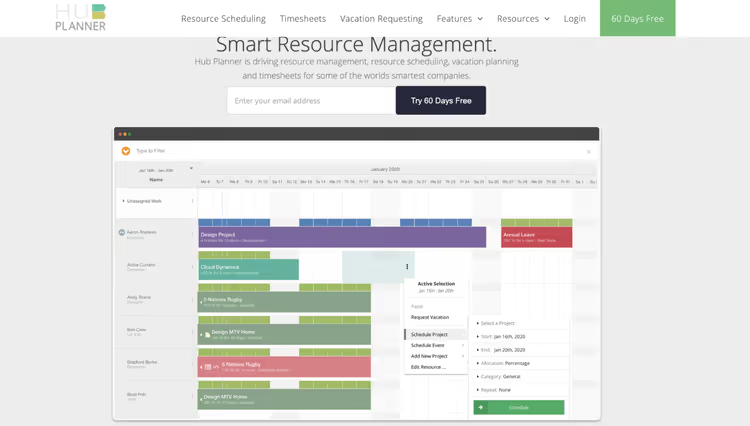
Hub Planner emphasizes resource planning. The drag-and-drop interface lets you allocate people to projects and immediately see potential schedule conflicts. Employees request time off through the app, the manager approves or rejects them right in the system.
The platform supports time tracking (including mobile app), automatic schedules, and customizable project and resource fields. Dynamic reports come with a set of ready templates.
What stands out:
- Strong focus on resource planning
- 60-day trial period, twice the market
- Built-in vacation and day-off tracking
What to consider:
- Exported reports suffer from formatting
- Interface looks somewhat dated
Pricing
60 days trial period. Plug & Play ($7/user/month), Premium ($18/user/month), Enterprise (custom).
🔗 Hub Planner on official website
8. Paymo
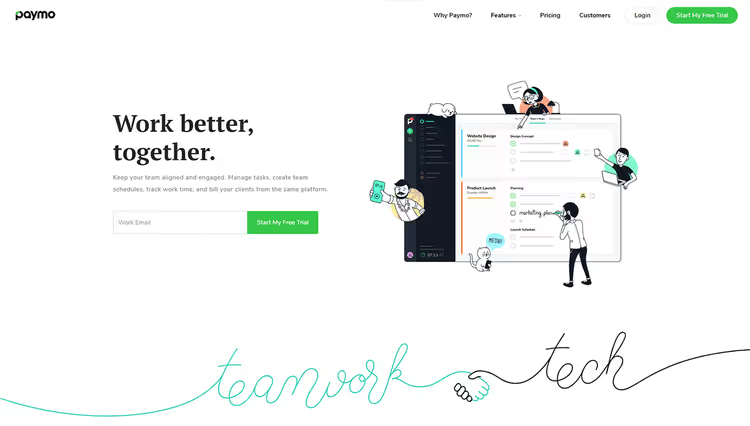
Romanian product Paymo combines resource management, time tracking, and billing in one interface. This is especially valuable for teams working with clients: time tracking data converts directly into invoices, and online payments are accepted without external services.
20 interface languages, a huge plus for international teams. Each participant works in their native language, which lowers the entry threshold and reduces errors.
What stands out:
- Built-in billing and online payment acceptance
- 20 interface languages, a record in the selection
- Automatic time tracking (desktop + mobile)
What to consider:
- Free tier very limited (only for freelancers)
- Billing flexibility is low
- Interface not as polished as market leaders
Pricing
Free (for freelancers). Small Office ($11.95/user/month), Business ($18.95/user/month).
9. FunctionFox
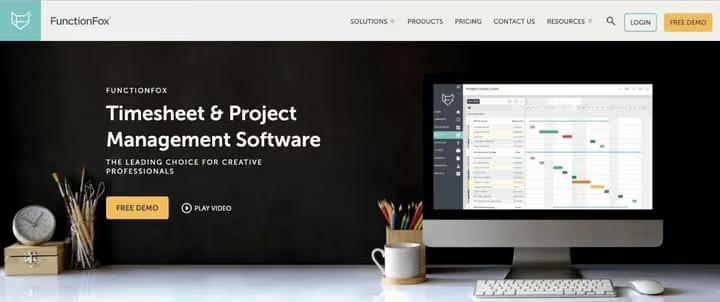
FunctionFox from the start focused on creative teams: advertising agencies, design studios, PR, and multimedia. But in practice, it can be used by any team that needs interactive Gantt charts, calendar project views, and employee availability monitoring.
Three product versions (Classic, Premier, In-House) cover different need levels. Premier is the optimal choice if you need full planning. Automatic budget alerts keep finances under control.
What stands out:
- Tailored for creative teams with clear interface
- Automatic alerts about approaching budget limit
- Excellent customer support (noted in reviews)
What to consider:
- No subtasks and dependencies
- Minimal set of integrations
- No built-in accounting, only expense tracking
Pricing
Classic ($5/user/month), Premier ($10/user/month), In-House ($20/user/month).
🔗 FunctionFox on official website
10. Kantata (formerly MavenLink)
MavenLink merged with Kimble Applications and since 2022 operates under the Kantata brand. This is a Professional Services Automation (PSA) platform, meaning not just project planning, but the full cycle: from scoping and resource planning to financial accounting and BI analytics.
A customizable dashboard shows the status of all projects at once, an activity feed records work done on each project. The tool is strong in forecasting, expense tracking, and automated reporting.
What stands out:
- Full PSA cycle: resources, finance, analytics
- Real-time collaborative document work
- Powerful project forecasting
What to consider:
- Expensive for small teams (custom pricing)
- Mobile app limited in features
- Can be excessively complex for non-enterprise teams
Pricing
Custom pricing for specific company needs. Reference: medium and large business.
11. Teamwork
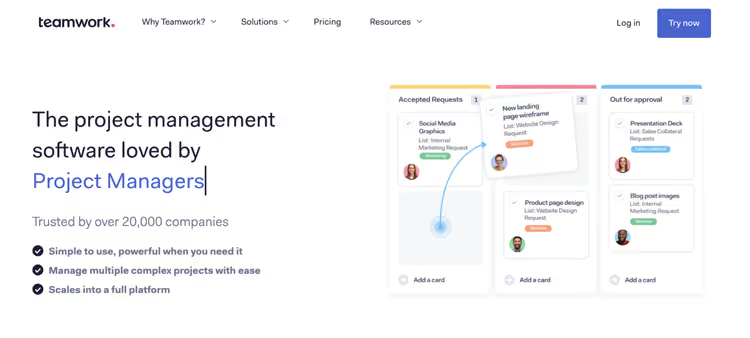
Teamwork (formerly known as Teamwork Projects) gives a simple way to understand team workload. Planning features are standard and reliable: recurring tasks, subtasks, dependencies, Gantt charts, lists, and kanban boards.
Built-in messenger allows one-on-one communication without leaving the platform, a rare feature usually handled by external Slack. You can also set up email and SMS notifications about key updates.
What stands out:
- Built-in chat for team communication
- Convenient task breakdown into simple steps
- iOS and Android mobile apps for work on the go
What to consider:
- Automation only in paid tiers
- Mobile version has no Gantt charts
- Interface can confuse new users
Pricing
🔗 Teamwork on official website
⁉️🤔 Frequently asked questions
Can you get by with free project planning tools?
Yes, if the team is small (up to 5-10 people) and processes don't require task dependencies, Gantt charts, or time tracking. Hubstaff Tasks, Asana, and Airtable offer generous free tiers that will suffice for basic planning. But as soon as the need for automation, reporting, or resource planning appears, the paid tier pays for itself many times over through saved hours.
How does a kanban board differ from a Gantt chart and what should you choose?
Kanban shows the flow of tasks by status ("to do", "in progress", "done") and is good for operational management without hard deadlines. A Gantt chart visualizes the project timeline, when each task starts, how long it lasts, and how tasks depend on each other. For teams with fixed deadlines and dependencies, Gantt is indispensable. Most tools in the selection (ProjectManager.com, Asana, Teamwork) support both views.
Which tool is best suited for a remote team?
Hubstaff Tasks and Hive are tailored for distributed teams. Hubstaff Tasks has automatic standups and built-in time tracking, the manager sees who's doing what without micromanagement. Hive provides AI productivity analytics and integration with Zoom and Slack. For international teams, Paymo stands out with 20 interface languages.
Is it worth switching from Excel and Google Sheets to specialized software?
Yes, as soon as the number of projects stops fitting in your head. Excel doesn't show task dependencies, can't send notifications, doesn't provide a picture of team workload, and doesn't store task communication history. According to research, companies that switched from spreadsheets to project software note a 47% increase in estimation accuracy and savings of up to 498 hours per year per employee.
What to do if the team resists a new tool?
Start small: implement the tool on one project or in one team, let people get used to it. Choose a platform with a simple interface (Monday.com, Teamwork) and a generous free tier, so there's no pressure of "we paid, we have to use it". Show the benefit to a specific employee: "you'll stop losing context in correspondence", not "the company will become more efficient".
What to deploy in 2026: the final breakdown
If the team is up to 10 people and the budget is limited, take Hubstaff Tasks or Hive on starting tiers. Automation for both is on point, and the price of $5 per user allows you to grow without pain.
For visual people and teams with diverse functions (marketing, development, HR in one project), the best choice is Monday.com. Customizable boards and 6 views will cover the needs of all roles without the need to switch between tools.
For client work, Paymo or Teamwork. The first is good with built-in billing, the second with communication and task detail.
If it's enterprise scale and you need a full PSA cycle, Kantata. Expensive, complex, but covers absolutely everything: from resources to business analytics.
The main advice: don't choose a tool by feature checklist. Take 2-3 candidates, set up a real project in each (free trials are created for this), and see which one the team will accept without grinding. The most functional software that no one uses is worse than the simplest spreadsheet that gets opened every day.

A professional team of writers and editors specializing in creating quality content.