













🔧 5 free Jira alternatives in 2026
Jira has long been the standard for project management in IT teams. But this standard comes with a price tag that starts to bite exactly when the team grows beyond 10 people.
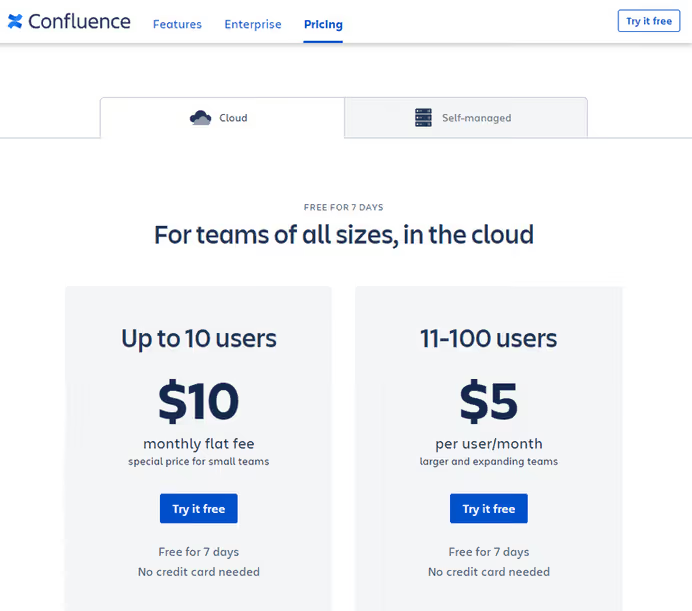
Jira's free plan accommodates up to 10 users, perfect for startups and small groups. But stepping up to the Standard tier at $7.91 per user per month for a team of 15 means a bill of $118.65 monthly. And if you add Confluence for documentation, the amount grows further:

This is what the pricing looks like for a medium-sized team. And Confluence for documentation adds another line to the bill:
Fortunately, the market doesn't stand still. Tools have emerged that offer comparable functionality for free, or for a price not tied to team size. We've selected five such solutions: from kanban boards to full-featured project management platforms with open source code.
💡 Quick overview:
- Trello, maximum flexibility for teams that already have their own methodology
- Asana, best balance between power and simplicity for growing teams
- OpenProject, open-source alternative with Jira migrator and full control over data
- Remember The Milk, smart to-do list that works equally well for work and personal tasks
- Todoist, GTD tool with polished apps on all platforms
Comparison table
Tool | Free plan | Starting paid | Type | Open source |
|---|---|---|---|---|
Trello | Up to 10 boards | $5/user/mo | Kanban | No |
Asana | Up to 2 users | $10.99/user/mo | Hybrid (lists+kanban+chart) | No |
OpenProject | Full-featured | $7.25/user/mo | Classic+agile+kanban | Yes (GPL v3) |
Remember The Milk | Basic | $39.99/year | To-do list | No |
Todoist | 80 projects, 5 users | $3/mo | GTD planner | No |
1. Trello
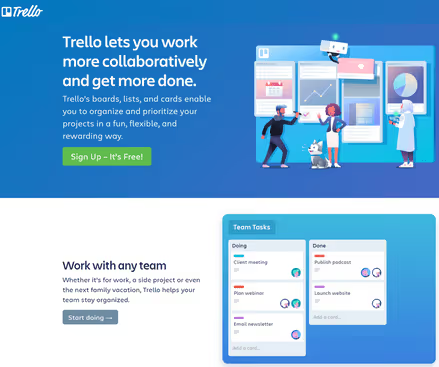
Trello is kanban in its purest form: boards, lists, cards. No imposed methodology, no rigid structures. You decide how to organize the work.
Trello's main strength is flexibility. A card can be filled with anything: checklists, deadlines, attachments, comments. Dragging between lists works intuitively, and the visual clarity doesn't distract from the essence. For integrations, there are Power-Ups, pluggable modules for Google Drive, Slack, GitHub and dozens of other services.
But flexibility has a flip side: Trello doesn't provide a ready-made structure. If the team doesn't have an established methodology, boards quickly turn into a chaotic collection of cards without priorities. And yes, Atlassian bought Trello in 2017, formally it's a product from the same vendor as Jira. In practice, the interface and philosophy remained independent.
Pros:
- Intuitive interface, barrier to entry, half an hour
- Free plan includes unlimited cards and members
- Huge catalog of Power-Ups for integrations
Cons:
- No built-in reporting and Gantt charts
- Power-Ups on free plan, no more than three per board
- Owned by Atlassian (same vendor as Jira)
Price: free plan with 10 boards per workspace, Standard, $5 per user per month, Premium, $10.
2. Asana

Asana grew out of Facebook's internal tool and over 15 years became one of the market heavyweights. Unlike Trello, everything is here "out of the box": views (list, board, calendar, Gantt chart), project portfolios, goals, automation and reporting.
Asana's free plan is designed for two people, it's more like a demo mode for personal use. But even it includes unlimited tasks, projects, storage (up to 100 MB per file) and over 100 integrations. For team work, you need the Starter plan at $10.99 per user per month, which adds timeline, dashboards, forms and unlimited automation.
In practice, Asana works best in cross-functional teams where marketing, development and product work in a unified environment. Deep hierarchy (portfolio → project → task → subtask) allows breaking down work to any level of detail.
Pros:
- Powerful reporting and dashboards on paid tiers
- Hybrid approach: list, kanban, calendar and Gantt chart in one project
- Over 100 free integrations (Slack, Google Drive, Zoom, Microsoft Teams)
Cons:
- Free plan limited to 2 users, paid tier needed for a team
- Interface can seem overloaded at first
- Steep learning curve for administrators
Price: Personal, free (up to 2 users), Starter, $10.99/user/mo, Advanced, $24.99/user/mo.
🔗 Asana, official website | 🔗 Pricing page
3. OpenProject

OpenProject is a full-featured open-source project manager under GPL v3 license. If Jira is too expensive and closed for you, and Trello is too simple, OpenProject hits right in the middle: Gantt charts, agile boards (Scrum and Kanban), time tracking, roadmaps, forums and wiki for team collaboration.
The main advantage over cloud competitors is data sovereignty. OpenProject can be deployed on your own server and you get full control over the infrastructure. For organizations with strict security requirements (government sector, banks, healthcare), this is the deciding argument. The cloud version is hosted on servers in the EU (Germany) and complies with GDPR.
In June 2026, the project released version 17.5, and the built-in Jira Migrator allows transferring projects from Jira directly, preserving tasks, users and basic custom fields. 20 million downloads and 15 thousand stars on GitHub speak for themselves.
Pros:
- Fully open source code, can be audited and modified
- Self-hosting, data stays under your control
- Built-in Jira Migrator for migration from Jira
- Gantt charts, agile boards and time tracking "out of the box"
Cons:
- Installation on your own server requires Linux administration
- Interface is functional but less polished than Trello or Asana
- Minimum number of users on paid tiers (from 5 on Basic)
Price: Community, free (full-featured version, self-hosting), Basic, $7.25/user/mo (minimum 5 users), Professional, $13.50/user/mo (minimum 25).
🔗 OpenProject, official website | 🔗 Community version installation
4. Remember The Milk
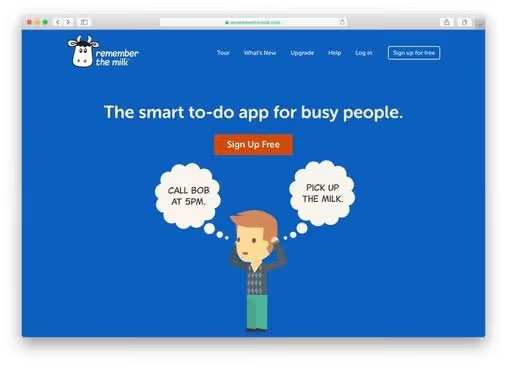
Remember The Milk calls itself a "smart to-do app for busy people". Unlike Jira, RTM doesn't try to manage projects in the classic sense, it manages your attention.
The concept is simple: dump everything from your head into lists, set priorities and dates, and the app reminds you when needed. Support for Siri, Twitter, email and even smartwatches means you can add a task from anywhere. The Smart Add feature understands natural language: you type "call Bob on Friday at 5pm", and RTM parses the date, time and essence itself.
Despite the "unserious" name, RTM is used in professional environments too: subtasks, delegation, search operators, shared lists, color tags and hundreds of design themes. In 2026, they added MCP integration (Model Context Protocol), you can manage tasks through Claude, ChatGPT and Cursor by voice or in chat.
Pros:
- Instant task addition from any device (email, Twitter, Siri, watch)
- Smart Add understands natural language, no need to manually fill in date and time fields
- Professional features: subtasks, delegation, search operators
- MCP integration with AI assistants (Claude, ChatGPT, Cursor)
Cons:
- Not suitable for complex project management (no Gantt charts, task dependencies)
- Free plan limited to sharing with 2 people
- Interface looks a bit archaic compared to competitors
Price: free plan with basic features, Pro, $39.99 per year (unlimited sharing, attachments, color tags).
🔗 Remember The Milk, official website
5. Todoist
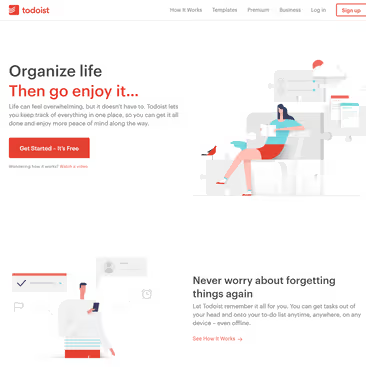
Todoist is built around David Allen's Getting Things Done methodology. Every task goes into "inbox", from where it's distributed across projects, gets a priority and deadline, or is postponed for later.
Todoist's main advantage over other participants in the list is speed. The app instantly syncs across all platforms (web, desktop, mobile), and task entry through natural language works without delays. The "karma" system gamifies productivity: the app counts completed tasks and builds progress graphs.
For teams, Todoist has shared projects, comments and file uploads. The free plan is more generous than Asana's: up to 80 active projects and up to 5 people per project. Paid tiers are also more affordable than most competitors: Premium at $3 per month and Business at $5 per user.
Pros:
- Free plan includes 80 projects and 5 members per project
- Instant synchronization on all platforms
- Built-in gamification (karma) motivates the team
- Low price of paid tiers
Cons:
- Reminders and file attachments only on paid tiers
- No built-in Gantt charts and task dependencies
- Not suitable for complex cross-project portfolios
Price: free plan (80 projects, 5 people/project), Premium, $3/mo, Business, $5/user/mo.
How to choose a Jira alternative: what to look at
The choice of tool comes down to three questions. First, team size and budget. If the team is up to 10 people and budget is zero, take Trello or Jira's free plan. If the team is growing and you don't want to pay for each user, look at OpenProject (own server) or Remember The Milk (fixed price per year).
Second, methodology. Working in Scrum with backlogs and sprints, OpenProject will give you everything you need. Prefer visual kanban, Trello or Asana's kanban mode. Living by GTD, Todoist.
Third, data control. OpenProject on your own server is the only option where data physically doesn't leave your infrastructure. For government sector, banks and medicine, this is a mandatory requirement.
⁉️🤔 Frequently asked questions
Can you use Jira for free for a team of 15 people?
No. Jira's free plan is limited to 10 users. For 15 people, the minimum tier is Standard at $7.91 per user per month (source), which is about $118.65 per month or $1,423 per year. This is exactly that price step that makes teams look for alternatives.As of June 2026, Atlassian announced the end of new Data Center license sales on March 30, 2026 and complete end of Data Center support by March 28, 2029. Teams on self-hosted Jira can consider OpenProject with built-in Jira Migrator, direct project and task migration without data loss.
Which is better for a small team, Trello or Asana?
For a team of 3-8 people that needs visual kanban and doesn't need complex reporting, Trello is a simpler and cheaper entry. Trello's free plan includes unlimited members. Asana on the free plan is limited to 2 users, meaning for a team of 5 people it immediately requires a paid tier (minimum $54.95 per month (Asana pricing)). But if you need Gantt charts, dashboards and forms, Asana Starter will give you this "out of the box", whereas in Trello you'll have to assemble it from Power-Ups.Bottom line: starting from scratch with no money, take Trello. Ready to pay for structure right away, look at Asana.
How secure is it to store projects in OpenProject?
OpenProject can be deployed on your own server (on-premises), in which case data physically doesn't leave your infrastructure. The cloud version (Enterprise Cloud) is hosted on servers in Germany and GDPR certified. The source code is open under GPL v3 license, it can be audited. For comparison: Jira Cloud stores data on Amazon Web Services servers, and you can't check what exactly happens to your data at the platform code level.
What makes Remember The Milk better than a regular task list on a phone?
Three things: Smart Add (entering a task in natural language in one field, date, time, priority are recognized automatically), delegation (you can assign a task to another person and track completion) and ubiquity (a task can be added through Siri, Twitter, email, smartwatch or directly from Gmail). A regular task list on a phone doesn't provide delegation, cross-task search, or location-based reminders.
Can you migrate projects from Jira to OpenProject without data loss?
Yes. OpenProject includes a built-in Jira Migrator that transfers projects, tasks, basic custom fields and users. Migration isn't instant, depends on data volume, but the mere fact of having a standard tool means the vendor is purposefully working on attracting teams leaving Jira. As of June 2026, the migrator supports basic custom fields (added in version 17.4).
What to install in 2026: final breakdown
If budget is zero and the team already works by its own methodology, take Trello. It's free for any number of members and doesn't impose structure.
If the team is growing and you need reporting, Gantt charts and dashboards without Power-Ups dancing, Asana Starter at $10.99 per person per month will cover these needs.
If data control is critical or you're leaving self-hosted Jira (remember the end of Data Center support in 2029), OpenProject Community Edition. Free, open, with built-in migrator.
If you need not so much a project manager as a smart to-do list that catches tasks from everywhere (email, Siri, watch), Remember The Milk at $39.99 per year.
And if GTD methodology is your native element and speed of work on all devices is important, Todoist.

A professional team of writers and editors specializing in creating quality content.