














🥇 11 WordPress auto-posting plugins for social media 2026 (free and paid)
Manually posting to social media takes at least half an hour after each publication. You write an article, click "Publish," and then separately: copy the link, open Facebook, write a caption, go to X, shorten the text, log into LinkedIn, pick hashtags. And this after every single post.
WordPress auto-posting plugins eliminate this chain completely. Install once, configure templates, and new posts spread across social networks automatically: the plugin grabs the title, featured image and URL, formats for each platform and publishes without your involvement. We tested 11 such plugins on test sites: from free single-purpose solutions to professional schedulers with AI and editorial calendars.
This collection covers different budgets and social network sets: from a single Facebook at zero cost to 20+ platforms with analytics, auto-reposting and auto-hashtags.
💡 Quick overview:
- Connect the social networks you need through official APIs: Facebook, X (Twitter), LinkedIn, Instagram, Telegram and others
- Configure message templates for each platform: different captions, hashtags, UTM tags for Google Analytics
- Enable auto-sharing of new posts or reposting old ones on a schedule, and social networks fill up without manual intervention
Plugin comparison table
Plugin | Free | Pro price | Networks (free) | Calendar | Auto-repost |
|---|---|---|---|---|---|
Revive Social | Yes | $80/year | 3 | no | Yes |
NextScripts SNAP | Yes | $50/year | 20+ | no | Yes |
Blog2Social | Yes | from $7/mo | 14 | Yes (Smart+) | Yes |
Social Auto Poster | no | $39 one-time | 12+ | Yes | Yes |
FS Poster | no | $45 one-time | 15 | Yes | Yes |
Jetpack Social | Yes | from $10/mo | 8 | no | no |
Bit Social | Yes | $49/year | 2 | Yes (Pro) | Yes |
Uncanny Automator | Yes | from $149/year | 4 (free) | Yes | Yes |
SchedulePress | Yes | $39/year | 7 | Yes | Yes |
WP2Social Auto Publish | Yes | free | 1 | no | no |
Nelio Content | Yes | from $9/mo | 3 | Yes | Yes (Pro) |
Prices are current as of June 2026. Free versions of plugins are available in the WordPress.org repository unless another source is indicated.
Watch a short overview of the best WordPress auto-posting plugins before diving into a detailed review of each:
1. Revive Social

Revive Social (formerly Revive Old Posts) automatically shares posts from WordPress to Facebook, Twitter (X) and LinkedIn in the free version. Pro extends the list to Instagram, LinkedIn Pages, Google My Business, Telegram, Mastodon and Bluesky.
Under the hood: filters by categories and taxonomies, auto-hashtags from WordPress tags, Google Analytics integration via UTM tags. Old posts are reposted on a configurable schedule: set a 4-hour interval, exclude the "Announcements" category, and the plugin selects content from the archive on its own. In practice, this is one of the few free auto-posters that works stably with Facebook and X without additional API gymnastics.
Pros:
- Three key social networks in the free version
- Auto-reposting of old posts with interval configuration
- UTM tags and Google Analytics integration out of the box
- WooCommerce and custom post type support
Cons:
- No built-in editorial calendar
- Pro price is above market average
Price: free version, Pro from $80 per year (current rates on Revive Social website).
🔗 Revive Social on WordPress.org🔗 Revive Social website
2. NextScripts SNAP
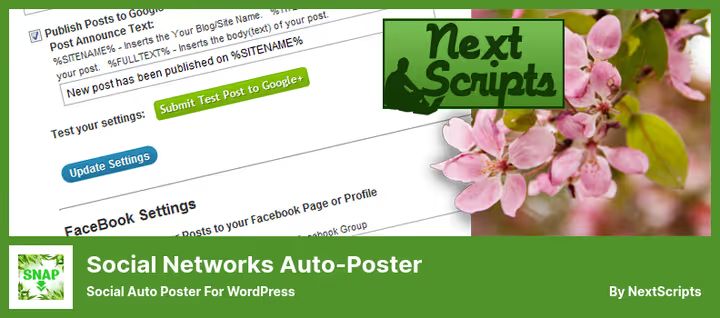
NextScripts Social Networks Auto-Poster (SNAP) supports more than 20 platforms: Twitter, LinkedIn, Tumblr, Flickr, Telegram, VK, Pinterest, Medium, LiveJournal and others. The free version covers most networks. Premium API library adds Google My Business, Instagram and YouTube.
Main difference: white label. The plugin publishes through your own social network apps, posts have no "Shared via NextScripts" mark. Message format is customizable for each platform through a tag system. Note: connecting Facebook and Instagram has become more complicated after Meta API changes, so setup for newcomers will require extra time.
Pros:
- 20+ supported social networks, a record in this collection
- White-label: no third-party branding in your posts
- Flexible filter system: categories, tags, custom taxonomies
- WooCommerce compatibility
Cons:
- Infrequent updates and unstable support
- Complex Facebook and Instagram setup due to Meta API restrictions
- Interface looks outdated
Price: free version, Premium API library from $50 per year (current rates on NextScripts website).
🔗 NextScripts SNAP on WordPress.org🔗 NextScripts website
3. Blog2Social
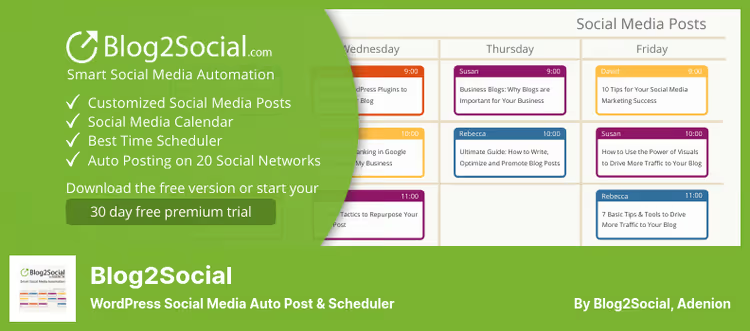
Blog2Social, one of the most feature-rich plugins in this collection. The free version shares content to 14 platforms: Facebook, LinkedIn, Threads, Bluesky, XING, VK, Pinterest, Reddit, Medium, Tumblr, Flickr and others. Premium adds X (Twitter), Instagram, TikTok, YouTube, Google Business Profile, Telegram and an editorial calendar with drag-and-drop.
Key feature: individual customization for each network. For Facebook, a post with an image, for X a short text with hashtags, for Medium a canonical link. Built-in AI generates captions using platform templates. This is especially convenient for teams: authors write, an editor configures rules once, and social networks fill automatically.
Pros:
- 14 social networks in the free version
- AI caption generator with templates for each network
- Editorial calendar with drag-and-drop (Smart+)
- Excellent Gutenberg and WooCommerce compatibility
Cons:
- X (Twitter) only in paid tiers
- Free version does not include time-based scheduler
Price: free version, Premium from $7 per month (Smart tier, current prices on pricing page).
🔗 Blog2Social on WordPress.org🔗 Blog2Social pricing
4. Social Auto Poster
Social Auto Poster is sold on CodeCanyon as a commercial plugin without a free version, but with one-time payment. Supports Facebook, Twitter (X), Tumblr, YouTube, LinkedIn, VK and other platforms. After purchase: lifetime updates and 12 months of support.
The plugin publishes both new and old posts on a schedule. Google Analytics integration allows tracking clicks and engagement for each social network separately: you can see which platform brings real traffic and adjust your content strategy accordingly. Setup is simple: select accounts, set category filters, and the plugin works.
Pros:
- One-time payment with no subscription
- Google Analytics integration for each social network separately
- Lifetime updates
- Simple setup without extra API steps
Cons:
- No free version for testing
- Fewer social networks than collection leaders
Price: $39 one-time (current price on CodeCanyon).
🔗 Social Auto Poster on CodeCanyon
5. FS Poster
FS Poster, a commercial plugin from CodeCanyon, supports 15 social networks, including visual platforms: Pinterest, Instagram and Flickr. This is rare for auto-posters, most of which focus on text-based networks.
The plugin publishes not only post links, but also separate images, infographics and videos. For sites with visual content: photo blogs, portfolios and WooCommerce stores, this is a convenient tool. The schedule is flexibly configured: different times for different platforms. Google Analytics integration allows tracking results for each network.
Pros:
- Instagram, Pinterest and Flickr support out of the box
- Publishing images and videos, not just links
- One-time payment
- Flexible schedule for each platform
Cons:
- No free version
- 15 social networks, fewer than Blog2Social
Price: $45 one-time (current price on CodeCanyon).
🔗 FS Poster on CodeCanyon🔗 Live demo
6. Jetpack Social

Jetpack Social from Automattic, the team behind WordPress.com and WooCommerce. The free version connects Facebook Pages, Tumblr, LinkedIn, Mastodon, Threads, Bluesky, Instagram Business and Nextdoor. Premium adds a scheduler, social image generator and Organic Content Sharing: posts are published as native content, not just as links.
Main advantage: the plugin is built right into the WordPress editor. Sidebar with social network toggles and a field for a custom message. Authorization through official APIs, without creating your own apps. Limitations: the free version does not support time-based scheduling, works only with Facebook Pages, personal profiles cannot be connected.
Pros:
- Free from Automattic, zero risk of abandonment
- Built into the WordPress editor
- 8 social networks in the free version
- Social image generator (Premium)
Cons:
- No scheduler in the free version
- Only Facebook Pages, personal profiles not supported
- No auto-reposting of old posts
Price: free version, Premium from $10 per month (current rates on Jetpack Social website).
🔗 Jetpack Social on WordPress.org
7. Bit Social

Bit Social, a relatively new plugin gaining popularity in the WordPress community. The free version connects Facebook and LinkedIn. Pro ($49 per year) opens X (Twitter), Instagram, Pinterest, TikTok, Google Business Profile, Telegram, Tumblr, Bluesky, Discord, Threads and Line, a total of 13 platforms.
Main feature: AI content generator based on ChatGPT and DALL-E. It writes captions, selects hashtags and creates images for social networks directly from WordPress. Social Calendar in the Pro version shows all scheduled posts in one view with drag-and-drop. Smart Tags automatically insert title, product price, categories and custom fields into message templates: convenient for WooCommerce online stores.
Pros:
- AI caption and image generator (ChatGPT + DALL-E)
- WooCommerce product auto-posting
- 13 social networks in Pro version
- External cron for reliable scheduling
Cons:
- Only 2 social networks in the free version
- Young plugin: fewer long-term reviews
Price: free version, Pro from $49 per year (current rates on Bit Social page).
8. Uncanny Automator

Uncanny Automator, this is not just an auto-poster, but a full-fledged automation builder for WordPress. In the context of social networks, it posts to Facebook Pages, Facebook Groups, X (Twitter), LinkedIn and Instagram when a new post is published or on any other trigger from more than 350 available.
Principle: "when X happens, do Y." For example: a post is published in the "News" category, send it to X and Facebook, and create a Google Sheets entry for reporting. The free version gives 250 credits for social integrations. Pro removes the limit. In our experience, Automator is especially good for sites where social networks are just part of a larger funnel: it connects WooCommerce, LearnDash, MemberPress, Gravity Forms and more than 150 plugins and services into unified automation chains.
Pros:
- 350+ triggers and actions, not just social networks
- Free version with 250 credits for Facebook, X, LinkedIn, Instagram
- OpenAI integration for AI caption generation
- Connects social networks with WooCommerce, LMS, CRM and forms
Cons:
- Requires automation logic setup, not plug-and-play
- Free version limited by credits for external APIs
Price: free version, Pro from $149 per year (current rates on Uncanny Automator website).
🔗 Uncanny Automator on WordPress.org🔗 Uncanny Automator website
9. SchedulePress
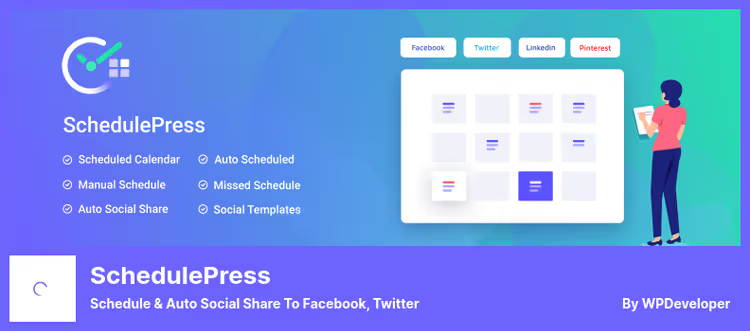
SchedulePress (formerly WP Scheduled Posts) focuses on an editorial calendar. The free version automatically shares posts to Facebook, Twitter (X), LinkedIn, Pinterest, Instagram, Medium and Threads. Pro adds Google Business Profile, auto-scheduler and missed schedule handling.
Visual calendar with drag-and-drop: all content is visible a month ahead, posts are dragged between dates without extra clicks. For multi-author blogs, there are email notifications to authors about post status changes. Elementor compatibility allows scheduling sharing directly from the editor, without switching to the classic admin panel.
Pros:
- Visual editorial calendar with drag-and-drop
- Missed schedule auto-handling (Pro)
- Elementor compatibility
- 7 social networks in the free version
Cons:
- Auto-scheduler only in Pro
- No AI caption generator
Price: free version, Pro from $39 per year (current rates on WordPress.org).
🔗 SchedulePress on WordPress.org
10. WP2Social Auto Publish
WP2Social Auto Publish does exactly one thing: automatically publishes posts from WordPress to Facebook. Free. Supports plain text, text with image and attached link.
Setup is minimal: authorize a Facebook app, select a page, set category filters. Post is published, plugin sends it to Facebook, there are logs for tracking. For sites that only need Facebook auto-posting without extra bells and whistles, this is the best choice: lightweight and free. Need more than one social network, look at other options from this collection.
Pros:
- Completely free
- 5-minute setup
- Auto-posting logs for debugging
- Does not burden the site with extra code
Cons:
- Only Facebook
- No time-based publishing scheduler
- One Facebook page in the free version
Price: free.
🔗 WP2Social Auto Publish on WordPress.org
11. Nelio Content
Nelio Content from Nelio Software, perhaps the most advanced editorial calendar for WordPress with auto-posting functionality. The free version connects X (Twitter), Facebook and LinkedIn, provides a full calendar with tasks, comments, RSS ideas and analytics. Premium opens Instagram, Mastodon, Medium, Telegram, Bluesky, TikTok, Pinterest, Threads, Reddit and other platforms, plus group newsletters through Buffer and Hootsuite.
Plugin philosophy: content strategy in one window. Posts, social messages and tasks on one screen. Repost rules are flexible: for example, share each post from the WordPress category to X a day after publication and repeat a month later. Built-in Content Assistant checks post quality: are there images, tags, links, excerpt. Google Analytics integration shows which content performs better.
Pros:
- Full editorial calendar for free
- Content Assistant with post quality check
- Buffer and Hootsuite integration
- RSS feeds for content idea generation
Cons:
- Premium from $9 per month, more expensive than many competitors
- Only 3 social networks in the free version
Price: free version, Premium from $9 per month (current rates on Nelio website).
🔗 Nelio Content on WordPress.org🔗 Nelio Content website
⁉️🤔 Frequently asked questions
What is auto-posting from WordPress and how does it work?
Auto-posting is a WordPress plugin feature that automatically publishes new (and old) posts to connected social networks. The plugin takes the title, featured image and post URL, formats for a specific platform and sends through the official API. Configure the template once, then the process runs without manual intervention.
Which auto-posting plugin is best for a small blog?
If your budget is zero, start with Jetpack Social: free, 8 social networks, from Automattic. Need Facebook plus LinkedIn with a convenient interface, Bit Social in the free version. When there are more than three social networks and you need scheduling, Blog2Social on the Smart tier (current prices on website) will cover most scenarios. For pure Facebook posting, take WP2Social Auto Publish: free and super lightweight.
Can I set different publishing times for different social networks?
Yes, most Premium plugins allow setting individual schedules for each platform. Blog2Social and FS Poster can do this, as well as Nelio Content and Bit Social Pro. For example, X gets the post immediately after publication, Facebook an hour later, LinkedIn the next morning. Free versions usually share everything simultaneously.
Is it safe to give the plugin access to my social networks?
Quality plugins from this collection use official social network APIs and do not store your passwords. Connection is through OAuth: you authorize the app on Facebook or X and grant limited rights, only for publishing. Avoid plugins that ask you to enter your social network password directly in a WordPress form. This is a red flag.
What's better: an auto-posting plugin or an external service like Buffer?
A plugin saves one transition: you write in WordPress, it publishes everywhere. Services like Buffer require configuring RSS feeds or manual copying. Advantage of external services: they work even if the site is down. Compromise: Nelio Content integrates with both Buffer and Hootsuite. For most WordPress sites, a plugin is sufficient. For large newsrooms with strict SMM scheduling, plugin plus Buffer as a backup channel.
Which auto-posting plugin to choose in 2026
There is no universal answer, choose for a specific task. WooCommerce online store with visual content, take FS Poster (Pinterest + Instagram) or Bit Social Pro with AI captions for products. Newsroom with a team of authors, Nelio Content with editorial calendar and Content Assistant. Maximum social network coverage for free, Blog2Social (14 platforms) or NextScripts SNAP (20+).
Easy start at zero cost: Jetpack Social on 8 social networks and WP2Social Auto Publish for Facebook as backup. Two free plugins will cover the needs of most sites.
Need not just publishing links, but connecting social networks with WooCommerce, forms and email marketing, take a look at Uncanny Automator. It builds entire automation funnels, not just posting.
Write in the comments which plugin you use and which social networks are connected: useful for all readers. Share the collection with colleagues, a good tool saves hours every month.

A professional team of writers and editors specializing in creating quality content.