














🥇 8 WordPress plugins for LinkedIn in 2026: autoposting, buttons and social login
You installed a LinkedIn plugin, configured the app, clicked "Publish," and got nothing. Or the post went through but with a broken image and mangled preview. Sound familiar?
By 2026, LinkedIn stopped being "the résumé site." It's a platform with a billion users, where B2B posts get organic reach that Facebook and X can no longer match. The LinkedIn algorithm rewards native expert content, not link spam, and companies that joined the platform in 2024-2025 are already building audiences while competitors debate "whether it's worth it."
The problem is that manual cross-posting eats time, and standard RSS integrations break after every WordPress update. You need the right plugin for the specific task: auto-publishing, share buttons, social login, or embedding a LinkedIn profile on your site. Below are eight proven solutions, each tested on the current version of WordPress in 2026.
💡 Quick overview:
- Define your task: auto-posting new entries, resharing archives, share buttons, social login, or all of the above
- Check the comparison table below, it will eliminate three-quarters of the options in a minute if you don't have time to read all the descriptions
- Install the plugin, create a LinkedIn app in LinkedIn Developer Network (Client ID + Client Secret), set category filters, and publications will go automatically
First, let's compare the top five plugins by key criteria:
Plugin | Task | Price | LinkedIn features |
|---|---|---|---|
WP to LinkedIn Auto Publish | Simple auto-posting | Free | Text + image + link, category filter |
Blog2Social | Auto-posting + scheduler for 20+ networks | Freemium (from €7/mo) | LinkedIn profile + company pages, AI post generator |
Social Snap | Share + subscribe buttons | Freemium ($39/year Pro) | LinkedIn Share, Click-to-Tweet, vector SVG |
Nextend Social Login | Quick login via social networks | Freemium | LinkedIn login in Pro version, 444 reviews, 400K+ installs |
FS Poster | Auto-posting to 15 social networks | $45 (CodeCanyon) | LinkedIn profile + companies, analytics per network |
1. WP to LinkedIn Auto Publish
The simplest entry point: install the plugin, register a LinkedIn app on developer.linkedin.com, enter Client ID and Client Secret, and posts go to the feed automatically. No extra steps.
The plugin supports three modes: plain text, text with image, and text with link. In settings, you specify specific categories and post types that go to LinkedIn, for example, "News" and "Case Studies," without drafts and service pages. A random technical post won't blast into clients' feeds.
The message template is assembled via shortcodes: you can use {POST_TITLE} for the title, {POST_EXCERPT} for the excerpt, {POST_ID} for the identifier, {BLOG_TITLE} for the site name, and eight more variables. Your own post format for a specific content type, without a single line of code.
The main advantage we appreciated in practice: the plugin doesn't slap "shared via XYZ" on posts. You create your own LinkedIn app, publications look native, as if written by a human, not a script.
- Pros: three modes (text/image/link), category and post type filters, custom template via shortcodes, no "shared via," native publishing
- Cons: no scheduler (post goes immediately after publishing in WordPress), works only with LinkedIn
- Price: Free
- 🔗 WP to LinkedIn Auto Publish on WordPress.org
2. Revive Social

Revive Social (formerly Revive Old Post) solves the problem everyone forgets about: old posts. The plugin automatically reshares your archive to social networks on a schedule, preventing content from dying a week after publication. For a site with 200+ posts in the archive, this is passive traffic without daily manual work.
The free version supports Facebook and X (Twitter). LinkedIn profiles and company pages unlock in Pro, along with Instagram, Tumblr, Google Business Profile, Telegram, Mastodon, and Bluesky. For a B2B site where 80% of traffic comes from LinkedIn, the Pro version pays for itself by reactivating the archive.
Setup is simple: set the interval between publications (from 2 hours), minimum and maximum post age, exclude irrelevant categories, and the plugin keeps the feed alive on its own. UTM tags are added automatically, effectiveness is visible in Google Analytics.
In our test on a site with 180 posts, Revive Social generated 30-40 additional clicks per week from LinkedIn without any manual actions. For projects with large archives, this is perhaps the most underrated growth tool.
- Pros: auto-resharing archives, flexible scheduling, UTM tracking, Google Analytics integration, custom post type support in Pro
- Cons: LinkedIn only in Pro, free version limited to Facebook and X, complaints about support in reviews
- Price: Freemium (Pro from $99/year)
- 🔗 Revive Social on WordPress.org
3. Blog2Social

The most powerful combine in this roundup. Blog2Social isn't just a LinkedIn plugin, but a full-fledged scheduler for 20+ social networks: Facebook, X (Twitter), Instagram, LinkedIn, TikTok, YouTube, Reddit, Medium, Pinterest, Telegram, Bluesky, Threads, Discord, and others.
The key difference from simple auto-posters is the Social Media Calendar. A grid of scheduled posts with drag-and-drop: drag with the mouse, change time for each network separately. For LinkedIn, the setup is detailed: profile or company page, hashtags, @mentions, preview image. One post can be adapted to the format of each platform without rewriting.
Premium plans include an AI assistant: set the tone (formal/friendly/expert), language, and the plugin generates a post version for LinkedIn with the right style. In 2026, custom AI templates for each network were added separately. UTM markup is out of the box.
In our two-week test, Blog2Social didn't miss a single LinkedIn publication. For those managing 3-4 platforms simultaneously, time savings compared to manual cross-posting is about an hour per day.
- Pros: 20+ social networks, drag-and-drop calendar, AI post generator (custom templates), UTM tracking, 50,000+ active installs
- Cons: LinkedIn company pages only from Pro plan (from €7/mo), excessive if you only need LinkedIn
- Price: Freemium (Premium from €7/mo)
- 🔗 Blog2Social on WordPress.org
4. FS Poster
CodeCanyon bestseller with a focus on pure auto-posting. FS Poster supports 15 social networks, including LinkedIn (profile and company pages), and can do what free solutions lack: scheduling down to the minute, proxies to bypass network restrictions, and publishing to Instagram Stories.
For WooCommerce stores, there's a separate module: new products automatically go to social networks with price and image. Set the interval (for example, every 4 hours), and the feed doesn't get clogged, a neat stream of cards throughout the day.
Built-in analytics show clicks and engagement for each network separately. Useful when you're testing different content for LinkedIn, Facebook, and X and want to understand what flies and what doesn't.
Important nuance: the plugin doesn't update automatically from the WordPress repository. You'll have to manually download the new version from CodeCanyon. Not critical, but this is often forgotten until the first security warning.
- Pros: 15 social networks, scheduling and intervals, proxy support, WooCommerce integration, analytics per network
- Cons: manual updates from CodeCanyon, $45/year, no free version for testing
- Price: $45 (6 months support, 12 months for an additional fee)
- 🔗 FS Poster on CodeCanyon | 🔗 Live demo
5. Social Snap
Social Snap is one of the leaders among social button plugins with a key focus on speed. Vector SVG icons load asynchronously and don't add extra page weight, a problem that plagues almost all competitors.
Buttons are placed anywhere: before and after content, floating panel left or right, overlay on images, shortcode anywhere on the page. For each position, mobile display is enabled separately, if you don't want a floating panel on smartphones, disable it with one click.
The Pro version adds Social Auto-Poster (including LinkedIn), Social Login via 30+ providers, and Click-to-Tweet, beautiful quotes for X (Twitter). But the main trump card is Lite itself: it's free and doesn't cut speed.
We measured PageSpeed with Social Snap enabled on a test site: the difference with the plugin disabled was less than 0.3 points. For a tool with this functionality, that's an excellent result.
- Pros: asynchronous loading, vector SVG icons, flexible positioning for each position, Click-to-Tweet, minimal impact on speed
- Cons: LinkedIn Share is in Lite, but auto-posting and LinkedIn login only in Pro ($39/year)
- Price: Freemium (Pro $39/year)
- 🔗 Social Snap on WordPress.org | 🔗 Social Snap website
6. Nextend Social Login
Social login isn't the first thing you think of when you hear "LinkedIn plugins." But Nextend Social Login closes this task better than anyone on the market. The numbers speak for themselves: 444 reviews and over 400,000 active installs.
The free version includes Facebook, Google, and X (Twitter). LinkedIn unlocks in the Pro addon along with Amazon, PayPal, Discord, GitHub, Microsoft, Apple, Slack, TikTok, and a dozen other providers.
Technical point we specifically checked: Nextend correctly handles username conflicts. If a name from social media is already taken, the plugin doesn't generate "person-with-numbers-12345," but offers an alternative. In Pro, you can request email or username during registration if the provider didn't provide them.
GDPR-ready out of the box: the plugin provides tools for compliance, not just declaring "we don't store data."
- Pros: 444 reviews and 400K+ installs, correct handling of name conflicts, LinkedIn + 15+ providers in Pro, GDPR-ready
- Cons: LinkedIn only in paid Pro addon, free version limited to three networks
- Price: Freemium (Pro from $49/year)
- 🔗 Nextend Social Login on WordPress.org
7. WooCommerce Social Login
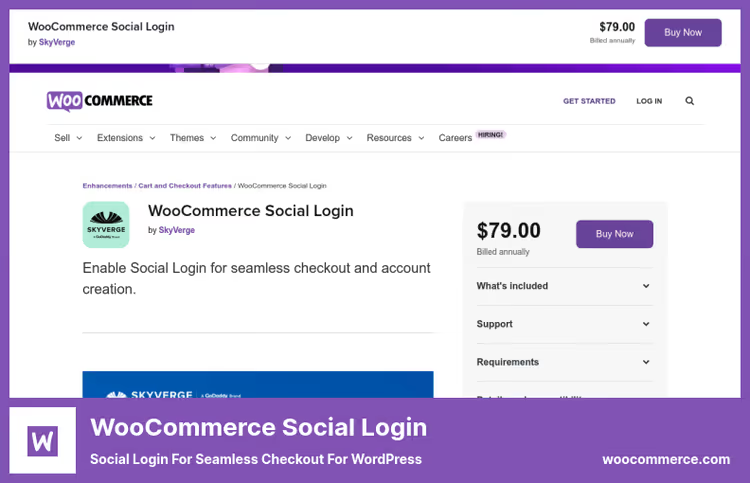
Specialized solution for online stores from SkyVerge, an official WooCommerce partner. If you have a WooCommerce store, this plugin handles social login more correctly than universal alternatives.
Why is this important specifically for LinkedIn? Your B2B audience already has LinkedIn open in the next tab. One click, and the order is placed without filling out fields. According to developers, 77% of buyers prefer social login on eCommerce sites, and conversion at checkout grows by more than 10%.
The plugin supports Facebook, X (Twitter), Google, Amazon, LinkedIn, PayPal, and Disqus. After placing an order, the buyer is offered to link social media to the account right on the "Thank you for your order" page, a gentle moment when the person is maximally loyal.
The price is $99/year (current on the product page). For a store with turnover, this pays for itself with the first additional orders that didn't fall through due to forgotten password.
- Pros: official WooCommerce partner, LinkedIn out of the box (without Pro), social media linking after order, 8,000+ active installs
- Cons: only for WooCommerce, $99/year, limited set of providers (7 networks)
- Price: $99/year
- 🔗 WooCommerce Social Login on WooCommerce.com
8. Super Socializer
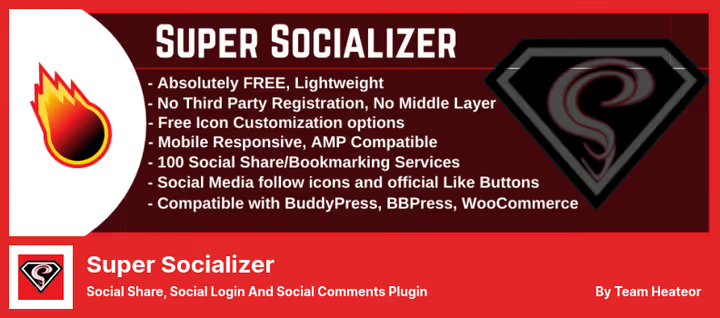
Swiss army knife of social features: social login (27 networks), share buttons (about 100 social networks), and social comments (Facebook + Disqus), all in one plugin. The main trump card is LinkedIn login is completely free. No need to buy Pro for users to log in via LinkedIn, unlike Nextend, where this feature requires a paid addon.
Icons are customized without code: shape (square/circle/rectangle), size from 16px with no upper limit, background and logo color. Shortcodes and widgets allow you to place buttons anywhere on the site, not just in standard positions.
The plugin is compatible with BuddyPress, bbPress, WooCommerce, AMP, and multisite. Share counter caching is set by time so extra requests to social network APIs don't load the server.
Limitation: doesn't work on a local server. Only on a live site with a domain, this is required by social login provider APIs.
- Pros: LinkedIn login for free, 27 networks for login and ~100 for sharing, icon customization without code, compatibility with BuddyPress and WooCommerce
- Cons: doesn't work on localhost, abundance of settings can confuse beginners
- Price: Free
- 🔗 Super Socializer on WordPress.org
If you're more visual, here's a 5-minute tutorial on auto-publishing to LinkedIn directly from WordPress:
⁉️🤔 Frequently asked questions
Do I need to create a LinkedIn app for auto-posting?
Yes, most plugins (WP to LinkedIn Auto Publish, Blog2Social, FS Poster) require an app in LinkedIn Developer Network. The process takes 5 minutes: go to developer.linkedin.com, create an App, copy Client ID and Client Secret into plugin settings. This is a LinkedIn platform requirement, not a specific plugin, needed for OAuth authorization and absence of "shared via" marks.
Which LinkedIn plugin should I use for a WooCommerce store?
Two scenarios. If you need social login at checkout, WooCommerce Social Login: it's designed for WooCommerce, doesn't conflict with themes and cart plugins. If you need auto-posting product cards to LinkedIn, FS Poster: can publish products with price and image on schedule, with a separate WooCommerce module.
Why a separate LinkedIn plugin if there's Jetpack or Yoast?
Jetpack and Yoast don't publish content to LinkedIn. Jetpack provides share buttons (including LinkedIn) and social login via WordPress.com, Yoast provides SEO markup. Plugins from this list cover other tasks: auto-posting, login via LinkedIn account, embedding company profile on site.
Is it mandatory to pay?
No. WP to LinkedIn Auto Publish, Super Socializer, and Social Snap (Lite) are completely free and cover basic scenarios. Revive Social and Blog2Social provide LinkedIn in the free version with limitations (profile only, without company pages). Paid versions add scheduler, analytics, multiple accounts, and other advanced features.
Why didn't the post go to LinkedIn?
Three most common reasons. First: token expired, go to plugin settings and reconnect the LinkedIn app. Second: category filters or post types aren't configured, the plugin doesn't understand what to publish. Third: LinkedIn API limits the number of requests for your app, check limits in LinkedIn Developer Dashboard.
Can I use two LinkedIn plugins simultaneously?
You can, but carefully. The combination of WP to LinkedIn Auto Publish (auto-posting) + Social Snap (share buttons) works without conflicts, the tasks are different, no overlap. But two auto-posting plugins at once risks duplicating posts in the LinkedIn feed. We recommend one tool per task.
What to install on a site in 2026: the final breakdown
The choice comes down to the task, not the feature list. Need simple free auto-posting, WP to LinkedIn Auto Publish: minimal settings, native publishing, works predictably. Want cross-posting with calendar and AI generator, Blog2Social. Task is share buttons that don't cut speed, Social Snap.
For social login, the fork: if you need free LinkedIn login, Super Socializer (27 networks, including LinkedIn, without a penny). If benchmark stability and support are more important than savings, Nextend Social Login (444 reviews don't lie).
Special case, WooCommerce store. WooCommerce Social Login for $99/year pays for itself with the first orders that didn't fall through due to forgotten password. And FS Poster is a store's best friend for auto-posting products.
Install one plugin for the main task, configure the LinkedIn app, and check the first post. LinkedIn values content quality, not the number of connected tools.

A professional team of writers and editors specializing in creating quality content.