














🥇 11 best forum plugins for WordPress 2026 (free and premium)
A WordPress forum is not a gallery of pretty themes. It's a mechanism: registration, moderation, notifications, server load. Get the plugin wrong and you'll end up with either an empty section with zero activity or a constantly crashing site when 50+ users are online.
The market has cleared out over the last 4 years. Dead projects like WP Symposium Pro (site down with 404), PeepSo (shut down by developer in November 2024), and DW Question & Answer (removed from repository for security reasons) are gone from the platform. What remains are mature, living solutions for specific scenarios: classic forum, Q&A portal, social network, support base.
We've collected 11 current forum plugins for WordPress in 2026, from the fully free bbPress to the premium powerhouse Simple:Press Pro. Three dead plugins from the original collection have been excluded, one has been added (AnsPress), which was undeservedly dropped in previous versions of the review. Under each, honest pros and cons. No marketing fluff.
💡 Quick overview:
- Define your community format: classic forum (topics and sections), Q&A (questions and answers), or social network (profiles, feed, friends)
- Choose an engine for your format: for a classic forum, take bbPress (full control, open-source) or wpForo (ready functionality out of the box)
- Get BuddyPress (free, ecosystem) or FluentCommunity (modern UI, CRM integration) for a social network inside WordPress
- Use CM Answers, AnsPress, or Sabai Discuss for a Q&A portal: each covers its own budget and scenario
- Check hosting in advance: a forum with 2,000+ active users requires VPS with server-side caching (Redis or Memcached)
Comparison table
Plugin | Format | Free version | Premium | Active installations |
|---|---|---|---|---|
| Classic forum | Yes, GPL | No | 100,000+ |
| Social network | Yes, GPL | No | 100,000+ |
| Classic forum | Yes, fully | No | 10,000+ |
| Classic forum | Lite | From $29/mo | 2,000+ |
| Classic forum | Yes | Addons $15-60 | 20,000+ |
| Q&A | Lite | $39 | 3,000+ |
| Social network | Yes | Through ecosystem | 8,000+ |
| Classic forum | Lite | $69 | 2,000+ |
| Classic forum | No | $19 | Premium |
| Q&A | No | $24 | Premium |
| Q&A | Yes, GPL | No | 3,000+ |
1. bbPress

A forum engine from the developers of WordPress itself. This is both a plus and a minus at the same time. On one hand, integration with the core is perfect. On the other, the functionality is deliberately minimalist: bbPress doesn't try to become an "out-of-the-box forum."
It provides the foundation: sections, topics, replies, and 200+ extensions for any task. Want sticky topics, install an addon. User ratings, another one. Email notifications, a third. No extra CSS or JS until you add it yourself. For large communities with 50,000+ topics, this is one of the few options that won't crash the server.
The lightweight nature translates to no visual theme editor and basic moderation tools. Without extensions, bbPress is just an engine, not a finished product. But for a developer who wants full control, this is freedom rather than limitation.
Pros:
- Developed by the WordPress.org team, updates in sync with core
- Minimal footprint: works on any hosting without speed drops
- 200+ extensions cover practically any scenario
- Multisite out of the box, one administration for a network of forums
Cons:
- Without extensions, functionality is spartan: no editor, ratings, or moderation
- Visual customization requires CSS knowledge or a separate theme
Price: Free, open-source (GPL).
2. BuddyPress

If bbPress is a forum, then BuddyPress is a full-fledged social network inside WordPress. User profiles, activity feed, private messages, groups, friends. Everything like in "big" social networks, only under your control.
The bbPress + BuddyPress combo is the canonical stack for WordPress communities. The first handles discussions, the second handles social mechanics. Integration between them is seamless: users register once and get access to both the forum and the social network.
BuddyPress integrates with dozens of plugins, including LearnDash, WooCommerce, and MemberPress. A forum can be part of an educational platform, membership site, or internal company network. Separate mention for built-in Akismet support: spam registrations are automatically filtered out. This is critical for open communities where registration is available to everyone.
Pros:
- Full-fledged social network: profiles, groups, messages, feed, friends
- Seamless integration with
bbPressand dozens of other plugins - Akismet out of the box, spam registrations won't pass
- Official WordPress.org support, regular updates
Cons:
- Without
bbPress, the forum part is limited,BuddyPressitself is not a forum engine - Setting up groups and permissions requires time to learn
Price: Free, open-source (GPL).
3. Asgaros Forum
A lightweight forum that installs with one shortcode. No complex settings, no upsells, no premium version ads. Asgaros Forum is completely free, and the developer doesn't hide features behind a paywall.
The plugin includes a normal set of tools: user profiles, groups, violation reports, moderators, announcements, search, polls. Guest posting is allowed, letting unregistered visitors speak. Nice touches: file uploads in topics and post reactions.
Limitations: Asgaros Forum is not designed for large forums. For a niche community of 500-1,000 users, excellent choice. For a public forum with 10,000+ topics, it will start to slow down. SEO-friendly out of the box, supports multisite. Design is customizable through the admin panel without code.
Pros:
- One shortcode installation, launch in 2 minutes
- Completely free, no upsells or hidden payments
- Guest posting and file uploads
- Multisite and SEO-friendly
Cons:
- Not designed for large forums with high activity
- No reputation system or user ratings
Price: Free.
🔗 Asgaros Forum on WordPress.org
4. Simple:Press
A veteran among WordPress forums. Simple:Press has existed since 2008 and has accumulated functionality that standalone solutions would envy: subforums of any nesting level, private and public sections, post transfers between topics, custom icons for each section.
The free Lite version is available on WordPress.org and lets you try the plugin in action. But for full use, you need the Pro version (from $29/mo): that's where the 70+ premium extensions, SEO tools, and full control over appearance are.
Integration with WordPress is deep: it uses native registrations and logins, access rights are tied to WP roles. Supports both regular and multisite mode.
Pros:
- Subforums of any nesting level, you can build complex structure
- Full control over appearance without editing code
- 70+ premium extensions for expanding functionality
- Private and public sections with flexible access rights
Cons:
- Free version is heavily limited, main features are in Pro
- Administration interface takes getting used to
Price: Lite, free. Pro, subscription $29/mo.
🔗 Simple:Press Lite on WordPress.org🔗 Simple:Press Pro
5. wpForo Forum
The most downloaded forum plugin in the WordPress repository: over 20,000 active installations. And not without reason. wpForo provides four forum layouts from the start (list, groups, Q&A, detailed view), six color schemes including dark theme, and built-in SEO tools.
For large forums, wpForo suits better than most competitors: the architecture was initially designed for high loads. There are user ratings and badges, built-in search with filters, integration with BuddyPress.
The main drawback: almost all extensions are paid. The base version is functional, but as soon as you need something beyond the standard set, prepare your budget. Migration from other forums to wpForo is supported through the Go2WpForo utility.
Pros:
- Four forum layouts and six color schemes to choose from
- Architecture for high loads, suitable for large communities
- Built-in SEO, caching, Sitemap, anti-spam
- Migration from other forum engines through Go2WpForo
Cons:
- Almost all extensions are premium, functionality beyond basics is paid
- Layout customization requires understanding the plugin structure
Price: Base version, free. Addons, from $15 to $60 each.
6. CM Answers
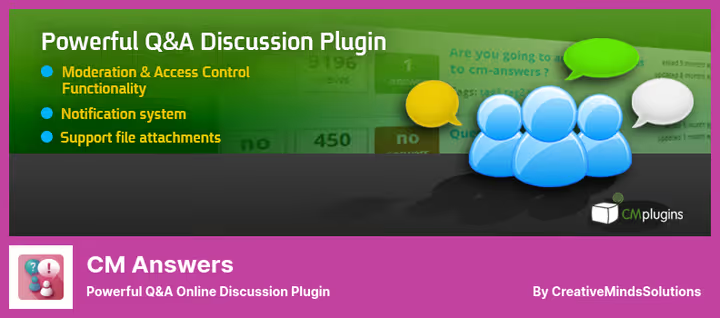
Stack Exchange format inside WordPress. Users ask questions, vote for answers, the best answer rises to the top. CM Answers is a Q&A engine, not a classic forum with topics.
The Lite version on WordPress.org covers the basic scenario: questions, answers, voting, file uploads, category subscriptions. The Pro version for $39 adds private messages, social login, user profiles, and the ability to mark "best answer."
Integration with themes through shortcodes: one shortcode per page, and the Q&A section is ready. Suitable for support portals, internal knowledge bases, and niche communities where answer quality matters more than topic quantity.
Pros:
- Q&A format with voting, best answers automatically on top
- Installation via shortcode, compatible with most themes
- File uploads and category subscriptions in free version
- Pro version adds social login and private messages
Cons:
- Designed for Q&A, not for classic forum with topics
- Useful features (best answer, profiles) only in Pro
Price: Lite, free. Pro, license $39.
🔗 CM Answers Lite on WordPress.org🔗 CM Answers Pro
7. FluentCommunity

A new player from the WPManageNinja team, authors of FluentCRM, FluentSMTP, and Fluent Forms. FluentCommunity builds community around content: courses, subscriptions, paid access, all in one ecosystem.
The plugin integrates with FluentCRM for email automations, Fluent Forms for registrations, and SureCart for monetization. If you're already in the Fluent ecosystem, you get the community layer without additional integration dances.
The interface is minimalist, speed is on point. The WPManageNinja team is known for clean code. Users get a feed, groups, profiles, and the ability to interact in real time. The plugin is relatively young but growing fast: already 8,000+ active installations.
Pros:
- Native integration with Fluent ecosystem (CRM, Forms, SureCart)
- Modern minimalist interface, high speed
- Real time: feed, comments, reactions without page reload
- Active development and support from a known team
Cons:
- Relatively new plugin, extension ecosystem is smaller than BuddyPress
- For maximum benefit, you need other Fluent products
Price: Free core version on WordPress.org. Pro, through Fluent ecosystem.
🔗 FluentCommunity on WordPress.org
8. Discussion Board
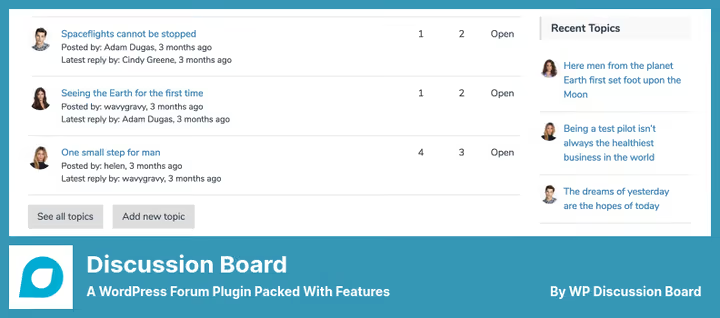
A forum plugin that bets on minimalism and compatibility. Discussion Board fits into any WordPress theme without conflicts: the design is deliberately simplified so much that it inherits the active theme's styles.
Management is built on shortcodes: topic creation form, discussion list, reply page. Each element is inserted with a separate shortcode. This provides flexibility in composition but requires manual assembly of forum pages.
The Pro version for $69 adds a WYSIWYG editor, file uploads, user profiles, and advanced spam protection. The free version has basic moderation: the administrator approves or rejects posts, manages topic statuses, creates read-only boards.
Pros:
- Minimalist design, compatible with any WordPress theme
- Flexible forum page composition through shortcodes
- Read-only boards for news and announcements
- Frontend registration and login to attract users
Cons:
- Forum page assembly through shortcodes requires manual setup
- WYSIWYG editor and file uploads only in Pro
Price: Lite, free. Pro, license $69.
🔗 Discussion Board Lite on WordPress.org🔗 Discussion Board Pro
9. Forym
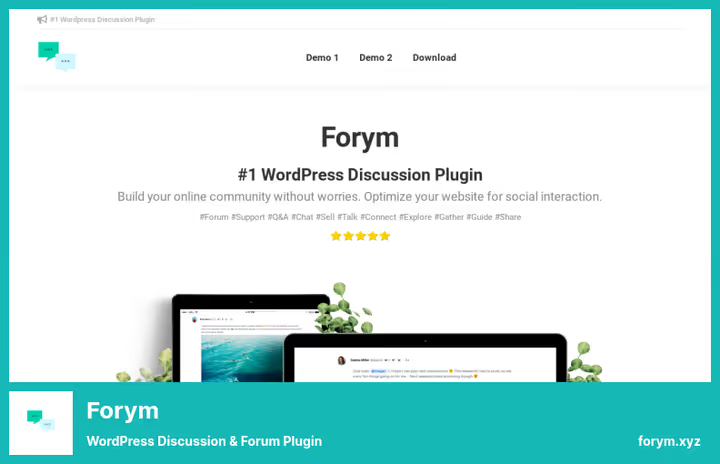
A compact premium forum for $19. No free version, no upsells inside. You pay once, get everything. And this "everything" includes code syntax highlighting, drag-and-drop editor, user badges, custom signatures, and SEO optimization.
Forym design is minimalist, clean, responsive. Light and dark themes switch on the fly. Separate mention for the profanity filter and online reputation management, rare features for a forum plugin.
The plugin is not intended for Q&A format, but voting for answers exists: the most popular rise to the top. For a niche community of developers or techies, Forym is one of the best options by price-to-quality ratio.
Pros:
- One-time payment only $19, all features without subscription
- Code syntax highlighting, a plus for technical communities
- Drag-and-drop topic editor
- Profanity filter and reputation management
Cons:
- No free version to test before purchase
- Not suitable for Q&A format, designed for classic topics
Price: one-time payment $19 (12 months of updates).
10. Sabai Discuss
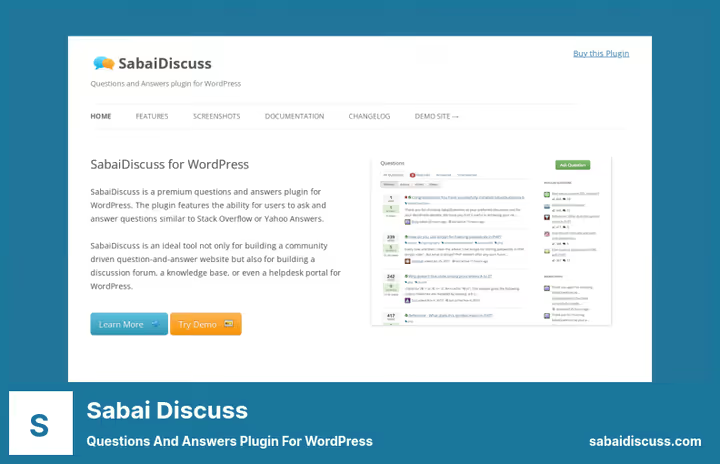
A Q&A plugin that automatically curates content. The main page is formed by popularity of questions and answers: it's not you who decides what to show, but the community votes with activity.
Sabai Discuss provides a good set of tools: user profiles, reputation system, comment moderation, bookmarks, syntax highlighting, and social sharing. Answers are indexed by search engines as separate pages, an additional source of organic traffic.
The plugin is premium ($24) but supports installation of unlimited instances by copying one file. Convenient for site networks where you need a Q&A section on each.
Pros:
- Automatic content curation by popularity
- Answers indexed by search engines, additional traffic
- Unlimited instances for multisites
- Reputation system and user profiles
Cons:
- Premium only, no free testing
- Q&A format not suitable for classic discussion forums
Price: one-time payment $24.
11. AnsPress

A free open-source Q&A engine that builds a Stack Overflow analog inside WordPress. AnsPress provides the full cycle: question, answer, voting, best answer selection, user reputation. Works with BuddyPress out of the box.
The plugin supports 10+ languages, reCAPTCHA, email and push notifications, file uploads, violation flagging. There's an [anspress] shortcode for inserting a Q&A section on any page. Free addons extend the core: categories, tags, profanity filter, dynamic avatars.
The plugin hasn't been updated in 2 years and hasn't been tested with the latest WordPress versions. In practice, it works stably on 3,000+ sites. Suitable for community Q&A without budget and for a niche support portal. Don't expect a modern interface, the design is at the level of 2015 forums, but the functionality is honest.
Pros:
- Completely free open-source Q&A engine
- Seamless integration with
BuddyPressand multisite - 10+ languages, reCAPTCHA, push notifications
- Free addons: categories, tags, profanity filter
Cons:
- Hasn't been updated in 2 years, not tested with WP 6.6+
- Interface is outdated, requires customization
Price: Free, open-source (GPL).
The "install and go" approach with forum plugins won't work. Unlike a caching or SEO plugin, a forum requires configuring permissions, moderation, section structure, and appearance. The 15-minute video above is a quick start with bbPress: installation, section configuration, theme customization. For those who want to see the process hands-on rather than read documentation.
⁉️🤔 Frequently asked questions
How does a forum plugin differ from a comments plugin?
A forum plugin provides structure: sections, subsections, permission system, and reputation. A comments plugin (even an advanced one like
wpDiscuz) is limited to threaded discussions under a specific post. A forum lives an independent life, comments are part of existing content. For a community project, a forum is a must-have. For a blog with active readers, a good commenting system is often enough. The main dividing line: independence of discussion from content.
Is BuddyPress needed if bbPress is already installed?
Not necessarily.
bbPressis self-sufficient for a classic forum.BuddyPressadds a social layer: profiles, friends, activity feed, private messages. If the community is small (up to 500 users) and everyone communicates in topics,bbPressis enough. If users want to "hang out," communicate outside topics, and build connections,BuddyPresswill turn the forum into a mini social network. In our experience, the combo is justified for communities from 1,000 users. Fewer, and social mechanics won't take off: 50 profiles without activity look like a ghost town.
Which plugin should I choose for Q&A format?
For the format "question, answer, voting, best answer on top,"
CM Answers,AnsPress, andSabai Discussare suitable.CM Answersprovides the best balance of features and price for a commercial support portal.AnsPressis the choice for an open community Q&A without budget.Sabai Discuss(the same $24) is worth considering if you need auto-curation and multisite installation. For support, a "ticket system" is better than a specialized helpdesk plugin, forum Q&A won't replace it.
How many users can a free forum plugin handle?
Depends on the plugin and hosting.
bbPressandwpForoon a normal VPS handle 50,000+ topics without degradation.Asgaros ForumandDiscussion Boardwork comfortably up to 5,000-10,000 topics. The bottleneck is usually not the plugin but the server: on shared hosting with 128 MB of memory, any forum will start to slow down with 500+ simultaneous users. A forum generates dynamic pages, each topic, reply, and profile is not cacheable static content like a blog post. A community of 2,000 active users requires VPS with at least 2 GB RAM and server-side caching (Redis or Memcached).wpForois more efficient thanbbPressin this regard due to built-in caching, but the difference shows only under serious load.
Is it worth getting a premium forum plugin?
If you need specific functionality "out of the box" and don't have a developer at hand, a premium plugin saves time.
Simple:PressPro for $29/mo provides what would have to be assembled from 15+ extensions onbbPressplus writing your own styles. Premium makes sense when your time cost is higher than the license cost. A freelancer with an hourly rate of $40, a plugin for the same $69 that saves 4 hours of setup, pays for itself instantly. A DIY enthusiast with time to spare will assemble similar functionality onbbPress+ extensions for $0, but with a couple of evenings of configuration.Forymfor ridiculous $19 is one case where there's no point arguing about feasibility.
What to install in 2026
The choice comes down to three scenarios.
You need a classic forum with topics, sections, and moderators: bbPress for full control and customization, wpForo for a ready solution out of the box. Budget is limited and the forum is small, Asgaros Forum will cover the need without spending a penny. You need deep customization and subforums of any nesting level, Simple:Press Pro justifies every dollar of subscription. Cost is critical and the technical audience expects code highlighting, Forym for pennies delivers 100%.
You need a social network with profiles, feed, and friends: BuddyPress for maximum ecosystem integration, FluentCommunity for those already in the Fluent ecosystem (CRM + forms + community in one bottle).
You need a Q&A portal: CM Answers for commercial support, AnsPress for a free Stack Overflow analog, Sabai Discuss when you need automatic content moderation through voting.
There is no universal "best" plugin. But there is a best one for your task. Start from the scenario, not from someone else's rating. Write in the comments which plugin you chose and for what task, interesting to see real cases.

A professional team of writers and editors specializing in creating quality content.