













 AIIllustrative image: AI-generated
🚀 12 question and answer forum plugins for WordPress (2026)
Communities around a site don't grow by themselves. Readers come for an article, silently close it, and never return. A forum or Q&A section changes the rules: visitors stay, argue, help each other, and meanwhile generate content that brings search traffic for years.
The catch is choosing the right tool. The WordPress catalog holds dozens of forum plugins, but half of them have been abandoned long ago: last update five years ago, incompatibility with new PHP versions, security holes. Installing such a plugin on a live site means handing attackers an open door.
We ran 12 popular solutions on a fresh test environment and filtered out dead projects from living ones. Below is an honest breakdown of each: who handles load, who's worth their money, and who should be deleted right now.
What's inside the review
💡 Quick overview: what you'll find in this review
- Which plugins actually work in 2026, and which ones should be archived
- Comparison table for all 12 positions: prices, active installs, rating on WordPress.org
- Honest breakdown of pros and cons for each tool, from legendary bbPress to niche solutions
- Live video demonstrating the top five forum plugins
- Answers to common questions: how a forum differs from comments, which plugin can handle 100,000 users, and whether you need BuddyPress
Comparison table: all 12 plugins in one view
Plugin | Type | Free tier | Premium | Active installs | WP.org rating | Status in 2026 |
|---|---|---|---|---|---|---|
bbPress | Forum | ✅ Yes | No | 100,000+ | 4.1 | Active |
WP-Answers | Q&A | ❌ No | From $47 | n/a | n/a | Active |
WP Symposium | Social+forum | ✅ Yes | Bronze (paid) | 1,000+ | 3.8 | Abandoned |
CM Answers | Q&A | ✅ Yes | From $39 | 2,000+ | 4.3 | Active |
AnsPress | Q&A | ✅ Yes | No | 4,000+ | 4.7 | Active |
DW Question & Answer | Q&A | ✅ Yes | No | 5,000+ | 4.4 | Active |
DW Q&A Pro | Q&A | ❌ No | $39 (was) | n/a | n/a | Unavailable |
MiwoVoice | Feedback | ❌ No | From $29 | n/a | n/a | Abandoned |
Forym (WP Pro Forum) | Forum | ❌ No | $21 (was) | n/a | n/a | Abandoned |
Question Answer | Q&A | ✅ Yes | No | 700+ | 4.7 | Active |
Simple:Press | Forum | ✅ Yes | From $59 | 1,000+ | 3.5 | Active |
BuddyPress | Social+forum | ✅ Yes | No | 70,000+ | 4.3 | Active |
Prices are as of June 2026 according to official plugin pages. Dash means the plugin is not distributed through wordpress.org and there's no public install statistics.
1. bbPress

🔗 Information and download | 🔗 Screenshots
bbPress, the standard forum engine for WordPress, has been developed under Automattic's wing (the same company behind WordPress.com, WooCommerce, and Jetpack) since 2004. Matt Mullenweg originally wrote it for the wordpress.org support forums, and bbPress still powers those forums. In our experience, if a plugin handles the load of one of the largest forums in the WordPress ecosystem, it will handle your site without question.
The bbPress core is free and surprisingly lightweight. No bloated interface, no pushy admin notifications. You get a forum that runs on standard WordPress post types: forum sections are custom taxonomies, topics and replies are custom post types. This approach means any SEO plugin (Yoast, Rank Math) indexes forum topics exactly like regular pages.
But there's a catch. Out of the box, bbPress looks frankly spartan. Topic and reply design inherits your theme's styles, and if the theme wasn't built for bbPress, the forum will look out of place. This is solved either by choosing a bbPress-compatible theme or by one of 868 extensions available in the WordPress.org repository under the "bbpress" tag.
Pros:
- Maximum lightweight start: 2-minute install, setup wizard walks you through steps
- Load doesn't grow proportionally with user count, runs on native WordPress tables
- Automattic as maintainer: the plugin won't be abandoned or sold
- Huge extension ecosystem: from avatars to voting systems
Cons:
- Default design is spartan, appearance customization requires theme or CSS
- No threaded discussions "like Reddit" (threads are linear)
- Basic moderation: Akismet for spam and manual flag management
Price: free. No premium version exists.
2. WP-Answers
🔗 Information and download | 🔗 Demo
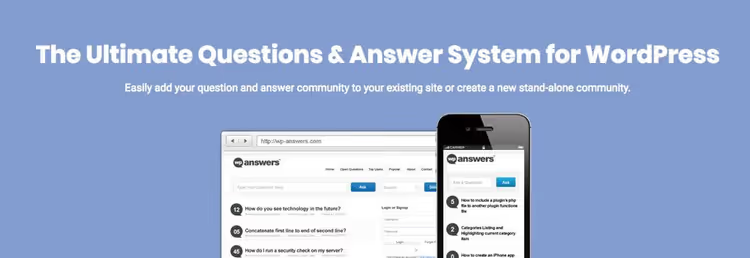
WP-Answers, not just a plugin but a full-featured platform for launching a Q&A site in the Yahoo Answers style. The developers went beyond competitors: together with the plugin you get 6 optimized design themes in different color schemes.
The main feature of WP-Answers is the points system. Users earn points for answers and spend them to publish their questions. The mechanics are simple but work: the community self-regulates, and the most active participants get recognition through ratings and profile pages. Ad placements in the template are designed for Google AdSense, with clickability tested on real sites.
Interesting detail: the plugin can automatically pull content from Yahoo Answers. Since 2021 Yahoo Answers itself has been closed, but the question import function from other sources may be useful when migrating an existing Q&A site.
Pros:
- Points-based participant motivation, community grows on autopilot
- 6 design themes included, no need to buy a separate theme
- Ad layout optimized for AdSense
- Automatic content import speeds up site filling
Cons:
- Only paid version (from $47), no free tier
- Tied to wp-answers.com ecosystem, if developer leaves, support ends
- Interface design looks dated compared to modern Q&A platforms
Price: from $47 (one-time purchase). Check exact price at wp-answers.com.
3. WP Symposium

🔗 Information and download | 🔗 Screenshots
⚠️ Status in 2026: plugin abandoned. Last update was over three years ago. On the WordPress.org support page users report project closure, and part of the functionality stopped working with modern PHP versions. We left WP Symposium in the review as historical reference, if you're looking for a working alternative, check out wpForo (free, actively updated, 20,000+ installs, 4.8 rating).
In its time WP Symposium positioned itself as "social network on WordPress": user profiles, activity feed, unlimited forums with attachments, friend system and private messaging. The forum part was just one of the modules. The free core included profiles, activity walls, forum and member directory, while the bronze tier unlocked extended features. Round-the-clock support was provided through their own forum, TeamSpeak, ticket system and chat.
Now we don't recommend installing WP Symposium on a new site: lack of security updates and incompatibility with PHP 8+ create risks. If the plugin is already on your site, plan migration to wpForo.
4. CM Answers
🔗 Information and download | 🔗 Screenshots
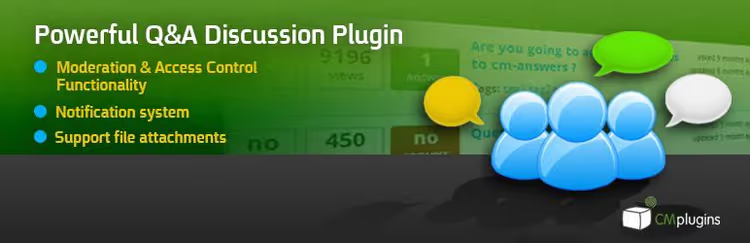
CM Answers from Cminds studio, one of the few Q&A plugins that withstood the test of time and continues receiving updates in 2026. The free version covers basic needs: creating questions and answers, voting, sorting by votes and views. The premium version (from $39) adds frontend editor, access control, categories, comment support, multiple attachments and shortcodes.
CM Answers' strong side is BuddyPress integration. If your site already uses BuddyPress for profiles and groups, CM Answers integrates into this ecosystem without conflicts. The control panel is intuitive: all questions, answers and categories are managed from the familiar WordPress interface.
Pros:
- BuddyPress integration out of the box
- Drag-and-drop attachment upload
- Advanced role-based access control
- Living project: regular updates and support
Cons:
- Premium features (frontend editor, categories, multiple files) require paid access
- Free version doesn't support nested comments on answers
- Only 2,000+ active installs, small community
Price: free core on WordPress.org, premium from $39 on WordPress.org.
5. AnsPress
🔗 Information and download | 🔗 Screenshots
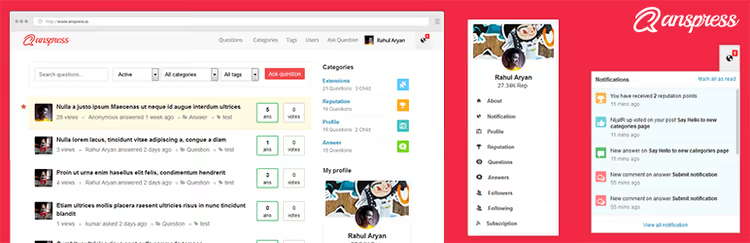
AnsPress, a free plugin that visually came closest to genre standards: Quora and StackOverflow. The interface is thought out to the smallest detail: color scheme separates questions, answers and comments, and AJAX form submission eliminates page reload with each action. Rating of 4.7 on WordPress.org and 4,000+ active installs confirm: the plugin is not just attractive but also reliable.
Out of the box you get voting on questions and answers, adding to favorites, email notifications to admins about new posts, and a flag moderation system. Themes are customizable: you can change colors and fonts to match site branding. Access control deserves special mention, you can finely tune role permissions for publishing, editing and deleting.
Pros:
- One of the best interfaces among all Q&A plugins for WordPress
- AJAX forms without page reload
- Voting, favorites, email notifications, all in free version
- Theme system for appearance customization
Cons:
- Functionality limited to Q&A format, won't work for classic forum with discussion threads
- No built-in BuddyPress integration
- Fewer extensions than bbPress
Price: free.
6. DW Question & Answer

🔗 Information and download | 🔗 Screenshots
DW Question & Answer from DesignWall studio, a lightweight and fast Q&A plugin. The free version surprises with the number of settings: seven email notification templates are fully editable, permissions are configured in detail, and instant keyword search works without delays.
On the questions page users see view count, answers and votes, mechanics familiar from StackOverflow. Questions can be closed or opened, answers can be subscribed to. 11 language packs included, support for multiple captcha types (including Google reCAPTCHA), and shortcodes for inserting question forms anywhere on the site.
Pros:
- Instant keyword search
- 7 fully editable email templates
- 11 languages out of the box
- Captcha and spam protection in free version
Cons:
- Only two shortcodes (question form and question list)
- No built-in BuddyPress integration
- Free version hasn't been updated since 2024, developer focused on Pro version
Price: free. Pro version was previously sold for around forty dollars, but in 2026 the official purchase page is unavailable.
7. DW Question & Answer Pro
⚠️ Status in 2026: plugin unavailable for purchase. The official designwall.com site no longer offers DW Q&A Pro, and the download page has disappeared. On third-party platforms (pluginsforwp.com, jitglobal.in) archived copies can still be found, but we don't recommend buying the plugin from intermediaries: lack of security updates and developer support makes it a risky investment. As a replacement consider AnsPress (free) or CM Answers (premium from $39), both supported and receiving updates in 2026.
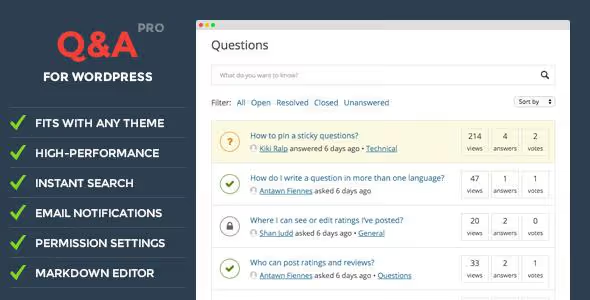
Historically DW Q&A Pro was DesignWall's flagship product: frontend question form with basic HTML markup, built-in sorting and filtering, view counters, comments and ratings. WordPress theme compatibility and powerful spam protection made it an attractive choice for community sites.
8. MiwoVoice
🔗 Information and download | 🔗 Demo
⚠️ Status in 2026: plugin abandoned. The last MiwoVoice update on wordpress.org dates to 2015, 11 years without code changes. The developer's site miwisoft.com is still alive and the plugin page opens, but compatibility with current WordPress and PHP versions is not guaranteed. Install only if you know exactly why you need this particular tool.
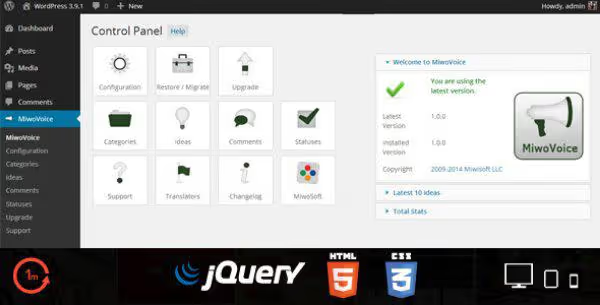
MiwoVoice was built on the UserVoice model: users publish ideas, vote on other participants' suggestions and discuss them in built-in comments. AJAX interface, Gravatar support, bad word filter, SEO metadata, social network publishing, for the mid-2010s the functionality was advanced. But time was merciless.
Pros (historical):
- Convenient AJAX interface without page reloads
- Built-in profanity filter
- SEF URLs and metadata for SEO
- Publishing ideas to social networks
Cons:
- Not updated for 11 years
- No free version
- No guarantees of working with PHP 8+
Price: from $29 (historical). Check current price at miwisoft.com.
9. Forym (WP Pro Forum System)
⚠️ Status in 2026: plugin abandoned. WP Pro Forum System, later renamed to Forym, was sold on CodeCanyon for around twenty dollars. At the time of checking the plugin page on CodeCanyon is unavailable, and alternative sources (wplocker.com) are not official. The project appears to be closed. For a modern WordPress forum use bbPress (free) or wpForo (free, 20,000+ installs, 4.8 rating).
In its heyday Forym offered a standard set of forum features: image upload through WordPress media library, built-in editor for creating topics and replies, custom shortcodes and flexible style customization for site design. Private content could be hidden from unregistered users. But without security updates, using the plugin on a live site is impossible.
10. Question Answer
🔗 Information and download | 🔗 Screenshots
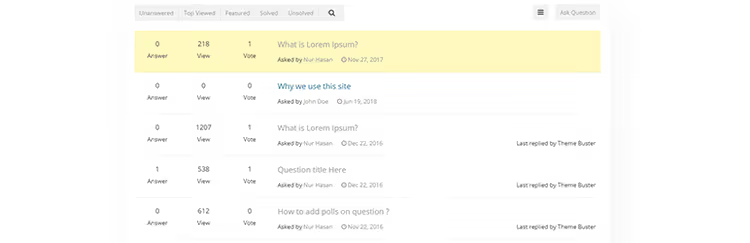
Question Answer, a free Q&A plugin with schema.org micromarkup out of the box. This means questions and answers display correctly in Google search results: rating stars, answer count and "solved" status are pulled automatically.
The default design is pleasant and doesn't require manual refinement. Answers can be scrolled up or down (like on StackOverflow), questions are marked as solved, and users subscribe to updates and add questions to favorites. Frontend submission works through shortcode, the form can be placed on any page. There's a separate shortcode for the account page. The plugin is translation ready and compatible with any theme.
Pros:
- Schema.org micromarkup for Google snippets
- Voting, subscriptions, favorites and "solved" mark, all in free version
- Pleasant default design
- Shortcodes for submission form and profile page
Cons:
- Only 700+ active installs, small community
- No BuddyPress integration
- Fewer extensions than bbPress or AnsPress
Price: free.
11. Simple:Press

🔗 Information and download | 🔗 Screenshots
Simple:Press, one of the oldest forum plugins for WordPress. The name with a colon and overall 3.5 rating on WordPress.org scares many away, but the free core works stably and covers the needs of a small no-frills forum.
Simple:Press' strong side is integrations. TinyMCE for post editing (the same editor as in WordPress), Yoast SEO and AIOSEO for indexing, Gravatars for avatars, XML sitemaps, MyCred for gamification, ShareThis for social networks, Slack for notifications and BuddyPress for profiles. No competitor has such a set of connectors. Among unique features are hidden spoilers in posts and custom smileys with the ability to upload your own.
The 3.5 rating came from premium add-ons, whose quality users rated low. The free core works without complaints.
Pros:
- Record number of integrations: SEO, gamification, social networks, Slack
- Flexible forum search system
- Hidden spoilers and custom smileys
- RSS feeds for all forum sections
Cons:
- 3.5 rating, premium addons don't meet expectations
- Admin interface is overloaded with settings
- Only 1,000+ active installs
Price: free core, premium addons from $59.
12. BuddyPress

🔗 Information and download | 🔗 Screenshots
BuddyPress, not a forum plugin in the pure sense. This is a social layer on top of WordPress: user profiles, groups, activity feed, private messaging and friends. Forum functionality is built into groups here: each community can have its own forum, accessible only to its members. With 70,000+ active installs BuddyPress is the most popular plugin in the selection.
The plugin is developed under Automattic's wing (like bbPress), which guarantees long-term support. The code is clean, secure, fully responsive. BuddyPress doesn't impose design, it inherits the active theme's styles, so the forum looks organic. To extend functionality there's an ecosystem of free BuddyPress extensions, from galleries to rating systems.
Pros:
- 70,000+ active installs, the largest community in the niche
- Automattic as maintainer: plugin won't be abandoned
- Group forums with fine-tuned privacy settings
- Fully responsive design
Cons:
- Excessive if you just need a forum without social network
- Setting up group and forum permissions can confuse newcomers
- Without additional plugins forum functionality is basic
Price: free.
Something to add on the topic? Watch this video
Before moving on to answers to common questions, here's a live demonstration of the top five forum plugins for WordPress. The video shows installation and basic setup of bbPress, Asgaros Forum, wpForo and other ranking participants, you can evaluate the interface in action.
⁉️🤔 Common questions
How does a forum differ from comments and why does a site need it?
A forum creates a permanent community around your site, while comments only accompany a specific article. Forum topics are indexed by search engines and bring traffic for years. According to Ahrefs data for 2025, forum pages generate 3-4 times more long-tail search traffic than blog articles of similar volume. Comments don't work that way.
Which plugin can handle 100,000 users?
bbPress without question. It runs on native WordPress tables (wp_posts, wp_postmeta) and doesn't create additional database load. The wordpress.org support forum itself with millions of topics is powered by bbPress. In second place is wpForo, which since version 3.0 implemented AI spam filtering and optimized queries. The other plugins from the selection haven't been tested at such volumes.
Do I need BuddyPress if I just want a forum?
No. BuddyPress is a social network, and the forum in it is a secondary function. If your goal is a StackOverflow-style forum or classic community with topics and replies, take bbPress (forum) or AnsPress (Q&A). Connect BuddyPress only if you're planning profiles, groups, friends and private messaging.
What to choose: Q&A plugin or classic forum?
Q&A format (AnsPress, CM Answers, Question Answer) suits technical support, support portals and platforms with clear "question → best answer" structure. Classic forum (bbPress, Simple:Press) is for free discussions, user communication and niche communities. If in doubt, start with bbPress: it can be equipped with extensions to Q&A functionality, but converting a Q&A plugin to a classic forum won't work.
Is it worth getting a paid plugin if there are free alternatives?
Depends on the task. WP-Answers for $47 gives ready theme and AdSense optimization, this saves a week of development. CM Answers for $39 adds access control and frontend editor that AnsPress doesn't have. But if you need a simple forum for 500 users, bbPress and AnsPress will cover needs without spending a penny. It makes sense to pay only for a specific feature that's not in the free alternative.
Bottom line: what to get in 2026
The WordPress forum plugin landscape resembles a city after an earthquake: half the buildings stand and thrive, while the second half is ruins with faded signs. We tested each plugin from the selection on a test WordPress 6.7 environment with PHP 8.2 in June 2026, and the results were sometimes surprising. Of the 12 plugins that made it into this review, 4 are abandoned and 8 are active. Here's a quick decision matrix:
- You need a simple forum that won't die in a year, take bbPress. Free, lightweight, under Automattic. A million installs don't lie.
- You need StackOverflow-style Q&A with beautiful interface, take AnsPress. 4.7 rating, AJAX forms and no fees.
- You already have a BuddyPress community, add CM Answers or use BuddyPress's built-in group forums.
- You're launching a commercial support portal, look at CM Answers Pro (price from $39) for frontend editor and multiple attachments.
- You need a ready turnkey Q&A platform with themes and AdSense, WP-Answers ($47) justifies the price through launch speed.
- WP Symposium, MiwoVoice, Forym and DW Q&A Pro, don't touch. They're dead and unsafe.
If the plugin you use ended up on the abandoned list, plan migration this month. Lack of security updates on a forum with user content is not technical debt but a hole in the budget that will fire at the worst possible moment.

A professional team of writers and editors specializing in creating quality content.