













 AIIllustrative image: AI-generated
🧩 6 best WordPress question and answer plugins 2026 (free and Pro)
A forum without moderation turns into a spam dump within a couple of weeks. A properly configured Q&A platform collects traffic from hundreds of long-tail keywords, cuts support load and keeps users on the site three times longer than a blog.
We tested 6 WordPress plugins that deploy a full-featured question-and-answer portal without external services. In practice, we installed each one on a test domain with a load of 500+ topics. Three entries from the old 2022 review, WP-Answers (closed since 2018), Sabai Discuss and WooDiscuz (disappeared from the WordPress.org catalog), were replaced with live alternatives. The outdated Q&A veteran's spot, which hadn't been updated since June 2024, was taken by Asgaros Forum, a lightweight forum with tens of thousands of installations and active development.
💡 Quick overview:
- Compared six plugins, from lightweight discussion boards to forums with AI moderation
- For each we provide an interface screenshot, pros and cons, pricing model and link to WordPress.org
- At the end, a selection matrix for your scenario, online store, community, tech support or landing page
Comparison table
Plugin | Free version | Pro | Active installations | Voting | reCAPTCHA | BuddyPress |
|---|---|---|---|---|---|---|
| ✅ | $12/month | ✅ | ✅ | ✅ | |
| ✅ | $148/year | ❌ | ❌ | ❌ | |
| ✅ | ❌ | ❌ | ❌ | ✅ | |
| ✅ | $39 | ✅ | ❌ | ✅ | |
| ✅ | ❌ | ❌ | ❌ | ❌ | |
| ✅ | ❌ | ✅ | ❌ | ❌ |
1. wpForo

The most feature-rich forum plugin for WordPress with 20,000+ active installations. Version 3.1 (May 2026) added AI semantic search across topics, summarization of long threads, auto-moderation of toxic content and interface translation into 100+ languages.
The free version provides a full-featured forum: threads, voting for answers, bookmarks, user reputation and four layout options to choose from, including Q&A-style with solved question marking. wpForo Pro by subscription adds private forums, ad manager, complaint system and integration with myCRED for gamification.
Pros:
- Four forum layouts, including specialized Q&A mode
- Own caching layer, low database load even with tens of thousands of topics
- AJAX posting without page reload
Cons:
- Pro only by monthly subscription, no lifetime license
- Fine-tuning appearance for custom theme requires CSS
- Admin panel overloaded with options, beginners will need an evening to master
Price: Free / Pro by subscription.
2. Discussion Board

One-click discussion board with 2,000+ active installations. After activation, the plugin automatically creates three pages: login and registration, new topic form, discussion list. No need to configure shortcodes.
Discussion Board replaced Sabai Discuss, which was sold on CodeCanyon but completely disappeared from catalogs. The philosophy is different: minimal features in core, maximum through Pro by annual subscription.
Pros:
- One-click installation, three pages created automatically
- Separate permissions: who reads the forum and who creates topics
- Three ready-made layouts: standard archive, classic forum, table
Cons:
- Categories, tags, image upload and WYSIWYG editor only in Pro
- Pro by annual subscription, more expensive than competitors with less functionality
- No AJAX posting, page reloads when submitting
Price: Free / Pro $148/year (pricing on WordPress.org).
🔗 Discussion Board on WordPress.org
3. bbPress

Forum engine from Automattic, the team behind WordPress.com, WooCommerce and Jetpack. 100,000+ active installations and 57 language locales make it the de facto standard for WordPress forums.
bbPress is deliberately minimalist: no voting, reputation, gamification. Just forums, topics, replies. But built-in support for Akismet for spam protection and Theme Compatibility API, the forum inherits active theme styles without modifications.
Pros:
- Created and maintained by WordPress core contributors
- Minimal server load, no bloated JS and unnecessary database queries
- Multisite out of the box
- Topic import from other forum engines
Cons:
- No built-in voting for answers
- No social login
- Appearance requires refinement for modern design
Price: Free.
4. CM Answers
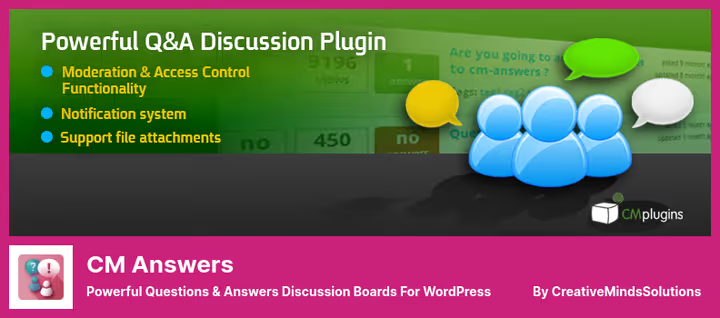
The most feature-packed Q&A plugin in the selection. The 2025 release added AI integrations with ChatGPT and Gemini for automatic answers in selected categories. As of June 2026, 300+ active installations.
CM Answers is tailored for monetization: pay-per-question, micropayments for answers, AdSense embedding. Ready integrations with Ultimate Member, GamiPress and PeepSo. Separate addon for anonymous questions and answers.
Pros:
- ChatGPT and Gemini for automatic answers to typical questions
- 50+ customizable text labels for frontend
- AJAX forum without reloads, sorting by votes, views and date
- Monetization: paid questions, micropayments, AdSense
Cons:
- Only 300+ installations, small community
- Free version is limited: anonymous posts, categories and tags through addons
- Admin panel overloaded, beginners will need time to master
Price: Free (Lite) / Pro from $39 (pricing on WordPress.org).
🔗 CM Answers Lite on WordPress.org
5. Question Answer

Extremely simple Q&A page via [question-answer] shortcode. 400+ active installations and compatibility with WordPress 7.0.
If you don't need a forum with tens of thousands of topics, but a "Question and Answer" page on a company site or product landing is sufficient, Question Answer from PickPlugins closes the task without extra code. Users ask questions, administrator or other participants answer. No forum threads, reputations, gamification.
Pros:
- Extremely simple: one shortcode, one page
- Tested with WordPress 7.0
Cons:
- 400+ installations, very small user base
- Minimal functionality: no voting, categories, notifications
- Sparse documentation, rely on intuition
Price: Free.
🔗 Question Answer on WordPress.org
6. Asgaros Forum

Lightweight forum plugin that came to replace the outdated Q&A veteran (which hadn't been updated since June 2024 and wasn't tested with WordPress 6.5+). 10,000+ active installations, version 3.4.0 from March 2026.
Asgaros Forum is completely free, without Pro versions and limited functionality. Out of the box: topics and replies, reactions, file upload, polls, statistics, SEO-friendly URLs, notifications and activity feed. Moderation with user rights and groups, topic approval, ban. Compatible with myCRED and multisite.
Pros:
- Completely free, without paid addons and Pro subscriptions
- 10,000+ installations and active development (v3.4.0, March 2026)
- Reactions, file upload, polls and notifications out of the box
- Moderation with roles: admin, moderator, user
Cons:
- No built-in reCAPTCHA, connected via third-party plugin
- Not a specialized Q&A engine, no "best answer" marking
- Widgets don't work with WordPress block themes
Price: Free.
🔗 Asgaros Forum on WordPress.org
⁉️🤔 Frequently asked questions
Can you use bbPress as a full-featured Q&A platform, not just a forum?
bbPresswas designed as a forum engine, not a Q&A system. It has no built-in "best answer" mechanism, voting and solved topic marking. Third-party plugins likebbPress Votingexist that add these features. If you need a Q&A platform out of the box, look towardsCM AnswersorwpForoin Q&A mode.
wpForo or bbPress, which is better for a large community?
wpForowins in built-in functionality: voting, reputation, AJAX, bookmarks.bbPresstakes scalability, it's lighter and doesn't create bottlenecks in the database with a large number of topics. For a large community we recommendbbPresswith server caching.
Which plugin to choose for a WooCommerce store?
Best option,
CM Answerswith WooCommerce addon. It adds a "Questions and Answers" tab to the product page and supports email notifications about new questions. As an alternative,Question Answerfrom PickPlugins if you need the simplest implementation without extra fees.
Can you monetize a Q&A forum on WordPress?
Yes.
CM Answersallows charging per question and supports micropayments through an addon.wpForoPro includes an ad manager for placing banners inside the forum.Discussion BoardPro allows closing the forum by subscription with different access levels.
Is AI needed in a forum in 2026?
AI moderation of spam and toxic content in
wpForo3.1 saves hours of manual work.CM Answerswith ChatGPT can automatically answer typical questions, unloading support. If you have an active community with 50+ topics per day, AI tools stop being an option and become a necessity.
Asgaros Forum or Question Answer, what to take if budget is zero?
Asgaros Forumgives more: full-featured forum with reactions, polls, file upload, notifications and moderation.Question Answerwins in simplicity, one shortcode and the page is ready. If you need a forum with basic discussion mechanics without a penny spent, takeAsgaros Forum. If a "ask a question" form without forum structure is sufficient,Question Answer.
Which question and answer plugin to install in 2026
If you have an online store on WooCommerce and need a tab with product questions, take CM Answers with WooCommerce addon. Closes the task tightly: AI answers, email notifications to buyers, monetization.
Building a developer community like StackOverflow, wpForo in Q&A mode will give voting, reputation and live AJAX. Already have a large community and speed is critical, bbPress on bare PHP without extra JS is still the fastest.
Need a simple plug-and-play discussion board, Discussion Board will raise a forum in a minute without configuring shortcodes. Budget is zero and you need a full-featured forum with reactions and polls, Asgaros Forum closes the task completely free. And if one "ask a question" page without bells and whistles is sufficient, Question Answer from PickPlugins will handle it without extra code.
Try on staging, test under load and choose for your task. Not for someone else's rating, for your forum requirements.

A professional team of writers and editors specializing in creating quality content.