














👥 16 BuddyPress plugins your community needs in 2026
Standard BuddyPress gives you profiles, groups, and private messages. That's enough for around a hundred users. Beyond that, questions arise that the core doesn't answer.
Where's the real-time chat? How do you upload photos and videos to the feed? How do you make money when the community grows? And why does registration look like it was designed ten years ago?
We've collected 16 plugins, tested on WordPress 6.9 and BuddyPress 14.4 in July 2026. Each one addresses a specific gap: profile design, media, security, monetization, chat, and retention. Four positions are fresh replacements for tools that left the market, found through the live WordPress.org catalog.
💡 Quick overview:
- Upgrade your profiles: Youzify reworks the entire community frontend, while UserPro adds social login and membership
- Add media and chat: rtMedia for photos and videos in the feed, Better Messages for live communication
- Protect and monetize: Solid Security against attacks, Ultimate Membership Pro for paid subscriptions, Advanced Ads for advertising
- Retain members: GamiPress for gamification, GEO my WP for finding neighbors by location
Comparison table: key plugins
Plugin | Category | Price | Installs / sales | BuddyPress integration |
|---|---|---|---|---|
Youzify | Profiles + community | Free / Pro from $49 | 20,000+ active | Built-in |
rtMedia | Media | Free / Pro | 90,000+ active | Built-in |
Better Messages | Chat | Free / Pro | 20,000+ active | Built-in |
Solid Security | Security | Free / Pro from $80/year | 1,000,000+ active | Yes |
GamiPress | Gamification | Free / Pro | 10,000+ active | Via addon |
Ultimate Membership Pro | Membership + paywall | $49 (CodeCanyon) | 29,000+ sales | Yes |
1. Youzify: next-generation community and profiles
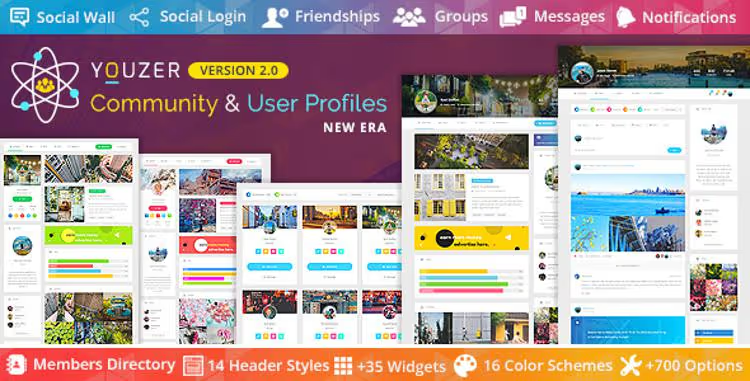
Standard BuddyPress profiles are functional but look dull. Youzify (formerly Youzer) reworks every community screen: profiles, registration, activity feed, login, and account management.
The developers at KaineLabs released the free core on WordPress.org. The plugin is compatible with BuddyPress 14.4.0 and WordPress 6.9, last updated January 2026. The arsenal includes: 16 color schemes, 35+ widgets, 14 header styles, social wall, verified badges, emojis, social login, and private profiles with friend-only visibility.
In practice, Youzify completely solves BuddyPress's design problem: modern interface without a line of CSS. The Pro version adds ad placements in profiles, banners, and AdSense blocks.
Pros: free core on WP.org, regular updates, deep BuddyPress integration. Cons: free version is noticeably limited compared to Pro.
2. UserPro: profiles, social login, and membership in one plugin

🔗 UserPro on CodeCanyon🔗 Live demo
UserPro is a CodeCanyon veteran with 35,000+ sales. The plugin creates a complete profile system with frontend registration, social login through 7 social networks, customizable fields, and beautiful member pages.
The key difference from Youzify: UserPro excels at membership and monetization. Built-in PayPal integration lets you create paid subscriptions without a separate membership plugin. WooCommerce integration pulls order history next to the profile, providing a unified account for store and social network.
Inside: drag-and-drop admin panel, 4 color skins, member search, customizable badges, integration with MailChimp and bbPress. The plugin is translated into multiple languages with RTL support.
Pros: all-in-one profiles and membership, 35K+ sales, WooCommerce and PayPal integration. Cons: CodeCanyon license, complex cases may require pairing with a separate membership plugin.
3. Advanced Email Delivery: custom email for BuddyPress
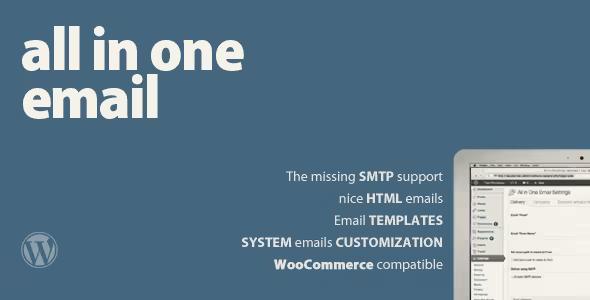
Advanced Email Delivery (also known as All in One Email for WordPress) solves a narrow but important problem: outgoing BuddyPress emails look like system spam by default. No logo, no styling, no identity.
The plugin adds HTML templates, custom "From" fields, SMTP support for sending through external mail servers, and a WYSIWYG email editor. Separately, themes for BuddyPress and WP-eCommerce, compatibility with WordPress Multisite.
Important to understand: this isn't an email client or MailChimp replacement. The tool configures WordPress transactional emails, notifications for registration, password reset, new messages, and friend requests. A small price to pay so your community doesn't treat your notifications as phishing.
Pros: solves a specific pain point, configuration through visual editor. Cons: narrow niche, no cloud delivery (SMTP only).
4. rtMedia: multimedia powerhouse

🔗 rtMedia on WordPress.org🔗 Live demo
rtMedia from rtCamp is the most popular media plugin for BuddyPress with 90,000+ active installs. It transforms the activity feed into a multimedia platform: photo albums, video, audio, drag-and-drop upload, link previews.
The plugin updates regularly: version 4.7.10 from April 2026, compatible with the latest BuddyPress and WordPress versions. Key features include: privacy settings for each album, on-the-fly audio and video encoding, built-in shortcode generator, view counter.
The free version covers the core needs of a medium-sized community: users upload photos to albums, share videos and links in the feed. Pro add-ons include content moderation, priority support, and extended formats.
Pros: 90K+ installs, active development, powerful free core. Cons: Pro features purchased separately.
5. BPChat: Facebook-style chat for BuddyPress
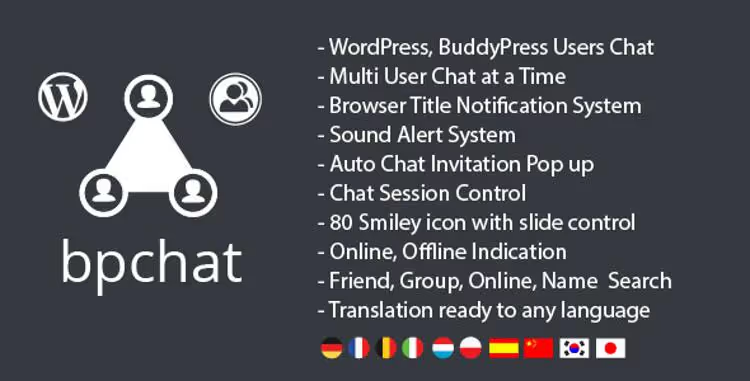
Live communication retains members longer than any content. BPChat adds Facebook Messenger-style chat: pop-up window, online friends list, status indicators, sound notifications.
The plugin is fully integrated with BuddyPress: friends automatically become contacts, group chats are tied to groups. Inside: 80 emojis, friend search, unlimited color and background customization, Ajax support, and responsive design for mobile.
BPChat is compatible with WordPress Multisite and works on any custom WordPress site, not just BuddyPress. CodeCanyon license.
Pros: ready BuddyPress integration, group messaging, responsive. Cons: no video calls (for that, see Better Messages).
6. BuddyPress Default Data: test content in two clicks
🔗 BuddyPress Default Data on WordPress.org
Before launching a community, you need to test it: how filled profiles look, a feed with a hundred activities, group messaging with dozens of participants. Creating all this manually is a waste of time. BuddyPress Default Data solves the problem with one button.
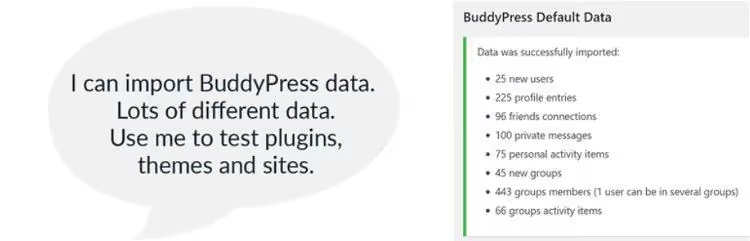
The plugin adds an import screen to the admin "Tools" section: two checkboxes and an "Import Selected Data" button. Result: 25 users, 75 activity records with quotes from famous people, 100 private messages, 45 groups, 440+ group members, 95+ friendships, and 225 profile entries.
After testing, data is removed with the "Clear BuddyPress Data" button. Important: don't use the plugin on a live site, and disable email notifications in your profile before importing, or you'll get hundreds of emails in a minute.
Pros: free, two clicks to a full test environment. Cons: for development and testing only, not production.
7. BuddyPress Analytics: community statistics
🔗 BuddyPress Analytics on developer site
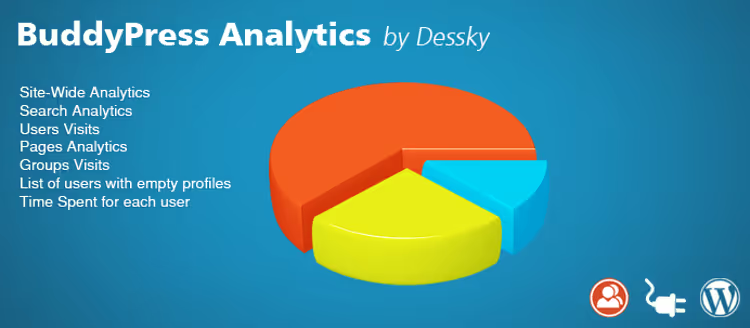
To grow a community, you need to see numbers: how many users log in, how long they stay, which groups grow and which die. BuddyPress Analytics provides a dashboard with graphs and metrics right inside WordPress admin.
The plugin tracks total BuddyPress network visitors, time on site for each user, popular search queries within the community, visits to profiles, groups, and pages. Separately, statistics on incomplete profiles, a signal for onboarding campaigns.
The Lite version is free. The full version adds annual support and extended analytics. For small communities, the free functionality is enough to understand where members are lost.
Pros: visual dashboard, free start. Cons: niche product, public updates are rare, check compatibility before installing.
8. Solid Security: community protection

🔗 Solid Security on WordPress.org
As soon as a BuddyPress community starts bringing traffic, hackers, bots, and brute force attacks appear. Solid Security (formerly iThemes Security) is one of the oldest and most reliable WordPress security plugins with a million active installs. Version 10.0.2 from May 2026 confirms: the product is alive and evolving.
The free core includes: site security checks, suspicious user blocking, file change detection, database backups, and brute force protection. The Pro version ($80 to $197 per year) adds two-factor authentication, Google reCAPTCHA, mandatory password expiration, scheduled malware scanning, and "magic links" for login.
For BuddyPress communities, this is a critical layer: hundreds of user accounts, hundreds of potential attack vectors. Solid Security closes them out of the box.
Pros: 1M+ installs, active development, powerful free core. Cons: Pro features require annual subscription, interface is overwhelming for beginners.
9. Ultimate Membership Pro: paywall for community

🔗 Ultimate Membership Pro on CodeCanyon
Ultimate Membership Pro is a CodeCanyon bestseller with 29,000+ sales. A paid membership system that locks any site content: pages, posts, custom URLs, WooCommerce products, sections, menus, categories. Instead of locked content, a subscription form or redirect.
For BuddyPress, this means paid access to groups, closed profiles, premium community features. The plugin supports free, paid, and trial payment models, plus drip content, access opens on a schedule. Included: 7 social networks for login, multiple payment gateways, integration with 9 email marketing platforms, coupon codes, WooCommerce compatibility.
The downside is the CodeCanyon license and cluttered interface: at launch, you'll spend an hour or two on setup.
Pros: Envato sales leader, drip content, WooCommerce integration. Cons: complex interface, paid license.
10. Yellow Pencil: visual CSS editor
🔗 Yellow Pencil on WordPress.org
BuddyPress themes that look modern "out of the box" are disappointingly few. Most require manual CSS customization, a skill most community administrators lack.
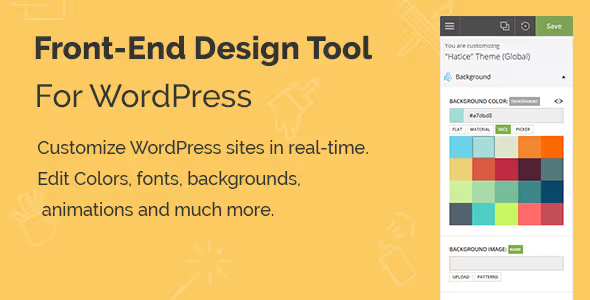
Yellow Pencil closes this gap. The plugin lets you edit design visually, in real time, right on the site frontend: click an element and change color, font, spacing, size, animation. No code. The arsenal includes: 600+ fonts, 300+ background patterns, 50+ animations, visual resize and drag-and-drop, parallax backgrounds, CSS3 filters, over 60 CSS properties. The editor is responsive, with separate edits for mobile and tablets.
The plugin is available on WordPress.org (free version) and CodeCanyon ($26). Works with any theme, not just BuddyPress-specific. If you've customized WordPress theme design through Yellow Pencil, you know how much this speeds up work.
Pros: visual editing without code, 40K+ Pro sales, works with any theme. Cons: doesn't solve BuddyPress page structure issues (only styles).
11. Advanced Ads: ad management in community

🔗 Advanced Ads on WordPress.org
Advertising remains the main way to monetize content projects: according to Statista data for 2025, global digital advertising spending exceeded $700 billion. For a BuddyPress community with traffic, ad placements in feeds, profiles, and groups are a direct path to revenue.
Advanced Ads is the most popular WordPress ad manager with 200,000+ active installs. Version 2.0.24 from July 2026, active development by the German team. Key features: unlimited ad placements, automatic content insertion by defined rules, banner rotation, A/B testing, click and impression tracking, geotargeting, campaign scheduling by dates. 14 free addons extend functionality: integration with BuddyPress, WooCommerce, Google AdSense, Google Ad Manager.
The free core covers the needs of an average community. The Pro version adds extended statistics and priority support, but the free version with a couple of addons is enough to start.
Pros: 200K+ installs, active development, powerful free core, BuddyPress addon. Cons: Pro features require annual subscription, addons require separate setup.
12. GamiPress: gamification, achievements, and quests

People compete. It's built-in at the reflex level, and that's exactly why gamification works in communities. GamiPress adds a system of achievements, points, ranks, and quests to BuddyPress.
The mechanics: you create achievements with triggers for automatic awarding, for example, "100 comments" or "5 groups created". Members complete quests, earn points, and compare progress on a shared leaderboard page. Pop-up notifications instantly inform about unlocks, the dopamine hook works flawlessly.
The free GamiPress core on WordPress.org includes everything necessary. BuddyPress integration is added through a free addon from WordPress.org. In the ecosystem: 50+ addons for integration with WooCommerce, LearnDash, Gravity Forms, and other plugins. The Pro version adds priority support, but the "GamiPress + BuddyPress addon" combo is enough to start.
Pros: powerful free core, 50+ addons, native BuddyPress integration through free addon. Cons: trigger setup takes time, Pro features require subscription.
13. GEO my WP: member geolocation search

🔗 GEO my WP on WordPress.org🔗 Live demo
The internet erased geographical boundaries, but local communities still build around "who's nearby". GEO my WP solves exactly this problem: BuddyPress members search for each other by proximity to an address, city, or current location.
The plugin is actively developed: version 4.5.5.1 from May 2026. Functionality: unlimited proximity search forms, geotagging of any posts and pages, BuddyPress member search with distance filtering, widgets and shortcodes, works on Google Maps API.
Developer Eyal Fitoussi has supported the product for over ten years. For a local community, more accurate than any universal alternative.
Pros: 10K+ installs, regular updates, built-in BuddyPress integration. Cons: Pro functionality is paid, dependency on Google Maps API.
14. Better Messages: live chat for BuddyPress

🔗 Better Messages on WordPress.org
Better Messages is the most functional chat plugin for BuddyPress on WordPress.org: 20,000+ active installs, version 2.15.16 from July 2026. Unlike CodeCanyon solutions, the free core covers all basic live communication needs.
What's inside: private and group chats, video and audio calls, public and private chat rooms, message reactions, file sharing, "online" and "typing" status indicators, real-time notifications via WebSocket. Native BuddyPress integration: friends become contacts, groups become chat rooms, avatars pull from profiles automatically.
The plugin works without BuddyPress too, with Ultimate Member, PeepSo, BuddyBoss, and on plain WordPress. The Pro version adds AI chat moderation, but the free core is enough for a community of up to several thousand members.
Pros: 20K+ installs, video and audio calls, completely free core, native BuddyPress integration. Cons: WebSocket requires server configuration, Pro features require subscription.
15. BuddyPress Xprofile Custom Field Types: extended profile fields

🔗 BuddyPress Xprofile Custom Field Types on WordPress.org
Standard BuddyPress profile fields (text, dropdown, checkbox) quickly hit a ceiling. Members need to upload files, specify birthdate, select colors, enter email or URL.
The plugin from BuddyDev adds 20+ new field types: birthdate with automatic age calculation, image and file upload, color selection through color picker, email and URL with validation, phone number, slider for numeric values, taxonomy selection. Each field is configured through the standard BuddyPress interface, no code and no third-party builders.
The plugin is free, updated in April 2026. Works with BuddyBoss and BuddyPress. For a cooking community, add a "favorite dish" field, for a professional one, a LinkedIn link and portfolio upload, for a music one, favorite genre selection from a taxonomy.
Pros: 20+ field types, completely free, native BuddyPress integration. Cons: narrow niche (xprofile fields only), interface is standard BuddyPress admin.
16. Profile Builder Pro: registration and profiles via shortcodes

🔗 Profile Builder Pro on official site
Profile Builder Pro from Cozmos Labs is a tool for custom registration and profiles via shortcodes. The process looks like this: create a new page, insert the form shortcode, publish. Registration, login, or profile update form ready.
The extended user list manager lets you display all users, users with a specific role, users with a specific meta_value. Plus custom CSS for theme styling, custom avatars, users upload their own photo instead of Gravatar, customizable redirects after form completion.
The plugin is compatible with BuddyPress at a basic level, fine-tuning BuddyPress profile fields will require additional code.
Pros: shortcodes for any forms, custom avatars, list manager. Cons: partial BuddyPress integration, annual subscription.
The list doesn't include plugins removed from the WordPress.org repository in recent years, particularly BuddyPress Activity Plus and Activity Reactions for BuddyPress. Their functionality is covered by modern solutions: rtMedia for feed media and Youzify with its built-in reactions.
⁉️🤔 Frequently asked questions
Do I have to install all 16 plugins?
No, and in most cases it's even harmful. For starters, three or four are enough: Youzify for profiles, rtMedia for media, and Solid Security for protection. Connect the rest as the community grows, when the need for monetization, chat, or geolocation search arises.
What if plugins conflict?
Conflicts between BuddyPress plugins are not uncommon, especially in combinations of profile solutions (Youzify + UserPro, two chat plugins simultaneously). The rule is simple: one function, one plugin. Before installing a new plugin, disable the old one with similar functionality. Test on a staging environment: BuddyPress Default Data will create test content in a minute, and conflicts will appear immediately.
How do I monetize a BuddyPress community in 2026?
Three working models: paid subscriptions through Ultimate Membership Pro or UserPro + WooCommerce, selling ad placements through Advanced Ads, paid access to groups and content through Ultimate Membership Pro paywall. At the start, the easiest is one membership plugin with PayPal and Stripe support. When traffic exceeds 10,000 visits per month, add Advanced Ads.
Do I need a separate chat plugin?
If your community has more than 100 active members, yes. BuddyPress out of the box only offers private messages: asynchronous, without online status. Live chat (Better Messages or BPChat) increases retention: members communicate in real time and spend far more time on the site.
How do I choose between Youzify and UserPro?
Youzify if you need beautiful profiles and a modern community interface with minimal cost (free core on WP.org). UserPro if in addition to profiles you need social login, PayPal subscriptions, and WooCommerce integration in one plugin. Don't install both simultaneously, conflict is inevitable.
What makes GamiPress better than old gamification?
GamiPress is a live plugin on WordPress.org with an update from July 2026. Free core + free BuddyPress addon provide an achievement, points, and ranks system without payment. Plus 50+ ready addons for WooCommerce, LearnDash, and other plugins, an ecosystem that closed CodeCanyon alternatives simply don't have.
A short but informative video from Wbcom Designs: installing BuddyPress from scratch, configuring profiles and groups, connecting plugins to extend functionality. If you're just starting to deploy a community, watch before installing the first plugin from the list.
What to install on your community in 2026?
We've covered 16 plugins, from profile design to geolocation search and gamification. In practice, no community installs them all at once. The decision map looks like this:
- Launching a community from scratch: Youzify (profiles) + rtMedia (media) + Solid Security (protection), the foundation that will cover basic needs for the first months.
- Growing and want to retain: add Better Messages (live chat) and GamiPress (gamification), members will start competing and returning.
- Time to earn: Ultimate Membership Pro (paid subscriptions) or Advanced Ads (advertising), depending on your monetization model.
- Niche tasks: GEO my WP for a local community, Yellow Pencil for unique design, BuddyPress Analytics for data-driven decisions.
Try Youzify and rtMedia right now, both are free on WordPress.org. And if your BuddyPress plugin stack differs from this list, share it in the comments: we regularly update this list and add verified tools from real cases.

A professional team of writers and editors specializing in creating quality content.