













🎯 8 best BuddyPress plugins 2026 (free and paid)
Standard BuddyPress out of the box gives you profiles, groups and an activity feed, but that's not enough for a living community. Media, chats, moderation, privacy and monetization all require plugins. In this overview we've gathered eight solutions that cover the main needs of a BuddyPress community in 2026, and honestly examined which scenarios each one fits.
The BuddyPress ecosystem over more than ten years has evolved from a set of experimental add-ons to a mature market with hundreds of plugins. Today every task has at least two or three candidates, and the niche leaders update reliably every quarter. The problem isn't finding a plugin, but avoiding overloading your site with a dozen overlapping solutions. That's why the list only includes plugins with confirmed compatibility, active support and a clear licensing model: free versions to start and paid versions to scale.
💡 Quick overview:
- Identify the community's weak spot: media, moderation, chats, privacy or monetization.
- Pick 2-3 plugins for a specific task, don't install everything at once.
- Configure each plugin before launching the community, testing combinations on a dev copy of the site.
1. Youzify
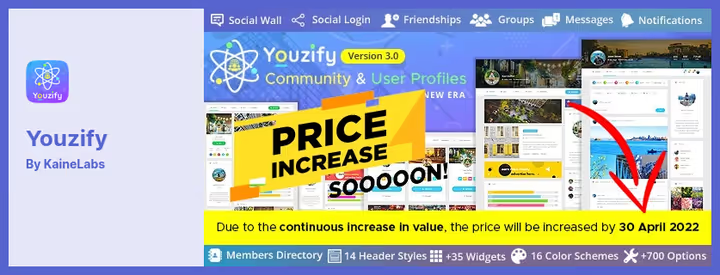
Youzify, formerly known as Youzer, remains the most popular plugin for transforming BuddyPress profiles. If the standard BuddyPress design feels spartan, Youzify changes the entire visual layer: 16 color schemes, over 35 profile widgets, 14 header styles and fully responsive layout.
The main advantage is that Youzify doesn't require coding. You assemble the profile page from ready-made blocks right in the admin panel: cover, avatar, social links, post wall, verified badges, emoji and quotes. For community owners it's also an advertising tool: you can embed banners and Adsense code into user profiles, creating an unlimited number of ad placements.
In version 3.6.0 (July 2025) improved privacy settings and intuitive moderation tools were added. The plugin is sold on CodeCanyon under the "one-time purchase + 12 months support" model, which is more cost-effective than a monthly subscription for long-term projects.
2. rtMedia
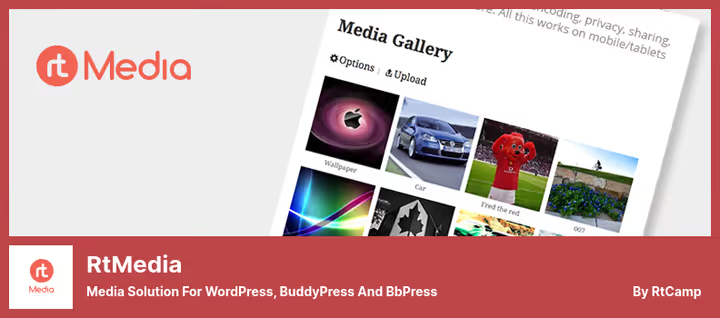
rtMedia from rtCamp is a complete media solution for BuddyPress, WordPress and bbPress. The plugin adds a "Media" tab to profiles and groups, letting members upload photos, videos and audio directly to the activity feed, roughly like Facebook. The gallery works on mobile devices out of the box thanks to its mobile-first architecture.
The free version includes media uploads, albums, privacy management, slideshow (lightbox) and touchscreen swipe support. Paid add-ons extend capabilities: Instagram-like filters, tagging people in photos, watermarks, playlists, favorites, content moderation and even podcast feeds. The Featured Media function deserves special mention as a Facebook-cover analog for profiles.
As of April 2026 the current version is 4.7.10, the plugin is actively maintained. If your community is built around visual content (photographers, artists, musicians), rtMedia is practically a mandatory component.
3. Better Messages

Better Messages (formerly BP Better Messages) has become the de facto standard for messaging in BuddyPress communities. The plugin adds private chats, group conversations, chat rooms, voice and video calls, and it all works in real time via WebSocket.
The key difference from the standard BuddyPress messenger: on-site notifications (popup toasts), mini chat widgets (popup panel or floating bubble like in messengers), message reactions, @username mentions, stickers and GIPHY integration. For administrators there's AI content moderation (two providers to choose from), a customizable blacklist of words and the ability to pre-moderate messages.
Better Messages integrates with BuddyPress, BuddyBoss, PeepSo, LearnDash, WooCommerce and over 30 more plugins. On WordPress.org a free AJAX version is available; the WebSocket license removes speed delivery limits and adds AI bots based on OpenAI, Claude and Gemini.
🔗 Better Messages on WordPress.org
4. BuddyBoss Wall
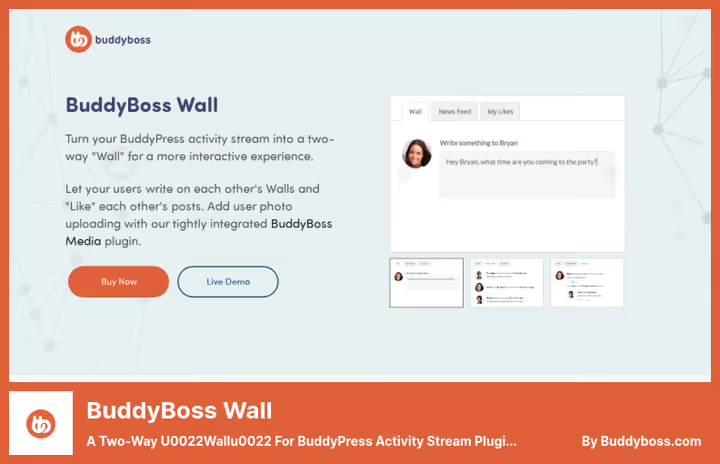
BuddyBoss Wall adds a familiar Facebook-style wall to BuddyPress: members publish posts, comment and like each other's posts, attach links that automatically expand into previews with image and description. It's precisely the activity feed with a wall that creates the feeling of a "living" community, not a forum from a decade ago.
Version 1.3.8, released in March 2026, preserves all the basic mechanics: privacy settings for each post (everyone, only me, all registered, friends only), a personalized feed with friend and group activity, embedded images. The plugin is lightweight, doesn't conflict with BuddyBoss themes and third-party add-ons.
5. BuddyPress Analytics
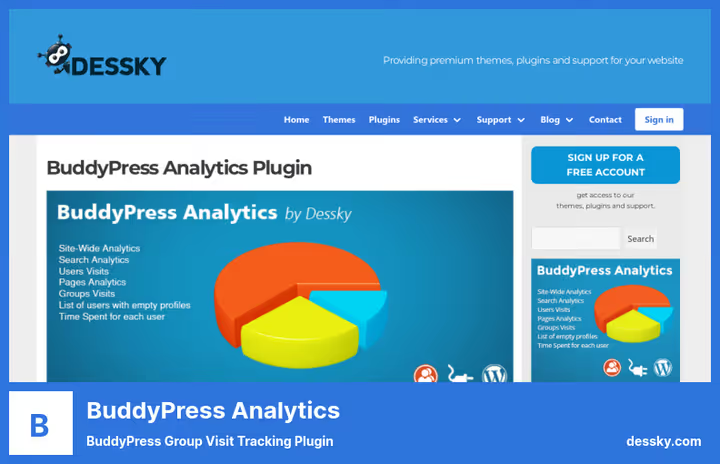
BuddyPress Analytics from Dessky fills a gap that exists in practically every BuddyPress community: the absence of built-in analytics at the group and profile level. You see how many users visit each group, what keywords they search for, how much time they spend on the site and who has an empty or inactive profile.
The practical value of this information is twofold. First, user search queries are a ready-made editorial program: what they ask about is what you should write about. Second, statistics on groups and pages show which community sections work and which should be closed or relaunched. The dashboard is visually simple, all data is displayed as graphs.
The plugin is paid, a one-time license costs $49. For an actively growing community that needs data-driven decisions, this is a small investment.
🔗 BuddyPress Analytics on Dessky
6. BuddyPress Members Only

BuddyPress Members Only turns an open BuddyPress community into a private network in a couple of clicks. After activation all BuddyPress content becomes accessible only to authorized members; guests see only those pages you explicitly open in settings (home, login, registration, landing).
The free version on WordPress.org provides basic restriction: unauthenticated users don't get into the activity feed, groups and profiles. The Pro version adds role-based access control: you can open activity pages for subscribers, groups for customer, and profiles for support. Individual pages are opened by setting a checkbox in the post editor, without manually entering URLs.
For closed communities, corporate intranets and paid membership sites, Members Only is a solution that doesn't require a separate multisite or expensive membership plugin.
🔗 BuddyPress Members Only on WordPress.org
7. BuddyPress User Blog
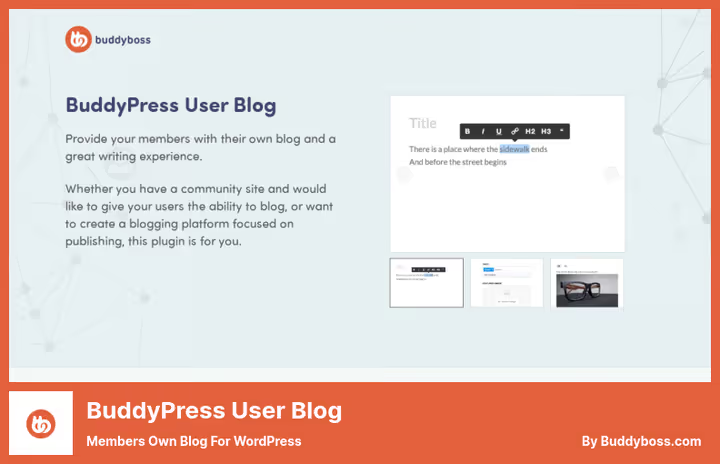
BuddyPress User Blog from BuddyBoss lets each community member maintain their own blog directly from their profile. The user creates posts with categories and tags, uploads featured images, inserts videos and pictures. The writing interface is a friendly editor that requires no learning curve.
For the administrator it's a retention tool: members who invest in their blog return to the community regularly. For members it's an opportunity to build a portfolio, share experience and get feedback. The plugin also allows members to recommend and bookmark other people's posts, which additionally increases engagement.
The moderation function is built in: posts before publication can be sent to the administrator for review. This protects the feed from spam without slowing down the publishing process for conscientious authors.
🔗 BuddyPress User Blog on BuddyBoss
8. BuddyPress Community Bundle
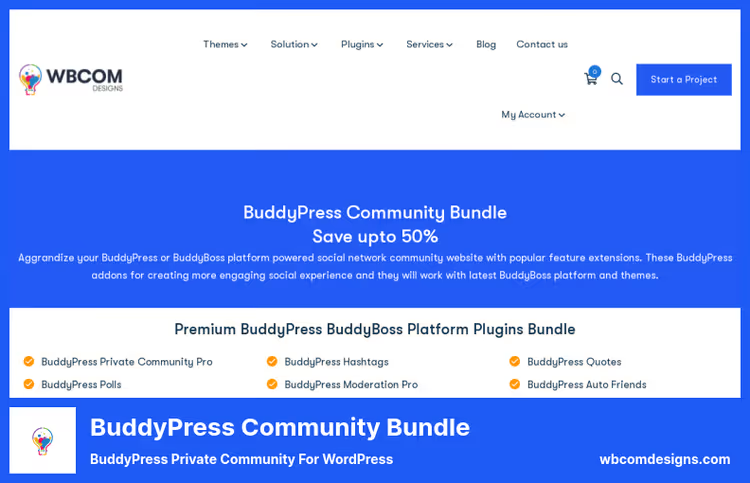
BuddyPress Community Bundle from Wbcom Designs is 27 premium add-ons in one license for $249 (saving $1,044 compared to buying separately). If the community has already outgrown 3-5 plugins and requires a dozen features simultaneously, the bundle is more cost-effective than collecting add-ons piece by piece.
Six areas the bundle covers: moderation (automatic warnings, member complaints, soft bans), profile enrichment (custom fields, statistics, resumes), activity feed enhancement (hashtags, polls, statuses, stickers, scheduled posts), privacy and access control (closed community, registration domain restriction), engagement formats (Instagram-like stories, voting) and retention (check-ins, map, friend recommendations).
The bundle is compatible with BuddyPress, BuddyBoss Platform, LearnDash, MemberPress, GamiPress and Elementor. Installation is simple: activate the 5-10 plugins you need, the rest sit in reserve and don't load the site until you enable them.
🔗 BuddyPress Community Bundle on Wbcom Designs
Before choosing plugins, watch this introduction to the BuddyPress ecosystem: how the core interacts with add-ons and where to start configuring a community.
⁉️🤔 Frequently asked questions
Are plugins necessary for BuddyPress if the core is free?
BuddyPress core provides profiles, groups, activity feed and friends, this is enough to get familiar with the platform but insufficient for a living community. Media, chats, moderation, monetization, profile customization, all of this requires plugins. Practice shows: a community with 500+ members without plugins quickly hits the ceiling of basic functionality.
What plugins are compatible with BuddyBoss Platform?
Most plugins from this list work with BuddyBoss Platform out of the box or have explicit integration. Better Messages, rtMedia and Wbcom Community Bundle officially support BuddyBoss. Youzify works through BuddyPress compatibility mode. BuddyBoss Wall is a product from the same company as the platform, so conflicts don't arise.
Can multiple plugins be used simultaneously?
Yes, and this is standard practice. A typical stack for a growing community: Youzify for profile design + rtMedia for media + Better Messages for chats + Members Only for privacy. The main rule is don't install plugins that duplicate each other's functions (for example, two plugins for a wall). Start with 3-4 critically important ones and add as you grow.
Are free versions of plugins sufficient?
For a start, definitely yes. rtMedia and Better Messages have functional free versions on WordPress.org. BuddyPress Members Only in the free version provides basic community lockdown. Paid versions are needed when the community crosses a certain threshold in number of members and requirements for moderation/customization.
How is Better Messages better than the standard BuddyPress messenger?
The standard BuddyPress messenger is basic correspondence without real time. Better Messages adds WebSocket delivery (the message arrives instantly, without reload), group chats, video calls, AI moderation, reactions, stickers and mini widgets that follow the user around the site. For a community with active communication the difference is radical.
How to update BuddyPress plugins without breaking the community?
Always make a backup of the database and files before updating. Test the new version on a dev copy of the site for at least a day: check profiles, feed, media uploads and chats. Subscribe to plugin developer newsletters, critical security patches come out without warning. If the stack consists of 5+ plugins, update them one by one with a day's interval so in case of conflict you immediately identify the culprit.
What to install in 2026: final breakdown
Choosing plugins for BuddyPress is not a race for quantity. Assemble a stack for your task: profile design and styling → Youzify; media content → rtMedia; live communication → Better Messages; privacy → Members Only; engagement through a wall → BuddyBoss Wall; analytics → BuddyPress Analytics; user blogs → User Blog. If the community has already outgrown 5-7 separate plugins, Community Bundle from Wbcom for $249 covers everything at once with room to grow.
Approach community assembly pragmatically: install BuddyPress core, add 2-3 plugins for the most urgent member needs and expand the stack as requests appear. A living community will tell you what's missing. Every six months conduct an audit of installed plugins: disable those that aren't used, and follow developer announcements, the BuddyPress ecosystem updates quickly, and yesterday's must-have easily turns into ballast.

A professional team of writers and editors specializing in creating quality content.