














❓ 8 best FAQ plugins for WordPress 2026 (free and premium)
A visitor arrives at the site, searches for an answer for thirty seconds, and leaves for a competitor. Sound familiar? An FAQ page is not just a "section with questions," it's a retention tool. But the standard WordPress editor offers neither structure, nor search, nor microdata. A good FAQ plugin solves all of this with one click.
We've selected eight plugins, from lightweight Gutenberg blocks to full knowledge bases with AI search. Each has been tested for compatibility with the current version of WordPress, each solves its own task. No abandoned repositories, only live code with updates in 2025-2026. In our experience, these eight cover all real scenarios: from landing pages to WooCommerce stores.
💡 Quick overview:
- If you need a powerful all-in-one with AI and WooCommerce, go with Ultimate FAQ or Easy Accordion
- If you're building a knowledge base with documentation, Echo Knowledge Base is unmatched
- If your site needs a lightweight accordion without bloat, Quick and Easy FAQs or Arconix FAQ will handle it in a minute
- If the old SP-FAQ plugin has been delisted, switch to Helpie FAQ as a direct replacement with categories
Comparison table
Plugin | Free version | Premium | AI features | FAQ schema | WooCommerce |
|---|---|---|---|---|---|
Ultimate FAQ | Yes | $67 | Yes (OpenAI) | Yes | Yes (Pro) |
Accordion FAQ | Yes | $9 | No | No | No |
Easy Accordion | Yes | $29 | Yes | Yes | Yes |
Helpie FAQ | Yes | Pro | No | Yes | Yes |
Echo Knowledge Base | Yes | Pro | Yes | Yes | No |
Quick and Easy FAQs | Yes | No | No | No | No |
Ultimate Blocks | Yes | Pro | No | Yes | No |
Arconix FAQ | Yes | No | No | No | No |
1. Ultimate FAQ
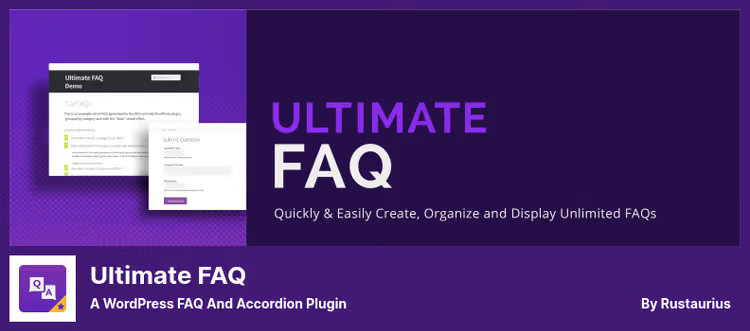
The most feature-rich FAQ plugin in this roundup. Ultimate FAQ works with Gutenberg, Elementor, and the classic editor, delivers FAQPage microdata in LD+JSON, and requires not a single line of code to get started.
The main feature of 2026 is built-in AI generation of questions and answers. The plugin takes the content of a page or post, runs it through OpenAI, and offers a ready FAQ block. All you have to do is review and publish. In the free version, one request at a time, in premium, up to twenty.
Out of the box: unlimited FAQs, categories and tags, five Gutenberg blocks (including search and submission form), shortcodes, sorting by date and title. Responsive accordion without CSS gymnastics.
Premium for $67 on the developer's site adds: real-time FAQ search (AJAX, with autocomplete), an FAQ tab on WooCommerce product pages, custom fields, import and export via spreadsheets, PDF export, 15 icon sets for toggles, and white label.
🔗 Ultimate FAQ on WordPress.org 🔗 Premium version
2. Accordion FAQ
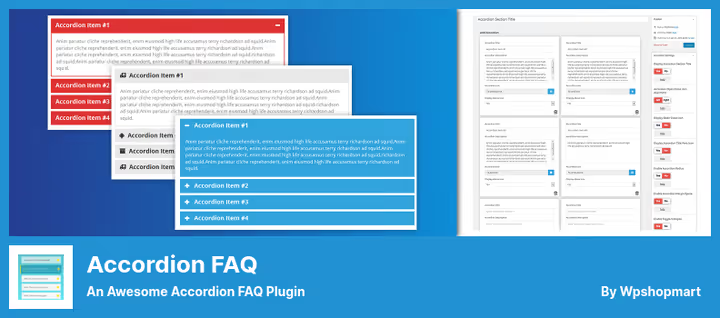
A budget option for those who just need a working accordion. Accordion FAQ builds FAQ sections on Bootstrap, stretches on any screen, and supports both modes: toggle (open/close one at a time) and collapse (multiple open simultaneously).
Drag-and-drop management: you dragged a question up or down, saved, done. The built-in Font Awesome Picker lets you choose an icon for each header without fiddling with classes. Custom CSS fields for those who want to match colors to the site theme.
The free version covers 90% of an average site's needs. Premium for a modest $9 adds: eight design templates, 500+ Google Fonts, 12 sets of open/close icons, 30 content animations, hover accordion, and widget mode.
On the downside: no built-in FAQ schema for SEO (you'll have to add it manually or with another plugin), and there are complaints about a premium version banner in the admin panel. But for the price of $9 on the WPShopMart site, the capability-to-cost ratio is one of the best.
🔗 Accordion FAQ on WordPress.org 🔗 Premium version
3. Easy Accordion
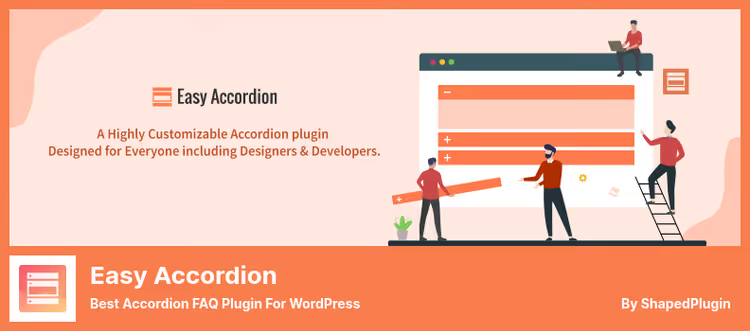
The most popular FAQ plugin in the WordPress repository, over 100,000 active installations and a 4.9 rating. Developer ShapedPlugin LLC turned an ordinary accordion into a visual builder with AI generation.
The template system is the main advantage. Over 200 ready layouts: vertical and horizontal accordions, FAQs with images, sliders, WooCommerce layouts. You picked a template, replaced the text, and the FAQ page looks like designer work, not a standard wall of text.
AI here handles question generation based on page context. The plugin automatically creates an FAQ schema for search engines, which is important for getting into Google snippets. Supports nested (multi-level) accordions, a rarity among FAQ plugins.
Pro version for $29 on the ShapedPlugin site: timeline and Q&A layouts, feedback forms, live view analytics, live AJAX search across FAQs, "Expand all" toggle, smart image handling (flip, focus), and frontend filters by category.
🔗 Easy Accordion on WordPress.org 🔗 Premium version
4. Helpie FAQ

A direct replacement for the SP-FAQ plugin, which WordPress.org shut down permanently in April 2026 due to security issues. Helpie FAQ delivers all the same features: categories, groups, accordion, but on a live and regularly updated codebase.
The key feature is FAQ groups with drag-and-drop sorting. Instead of creating questions one by one, you form entire blocks, drag them in the desired order, and insert them on a page with the [helpie_faq] shortcode. Built-in search across FAQs is supported without page reload.
WooCommerce integration is one of the best: an FAQ tab on the product page with the ability to assign questions to specific products or entire categories. A separate Gutenberg block and two widgets for Elementor cover the needs of both block and classic themes.
The Pro version adds: user-submitted questions (visitors suggest their own FAQs), pagination, read-more with excerpt, view analytics, auto-sort by popularity, custom icons, and full styling of FAQ headers and body.
5. Echo Knowledge Base
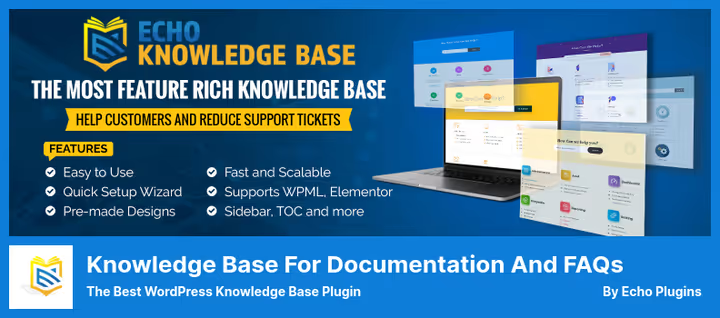
The most serious tool in the roundup. Echo Knowledge Base goes far beyond an "FAQ plugin," it's a full documentation system with AI chat, smart search, and analytics.
FAQ here is just one of the display modes. The main strength is in content organization: articles and categories up to five levels deep, drill-down navigation, tabs, breadcrumbs, article table of contents. All of this is assembled into a knowledge base that looks like a native part of the site, not a bolted-on widget.
AI search and chatbot are trained on your articles, notes, and documents. A user asks a question in the chat and receives an answer compiled from your own knowledge base, not from the internet. PDF upload to the training base, content gap analysis, and AI glossary generation are the level of enterprise solutions available in a WordPress plugin.
Free version: unlimited articles and categories, 26 preset designs, FAQ shortcode, glossary, quizzes within articles. Pro extensions: restricted access by role, multiple independent knowledge bases, CSV/XML import. A Canadian team with a decade of experience, the project is alive and actively developing.
🔗 Echo Knowledge Base on WordPress.org 🔗 Pro extensions
6. Quick and Easy FAQs
A minimalist plugin from Inspiry Themes. Does exactly what the name promises: custom post type "FAQ," groups (categories), and output via shortcode or one of fourteen Gutenberg blocks.
Six display modes: simple list, list by groups, toggle, toggle with groups, accordion, accordion with groups. You can add a group filter to all of them, useful when there are more than twenty FAQs on a page. Sorting by date or title, limit on the number of questions displayed.
The plugin is completely free and maintained: the latest update checks compatibility with WordPress 6.9, minimum PHP raised to 8.3. On the downside, there's no built-in FAQPage microdata (the developer hasn't added it yet), and no premium features like search or WooCommerce. But for a small site that just needs a tidy FAQ section without excess code, an excellent choice.
🔗 Quick and Easy FAQs on WordPress.org
7. Ultimate Blocks

A replacement for the outdated FAQ Block plugin, which hasn't been updated since 2023. Ultimate Blocks is a library of 25+ Gutenberg blocks, among which is Content Toggle (accordion), perfect for FAQ sections.
In addition to the accordion, the set includes a HowTo Schema block with valid microdata, tabs, filtered content, reviews with Review schema, and a table of contents. That is, with one plugin you cover not only FAQs, but also structuring the entire article.
The free version includes accordion, tabs, and HowTo schema without limitations. Pro adds timeline and coupon block. The plugin is actively updated: the latest review from June 2026 confirms compatibility with the newest versions of WordPress.
If you work in Gutenberg and don't want to install a separate FAQ plugin for one accordion, Ultimate Blocks will give you FAQs and a dozen other useful blocks in one package.
🔗 Ultimate Blocks on WordPress.org
8. Arconix FAQ
The simplest plugin in the roundup, and in a good way. Arconix FAQ does one job and does it without excess baggage: custom post type for questions, "group" taxonomy for organization, and [faq] shortcode for output.
Two modes: jQuery toggle (open on click, smooth animation) and accordion (one open, others closed). FAQs can be grouped or displayed as a general list. For long pages there's a "return to top" checkbox, a small detail but thoughtful.
The plugin is updated to version 1.9.7 with compatibility with WordPress 6.8.1. No AI, premium tiers, or ad banners, a completely free tool that simply works. The developer is Tyche Softwares studio, known for WooCommerce plugins.
The only downside: no custom order sorting for FAQs (only by title), and styling requires adding your own CSS. But for a site that needs an FAQ without aspirations to a knowledge base, a nearly perfect option.
🔗 Arconix FAQ on WordPress.org
Watch a live example of how one of the best FAQ plugins works. The video shows the complete cycle of creating a knowledge base from scratch, from installation to publishing FAQs with search and navigation.
⁉️🤔 Frequently asked questions
Do I need a separate plugin for FAQs if my theme already supports accordions?
Built-in theme accordions don't provide FAQPage microdata. Without it, Google won't show your questions and answers in the rich snippet. Plugins like Easy Accordion or Ultimate FAQ generate LD+JSON automatically.
Which plugin should I choose for an online store?
Helpie FAQ or Ultimate FAQ (Pro). Both add an FAQ tab to the WooCommerce product page. Helpie allows you to assign FAQs to product categories at once, Ultimate FAQ does it by linking FAQ categories to product categories.
Is it mandatory to buy the premium version?
For most sites, no. Ultimate FAQ, Easy Accordion, and Helpie FAQ in their free versions already deliver valid schema, accordion, and categories. Premium is needed when you need FAQ search, user submission forms, or WooCommerce integration.
What should I do if my site has SP-FAQ installed?
Replace it immediately. The plugin was shut down by WordPress.org in April 2026 due to a security vulnerability. Installations no longer receive updates. Helpie FAQ is the closest functional equivalent with the same categories and accordion.
Can I use multiple FAQ plugins simultaneously?
Don't. Two plugins can output two conflicting FAQPage schemas on the same page, search engines don't like that. Choose one and cover all your needs with it.
Which FAQ plugin to choose in 2026
Eight plugins, eight scenarios. There's no single "best," but there is the right choice for a specific task.
Need a lightweight accordion without extra dependencies, go with Arconix FAQ or Quick and Easy FAQs. Working strictly in Gutenberg and want one plugin for everything, install Ultimate Blocks. Building a knowledge base with documentation and AI search, Echo Knowledge Base will cover everything, including a chatbot.
The most balanced option for most sites is Easy Accordion: one hundred thousand installations, AI generation, 200+ templates, and valid schema right out of the box. If your budget allows spending $67 once, Ultimate FAQ will provide functionality sufficient for a store, a portal, and a documentation section.
Check which plugin fits better with your theme, install and configure it once. A good FAQ section pays off by reducing support load, users find answers themselves.

A professional team of writers and editors specializing in creating quality content.