













 AIIllustrative image: AI-generated
Simple solutions for creating a WordPress knowledge base
A knowledge base saves hours of support time and turns a website into a self-sufficient resource. Customers find answers themselves, without tickets, without emails, without waiting. But when it comes to implementation, many get stuck: plugin or theme? Free or paid? Wiki format or FAQ?
We've collected 8 tools for WordPress that address this task from different angles. Here are lightweight free plugins and premium all-in-one solutions with analytics and AI search. Choose based on your scenario.
💡 Quick overview:
- Decide on the format: wiki articles, FAQ, or combined documentation
- Choose a tool from the collection below, from free plugins to themes with AI search
- Install, fill with content, and reduce the flow of repetitive support requests
Comparison table of solutions:
Solution | Type | Price | AI search | Analytics | Wiki mode |
|---|---|---|---|---|---|
| Plugin | Freemium | ✅ (Pro) | ✅ (Pro) | ❌ |
| Theme | From $67.60/year | ❌ | ✅ | ❌ |
| Plugin | Free | ❌ | ❌ | ✅ |
| Plugin | Freemium | ❌ | ❌ | ❌ |
| Plugin | Freemium | ✅ | ✅ (Pro) | ❌ |
| Plugin | From $59 | ❌ | ✅ | ✅ |
| Plugin | Freemium | ✅ (Pro) | ❌ | ❌ |
| Plugin | Included with Heroic KB | ❌ | ❌ | ❌ |
1. BetterDocs

BetterDocs, a multifunctional documentation builder with ready-made templates and built-in AI writer. The plugin allows you to create a knowledge base page without touching code: choose a layout (Slate, Handbook, Modern), fill it with articles, and the system automatically generates a table of contents with navigation.
Pros:
- AI writer generates documentation on demand, saves hours of manual writing
- Ready-made templates for landing, archive, and individual articles
- Built-in instant search with live results
- CSV and XML import/export for migration
Cons:
- AI features and multiple knowledge bases, Pro only
- Free version does not support role-based access
Price: Freemium. Basic version is free. Pro, from $59/year for one site.
2. KnowAll
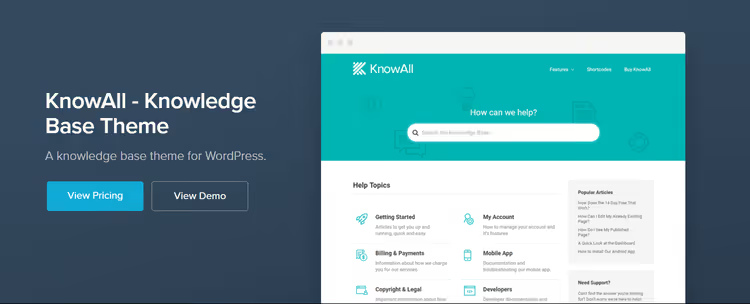
The KnowAll theme from HeroThemes is a ready-made knowledge base site out of the box. Install, configure colors and logo in the customizer, and within half an hour you have a working portal with search, categories, and article feedback. The theme is specifically designed to work with the Heroic KB plugin, which comes included.
Pros:
- Instant launch: minimal settings, immediately working appearance
- Live search with suggestions, users find articles in seconds
- Analytics: see which articles are read and which are skipped
- Responsive, looks great on phone, tablet, and desktop
Cons:
- Annual renewal subscription for updates and support
- Tight integration with HeroThemes ecosystem
Price: From $67.60/year (Essential) with Heroic KB. Includes one year of updates and standard support.
3. Yada Wiki

Yada Wiki, a niche plugin for those who need wiki structure specifically: cross-links between pages, table of contents, category indexes. No premium add-ons, all functionality is available for free. Articles are stored in a separate post type and do not intersect with the blog.
Pros:
- Full-fledged wiki engine inside WordPress
- Shortcodes for inserting links, contents, and index directly from the editor
- Completely free, no extension plugins, no upgrades
- Sidebar widgets for wiki category navigation
Cons:
- Wiki format only: FAQ and documentation in other styles are not its profile
- Gutenberg editor for wiki pages is disabled by default
Price: Free.
4. Ultimate FAQ
🔗 Ultimate FAQ on WordPress.org
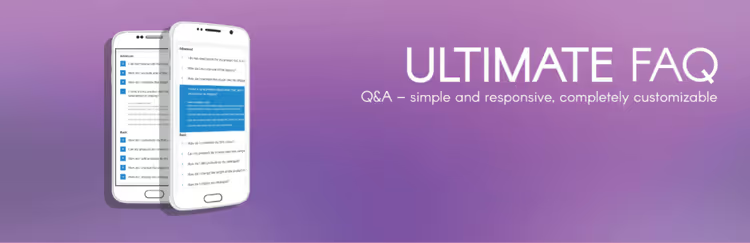
Ultimate FAQ specializes in one format and does it well: FAQ accordions with Schema.org markup, Gutenberg blocks, and shortcodes. The plugin automatically adds structured data FAQPage, Google picks up questions and shows them directly in search results.
Pros:
- Schema.org out of the box, FAQs immediately appear in rich snippets on Google
- AI-generated FAQ based on page content (OpenAI)
- Built-in question view statistics
- WooCommerce integration: FAQ tab on product page (Pro)
Cons:
- FAQ format only, not suitable for wiki or long documentation
- FAQ search and custom fields, Pro only
Price: Freemium. Basic version is free. Pro, from $47.
5. Echo Knowledge Base

🔗 Echo Knowledge Base on WordPress.org
Echo Knowledge Base, one of the most feature-rich free plugins for documentation. AI search, AI chatbot, glossary, knowledge check quizzes, 26 design presets, all in one plugin. Categories go five levels deep, and search works through AJAX with keyword highlighting.
Pros:
- AI chatbot answers user questions based on knowledge base content
- 26 design presets, switch with one click
- Glossary with tooltips: term is highlighted in article, definition in popup tooltip
- Quizzes to check material understanding
Cons:
- Abundance of settings requires time to master
- Some AI features and role-based access, Pro only
Price: Freemium. Basic version is free. Pro, from $55/year.
6. HelpieWP
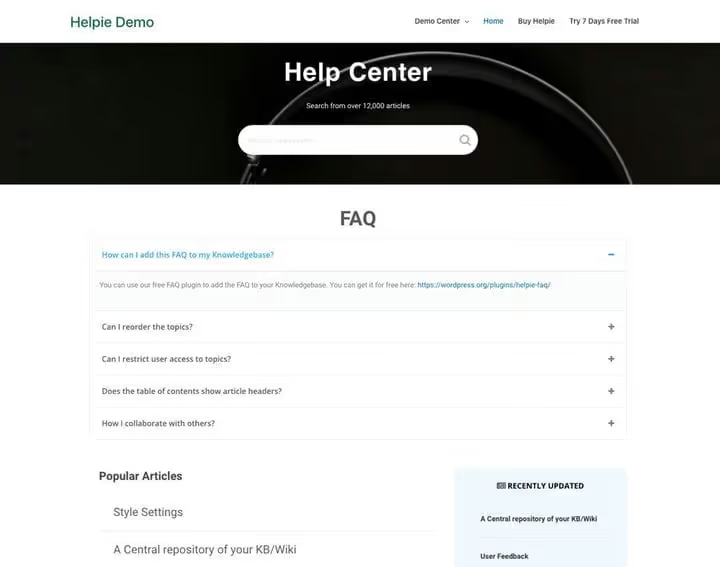
HelpieWP is designed for collaboration: the frontend editor allows users and the team to edit articles directly from the front end of the site. A revision system is built in, you can roll back any edit. Suitable for internal team wiki, public product documentation, or community knowledge base.
Pros:
- Frontend editor with permission separation: who can write, who can publish
- Automatic table of contents for long articles
- Smart search with content prioritization and partial matching
- Integration with Elementor
Cons:
- License price does not include code split: one site, one license
- No free version on WordPress.org
Price: From $59 (one-time) for one site.
7. weDocs

weDocs, a modern documentation plugin from the weDevs team (creators of Dokan). Drag-and-drop for section structure, AI documentation generator, built-in search, and article feedback. The free version provides a full-featured knowledge base with no document quantity limits.
Pros:
- AI Doc Writer generates documentation from screenshots and text descriptions
- Drag-and-drop for organizing sections, intuitive and fast
- One-click migration from BetterDocs
- Gutenberg blocks for search, navigation, and table of contents
Cons:
- AI chatbot and floating feedback form, Pro only
- Three nesting levels in free version (Pro, up to seven)
Price: Freemium. Basic version is free. Pro, from $49/year.
8. Heroic FAQs
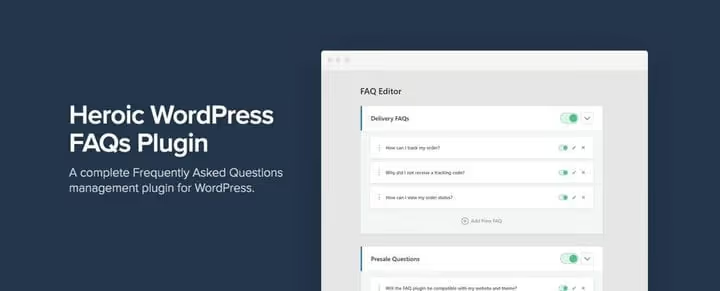
Heroic FAQs, a specialized FAQ plugin with drag-and-drop builder. All questions and answers are edited on one screen, without jumping between pages. Five style presets, unlimited customization, choice of 15 icon variants. The plugin is included with any Heroic KB plan.
Pros:
- Drag-and-drop: drag a question higher or lower, and the order is ready
- Schema.org out of the box, FAQs are indexed as rich results
- FAQ grouping with display in multiple places on the site
- 30-day money-back guarantee
Cons:
- Sold only as part of Heroic KB, cannot be purchased separately
- No analytics: cannot track which questions are viewed more often
Price: Included with Heroic KB from $67.60/year (Essential).
A short demo video (EN) shows how a modern knowledge base plugin works in WordPress: setting up categories, search, and publishing articles in just a few minutes.
⁉️🤔 Frequently asked questions
How does a knowledge base theme differ from a plugin?
A theme replaces the design of the entire site and contains built-in templates for documentation. A plugin adds knowledge base functionality to an existing theme. The
KnowAlltheme includes theHeroic KBplugin and provides a ready-made portal out of the box, whileBetterDocsorEcho Knowledge Baseintegrate into your current design.
Does a small site need a knowledge base or is it only for large projects?
A knowledge base is useful for a site of any scale. Even 10-15 well-written articles significantly reduce the flow of repetitive support questions. For small businesses, free
Yada WikiorBetterDocs(free) is more than enough.
Can you use multiple documentation plugins simultaneously?
Technically yes, but in practice it creates confusion: two searches, two category structures, different layouts. Better to choose one tool that covers your scenarios.
Echo Knowledge Base, for example, handles documentation, FAQ, and glossary in one plugin.
What to choose: wiki format, FAQ, or documentation?
Start from the scenario. Wiki format
Yada WikiandHelpieWPis suitable for collaborative content creation with cross-links. FAQ inUltimate FAQandHeroic FAQsis convenient for short question-answers. For structured guides with table of contents and categories, takeBetterDocs,Echo Knowledge Base, orweDocs. Most projects combine documentation with FAQ.
How to migrate existing documentation to a new plugin?
Most plugins support import.
BetterDocsandEcho Knowledge Baseoffer CSV/XML.weDocscan migrate content directly fromBetterDocs. If migration is not provided, articles are transferred through the standard WordPress editor by copying.
What to install for your task
There is no single "best" knowledge base plugin, everything depends on the scenario. If budget is limited and you need full-featured documentation, take BetterDocs (free). Want AI search and chatbot without monthly fees, Echo Knowledge Base provides them in the free version. Need wiki format with collaborative editing, HelpieWP or Yada Wiki. Launching a project from scratch and don't want to mess with design, the KnowAll theme will close the question entirely.
Try the one that fits your task most precisely. Setting up any of these tools takes less than an hour, and the time saved on support pays off this investment in the first week.

A professional team of writers and editors specializing in creating quality content.