














👨💻 6 schema markup plugins for WordPress in 2026 (free and paid)
A website without schema markup is like a storefront without price tags. Search engines see the page but don't understand what's on it: whether it's a product, an article, a recipe, or an FAQ. The result is an ordinary blue link in search results, while competitors collect clicks with star ratings, breadcrumbs, and expanded questions.
We tested 6 schema markup plugins for WordPress: from lightweight solutions for a single task to SEO combines with a 4-million install base. Five of them were updated in 2026, one is a narrow specialist for complete Schema.org markup with 500+ types.
Install the right plugin, and search engines will start displaying rich snippets without a line of code. Choose wrong, and you'll get a conflict with your theme, broken layout, or "bare" search results.
💡 Quick overview:
- Determine which type of schema markup you need: Article, Product, LocalBusiness, FAQ, HowTo, or the entire set at once
- Choose a plugin for your task: for an online store use Five Star Business Profile, for a blog use WPSSO Core, for full SEO control use Rank Math
- Install the plugin, go through the setup wizard, and check the result through Google Rich Results Test
- Configure content types and connect missing schema modules for your niche
Schema markup plugin comparison table
Plugin | Schema types | Free version | Auto-markup | WooCommerce | Update |
|---|---|---|---|---|---|
Schema & Structured Data | 35+ | Yes | Yes | Yes (extension) | June 2026 |
All In One Schema | 8 | Yes | No | No | 2025 |
Five Star Business Profile | All org types | Yes | Yes | Yes (Pro) | 2026 |
Rank Math SEO | 16+ (free) | Yes | Yes | Yes | 2026 |
WPSSO Core | 500+ | Yes | Yes | Yes | June 2026 |
SEOPress | 9+ | Yes | Yes | Yes (Pro) | 2026 |
1. Schema & Structured Data for WP & AMP
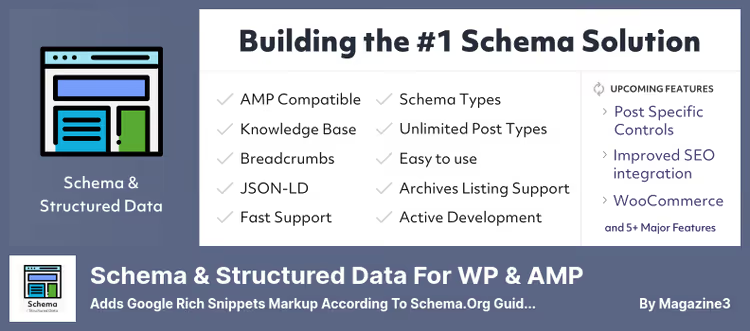
The most functional specialized schema plugin in this roundup. It supports 35+ schema types "out of the box": from Article and Product to more niche ones like SoftwareApplication, Event, VideoObject, and HowTo. Developer Magazine3 updates the plugin every 2-3 weeks: just in 2026 alone, 11 releases came out with new schema types and fixes.
The plugin is fully compatible with AMP plugins (AMP for WP and AMP by Automattic). There's a visual schema block constructor for Gutenberg, data import from other schema plugins, and conditional field display: for example, show product markup only on certain post type pages.
Pros:
- 35+ schema types in the free version, including rare ones like SpecialAnnouncement and LiveBlogPosting
- Schema blocks for Gutenberg: code-free constructor
- Active development: update from June 16, 2026
- Data import from third-party schema plugins
Cons:
- Some features (reviews from 75+ platforms, priority support) only in Pro
- May conflict with some themes
Price: free version on WordPress.org. Pro from $49/year (see pricing on the site).
🔗 Schema & Structured Data on WordPress.org🔗 Plugin documentation
2. Schema - all in one schema rich snippets

A lightweight plugin from Brainstorm Force that adds 8 basic schema types: Review, Event, Person, Product, Recipe, Software Application, Video, and Article. The free version works as a schema card builder for each page or post: you select the type, fill in the fields, and publish.
The plugin is stable, but its development has slowed down. The last significant updates came out in 2023-2024, and many schema types (LocalBusiness, HowTo, Job Posting, Book) are locked behind the premium upgrade Schema Pro. For getting started with microdata it's enough, for deep customization it's not.
Pros:
- Simple interface in the native WordPress editor
- Support for basic content types without dancing with JSON-LD
- Works "out of the box" after activation
Cons:
- Only 8 free schema types, less than competitors
- Extended types (LocalBusiness, HowTo) only in Schema Pro
- Development has slowed down: latest updates are security fixes
Price: free version on WordPress.org. Schema Pro from $249/year (see pricing on the site).
🔗 All In One Schema on WordPress.org
3. Five Star Business Profile and Schema
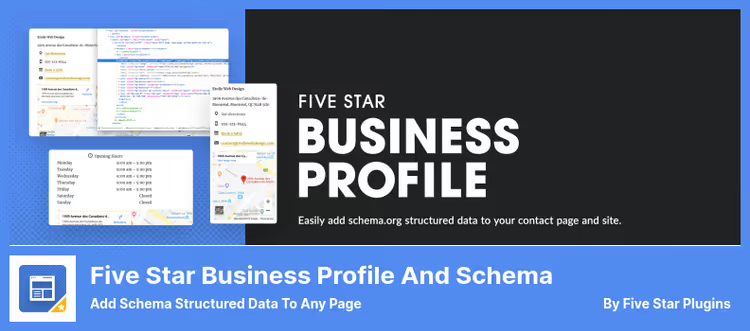
A plugin for those who need schema markup primarily for local business. It adds JSON-LD structured data to any page or post, and also creates a contact card with address, phone, business hours, and Google map, all with correct schema markup.
The plugin's feature is a setup wizard that runs automatically after activation and takes you through adding company data, creating a card, and the first schema rule in 5 minutes. It supports multiple locations, each with its own structured data. WooCommerce integration automatically adds Product schema to the store (in Pro version).
Pros:
- Ready-made contact block with map, phone, and business hours, immediately with schema
- 5-minute setup wizard
- Multiple locations with unique structured data for each
Cons:
- Tailored for LocalBusiness, excessive for a blog or news site
- Schema helpers and WooCommerce integration only in Premium
Price: free version on WordPress.org. Premium from $60/year (see pricing on the site).
🔗 Five Star Business Profile on WordPress.org
4. Rank Math SEO

Not just a schema plugin, but a full-fledged SEO combine with 4+ million active installs. In the free version, 16+ schema types, automatic markup of posts, pages, and WooCommerce products, integration with Google Search Console and Analytics right in the WordPress admin.
The main advantage of Rank Math is schema automation. The plugin itself determines the content type and generates correct structured data without manual field filling. For custom scenarios, there's a Schema Builder with conditional logic: "if a post is in category X, apply schema type Y." A separate plus is the built-in Content AI for SEO content optimization with meta tag generation and keyword analysis.
Pros:
- 16+ schema types in the free version with automatic content type detection
- Schema Builder with conditional logic and templates (Pro)
- Deep WooCommerce integration "out of the box"
- Active development and 4M+ user community
Cons:
- Some schema types and advanced Schema Builder are in Pro
- Excessive if schema is the only SEO function needed
- Requires Rank Math account registration for some features
Price: free version on WordPress.org. Pro from $59/year, Content AI from $9.99/month (see pricing on the site).
🔗 Rank Math SEO on WordPress.org🔗 Free vs Pro comparison
5. WPSSO Core

The most comprehensive schema plugin in this roundup by number of supported types: 500+ Schema.org types and subtypes, from standard Article and Product to highly specialized ones like Book, Event, HowTo, FAQ, JobPosting, and SoftwareApplication. Developer JS Morisset updates WPSSO Core every 2-4 weeks, the latest release (22.4.0) came out on June 15, 2026.
The plugin doesn't just add Schema JSON-LD, but also covers the full cycle of meta tags: Open Graph for Facebook, Twitter Cards, Pinterest Rich Pins, oEmbed for LinkedIn and Discord, Google Merchant Feed XML, and SEO for images and videos. It reads data from WooCommerce, The Events Calendar, WP Recipe Maker, and 20+ other popular plugins, markup is assembled from their data automatically.
Pros:
- 500+ Schema.org types, maximum coverage among all plugins in the roundup
- Complete set of meta tags for social networks, search engines, and messengers
- Deep integration with WooCommerce, Event Calendar, Recipe Maker, and other plugins
- Active development: update from June 15, 2026
Cons:
- Interface oriented towards experienced users, learning curve higher than average
- Some documentation and interface is in English
- Some advanced features are in paid addons
Price: free version on WordPress.org. Premium addons from $30/year (see pricing on the site).
6. SEOPress

An SEO plugin with 300,000+ installs and a built-in schema module that covers 9+ structured data types in the free version: Article, Course, Event, FAQ, HowTo, LocalBusiness, Product, Recipe, Video. For each type, there's a visual constructor with auto-fill fields from page content.
SEOPress occupies a middle position between lightweight schema plugins and SEO combines like Rank Math. It doesn't overload the admin, but gives more than basic schema markup: automatic VideoObject from YouTube links in content, breadcrumbs with schema, custom fields for fine-tuning. The Pro version adds Google Structured Data Types (Product, Local Business, Article) with extended settings and WooCommerce integration.
Pros:
- 9+ schema types in the free version with visual constructor
- Automatic VideoObject from YouTube links in content
- Lightweight interface without admin overload
- Integration with Google Analytics, Search Console, social networks, all in one plugin
Cons:
- Extended schema settings (Product, Local Business) are in Pro (see pricing below)
- Fewer schema types than WPSSO and Schema & Structured Data
- Free support only through WordPress.org forum
Price: free version on WordPress.org. Pro from $49/year (see pricing on the site).
🔗 SEOPress on WordPress.org🔗 Free vs Pro comparison
Schema markup tutorial video
Setting up schema markup from scratch is easier than it seems if you follow the right instructions. This 12-minute video shows the complete cycle of installing a schema markup plugin for WordPress: from activation to checking the result in Google Rich Results Test.
⁉️🤔 Frequently asked questions
Do I need schema markup if I have a regular blog without products?
Yes, and here's why. Article schema helps Google correctly identify the author, publication date, and article title, which affects display in search results. In addition, FAQ markup on pages with questions increases CTR by 15-20% due to expanded snippets. For a blog,
WPSSO CoreorSEOPresswith automatic markup is sufficient.
Why is JSON-LD better than Microdata or RDFa?
JSON-LD is the format recommended by Google for structured data. It's embedded in the page
<head>as a separate<script type="application/ld+json">block and doesn't affect HTML layout. Microdata requires adding attributes to HTML tags, which complicates maintenance when changing themes. All plugins from this review use JSON-LD.
What to do if the schema plugin conflicts with the theme or another plugin?
The procedure is this: disable all SEO plugins except one (two plugins generating schema duplicate markup and create a conflict). Check the page through Google Rich Results Test. If the error remains, temporarily switch to a standard theme (Twenty Twenty-Five) and check again. Error disappeared, the problem is in the theme, contact the developer.
Can I add multiple schema types to one page?
Yes, this is standard practice. For example, a product review article can contain Article, Product, and FAQPage schema simultaneously. All plugins from the roundup support type combinations. The main thing is not to duplicate the same type twice (for example, two Article blocks on one page).
How to check that schema markup works correctly?
Use Google Rich Results Test at search.google.com/test/rich-results. Paste the page URL or code fragment, the tool will show all detected schema types, errors, and warnings. For products, additionally check Schema Markup Validator (validator.schema.org).
How often do I need to update schema markup on the site?
Schema markup doesn't require regular manual updates if the plugin is actively maintained. Developers themselves adapt the output to changes in Google recommendations. It's enough to check key pages through Rich Results Test once a quarter and update the plugin to the latest version. Critical: don't keep the plugin without updates for more than a year, you risk getting invalid markup after search engine requirements change.
Which schema markup plugin to choose in 2026
If the site only needs schema and nothing else, take Schema & Structured Data for WP & AMP. It covers 35+ types, updates every 2 weeks, and doesn't drag along an SEO combine.
Need maximum schema type coverage and meta tags for social networks in one plugin, WPSSO Core with its 500+ Schema.org types and integration with dozens of popular plugins is your choice.
SEO control with automatic schema, Rank Math is out of competition. 4 million installs and built-in Content AI speak for themselves.
For local business with addresses and contact cards, only Five Star Business Profile. It's tailored specifically for LocalBusiness and multiple locations.
Need a lightweight SEO plugin with a solid schema module without admin overload, SEOPress closes this niche better than all. 300,000+ installs and stable updates make it a safe bet for years ahead.
And the rule that will save you an evening of debugging: never activate two schema plugins simultaneously. Duplicated markup in search results is a direct path to errors in Search Console and CTR drop.
Try a plugin for your task and check the result through Google Rich Results Test.

A professional team of writers and editors specializing in creating quality content.