














🔥 Best WordPress knowledge base plugins in 2026: free and premium
What to choose: a knowledge base plugin or theme?
Before reviewing plugins, it's worth deciding on the approach itself. WordPress offers two paths for creating a knowledge base.
A plugin installs on top of your current theme. The knowledge base inherits your site's design, requires no separate installation, and users and content stay in a single admin panel. The downside: without custom CSS the appearance will be a compromise, and functionality almost always falls short of dedicated themes.
A knowledge base theme is a separate WordPress installation with a specialized template. You get a polished design out of the box and extended functionality, but sacrifice integration: new users, a separate console, double maintenance. For a beginner without a developer, the learning curve is significant.
If you need a lightweight solution built into an existing site, a plugin is optimal. Below are the best ones for 2026, from premium powerhouses to minimalist free options.
💡 Quick overview:
- Choose your budget: premium options provide analytics; free plugins cover the basics at no cost
- For team collaboration Helpie works well: frontend editor and access control
- Beginners should start with BetterDocs: AI auto-generation, Instant search, and ready templates for free
- When you have more than fifty articles, switch to Heroic KB Plus: empty search analytics will tell you what to write
Plugin | Type | Price (from) | AJAX search | Analytics | Feedback | Frontend editor | AI |
|---|---|---|---|---|---|---|---|
Heroic KB | Premium | $67.60/year | ✓ | ✓ (Plus) | ✓ (Plus) | ❌ | ✓ (Pro) |
Helpie | Premium | $59/year | ✓ | ✓ | ✓ (emoji) | ✓ | ❌ |
BWL KB Manager | Premium | $25 | ✓ | ❌ | ❌ | ❌ | ❌ |
BetterDocs | Free | $0 | ✓ | ❌ | ❌ | ❌ | ✓ |
Echo KB | Free | $0 | ✓ | ✓ (basic) | ❌ | ❌ | ✓ |
VS Knowledge Base | Free | $0 | ❌ | ❌ | ❌ | ❌ | ❌ |
Premium WordPress knowledge base plugins
When article counts exceed a hundred and support starts drowning in repetitive tickets, a premium plugin pays for itself in weeks. The three options below cover different budgets and needs.
1. Heroic KB, the flagship powerhouse
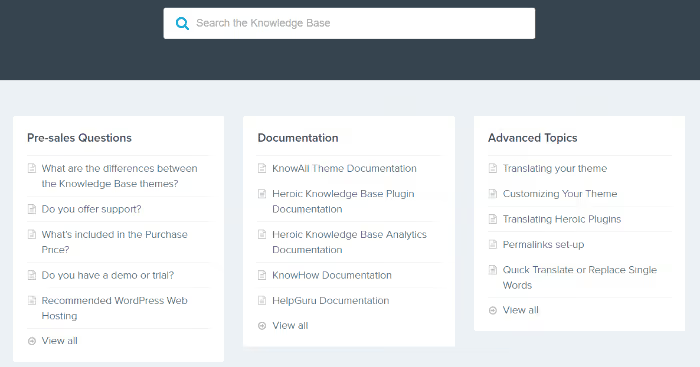
Heroic Knowledge Base is the most popular premium plugin in this niche. It powers Pagely, Kinsta, Crazy Egg, and over 32,000 other users. What impresses is not just the feature list but the depth of each feature.
AJAX search starts suggesting results from the first letter. Built-in analytics shows not just views but specifics: what users search for and don't find, which articles collect negative ratings, and which topics generate the most support requests.
Strengths:
- Search with predictive suggestions and weighted sorting
- Empty search analytics (you see content gaps before users write in)
- Feedback system: users vote up/down on articles, you see problem spots
- Access control (Plus): internal knowledge base for staff and public one for customers
- AI assistant (Pro): chatbot trained on your documentation, answers 24/7
Weaknesses:
- Price is steep: Essential (1 site) costs $67.60/year the first year, then $169/year (current pricing)
- No frontend editor, all content goes through the admin panel
- Pro version with AI and integrations (Slack, HelpScout) runs $239.60/year the first year
Verdict: the best choice for medium and large businesses where analytics and customer self-service before contacting support matter.
🔗 Heroic KB on HeroThemes website
2. Helpie, powerful editor and access control for $59
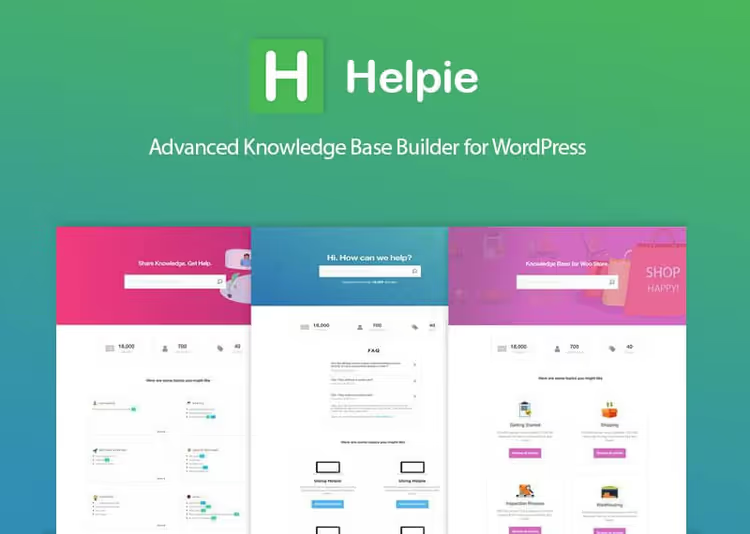
Helpie stands out in two ways: its frontend editor and price. For $59 per year (Pro) you get functionality that costs twice as much with Heroic KB (Helpie pricing).
The plugin is ultra-lightweight, tested on 1,000+ articles without speed degradation. Search with partial matching and keyword-weighted sorting works noticeably more accurately than standard WordPress search.
What's under the hood:
- Live AJAX search with partial matching, tested on 1,000+ article databases
- Automatic table of contents with flexible display settings
- Two voting systems: classic yes/no and emoji reactions
- Frontend editor: you can give access to specific user roles, they edit articles directly on site
- Access control: by WordPress roles or password, convenient for an internal team knowledge base
- Branding, styles, and layouts (all customizable to your design without CSS)
What to consider:
- Analytics exists but is less deep than Heroic KB (no empty search tracking)
- Project develops slower than market leaders, fewer major updates
- No free version, only a 7-day trial
Verdict: optimal balance of price and functionality. Great for SaaS products, internal team documentation, and sites that need collaborative content.
🔗 Helpie on helpiewp.com🔗 Live demo
3. BWL Knowledge Base Manager, lightweight and affordable premium
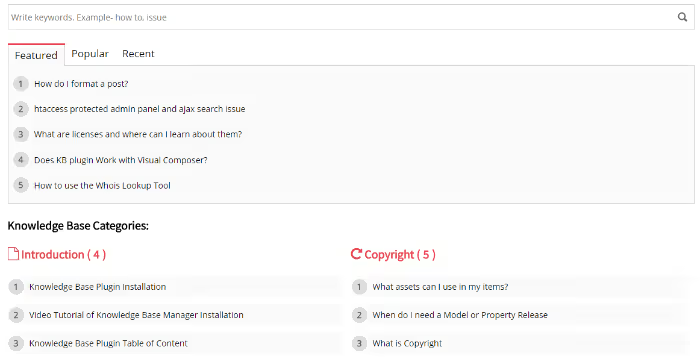
If your budget is tight and free plugins aren't enough, BWL Knowledge Base Manager for $25 on CodeCanyon covers the basics: AJAX search, categories, shortcodes for displaying articles.
What's included:
- Modal AJAX search with live suggestions
- Article table of contents (optional)
- User question submission form, convenient for collecting topics for new articles
- Support for unlimited articles and categories
What's missing:
- No analytics at all (you can't see what users search for)
- No feedback/voting system
- Out-of-the-box design is peculiar, looks somewhat dated without CSS
Verdict: a budget workhorse. Suitable for a small site with a hundred or two articles where analytics isn't critical. For $25 on CodeCanyon, it's a fair price for basic functionality without monthly subscriptions.
🔗 BWL Knowledge Base Manager on CodeCanyon
Free knowledge base plugins
The free WordPress knowledge base segment has been reshuffled over the past three years. WP Knowledgebase, DocuPress, and DW Knowledge Base are discontinued (the first and third due to security issues, the second at the author's request). From the old guard only Very Simple Knowledge Base survived, renamed to VS Knowledge Base.
Below are three living free options you can install in 2026 without concerns.
4. BetterDocs, the most feature-rich free plugin

BetterDocs from the WPDeveloper team is nearly premium functionality in a free wrapper. 40,000+ active installations and 4.8 stars on wordpress.org speak for themselves.
What the free version provides:
- Ready-made documentation page templates: Slate, Handbook, Modern, no coding required
- Instant search with live suggestions
- Sticky table of contents with auto-navigation
- Drag-and-drop category sorting
- Gutenberg blocks and Elementor widgets (both free)
- "Write With AI" (auto-documentation creation via ChatGPT directly in the editor)
- Import/export via CSV and XML
Free version limitations:
- Only one knowledge base (Pro required for multiple products)
- No multiple access roles
- No attachments, related articles, or glossary
- Analytics and chatbot only in Pro
Verdict: the best choice for getting started. BetterDocs gives away for free what many premium plugins charge significant money for. When you grow, the Pro version unlocks chatbot, glossary, and multi-product knowledge base.
5. Echo Knowledge Base, AI search in a free flagship

Echo Knowledge Base (formerly Echo KB) is a niche veteran with 4.5 stars on wordpress.org. In 2025-2026 the plugin added AI search and a chatbot to the free version, a rarity for freemium models.
Key functionality:
- Built-in AI search and AI chatbot (yes, in the free version!)
- Flexible appearance customization: colors, fonts, category grid
- FAQ schema support for Google results
- Shortcodes and Gutenberg blocks for displaying documentation sections
- Documentation, FAQ, and tutorials all in one plugin
What to know:
- Settings interface has multiple screens and isn't the most intuitive (you'll need about an hour to learn it)
- AI features are relatively new and may have rough edges
- Free version is sufficient for most small projects
Verdict: if you need AI search and a chatbot for free, Echo KB has no competition. The plugin also works well for FAQ-intensive sites: built-in schema markup helps with Google results.
🔗 Echo Knowledge Base on WordPress.org
6. VS Knowledge Base, an ultra-lightweight solution without frills
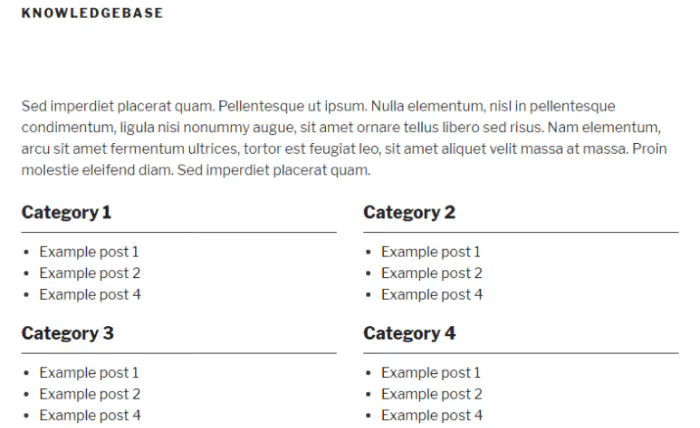
VS Knowledge Base (formerly Very Simple Knowledge Base, by Guido) is a minimalist plugin. No search, analytics, or voting. Just the shortcode [knowledgebase] that displays categories and posts in a neat grid.
What it does:
- Shortcode, Gutenberg block, and widget for displaying the knowledge base
- Column customization (1-4), sort order, and category filtering
- Custom post type support (you can display WooCommerce products or any other CPT)
- 300+ active installations, last update 2026, WP 6.0+
What it doesn't do:
- No search at all
- Minimal styling (appearance heavily depends on your theme)
- No custom post type of its own (uses standard WordPress posts)
Verdict: ideal when the knowledge base isn't the site's core but a supplementary section. Literally one shortcode and categories with posts display as a grid. For a blog with a dozen reference articles, you don't need more.
🔗 VS Knowledge Base on WordPress.org
⁉️🤔 Frequently asked questions
Do knowledge base plugins work with any WordPress theme?
Yes, all plugins in this list are compatible with most modern WordPress themes. Heroic KB and BetterDocs include their own page templates that inherit the theme's base styles. Echo KB provides a panel for customizing colors and fonts to match your design. VS Knowledge Base relies entirely on theme styles, so without additional CSS the appearance will completely depend on it. All plugins have been tested with FSE and classic themes; issues are only possible with themes that haven't been updated since 2020.
How does a knowledge base plugin differ from an FAQ plugin?
An FAQ plugin (such as Helpie FAQ, Ultimate FAQ) displays questions and answers as an accordion on a single page. A knowledge base plugin is a full documentation system: categories, search, article hierarchy, navigation, analytics. A knowledge base scales to hundreds of articles; an FAQ accordion does not. For a site with 20-30 articles an FAQ plugin may be sufficient; if you have more content, a knowledge base with search and categories saves user time much more effectively.
Can I migrate articles from one plugin to another?
It depends on the plugin. BetterDocs supports import from Help Scout and CSV/XML, and also offers built-in migration. Most plugins store articles in a custom post type, and when switching tools content usually has to be transferred manually or through WordPress export/import. Before choosing a plugin you should decide on functionality for the long term: migrating a 200-article database between different plugins is a labor-intensive process.
Do I need separate hosting for a WordPress knowledge base?
No, all plugins run on the same server as the main site. The knowledge base uses standard WordPress resources: a custom post type for articles, taxonomies for categories, and the standard search index. AJAX search creates additional server load, but in practice it's only noticeable on databases with 500+ articles on weak hosting. Helpie claims testing on 1,000+ articles without performance degradation.
Is it worth paying extra for a premium knowledge base plugin?
If you have no more than fifty articles and no stream of repetitive requests, BetterDocs or VS Knowledge Base will handle the task completely and for free. But as soon as support starts repeating the same answers, analytics and smart search become not a "feature" but a necessity.
Heroic KB pays for itself from day one by reducing support time. Helpie provides a frontend editor and access control, ideal when a team maintains documentation. BWL KB Manager offers a minimal entry threshold into premium without a subscription.
The main benchmark is the number of articles and the number of support requests. A dozen articles and a couple of questions per week: take free BetterDocs. Hundreds of articles and dozens of tickets: Heroic KB Plus with empty search analytics will quickly show which articles to add so the tickets stop coming.

A professional team of writers and editors specializing in creating quality content.