













 AIIllustrative image: AI-generated
🛡️ 10 best WordPress malware scanning plugins in 2026
WordPress powers 41.5% of all websites on the internet. This popularity attracts not only business owners and developers but also hackers. Every day, bots scan thousands of sites looking for a vulnerable plugin version, a weak password, or an open port.
A hack rarely ends with just a defaced homepage. More often, the site is quietly turned into a farm for phishing, spam campaigns, or cryptomining. Visitors get redirected to fraudulent URLs, Google flags the site as dangerous, and the hosting provider blocks the account. Traffic drops to zero, and recovery takes weeks.
The most reliable way to avoid this situation is regular automated scanning. Modern WordPress plugins can detect malicious code, backdoors, suspicious file changes, phishing links, and outdated plugins with known vulnerabilities. We selected 10 tools that actually work and verified their relevance in 2026.
💡 Quick overview:
- Choose a plugin for your scenario: comprehensive protection (Wordfence, Solid Security), precise detection (MalCare, MalCure), or lightweight vulnerability scanning (Jetpack Protect).
- Install the plugin through the WordPress admin panel and run your first full scan. It may take 5-20 minutes depending on site size.
- Set up daily automated scanning and email notifications. For premium versions, enable auto-cleanup and firewall.
- After each scan, review the report even if the site appears to work without issues. False positives happen, but a real backdoor is silent and invisible.
Below is a summary table, followed by a detailed breakdown of each plugin.
Plugin | Type | Free version | Auto-cleanup | Firewall | WP-CLI |
|---|---|---|---|---|---|
Jetpack VaultPress Backup | Backup+scanner | ❌ (from $5/mo) | ✅ (Pro) | ❌ | ❌ |
MalCare | Comprehensive protection | ✅ | ✅ (Pro) | ✅ | ❌ |
Sucuri Scanner | Audit+scanner | ✅ | ❌ | ❌ (paid) | ❌ |
MalCure WP | Scanner+cleanup | ✅ | ❌ (premium) | ✅ | ✅ |
Solid Security | Comprehensive protection | ✅ | ❌ (Pro) | ✅ (Pro) | ❌ |
GOTMLS | Scanner+cleanup | ✅ | ✅ (registration) | ✅ (premium) | ❌ |
All In One WP Security | Comprehensive protection | ✅ | ❌ | ✅ | ❌ |
Wordfence | Comprehensive protection | ✅ | ❌ (Premium) | ✅ | ❌ |
Quttera ThreatSign | Scanner | ✅ | ❌ | ❌ | ❌ |
Jetpack Protect | Vulnerability scanner | ✅ | ✅ (paid) | ✅ (paid) | ❌ |
1. Jetpack VaultPress Backup
🔗 Information and download🔗 Features
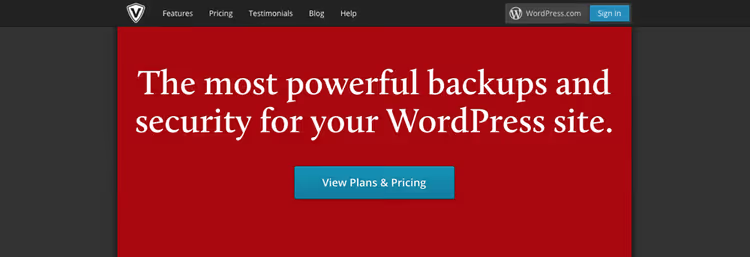
VaultPress is a backup and scanning solution from Automattic, the company behind WordPress.com and WooCommerce. In 2024, the product was fully integrated into the Jetpack ecosystem and is now called Jetpack VaultPress Backup. If you already have any paid Jetpack plan, access to backup and scanning is included automatically without installing a separate plugin.
The scanner compares site files against reference copies from the WordPress.org repository and flags any discrepancies. Daily scanning is included in the Jetpack Security plan (from €8.95 per month), while the Jetpack Complete plan adds on-demand scanning and automatic restoration, where the system rolls back an infected file to a clean version without your intervention.
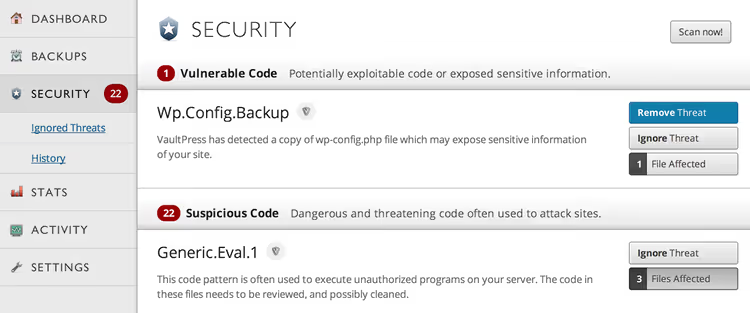
The main advantage of VaultPress is that backups are stored on Automattic's servers rather than on your hosting. If the site goes down completely, you restore it from the cloud even without accessing the admin panel. The downside is that there is no free tier, and a full firewall is only available through the separate Jetpack Protect product.
2. MalCare Security
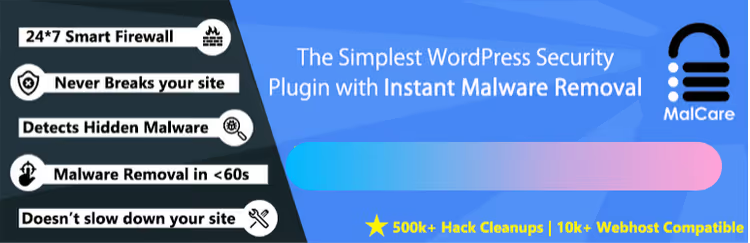
MalCare is built on analysis of over 240,000 WordPress sites and uses the collective intelligence of its network to detect threats. Its main feature is scanning on MalCare's remote server rather than on your hosting. This means the check does not load your site's CPU or slow down its performance.
The early detection technology finds complex malware that other popular plugins miss. The developers prioritized accuracy: the false positive rate here is among the lowest of all competitors. You receive a notification only when the plugin is truly confident in its finding, not for every suspicious file.
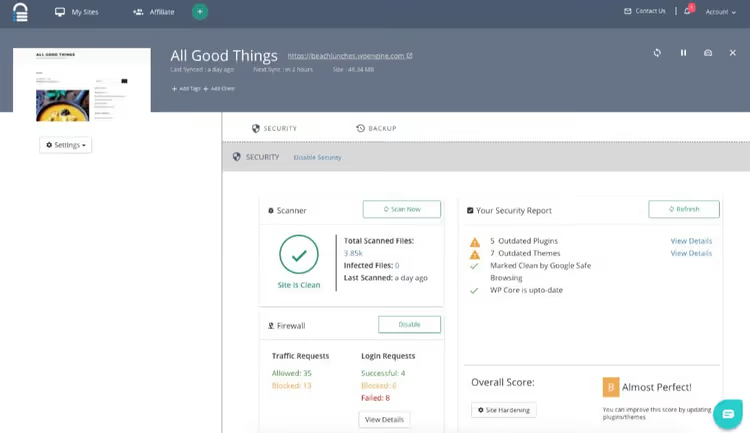
The free version includes a web application firewall, brute force protection, and basic scanning. The premium version of MalCare adds one-click automatic cleanup of detected infections, IP blocking, login hardening, and centralized management for multiple sites from a single dashboard.
3. Sucuri Security
🔗 WordPress.org🔗 SiteCheck online
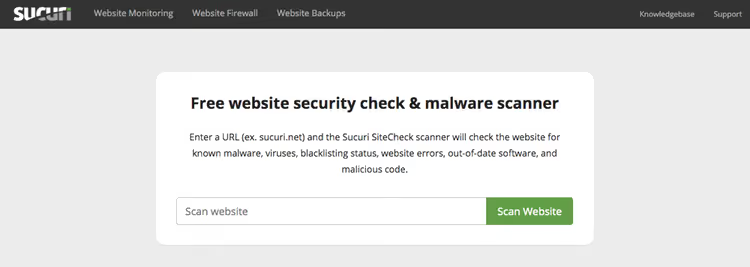
Sucuri is not just a plugin but an entire security ecosystem with its own remote scanner SiteCheck, which you can run without installing the plugin: enter a URL at sitecheck.sucuri.net and receive a report within a minute. The scanner checks the site externally, like a search engine bot, and compares pages and links against Sucuri's known malware database.
The Sucuri Security plugin for WordPress adds audit logging, file integrity checking, email alerts, and security hardening tools. It can also monitor DNS and SSL certificate changes.
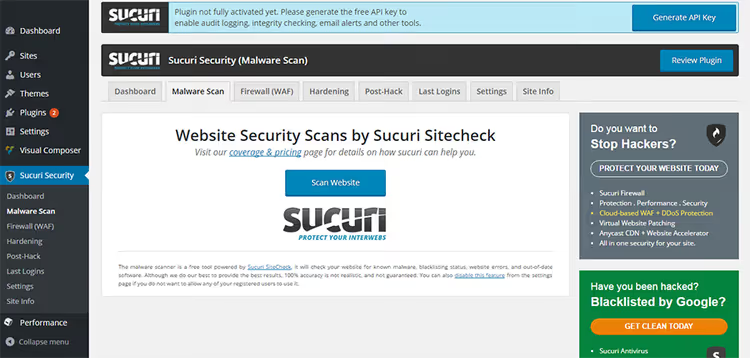
It is important to understand the limitation: the remote scanner does not have server access. Backdoors, phishing scripts, and malicious user accounts that do not render in the browser remain invisible to it. For full coverage, Sucuri offers a paid firewall and a professional cleanup service, but these are external services rather than the plugin itself.
4. MalCure WP
MalCure WP is a relatively young but technically advanced scanner. Its database contains over 50,000 infection signatures, and its hybrid approach combines three methods: checksum verification (file integrity), comparison against known malware signatures, and heuristic analysis. This triple check delivers high accuracy with minimal false positives.
The plugin scans both files and the database, examining every record in every table. This is important because many attacks hide malicious code in the database (for example, in wp_options or wp_posts), and scanners that only work with files miss them.
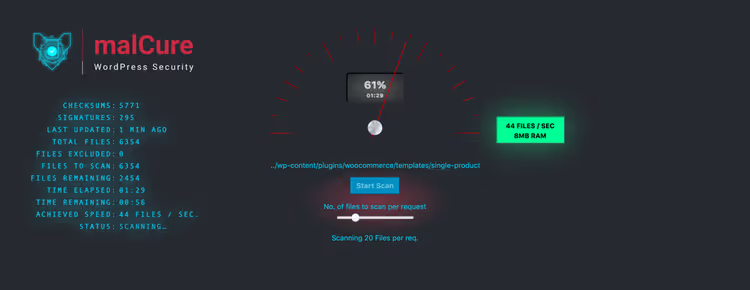
The main technical advantage of MalCure is full WP-CLI integration. If hosting has blocked admin panel access to contain malware spread, you can still scan and clean the site via the command line. This also allows automating scans through cron. The built-in firewall protects against the most common attack vectors, and Google Search Console integration adds spam link and Google warning checks.
5. Solid Security (formerly iThemes Security)

In 2024, iThemes Security was renamed to Solid Security after the brand joined the SolidWP family under Liquid Web. The name changed, but the essence remained: this is one of the most popular security plugins with over 800,000 active installations.
The free version offers 30 layers of protection, including one-click security check, malware scanning via Sucuri SiteCheck, password enforcement, brute force protection, database backups, and file change detection.
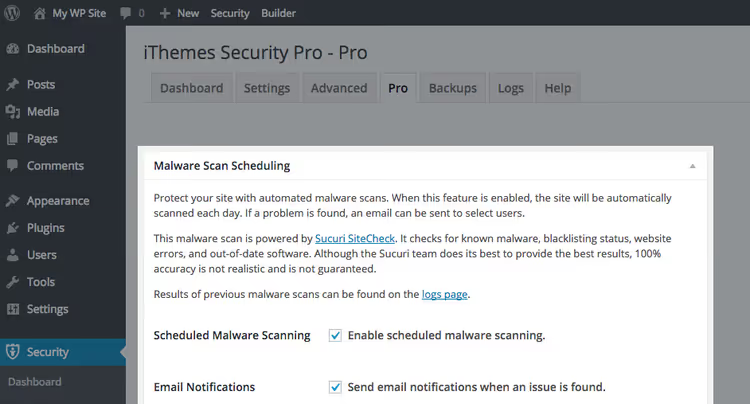
The premium version Solid Security Pro adds two-factor authentication, scheduled scanning, WordPress core file comparison against the reference, Patchstack vulnerability database integration, and automatic firewall rule application. The cost is $99 per year, making it one of the most affordable professional solutions. The downside is that setup may seem complex for beginners: 30 options require thoughtful configuration.
6. Anti-Malware Security (GOTMLS)
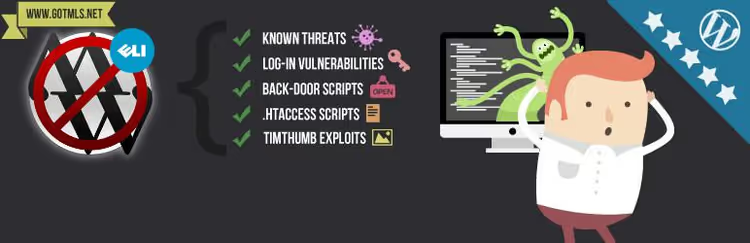
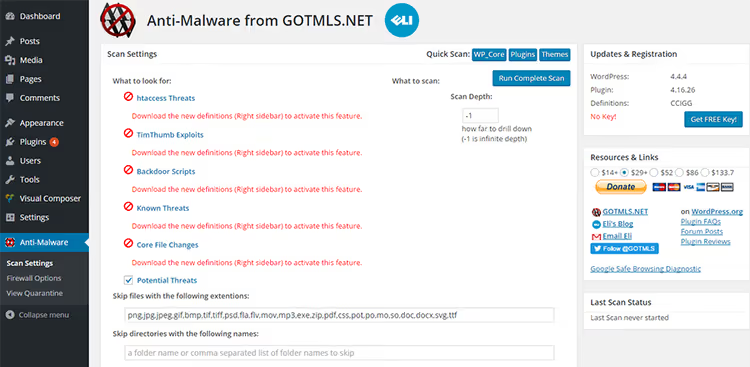
GOTMLS is a specialized malware scanner that not only finds threats but also helps fix them. It detects malware, viruses, and other server threats, flagging suspicious files and offering action options.
After registering at GOTMLS.NET, the plugin gains access to automatic downloads of new malware definitions and patches for known vulnerabilities. The developer keeps definitions up to date, which is critical for detecting fresh threats.
Revolution Slider has historically been one of the most attacked targets in WordPress, and GOTMLS automatically includes protection for this plugin. The premium version adds brute force and DDoS attack protection, as well as core integrity checking. It suits those who need a tool specifically for finding and removing malicious code rather than a universal security suite.
7. All In One WP Security & Firewall

All In One WP Security & Firewall is a completely free plugin with no premium tiers. It offers an impressive feature set: password enforcement, brute force protection, built-in captcha, database prefix change, file permission control,.htaccess and wp-config.php backup, and a firewall.
The real-time security scoring system displays the current site protection level in points and graphically, which is convenient for beginners: you can immediately see where improvements are needed and what to fix.
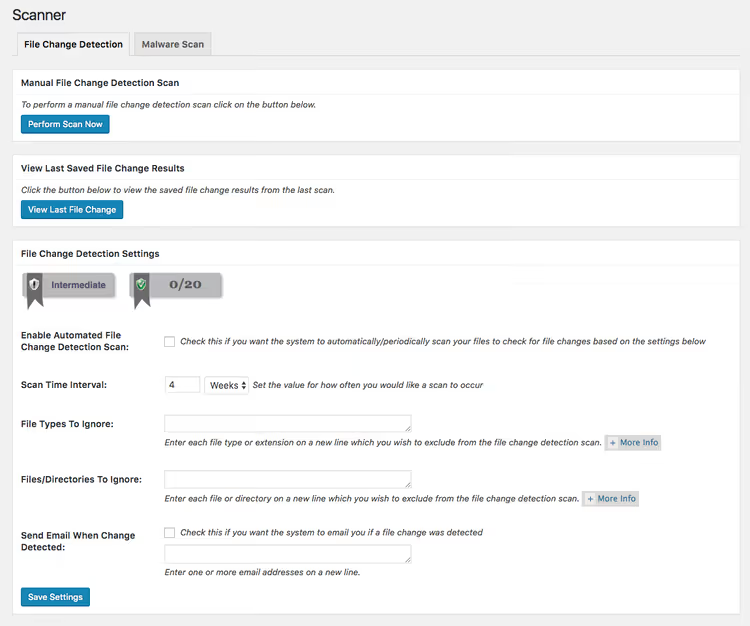
The file change detection scanner tracks modifications to core files, themes, and plugins, while the database scanner checks tables for suspicious entries. You can set up automatic daily scanning with email reports. For a free plugin, the coverage is impressive, but the lack of auto-cleanup means you will need to remove infections manually.
8. Wordfence Security

Wordfence is the most popular free WordPress security plugin with over 5 million active installations. Its web application firewall uses a constantly updated threat signature database and can block more than 44,000 known malware variants. The scanner checks for backdoors, phishing URLs, trojans, suspicious code, and any other security threats.
Scanning runs every few hours by default, but the free version has a 30-day delay for receiving new signatures. This means the free version is less effective against the freshest threats compared to premium.
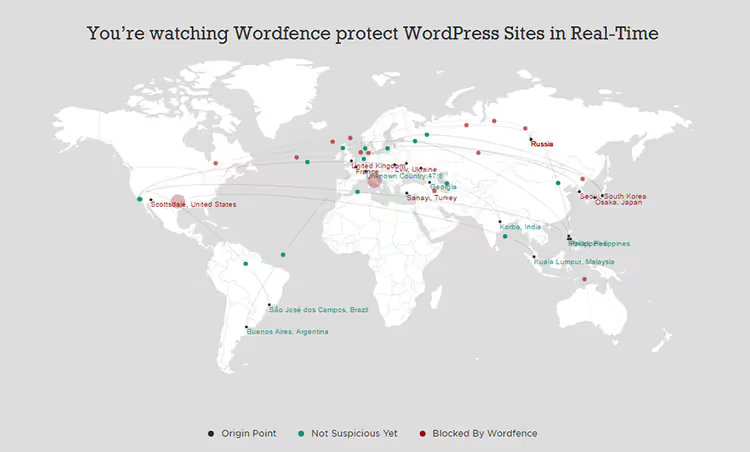
The premium key (Wordfence Premium) removes the signature delay, adds country blocking, real-time IP reputation checking, and traffic monitoring. Wordfence also checks core integrity by comparing site files against the reference from the WordPress.org repository. It loads the server during full scans; on weak hosting, it is better to run checks at night.
9. Quttera ThreatSign
Quttera ThreatSign is a cloud-based scanner that checks sites through an external engine, comparing them against more than 40 global threat databases including Google Safe Browsing, McAfee, Norton, and Yandex. It finds malware, viruses, trojans, backdoors, web shells, and automatically generated malicious content.
The plugin generates a detailed report indicating specific code lines and infected file locations. If the site has been blacklisted by Google, Quttera will show this during the scan.
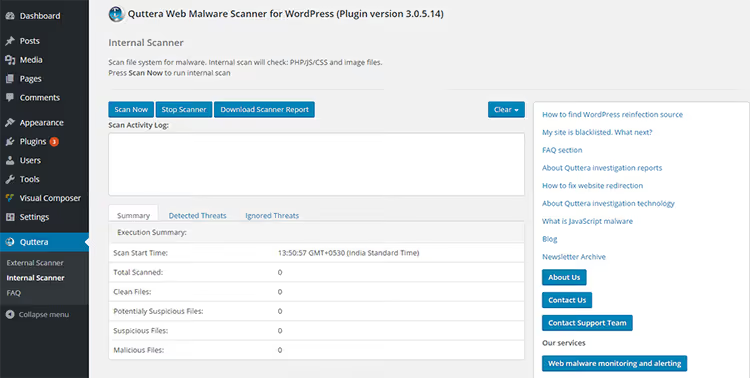
As of March 2026, the plugin has over 10,000 active installations and a rating of 3.9 out of 5. The free version offers only manual on-demand scanning; automated checks and cleanup require a paid tier. It works well as a second scanner for cross-checking results from your primary security plugin.
10. Jetpack Protect

Jetpack Protect is a free vulnerability scanner from Automattic that replaced the deprecated McAfee SECURE in our 2026 list. It uses the WPScan database of over 53,500 registered vulnerabilities and daily checks WordPress version, installed plugins, and themes for known security issues.
Setup takes literally one click: install, activate, connect to a WordPress.com account, and the scanner works. The free version also includes brute force protection, which blocks an average of over 5,000 attacks during a site's lifetime.

Upgrading to a paid tier (from €4.95 per month) adds daily malware scanning with one-click fixes for most issues, a web application firewall with automatic rule updates, and instant threat notifications via email. Jetpack Protect does not require installing the main Jetpack plugin; it is a completely standalone product.
This detailed video comparison of WordPress malware scanners from the WPDev channel will help you see plugin interfaces in action and understand the differences between them through real examples.
⁉️🤔 Frequently asked questions
Is one plugin enough for complete WordPress protection?
No. A security plugin is an important but not the only element. Comprehensive protection includes: reliable hosting, regular backups, strong passwords, two-factor authentication, timely updates of core, themes, and plugins, as well as HTTPS. A plugin closes gaps but does not replace good hygiene.
Is it true that free scanners miss malware?
Not quite. Free versions of Wordfence, MalCare, and Solid Security find most known threats. The difference from premium is in how quickly signatures arrive. Wordfence has a 30-day delay for fresh signatures in the free version; MalCare's free tier does not clean automatically. For a commercial WordPress site with traffic exceeding 1,000 visitors per day, premium solutions are worth considering.
Can two scanners be used simultaneously?
Technically yes, but it is not recommended. Two firewalls can conflict, and two scanners can create double server load. It is better to choose one primary plugin with a firewall (Wordfence or MalCare) and, if needed, supplement it with an external scanner like Sucuri SiteCheck or Quttera, which work remotely and do not load your hosting.
How often should a site be scanned for malware?
Daily. Most plugins in this list support automatic daily scanning. If the site processes payments or personal user data, consider solutions with hourly scanning, such as Wordfence. Manual checking once a week is insufficient: during that time, malicious code can cause damage and lead to the site being blocked by search engines.
What should I do if the scanner finds malware?
First, do not panic. Second, make a full site backup (even if infected). Third, run cleanup: MalCare Pro, Wordfence Premium, or MalCure WP will do this automatically. If cleanup does not help or hosting has completely blocked the site, contact professional services like Sucuri, which clean sites manually with a guarantee. After cleanup, change all passwords, check administrator accounts, and update everything to the latest versions.
What to install in 2026: final recommendations
There is no universal answer: the choice depends on what exactly you need. But here are three proven scenarios.
If your budget is limited and you have a single site, start with All In One WP Security. It is completely free, provides a firewall, brute force protection, file and database change scanner, and displays the protection level in points, helping even beginners understand the situation.
If the site generates revenue and downtime is critical, get Wordfence Premium. Removing the 30-day signature delay, country blocking, real-time traffic monitoring, and hourly scanning are worth the money when stakes are high.
If you need scanning without server load, choose MalCare or Sucuri. Both perform checks on their cloud servers without touching your hosting CPU. MalCare offers better accuracy and a firewall in the free version, while Sucuri provides external auditing and professional cleanup as a service.
Whichever plugin you choose, install it today. Tomorrow's scan may detect what yesterday's could not yet see.

A professional team of writers and editors specializing in creating quality content.