














🛡️ 9 best firewall plugins for WordPress 2026 (free and paid)
Your site is lagging, the admin panel opens intermittently, and in the logs, dozens of password guessing attempts per minute. Your hosting provider writes: "CPU limit exceeded." Sound familiar?
WordPress, the most popular CMS in the world, and that's exactly why it's the main target for attacks. Every day, vulnerability scanners crawl millions of sites looking for a leaky plugin or weak password. Without a firewall, a site relies on good faith.
Below, nine firewall plugins for WordPress that actually protect: from lightweight "set it and forget it" solutions to enterprise combines with cloud WAF. Each has been tested in practice, each has honest downsides. At the end, a matrix: what to choose for your task.
💡 Quick overview:
- Check if your site is compromised right now: Wordfence and AIOS do this for free in minutes.
- If your server regularly goes down under load, install a cloud firewall (Cloudflare or Sucuri): traffic is filtered before reaching your hosting.
- Don't want to deal with settings, BBQ Firewall protects immediately after activation, without a single checkbox.
- For maximum protection, combine: endpoint firewall (Wordfence) + cloud WAF (Cloudflare) + lightweight request filter (BBQ).
Comparison table
Plugin | Type | For whom | Price | Feature |
|---|---|---|---|---|
Wordfence | Endpoint + scanner | Most sites | Free / from $149 per year | Most popular, real-time rules (Premium) |
AIOS | Endpoint + audit | Beginners and intermediates | Free / Premium from $70 | Security score system, grading |
Cloudflare | Cloud WAF + CDN | High-traffic sites | Free / Pro from $20/mo | DNS-level filtering, site acceleration |
BBQ Firewall | Lightweight WAF | Those who don't want settings | Free / Pro $25 | Plug-and-play, less than 10 KB |
Sucuri | Cloud WAF + cleanup | Sites after breach | Free (scanner) / from $199.99/year | Turnkey malware removal in plan |
Jetpack | Combine (WAF + backup) | Need one plugin for everything | Free / Personal from $4.95/mo | Backups, spam filter, monitoring in one |
Security Ninja | Audit + WAF | Manual control of everything | Free / Pro from $49 | 50+ security tests, one click report |
Astra | Cloud WAF | Need 24/7 protection | from $25/mo | Real-time, 100+ attack types |
Kadence Security | Endpoint + templates | eCommerce and client sites | Free / Pro from $99 | 6 templates by site type, Patchstack (Pro) |
1. Wordfence Security
Wordfence, the most popular WordPress security plugin: 5+ million active installations and its own threat research team. This is not just a firewall, but a full-fledged protective combine with endpoint firewall, malware scanner and two-factor authentication.
The main advantage of Wordfence over cloud competitors, endpoint architecture. The firewall works inside WordPress, not on an external proxy server. This means it cannot "break" encryption, cannot be bypassed and cannot "leak" data. The price for this, server load: on weak hosting the scanner can consume CPU.
In practice, Wordfence is the gold standard for those who need maximum out-of-the-box protection. The free version includes endpoint firewall, malware scanner (with 30-day rule delay relative to Premium) and brute force protection. Premium gives real-time rule updates, country blocking and priority support with one-hour response.
- Pros: own security research team, real-time rules (Premium), deep WordPress integration, doesn't break encryption, 2FA out of the box.
- Cons: loads weak hosting, real-time rules only in Premium, free version receives signatures with 30-day delay.
- Price: Free version in WordPress.org catalog, Premium from $149 per year.
- Download: 🔗 Wordfence on WordPress.org | 🔗 Wordfence Premium
2. All-In-One Security (AIOS)
All-In-One Security (AIOS), a plugin from the UpdraftPlus team, which builds protection around a simple idea: the site has a security score. You enable a feature, the score grows. Three levels: Beginner, Intermediate and Advanced. A beginner won't get confused in a hundred settings, and an experienced administrator will find fine tools like DB prefix change and salt rotation.
After the rebrand (formerly All In One WP Security & Firewall) the plugin kept the main advantage: transparency. You see which setting and by how much increases protection. The firewall uses 6G rules from Perishable Press, the same as in BBQ, plus its own PHP rules and.htaccess protection.
AIOS has over a million active installations and a 4.7 rating on WordPress.org. Support responds within 24 hours even to free tickets, for a free plugin this is rare.
- Pros: score system, clear even for beginners, strong team (same as those making UpdraftPlus), 6G firewall, honest free support.
- Cons: Premium version less rich relative to Wordfence Premium, no cloud WAF, malware scanner only in Premium.
- Price: Free in WordPress.org catalog, Premium from $70 per year.
- Download: 🔗 AIOS on WordPress.org | 🔗 AIOS Premium
3. Cloudflare

Cloudflare is not just a plugin, but a global content delivery network (CDN) with built-in cloud firewall. Traffic is filtered at the DNS level, before it reaches the server. For high-traffic sites this is a double benefit: DDoS protection and acceleration through caching.
In practice, Cloudflare is installed paired with an endpoint firewall. Wordfence or AIOS protect at the WordPress level, and Cloudflare cuts off attacks before they arrive, bots, vulnerability scanners and DDoS traffic don't reach hosting. The free tier includes basic WAF and CDN. Pro, according to Cloudflare pricing, from $20/mo adds Web Application Firewall with OWASP rules and custom rules.
Important nuance: WAF on Cloudflare's free tier is basic, without the ability to write your own rules. For full application protection you need at least Pro. Hostnames are hidden behind Cloudflare, which creates an additional layer of anonymity.
- Pros: filtering BEFORE server (CPU savings), global CDN accelerates site, powerful DDoS protection, working free tier.
- Cons: full WAF only in Pro ($20/mo), doesn't protect at WordPress level (need second plugin), DNS must be delegated to Cloudflare.
- Price: Free (basic protection + CDN), Pro from $20/mo, Business from $200/mo.
- Download: 🔗 Cloudflare on WordPress.org | 🔗 Cloudflare Pro
4. BBQ Firewall
BBQ Firewall, champion in simplicity. The plugin weighs less than 10 kilobytes and starts working immediately after activation. No settings: installed, protection enabled. BBQ stands for Block Bad Queries, it checks every incoming request (GET, POST, PUT, DELETE) and blocks malicious patterns: eval(), base64_, directory traversal, XSS and overly long strings.
BBQ is built on 7G/8G rules by Jeff Starr, one of the most authoritative WordPress security specialists. These same rules are used in AIOS, but BBQ does exactly one task and does it instantly. On weak hosting where Wordfence chokes during full scan, BBQ works like clockwork.
BBQ Pro, according to developer data, for $25 adds custom rules, email notifications and the ability to ban IPs. The free version is enough as a second echelon: application firewall + BBQ = double filtering without overhead.
- Pros: ultra-lightweight (less than 10 KB), plug-and-play without settings, 7G/8G rules by Jeff Starr, compatible with any other security plugins.
- Cons: no malware scanner, no attack log in free version, no UI for rule editing.
- Price: Free in WordPress.org catalog, Pro $25.
- Download: 🔗 BBQ on WordPress.org | 🔗 BBQ Pro
5. Sucuri Security
Sucuri, a cloud security platform, known for its turnkey malware removal service. Unlike Wordfence, which works at the WordPress level, traffic through Sucuri passes through proxy servers: every request is scanned, and malicious ones are blocked before reaching hosting.
The free Sucuri Scanner plugin does not include cloud WAF, it freely does security audit, file integrity monitoring, blacklist checking and hardening. Cloud WAF and site cleanup are in paid tiers. The main difference between Sucuri and competitors: if the site is already hacked, they clean it (in Platform and higher tiers). Neither Wordfence nor AIOS provide such service.
In practice, Sucuri is the choice of those who already got burned. If the site went down or was hacked, cloud WAF with traffic proxying and cleanup service completely covers the risks.
- Pros: cloud WAF + malware cleanup in plan, filtering before server, CDN accelerates site, own response team.
- Cons: free plugin is scanner only (no WAF), WAF price starts from $199.99/year, traffic passes through external proxy (not suitable for everyone).
- Price: Free scanner on WordPress.org, Platform from $199.99/year.
- Download: 🔗 Sucuri on WordPress.org | 🔗 Sucuri Platform
6. Jetpack
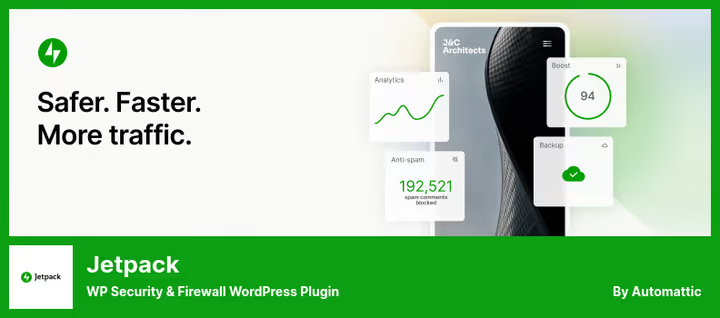
Jetpack, a modular combine from Automattic (the WordPress.com team): security, performance, marketing and design in one plugin. The firewall here is one of many functions, not the main feature. But for those who want to close all site needs with one plugin, Jetpack is a sensible choice.
In the security part, Jetpack provides endpoint firewall (like Wordfence), brute force protection, downtime monitoring and automatic backups. The paid Personal tier, according to Jetpack site, from $4.95/mo adds daily backups and spam filter. The main downside, resource intensity: Jetpack is heavier than most analogs and pulls code not related to security.
In practice, Jetpack is good if the site already uses other Jetpack modules (CDN for images, statistics, Related Posts). But installing it just for the firewall is like buying a Swiss Army knife for a bottle opener.
- Pros: one plugin for everything (firewall, backups, spam, statistics), official Automattic development, endpoint firewall like Wordfence.
- Cons: heavy, firewall is not the main function, free tier is basic brute force only, backups cost extra.
- Price: Free (basic protection), Personal from $4.95/mo (adds backups and spam filter).
- Download: 🔗 Jetpack on WordPress.org | 🔗 Jetpack Plans
7. Security Ninja
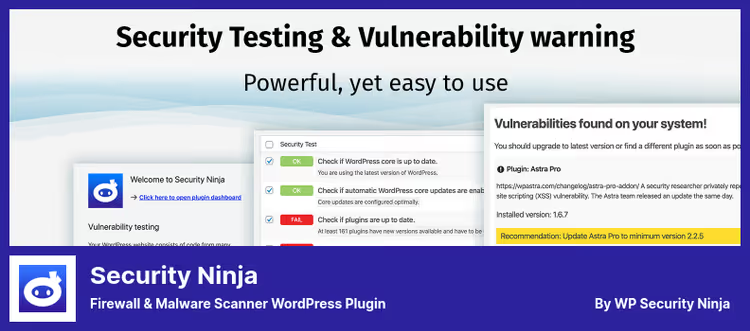
Security Ninja started as a security auditor: 50+ tests that find weak spots on a site in a minute. Now it's a full-fledged plugin with 8G firewall, vulnerability scanner and advanced WAF in the Pro version.
The free version includes basic 8G firewall (same approach as BBQ, but with visual interface), WordPress core scanner and event log. Pro, according to developer information, for $49 adds cloud firewall with a database of 600+ million malicious IPs, two-factor authentication and malware scanner.
Among unique features, AI Security Advisor (WordPress 7+): the plugin generates human-readable security audit through connected LLM provider. Not checkboxes and numbers, but concrete steps in plain language.
- Pros: 50+ security tests in one click, 8G firewall in free version, AI audit (WordPress 7), cloud WAF in Pro.
- Cons: cloud WAF and 2FA only in Pro, AI advisor requires WordPress 7 and your own LLM API key, no free malware cleanup tools.
- Price: Free in WordPress.org catalog, Pro from $49.
- Download: 🔗 Security Ninja on WordPress.org | 🔗 Security Ninja Pro
8. Astra Web Security
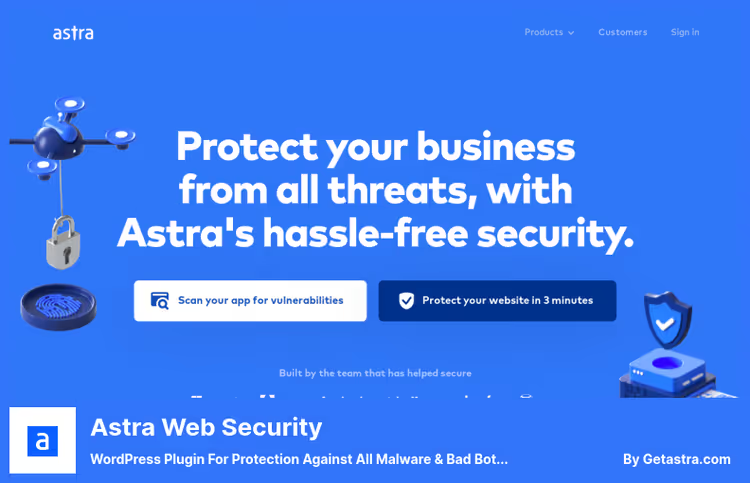
Astra Web Security, a cloud WAF that protects a site in real-time from more than 100 types of cyberattacks. Unlike plugins working inside WordPress, Astra is installed as an extension and does not require changing DNS settings, suitable for those who don't want to delegate a domain to a third-party service.
Astra has no free version, this is a conscious decision. The price, according to Astra site, starts from $25/mo, and for this money the client gets 24/7 protection with response team, country and whitelist blocking, as well as IP profiling: you can track where and how they attack the site.
The product, as stated on the site, is used by companies like Ford and Gillette. But for a modest blog owner $25/mo is overkill when there's Wordfence and BBQ for free.
- Pros: real-time protection, 100+ attack types, installation without DNS change, 24/7 team.
- Cons: no free version at all, excessive for simple sites, price from $25/mo.
- Price: from $25/mo, full package.
- Download: 🔗 Astra Web Security
9. Kadence Security
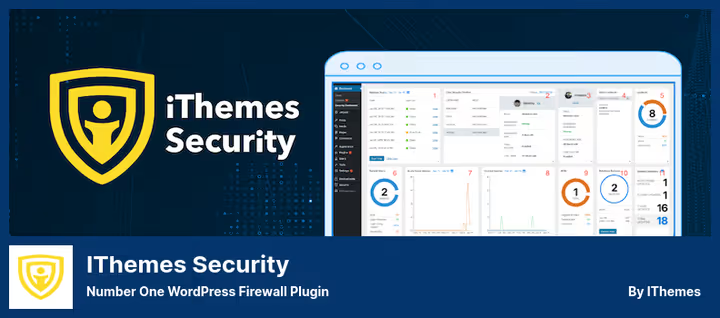
Kadence Security, heir to the legendary iThemes Security. In 2024 the plugin changed name and owner (now it's a Nexcess product, like the Kadence theme), but kept the best developments: 30+ security measures, brute force protection, two-factor authentication and audit log.
Kadence Security's unique feature, protection templates by site type. You choose a profile (eCommerce, blog, portfolio, nonprofit, brokerage or network), and the plugin itself enables relevant settings. For a WooCommerce store it will enable more protection, for a simple blog, less. This saves hours of configuration.
The Pro version, according to Kadence pricing, from $99 per year adds Patchstack integration: virtual patches for vulnerabilities that close a hole even before the plugin developer releases an update. Plus CAPTCHA, magic login links and user action logging.
- Pros: protection templates by site type (saves time), Patchstack in Pro (virtual patches), iThemes heritage, refined codebase with millions of installations.
- Cons: Pro is $99 per year, basic version settings more modest than Wordfence, no cloud WAF.
- Price: Free in WordPress.org catalog (Kadence Security), Pro from $99.
- Download: 🔗 Kadence Security on WordPress.org | 🔗 Kadence Security Pro
Watch a short video about basic WordPress protection setup to close the issue in a couple of minutes:
⁉️🤔 Frequently asked questions
Can you use multiple firewall plugins simultaneously?
Yes, and in practice this is a common pattern. Endpoint firewall (Wordfence or AIOS) protects at the WordPress level. Cloud WAF (Cloudflare or Sucuri) filters traffic before the server. Lightweight BBQ as a second request filtering circuit. The main thing, don't install two endpoint firewalls simultaneously: their scanners and rules can conflict, and server load will double.
How does endpoint firewall differ from cloud WAF?
Endpoint firewall works inside WordPress: it "sees" the request after it reaches the server, and understands context more deeply (which plugin is vulnerable, who is logged in). Cloud WAF filters traffic on an external proxy, before hosting. Cloud advantage, zero-day protection without server load. Downside, traffic passes through someone else's server. Best protection, both levels.
Is a free firewall enough, or do I need to pay?
For a personal blog or simple landing page, Wordfence Free + Cloudflare Free is enough. For an online store or a site that makes money, it's worth getting Premium of at least one plugin: real-time rules and priority support pay off with the first prevented breach.
What plugin is best for a beginner?
AIOS (All-In-One Security), the score system clearly shows how protected the site is, and settings are divided by levels: Beginner, Intermediate, Advanced. No need to guess what to enable. In second place, BBQ Firewall: installed and forgotten, zero settings.
Will a firewall help if the site is already hacked?
A firewall prevents attacks, but doesn't clean up consequences. If the site is already infected, you need a malware scanner (Wordfence or Security Ninja) for detection, and then manual or automatic cleanup. Sucuri in Platform and higher tiers does turnkey cleanup by their team. After cleanup, definitely install a firewall so it doesn't happen again.
What to install in 2026: final breakdown
Go through this list, it will close most typical threats in five minutes:
- If the site is on cheap hosting and every megabyte of memory counts, BBQ Firewall. Weighs less than 10 KB, protects without load.
- If you need "set it and forget it" with visual interface, AIOS. The score system itself will tell you what to enable.
- If you want maximum protection and are ready to pay, Wordfence Premium as endpoint + Cloudflare Pro as cloud WAF. Double circuit.
- If the site was already hacked and you need guaranteed cleanup, Sucuri Platform. The only one who cleans for you.
- If the site is on WooCommerce, Kadence Security. The eCommerce template enables exactly what a store needs.
Start with free Wordfence or AIOS right now: a full scan will show if there's a problem at all. And which firewall plugin has saved you, share in the comments.

A professional team of writers and editors specializing in creating quality content.