














🎵 9 best audio player plugins for WordPress 2026 (free and paid)
You need an audio player for your site, but WordPress's built-in "Audio" block is a bare HTML5 strip with no styling, playlists or customization. Meanwhile, listeners expect a proper player: with waveform, progress bar, subscribe buttons and continuous playback.
The 2026 landscape: the audio content market continues to grow. Over 500 million people listen to podcasts, musicians sell tracks directly from their sites, radio stations broadcast via Icecast. WordPress covers all of this, but only with the right plugin.
We've selected 9 players for different tasks: from a lightweight shortcode for a single track to a full-featured podcast powerhouse with RSS and WooCommerce. Each has been tested with the current version of WordPress and Elementor. Pick the one that fits your scenario.
💡 Quick overview:
- Define your scenario: podcasts, music sales, streaming radio, background track or playlist on a portfolio site
- Choose a plugin from the table below: Sonaar (universal), PowerPress (podcasts), WavePlayer (waveform + WooCommerce), Compact WP Audio Player (single track, nothing extra)
- Install the plugin, upload audio and insert the player via shortcode, Gutenberg block or Elementor widget
Comparison table: all 9 plugins in 30 seconds
Plugin | Free version | Podcasts | Playlists | WooCommerce | Waveform | Customization |
|---|---|---|---|---|---|---|
Sonaar MP3 Player | ✅ Lite | ✅ RSS | ✅ | ✅ Pro | ✅ WaveSurfer.js | Colors, fonts, covers |
PowerPress | ✅ | ✅ nuclear | ❌ | ❌ | ❌ | Basic skin |
AudioIgniter | ✅ Lite | ❌ | ✅ | ✅ Pro | ❌ | Colors via Customizer |
ZoomSounds | ❌ ($25) | ❌ | ✅ | ❌ | ✅ | Skins, colors |
WavePlayer | ❌ ($39/year) | ❌ | ✅ | ✅ | ✅ | Colors, waveform shape |
Compact WP Audio Player | ✅ | ❌ | ❌ | ❌ | ❌ | Minimal |
Themify Audio Dock | ✅ | ❌ | ✅ | ❌ | ❌ | Bar color |
Cue | ✅ | ❌ | ✅ | ❌ | ❌ | Pro themes |
Music Player for WooCommerce | ✅ basic | ❌ | ✅ | ✅ nuclear | ❌ | Skins |
1. Sonaar MP3 Audio Player
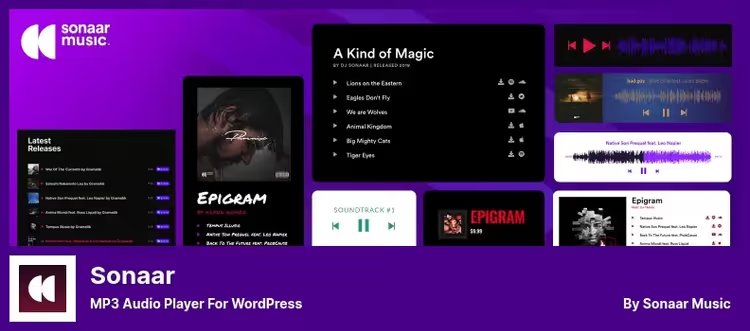
The most universal player in the lineup. Sonaar covers four scenarios in one plugin: streaming radio via Icecast, RSS podcasts, music playlists and sales through WooCommerce. At setup you choose the player type, and the interface automatically adjusts the needed fields.
The player is inserted in five ways: Gutenberg block, Elementor widget, shortcode [sonaar_audioplayer], JavaScript API and bulk MP3 import in Pro. WaveSurfer.js draws a dynamic waveform right under the track, looks professional and doesn't slow things down.
The Pro version adds a sticky player, continuous playback when navigating across the site and triggers: pre-roll ads, watermark and popup email collection. RSS feeds load automatically, subscribe buttons (Apple Podcasts, Spotify) are built in.
- Pros: one plugin for music, podcasts and radio; WaveSurfer.js waveform; five insertion methods; continuous playback in Pro
- Cons: Pro pricing not publicly listed, must request from the site
- Price: free Lite version on WordPress.org; Pro, on request
🔗 Sonaar Lite on WordPress.org | 🔗 Sonaar Pro
2. PowerPress
The leading WordPress podcast plugin. Developed by Blubrry, a company that's been in podcasting since 2005. Over 100,000 active installs, regular updates. PowerPress publishes episodes directly from the admin, manages the RSS feed and submits shows to all major directories: Apple Podcasts, Spotify, YouTube Music, Amazon Music.
The plugin supports Podcasting 2.0: transcripts, chapters, Value Time Split. The built-in player can skip by timestamps via the [skipto] shortcode. Migration from Libsyn, PodBean, SoundCloud and Spotify for Podcasters is built in, RSS imports, media files don't get lost.
For advanced stats you need Blubrry hosting (Pro). It provides IAB-certified analytics, automatic transcripts and audio mastering. Without hosting, stats are limited to basic counters.
- Pros: gold-standard podcast support on WordPress; Podcasting 2.0; multi-podcast out of the box; migration from multiple platforms
- Cons: overkill for a simple music player; advanced stats only with paid Blubrry hosting
- Price: free; Blubrry hosting, from $12/mo
3. AudioIgniter
A player from CSSIgniter Team, designed for playlists. Create unlimited tracks and playlists through the standard WordPress media manager, no FTP or XML.
Full compatibility with Elementor, WPBakery and Gutenberg. Insert via shortcode [audioigniter]. Two modes: Full (full-featured player) and Simple (compact, great for podcasts). Pro version adds shuffle, speed control (1×-2×), per-track lyrics, position memory and per-playlist analytics. Useful feature: streaming from Acast, Libsyn, Shoutcast, Icecast and a dozen other services.
- Pros: works with external CDNs and streaming services; per-track playback analytics; Elementor-friendly
- Cons: no shuffle or position memory without Pro
- Price: Lite, free; Pro, $49/year (annual subscription)
🔗 AudioIgniter Lite | 🔗 AudioIgniter Pro
4. ZoomSounds
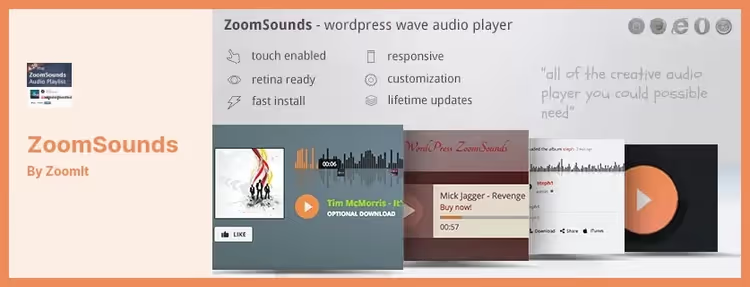
A CodeCanyon bestseller with waveform, one-time pricing and lifetime updates. ZoomSounds delivers an HTML5 player with waveform, listener comments and SoundCloud integration via API.
The player has several skins, including ZoomBox, a popup player with shopping cart. For musicians selling tracks, this is a standout feature: listeners click "buy" right from the popup. Demo files can be protected: registered users see the full track, guests get a 30-second preview. The player is mobile-optimized, doesn't break on phones.
- Pros: one-time purchase, not a subscription; ZoomBox with cart; SoundCloud API out of the box
- Cons: CodeCanyon only, no free version to test; design a bit more conservative than WavePlayer
- Price: $25 (one-time purchase)
5. WavePlayer
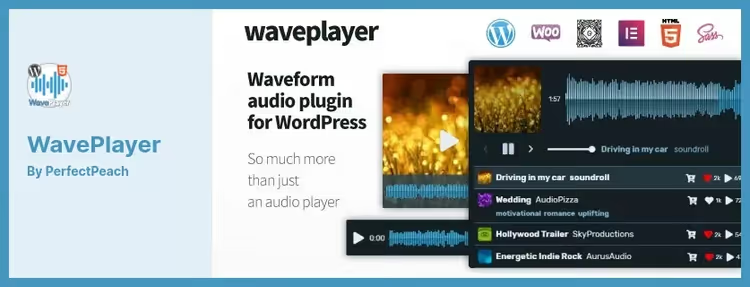
One of the best waveform players for WordPress. WavePlayer renders a dynamic waveform and integrates deeply with WooCommerce: product_id and product_url fields are built right into the player, listeners click on a track and land on the product page. The product is sold directly through the developer's site, with lifetime updates and 5-star support.
The player adapts to container size, not just media queries but honest waveform resize to any width. Supports SoundCloud and external CDNs. Playlists are built drag-and-drop in the admin. Waveform customization: color, height, number of bars. Dark mode supported at the per-theme level. Native blocks for Gutenberg and Elementor.
- Pros: responsive waveform to any container; deep WooCommerce integration; dark mode; 5-star support
- Cons: paid version only, no free trial; annual subscription, not one-time purchase
- Price: from $39/year (single-site license)
6. Compact WP Audio Player
The lightest player in the lineup from Tips and Tricks HQ. No playlists or settings: one shortcode [sc_embed_player fileurl="URL"], and the Play/Pause button is ready. 20,000+ active installs, tested up to WordPress 6.7.
HTML5 player with Flash fallback, works on everything from iOS Safari to old desktop browsers. Supports .mp3 and .ogg, you can specify both formats, the plugin chooses the right one. Has autoplay (autoplay="true"), loop (loop="true") and volume control. For previewing audio products in WooCommerce or a podcast with a single file, this is what you need.
- Pros: free; 20,000+ installs; works even on old browsers; doesn't bloat the site
- Cons: no playlists, no waveform, no design settings; one track, one shortcode
- Price: free
7. Themify Audio Dock
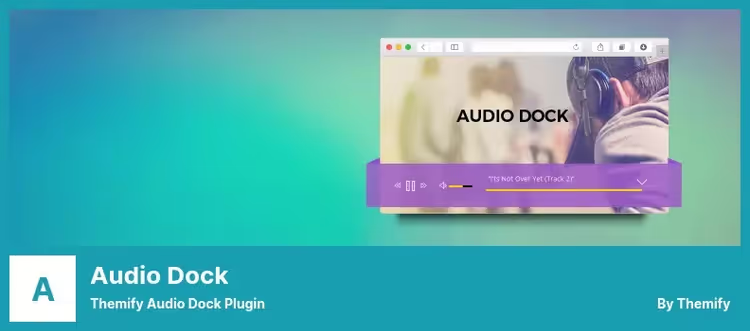
A lightweight player from the Themify team that docks at the bottom of the screen like a dock bar. Ideal for musician portfolio sites: lets visitors listen to tracks without distracting from content.
Unlimited tracks, customizable bar and heading colors. No shortcodes, the player sticks to all pages after activation. Downside: when navigating between pages the track restarts, continuous playback is not supported. 900+ active installs, tested up to WP 6.8.5. Free.
- Pros: dock mode out of the box; minimalist; free
- Cons: resets on navigation; few installs; no Pro features
- Price: free
8. Cue
A niche player for musicians from AudioTheme. Cue automatically extracts title, artist and duration from ID3 tags in uploaded MP3s, saving hours of manual entry for large catalogs.
Playlist is inserted via shortcode [cue id="1"], sidebar widget or PHP template cue_playlist($id). External sources (Amazon S3, CDN) are supported, track URL can point anywhere. Pro add-on adds purchase buttons, downloads, playlist sharing and playback analytics.
The plugin hasn't been updated in over two years and hasn't been tested with WordPress 6.5+. Functionality works, but check compatibility on staging before production install.
- Pros: auto-extraction of ID3 tags; external CDNs; integration with AudioTheme themes
- Cons: development frozen; no official tests with WP 6.5+; Pro only via AudioTheme theme purchase
- Price: free (basic); Pro, bundled with AudioTheme theme
9. Music Player for WooCommerce
A highly specialized plugin: embeds player directly in WooCommerce product cards. Supports MP3, WAV, WMA, OGA. Playlists, M3U and M3U8. Integrates with Dokan, WCFM Marketplace, MultivendorX, suitable for multi-vendor marketplaces.
The player is based on MediaElement.js, a native HTML5 engine bundled with WordPress. Multiple skins to choose from. Player position is configurable: above product description, below or in image gallery.
Pro version protects audio files from direct download: set a percentage (e.g., 30%), and the plugin generates a trimmed demo file, the original is not accessible from the frontend. Google Analytics for tracking plays is built in.
- Pros: audio protection from download; multi-vendor support; GA playback tracking
- Cons: WooCommerce only; useless on a regular site
- Price: free basic version; Pro, from €30
🔗 Music Player for WooCommerce
If you need a live example, here's a 15-minute guide to installing and configuring MP3 Audio Player from Sonaar developers: from plugin upload to publishing your first waveform playlist.
⁉️🤔 FAQ
How is Sonaar better than the standard WordPress Audio Player?
By a mile. The built-in WordPress Audio block is just an HTML5
<audio>tag with no styling. Sonaar gives you: waveform via WaveSurfer.js, RSS podcasts, Icecast streaming, WooCommerce sales, sticky player, color customization and subscribe buttons for Apple Podcasts and Spotify. The standard player can play one MP3 file, no playlist, no waveform and no design. Sonaar covers scenarios that would otherwise require 3-4 different plugins. The free Lite version is enough for most sites.
Can I do continuous playback when navigating between pages?
Yes, but only with Pro versions. Sonaar Pro and WavePlayer support continuous/sticky playback: the user navigates to another page, and the track keeps playing from the same position. Implemented via AJAX-loaded player in the footer. Free versions don't have this feature, the track cuts off on navigation.
Which plugin should I choose for podcasts?
PowerPress by Blubrry. This is not a player per se, but a full-featured podcast station in WordPress: RSS management, submit to Apple Podcasts and Spotify, Podcasting 2.0 support (chapters, transcripts, Value Time Split), built-in migration from Libsyn, PodBean, SoundCloud. Sonaar also handles RSS podcasts, but PowerPress is the specialized tool with 15 years of history and IAB-certified stats.
Which plugin for selling music via WooCommerce?
Depends on scale. Music Player for WooCommerce is the most direct path: player in product card, file download protection, compatibility with Dokan and WCFM. WavePlayer is the option for solo musicians: responsive waveform,
product_idin player, dark mode. Sonaar Pro if you need podcasts and radio in addition to sales.
Is a free player enough or do I need to pay?
Check the table above. Compact WP Audio Player and Themify Audio Dock are completely free, but with limited functionality. AudioIgniter Lite and Sonaar Lite cover most needs. PowerPress is free for basic podcasting. You need to pay for: sticky player, audio file protection, playback analytics, WooCommerce integration and premium skins.
How has WavePlayer changed since leaving CodeCanyon?
WavePlayer is now sold directly through waveplayer.info, with an annual subscription from $39 and lifetime updates. The product gained responsive waveform resize to container, full dark mode and native blocks for Gutenberg/Elementor. The old CodeCanyon page is no longer supported, all new purchases and updates only through the official site.
What to install: final recommendation matrix
If you've read this far, you already understand: there's no universal answer. But there is a matrix:
- Podcasts → PowerPress. Specialized tool with Podcasting 2.0, IAB stats and submit to all directories.
- Music + playlists + design → Sonaar Lite (free) or WavePlayer ($39/year, responsive waveform).
- One track, nothing extra → Compact WP Audio Player. 20,000+ sites can't be wrong.
- WooCommerce store → Music Player for WooCommerce. File protection, multi-vendor, GA tracking.
- Background dock player → Themify Audio Dock. Set it and forget it.
- Free option with playlists → AudioIgniter Lite. Streaming from a dozen services, analytics.
Choose for your task and test on staging. A good player shouldn't kill PageSpeed, before installing run the page through PageSpeed Insights with an empty cache.

A professional team of writers and editors specializing in creating quality content.