














🛒 7 best WordPress plugins for multivendor marketplace 2026 (free and Pro)
You've launched a store on WooCommerce, fine-tuned your products, and now you're considering a scheme: bring other sellers onto the platform and earn commissions on each transaction. One site, dozens or hundreds of vendors, automatic payouts, and revenue without the hassle of logistics and warehousing.
But the core of the scheme is a plugin. WooCommerce out of the box can't split orders between sellers, calculate separate commissions, and manage payouts. You need a multivendor plugin, and there are about a dozen on the market: from free to frankly expensive. And they differ not by price tag, but by model. Some are tailored for flexible payouts, others for memberships, still others for a mobile app for vendors.
In practice, we tested seven actively maintained plugins that cover different scenarios: from a pilot marketplace with 10 sellers to a platform with hundreds of vendors, Stripe Connect, and AI tools. Each was tested on live installations with fresh versions of WordPress and WooCommerce.
💡 Quick overview:
- Choose Dokan for a large marketplace with hundreds of sellers and AI tools in the vendor dashboard.
- Go with WCFM Marketplace for the finest commission settings and half a dozen payout methods.
- Pick WC Vendors for membership subscriptions, unique stores, and product moderation.
- Try MarketKing for 137+ modules, Stripe Connect, and customization via Elementor.
- Consider Mercado or MultiVendorX for a budget start with a clean dashboard and quick setup.
Comparison table
Plugin | Active installs | Best for | Pro price | Main feature |
|---|---|---|---|---|
Dokan | 700,000+ | Large marketplaces | $149/year | AI description generator, mobile app |
WCFM Marketplace | 50,000+ | Flexible payouts | $49/year | Stripe Split Pay, MangoPay, 6+ payout methods |
WC Vendors | 10,000+ | Memberships and communities | $199/year | Built-in membership system, unique stores |
MarketKing | 20,000+ (King series) | Maximum features | $189/year | 137+ modules, Stripe Connect, Elementor |
MultiVendorX | 10,000+ | Simple setup | $73/year | Customizable registration, AI tools |
Mercado | 3,000+ | Minimalism | $49/year | Live dashboard with reports, clean interface |
WCFM Membership | 10,000+ | Memberships for WCFM | Free | Membership tiers and recurring payments |
A short but useful video on launching a multivendor marketplace on WordPress: breakdown of architecture, commission setup, and vendor payouts.
1. Dokan
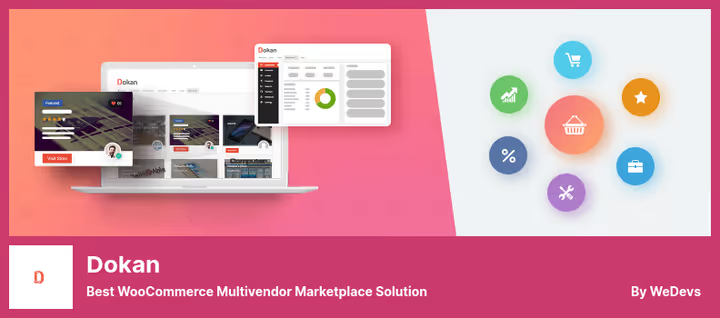
The most popular multivendor plugin for WordPress. Dokan runs on 700,000+ sites and serves over 40,000 live marketplaces worldwide. Developed by weDevs, a company with 13 years in the WordPress ecosystem and over a million total users across their products.
The key architectural decision: vendors get a personalized frontend dashboard and have no access to the WordPress admin. The administrator sees everything, vendors only see their own store. This eliminates a heap of security and support issues.
As of June 2026, Dokan offers an AI description generator and AI image enhancer directly from the vendor dashboard. The mobile app lets vendors manage orders from their phones, and the Delivery Driver module tracks delivery in real time. Integration with Printful enables print-on-demand without inventory.
- Pros: AI tools for vendors, mature ecosystem (70+ compatible plugins and themes), mobile app, flexible commission settings (fixed plus percentage, by products and categories), Printful integration.
- Cons: Pro version noticeably more expensive than competitors ($149 per year), abundance of modules requires learning time, some users report bugs when updating major versions.
- Price: Free Lite version on WordPress.org, Pro from $149 per year.
- Download: 🔗 Dokan Lite on WordPress.org | 🔗 Dokan Pro
2. WCFM Marketplace
WCFM Marketplace is the second most popular multivendor plugin for WooCommerce. Developed by the WC Lovers team and counting 50,000+ active installs. The main trump card is a rich payout system: Stripe Split Pay with 3D Secure and SCA support, MangoPay, PayPal Direct Pay, Skrill, bank transfer, and cash.
Commissions are configured with surgical precision: fixed plus percentage, by vendor, by product, by category, and by membership tier. There's a refund module, reverse withdrawal, and a ledger book for tracking all money movements.
The vendor dashboard is entirely frontend. Vendors manage products, orders, and withdrawals without entering the admin. WCFM integrates with Elementor for customizing store pages and with WooCommerce Bookings for rentals. A free mobile app for vendors is included in the package.
- Pros: Finest commission and payout settings, free mobile app for vendors, REST API, one-click migration from Dokan, WC Vendors, and MultiVendorX, Live Chat module.
- Cons: Interface overloaded with settings, documentation partly outdated, some modules (Deliver, Affiliate) require separate purchase of WCFM Ultimate.
- Price: Free Lite version on WordPress.org, WCFM Ultimate from $49 per year.
- Download: 🔗 WCFM Marketplace on WordPress.org | 🔗 WCFM Ultimate
3. WC Vendors
WC Vendors is a veteran among multivendor plugins. Running on 10,000+ sites and famous for being used to build not just classic stores, but also sports collectible auctions, farmers markets, used bookstores, and online art galleries.
The main difference from Dokan and WCFM: WC Vendors was originally designed for selling memberships to vendors. The setup wizard launches a marketplace in a few steps, and the built-in membership plan system allows charging vendors a subscription fee for platform access. Each vendor gets their own mini-store with unique URL and branding.
The administrator has full control over product publishing: each product can go to moderation before appearing in the catalog. This approach is invaluable when maintaining a high-quality assortment is important.
- Pros: Membership system out of the box, unique vendor stores with their own URLs, wizard for quick launch, product moderation by administrator, Stripe and PayPal support.
- Cons: Pro version is the most expensive in the roundup ($199 per year), dashboard interface looks dated, fewer integrations than Dokan or WCFM.
- Price: Free version on WordPress.org, Pro from $199 per year.
- Download: 🔗 WC Vendors on WordPress.org | 🔗 WC Vendors Pro
4. MarketKing

MarketKing is the fastest-growing multivendor plugin for WooCommerce. Developed by the WebWizards team (the same authors behind B2BKing and SalesKing), it's part of the King series with 20,000+ active stores and is actively featured on WPLift, Envato Market, and BusinessBloomer.
What sets MarketKing apart from the veterans: 137+ modules and features in one plugin without needing to buy dozens of add-ons. The split-cart system divides the cart by vendors to increase conversion, Stripe Connect splits payments automatically, and the membership package system allows vendors to pay for unlocking features and product limits.
The badge and achievement system deserves special mention: vendors receive badges automatically when reaching sales thresholds or on registration anniversaries. A small detail, but it works better for vendor retention than plain email campaigns.
- Pros: 137+ modules out of the box, Stripe Connect with automatic payment splitting, customization via Elementor (8 native widgets), multiple vendors per product with "other offers" panel, group membership system with automatic tier transitions.
- Cons: Pro version expensive for a small marketplace (from $189 per year), relatively young plugin, smaller community than Dokan or WCFM, some advanced features only in Pro.
- Price: Free version on WordPress.org, Pro from $189 per year (Startup, 1 site), $279 per year (Pro, 3 sites), $399 per year (Developer, unlimited).
- Download: 🔗 MarketKing on WordPress.org | 🔗 MarketKing Pro
5. MultiVendorX (formerly WC Marketplace)
MultiVendorX is the updated name of the plugin formerly known as WC Marketplace. In May 2026, the project released version 5.0 with a new brand, AI tools, and a completely redesigned interface. The plugin counts 10,000+ active installs and builds a marketplace on top of WooCommerce with minimal code intervention.
The main feature is a fully customizable vendor registration form. You can add and remove fields, change the order, and make some fields mandatory. After registration, the vendor gets their own dashboard, and the administrator gets a unified order management panel from all vendors.
MultiVendorX supports flexible commissions: fixed plus percentage, by product, by category, and plans with customizable rates for different vendors. Out of the box, it includes Stripe, PayPal, and bank transfer.
- Pros: Simple and fast no-code setup, customizable vendor registration form, regular updates for fresh WordPress and WooCommerce versions, rebrand with AI tools in version 5.0.
- Cons: Not suitable for non-cart marketplaces (bookings, auctions), fewer features in the free version compared to WCFM.
- Price: Free Lite version on WordPress.org, Premium from $73 per year.
- Download: 🔗 MultiVendorX on WordPress.org | 🔗 MultiVendorX Pro
6. Mercado
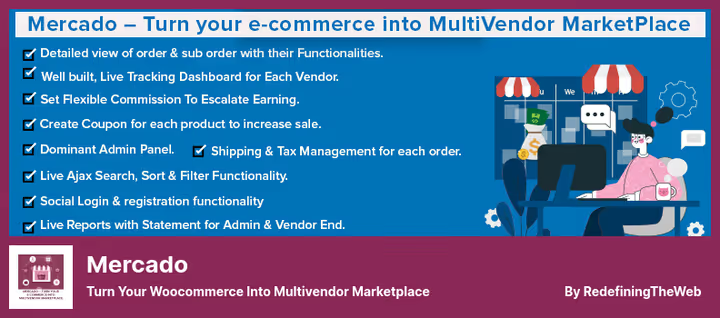
Mercado converts any WooCommerce store into a multivendor marketplace with one click. The plugin counts 3,000+ active installs and offers perhaps the cleanest vendor dashboard interface among competitors. Nothing unnecessary, just orders, revenue, and reports.
The vendor dashboard shows revenue, orders, and reports in real time. The administrator sees a summary panel with all vendors, order statuses, and turnover. Mercado supports exporting orders to CSV and separate store pages for each vendor.
An important nuance: the plugin's last update was released in November 2024 (version 2.1.9), so in terms of development pace it lags behind the leaders. But for a niche marketplace with 5-15 vendors, where you don't need bells and whistles like Stripe Connect or membership plans, Mercado closes the task without overpaying for extra modules.
- Pros: Clean and intuitive interface, live vendor dashboard with real-time reports, CSV export, separate vendor stores, reasonable Pro price ($49 per year).
- Cons: Small community (3,000+ installs versus 700,000+ for Dokan), fewer modules and integrations than leaders, last update in November 2024, below-average development pace.
- Price: Free Lite version on WordPress.org, Pro from $49 per year.
- Download: 🔗 Mercado on WordPress.org
7. WCFM Membership
WCFM Membership is a free companion plugin to WCFM Marketplace. It adds a system of paid and free subscriptions for vendors: free, Silver, Gold, and so on. Each tier has its own commission rate, feature set, and product limit.
The plugin works with PayPal for recurring payments and supports most marketplace add-ons: WCFM Marketplace itself, WC Vendors, Dokan Lite, and Dokan Pro. Vendors can change tiers at any time, downgrade or upgrade, and the membership history is visible in the WCFM dashboard.
In practice, WCFM Membership covers the scenario "I want to charge vendors a subscription fee for a spot on the marketplace" without spending a single dollar on the plugin. For a platform already running on WCFM Marketplace, this is a logical free upgrade.
- Pros: Completely free, recurring payments via PayPal, flexible membership tiers with different commissions and limits, compatibility with Dokan and WC Vendors.
- Cons: Only PayPal out of the box (no Stripe for membership payments), requires installing WCFM Marketplace as a base, incomplete Russian translation.
- Price: Free.
- Download: 🔗 WCFM Membership on WordPress.org
⁉️🤔 Frequently asked questions
Is WooCommerce required for these plugins to work?
Yes, all seven plugins are add-ons on top of WooCommerce. First install WooCommerce, configure currency and payment gateways, then activate the multivendor plugin. Without WooCommerce, none of them will work: they extend its architecture, they don't replace it. WooCommerce itself is free and counts 6.3 million active stores.
Can I use two multivendor plugins at the same time?
No, and here's why: each plugin overrides WooCommerce's cart logic, commissions, and payouts. Two plugins simultaneously will create hook conflicts, broken commission calculations, and unpredictable behavior during checkout. Choose one. The only exception is WCFM Membership as a companion to WCFM Marketplace: they're designed to work together.
Which plugin is best for starting with 10 vendors and a small budget?
WCFM Marketplace. The free version fully covers the needs of a small marketplace: flexible commissions, vendor dashboard, payouts via PayPal and Stripe. The Pro version will only be needed when you want to connect Stripe Split Pay or WooCommerce Bookings. If the WCFM interface seems overloaded, look at Mercado, it's cleaner and also free in the basic version.
How do I withdraw money to a vendor's Russian bank card?
Most plugins support Bank Transfer as a payout method, essentially a manual transfer. Plus Dokan and WCFM Marketplace integrate with MangoPay (a European fintech that works with cards and wallets). There's no full direct gateway to Russian banks out of the box in any of them, connect through a custom payment gateway.
Can I migrate from one multivendor plugin to another?
Yes, WCFM Marketplace provides a free migrator from Dokan, WC Vendors, and MultiVendorX. Migration preserves products, categories, vendors, and their settings. Reverse migration (from WCFM to Dokan) is through paid Dokan export or import. Before migrating, make a full site backup. MarketKing also offers migration tools from other plugins.
Do these plugins have Russian translations?
Dokan, WCFM Marketplace, and WC Vendors have Russian translations updated by the community on WordPress.org. MarketKing, MultiVendorX, and Mercado have fragmentary translations, part of the interface remains in English. WCFM Membership is partially translated. For all plugins, the standard WordPress translation mechanism works via Loco Translate or Poedit.
Which plugin to choose for your task?
If you're launching a large marketplace with hundreds of vendors, complex commission logic, and the need for a mobile app for vendors, go with Dokan. Yes, the Pro version is the most expensive in the roundup among classic plugins, but 700,000+ installs and 40,000+ live marketplaces confirm the investment pays off.
If payout flexibility is critical for you, Stripe Split Pay, MangoPay, PayPal Direct Pay, and half a dozen other methods, your plugin is WCFM Marketplace. Commissions are configured in any conceivable scheme, and the Pro version price is one of the most affordable in the roundup.
If you're building a community around the marketplace with paid memberships and unique vendor stores, WC Vendors. It was designed for this model and delivers the maximum out of the box specifically for membership mechanics.
If you want the most modern all-in-one and aren't ready to assemble an ecosystem from a dozen add-ons, take a look at MarketKing. 137+ modules, Stripe Connect, customization via Elementor, and a group membership system with auto-transitions between tiers. The price is above average, but you're paying for "all-inclusive."
Budget start: Mercado or MultiVendorX. Both provide a live vendor dashboard and frontend management without admin access. Mercado wins on interface cleanliness, MultiVendorX on registration customization and fresh rebrand with AI tools.
The free versions of Dokan, WCFM Marketplace, WC Vendors, and MarketKing on WordPress.org are sufficient for a pilot launch. Test with a small group of vendors, understand real needs, and only then make a decision about buying Pro.

A professional team of writers and editors specializing in creating quality content.