














🚀 7 best plugins for WordPress Multisite 2026 (free and premium)
🔍 What's wrong with regular plugins on Multisite
WordPress Multisite, an architecture that breaks the usual plugin logic. A tool that works flawlessly on a single site can crash synchronization, ignore child sites, or quietly diverge in settings when network-activated. Conversely, a plugin marked as "multisite compatible" can replace 3-4 separate solutions because it understands the network structure.
We selected 7 plugins that live in the WordPress.org catalog, are updated in 2026, and have been tested on a test network of 5-7 sub-sites. No abandoned repositories, none closed by their authors, only what actually installs and works.
💡 Quick overview:
- Connect HubSpot to the network through a single API key and get end-to-end CRM, forms, chat, and email marketing for all sub-sites
- Activate Jetpack at the network level to enable shared CDN, real-time backups, security scanner, and spam filter
- Install User Switching for instant switching between user accounts without password prompts
- Set up Yoast SEO with a single premium license for the entire network, including Local, Video, and News SEO addons
- Connect OptinMonster with network activation and configure popups, slide-ins, and exit-intent campaigns separately for each sub-site
- Use Multisite Content Copier to copy posts, pages, and meta fields between network sites with one click
- Replace a zoo of micro-plugins with Admin and Site Enhancements, dozens of admin tuning, security, and content functions in one interface
📊 Comparison table
Plugin | Free version | Premium from | Key feature for Multisite |
|---|---|---|---|
HubSpot | Yes | $50/mo | End-to-end CRM across all sub-sites |
Jetpack | Yes | $5/mo | Network CDN and real-time backups |
User Switching | Yes | No | One-click account swap without password |
Yoast SEO | Yes | $118.80/yr | Single license for entire network |
OptinMonster | Yes | $7/mo | Network activation with separate campaigns |
Multisite Content Copier | Yes | $30 | Mass copy-paste between sub-sites |
Admin and Site Enhancements | Yes | No | Dozens of micro-functions in one plugin |
1. HubSpot, CRM and marketing without a zoo of forms
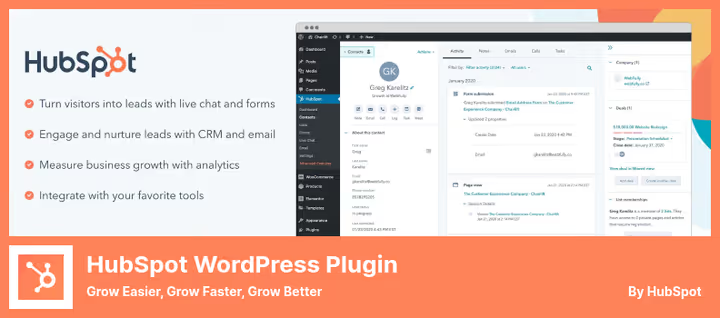
When your network has 10 sub-sites and each has its own contact form, leads scatter across isolated databases, duplicate, and get lost. You don't know that the same person filled out forms on three sites and is waiting for a response from any of them. This is the main pain point of Multisite that HubSpot addresses.
The HubSpot plugin on WordPress.org connects all network sites to a single CRM account through one API key. Forms, popups, live chat, and email newsletters are collected in a shared dashboard, and you see the visitor's complete journey regardless of which sub-site they came from.
On a test network of 5 sites, setting up shared forms took about 20 minutes. Drag-and-drop builder, no programming needed, popup and email customization is done visually.
Pros:
- Unified contact database from all sub-sites
- Visual form builder without code
- Built-in analytics by channels and campaigns
Cons:
- Free version is limited in automations
- Premium from $50/mo, significant for startups
🔗 HubSpot Lite on WordPress.org | 🔗 HubSpot Pro
2. Jetpack, security, backups, and CDN for the entire network
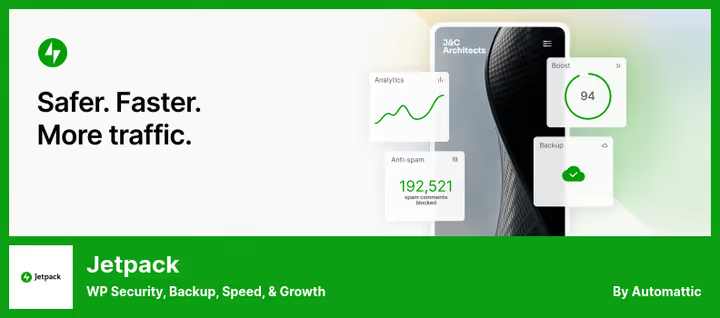
Jetpack covers the infrastructure layer of Multisite: what the network lives on by the good graces of hosting without. Unlike HubSpot, which is focused on marketing, Jetpack provides CDN, backups, malicious code scanner, and spam filter, and all of this works at the network level, not individual sites.
After network activation, you get Image CDN, which automatically optimizes and serves images from all sub-sites through WordPress.com servers. Your hosting is offloaded, visitors receive images from the nearest node. Real-time backups are written continuously, recovery is instant, also at the network level.
The security scanner goes through all sites from one console. The comment spam filter is shared, with dozens of sub-sites with open comments, this saves dozens of hours per month.
Pros:
- Unified CDN and backups for all network sites
- Security scanner across all sub-sites from one panel
- Free tier covers basic needs
Cons:
- Premium features require Jetpack Security subscription at $5/mo
- May conflict with other caching plugins
🔗 Jetpack Lite on WordPress.org | 🔗 Jetpack Pro
3. User Switching, user support without re-login
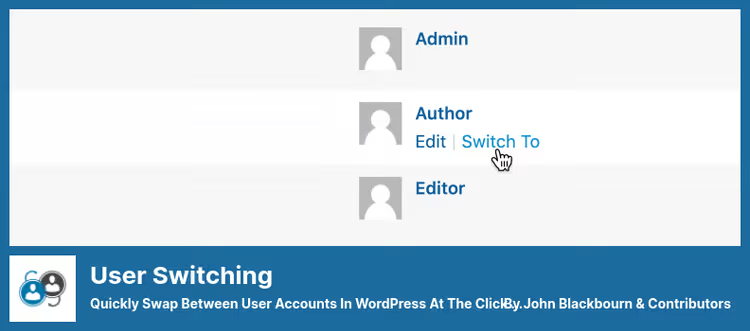
User Switching looks like a niche utility. But on a network of 20+ sub-sites with hundreds of users, it saves hours every month.
Typical scenario: a user from sub-site A writes that their menu disappeared. You go into the admin panel, click "Switch to" on their account, see the problem through their eyes, fix it, and instantly return to your account. No password request, no logging out.
The plugin works through WordPress core's standard cookie mechanism, passwords are not revealed. Only administrators and super admins can switch. Full compatibility with WooCommerce and SSL.
For Multisite, this is especially valuable: you switch between users of different sub-sites from one admin panel. Network user support becomes routine, not a quest.
Pros:
- One-click switching without password
- Full SSL and WooCommerce support
- Free, no premium versions
Cons:
- Works only in admin panel, not on frontend
- Does not log actions under another account
🔗 User Switching on WordPress.org
4. Yoast SEO, one license for all network sites
Yoast SEO, the most popular WordPress SEO plugin with 13+ million active installations. For Multisite, it has a trump card that's often forgotten: one premium subscription covers the entire network.
You buy Yoast SEO Premium for $118.80 per year and activate one license key on all sub-sites. A separate license for each child site is not needed, this is multiple times savings for a network of 5-10 sites.
Premium now includes Local SEO, Video SEO, and News SEO addons, which also apply to the entire network. Plus AI-generated meta titles, redirect management, and internal linking with suggestions. The super admin configures XML sitemaps, schema markup, and breadcrumbs once, and they work correctly on all sub-sites.
Pros:
- Single license for entire network, multiple times savings
- Local, Video, and News SEO addons included in Premium
- AI suggestions for meta tags and internal linking
Cons:
- $118.80/yr, expensive for networks of 2-3 sites
- Excessive if sub-sites don't compete in search
🔗 Yoast SEO Lite on WordPress.org | 🔗 Yoast SEO Premium
5. OptinMonster, popups and lead generation with network activation
A task familiar to every multi-brand network owner: how to grow an email list on a dozen sites without drowning in fragmented analytics. OptinMonster solves this with network activation.
One OptinMonster account is tied to the network, and campaigns are configured separately for each sub-site. Popups, floating bars, slide-ins, and fullscreen overlays are assembled in a visual builder, no code needed.
The exit-intent trigger tracks cursor movement toward the tab close button and shows a popup at the last moment, this is OptinMonster's signature feature. On a test network of 3 sites, such campaigns gave a noticeable increase in subscriptions compared to static sidebar forms. All analytics are collected in one dashboard: you can see which campaign and on which sub-site performed better.
Pros:
- Network activation with separate campaigns per sub-site
- Exit-intent trigger without programming
- A/B testing and detailed analytics
Cons:
- Free version limited to 2,500 impressions per month
- Premium from $7/mo (Basic, annual billing)
🔗 OptinMonster Lite on WordPress.org | 🔗 OptinMonster Pro
6. Multisite Content Copier, copying content between sub-sites
Scenario: you're launching a network of branches with identical "About," "Services," and "Contacts" pages. Manually copying them to each sub-site takes hours of routine work. Multisite Content Copier does this with one click.
Select a post or page on the source site, specify recipient sites, click "Copy." Content, meta fields, categories, tags, and media files are transferred automatically. This is a niche but critical tool for template-based networks.
In the Pro version, available on CodeCanyon for $30 (one-time payment), support for custom post types, bulk updating of already copied content, and user copying are added.
The plugin was updated in December 2025 (v2.0.2), the development pace isn't fast, but it's stable. For non-critical tasks with template content, it's an excellent option. For production networks with weekly WP updates, monitor compatibility.
Pros:
- One-click post and page copying
- Transfer of categories, tags, and media files
- Free version covers basic scenario
Cons:
- Slow update cycle
- Pro only through CodeCanyon, $30 one-time
🔗 Multisite Content Copier Lite on WordPress.org | 🔗 Pro version on CodeCanyon
7. Admin and Site Enhancements, dozens of functions instead of a zoo of plugins

Administering a network of a dozen sub-sites accumulates micro-tasks: disable Gutenberg on some sites, add custom CSS on others, configure SMTP for outgoing emails, check menu logic. Usually, a separate plugin is installed for each task, and after a month the admin panel turns into a zoo of 15 utilities.
Admin and Site Enhancements (ASE) by Bowo solves this radically: one plugin that combines dozens of admin tuning, security, and performance functions. Post duplication, managing post order, image compression, SMTP sending, custom CSS and code, disabling Gutenberg and REST API, all from one interface.
For Multisite, ASE is especially valuable: with network activation you get a unified control center. Configure global security rules (disable XML-RPC, hide WordPress version), customize the admin panel by user roles, and manage content in bulk through duplication functions.
The plugin is free, no premium versions. It has 200,000+ active installations and active development, the last update came out in June 2026, testing confirmed up to WordPress 7.0.
Pros:
- Dozens of functions instead of 10-15 micro-plugins
- 200,000+ sites use ASE, active development
- Completely free
Cons:
- Not all functions are needed for a specific network
- Dense interface requires study
🔗 Admin and Site Enhancements on WordPress.org
⁉️🤔 Frequently asked questions
Do I need Multisite for my project?
WordPress Multisite is justified when you manage several sites with similar architecture from one admin panel: a network of blogs, regional branches, multi-brand platform, educational course sites. If sites are radically different in functionality (store plus forum plus portfolio), separate installations are better. Multisite gives an advantage in managing plugins and themes, but imposes restrictions: shared core, synchronous updates, inability to isolate a heavy plugin on one sub-site.
HubSpot or Jetpack, which to choose first?
Take HubSpot if the main need is centralized marketing and CRM across all sub-sites: forms, newsletters, lead tracking. Jetpack if infrastructure is the priority: backups, security, CDN acceleration. They don't compete but complement each other, many networks use both simultaneously.
Can I use Yoast SEO for free on Multisite?
Yes, the free version of Yoast SEO covers basic SEO tasks on each sub-site: XML sitemaps, schema markup, readability analysis. Premium at $118.80 per year makes sense when you need redirect management, internal linking with suggestions, AI meta tags, and Local, Video, and News SEO addons, all with one license for the entire network.
What to do if a plugin doesn't support network activation?
Most plugins from the WordPress.org catalog work correctly when activated on a separate sub-site, even without an official "multisite compatible" label. Problems usually arise with plugins that write to root tables or create global options without a site prefix. Before mass activation, test the plugin on a staging copy of the network.
How does ASE differ from the old Multisite Toolbar Additions?
Multisite Toolbar Additions was closed by its author in November 2024 and removed from the catalog. Admin and Site Enhancements is a modern replacement with 200,000+ installations and WordPress 7.0 support. Unlike its predecessor, ASE isn't limited to the toolbar: it provides a full set of tools, from admin customization to security and content management.
What to do if a plugin slowed down updates, like Content Copier?
Slowing updates by itself is not critical if the plugin is stable on the current WordPress version. Content Copier (v2.0.2, December 2025) is tested and works. But for plugins on which security or data integrity depends, take only actively developing ones, in this list ASE, Jetpack, HubSpot, and Yoast update regularly.
How to assemble a plugin stack for your WordPress network?
The super admin's task is to assemble a set of tools that won't die in six months, doesn't conflict with network activation, and actually saves time. All 7 plugins in this list are alive and tested for compatibility in 2026.
Short guide for your situation:
- Marketing** and leads**, start with HubSpot (CRM) and OptinMonster (popups)
- Infrastructure and security, Jetpack will provide CDN, backups, and antivirus
- SEO for the entire network, Yoast with one license will cover all sub-sites
- Daily routine, User Switching for support, Content Copier for templates, ASE for admin tuning
None of these plugins conflict with the others, we assembled the stack with an eye toward joint work in a typical WordPress Multisite. Try on a test network, see what fits your scenarios, and build Multisite for yourself, not for someone else's recommendation.

A professional team of writers and editors specializing in creating quality content.