














🙋♂️ 7 best crowdfunding plugins for WordPress 2026 (free and paid)
Launching a crowdfunding campaign through WordPress is not fantasy and not the realm of "tech geeks." In 2026, all you need is the right plugin. But when you open the WordPress.org catalog with a search for "crowdfunding," you're greeted with 41 results. Half of them are abandoned projects. Another quarter are narrowly specialized solutions for a single payment gateway.
How do you avoid spending an evening testing junk and immediately grab a working tool?
We tested and selected 7 crowdfunding plugins for WordPress that actually work in 2026: they accept payments through Stripe and PayPal, play nice with WooCommerce, and don't crash when the core updates. Among them are completely free options, and there are all-in-one solutions capable of replacing Kickstarter on your domain.
💡 Quick overview:
- Decide on the format: collection for a specific goal, recurring donations, or a hybrid model with WooCommerce products
- Choose a plugin for your task: for a Kickstarter-like platform take WP Crowdfunding or IgnitionDeck, for fundraising, GiveWP or Charitable
- Install the plugin from the WordPress.org catalog, configure the payment gateway and create your first campaign through the built-in builder
- Launch a test collection, check the donor path from landing page to payment and only then open the campaign publicly
Below is a detailed breakdown of each plugin with pros, cons and current prices for 2026.
Plugin | Free version | Pro version | WooCommerce | Stripe | PayPal | WP.org rating |
|---|---|---|---|---|---|---|
WP Crowdfunding | ✅ | from $149 | ✅ | ✅ | ✅ | 89 ratings, 4.5★ |
IgnitionDeck | ✅ | from $149 | ❌ | ✅ | ✅ | 90 ratings, 4.2★ |
FundEngine | ✅ | from $79 | ✅ | ✅ | ✅ | 22 ratings, 4.8★ |
GiveWP | ✅ | from $149 | ❌ | ✅ | ✅ | 703 ratings, 4.7★ |
Charitable | ✅ | from $119 | ❌ | ✅ | ✅ | 211 ratings, 4.6★ |
Patreon WordPress | ✅ | - | ❌ | ❌ | ❌ | 35 ratings, 4.5★ |
Civist | ✅ | from $89 | ❌ | ✅ | ✅ | 12 ratings, 4.8★ |
1. WP Crowdfunding
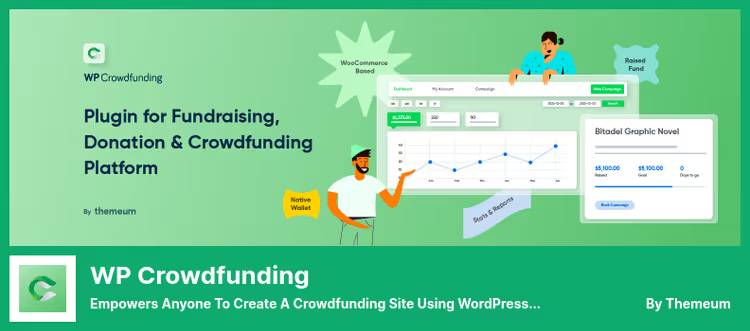
WP Crowdfunding is a WooCommerce plugin from the Themeum team that turns a standard online store into a full-fledged crowdfunding platform similar to Kickstarter. Users register, create projects and manage campaigns right from the frontend, you don't need to grant admin access.
Key feature: native WooCommerce integration. If the store is already running, you add crowdfunding options to existing product cards in 10 minutes. Payment gateways are inherited from WooCommerce, Stripe, PayPal and dozens of regional ones.
The free version covers the basic scenario: unlimited campaigns, collection tracking, email notifications. The Pro version (from $149 on the Themeum website) adds Stripe Connect (direct payouts to project authors), analytical reports, unlimited rewards and Native Wallet, an internal wallet for authors.
Pros: ready WooCommerce integration, frontend campaign management, active installation on 3,000+ sites.
Cons: admin interface is cluttered with WooCommerce settings, Pro features are spread across separate add-ons.
Price: free core on WordPress.org, Pro from $149.
🔗 WP Crowdfunding on WordPress.org
2. IgnitionDeck
IgnitionDeck is a niche veteran, existing since 2012 and positioned as a "white-label" solution: you get a platform that can be branded as your own without mentioning IgnitionDeck. This is important if you're building a crowdfunding marketplace, not a one-time collection.
The architecture is modular: the base core is free, and features are added through paid add-ons. Among them are Stripe Connect, ACH payments, subscriptions and recurring charges, creation of child campaigns (for non-profit funds with branches).
The funding level system deserves special mention: you can create a multi-tier grid of rewards with different amounts and descriptions, the donor chooses a comfortable level. Plus built-in social media integration for reposting campaigns.
Pros: full white-label, stretch funding goals, video in campaign card.
Cons: free version is heavily limited (only basic widget), learning curve steeper than average.
Price: free core on WordPress.org, Pro from $149.
🔗 IgnitionDeck on WordPress.org
3. FundEngine

FundEngine (formerly wp-fundraising-donation) is a direct successor to the niche occupied by Crowdfunding for WooCommerce, which was closed due to a vulnerability. Developer Roxnor created the plugin from scratch in 2024, learning from predecessors' mistakes: modern architecture, compatibility with WordPress 7.0, two operating modes.
"Single Donation" mode is classic donation collection with a form and progress bar. "Crowdfunding" mode is a full-fledged platform where users create their own campaigns from the frontend. Payments through Stripe, PayPal and WooCommerce out of the box.
Difference from WP Crowdfunding: FundEngine is lighter and doesn't pull the entire WooCommerce stack if you don't need the store. The plugin works both with and without WooCommerce, you connect the payment module that's convenient.
Pros: fresh codebase (2024+), compatibility with WP 7.0, auto-setup on activation.
Cons: small community (1,000+ active installations), add-on ecosystem is still modest.
Price: free core on WordPress.org, Pro from $79.
4. GiveWP
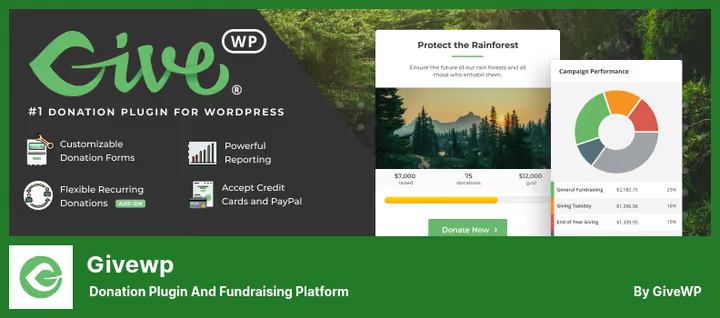
GiveWP is the most popular WordPress donation plugin: 100,000+ active installations, 703 ratings and an average rating of 4.7★. Since 2024 it's owned by Awesome Motive (the same company that owns WPForms, OptinMonster and AIOSEO), so development and support are guaranteed.
Unlike WP Crowdfunding and IgnitionDeck, GiveWP is not geared toward "user campaigns," here campaigns are created by the administrator and visitors donate. This makes the plugin ideal for non-profit organizations, charitable funds and churches.
The signature feature is a form builder with a visual editor: drag-and-drop fields, customizable donation levels, recurring charges. The Pro version adds Text-to-Give (donation by SMS), Google Analytics eCommerce tracking, Zapier integration and a powerful reporting module.
Pros: huge community, regular updates (latest in June 2026), comprehensive documentation.
Cons: no user campaigns "like on Kickstarter," Pro add-ons are expensive separately.
Price: free core on WordPress.org, Pro from $149.
5. Charitable

Charitable is the second most popular donation plugin (10,000+ active installations) with one unique advantage: the developer does not take a commission on transactions. If you're collecting large sums, savings on commissions can amount to hundreds of dollars per year.
The plugin allows launching both administrator campaigns and user campaigns (with site registration). The donor can choose a suggested amount or enter their own, the "open payments" system works flexibly.
Extensions cover practically everything: Stripe, automatic recurring payments, Zapier, anonymous donations, donor geolocation, custom avatars, video in campaign card. Integration with WordPress comments allows donors to leave messages right under the campaign.
Pros: no transaction commission (the plugin doesn't charge a percentage of collected funds), rich extension library, simple form customization without code.
Cons: some key features (Stripe, recurrents) are only in paid add-ons.
Price: free core on WordPress.org, Pro from $119.
6. Patreon WordPress

Patreon WordPress is not a classic crowdfunding plugin, but a bridge between your WordPress site and a Patreon account. It doesn't accept payments directly: all financial operations remain on the Patreon side, and the plugin synchronizes content and access.
Main scenario: you publish a post on Patreon, it automatically appears on the WordPress site. Access to individual pages can be closed by subscription level, the visitor logs in through their Patreon account and sees only the content that corresponds to their tier.
For bloggers, podcasters and course authors this is invaluable: you continue using Patreon as a financial backend, and WordPress works as the public face of the project with full SEO control.
Pros: full Patreon↔WordPress synchronization, content gating by tiers, free.
Cons: doesn't accept payments (only through Patreon), no flexible campaign settings.
Price: free on WordPress.org.
🔗 Patreon WordPress on WordPress.org
7. Civist
Civist is a hybrid of petition and fundraising tool. In addition to standard donation collection, the plugin allows creating petitions, collecting signatures and automatically adding signers to your mailing list. This is the only plugin in the roundup that combines crowdfunding, petitions and email marketing in one interface.
Forms are deeply customizable: headers, background images, field sets, progress bar design can be changed. Payments are accepted through SEPA and credit cards (Stripe). Signers can be searched in the database with quick search and exported to CSV for further analysis.
The developer actively updates the plugin: latest release in May 2026, version 7.9.1 with full WordPress 7.0 compatibility.
Pros: built-in petitions and email collection, quick database search, CSV export.
Cons: narrow niche (petitions + collections), modest community (12 ratings on WP.org).
Price: free core on WordPress.org, Pro from $89.
If you prefer to see the entire setup process before installing the plugin, here's a step-by-step tutorial on WP Crowdfunding, from installation to launching your first campaign:
⁉️🤔 Frequently asked questions
How does a crowdfunding plugin differ from a donation plugin?
A crowdfunding plugin allows THIRD-PARTY users to register and create their own campaigns on your site, you're building a platform like Kickstarter. A donation plugin (GiveWP, Charitable) is designed for campaigns that you create as an administrator, and visitors only donate. For a non-profit fund, a donation plugin is usually sufficient, for a crowdfunding marketplace you need specifically a crowdfunding one.
Can you use multiple plugins simultaneously?
Technically yes, but in practice this creates conflicts: two plugins can intercept the same WooCommerce hooks or try to process the same shortcode. Plus confusion in the admin panel. Better to choose one plugin for the main task, and cover narrow needs with add-ons, for example, Charitable with a petition add-on instead of a Charitable+Civist combination.
Which plugin is suitable for a WooCommerce store?
WP Crowdfunding and FundEngine. Both integrate with WooCommerce natively: WP Crowdfunding turns product cards into crowdfunding lots, FundEngine adds crowdfunding mode on top of WooCommerce checkout. GiveWP and Charitable also have WooCommerce integrations through add-ons, but they rather "attach" WooCommerce as a payment gateway, not working with the product grid.
Is there a completely free option to start?
Yes, three options: WP Crowdfunding (free core covers most typical scenarios), Patreon WordPress (completely free, but requires a Patreon account) and FundEngine (free core with basic payment acceptance). Note that a payment gateway like Stripe or PayPal almost always requires a Pro add-on, in free versions usually only manual offline payment or one specific gateway works.
Is an SSL certificate needed to accept payments?
Absolutely. Stripe and PayPal require HTTPS to process payments, without SSL the payment form simply won't load. Let's Encrypt is free and configured through the hosting panel in 5 minutes. Most hosts (SiteGround, Cloudways, Hostinger) include auto-SSL in the basic plan.
Which crowdfunding plugin to choose in 2026?
The answer, as always, depends on the task:
- Building a crowdfunding platform with user campaigns, WP Crowdfunding (if you have WooCommerce) or IgnitionDeck (if white-label and modularity are more important).
- Need a lightweight replacement for the closed Crowdfunding for WooCommerce, FundEngine, a modern plugin with auto-setup and free core to start.
- Launching a charitable or non-profit project, GiveWP (maximum community and documentation) or Charitable (no transaction commission).
- Already earning income through Patreon and want to synchronize content with WordPress, Patreon WordPress, a free bridge without extra logic.
- Need petitions and email collection on top of donations, Civist, the only plugin with such a combination.
All seven plugins are active and were updated in 2025-2026. Install the free version, test on a demo campaign and upgrade to Pro when collections start covering the license cost. And if you want to compare numbers side by side, return to the table at the beginning of the post and check the ratings.

A professional team of writers and editors specializing in creating quality content.