














💰 9 best donation plugins for WooCommerce 2026 (free and Pro)
Accepting donations through WooCommerce is not just a line item in a requirements document. It's money that will either reach its goal or get stuck in the cart because of a poorly designed interface. A user abandons the cart, the charity loses funds, and the store owner loses trust.
The problem is that standard WooCommerce can't accept donations: there's no flexible form, no progress bar, and no support for targeted campaigns. You need a plugin. But there are dozens on the market, and the cost of a mistake is an abandoned cart labeled "charity."
We tested 9 current WooCommerce plugins for collecting donations and selected the ones that actually work in 2026: from free open-source solutions to powerful all-in-one systems with peer-to-peer fundraising and Stripe connectors.
💡 Quick overview:
Decide on the type of collection: a one-time donation in the cart or a full fundraising campaign with goals and deadlines.
Compare prices and payment gateways in the table below: free solutions cover 80% of the needs of small nonprofits.
Choose a plugin for your scenario using the matrix at the end of the article: for each task there's an optimal option, from $0 to $149 per year.
Comparison table: prices and key features
Plugin | Free version | Premium | Payment gateways | Campaigns / goals | Peer-to-peer |
|---|---|---|---|---|---|
Donation for WooCommerce | No | $99/year | PayPal, Stripe | Yes | No |
Crowdfunding for WooCommerce | Yes (WP.org) | $49 | WooCommerce gateways | Yes | No |
Potent Donations | Yes (WP.org) | No | WooCommerce gateways | No | No |
Charitable | Yes (WP.org) | $169/year | PayPal, Stripe + 5 add-on | Yes | Yes (Pro) |
YITH Donations | No | $79.99/year | WooCommerce gateways | No | No |
WooCommerce Donation | No | $19 | PayPal, Stripe | Yes | No |
GiveWP | Yes (WP.org) | $149/year | Stripe, PayPal, Venmo + add-on | Yes | Yes (add-on) |
SUMO Donations | No | $39 | WooCommerce gateways | Yes | No |
Woo Donations | Yes (WP.org) | $29 | WooCommerce gateways | No | No |
1. Donation for WooCommerce
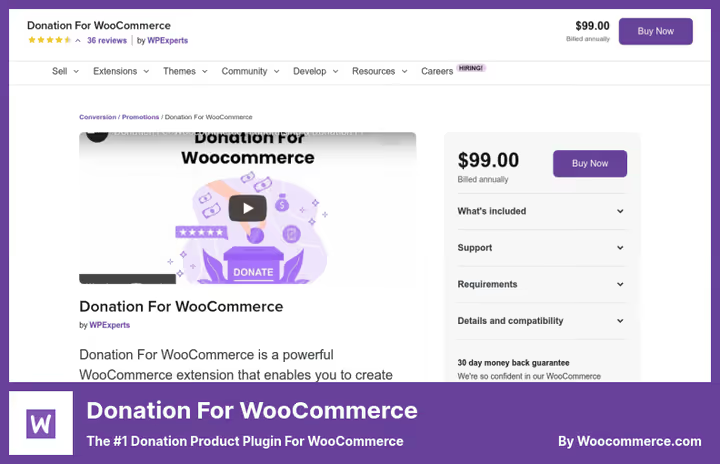
An official plugin from the WooCommerce team, which means 100% compatibility with the core and no conflicts with cart hooks. The plugin turns any product (or the entire catalog) into a donation collection point without requiring a separate page.
In practice, it looks like this: you set fixed donation levels ($5, $15, $50) or allow the customer to enter their own amount. The button appears on the product page automatically, or as a widget in the sidebar if desired. A nice bonus: checkout rounding option. A customer buys hosting for $11.40, and $0.60 goes to the fund, small change, but noticeable over time.
There's exactly one downside: price. $99 per year for a subscription is pricey for a small nonprofit, especially when compared to free GiveWP. But if your site lives in the WooCommerce.com ecosystem and vendor support is important to you, it's justified.
Pros:
- Native WooCommerce integration (official plugin)
- Checkout rounding, a unique feature among competitors
- Minimum and maximum limits for each level
- Automatic receipt after payment
Cons:
- $99/year, no free version
- Only PayPal and Stripe out of the box
💰 Price: $99/year (12 months of support and updates).
🔗 Donation for WooCommerce on WooCommerce.com
2. Crowdfunding for WooCommerce
If a standard "enter amount" form seems boring, this plugin adds crowdfunding mechanics right into WooCommerce. You set a goal, set a deadline, add a progress bar, and any product page turns into a mini-Kickstarter.
What's important: the plugin is free in the WordPress.org directory. That's enough to launch a collection without spending a penny. Premium for $49 adds flexibility, such as the ability to set minimum and maximum contribution amounts, customize CTA buttons, and give donors the right to "name your own price." In the free version, the amount is fixed.
In our experience, Crowdfunding for WooCommerce wins over competitors due to simplicity: installed it, set a goal, inserted a shortcode, it works. No overhead with custom post types or separate campaign pages, everything lives inside a WooCommerce product.
Pros:
- Free version on WordPress.org with basic functionality
- Progress bar and campaign start/end dates
- Frontend form for user campaigns
- Minimal barrier to entry: a couple of clicks to the first donation
Cons:
- Free version without flexible amounts (only fixed contribution)
- Lacks deep form design customization
💰 Price: free (Lite) / $49 (Pro).
🔗 Crowdfunding for WooCommerce on WordPress.org🔗 Pro version on WooCommerce.com
3. Potent Donations for WooCommerce
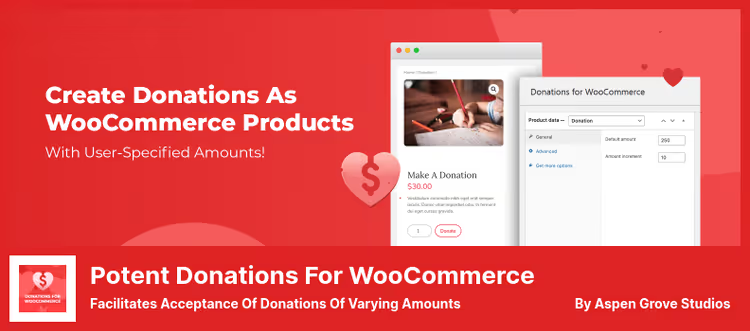
Spartan minimalism: one product type "donation," one amount input field, and no settings. Potent Donations solves exactly one problem: let the visitor pay what they want through the standard WooCommerce checkout.
That's both the strength and weakness. Strength: the plugin weighs kilobytes, doesn't load the admin, and is compatible with any theme. Weakness: no goals, no progress bars, no reports. You just get a line in orders: "Donation, $30." For a store that wants to add a charitable checkbox at checkout, it's ideal. For full-scale fundraising, it's not enough.
Among the subtle but important details: the admin can set a default amount and increment step ($5, $10, $15...), which reduces friction during input. All WooCommerce payment gateways are supported automatically, because a donation is just a regular product with a custom price.
Pros:
- Completely free, no premium tiers
- Compatible with any WooCommerce theme and gateway
- Extremely lightweight, doesn't affect site speed
- Customizable donation amount step
Cons:
- No goals, campaigns or reporting
- Only one form type, open amount
💰 Price: free.
🔗 Potent Donations on WordPress.org
4. Charitable
Charitable is not just a plugin, but a full fundraising platform inside WordPress. Campaigns, donor dashboard, email notifications, CSV data export, and 5+ payment gateways, all in the free version. Premium for $169/year unlocks peer-to-peer: your supporters launch their own campaigns on behalf of the organization.
Our test run showed: the learning curve is gentle. Install the plugin, choose a form template, set a goal, the system automatically picks up the theme styles. We especially note the donor cabinet: users see payment history, download PDF receipts, manage recurring donations. For nonprofits, this closes 80% of needs without additional plugins.
There's a nuance: the Premium tier price bites ($169), and some needed features like Recurring Donations and Fee Recovery are sold as separate addons. But the basic functionality of the free version is so extensive that many organizations sit on it for years without upgrading.
Pros:
- Free version with campaigns, goals and reports
- Donor cabinet with history and PDF receipts
- 5+ gateways (PayPal, Stripe, Authorize.net, offline)
- Peer-to-peer in Pro, supporters create their own campaigns
Cons:
- Premium $169/year, plus paid addons
- Some gateways require separate extensions
💰 Price: free (Lite) / $169/year (Pro, basic bundle).
🔗 Charitable on WordPress.org🔗 Pro version on wpcharitable.com
5. YITH Donations for WooCommerce
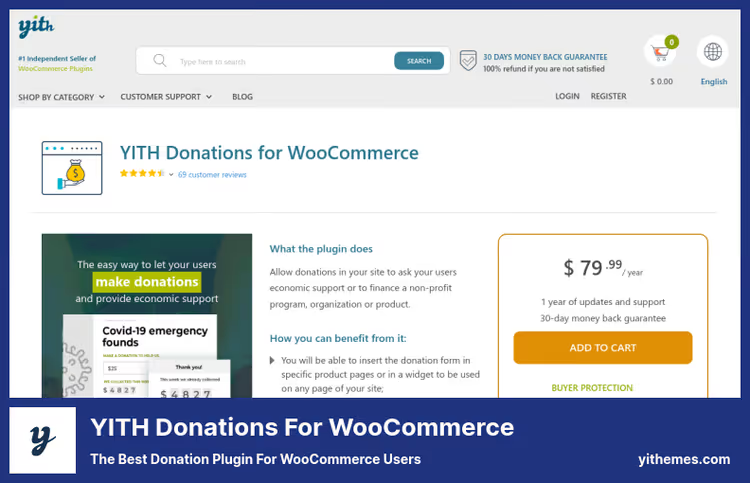
YITH is known for quality code and beautiful UI, and this plugin is no exception. Unlike competitors, YITH Donations can attach a donation form to a specific product. For example: a customer puts a book about animal protection in the cart, and an offer to support a shelter appears next to it.
The form is visually customizable: button color, text, sizes, without CSS. The widget is displayed in any area of the site, and in the admin an archive of payments accumulates with filtering by dates and statuses. Out of the box, bank transfers are supported, a rarity for WooCommerce donations.
The downside is price ($79.99 per year) with no free tier. For a small project, this is noticeable, especially when compared to free GiveWP, which gives no less, and in some ways more. YITH is justified when aesthetics and seamless integration with YITH themes or store theming are important.
Pros:
- Donation attached to a specific product
- Visual button and form customizer
- Bank transfer out of the box
- Donations archive with filtering
Cons:
- $79.99/year without a free version
- No goals/campaigns, only fundraising
💰 Price: $79.99/year.
🔗 YITH Donations on yithemes.com
6. WooCommerce Donation Plugin
A CodeCanyon bestseller focused on deployment speed: installed, activated, donation button already in the cart. Just a few options in the admin: fixed amount or free input, campaign deadline (with countdown on the front), choice between manual and automatic charge.
An interesting feature is reports. The plugin collects campaign statistics: how much collected, how many days left, average check. For a small store or personal collection, it's decent. For $19 (one-time!) this is one of the most affordable options on the market, especially considering the CodeCanyon model: paid once, use it.
A fly in the ointment: the plugin hasn't been actively updated in the last year or two, judging by the history on CodeCanyon. For non-critical collections, ok, for a site with high security and WordPress 6.7+ compatibility requirements, there's a nuance.
Pros:
- $19 one-time, lowest price among Pro solutions
- Campaign deadline with visual countdown
- Manual and automatic donation charge mode
- Built-in campaign reporting
Cons:
- Low update frequency
- Only PayPal and Stripe
💰 Price: $19 (one-time, CodeCanyon).
🔗 WooCommerce Donation on CodeCanyon🔗 Live demo
7. GiveWP
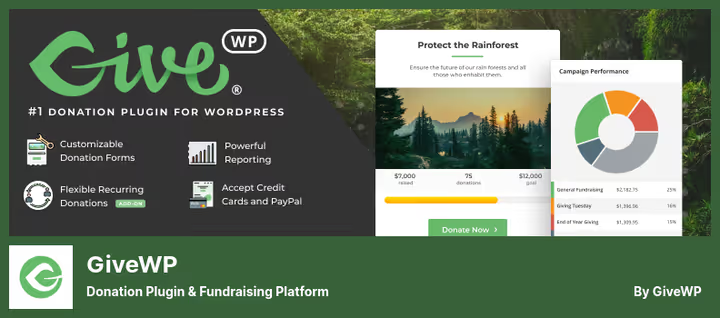
GiveWP is the undisputed niche leader. 100,000+ active installs, $350+ million in donations collected since 2009. The free version gives more than some paid competitors: visual form builder (Gutenberg blocks!), Stripe + PayPal + Venmo + offline payments out of the box, donor dashboard and advanced reporting.
In practice, the form is assembled in 5 minutes: chose a template, set levels, connected Stripe, done. The campaign system allows you to run several parallel collections, each with its own landing page, goal and progress bar. Donors see history, manage recurring payments and download PDF receipts.
Premium addons ($149+/year depending on the bundle) close enterprise needs: Recurring Donations, Peer-to-Peer, Text-to-Give, Fee Recovery, Tributes ("in memory of..."). The main trump card is the ecosystem: 30+ addons, 15+ payment gateways and an active community. For nonprofits of any scale, this is the gold standard.
Pros:
- Free core with visual builder and Stripe/PayPal/Venmo
- Campaigns with separate pages and progress bars
- Donor dashboard + PDF receipts
- 30+ addons, 15+ gateways, peer-to-peer, recurring
Cons:
- Premium addons can add up to more than competitors
- Learning curve for fine customization (hooks, templates)
💰 Price: free (Lite) / from $149/year (basic Premium addon bundle).
🔗 GiveWP on WordPress.org🔗 Premium addons on givewp.com
8. SUMO WooCommerce Donations
SUMO Donations is visually the most polished plugin in the selection. Forms, popups, buttons, everything looks modern out of the box, without CSS tuning. The developers clearly thought not only about functionality, but also about conversion: the plugin can show a pop-up with a donation offer right before a visitor leaves the site.
Functionally, it's a solid middle ground: campaigns with goals, several contribution levels (fixed + free), attachment to products, pages, cart and checkout. A nice detail: a reward system, donors receive badges or gifts depending on the amount. WPML compatibility for multilingual sites.
The downside is the CodeCanyon model ($39 one-time, but updates aren't forever). At the time of writing, the plugin was updated in 2025, it's alive, but the pace is lower than GiveWP or Charitable. For a one-time collection or a small store, an excellent compromise between price and design.
Pros:
- Pop-up with donation before visitor leaves
- Reward system for donors
- WPML compatibility
- Shortcodes for placing form anywhere
Cons:
- Update pace lower than niche leaders
- Only WooCommerce gateways (what WooCommerce supports works)
💰 Price: $39 (one-time, CodeCanyon).
🔗 SUMO Donations on CodeCanyon
9. Woo Donations
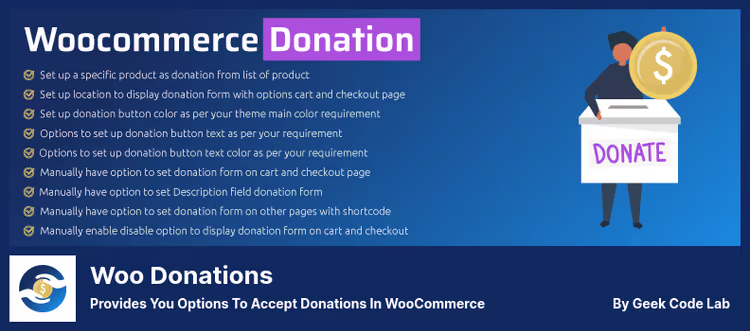
Woo Donations closes the basic scenario "donation as a product" with minimal budget. The free version on WordPress.org can do the main thing: insert a donation form on any page with a shortcode and accept payments through standard WooCommerce gateways.
Pro for $29 adds tangible perks: auto-creation of campaign pages, email templates for donors (with custom text), CSV order export, and a sticky donation button that hangs on the screen when scrolling. You can rename any label, placeholder or heading, full control over interface text.
The plugin is clearly aimed at developers and small site owners who need a "set and forget" solution. There's no deep design customization and complex campaign logic, but for 80% of scenarios it's not needed.
Pros:
- Free version with basic functionality
- Sticky donation button in Pro
- CSV export and email templates in Pro
- Translation of all interface labels
Cons:
- No campaign goals and progress bars
- Minimal visual customization
💰 Price: free (Lite) / $29 (Pro).
🔗 Woo Donations on WordPress.org🔗 Pro version on geekcodelab.com
Video: how to choose a plugin for donations in WooCommerce
A short video breakdown of five donation solutions with live installation and setup examples, from Elegant Themes. It will help you compare interfaces before installing a plugin on a production site.
⁉️🤔 Frequently asked questions
Can I accept donations in WooCommerce without a plugin?
Standard WooCommerce can't process free amounts, you need either a plugin or a custom snippet in functions.php that replaces the product price with the one entered by the user. A plugin is more reliable: it works with checkout, calculates taxes and doesn't break when the core is updated. Free Potent Donations or Woo Donations close this case in 2 minutes.
What's the best plugin for a nonprofit organization in 2026?
GiveWP is the most downloaded and supported donation plugin for WordPress. The free core gives a form builder, Stripe/PayPal/Venmo out of the box, campaigns with goals and a donor cabinet. For nonprofits with a $0 budget, this is the no-alternative start. Charitable is a worthy alternative if you need peer-to-peer in the free version.
What's the difference between crowdfunding and simple fundraising?
Crowdfunding implies a public campaign with a stated goal, deadline and progress bar, like on Kickstarter. Regular fundraising (donation) is just a "support" button without time or amount restrictions. Crowdfunding for WooCommerce and WP Crowdfunding are crowdfunding. GiveWP with the Campaigns addon is too.
How much are the fees when accepting donations through WooCommerce?
The commission is taken by the payment gateway, not WooCommerce. Stripe is 2.9% + $0.30 per transaction (USA), PayPal is similar. GiveWP with free Stripe connection doesn't add its own commission (since version 3.0+). Some plugins like Donation for WooCommerce don't take a percentage of the donation, you only pay a fixed subscription and gateway commission.
Can I add a donation to the cart, not on a separate page?
Yes, most plugins can integrate into checkout. SUMO Donations shows a pop-up in the cart, YITH Donations attaches a form to a specific product, WooCommerce Donation Plugin by default displays a button on the cart page. The choice depends on when the user is most inclined to an impulse donation, in our experience it's the checkout step.
What to do if you need multilingual fundraising?
SUMO Donations and Charitable are officially compatible with WPML. GiveWP has translations in 15+ languages via translate.wordpress.org and works with WPML through standard WordPress mechanisms. Woo Donations allows you to manually translate all interface labels in settings, useful for sites with one additional language.
Which plugin for donations to choose in 2026?
Nine plugins, nine scenarios. There's no universal "best," but there's a clear matrix:
- Minimal budget, need a "whatever you can spare" button → Potent Donations (free) or Woo Donations Lite (free).
- Small store, one-time collection with deadline → WooCommerce Donation Plugin for $19, cheap and with reports.
- Nonprofit with need for campaigns and donor database → GiveWP (free core) or Charitable (free with peer-to-peer).
- Crowdfunding with goals and progress bars → Crowdfunding for WooCommerce (free).
- Design and conversion are important → SUMO Donations ($39, exit pop-up and reward system).
- Need WooCommerce.com ecosystem and vendor support → Donation for WooCommerce ($99/year) or YITH Donations ($79.99/year).
Before installing, answer yourself two questions: how many campaigns do you run simultaneously and do donors need a personal cabinet. If there's one campaign and no cabinet is needed, a free solution is enough. If donations are the core business model, take GiveWP and you won't regret it.

A professional team of writers and editors specializing in creating quality content.