













 AIIllustrative image: AI-generated
⛪ 6 best WordPress plugins for a church website 2026
Three weekly services, monthly donations, a multi-year sermon archive, and event announcements. Without the right plugins, managing all of this turns into manual work with every site update.
We've selected six WordPress plugins that cover the key tasks of a church website. Each has been updated in 2025-2026 and is supported by a development team.
💡 Quick overview:
- Church Content Plugin manages sermons, events, staff, and parish locations directly from the WordPress dashboard.
- GiveWP adds customizable donation forms with support for Stripe, PayPal, and recurring payments.
- Advanced Sermons creates a sermon catalog with Ajax filters and podcast feed for Apple Podcasts.
- **The **Events Calendar displays the service schedule as a monthly grid, list, or cards.
- FooEvents for WooCommerce sells tickets to church events without platform commission.
- Donations via PayPal adds a PayPal donation button in five minutes without code.
Quick plugin comparison
Plugin | Task | Free | Pro price |
|---|---|---|---|
Church Content | All church content | Yes | from $79/year |
GiveWP | Donations | Yes | from $149/year |
Advanced Sermons | Sermon archive | Yes | - |
The Events Calendar | Event schedule | Yes | from $259/year |
FooEvents | Event tickets | No | $49/year |
Donations via PayPal | PayPal button | Yes | Free |
1. Church Content Plugin
Church Content from Church Themes adds specialized post types to WordPress for church content: sermons, events, staff, and parish locations. Unlike universal custom field plugins, the structure here is already built for the real needs of a congregation.
Each sermon has fields for speaker, series, topic, and format (audio, video, PDF). Events come with a map showing the exact address. The plugin supports podcasts for iTunes, and the locations section lets you manage multiple locations for one church from a single place. The plugin was updated in May 2026.
- Pros: specialized content types out of the box; podcast feed for iTunes; management of multiple parish locations.
- Cons: output templates work correctly only with Church Themes themes; without the Pro version, several advanced fields are missing.
- Price: Free, Pro from $79/year.
- Download: 🔗 Church Content on WordPress.org | 🔗 Church Content Pro
2. GiveWP
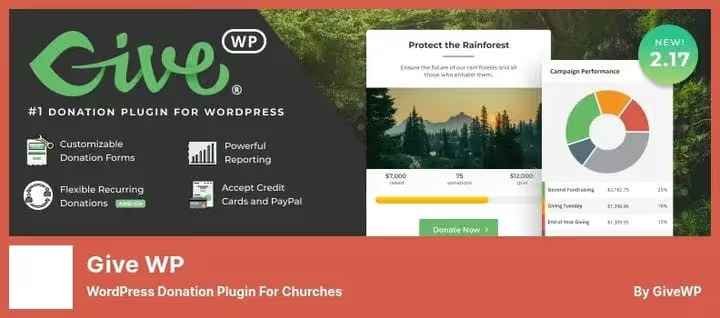
GiveWP, one of the most popular donation plugins in the WordPress ecosystem: over 100,000 active installations according to WordPress.org. The main audience for the plugin, nonprofits and churches.
Forms are customizable for any type of giving: one-time donations, recurring contributions, campaigns with target amounts. Accepts payments through Stripe, PayPal, and offline transfers. The built-in dashboard shows donation history, totals by period, and donor data. The ability to add an upsell offer right on the donation checkout page helps increase the average gift. In 2026, GiveWP moved under Liquid Web management; the free plugin on WordPress.org works unchanged.
- Pros: flexible forms with multiple amounts; recurring payments; integration with Stripe and PayPal; donor analytics.
- Cons: recurring payments and some gateways require a paid plan; the form configuration interface is not the simplest compared to WPForms.
- Price: Free, paid plans from $149/year.
- Download: 🔗 GiveWP on WordPress.org | 🔗 GiveWP Pro
3. Advanced Sermons

Advanced Sermons solves the task of a deep sermon archive, which basic plugins can't handle. Updated in May 2026, rated 4.7 out of 5 on WordPress.org. Supports video from YouTube, Vimeo, and SoundCloud, as well as audio file uploads.
Congregants filter sermons by series, speaker, topic, or scripture book, and the filters work via Ajax without page reload. The podcast feed connects through PowerPress: the archive automatically appears in Apple Podcasts and other directories. The plugin tracks view counts for each sermon.
- Pros: media from YouTube, Vimeo, SoundCloud, and audio files; Ajax filters by speaker, series, topic; podcast feed; 80+ design modules.
- Cons: the free version lacks the list view and Bible verse links; the Pro version price is not publicly listed.
- Price: Free; Pro at advancedsermons.com.
- Download: 🔗 Advanced Sermons on WordPress.org
4. The Events Calendar
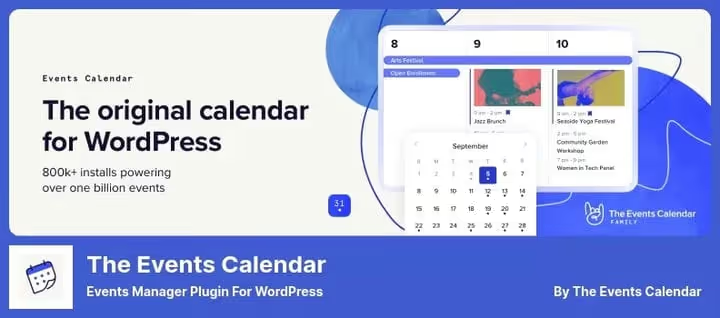
The Events Calendar, the most installed events plugin in WordPress: over 800,000 active installations according to WordPress.org. The free version covers most tasks: publishing announcements, month, list, and card views, recurring events for regular services.
The Pro version adds ticket sales, integration with Google Calendar, Facebook Events, and advanced analytics. Note: in 2026, the plugin moved under Liquid Web management, and the Pro package price changed from the previous approximately $99 to $259/year. The free version on WordPress.org remained unchanged.
- Pros: over 800,000 installations; month, list, and card views; recurring events; iCal import.
- Cons: Pro became significantly more expensive in 2026 (from $259/year); ticket sales available only in the paid version.
- Price: Free, Pro from $259/year.
- Download: 🔗 The Events Calendar on WordPress.org | 🔗 Pro version
5. FooEvents for WooCommerce
FooEvents turns a WooCommerce store into an event ticket sales system without platform commission. Physical and virtual tickets are sold in the same cart along with any other products. For a church this means: one site accepts payment for concerts, conferences, and charity evenings without extra intermediaries.
The plugin automatically generates PDF tickets with QR codes, sends them to the buyer's email, and maintains a guest list. CSV export and the FooEvents Scan mobile app for QR checking at the door make the event manageable even without special equipment.
- Pros: unlimited tickets without commission; custom branding; guest export to CSV; QR scanning via app; multiple events simultaneously.
- Cons: requires WooCommerce installed; the plugin is sold only on Envato Market, not on WordPress.org.
- Price: $49/year.
- Download: 🔗 FooEvents on Envato Market
6. Donations via PayPal

Donations via PayPal, the fastest way to add a donation button to a site without code. Install the plugin, enter your PayPal account address, and insert the shortcode or widget in the right place. The plugin was updated in May 2026 and has over 20,000 active installations on WordPress.org.
The button works with any theme, supports 25 currencies and 18 interface languages. Recurring monthly donations are enabled with one checkbox. The entire transaction history is visible in the WordPress dashboard without switching to the PayPal control panel. If you need advanced forms and analytics, see our roundup of WordPress donation plugins.
- Pros: five-minute setup without code; 25 currencies; 18 languages; recurring payments; history in the WordPress dashboard.
- Cons: minimal form customization options; the administrator email is visible in the page source code.
- Price: Free.
- Download: 🔗 Donations via PayPal on WordPress.org
Want to see how these tools fit into the structure of a church site on WordPress? Elegant Themes broke down the process of creating such a site from scratch in a current video tutorial.
⁉🤔 Frequently asked questions
Church Content Plugin and Advanced Sermons: do you need to install both?
It depends on the archive size. Church Content manages events, staff, and locations in addition to sermons. Advanced Sermons specializes only in the sermon archive, but does it more deeply: Ajax filters, multiple media formats, podcast feed, view counter. For a small church, Church Content is enough; for a deep archive with hundreds of sermons, add Advanced Sermons.
GiveWP or Donations via PayPal: what is the fundamental difference?
For simple one-time fundraising, Donations via PayPal is enough. If you need multiple forms, recurring contributions, receipts for tax deductions, and donor analytics, get GiveWP. The difference is not only in features: a beautiful GiveWP form with multiple amounts converts better than a simple redirect to PayPal.
Does FooEvents require WooCommerce?
Yes, FooEvents works only as a WooCommerce extension. If there is no store on the site, you will need to install WooCommerce first, then connect FooEvents. For sites without a commercial component, it's easier to use The Events Calendar Pro with the Event Tickets module.
How did The Events Calendar pricing change after the move to Liquid Web?
Significantly. Before 2026, Events Calendar Pro cost about $99/year. After moving under Liquid Web management, the Pro package price starts at $259/year. The free version on WordPress.org is still available and suitable for most tasks without ticket sales.
Can you accept donations without setting up a payment gateway?
Yes. Donations via PayPal works through an existing PayPal account without additional technical setup. GiveWP also supports offline donations with manual confirmation: convenient for congregations that want to track contributions but don't connect card acquiring.
💎 Summary: which plugin is right for your church
Six plugins cover different tasks, and you can combine them for specific congregational needs.
- If you're building a site from scratch and need full control over sermons, events, and staff, start with Church Content Plugin.
- If the main task is regular fundraising with reporting and attractive forms, install GiveWP.
- If a deep sermon archive with a podcast is important, get Advanced Sermons.
- If you need a service schedule for congregants, The Events Calendar in the free version covers most tasks.
- If you sell event tickets and WooCommerce is already on the site, FooEvents without commission.
- If you need a quick PayPal button and nothing more, Donations via PayPal in five minutes.
Write in the comments which plugins you use on your church site.

A professional team of writers and editors specializing in creating quality content.