














🎟️ 15 best event registration plugins for WordPress 2026 (free and paid)
Your site stopped accepting registrations after a plugin update? Or are you still collecting applications through email and Google Sheets because you "don't have time to figure it out"?
Event registration is not just a form. It's tickets, payment, confirmation emails, QR codes for entry and reminders the day before. The right plugin will handle the entire chain and won't bury your site speed. The wrong one will add three conflicting calendars and a blank page instead of a form.
Below are 15 WordPress event registration plugins, tested in practice. From lightweight calendars to all-in-one solutions with WooCommerce and ticket scanning. We compared them and broke down the pros and cons. All you have to do is choose for your use case.
💡 Quick overview:
- Determine whether you need simple registration (RSVP), ticket sales or a full-featured event calendar, your choice depends on this.
- If the list has many plugins, start with the top-5 comparison table, it narrows the field in half a minute.
- For paid events, look at Stripe/PayPal and WooCommerce support, for free ones, at form customization and email notifications.
Product | For whom | Price | Feature |
|---|---|---|---|
The Events Calendar | From blog to festival | Free / Pro from $99 | 700,000+ installs, addon ecosystem |
Event Tickets | Ticket sales for any event | Free / Plus from $99 | Works with TEC and standalone, Stripe+PayPal out of the box |
Events Manager | Conferences, workshops, multi-day events | Free / Pro $75 | Booking with multiple time slots, BuddyBoss |
WP Event Manager | Event venues, organizers | Free / paid addons | 37+ addons, frontend submission |
Sugar Calendar | Lightweight calendar without bloat | Free / Pro from $49 | 1-click migration from TEC, Stripe partner |
1. The Events Calendar

The most popular calendar for WordPress: 700,000+ active installs, 4.3 rating on WordPress.org, updates every 2-3 weeks. Developed by the StellarWP team, which also maintains Event Tickets, Events Calendar Pro and a dozen addons.
Out of the box you get: calendar with month / day / list views, filters by category and tag, Google Maps for venues, export to Google Calendar and iCal, JSON-LD markup for SEO. The plugin caches, ajax loading doesn't hang the site on weak hosting.
The free version covers 80% of scenarios: meetings, webinars, event announcements. Pro ($99/year) adds recurring events, user submission, import from Facebook/Eventbrite/Meetup and 70+ more extensions.
- Pros: live code (commit June 15, 2026), compatibility with any theme, huge community, documentation for every hook.
- Cons: Pro functionality is spread across paid addons, price grows when building an "industry standard" setup.
- Price: Free; Events Calendar Pro, $99/year.
- Download: 🔗 The Events Calendar on WordPress.org | 🔗 Website
2. Event Tickets

From the same StellarWP team as The Events Calendar. But this is not an addon, it's a standalone plugin for ticket sales and RSVP with 90,000+ installs. Works both paired with TEC and with any custom post types.
The free version provides: registration (RSVP) and ticket sales through Tickets Commerce, a built-in payment system with Stripe or PayPal connection in a couple of clicks. No API keys needed for PayPal, the wizard connects the account itself. After payment, automatic email with ticket, stock tracking and sales reports.
Event Tickets Plus (from $99/year) adds WooCommerce integration, custom registration fields, QR check-in, Apple Wallet passes and PDF tickets.
- Pros: Stripe and PayPal without WooCommerce, works separately from TEC, mobile app check-in.
- Cons: no custom fields without Plus, basic form design requires CSS tuning.
- Price: Free; Event Tickets Plus, from $99/year.
- Download: 🔗 Event Tickets on WordPress.org | 🔗 Website
3. Events Manager

A veteran of the WordPress.org directory: since 2008, 70,000+ active installs, version 7.3.5 (updated June 10, 2026). Author Marcus Sykes maintains the plugin solo and documents every hook.
The main difference from competitors is working with recurring events. You can build a complex pattern: "every second Tuesday excluding December 25 with a blacklist of dates." Multiple time slots per day (with overlaps and buffers), multiple tickets, different event types (workshop, webinar, meeting).
The Pro version ($75) unlocks: WooCommerce, Stripe/PayPal/Authorize.net, custom booking forms, PDF tickets and invoices, QR check-in, waitlists and webhooks (Zapier, Telegram, WhatsApp, SMS).
Interesting feature: in 2026 AI integration appeared through MCP, you can manage events by voice through Claude.
- Pros: flexibility of recurring events, BuddyPress/BuddyBoss, locations and multiple event types.
- Cons: admin interface looks dated, learning curve for non-developers.
- Price: Free; Pro, $75 (one-time).
- Download: 🔗 Events Manager on WordPress.org | 🔗 Pro version
4. WP Event Manager
Lightweight plugin (20,000+ installs, v3.4.0) with "core + addons" architecture. The free core provides: event creation via shortcodes, filters by type and category, Google Maps for venues, 40 language locales and RTL support.
Strong point is 37 premium addons for any task: calendar, ticket sales, registration, recurring events, Zoom integration, Stripe Split Payment (revenue distribution between site and organizer), expo networking. You only buy what you need, without bloat.
Worth mentioning separately is Organizer App, a mobile application for organizers: guest check-in, QR code scanning from phone.
- Pros: modularity (pay for what you need), mobile app, RTL out of the box.
- Cons: free core is quite basic, addon prices can total over $200.
- Price: Free; addons, from $29/year each.
- Download: 🔗 WP Event Manager on WordPress.org | 🔗 Website
5. Sugar Calendar

Sugar Calendar is a lightweight event calendar from the Awesome Motive team (WPBeginner, OptinMonster, WPForms). 10,000+ active installs, 4.4 rating. Positioned as an alternative to The Events Calendar "without bloat."
The free version includes: calendar with month / week / day views, event list, multiple calendars (categories), Stripe payments, Google Maps for venues, iCal feeds and CSV export of attendees. Migration from The Events Calendar in one click.
Pro (from $49/year) adds: recurring events, venue and speaker profiles, RSVP system, frontend submission through WPForms/Gravity Forms/Formidable Forms, event import from Google/Apple/Outlook by ICS URL. Sugar Calendar is an official verified Stripe partner.
- Pros: minimalist interface, verified Stripe partner, migration from TEC without loss.
- Cons: few addons (young ecosystem), basic frontend calendar design.
- Price: Free; Pro, from $49/year.
- Download: 🔗 Sugar Calendar on WordPress.org | 🔗 Website
6. Ticket Tailor

Not just a plugin, this is WordPress integration with the full-featured Ticket Tailor ticketing platform. You create events in the Ticket Tailor control panel, and the plugin embeds ticket purchase forms right on your site.
Platform features: multiple ticket types per event, e-ticket customization with QR and barcodes, ticket scanning at entry via mobile app, tracking links (where the buyer came from), discount codes. Integrations: Stripe, PayPal, MailChimp, Facebook, Zapier.
Pricing model: the platform takes a fixed commission of $0.65 per ticket (free tier, up to 50 tickets per month), paid plans from $19/month remove limits and add custom branding.
- Pros: low commission (Eventbrite takes a percentage, TT takes a fixed fee), e-ticket with QR out of the box, check-in app.
- Cons: dependency on external platform (data stored at Ticket Tailor), commission on free tier.
- Price: Free up to 50 tickets/month; paid plans, from $19/month.
- Download: 🔗 Ticket Tailor on WordPress.org | 🔗 Website
7. RegistrationMagic

Registration all-in-one: 8,000+ installs, 4.5 rating. Built around a drag-and-drop form builder, you assemble registration like building blocks. Suitable not only for events but also for membership fees, course enrollment, paid applications.
Key capabilities: unlimited number of forms, multi-step approval system (moderator → approval → payment), capacity limits, booking time windows, custom user roles, WooCommerce billing. Payments: Stripe, PayPal. Frontend user personal account: payment history, submission file downloads, password reset.
Interesting function is Custom Status: an action chain for an application where each step can require additional data from the user. Essentially a BPM engine inside a registration plugin.
- Pros: unique multi-step approval, token generation for each booking, custom statuses.
- Cons: cluttered interface, some features are excessive if you just need "form + payment."
- Price: Free; Premium, $89.
- Download: 🔗 RegistrationMagic on WordPress.org | 🔗 Website
8. EventPrime

EventPrime (7,000+ installs, v4.3.4.1, 4.5 rating) from Metagauss, the team that also makes RegistrationMagic. Here the focus is specifically on events: calendar with drag-and-drop event creation right in the grid, multiple ticket types with different prices, offers (early bird / last minute).
Without any code you can: create an event by clicking a date in the calendar, add speakers and sponsors, upload a gallery, enable booking with PayPal or Stripe (Pro), send a custom email template. The frontend gives visitors a personal account: booking history, print tickets, wishlists.
Extensions include: seating chart (live seating), sponsors, discount coupons, invoices, Stripe.
- Pros: drag-and-drop calendar in admin, create event in 30 seconds, multiple calendar views.
- Cons: Stripe only in Pro, young plugin (fewer integrations than TEC), support through forum.
- Price: Free; Pro, $49.
- Download: 🔗 EventPrime on WordPress.org | 🔗 Website
9. EventON

EventON is a CodeCanyon bestseller (63,000+ paid sales since 2011). The Lite version (6,000+ installs, v2.5.5) lets you try the signature feature: a tile calendar with animated event cards that expand on click. Looks modern without CSS tuning.
What's in Lite: unlimited events, colors and categories, Google Maps, featured images, recurring events, shortcode generator, OpenAI integration for generating descriptions. The calendar inherits theme styles and supports dark theme.
The full version ($25 on CodeCanyon) unlocks 40+ addons: ticket sales, RSVP, seating chart, multiple organizers, Zoom integration, multi-data types.
- Pros: visually the best calendar in this roundup, 63k+ sales = market-tested, OpenAI integration.
- Cons: full version not on WP.org (only CodeCanyon), some addons are separately paid.
- Price: Free (Lite); full version, $25 (CodeCanyon).
- Download: 🔗 EventON Lite on WordPress.org | 🔗 Full version
10. Simply Schedule Appointments

One of the highest-rated booking plugins on WordPress.org: 60,000+ active installs, average 5-star rating (155 reviews), updated June 5, 2026. Positioned as "schedule appointments in 5 minutes" without setup hassle.
The free version provides: unlimited booking calendars, customizable email notifications, working hours and blackout dates setup, embedding via Gutenberg blocks, Elementor, Divi and Beaver Builder. Integration with The Events Calendar out of the box.
Premium ($99/year for Basic) unlocks: Google Calendar Sync, group and team bookings, Stripe and PayPal, Zoom and Google Meet, SMS notifications via Twilio, Webhooks/Zapier, Mailchimp, Gravity Forms and Formidable Forms. ICS subscriptions and resource booking (meeting rooms, equipment) available.
- Pros: 5-star rating and 60k+ installs, integration with TEC and Zoom, team booking.
- Cons: Pro functionality locked behind annual payment, no one-time license.
- Price: Free; Premium, from $99/year (Simply Schedule Appointments data).
- Download: 🔗 Simply Schedule Appointments on WordPress.org | 🔗 Website
11. Registrations for the Events Calendar
A companion extension for The Events Calendar that adds registration and guest data collection. Essentially, the plugin closes the gap: TEC provides the calendar, and this plugin attaches a registration form to each event.
RSVP, custom fields, hiding the form until a certain date, club registration, webinar registration, data recording in a separate database table. Personalized confirmation email is sent. Users can cancel registration themselves.
Pro ($69) adds payments via PayPal/Stripe and CSV export of guests.
- Pros: tight integration with The Events Calendar, simplicity (one task, registration).
- Cons: only for TEC users, useless without TEC.
- Price: Free; Pro, $69.
- Download: 🔗 Registrations for the Events Calendar on WordPress.org | 🔗 Pro
12. Quick Event Manager
Minimalist event manager: events as a custom post type, shortcodes for list or calendar output, built-in registration form. Author Fullworksplugins positions it as "quick and light" without all-in-one pretensions.
Two blocks for customizing the registration page, ability to change layouts and styles, event maps via Google Maps, CSV export of attendees. Pro ($35.88) adds custom fields, recurring events and payments.
- Pros: lightweight (doesn't load extra JS/CSS), suitable for simple scenarios, good support.
- Cons: limited form customization, very basic Pro functionality for the money.
- Price: Free; Pro, $35.88.
- Download: 🔗 Quick Event Manager on WordPress.org | 🔗 Pro
13. Event Manager for WooCommerce
Solution for WooCommerce stores: events become products, tickets are sold through standard WooCommerce checkout with all payment gateways.
The free version provides: multiple event templates, ticket types and prices, SEO-friendly markup, cross-browser compatibility. PDF tickets for attendees included. The Pro version unlocks custom registration forms, automatic email confirmations and waitlist.
- Pros: native WooCommerce integration, all WooCommerce payment gateways, PDF tickets in free version.
- Cons: WooCommerce dependency (extra weight for non-store), modest feature set.
- Price: Free; Pro, from developer website.
- Download: 🔗 Event Manager for WooCommerce on WordPress.org | 🔗 Pro
14. Event Monster
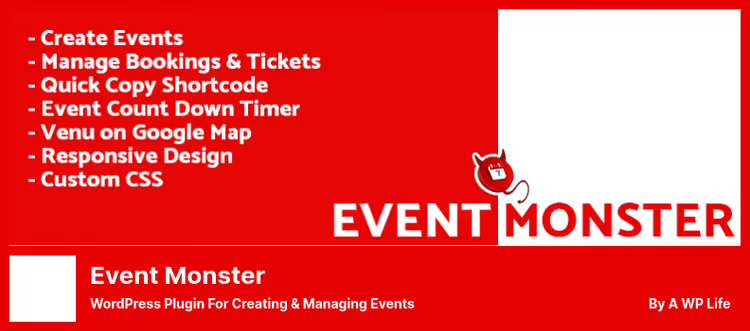
Simple and self-sufficient plugin from Awplife: registration, tickets, notifications and custom CSS, all in one package. Does not depend on WooCommerce or external services.
Free version: event creation, shortcodes, tickets, countdown timer, event gallery. Pro ($79.99) adds: payments, CSV export of guest list, full layout customization, social media (share event).
- Pros: standalone (no external dependencies), custom CSS for design, countdown timer.
- Cons: small user base, outdated admin design.
- Price: Free; Pro, $79.99.
- Download: 🔗 Event Monster on WordPress.org | 🔗 Pro
15. Events Schedule

Niche plugin from CodeCanyon ($39): class schedules for fitness clubs, yoga studios and educational centers. Five schedule styles, WooCommerce integration for selling spots, retina graphics, filters, tabs, lists.
Compatible with WPBakery (formerly Visual Composer) and any ThemeForest themes. Color schemes and seasonal schedules are configured without code. Translation-ready.
- Pros: specialized for fitness schedules (ready solution for the niche), clean design, 5 styles.
- Cons: only CodeCanyon (no free version for testing), narrow niche (not for conferences).
- Price: $39 (CodeCanyon).
- Download: 🔗 Events Schedule on CodeCanyon | 🔗 Live demo
⁉️🤔 Frequently asked questions
Free plugin or paid, where to start?
For most sites, free The Events Calendar, Event Tickets or Events Manager are enough. You should pay when you have tickets with payment (need Stripe/PayPal right on the site), recurring events with complex schedule or custom form branding. Start with the free version, migration to Pro is seamless for all leaders.
Which plugin won't slow down my site?
The Events Calendar and Sugar Calendar are designed with caching and ajax loading in mind, on weak hosting there's no difference from a regular page. WP Event Manager is also light thanks to modular architecture. But Events Manager with many enabled options can add 10-15 database queries, use caching.
Can I use two registration plugins at the same time?
Technically yes, but we don't recommend it. Two calendars create a slug conflict (/events for both), duplicate JSON-LD markup and confuse Google. If The Events Calendar is already installed, add Event Tickets (from the same team) or Registrations for the Events Calendar.
Do I need WooCommerce for ticket sales?
Not necessarily. Event Tickets sells through Tickets Commerce (Stripe/PayPal without WooCommerce), Ticket Tailor through its platform, Events Manager Pro through built-in gateways. WooCommerce is only needed if you want to attach tickets to an existing store or use a specific gateway like Braintree.
How to migrate from another calendar to a new one?
The Events Calendar can import from Google Calendar, Eventbrite, Meetup. Sugar Calendar migrates from TEC in one click. Events Manager imports via iCal. CSV export is available in EventPrime and Quick Event Manager. Before migration, do a full backup.
What to install in 2026: final breakdown
The answer, as always, is "look at your use case." We broke down scenarios:
- Just an event calendar without sales: The Events Calendar. 700,000+ active installs are not wrong. Want something lighter, Sugar Calendar.
- Ticket sales + RSVP: Event Tickets (especially if the site is already on TEC). Without WooCommerce, with reasonable commission.
- Complex recurring events, conferences: Events Manager. Most flexible for schedules.
- Fitness schedule, yoga studio: Events Schedule. Ready solution for the niche with minimal setup.
- $0 budget and maximum features: bundle The Events Calendar (free) + Event Tickets (free). Covers 90% of needs without a penny.
Test on a staging site, don't install two calendars at once and backup before migration. If you found your plugin through this roundup, great, the rest is up to your content.

A professional team of writers and editors specializing in creating quality content.