













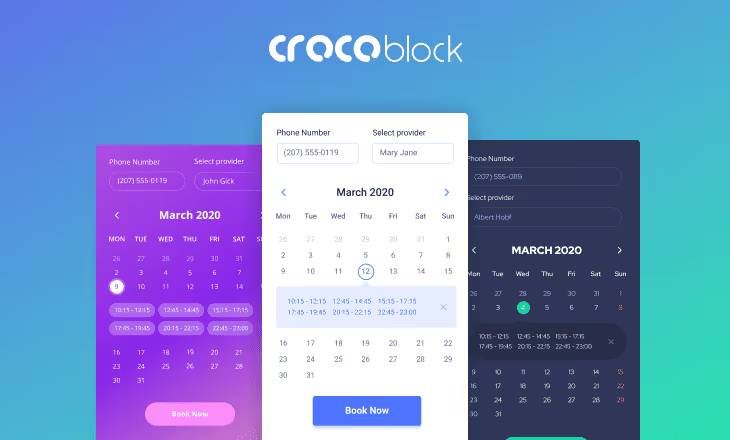
🚀 20 best booking and calendar plugins for WordPress in 2026
You set up a booking form, but clients still call you like before? Most likely the plugin doesn't fit your scenario. A beauty salon needs an hourly grid with stylist selection, while a cottage owner needs a months-ahead availability calendar with Airbnb sync.
Below are 20 booking plugins for WordPress, organized into three categories: appointments, events, and property. Each comes with live links to WordPress.org or the official site, current screenshots, and verified details.
💡 Quick overview:
- Identify your category: appointments (hourly booking, specialist and service), events (tickets, schedule), or property (availability calendar, nightly rates). Pick 3 or 4 candidates from the table below based on price and payment gateways.
- Test the demo or free version: clients see the booking form more often than you do. Set up automation (payment gateway and Google Calendar) so you don't have to confirm requests manually.
Comparison table of all plugins
Plugin | Category | Free version | Payments | Price (from) |
|---|---|---|---|---|
Amelia | Appointments | Yes (lite) | Stripe, PayPal, WooCommerce | $79/year |
Bookly PRO | Appointments | Yes (free) | Stripe, PayPal, cash | $89 |
Booking Calendar | Appointments | Yes | Stripe, PayPal, WooCommerce | $59.40 |
Booked | Appointments | No | WooCommerce | $39 |
Salon Booking | Appointments | Yes | PayPal, Stripe | $69 |
JetAppointment | Appointments | No | WooCommerce | $49/year |
Calendarista | Appointments | No | PayPal, Stripe, 2Checkout, WooCommerce | $49 |
The Events Calendar | Events | Yes | PayPal, Stripe (via add-ons) | $99/year |
EventOn | Events | No | WooCommerce (via add-ons) | $29 |
Calendarize it! | Events | No | WooCommerce (via add-ons) | $29 |
Timely Event Calendar | Events | Yes | PayPal, Stripe (via add-ons) | $89/year |
My Calendar | Events | Yes | No | Free |
Event Booking Pro | Events | No | PayPal | $29 |
Modern Events Calendar | Events | Yes | PayPal, Stripe, WooCommerce | $69/year |
MotoPress Hotel Booking | Property | Yes | PayPal, Stripe, 2Checkout, bank transfer | $119/year |
WP Hotelier | Property | Yes | WooCommerce, gateways via add-ons | Free |
Vik Booking | Property | Yes (lite) | 60+ gateways | €149/year |
HBook | Property | No | PayPal, Stripe | $49 |
VR Calendar Sync | Property | No | PayPal, Stripe | $49 |
WP Hotel Booking | Property | Yes | Authorize.net, PayPal, Stripe, offline | Free |
Plugins for appointment scheduling
Businesses that operate on time slots (barbershops, medical centers, legal consultants) need an hourly grid with specialist selection and automatic reminders. The client chooses a service, specialist, and time, then pays: you receive a notification.
1. Amelia
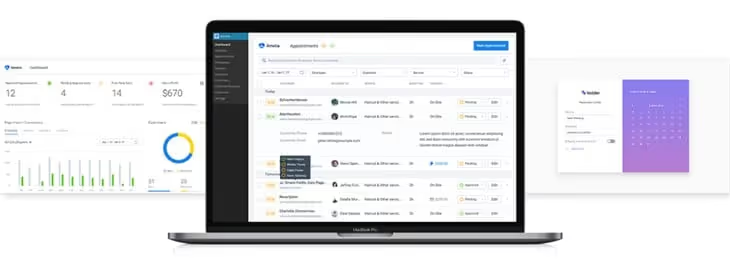
One of the most well-designed appointment plugins for WordPress. Full cycle: service selection, specialist, time slot, online payment, Google Calendar sync. It stands out with a clean booking form design and built-in CRM (client database, booking history, and financial analytics in one panel).
The free Lite version on WordPress.org provides basic functionality (one employee, one service, limited notifications). PRO unlocks multi-user mode, custom fields, service packages, and extended statistics.
Pros:
- CRM panel out of the box, no third-party tools needed
- Responsive availability calendar design
- Email and SMS reminders (via integrations)
Cons:
- Paid tiers are more expensive than basic competitors
- Some payment gateways only work through WooCommerce
Price: from $79/year (Lite), Pro from $119/year.
🔗 Amelia on WordPress.org🔗 Official Amelia website
2. Bookly PRO
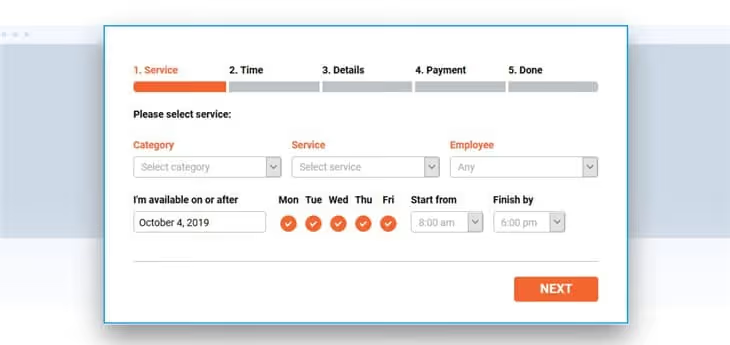
One of the most recognizable solutions for booking automation. The client chooses a service, specialist, and time, then pays online: you receive a notification. Manual work is minimized.
The free version on WordPress.org provides a basic calendar with one employee. PRO from CodeCanyon adds SMS notifications, flexible pricing (package discounts, time-of-day surcharges), and network mode for multiple locations.
Pros:
- Unlimited calendars and employees
- Form templates with modern design
- Partial and full prepayment, on-site payment
Cons:
- Free version is more limited than Amelia
- SMS notifications only through paid add-ons
Price: free version on WordPress.org, PRO from $89 (one-time payment).
🔗 Bookly on WordPress.org🔗 Bookly PRO on CodeCanyon
3. Booking Calendar
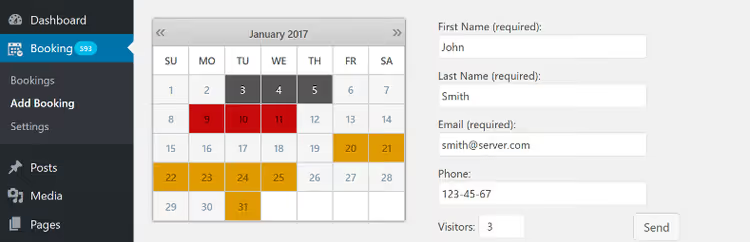
The most popular free booking plugin in the WordPress repository (over 80,000 active installs on WordPress.org). The basic version lets clients choose a day or time slot and submit a request, which the admin confirms manually.
The premium version adds iCal sync with external calendars (Google, Outlook), WooCommerce integration for online payments, and a visual calendar in the admin panel for quick occupancy overview.
Pros:
- Simple setup and configuration in 5 minutes
- Optimized for Gutenberg
- iCal sync with external platforms (premium)
Cons:
- Form design is inferior to Amelia and Bookly
- Free version requires manual request confirmation
Price: free, premium from $59.40.
🔗 Booking Calendar on WordPress.org
4. Booked
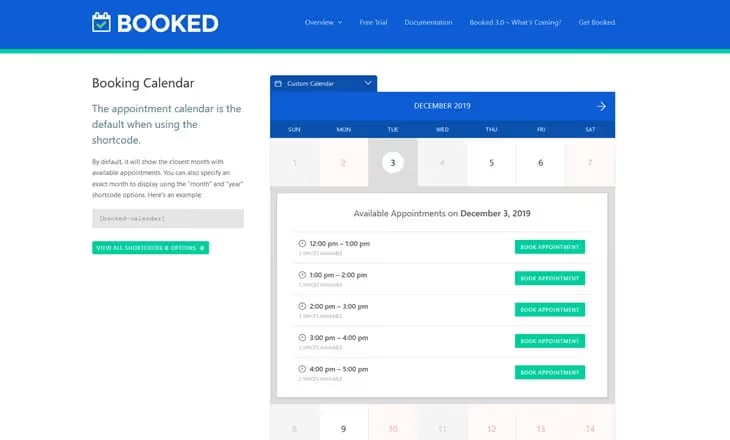
A premium plugin that's easy to set up despite its powerful functionality. Responsive calendar or appointment list, agent (employee) assignment to specific services, provider profiles, and client personal accounts.
WooCommerce integration turns any appointment into a product with online payment. Clients can view their personal booking history and cancel or reschedule appointments without calling.
Pros:
- Intuitive setup without documentation
- Personal accounts for clients and providers
- Customizable time slots and additional form fields
Cons:
- Only WooCommerce for accepting payments (no direct Stripe/PayPal)
- No free version
Price: the plugin was removed from sale on CodeCanyon but is available through GPL clubs and third-party marketplaces.
5. Salon Booking

Created for the beauty industry (salons, barbershops, SPAs), but the flexible rule system allows using it in any business with hourly booking: from a solo stylist to a chain of locations.
Beyond booking, the plugin provides client engagement tools: email and SMS reminders, staff management (work schedules, days off, buffer time between clients), and multi-location support.
Pros:
- Smart booking rule system tailored to specific businesses
- Automatic Google Calendar sync
- Support for multiple locations and employees
Cons:
- Some add-ons (SMS, deposits) only in premium package
- Admin interface takes getting used to
Price: free version on WordPress.org, PRO from $69.
🔗 Salon Booking System on WordPress.org🔗 Official Salon Booking website
6. JetAppointment (Crocoblock)
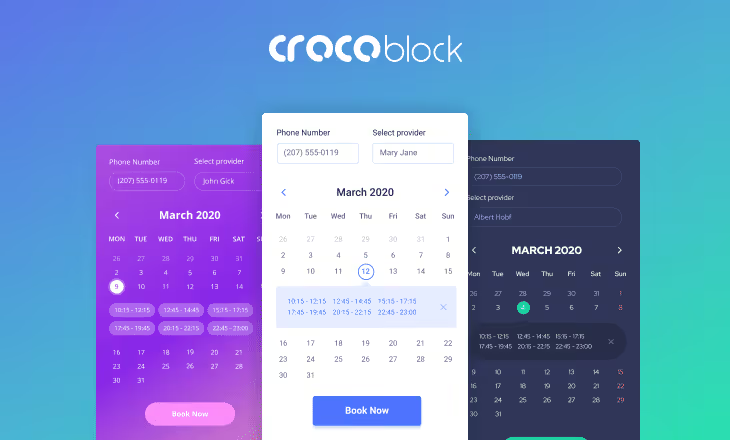
A plugin from the Crocoblock team for sites built with Elementor. During installation, you immediately set up working days, business hours, days off, and buffer time between appointments. Unlimited services with assignment to specific specialists.
All bookings are collected in a unified management panel. WooCommerce integration for accepting online payments. Booking forms are built visually in Elementor, without shortcodes.
Pros:
- Native Elementor integration (visual form editing)
- Simple step-by-step calendar setup
- WooCommerce for accepting payments
Cons:
- Only for sites built with Elementor
- No free version
Price: from $49/year (included in Crocoblock subscription).
🔗 JetAppointment on Crocoblock
7. Calendarista
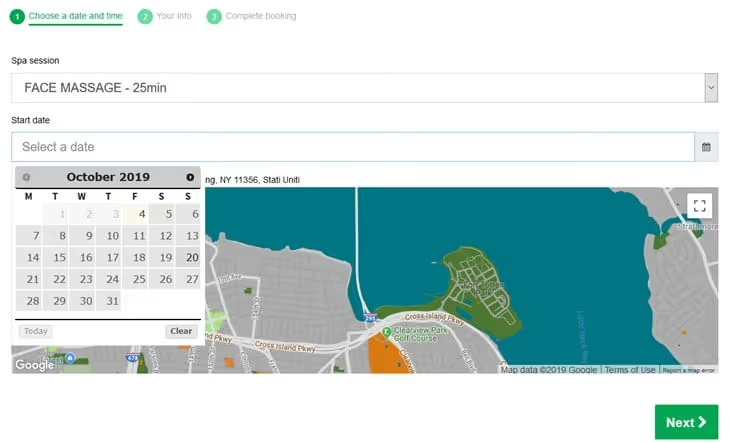
Offers maximum slot flexibility: single day with time range, specific time, intervals with gaps, two-way booking (client chooses start and end). Suitable not only for appointments but also for equipment rental or space booking.
The plugin supports four payment gateways out of the box (PayPal, Stripe, 2Checkout, WooCommerce) plus offline payment.
Pros:
- Four payment gateways out of the box plus offline payment
- Bookable add-ons to main services (upsells)
- Group booking and location assignment
Cons:
- Settings interface is overloaded with options
- Smaller user base than Amelia or Bookly
Price: one-time payment on marketplaces (affordable price).
Plugins for event management
Concerts, workshops, conferences, and webinars need an event calendar with ticket sales, date and category filtering, Google Calendar sync, and venue maps.
8. The Events Calendar
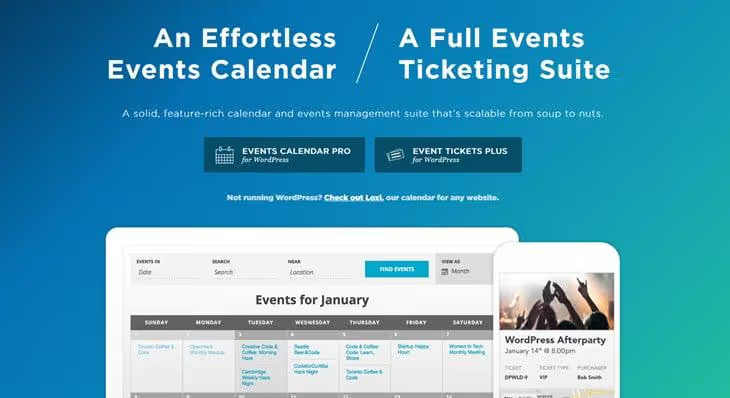
The gold standard among free event calendars for WordPress. The main plugin on WordPress.org is free and covers most project needs: recurring events, iCal and Google Calendar export, Google Maps with geolocation, and upcoming events widgets.
The PRO version adds ticket sales, seat booking, coupons, and extended attendance analytics.
Pros:
- Free version is very functional
- Dozens of community add-ons
- Excellent theme compatibility
Cons:
- Ticket sales only in PRO
- Some add-ons cost extra
Price: free, PRO from $99/year.
🔗 The Events Calendar on WordPress.org🔗 Official The Events Calendar website
9. EventOn
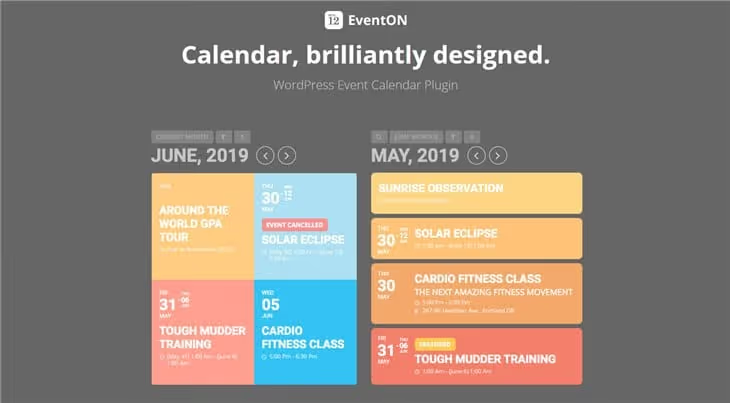
The best-selling event calendar on CodeCanyon. Its main advantage: material design out of the box (event cards with color coding, icons, and images look modern without additional styling).
Tickets, QR codes, booking, speakers, and schedules are available as paid add-ons. Sync with client calendars works from the base version.
Pros:
- Beautiful design without CSS tweaks
- Powerful event filters and sorting
- Sync with client calendars (iCal, Google)
Cons:
- Most key features through paid add-ons
- Total cost with all add-ons is higher than competitors
Price: from $29 (basic), add-ons charged separately.
10. Calendarize it!
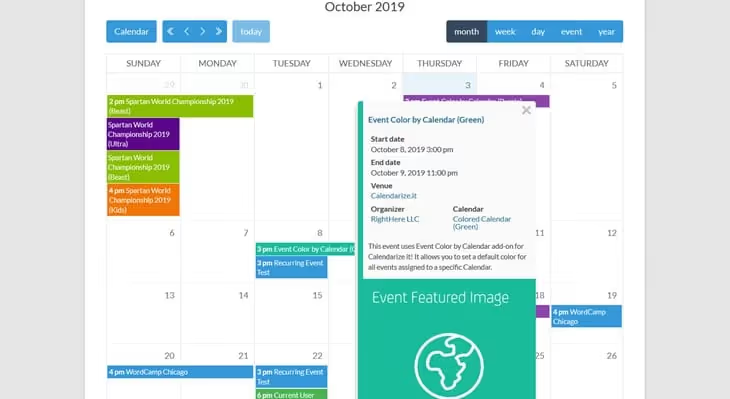
Notable for its pricing approach: the main plugin is affordable and comes with a collection of free add-ons (ratings, reviews, author filtering, upcoming events widget). Paid add-ons are only needed for accepting payments through WooCommerce.
Optimized for Gutenberg and compatible with WPBakery Page Builder.
Pros:
- Many add-ons included in the base price
- Optimized for Gutenberg
- Compatible with WPBakery Page Builder
Cons:
- Payments only through WooCommerce add-on
- Card design is inferior to EventOn
Price: one-time payment on marketplaces (affordable price).
11. Timely Event Calendar
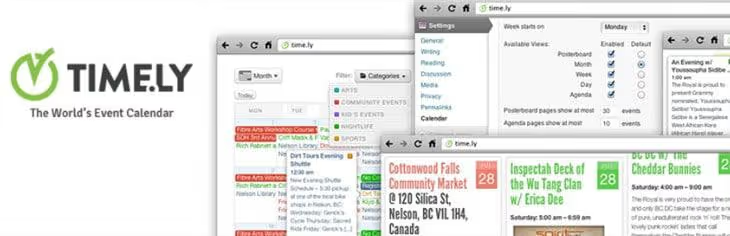
Previously known as All-in-One Event Calendar, this plugin underwent a complete rebrand and is now developed by the Timely team. The free version on WordPress.org includes multiple event display modes (month, week, day, list), color coding by category, and iCal sync.
The PRO version adds ticket sales, venue seating organization, and booking.
Pros:
- Feature-rich free version
- Google Maps support for venue display
- Color coding for event categories
Cons:
- Rebrand confused some users
- PRO version is more expensive than some alternatives
Price: free, PRO from $89/year.
🔗 Timely Event Calendar on WordPress.org
12. My Calendar

A highly rated free plugin on WordPress.org that displays events as a grid or list. The PRO version adds user submissions (frontend form), advanced search, and CSV event import.
The free version is sufficient for small projects whose goal is displaying events, not selling tickets.
Pros:
- Fully functional free version
- Convenient sorting by location, host, and category
- Layout customization through shortcodes
Cons:
- No built-in payments
- Basic design (requires styling to match the theme)
Price: free, PRO through the developer's website.
🔗 My Calendar on WordPress.org
13. Event Booking Pro
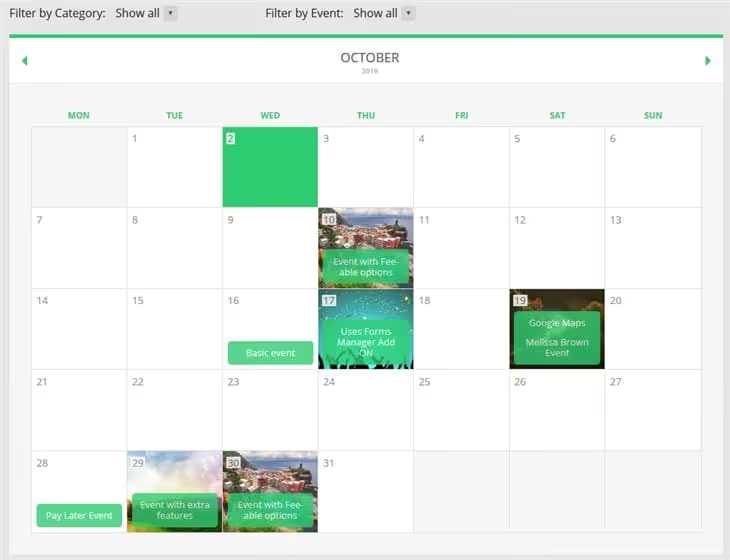
Built for ticket sales (children's tickets, gift cards, visual event editor, and Google Calendar sync). Suitable for event organizers who need not just a calendar but a box office with reporting.
Google Maps integration for venue display. Clients receive tickets with unique codes via email.
Pros:
- Gift card integration
- Visual event editor
- Google Maps for venue display
Cons:
- PayPal is the only built-in payment gateway
- Form design needs customization to match the brand
Price: one-time payment on marketplaces (affordable price).
14. Modern Events Calendar
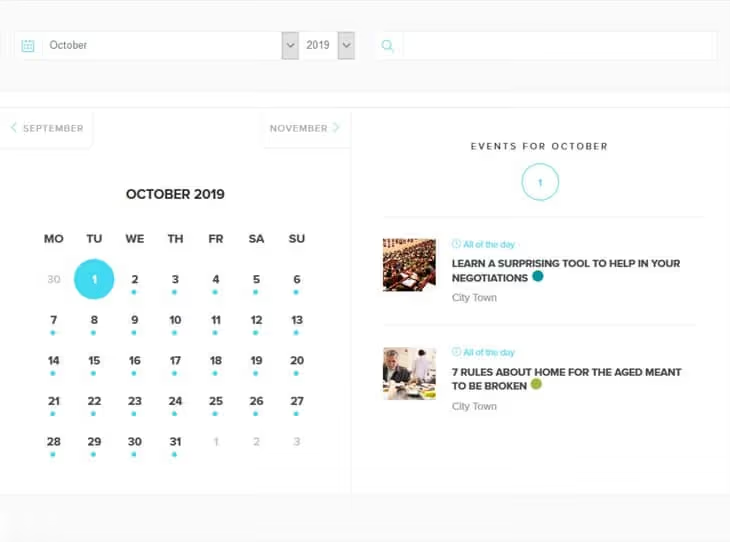
Stands out with beautiful layouts out of the box (grid, list, map, slider) and an advanced shortcode builder. Supports ticket sales through PayPal, Stripe, and WooCommerce, user event submissions, coupons, and QR codes.
Excellent Elementor integration for visual calendar layout editing.
Pros:
- Ready-made beautiful layouts without coding
- Ticket sales with coupons and QR codes
- Users can add events from the frontend
Cons:
- Free version displays plugin branding
- Some layouts only in PRO
Price: free (with branding), PRO from $69/year.
🔗 Modern Events Calendar official website
Plugins for property booking
Hotels, cottages, apartments, and campgrounds need an availability calendar with nightly rates, seasonal pricing, and sync with platforms like Airbnb and Booking.com.
15. MotoPress Hotel Booking
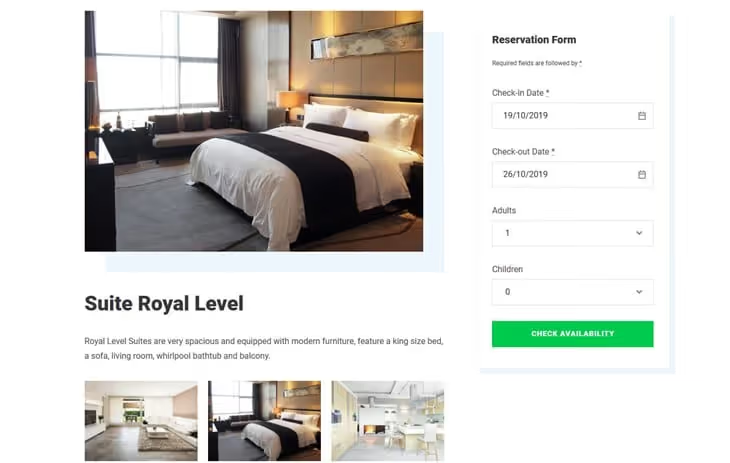
A comprehensive solution for property rental (from property presentation to booking management). The plugin is localized in multiple languages and integrates with Gutenberg, Divi, and Elementor.
Calendars sync with Airbnb and Booking.com via iCal (two-way sync, date blocking). Flexible rates: per night, per person, seasonal prices, long-stay discounts.
Pros:
- Sync with external booking platforms via iCal
- Flexible rates: per night, per person, seasonal
- Free payment gateways out of the box (PayPal, Stripe)
Cons:
- Paid subscription for full functionality
- Rate system takes time to learn
Price: from $119/year.
🔗 MotoPress Hotel Booking on WordPress.org🔗 Official MotoPress website
16. WP Hotelier

A free plugin for small hotels and guesthouses. Supports unlimited room types, a booking system with availability calendar, flexible rates (fixed, seasonal), and a reporting system.
Payments are accepted through WooCommerce, giving access to dozens of payment gateways. Suitable for hotels up to 20 rooms with basic needs.
Pros:
- Completely free
- Simple room and rate setup
- Booking reporting system
Cons:
- No sync with external platforms in free version
- Fewer add-ons than MotoPress
Price: free.
🔗 WP Hotelier on WordPress.org🔗 Official WP Hotelier website
17. Vik Booking
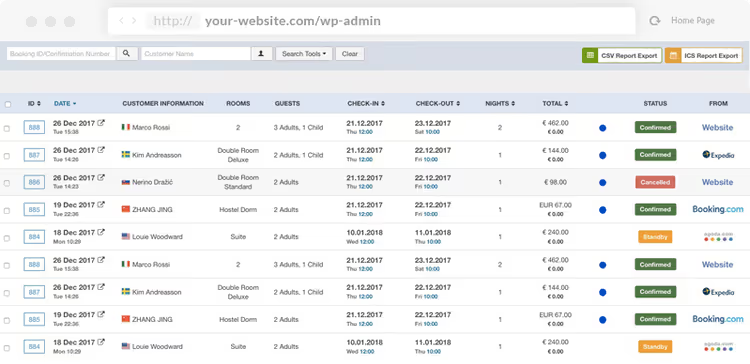
A plugin fully dedicated to hotel and rental property needs. The team behind it has been developing on the Joomla platform since 2010, and the WordPress version offers bookable units and subdivisions, availability calendars with daily pricing, and a centralized panel for channels like Expedia (via add-on).
Supports over 60 payment gateways, including regional ones. Ready-made projects for the hospitality industry.
Pros:
- 60+ payment gateways
- Ready-made projects for hospitality
- Expedia channel manager via add-on
Cons:
- Paid subscription in euros
- Interface is more complex for beginners
Price: from €149/year.
🔗 Vik Booking on WordPress.org🔗 Official Vik Booking website
18. HBook
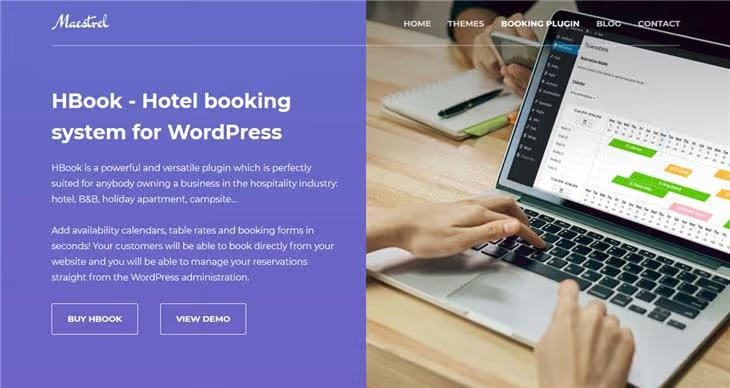
A veteran among property booking plugins with over 11,300 sales on CodeCanyon and a 4.88-star rating. Covers the full cycle: seasonal prices, flexible rates, vouchers, discounts, integrated channel manager for OTA sync, and multiple live demos.
One-time payment (not annual subscription), but support is included for 6 months.
Pros:
- Flexible pricing system (seasonal rates, discounts)
- Channel manager built in
- Affordable price without annual payment
Cons:
- One-time payment, but support only for 6 months
- Fewer visual layouts than competitors
Price: one-time payment on marketplaces (mid-range price).
19. VR Calendar Sync
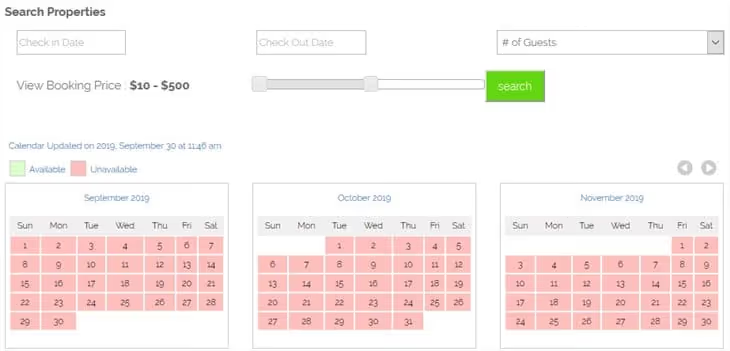
Solves one task: two-way availability calendar sync between WordPress and Airbnb, VRBO, Homeaway, and Flipkey. Ideal for property owners who already list on these platforms and want to show current occupancy on their own site.
Price level settings, responsive calendar with color customization. Availability updates automatically in both directions.
Pros:
- Automatic two-way sync via iCal
- Price level settings
- Responsive calendar with color customization
Cons:
- No booking management on the WordPress side, only occupancy display
- PayPal and Stripe for on-site payments, not for sync
Price: one-time payment on marketplaces (affordable price).
20. WP Hotel Booking

A free plugin on WordPress.org for hotels with room management, booking, and reporting systems. Supports flexible rates (fixed, seasonal), Authorize.net, PayPal, Stripe, and offline payment. WPML-compatible for multilingual sites.
For a ready-made solution, you can use the Sailing theme with pre-installed WP Hotel Booking integration.
Pros:
- Completely free
- Flexible rate system
- WPML compatibility for multilingual sites
Cons:
- No sync with external platforms
- Less documentation than paid alternatives
Price: free.
🔗 WP Hotel Booking on WordPress.org
⁉️🤔 Frequently asked questions
What's the difference between an appointment plugin and an event plugin?
An appointment plugin works with hourly slots: the client selects a specific time, specialist, and service (for example, a haircut at a salon or a doctor's consultation). An event plugin manages activities with a fixed date: a concert, webinar, or conference. The main selection criterion: if you have repeating time slots throughout the day, choose an appointment plugin (Amelia, Bookly). If you have events with start and end dates, choose an event plugin (The Events Calendar, EventOn).
Can you get by with a free booking plugin?
Yes, for a small business. Booking Calendar, WP Hotel Booking, and WP Hotelier are completely free and cover the basic cycle: request, confirmation, email notification. Limitations apply to automation: manual confirmation instead of instant payment, no SMS reminders, and no iCal sync. If your client flow has grown to 10 or more bookings per day, the premium version pays for itself through admin time savings. For events, The Events Calendar in its free version offers more than most paid competitors in their basic tiers.
Which plugin is best for Airbnb sync?
VR Calendar Sync is built specifically for this task: two-way iCal sync between WordPress and Airbnb, VRBO, Homeaway, and Flipkey out of the box. MotoPress Hotel Booking and Vik Booking also support iCal, but as part of a broader booking management system. HBook includes a built-in channel manager for OTAs. If your site is a showcase with current availability while bookings happen on Airbnb, choose VR Calendar Sync. If your site accepts bookings directly, choose MotoPress or HBook.
Do you need WooCommerce for accepting payments in a booking plugin?
Not always. Amelia, Bookly, Booking Calendar, and Vik Booking support Stripe and PayPal directly, without WooCommerce. Booked and JetAppointment, on the other hand, use WooCommerce as the only payment gateway. Check this before purchasing: WooCommerce adds flexibility (dozens of gateways) but adds weight to the site. If you don't have a store on the site, choose a plugin with direct gateways. If WooCommerce is already installed, Booked and JetAppointment will connect payments without extra steps.
How do you migrate data from one booking plugin to another?
Through iCal export and import. Almost all plugins in this review support iCal: export bookings from the old plugin to an.ics file, then import into the new one. Client database and payment history can't be transferred this way, only calendar events. For full migration, check whether the new plugin has built-in import from CSV or from a specific competing plugin. Before migrating, enable maintenance mode on the site and make a full backup: manually rolling back a booking calendar is extremely time-consuming.
Which booking plugin to choose in 2026
The choice comes down to three scenarios.
If you need hourly scheduling for specialists (salon, clinic, lawyers), choose Amelia or Bookly PRO. Both provide a CRM panel, employee management, and automatic notifications. Amelia wins on form design and UX, while Bookly wins on SMS notification flexibility and pricing options.
If you're selling event tickets, start with The Events Calendar (the free version is very functional). If out-of-the-box event card design matters, choose EventOn. For advanced layouts and Elementor integration, choose Modern Events Calendar.
If you're in property rental, MotoPress Hotel Booking offers a full-featured booking site with Airbnb sync. HBook offers the best price-to-feature balance. VR Calendar Sync is best if main bookings happen on Airbnb and your site is just an availability showcase.
Don't chase the feature list. Test 2-3 plugins from your category on a demo or free version. Clients will see the booking interface more often than you'll see the admin panel.
If you have experience with any of the plugins listed, share in the comments. Migration cases from one plugin to another are especially interesting: what broke and what unexpectedly worked better.

A professional team of writers and editors specializing in creating quality content.