













 AIIllustrative image: AI-generated
📅 16 best WordPress appointment booking plugins in 2026
Customers don't want to call. They open the site, see a form, choose a time, and that's it, booking complete. No "manager will call you back in an hour," no lost requests in email, no double bookings in a notebook.
But WordPress site owners still work the old-fashioned way: phone, email, manual calendar checks. Then they wonder why appointments fall through, customers leave for competitors with online booking, and the administrator triple-checks the same schedule for the third time that day.
An appointment booking plugin eliminates this chaos. It embeds a calendar, booking form and automatic notifications into your site, customers book themselves any day and time, and you see the schedule in WordPress admin. Below, 16 plugins that cover booking for any scenario: from private tutors to clinic chains with dozens of employees and advance payment.
💡 Quick overview:
- Define your scenario: private consultations, salon with staff, space rental or group events, each needs its own feature set.
- Choose a plugin: for starting out, free Simply Schedule Appointments or Easy Appointments is enough, for growth, Amelia or Bookly, for WooCommerce, PluginHive or WooCommerce Bookings.
- Set up and launch: configure services and calendar, embed the form on a page via shortcode or block, first customer books today.
Plugin comparison table
Plugin | Type | Payments | Staff | Google Calendar | Free Version |
|---|---|---|---|---|---|
Simply Schedule Appointments | Freemium | Yes (Pro) | Yes (Pro) | Yes (Pro) | Yes |
Amelia | Premium | Yes | Yes | Yes | No |
Booknetic | Premium | Yes | Yes | Yes | No |
Vik Appointments | Freemium | Yes (Pro) | Yes (Pro) | Yes | Yes |
WooCommerce Bookings (PluginHive) | Premium | Yes | Yes | Yes | No |
Book an Appointment Online PRO | Premium | Yes | Yes | Yes | No |
vCita | Freemium | Yes | Yes | Yes | Yes |
Bookly | Freemium | Yes (Pro) | Yes (Pro) | Yes (Pro) | Yes |
Appointment Booking Calendar | Freemium | PayPal | No | No | Yes |
Templatic Booking | Premium | Yes | Yes | Yes | No |
Fluent Booking | Freemium | Yes (Pro) | Yes (Pro) | Yes (Pro) | Yes |
LatePoint | Freemium | Yes (Pro) | Yes (Pro) | Yes (Pro) | Yes |
Easy Appointments | Freemium | Yes | Yes | Yes | Yes |
gAppointments | Premium | Yes (Gravity) | Yes | Yes | No |
Booking Ultra Pro | Freemium | Yes (Pro) | Yes (Pro) | Yes (Pro) | Yes |
WooCommerce Bookings | Premium | Yes | Yes | Yes | No |
Comparison of three top booking plugins, Amelia, Bookly and BookingPress, from WP Pioneer channel. In 10 minutes the author walks through key differences in interface, service setup and pricing models. Useful if choosing between market leaders.
1. Simply Schedule Appointments
🔗 Simply Schedule Appointments on WordPress.org
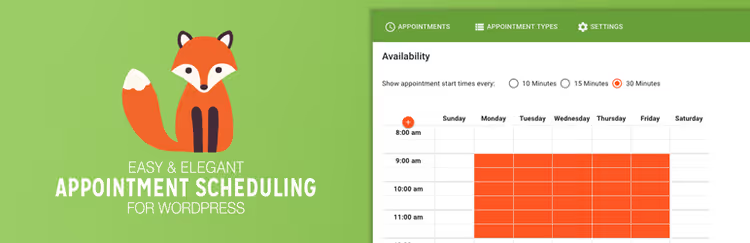
One of the most popular free booking plugins: 60,000+ active installs, average rating 5 stars, last update, June 2026. The NSquared team keeps the plugin in active development and patches vulnerabilities promptly.
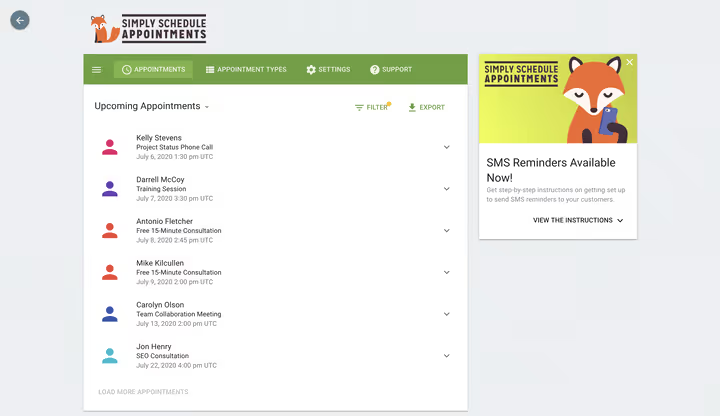
The plugin builds calendars around "appointment types," services with individual settings. For each you set available time blocks, days, duration and scheduling rules. Built-in double-booking protection: an occupied slot cannot be taken by another service.
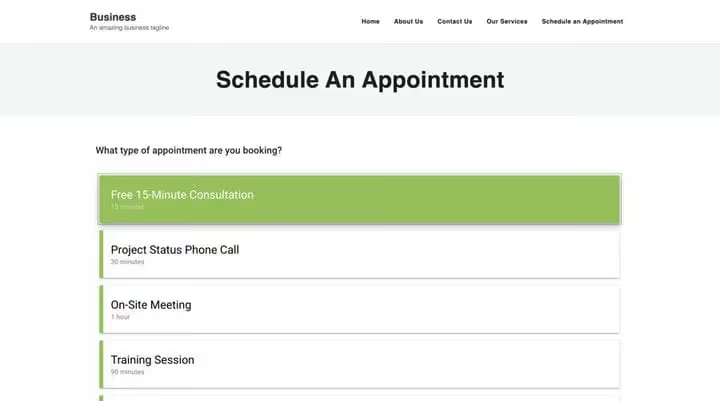
Calendar embeds via [ssa_booking] shortcode or native blocks: Gutenberg, Elementor, Beaver Builder, Divi. Appearance customization is flexible, colors, fonts, spacing, custom CSS. Calendar is responsive, accessible (WCAG), works on touch devices.
Pros:
- Full-featured free version with no calendar limits
- 5-star support through WordPress.org forums and built-in Help Center
- Wide compatibility: The Events Calendar, WP Fusion, Formidable Forms, LifterLMS
Cons:
- Payments, SMS, Google Calendar, Zoom and groups, only in paid tiers (Plus from $99/year, see pricing)
- No built-in form builder (need Gravity Forms or Formidable for complex scenarios)
Price: free version (Basic) available on WordPress.org. Plus, $99/year, Pro, $199/year, Business, $299/year.
2. Amelia

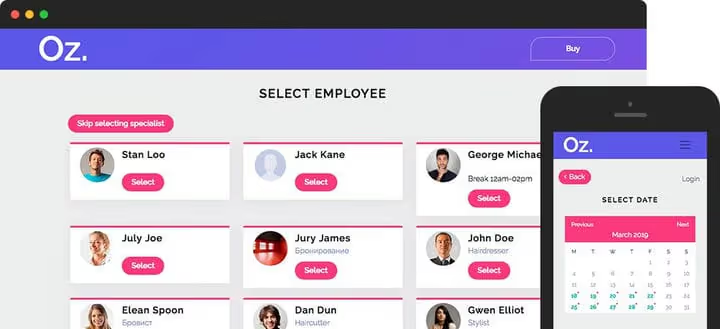
Amelia, a premium all-in-one booking automation tool. Customer selects service, employee, location and time through a step-by-step wizard with faceted filtering. Payment accepted immediately, PayPal, Stripe, Mollie, WooCommerce.
The plugin is designed for companies with multiple employees: each gets assigned services, working hours, days off and breaks. Special days and special pricing are supported. Four calendar views (month, week, day, list) plus timeline.

Separate plus, shortcode for services page: one [ameliaservices] outputs category, specific service or entire catalog.
Pros:
- Complete cycle: services → employees → locations → payment → notifications
- Customer calendar and admin in Russian (via WPML)
- Image galleries, coupons, extras for add-on services
Cons:
- No free version (demo only)
- Basic license is paid, lifetime requires separate investment
Price: Basic, $79/year, Pro, $149/year, Lifetime, $249 (one payment).
3. Booknetic
🔗 Booknetic on CodeCanyon🔗 Live demo
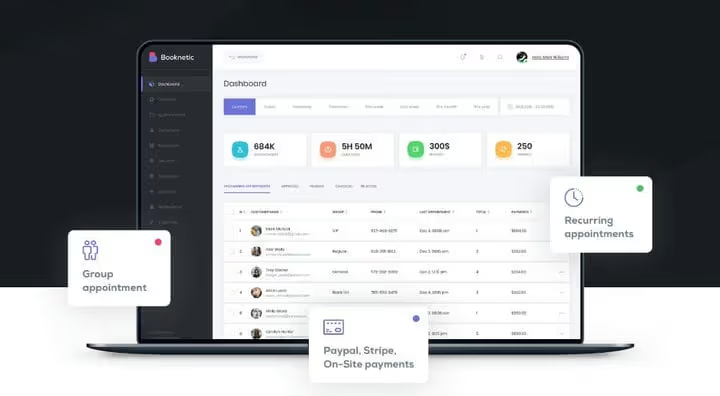
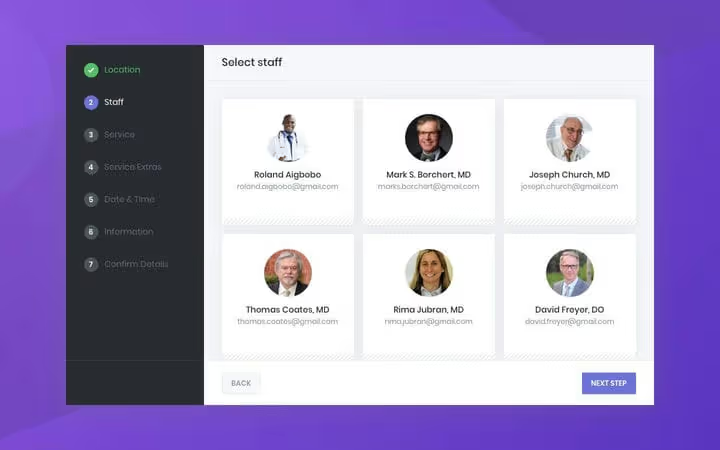
Booknetic, a premium CodeCanyon plugin that stands out with modern UI and interactive form builder. You visually assemble the booking process: overall design, colors, steps, service categories, staff, locations. No code.
The plugin handles payments through PayPal, Stripe, WooCommerce and "pay on location." Management panel displays breakdown by employees and services. Customer can filter by staff, service or location, book recurring and group appointments. Two-way Google Calendar sync, for customer and employee.
Pros:
- Best visual form builder in this roundup
- Group and recurring bookings out of the box
- WPML compatible for Russian translation
Cons:
- One-time update is paid (6 months support), lifetime, separate price
- Fewer integrations than Amelia (no Zoom, Google Meet)
Price: $49 (6 mo. support) or $149 (lifetime) on CodeCanyon.
4. Vik Appointments
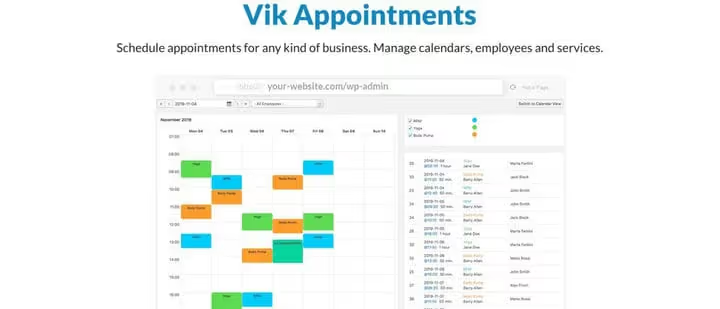
Vik Appointments, a reliable freemium plugin with full booking calendar. You add services, time slots, duration, number of seats and employee availability by time and location. Special pricing supported: weekends, holidays, season.
The plugin handles automatic notifications via email and SMS, generates invoices and syncs multiple payment gateways (Pro version). For customer the process: selected service → employee → time → paid. Last update, May 2026, version 1.2.19.
Pros:
- Flexible employee availability management by locations
- Special pricing by days and seasons
- Free version with basic functionality
Cons:
- Pro version (paid) required for accepting payments
- Admin interface less modern than Booknetic or Amelia
Price: free version on WordPress.org, Pro, $99/year.
5. WooCommerce Bookings and Appointments (PluginHive)

🔗 PluginHive WooCommerce Bookings🔗 Live demo
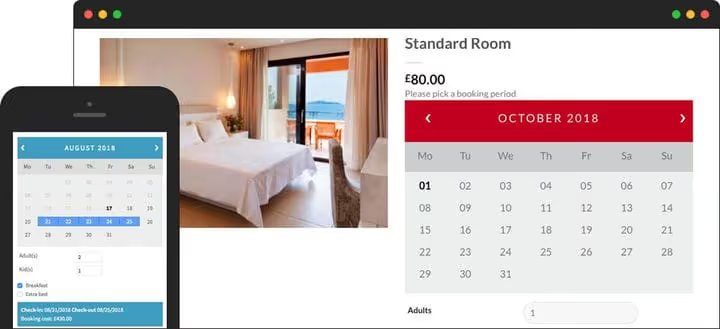
If the store is already on WooCommerce, PluginHive is a logical choice. It turns WooCommerce products into bookable entities with configuration by months, days, hours and minutes. Customer can select multiple appointments in one booking, convenient for space rental and multi-day conferences.
The plugin supports multiple employees with individual pricing. Dynamic calculation shows customer pricing options on the fly. Additional services (aromatherapy with massage, transfer) are added as "booking add-ons."
Pros:
- Native WooCommerce integration: products, payments, taxes, reports
- Flexible pricing: weekends, holidays, individual employee rates
- Google Calendar Sync for customer and admin
Cons:
- Requires WooCommerce (additional site load)
- Above-average price, no lifetime license
Price: from $99/year.
6. Book an Appointment Online PRO
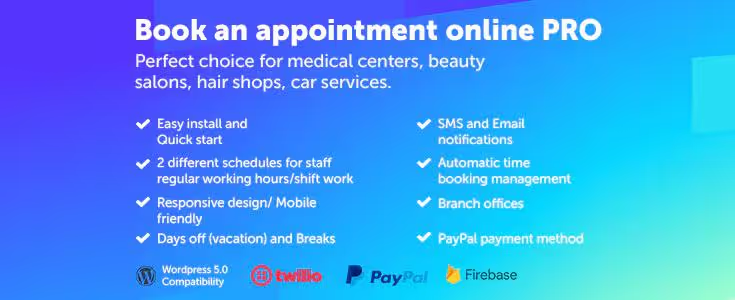
Premium plugin focused on simplicity and speed. Customer selects employee (or skips step), service, date and time, form is responsive, works on smartphone without zooming. Quick start for owner: setup wizard walks through creating services, staff and schedule in 10-15 minutes.
The plugin supports multiple employees and locations, Google Calendar Sync and customizable email notifications. Payments accepted via PayPal and Stripe. Price is one-time, no monthly subscription.
Pros:
- Minimal entry barrier: setup in 10-15 minutes
- Responsive form, convenient on smartphone
- One-time purchase with no recurring payments
Cons:
- Fewer integrations and payment gateways than competitors
- Basic form design (needs CSS for customization)
Price: one-time license (price check with developer).
7. vCita
vCita, more than a booking calendar: it's CRM, billing, email marketing and client portal in one package. The platform is especially good for consultants, coaches, lawyers and accountants who need not just appointment fact, but complete relationship history with client.

Customer interface includes personal account where visitor sees their appointments, invoices and correspondence. Mobile app allows managing booking from phone. On the downside, vCita is not fully self-hosted: part of the logic lives on platform servers.
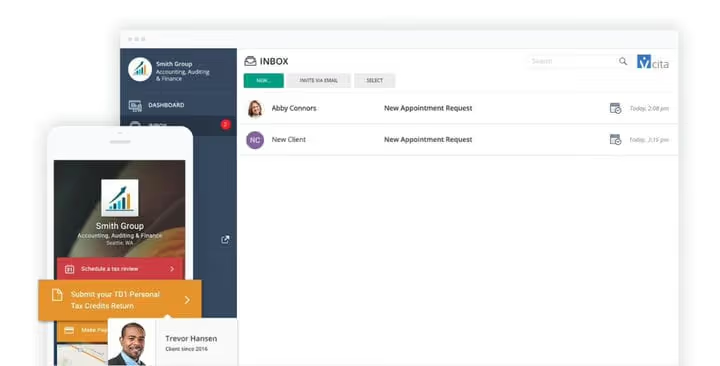
In free version, basic scheduling. Premium plans (from $15/mo) unlock analytics, coupons, email marketing and client portal. Platinum plan ($59/mo), a complete tool: appointments plus CRM plus payments.
Pros:
- CRM and messaging with clients inside platform
- Mobile app for owner
- Free version for starting out
Cons:
- Full functionality requires Platinum plan (from $59/mo, see pricing)
- Tied to vCita ecosystem (not fully self-hosted)
Price: free (basic), Essentials, $29/mo, Platinum, $59/mo.
8. Bookly
🔗 Bookly on WordPress.org🔗 Bookly official site
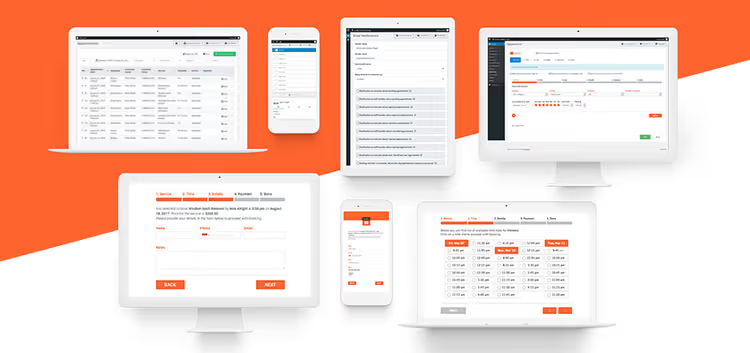
Bookly, one of the oldest and most functional WordPress schedulers: 60,000+ installs, 40+ languages via WPML, responsive design. Free version includes unlimited forms, appearance customization (colors, steps, fields), email and SMS notifications. Version 27.7 (June 2026).
Native integration with PayPal, Stripe, Authorize.net, Mollie, Payson, PayUbiz, 2Checkout, WooCommerce, Bookly covers almost all payment systems. Google Calendar Sync, Zoom, Google Meet and dozens of add-ons (group bookings, deposits, coupons, employee personal account) available with Bookly Pro add-on.
Pros:
- Widest add-on ecosystem among all plugins in roundup
- 40+ languages out of the box
- Free version with no form limits
Cons:
- Pro add-on (paid) needed for payments, employees and integrations
- Admin interface functional but visually inferior to Booknetic
Price: free version on WordPress.org, Pro add-on, $89 (lifetime license).
9. Appointment Booking Calendar
🔗 Appointment Booking Calendar on WordPress.org🔗 Plugin screenshots
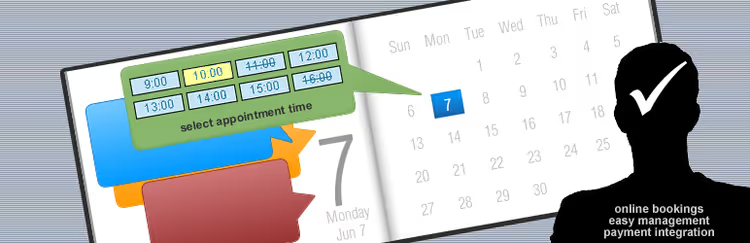
Free calendar for simple scenarios: customizable time slots, email notifications, Google Drive export, printable booking lists, captcha. Works if you don't need payments and multiple employees.
For accepting payment free version works only with PayPal. Other gateways, in premium version. If scenario is "appointment booking without advance payment," plugin solves the task without extra costs. Version 1.4.02 (June 2026).
Pros:
- Full-featured free functionality without registration
- Export bookings to Google Drive
- Minimal entry barrier
Cons:
- Only PayPal in free version (no Stripe)
- No multiple employees support
Price: free. Premium, from $49.
10. Templatic Appointment Booking
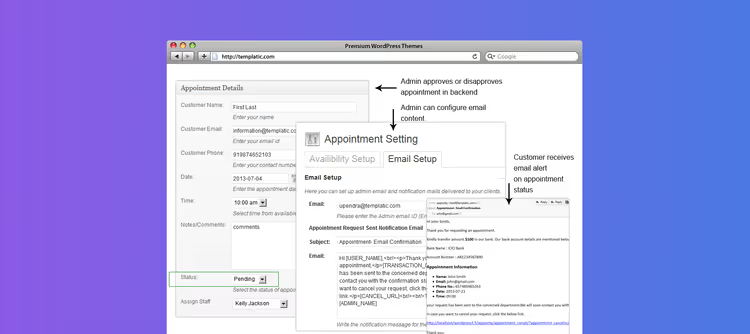
Plugin from Templatic uses non-standard approach: instead of persistent calendar, a form where calendar appears on date field click. This UX is familiar to users who frequently book flights or hotels.
The plugin is especially good for rentals: supports seasonal pricing, direct bank transfer (rare option!), no transaction fees. On purchase there's no monthly fee, one license forever. Works well with Service Biz theme where plugin is already embedded.
Pros:
- Direct bank transfer as payment method
- Seasonal pricing without additional modules
- One-time purchase with no subscription
Cons:
- Fewer payment gateways than competitors
- Tied to Templatic themes for maximum compatibility
Price: one-time license (price check on Templatic site).
11. Fluent Booking

🔗 Fluent Booking on WordPress.org🔗 Official site
Fluent Booking, a modern appointment scheduler from Fluent team (Fluent Forms, FluentCRM, FluentSMTP). The plugin reached 20,000+ active installs and maintains 4.5-star rating. Free version includes unlimited appointments, calendar with monthly and weekly views, email notifications and Zoom integration. Version 2.1.2 (June 2026).
The plugin targets service businesses: salons, clinics, consultations, webinars. Main advantage, Fluent ecosystem: if site already has Fluent Forms or FluentCRM, booking integrates with forms and newsletters without additional setup.
In Pro version unlocks payments (Stripe, PayPal), Google Calendar Sync, group bookings, employee personal account, SMS via Twilio and custom fields. Calendar embeds via shortcode or Gutenberg block.
Pros:
- 20,000+ active installs, regular updates
- Free version with Zoom and unlimited appointments
- Integration with Fluent ecosystem (Forms, CRM, SMTP)
Cons:
- Payments and Google Calendar, only in Pro (from $69/year)
- Fewer add-ons than Bookly or Amelia
Price: free version on WordPress.org. Pro, from $69/year.
12. LatePoint

🔗 LatePoint on WordPress.org🔗 Official site
LatePoint, a lightweight modern appointment scheduler with visual form builder. The plugin reached 21,000+ active installs and 1,300+ five-star reviews on WordPress.org. Free version includes unlimited services, calendar with day, week and month views, and payment acceptance via Stripe.
The plugin targets service businesses of any scale: from private tutor to salon chain. Built-in setup wizard walks through creating services, staff and schedule in 10 minutes. Customer interface is responsive, with touch device support and automatic timezone detection.
Pro version unlocks unlimited employees and locations, sync with Google/Outlook/Apple Calendar, Zoom, Google Meet, SMS and WhatsApp notifications, group bookings, coupons, deposits and client account. All features available on all tiers, difference only in number of sites.
Pros:
- Modern visual form builder (drag-and-drop)
- Free version with payment acceptance via Stripe
- All Pro features on all tiers, no functional limitations
Cons:
- Google Calendar, Zoom and multiple employees, only in Pro
- Fewer payment gateways in free version than Bookly
Price: free version on WordPress.org. Pro, Starter $79/year, Scale $149/year, Agency $299/year; Lifetime, Starter $199, Scale $399, Agency $599 (one-time payment).
13. Easy Appointments
🔗 Easy Appointments on WordPress.org
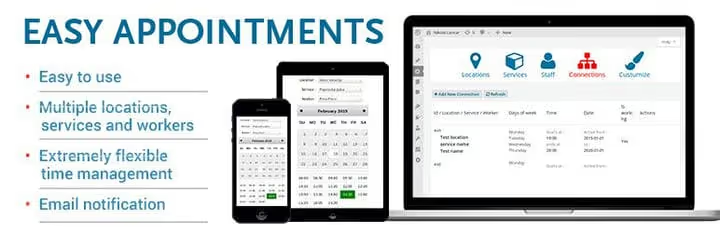
Lightweight free plugin with support for multiple services, employees and locations. Form assembled by dragging fields in builder, layout in 1 or 2 columns, custom fields, prices and labels. Built-in reports track form conversions and booking statistics. Current version, 3.12.26 (June 2026).
Works for businesses with three to five employees who need simple form without feature overload. Plugin actively updates without paid add-ons for basic operation.
Pros:
- Drag-and-drop form builder
- Built-in conversion analytics
- Free with no employee limits
Cons:
- Minimalist form design (needs CSS for customization)
- No Zoom / Google Meet
Price: free.
14. gAppointments (for Gravity Forms)
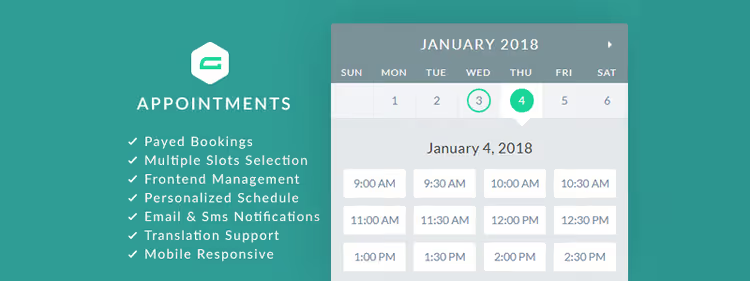
If site already uses Gravity Forms, gAppointments adds full booking module to it. Plugin extends Gravity Forms with paid bookings, nearly unlimited payment gateway set, multiple bookings per date and recurring appointments.
Supports links to Google Calendar and Yahoo Calendar, automatic confirmations, email notifications. Styles are customizable, translations work through standard Gravity Forms mechanism.
Pros:
- All Gravity Forms power: conditional logic, calculations, 50+ gateways
- Recurring appointments and multiple bookings per date
- Frontend management for clients
Cons:
- Requires Gravity Forms (from $59/year, see pricing)
- Narrow niche: only for Gravity Forms users
Price: one-time license on CodeCanyon (plus Gravity Forms cost).
15. Booking Ultra Pro
🔗 Booking Ultra Pro on WordPress.org
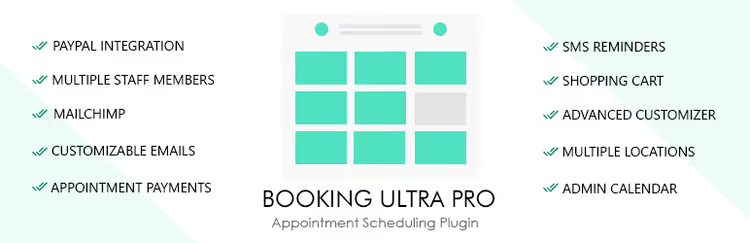
Simple four-step booking process: service → date → time → confirmation. Free version includes basic calendar, schedule and appointment management. Version 1.1.23.
Premium upgrade adds mobile payments, group bookings, appointment notes, Google Calendar Sync, flexible pricing and multiple location support. Good balance of "simplicity/functionality" for small service businesses.
Pros:
- Minimal entry barrier: 4 steps to first booking
- Free version with full appointment management
- Employee personal panel for viewing schedule
Cons:
- Payments, only in premium version
- Fewer integrations than Bookly or vCita
Price: free version on WordPress.org. Premium, from $49.
16. WooCommerce Bookings

Official WooCommerce extension for booking. Products and services turn into bookable entities with duration, buffer time and availability configuration. Supports single and group bookings, special pricing by days and seasons.
Plugin integrates with official WooCommerce extensions: deposits, booking fees, external vendor access to appointment setting. Google Calendar Sync, out of the box. Developed by Automattic, same team that makes WooCommerce itself.
Pros:
- Official Automattic development (WooCommerce team)
- Full integration with WooCommerce ecosystem
- Group bookings and multiple people per slot
Cons:
- Price: from $249/year for single-site license (on WooCommerce.com)
- Requires WooCommerce
Price: $249/year (product page).
⁉️🤔 Frequently asked questions
How does a free booking plugin fundamentally differ from premium?
Free versions (Simply Schedule Appointments, Easy Appointments, LatePoint, Booking Ultra Pro) provide calendar, form and email notifications. Payments, SMS, Google Calendar sync and multiple employee support almost always go into paid tiers. For private tutor or consultant a free plugin is enough. For salon with three specialists and advance payment you need premium.
Can you accept payment through WooCommerce without separate booking plugin?
Yes, that's exactly how PluginHive, WooCommerce Bookings and LatePoint (via WooCommerce integration) work. They turn appointment into WooCommerce product and use its payment gateways. This is convenient if store is already on WooCommerce and you don't want to multiply separate payment integrations. But WooCommerce itself adds load to site, consider this on weak hosting.
Which plugin is best for multiple employees with different schedules?
Amelia and Bookly, both support individual schedules, days off, breaks and service assignment to specific employees. Amelia provides this out of the box in basic tier ($79/year), Bookly requires Pro add-on ($89 lifetime). LatePoint, a modern alternative with same capabilities in Pro ($79/year) and visual form builder (Amelia, Bookly site, LatePoint).
What to do if customers are from different time zones?
Simply Schedule Appointments, Amelia, WooCommerce Bookings, LatePoint and PluginHive automatically detect customer time zone and show slots in their time. Bookly includes time zone switcher in form. Easy Appointments and Appointment Booking Calendar lack this feature.
Does booking plugin need separate solution for video calls?
If consultations happen online, preferably. Simply Schedule Appointments (Pro), Amelia, Bookly (via add-on), LatePoint (Pro) and vCita integrate with Zoom and/or Google Meet and automatically create video meeting link after booking. Other plugins will need external automation (Zapier, Make).
Which booking plugin to choose in 2026
There's no universal answer, plugin fits specific scenario.
If you're a private specialist, start with Simply Schedule Appointments. Free version covers calendar and form, and when you need payments and SMS, grow into Plus for $99/year (SSA pricing).
Salon or clinic with multiple employees fits Amelia: step-by-step wizard, locations, individual schedules and built-in payments. Also look at LatePoint: same capabilities from $79/year, plus visual form builder and lifetime license from $199.
If store is on WooCommerce, PluginHive or WooCommerce Bookings. First is cheaper, second is more powerful.
On minimal budget and several employees, Easy Appointments, Fluent Booking or free LatePoint version. All three support multi-user calendars without hidden limits.
Don't delay booking automation: every day customer calls instead of booking in one click is a lost appointment. Install plugin, configure form and let customers book online, no waiting.

A professional team of writers and editors specializing in creating quality content.