














🤑 8 best plugins for creating sales funnels in WordPress 2026 (Free & Paid)
A visitor lands on your site, browses the catalog, adds a product to the cart... and leaves. No purchase, no subscription, no trace. A familiar scenario for any WordPress store owner.
A sales funnel solves this problem: it keeps the visitor from bouncing and methodically guides them from first click to payment. And for WordPress, there are plugins that build such funnels without a developer, drag-and-drop, ready-made templates, A/B tests.
Below we review 8 tools for building funnels in WordPress. From lightweight free solutions to all-in-one platforms with email automation and CRM.
💡 Quick overview:
- Comparison table of top-5 plugins by pricing and key features
- Detailed breakdown of each of the 8 tools with pros and cons
- Answers to common questions about choosing a funnel for WooCommerce and for beginners
1. OptimizePress
Product | Type | For whom | Price | Feature |
|---|---|---|---|---|
OptimizePress | Plugin + theme | Info business, coaching | from $70/year | Ready-made funnel templates for different events |
FunnelKit | WooCommerce plugin | WooCommerce stores | Free / Pro from $99/year | Native for WooCommerce: upsells, abandoned carts |
Leadpages | SaaS + WP plugin | Small business, landing pages | from $74/month | Fastest landing page launch without a designer |
Divi Builder | Page Builder | Universal | from $89/year | 800+ templates, visual editor, built-in forms |
OptinMonster | Popup engine | Any site | Free / Pro from $89/year | Exit-intent: catches leaving visitors |
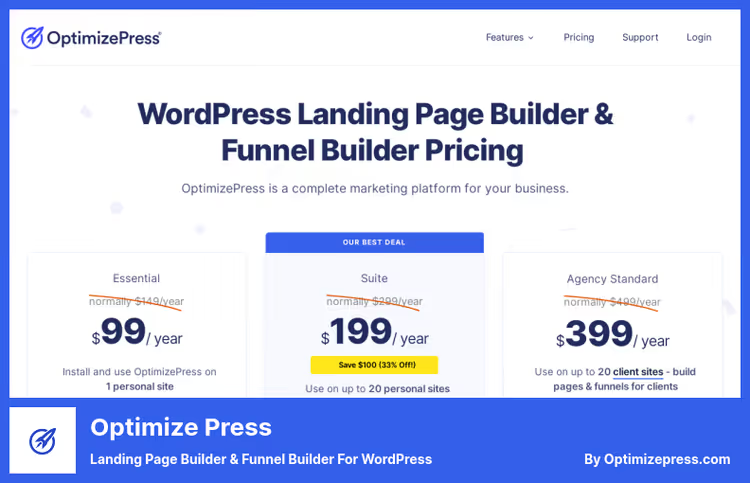
A plugin tailored for info business: course launches, webinars, product launches. OptimizePress works as a page builder and simultaneously as a funnel engine, no need to install three different plugins for one sequence.
In the arsenal, customizable sales pages, countdown timers, video blocks and advanced e-commerce feeds. Under the hood, integration with popular email services and CRM: a lead enters the funnel, and then the system guides them through the chain of emails and offers.
There's a built-in payment system: customer data, taxes, coupons and order history are stored right in the plugin. No separate processing needed.
- Pros: specialized templates for specific launch types (webinar, coupon, launch), built-in payment processing, GDPR-compliant forms
- Cons: pricing is steep for starting out, tailored for info business, an online store with thousands of SKUs will feel cramped
- Price: from $70/year according to PulseSignal data for 2026, includes 12 months of support
- Download: 🔗 OptimizePress, official site
2. FunnelKit (formerly WooFunnels)
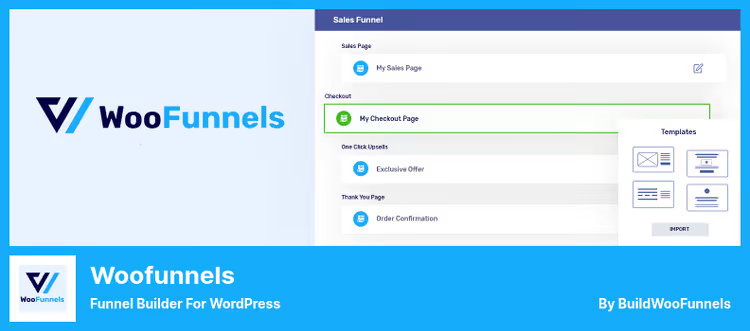
FunnelKit builds funnels specifically for WooCommerce. Not a universal page builder, but a surgical tool: upsells, cross-sells, abandoned carts, one-click upsells after checkout. Everything that increases a store's average order value.
Works via drag-and-drop, low entry barrier. Integrates with popular page builders (Elementor, Divi, Oxygen), so you can design pages in your familiar editor and build funnel logic through FunnelKit.
Customer segmentation is built right into the CRM module: buyers are distributed into lists based on behavior, each group gets its own email chains. The plugin tracks time on site and cart contents, automatically sending discount coupons based on this data.
- Pros: native integration with WooCommerce (cart, checkout, no hacks), flexible customer segmentation, branded emails out of the box
- Cons: tied to WooCommerce, not suitable for content sites without a store, Pro version requires annual subscription
- Price: FunnelKit Lite on WordPress.org, free; Pro, from $99/year
- Download: 🔗 FunnelKit Lite on WordPress.org | 🔗 FunnelKit Pro
3. Leadpages
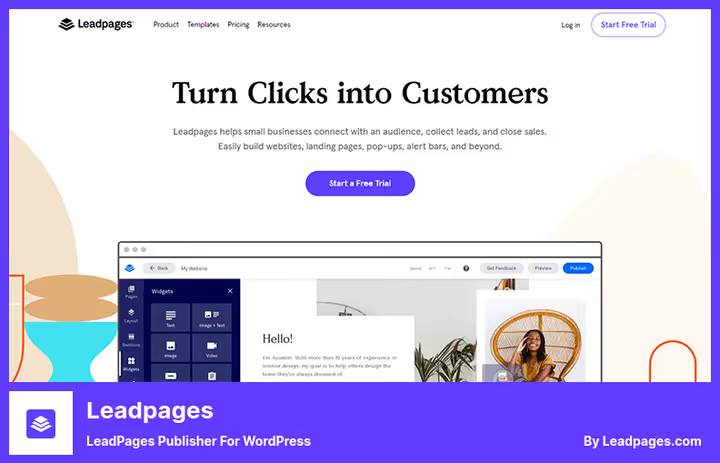
Leadpages, a SaaS platform with a WordPress plugin for instant landing page publishing. Main advantage: launch speed. Choose a template, replace text and images, connect an email service, page ready in an hour.
Inside, pop-ups, alert bars, timers and built-in analytics for each page. The plugin tracks conversion and shows which landing page variant works better. There are time-based text popups: the offer appears at the optimal moment, not immediately on arrival.
Accepts payments through major gateways, issues receipts, processes recurring charges. For small businesses that want to start accepting money online without hiring a developer, a working option.
- Pros: record launch speed (hour from installation to publication), built-in conversion analytics, time-based popups
- Cons: monthly subscription is noticeable for a growing business, not for complex automation scenarios
- Price: from $74/month, includes 12 months of support
- Download: 🔗 Leadpages, official site
4. Divi Builder
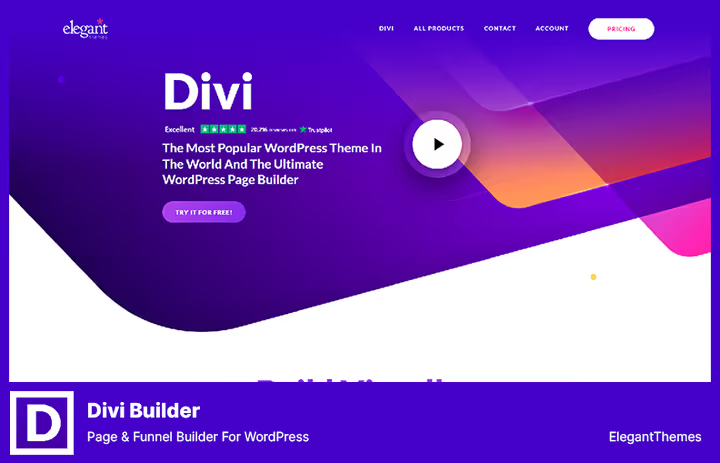
Divi Builder from Elegant Themes, a visual builder that covers not only funnels but the entire site design. 800+ ready-made templates and 100+ web packages: choose a niche, import a layout, customize to fit.
The editor is live, changes are visible immediately, without switching to preview. Supports mass editing: edit one module and changes apply to all pages where it's used. For landing pages with repeating blocks, this saves hours.
Built-in forms cover practically everything: opt-in, contact, price tables, testimonials, sliders, social media buttons, Google maps. No need for separate plugins, everything out of the box.
- Pros: 800+ templates, mass editing for quick edits across dozens of pages, built-in forms of all types
- Cons: beginners are intimidated by the abundance of settings, license for one site is more expensive than competitors
- Price: from $89/year with 12 months of support
- Download: 🔗 Divi Builder on Elegant Themes
5. OptinMonster
OptinMonster, not so much a full funnel builder as a lead capture engine. But paired with any page builder, it covers a key funnel stage: converting a visitor into a subscriber.
The plugin's feature, exit-intent: the popup triggers exactly when the cursor moves beyond the window boundary. The visitor is about to close the tab, gets an offer. According to OptinMonster's own data, such campaigns recover 10-15% of leaving traffic.
9 categories of ready-made campaigns, customization via drag-and-drop, integration with 18 email providers. Canvas template allows building a completely unique popup from scratch.
- Pros: exit-intent as the main conversion tool, 18 email integrations, canvas template for full customization
- Cons: doesn't build a complete funnel (needs a page builder as a pair), Pro version is paid
- Price: OptinMonster Lite on WordPress.org, free; Pro, from $89/year
- Download: 🔗 OptinMonster Lite on WordPress.org | 🔗 OptinMonster Pro
6. Beaver Builder
A fast and lightweight page builder that doesn't load the admin panel with hundreds of unnecessary scripts. Suitable for beginners: the interface is minimalist, modules are dragged by mouse, the result is visible immediately.
12 ready-made homepage templates and 11 internal page layouts, a starting point for a landing page. From modules: headings, maps, contact forms, buttons, sliders and squeeze pages. For a funnel, this set is enough.
The main advantage of Beaver Builder, a license without site number limits. Install on 5 projects, on 10, no need to pay extra. For an agency or freelancer with a dozen clients, this is a decisive argument.
- Pros: license without site number limits, lightweight and fast (doesn't overload admin), low entry barrier
- Cons: fewer templates than Divi (23 vs 800+), no built-in CRM and email automation
- Price: Beaver Builder Lite on WordPress.org, free; Pro, on developer's site
- Download: 🔗 Beaver Builder Lite on WordPress.org | 🔗 Beaver Builder Pro
7. Kartra
Kartra, not a plugin in the classic sense, but an entire marketing platform with WordPress integration. Inside one dashboard: funnel builder, page hosting, email automation, membership areas, courses and even HelpDesk with tickets.
100+ ready-made templates for different niches. Intelligent lead management: tagging, scoring, transaction history and correspondence gathered in one customer card. Email engine supports behavior-driven automation, email chains launch not by schedule but by user actions.
For info business with paid courses and membership areas, a ready ecosystem: drip content, structured lessons, video/audio/text formats. Plus live chat with multi-agent support and canned responses.
- Pros: full cycle from landing page to membership area in one platform, behavior-driven email automation, built-in support service
- Cons: pricing is high for a beginner (it's a platform, not one plugin), overkill if you only need a landing page builder
- Price: annual subscription includes free support, plans on Kartra site
- Download: 🔗 Kartra, official site
8. ClickFunnels
ClickFunnels, a veteran of the funnel market. The platform many started building sales sequences with before it became mainstream. The WP connector (Fast ClickFunnels) hasn't been updated since 2023 and hasn't been tested with the latest WordPress versions, so it's better not to install it. But the ClickFunnels platform itself works independently and integrates with WordPress through webhooks.
In the arsenal, 26+ pre-configured funnel schemes and 30+ landing page templates. Follow-Up Funnels automatically send targeted messages to contact lists. Built-in email marketing and Facebook integration launch cross-channel campaigns without additional services.
No limits on number of pages and funnels, create as many as your business needs. The platform focuses on quick launch: minimum technical settings, maximum ready solutions.
- Pros: 26+ ready funnel schemes, unlimited pages and funnels, Follow-Up Funnels for automatic retargeting
- Cons: WP connector is abandoned (don't install Fast ClickFunnels plugin on fresh WordPress), platform is more expensive than most WP-native solutions
- Price: from $97/month, details on ClickFunnels site
- Download: 🔗 ClickFunnels, official site
Watch the video above, a live tutorial on building a funnel in WordPress from plugin installation to page publication. In 20 minutes, the full cycle is shown, and after it the interface of any of the eight tools will be clearer.
⁉️🤔 Common questions
Do I need a developer to set up a funnel in WordPress?
All plugins from the selection work through a visual editor, drag-and-drop, ready-made templates, mouse configuration. Exception: complex automation chains in FunnelKit or Kartra may require an hour or two studying documentation. But no code writing needed.
Which plugin works best with WooCommerce?
From the selection, FunnelKit. It's built specifically for WooCommerce: checkout upsells, abandoned cart recovery, integration with cart and payment without hacks. If the store is on WooCommerce, take it. CartFlows (not included in the selection, but worth mentioning), an alternative with similar logic.
Can I use free versions to start?
Yes. FunnelKit Lite, OptinMonster Lite and Beaver Builder Lite, full-featured free versions, not cut-down demos. In practice, Beaver Builder Lite is enough to build a landing page with three or four blocks. When first sales come in, upgrade to Pro.
What to choose for a beginner without technical background?
From our list, the easiest to start with Beaver Builder (minimalist interface, not overloaded) or Leadpages (template → text → done in an hour). Both don't require understanding WordPress hooks and shortcodes.
Do these plugins work with any WordPress themes?
Yes, all tested with popular themes. Page builders (Divi Builder, Beaver Builder) are compatible with most themes from the WordPress.org catalog. FunnelKit and OptimizePress require a modern theme with WooCommerce hook support, Astra, GeneratePress, Kadence work without problems.
Which funnel plugin to choose in 2026
Let's summarize. Each of the eight tools solves its own task, there's no universal "best" here.
- If you have info business (courses, webinars, launches), OptimizePress or Kartra will give a ready ecosystem for your scenario.
- If WooCommerce store, FunnelKit is tailored specifically for cart and checkout, it's its native environment.
- If you need to **quickly launch a landing page and collect **email, Leadpages will handle it in an evening, without a designer.
- If you need a universal page builder with funnels as a bonus, Divi Builder or Beaver Builder (depending on how many sites: one → Divi, many → Beaver).
- If traffic exists but conversion limps, OptinMonster with exit-intent will squeeze leaving visitors.
Start with the free version of FunnelKit Lite or Beaver Builder Lite, build your first funnel, measure conversion. When you see first sales through the funnel, investment in Pro tier will pay off quickly. And which plugin did you use, write in the comments.

A professional team of writers and editors specializing in creating quality content.